Simple Flowchart
Simple Flowchart
다운로드: App Store

이 페이지는 앱이나 개발자의 공식 페이지가 아니며, 정보 제공 및 논평을 목적으로 작성된 독립 편집 간행물입니다. 명시적으로 달리 언급되지 않는 한, 해당 앱이나 개발자는 MWM, Apple, Google Play, 앱 퍼블리셔 또는 앱 개발자와 제휴, 보증, 후원, 승인 또는 공식적으로 연결되어 있지 않으며, 이 페이지의 어떤 내용도 해당 앱이 MWM의 서비스를 사용하여 개발되었음을 의미하지 않습니다. 모든 상표, 로고, 스크린샷 및 기타 콘텐츠는 해당 소유자의 자산입니다.

로고: Simple Flowchart
다운로드: App Store

Simple Flowchart

모바일 장치에서 비즈니스 프로세스를 시각화하고 아이디어를 정리하는 가장 직관적인 방법입니다. 계정 없이 즉시 생성하세요.

주요 수치

다운로드

1K+

사용자 평점

1.0/5

총 평가 수

0

개발사

YUKI TANAIKE

카테고리

Business

지원 언어

2

최신 버전

1.1.3

크기

51.1 MB

출시일

2025년 9월 2일
기능

마찰 없는 워크플로우 설계

전문가 및 기업가가 모바일 장치에서 직접 프로세스를 시각화하고, 프로젝트를 관리하며, 복잡한 아이디어를 정리하는 가장 직관적인 방법입니다.

마찰 없는 시작

가입의 번거로움을 건너뛰세요. 앱을 실행하고 속도와 단순함을 위해 설계된 모바일 우선 인터페이스로 아이디어를 즉시 매핑하세요.

원활한 기기 간 동기화

Google Drive 통합을 활용하여 출퇴근길에 순서도를 시작하고 PC에서 완료하세요. 전문가 수준의 워크플로우는 항상 동기화됩니다.

다음 스크린샷과 설명은 앱의 공식 스토어 목록에서 직접 가져온 것이며 앱 개발자의 자산입니다.

앱 스토어

스크린샷
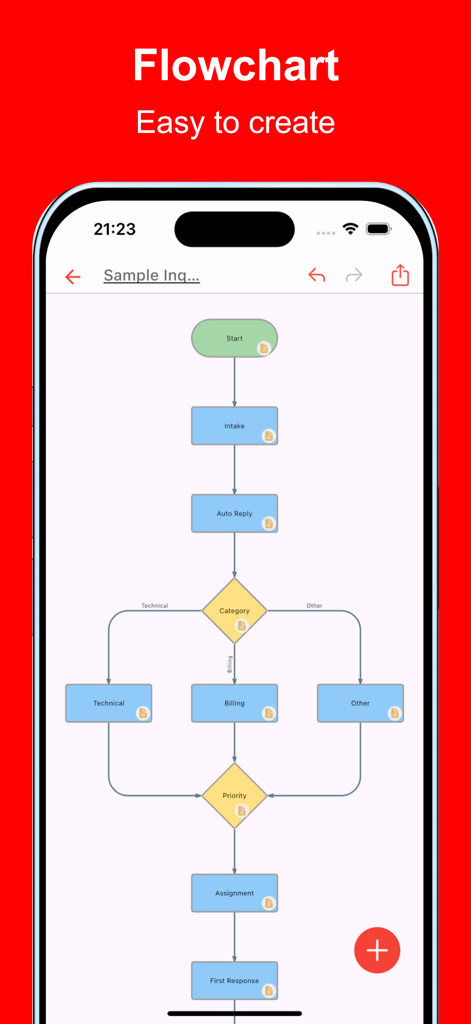
Simple Flowchart - 아이폰 화면에 다채로운 프로세스 워크플로우를 보여주는 Simple Flowchart 앱
아이폰 화면에 다채로운 프로세스 워크플로우를 보여주는 Simple Flowchart 앱

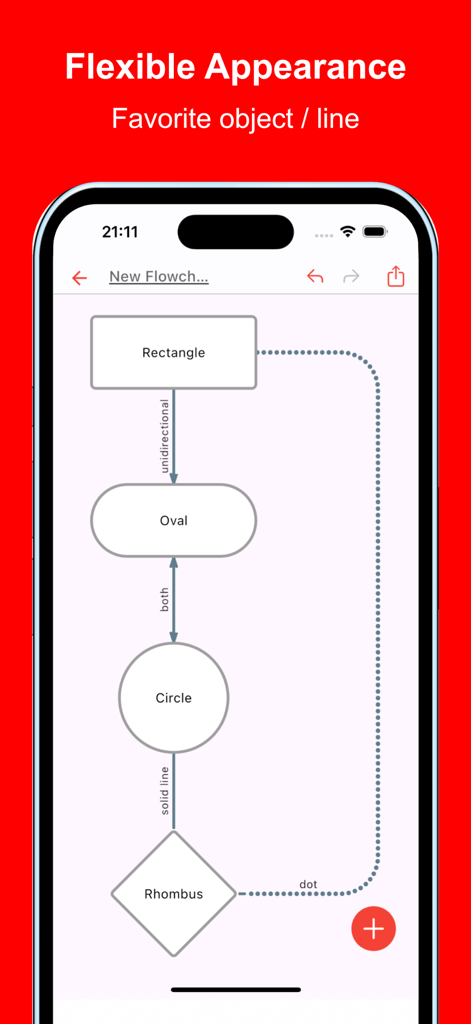
Simple Flowchart - 사각형과 원과 같은 다양한 도형이 다양한 선으로 연결된 순서도를 보여주는 모바일 애플리케이션
사각형과 원과 같은 다양한 도형이 다양한 선으로 연결된 순서도를 보여주는 모바일 애플리케이션

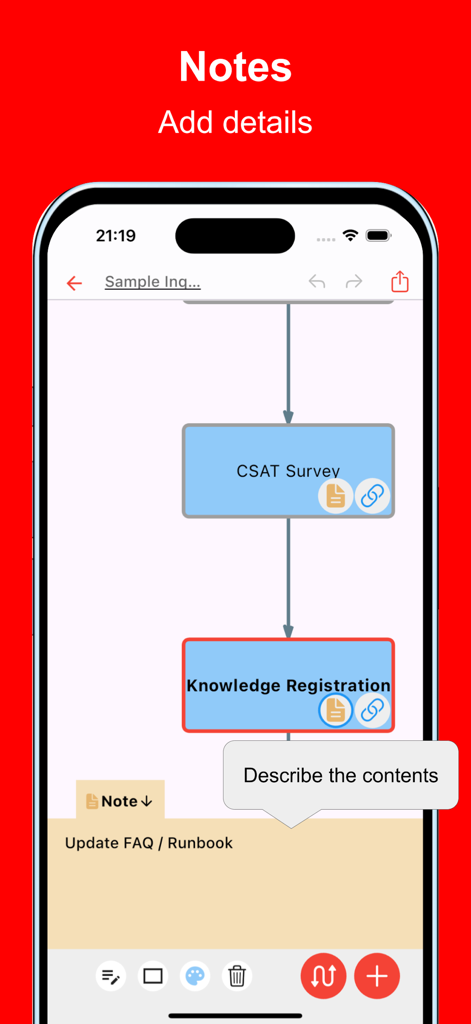
Simple Flowchart - 워크플로우 다이어그램에 상세한 메모를 추가하는 과정을 보여주는 Simple Flowchart의 모바일 앱 인터페이스
워크플로우 다이어그램에 상세한 메모를 추가하는 과정을 보여주는 Simple Flowchart의 모바일 앱 인터페이스

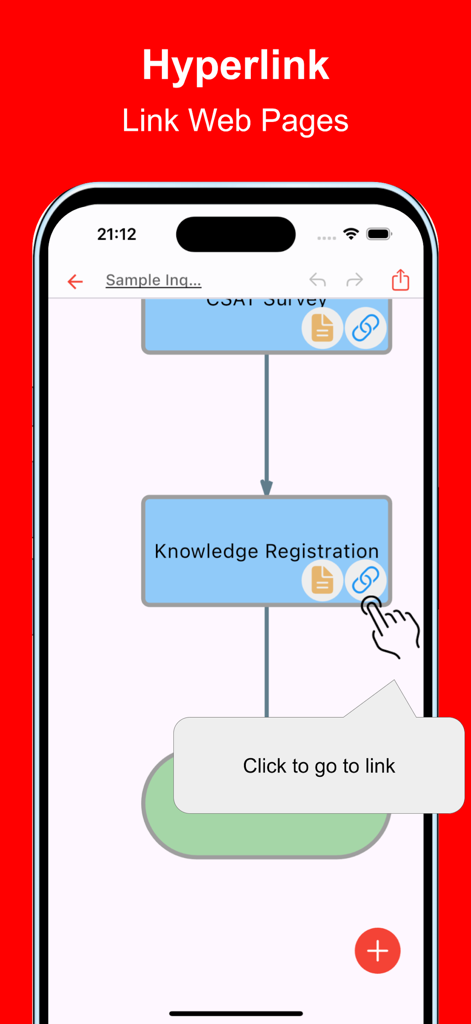
Simple Flowchart - 프로세스 노드에 하이퍼링크를 추가하는 방법을 보여주는 Simple Flowchart의 모바일 앱 인터페이스
프로세스 노드에 하이퍼링크를 추가하는 방법을 보여주는 Simple Flowchart의 모바일 앱 인터페이스

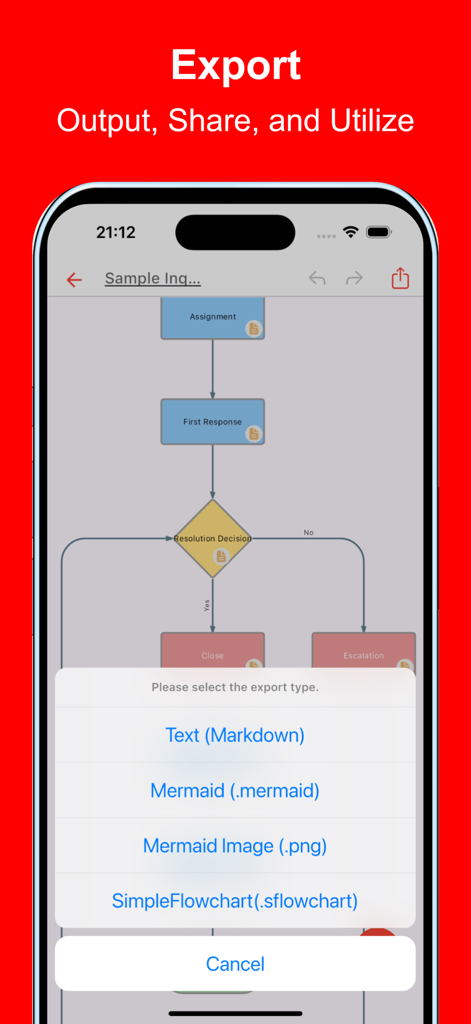
Simple Flowchart - Markdown Mermaid 및 PNG 형식 옵션을 보여주는 Simple Flowchart 앱의 내보내기 메뉴
Markdown Mermaid 및 PNG 형식 옵션을 보여주는 Simple Flowchart 앱의 내보내기 메뉴

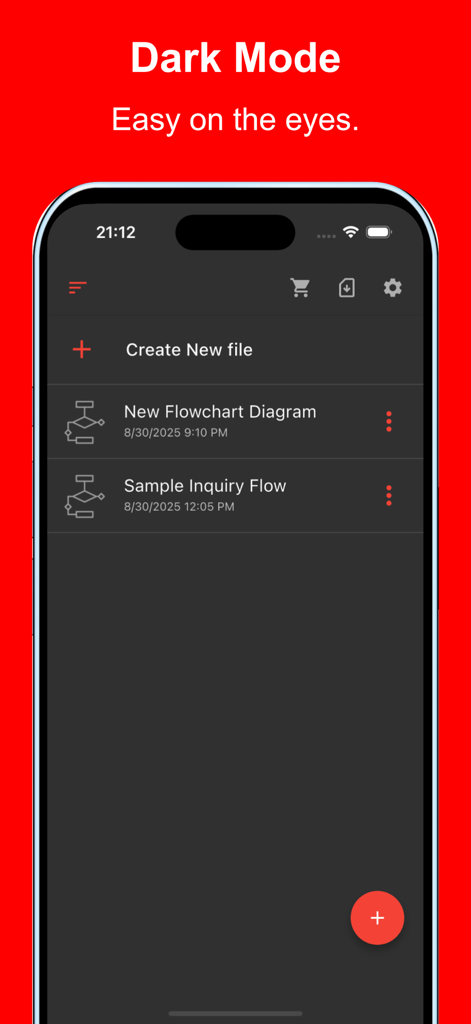
Simple Flowchart - 아이폰의 다크 모드에서 파일 목록을 보여주는 Simple Flowchart 앱 인터페이스

아이폰의 다크 모드에서 파일 목록을 보여주는 Simple Flowchart 앱 인터페이스

설명

This is an app that allows you to easily create flowcharts on your smartphone or tablet. It supports not only a variety of shapes and lines but also essential business expressions such as inserting links and adding detailed notes. Visualizing with flowcharts is very important for organizing ideas. By creating them, multiple stakeholders can better understand the content, making them useful in a wide range of situations. With this app, you can quickly create flowcharts even on your mobile device. It is used in various situations such as: - Optimizing and visualizing business processes - Managing and sharing project progress - Designing sales processes and workflows - Structuring customer support and service operations - Planning and managing projects from conception to execution - Managing new product or service launch processes - Visualizing budget planning and funding processes - Organizing internal approval flows and decision-making processes - Creating training programs and operational manuals - Planning and executing marketing strategies Please try it out whenever you need to create a flowchart. [Features] - Intuitive operability Ease of use is the most important factor. It runs smoothly, and you can intuitively edit your maps. - Rich expression You can assign your preferred color to each item for expressive representation. - Link Since you can insert links, it is also useful when you want to manage reference sites. - Note Include descriptive text for each item to manage the details. - Ready to use You can use it immediately without registering an account. - Multi-device support It supports Google Drive integration, allowing seamless editing across multiple devices. - Export and Share You can export and share your Flowchart, and even edit them on a PC. - Import Exported files can be imported and edited. - Dark theme support Since it supports a dark theme, it is also ideal for use at night.

Download

다운로드: App Store

이 페이지는 앱이나 개발자의 공식 페이지가 아니며, 정보 제공 및 논평을 목적으로 작성된 독립 편집 간행물입니다. 명시적으로 달리 언급되지 않는 한, 해당 앱이나 개발자는 MWM, Apple, Google Play, 앱 퍼블리셔 또는 앱 개발자와 제휴, 보증, 후원, 승인 또는 공식적으로 연결되어 있지 않으며, 이 페이지의 어떤 내용도 해당 앱이 MWM의 서비스를 사용하여 개발되었음을 의미하지 않습니다. 모든 상표, 로고, 스크린샷 및 기타 콘텐츠는 해당 소유자의 자산입니다.








