
이 페이지는 앱이나 개발자의 공식 페이지가 아니며, 정보 제공 및 논평을 목적으로 작성된 독립 편집 간행물입니다. 명시적으로 달리 언급되지 않는 한, 해당 앱이나 개발자는 MWM, Apple, Google Play, 앱 퍼블리셔 또는 앱 개발자와 제휴, 보증, 후원, 승인 또는 공식적으로 연결되어 있지 않으며, 이 페이지의 어떤 내용도 해당 앱이 MWM의 서비스를 사용하여 개발되었음을 의미하지 않습니다. 모든 상표, 로고, 스크린샷 및 기타 콘텐츠는 해당 소유자의 자산입니다.

Simple Notes - Notepad Manager
당신의 감성을 위한 궁극의 미니멀리스트 노트북. 사진, 색상 코딩된 폴더, iCloud 동기화로 아이디어를 안전하게 캡처하세요. 계정 불필요, 월별 요금 제로.
다운로드
1M+사용자 평점
총 평가 수
36K+개발사
카테고리
Productivity지원 언어
35최신 버전
4.1.0크기
183.9 MB출시일
2019년 8월 30일당신의 삶을 당신의 방식대로 정리하세요
심플함을 위해 디자인된 올인원 감성 메모장. 구독, 계정 모두 필요 없습니다. 당신의 아이디어를 위한 아름답고 프라이빗한 공간일 뿐입니다.
완벽하게 사용자 정의 가능한 감성
23가지 테마 색상, 12가지 엄선된 글꼴, 사용자 정의 앱 아이콘으로 당신의 독특한 스타일과 분위기에 맞게 경험을 개인화하세요.
시각적 폴더 관리
24가지 생생한 폴더 색상과 전용 사진 갤러리로 정리 상태를 유지하고 추억과 메모를 완벽하게 분류하세요.
자주 묻는 질문
에 대해 알아야 할 모든 것 Simple Notes - Notepad Manager
Simple Notes - Notepad Manager는 무료 앱인가요?
Simple Notes는 무료 메모 앱입니다. 계정 등록이나 월별 요금이 필요 없으므로 메모를 관리하는 데 편리하고 접근하기 쉬운 옵션입니다.
Simple Notes - Notepad Manager에서 메모에 사진을 추가할 수 있나요?
네, Simple Notes에서는 메모에 이미지를 첨부할 수 있습니다. 사진 보관함에서 직접 사진을 삽입하거나 기기의 카메라를 사용하여 즉석에서 새 사진을 찍을 수 있습니다.
Simple Notes - Notepad Manager에서 메모를 어떻게 정리할 수 있나요?
Simple Notes는 폴더 정리를 제공합니다. 폴더를 만들어 메모를 깔끔하게 정리하고 24가지의 다른 폴더 색상 중에서 선택하여 카테고리를 쉽게 식별할 수 있습니다.
Simple Notes - Notepad Manager는 메모에 대한 캘린더 보기를 제공하나요?
네, Simple Notes에는 내장 캘린더 보기가 있습니다. 이를 통해 날짜별로 메모를 보고 특정 날짜를 탭하여 해당 날짜에 저장된 모든 항목을 볼 수 있습니다.
Simple Notes - Notepad Manager에서 메모를 어떻게 보호하나요?
Simple Notes는 암호 잠금으로 메모를 보호합니다. Face ID 및 Touch ID와 같은 안전한 액세스 방법을 지원하여 빠르고 강화된 개인 정보를 제공합니다.
Simple Notes - Notepad Manager에서 글꼴 스타일을 변경할 수 있나요?
네, Simple Notes에서는 글꼴 스타일을 사용자 지정할 수 있습니다. 제공되는 25가지 글꼴 중에서 선택하여 앱 내에서 메모의 모양을 개인화할 수 있습니다.
Simple Notes - Notepad Manager에서 테마 및 앱 아이콘 사용자 지정이 가능한가요?
네, Simple Notes는 광범위한 사용자 지정을 제공합니다. 23가지 테마 색상 및 앱 아이콘 중에서 선택하여 앱의 모양과 홈 화면 아이콘까지 개인화할 수 있습니다.
Simple Notes - Notepad Manager에서 메모를 어떻게 백업하나요?
Simple Notes를 사용하면 iCloud에 메모를 무료로 백업할 수 있습니다. 또한 Evernote 또는 Dropbox와 같은 외부 앱으로 메모를 내보내고 이미지가 포함된 RTFD 파일로 내보낼 수도 있습니다.
Simple Notes - Notepad Manager는 iCloud 동기화를 지원하나요?
네, Simple Notes는 iCloud를 사용하여 iPhone 및 iPad 간에 메모를 동기화합니다. 이를 통해 데이터를 안전하게 유지하고 새 기기에서 쉽게 복원할 수 있습니다.
Simple Notes - Notepad Manager에서 광고를 제거하려면 어떻게 해야 하나요?
단 한 번의 결제로 Simple Notes에서 광고가 영구적으로 제거됩니다. 이는 월별 구독이 아니며, 재설치 또는 기기 변경 시에도 광고 제거가 유지됩니다.
Simple Notes - Notepad Manager에는 메모 검색 기능이 있나요?
네, Simple Notes에는 내장된 스마트 검색 기능이 있습니다. 이를 통해 키워드로 메모를 빠르게 찾고 "#중요"와 같은 태그를 사용하여 쉽게 검색할 수 있습니다.
Simple Notes - Notepad Manager에서 텍스트 크기와 가독성을 조절할 수 있나요?
네, Simple Notes는 텍스트 표시 설정을 제공합니다. 텍스트 크기, 대비, 줄 간격을 조절하여 가독성을 최적화할 수 있으며, 특히 더 큰 글꼴을 선호하는 사용자에게 유용합니다.
Simple Notes - Notepad Manager의 데이터 내보내기 기능은 무엇인가요?
Simple Notes는 이미지가 포함된 RTFD 파일로 메모를 내보낼 수 있습니다. iCloud 백업은 무료이지만 Evernote 또는 Dropbox와 같은 다른 앱으로 내보내는 옵션은 프리미엄 기능입니다.
Simple Notes - Notepad Manager에는 전용 사진 앨범 또는 갤러리가 있나요?
네, Simple Notes에는 사진 앨범이 포함되어 있습니다. 메모에 추가된 모든 이미지를 한 곳에서 볼 수 있어 사진으로 특정 콘텐츠를 빠르게 검색할 수 있습니다.
다음 스크린샷과 설명은 앱의 공식 스토어 목록에서 직접 가져온 것이며 앱 개발자의 자산입니다.
앱 스토어
스크린샷
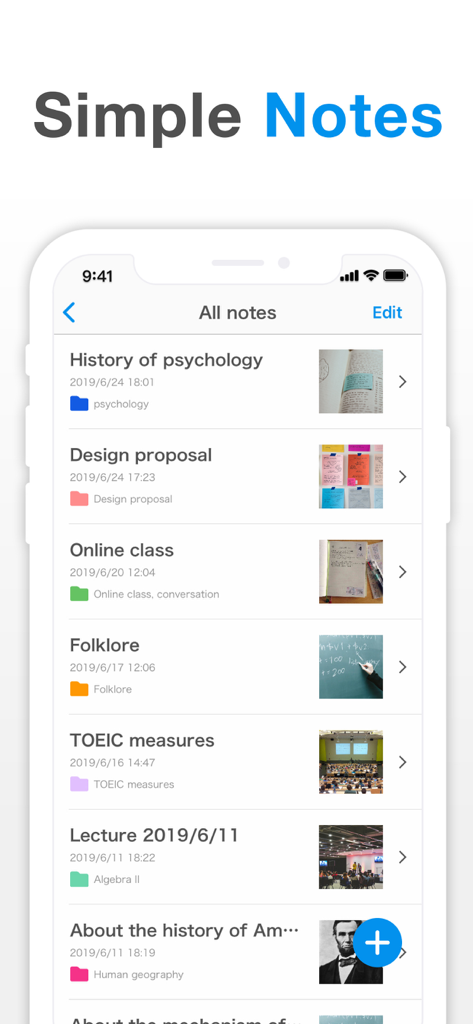
스마트폰 화면에 Simple Notes 앱이 표시되며, 정리된 메모 목록, 색상 폴더, 이미지 첨부 파일이 보입니다.
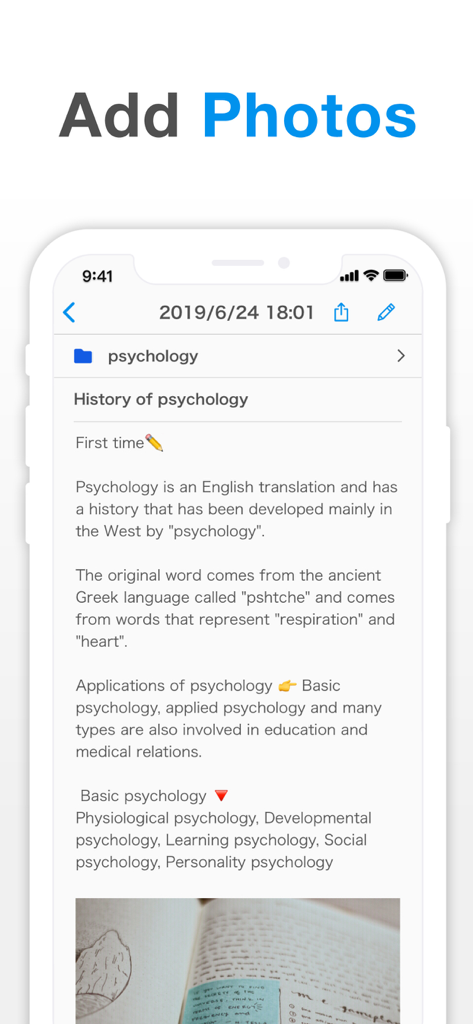
Simple Notes 앱의 사용자 인터페이스에 사진이 삽입된 심리학 노트가 보입니다.
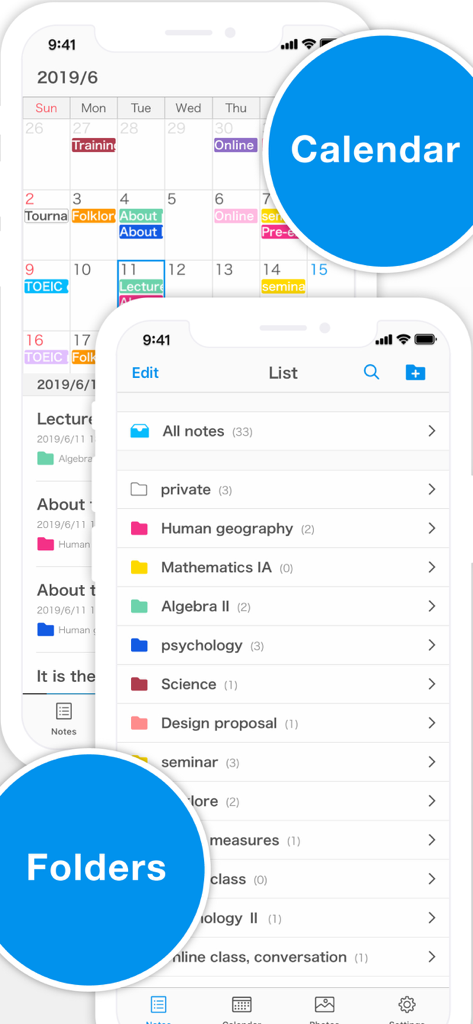
Simple Notes 앱 인터페이스에 색상 코딩된 캘린더와 정리된 폴더 목록이 보입니다.
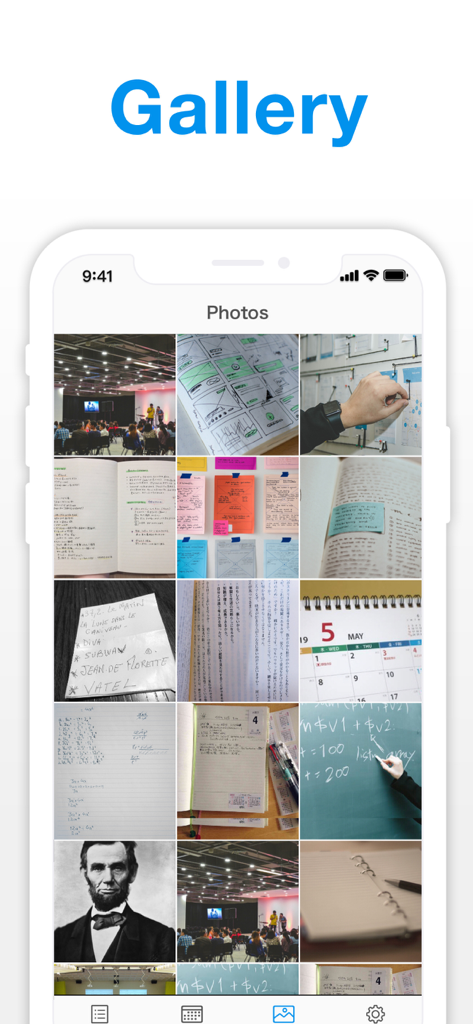
Simple Notes 앱 갤러리 기능 내에 저장된 이미지 및 사진의 그리드 보기
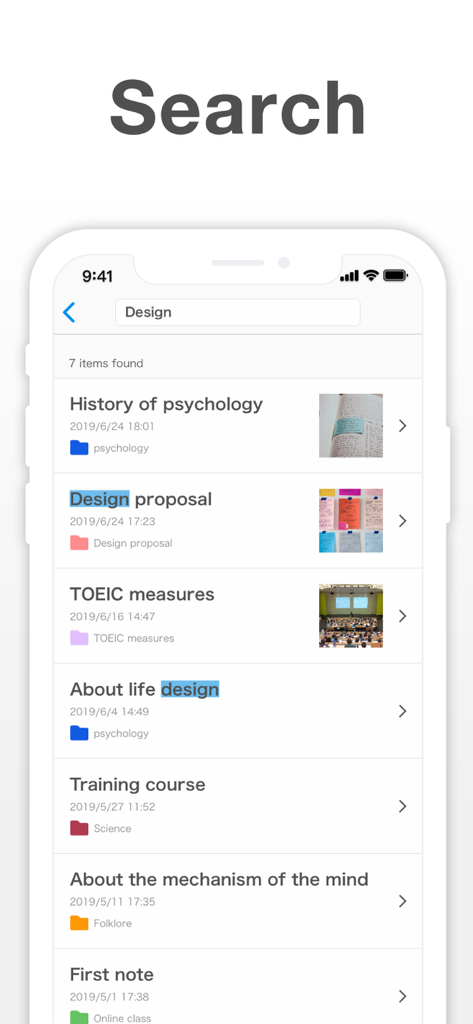
Simple Notes 앱의 검색 인터페이스에 강조 표시된 키워드와 이미지 썸네일이 있는 메모 목록이 보입니다.
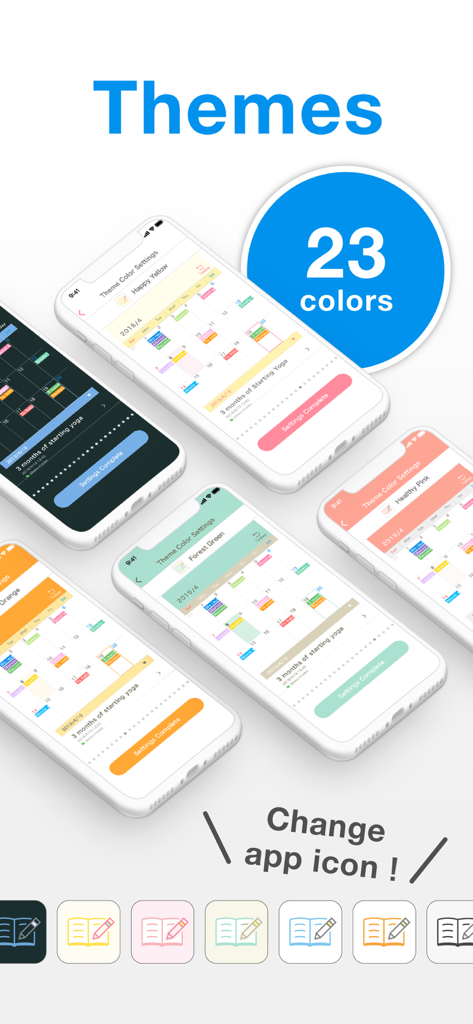
Simple Notes 앱을 위한 23가지 색상 테마와 사용자 정의 가능한 앱 아이콘을 보여줍니다.
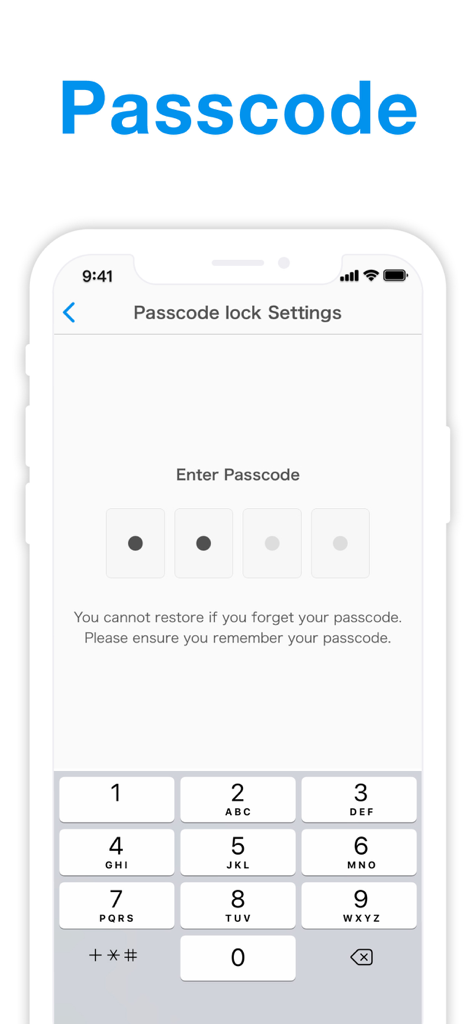
Simple Notes 앱의 암호 잠금 설정과 숫자 키패드를 표시하는 스마트폰 화면
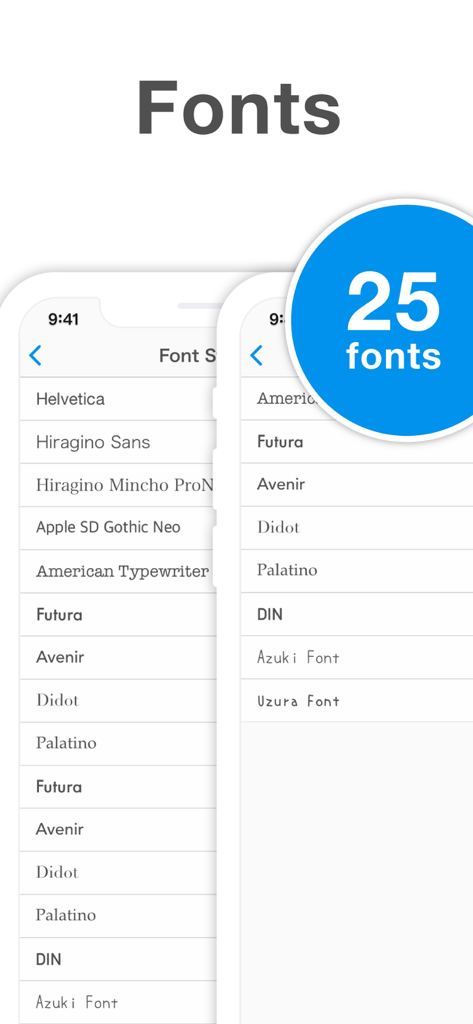
Simple Notes 앱의 스크린샷으로, 메모 사용자 정의를 위한 25가지 글꼴 스타일을 보여줍니다.
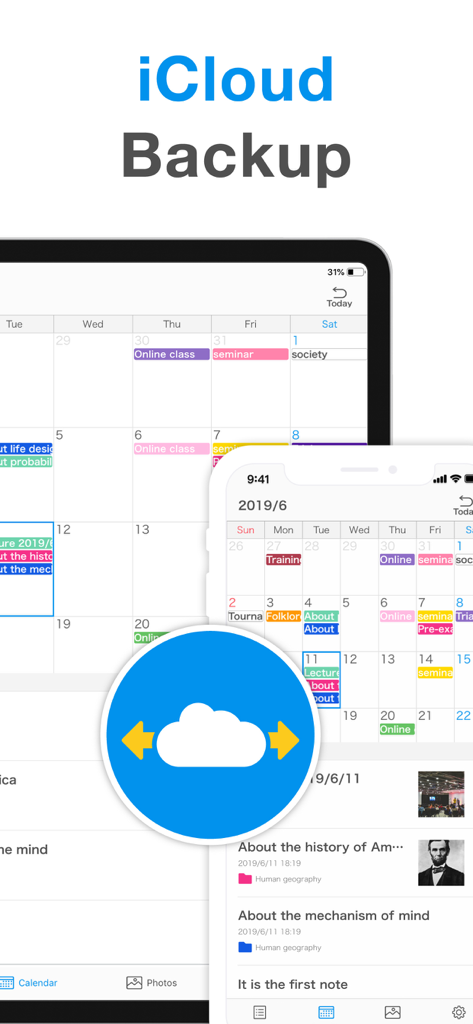
iPhone 및 iPad용 Simple Notes의 iCloud 백업 및 동기화 기능
설명
Download
비슷한 앱
유사한 기능과 사용자 경험을 가진 앱

mumbler
SEOYOUNG JO

SyncTasks
Toh Kar Le

Notes, Journal, Diary: PenCake
Diffathy, Inc.

Malpon:QuickNotes
BACKEND IQ LLC

Superquote: Diary Book
BRYONY EVERLY

小记录-轻量级日记应用
Eve Southey

Brain Dump: Notes & Writing
Francesco Leoni

Notes Book PRO
Dylan Zaoui

Nutbox: save, organize, find
Anders Klausen
이 페이지는 앱이나 개발자의 공식 페이지가 아니며, 정보 제공 및 논평을 목적으로 작성된 독립 편집 간행물입니다. 명시적으로 달리 언급되지 않는 한, 해당 앱이나 개발자는 MWM, Apple, Google Play, 앱 퍼블리셔 또는 앱 개발자와 제휴, 보증, 후원, 승인 또는 공식적으로 연결되어 있지 않으며, 이 페이지의 어떤 내용도 해당 앱이 MWM의 서비스를 사용하여 개발되었음을 의미하지 않습니다. 모든 상표, 로고, 스크린샷 및 기타 콘텐츠는 해당 소유자의 자산입니다.