이 페이지는 앱이나 개발자의 공식 페이지가 아니며, 정보 제공 및 논평을 목적으로 작성된 독립 편집 간행물입니다. 명시적으로 달리 언급되지 않는 한, 해당 앱이나 개발자는 MWM, Apple, Google Play, 앱 퍼블리셔 또는 앱 개발자와 제휴, 보증, 후원, 승인 또는 공식적으로 연결되어 있지 않으며, 이 페이지의 어떤 내용도 해당 앱이 MWM의 서비스를 사용하여 개발되었음을 의미하지 않습니다. 모든 상표, 로고, 스크린샷 및 기타 콘텐츠는 해당 소유자의 자산입니다.
Sketch Club
모든 레벨의 아티스트를 위한 최고의 소셜 허브에 참여하세요. 전문가급 도구와 16K 캔버스부터 일일 챌린지 및 라이브 스트림 수업까지, 혼자 만들지 않는 커뮤니티에서 영감을 얻고 여정을 공유하세요.
Sketch Club은 전문가급 일러스트레이션 도구와 활기찬 소셜 허브를 결합하여 명작을 만들 수 있는 힘과 이를 기념할 관객을 제공합니다.
일일 영감 및 보상
기술을 향상시키고 동료 아티스트로부터 인정을 받을 수 있도록 설계된 일일 챌린지와 주간 대회를 통해 창의적인 블록을 극복하세요.
접근 가능한 전문가 도구
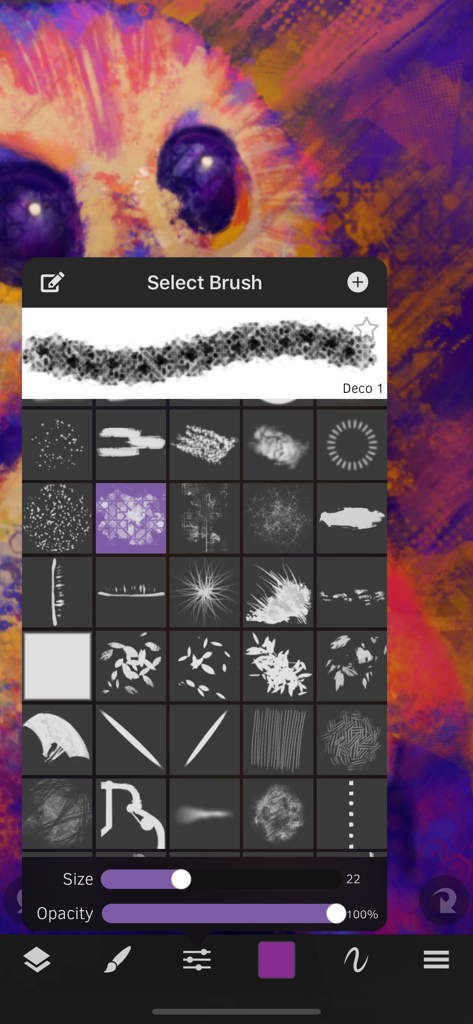
창의적인 여정을 이제 막 시작했더라도 전문가 수준의 결과를 제공하는 절차적 브러시와 16K 캔버스 및 100개 이상의 레이어를 경험해 보세요.
다음 스크린샷과 설명은 앱의 공식 스토어 목록에서 직접 가져온 것이며 앱 개발자의 자산입니다.
앱 스토어
스크린샷
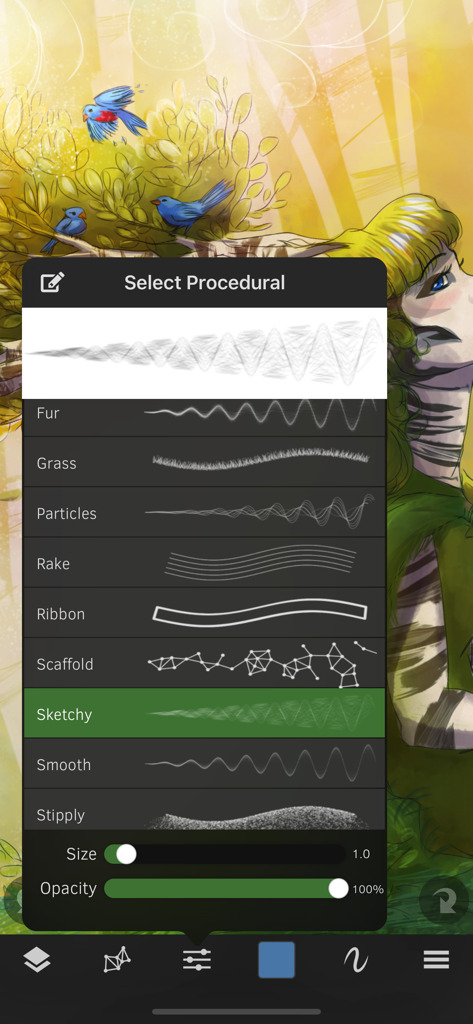
다채로운 디지털 일러스트레이션 위에 절차적 브러시 선택 메뉴를 보여주는 Sketch Club 앱 인터페이스.
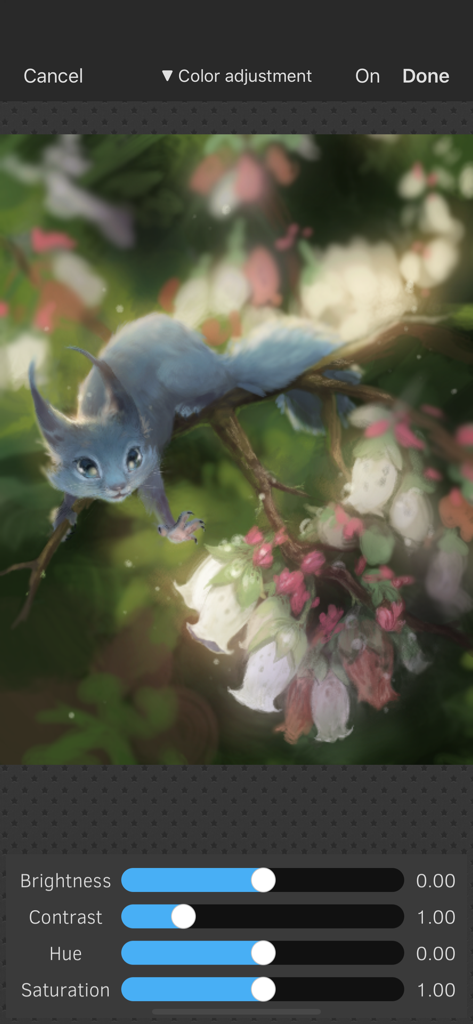
Sketch Club의 색상 조정 인터페이스로, 파란색 생물의 디지털 페인팅 위에 밝기, 대비, 색조 및 채도 슬라이더를 보여줍니다.
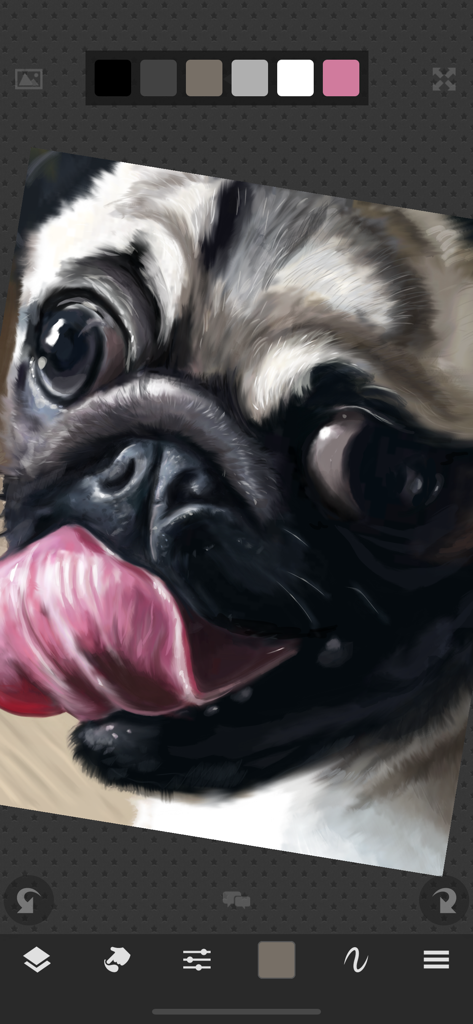
Sketch Club 앱 인터페이스를 사용하여 만든 퍼그의 상세한 디지털 페인팅
Sketch Club 앱의 브러시 선택 메뉴 인터페이스로, 생생한 디지털 일러스트레이션 위에 다양한 사전 설정을 보여줍니다.
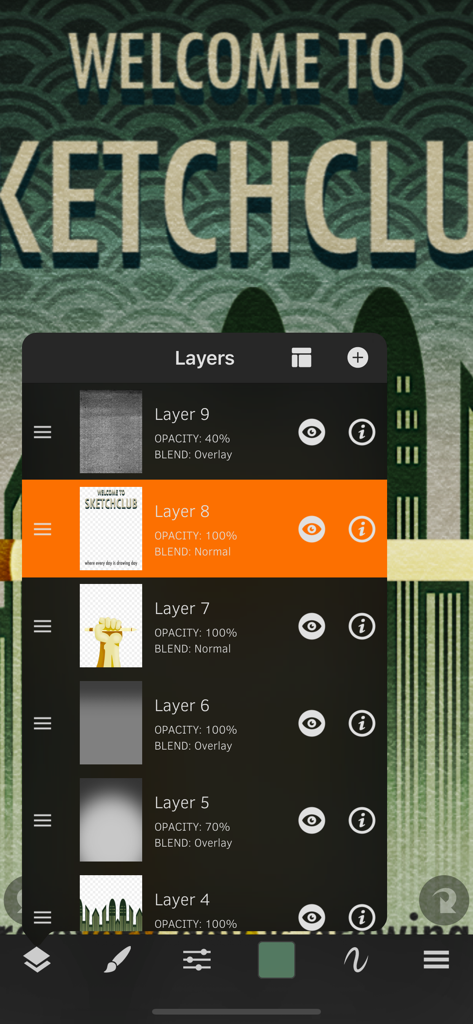
여러 드로잉 레이어와 혼합 옵션을 보여주는 Sketch Club 앱의 레이어 관리 패널
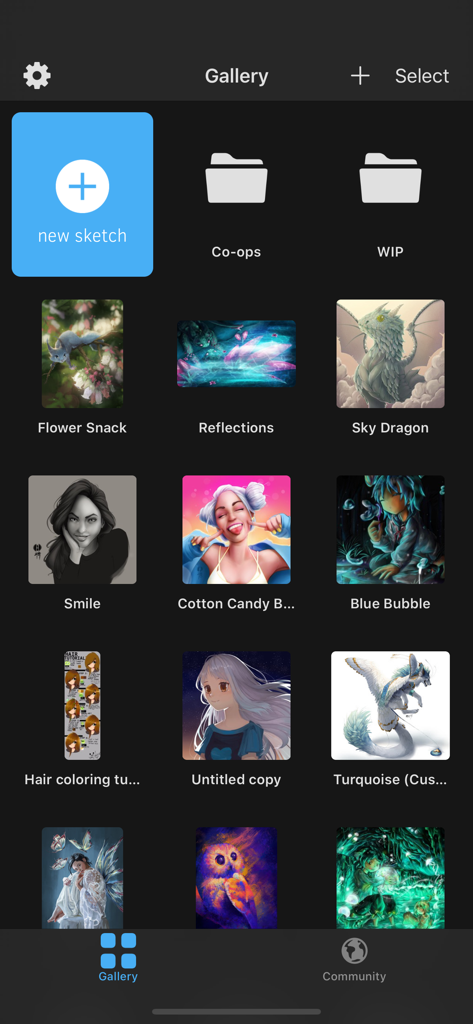
Sketch Club 앱 갤러리 인터페이스 내의 디지털 아트워크 및 프로젝트 폴더 그리드 표시
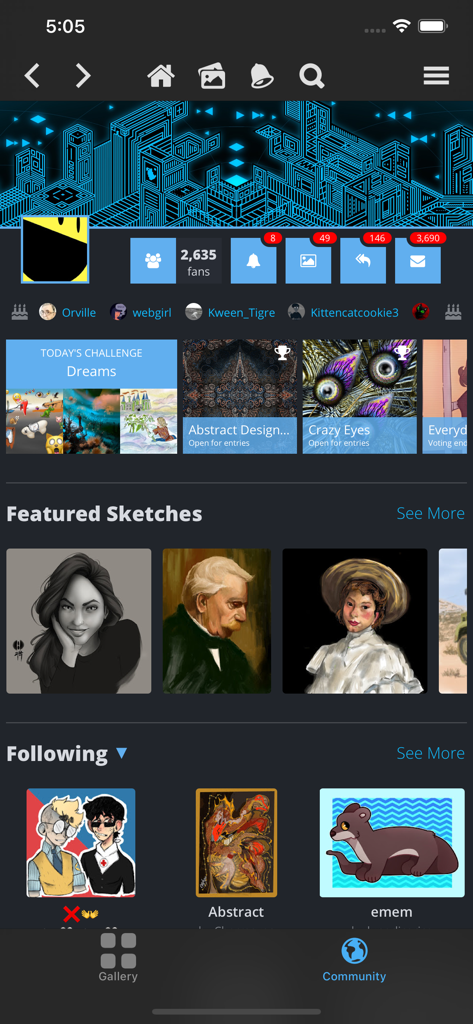
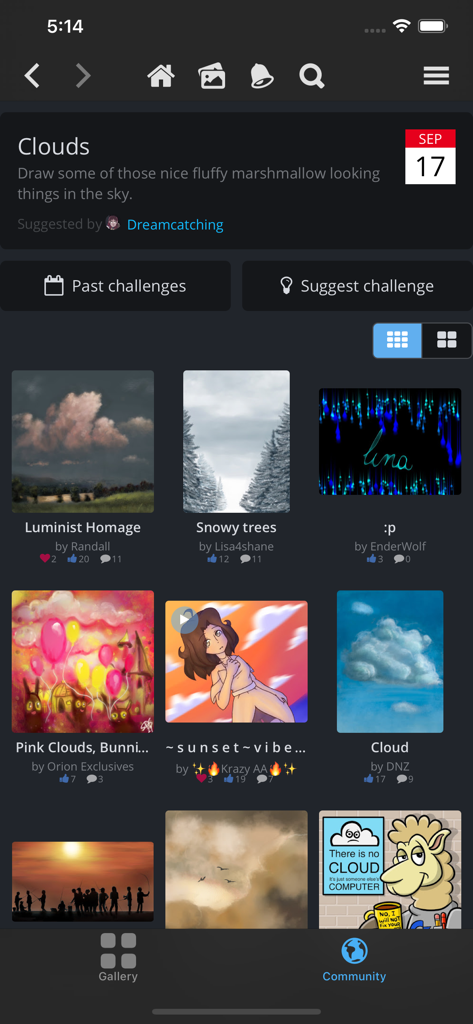
일일 아트 챌린지와 추천 사용자 스케치를 특징으로 하는 Sketch Club 앱의 커뮤니티 화면
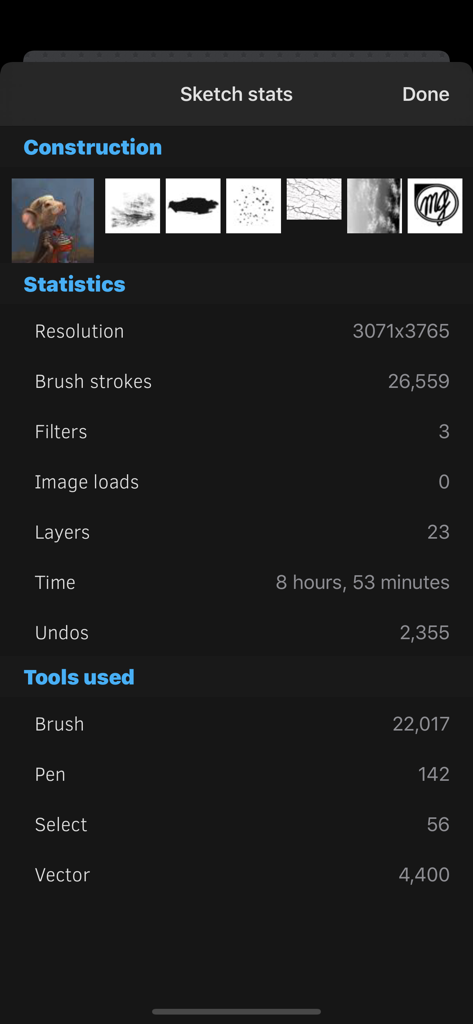
브러시 스트로크, 레이어, 사용 시간 등 상세한 드로잉 통계를 보여주는 Sketch Club 앱의 화면
커뮤니티 제출 작품 및 아티스트 이름 그리드와 함께 일일 드로잉 챌린지를 보여주는 Sketch Club 앱의 화면.
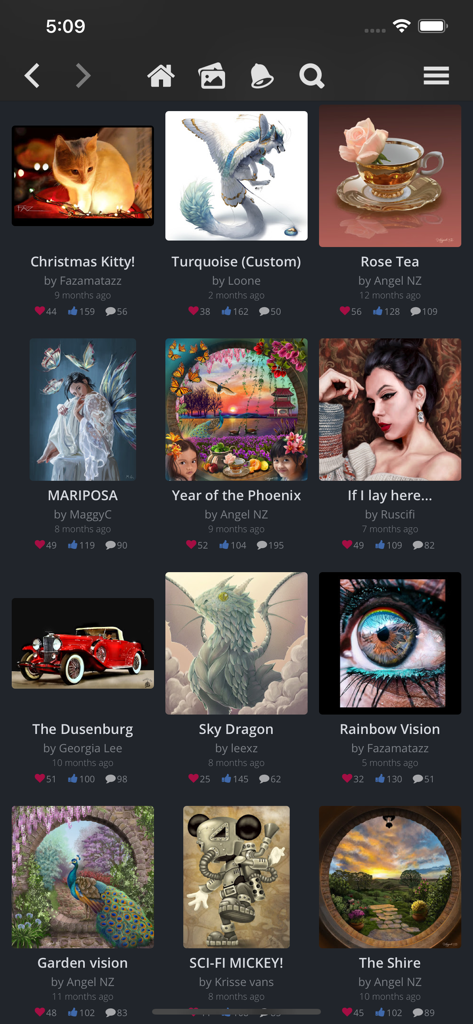
다양한 사용자 제작 일러스트레이션 및 참여 지표를 특징으로 하는 Sketch Club 앱의 디지털 아트 갤러리 인터페이스.
설명
SketchClub not only gives you fantastic tools to sketch, draw, doodle, paint, and edit photos but also helps motivate you to keep creating! Check out the community where there’s a new drawing challenge every day, along with regular competitions and even co-ops where you can pick up where another artist left off. Don’t sketch alone, join us today!
CORE FEATURES
• Brush, Blur, Eraser, Fill, Pen, Pixels, Procedural, Select, Smudge, Text, and Vector tools
• Hundreds of Layers with configurable blending, naming, and color tagging
• Create your own comics and manga with the Pen and Text tools
• Layer filters for color adjust, blurs, edges, noise, vignette and more
• Layer transform with skew, shear, perspective, and tiling
• Super fast brush and compositing engine
• Up to 16K canvas size with presets including standard 300 DPI print sizes
• Line, circle, square, and triangle shapes with automatic aspect ratio snapping
• Horizontal, vertical, and dual mirroring modes
• Canvas recording and export in full 1080 HD
• Background autosave and persistent undo history
• Universal binary supports both iPhones and iPads
• 10 years running of continuous updates and improvements!
TOOLS
• Brushes with high resolution shapes, pattern textures, and input curves
• Loads of built in tool presets plus thousands more from the community
• Export sketches and presets to iCloud, Dropbox, Email and more
• Create and share custom brush presets in community library
• Pen tool presets include calligraphy, fountain pen, gel pen, and more
• Pen and Vector tools include simplify for smooth lines even with shaky hands
• Create smooth filled shapes and gradient with Vector
• Procedural Sketchy and Smooth for amazing fast results
• Procedural Bristles for realistic oil paint simulation
• Animated GIF export
CUSTOMIZE
• Configurable color themes to make Sketch Club uniquely yours
• Customizable shortcut bar for single tap access to your favorite functionality
• Popup quick color swatch and size and opacity controls
• Floating reference image with color sampling
COMMUNITY
• New challenge every day and new competition every week!
• Massive library of shared brushes, templates, and textures
• Live stream and chat for feedback and fun while you draw
• Learn through tutorials, speed painting videos, and live classes
• Follow other artists and gain fans as you share your creations
• Community whiteboard with realtime collaborative drawing and fun events
• Annual awards honoring the best creations every year
FOR THE PROS
• Excellent iPad Pro and Apple Pencil support
• PSD file format export
• RGB and hexadecimal color inputs
• Bluetooth stylus support for Adonit, Hex3, Pogo, SonarPen, and Wacom
• Screen mirroring modes for presentations and demos
• Draw in Multiply, Normal, Overlay, and Screen brush blend modes
• Input curves with angle, distance, fade, pressure, random, speed tilt, and time
What are you waiting for, create with us in SketchClub today!
이 페이지는 앱이나 개발자의 공식 페이지가 아니며, 정보 제공 및 논평을 목적으로 작성된 독립 편집 간행물입니다. 명시적으로 달리 언급되지 않는 한, 해당 앱이나 개발자는 MWM, Apple, Google Play, 앱 퍼블리셔 또는 앱 개발자와 제휴, 보증, 후원, 승인 또는 공식적으로 연결되어 있지 않으며, 이 페이지의 어떤 내용도 해당 앱이 MWM의 서비스를 사용하여 개발되었음을 의미하지 않습니다. 모든 상표, 로고, 스크린샷 및 기타 콘텐츠는 해당 소유자의 자산입니다.