
Skype for Business



보안 인스턴트 메시징, 고품질 화상 회의, Microsoft 생태계와의 원활한 통합으로 사무실을 어디든 가지고 다니세요. 연결 상태를 유지하고, 생산성을 높이며, 탭 한 번으로 모든 회의에 참여하세요.
개발사
카테고리
Business다운로드
25M+사용자 평점
총 평가 수
65K+지원 언어
31이 인터페이스를 사용하는 25M+ 명의 사용자.
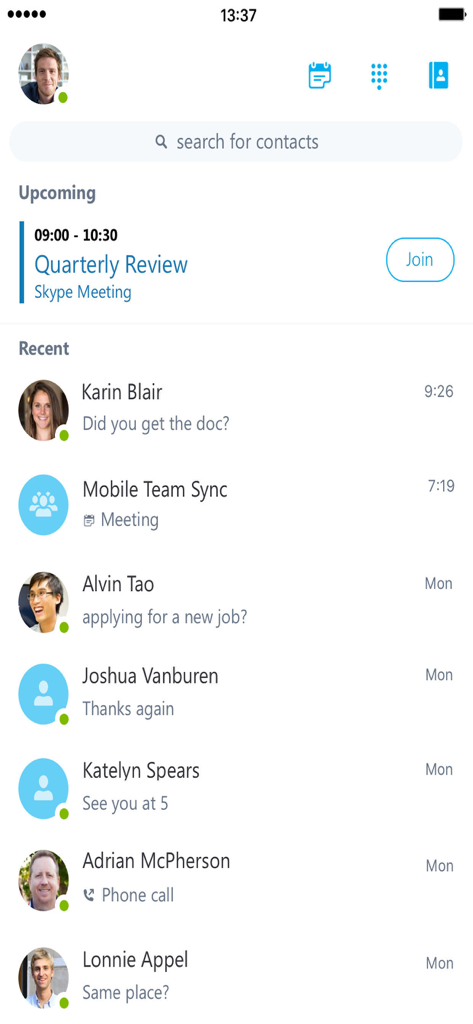
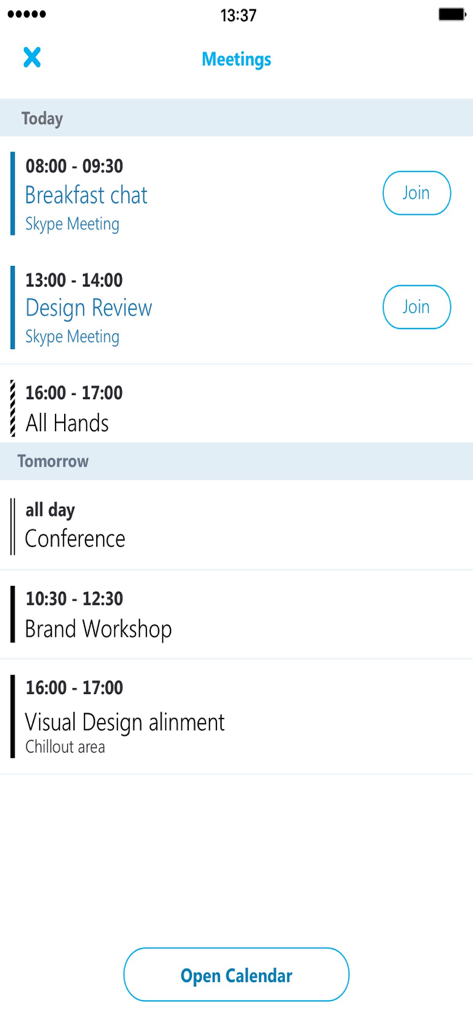
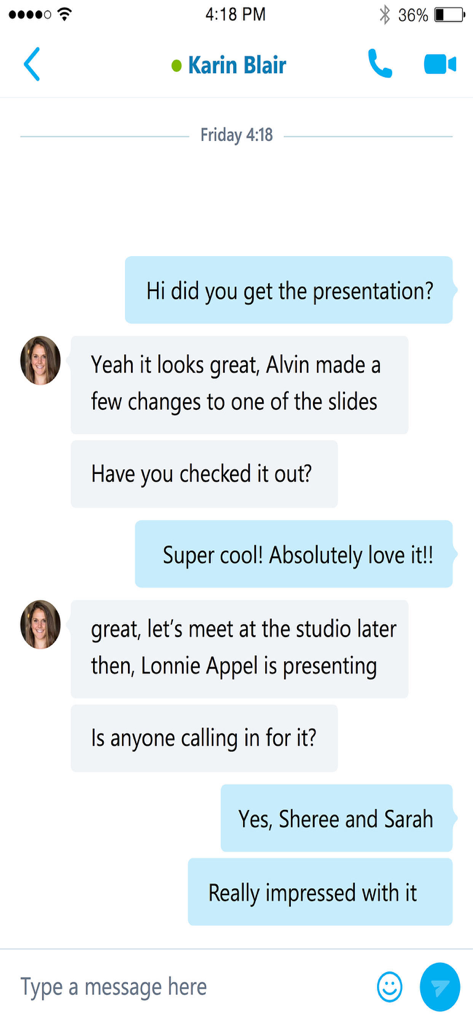
이 앱을 돋보이게 하는 도구, 25M+ 명의 사용자가 선택.
대시보드에서 직접 탭 한 번으로 모든 컨퍼런스 통화 또는 화상 회의에 참여하세요. 다이얼 코드나 ID가 필요 없습니다.
동료의 가용성을 한눈에 파악하여 커뮤니케이션 마찰을 줄이고 빠른 IM 또는 통화를 위한 최적의 순간을 선택하세요.
IT 승인 보안, 암호화된 대화, Active Directory 인증을 사용하여 완전한 안심으로 소통하세요.
사용자 리뷰 인사이트.
감정 점수
요약
The app receives predominantly negative feedback, with many users experiencing critical issues like inability to log in, frequent crashes, and a lack of notifications, particularly in the background or for iOS. Several users also lament the perceived discontinuation or diminished functionality of "Skype for Personal," wishing for its return or noting the app's retirement. While a few express appreciation for Skype's historical role, common complaints include difficulties with meeting functionality, an outdated user interface, and synchronization problems. A recurring problem is the app losing connection in the background and failing to display scheduled meetings, alongside specific issues on iOS 17.4.1 causing errors and preventing updates.
주요 테마
에 대해 알아야 할 모든 것 Skype for Business.
설명
최신 버전
6.34.119
크기
80.1 MB
출시일
2013년 3월 12일
클릭 한 번으로 회의에 참여하고 IT 승인 보안으로 팀과 계속 연결하세요. 비즈니스용 Skype를 다운로드하여 책상과 모바일 생활의 격차를 해소하세요.
에 대해 알아야 할 모든 것 Skype for Business
Skype for Business는 Lync와 Skype의 기능을 모바일 장치로 확장하여 단일 인터페이스에서 음성, 영상, 인스턴트 메시징, 컨퍼런싱 및 통화 기능을 제공합니다.
주요 기능에는 그룹 IM 및 영상 통화 시작, 회의 참여/시작, 공유 콘텐츠 보기, 회의 제어, 예정된 회의 확인, 최근 대화 보기, 연락처 검색이 포함됩니다.
네, 사용자는 앱에서 직접 Skype for Business 회의에 참여, 재참여 및 시작할 수 있습니다. 예정된 회의는 한 번의 클릭으로 확인하고 참여할 수 있습니다.
네, Skype for Business는 인스턴트 메시징을 지원합니다. 사용자는 그룹 IM 대화를 시작하고 최근 대화에 액세스하여 중단했던 부분부터 다시 시작할 수 있습니다.
전체 기능을 사용하려면 Skype for Business 또는 Lync 계정이 필요합니다. 또한 앱은 라이선스가 부여된 Microsoft Lync 또는 Skype for Business Server 또는 Office 365에 연결되어야 합니다.
Skype for Business 앱은 iOS 8.0 이상을 실행하는 장치에서만 사용할 수 있습니다. 이는 필요한 운영 체제 기능과의 호환성을 보장합니다.
네, 사용자는 Skype for Business 애플리케이션 내에서 이름, 이메일 또는 전화번호로 연락처를 검색할 수 있습니다. 이 기능은 기본 인터페이스에서 쉽게 사용할 수 있습니다.
네, Skype for Business는 영상 회의를 지원합니다. 사용자는 그룹 영상 대화를 시작하고 회의 중에 공유 콘텐츠와 발표자의 영상을 동시에 볼 수 있습니다.
Skype for Business는 Active Directory Authentication Library를 통해 보안을 강화합니다. 이는 사용자 계정에 대한 강력한 인증 메커니즘을 제공하여 통신 및 데이터를 보호합니다.
유사한 기능과 사용자 경험을 가진 앱

GoTo Group, Inc.

LARK TECHNOLOGIES PTE. LTD.

RingCentral, Inc

VEBINAR TEKHNOLOGII, OOO

Hit Labs, Inc.

Zoho Corporation

Microsoft Corporation

Zoom Communications, Inc.

Google LLC
App information, icons, screenshots, and descriptions displayed on this page are sourced from the Apple App Store and are the property of their respective developers. Download estimates and rankings are based on MWM's proprietary models and may not reflect actual figures. This page is provided for informational and analytical purposes only.
Believe this page infringes your intellectual property? File a dispute
