SlowMoFX
SlowMoFX
다운로드: App Store

이 페이지는 앱이나 개발자의 공식 페이지가 아니며, 정보 제공 및 논평을 목적으로 작성된 독립 편집 간행물입니다. 명시적으로 달리 언급되지 않는 한, 해당 앱이나 개발자는 MWM, Apple, Google Play, 앱 퍼블리셔 또는 앱 개발자와 제휴, 보증, 후원, 승인 또는 공식적으로 연결되어 있지 않으며, 이 페이지의 어떤 내용도 해당 앱이 MWM의 서비스를 사용하여 개발되었음을 의미하지 않습니다. 모든 상표, 로고, 스크린샷 및 기타 콘텐츠는 해당 소유자의 자산입니다.

로고: SlowMoFX
다운로드: App Store

SlowMoFX

최고의 DJ들이 사용하는 상징적인 하프타임 분위기를 포착하세요. 완벽하게 동기화된 속도 저하 효과와 끊김 없는 전환으로 최면적인 트랩 멜로디와 어두운 분위기의 질감을 만드세요.

주요 수치

다운로드

3K+

사용자 평점

3.7/5

총 평가 수

0

개발사

Limelight Software

카테고리

Music

지원 언어

1

최신 버전

1.04

크기

11.6 MB

출시일

2020년 10월 22일
기능

완벽한 분위기 연출

모바일 비트메이커 및 전자 음악 프로듀서를 위해 특별히 설계된 전문가급 하프타임 효과와 어두운 분위기의 질감.

즉각적인 하프타임 매직

2배, 4배, 1.5배 속도 모드로 해당 업계에서 찾는 사운드를 구현하세요. 트랩 멜로디와 강력한 베이스라인에 완벽합니다.

어두운 분위기의 질감

리버스 모드, 핑퐁 플레이, 내장 필터를 사용하여 단순한 루프를 분위기 있는 사운드스케이프로 변환하여 독특한 사운드 브랜드를 구축하세요.

다음 스크린샷과 설명은 앱의 공식 스토어 목록에서 직접 가져온 것이며 앱 개발자의 자산입니다.

앱 스토어

스크린샷
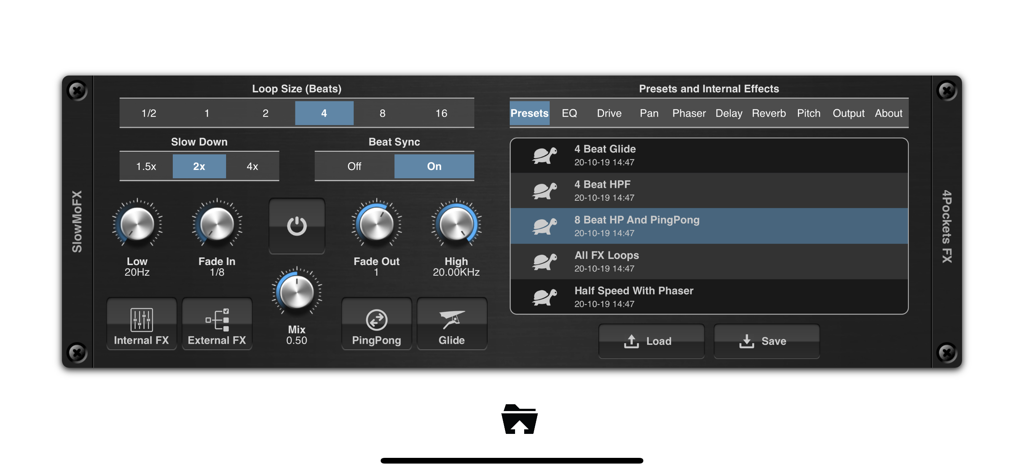
SlowMoFX - 음악 프로덕션을 위한 하프타임 효과 및 루프 컨트롤이 있는 SlowMoFX AUv3 플러그인 인터페이스
음악 프로덕션을 위한 하프타임 효과 및 루프 컨트롤이 있는 SlowMoFX AUv3 플러그인 인터페이스

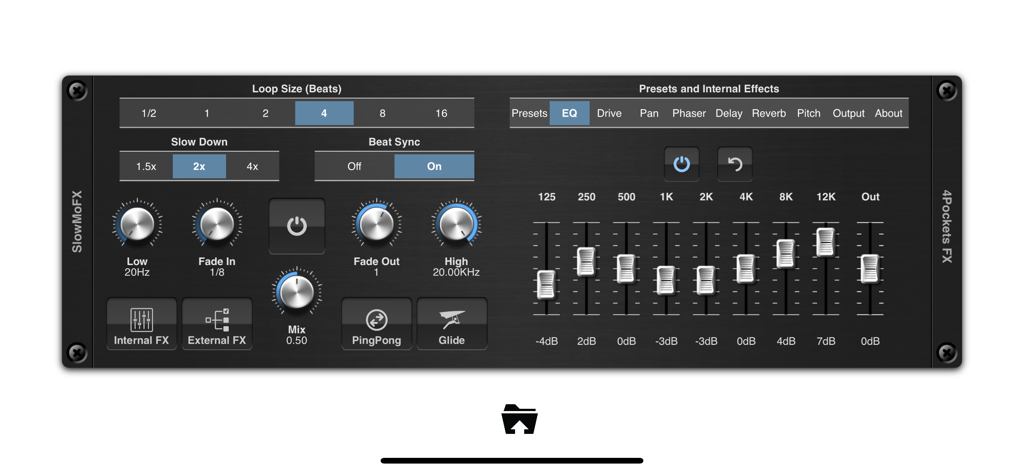
SlowMoFX - 하프타임 속도 컨트롤 및 EQ 설정이 있는 SlowMoFX AUv3 플러그인 인터페이스
하프타임 속도 컨트롤 및 EQ 설정이 있는 SlowMoFX AUv3 플러그인 인터페이스

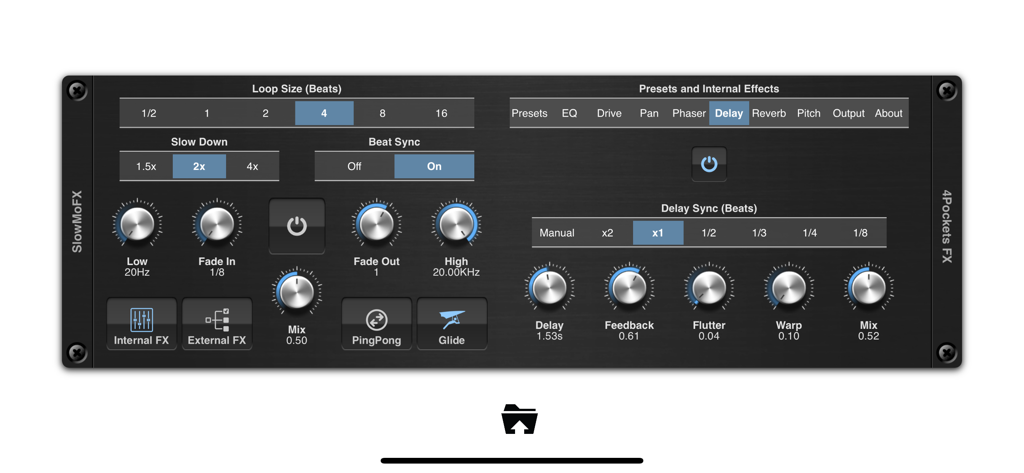
SlowMoFX - 하프타임 효과 컨트롤 및 내부 딜레이 설정을 표시하는 SlowMoFX AUv3 플러그인의 사용자 인터페이스
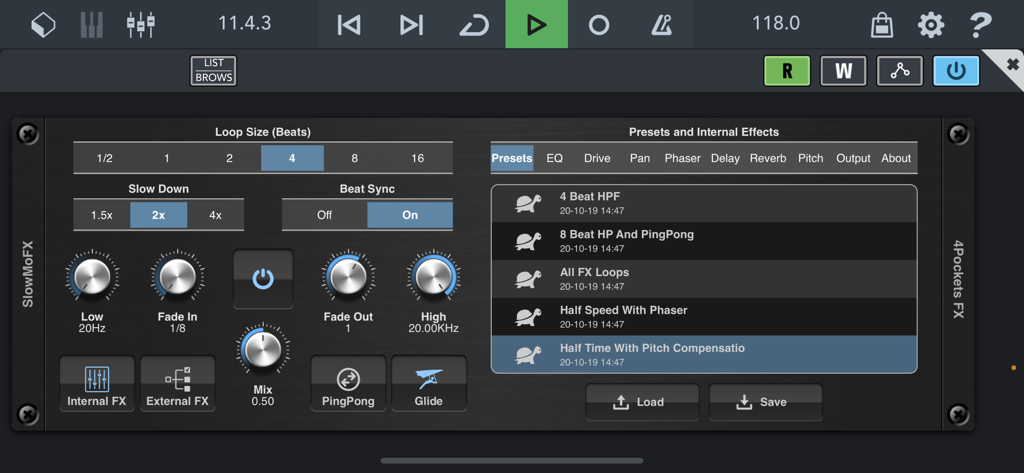
하프타임 효과 컨트롤 및 내부 딜레이 설정을 표시하는 SlowMoFX AUv3 플러그인의 사용자 인터페이스

SlowMoFX - 오디오 효과 컨트롤 및 사전 설정 목록을 보여주는 SlowMoFX AUv3 플러그인 인터페이스
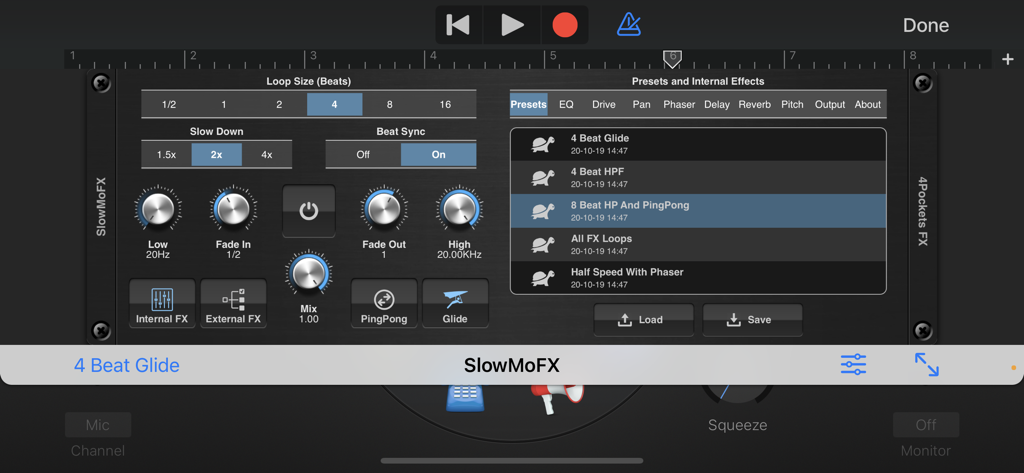
오디오 효과 컨트롤 및 사전 설정 목록을 보여주는 SlowMoFX AUv3 플러그인 인터페이스

SlowMoFX - 하프 스피드 효과 및 사전 설정 설정을 보여주는 SlowMoFX AUv3 플러그인 사용자 인터페이스

하프 스피드 효과 및 사전 설정 설정을 보여주는 SlowMoFX AUv3 플러그인 사용자 인터페이스

설명

SlowMoFX is an AUv3 plugin that allows you to seemlessly mix incoming audio with a slowed down version in perfect sync with the current tempo. This allows you to obtain that sort after half speed effect that is used by many famous DJ's around the world. You can dropout the original audio completely to create dark downtempo atmospheric versions of a song and slowly and seemlessly return to the original mix. This is great for drums and percussive rythms. Lead instruments with sharp attacks when slowed down give those distinctive trap melodies and booming basses. Simply press the POWER button to turn on the effect. It will smoothly transition to a mix of the original and a slow halftime version. Selecting the 4x option will slow down to quad time making the mood even darker, while the 1.5x can be used to generate triplets and syncopated beats. The low and high pass filters can be used to determine how much of the input is effected, while the mix knob controls the depth of the effect. The Glide button enables a smooth glide from the none effected pitch to the destination pitch for those slow down and speed up type effects. A ping pong mode also allows you to alternate between forwards and reverse play while the reverse mode creates long soothing syncapated textures. SlowMoFX also sports a number of built in effects that can be enabled in order to create smooth transitions such as delay and reverb, while the EQ, drive, phaser, pan and pitch effects allow you to add flavour to the sound. If running under a DAW such as AUM that allows multiple output busses you can route the effected signal through your favourite external effects. Features: • Paramter and MIDI automation of main controls. • Filtering of input using LP / HP filters. • Built in EQ, Phaser, Pan, Delay, Reverb, Drive and Pitch effects. • Fade In/Out controls. • Ping Pong and Reverse modes. • Supports buffer sizes from 1-16 beats • 2x, 4x and 1.5x slow down supported. • External Effects loop in supported apps. • Includes comprehensive Help.

Download

다운로드: App Store

이 페이지는 앱이나 개발자의 공식 페이지가 아니며, 정보 제공 및 논평을 목적으로 작성된 독립 편집 간행물입니다. 명시적으로 달리 언급되지 않는 한, 해당 앱이나 개발자는 MWM, Apple, Google Play, 앱 퍼블리셔 또는 앱 개발자와 제휴, 보증, 후원, 승인 또는 공식적으로 연결되어 있지 않으며, 이 페이지의 어떤 내용도 해당 앱이 MWM의 서비스를 사용하여 개발되었음을 의미하지 않습니다. 모든 상표, 로고, 스크린샷 및 기타 콘텐츠는 해당 소유자의 자산입니다.







