Smart PDF Document Scanner

Smart PDF Document Scanner

다운로드: App Store
로고: Smart PDF Document Scanner

스마트 PDF 문서 스캐너: 전문가를 위한 선명한 스캔 선택

부피가 큰 사무실 하드웨어를 고성능 원근 보정 및 모바일 워크플로우를 위해 설계된 고유한 색상별 태그 시스템으로 대체하세요.

다운로드: App Store

개발사

Qrayon, LLC

카테고리

Business

다운로드

13K+

사용자 평점

4.5/5

총 평가 수

0

지원 언어

1

한 눈에 보는 정밀함

이 인터페이스를 사용하는 13K+ 명의 사용자.

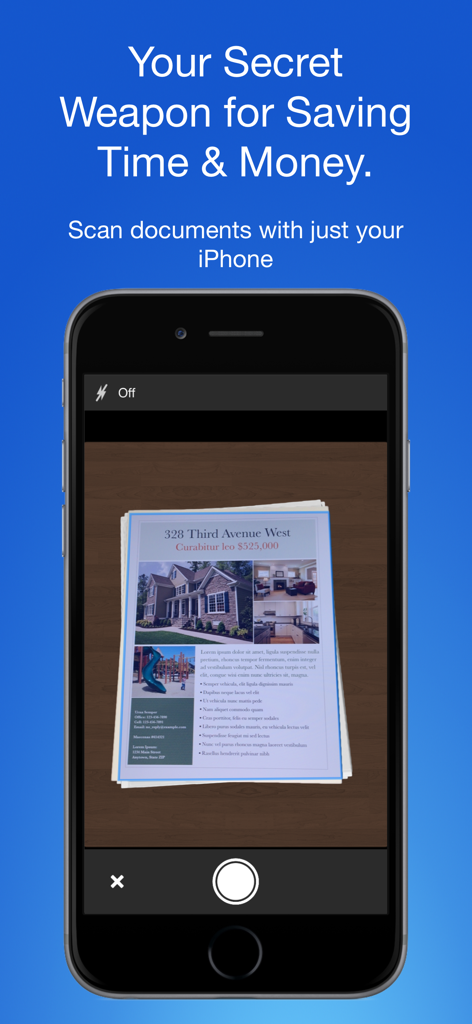
부동산 문서를 캡처하는 스마트 PDF 문서 스캐너 앱이 표시된 iPhone 화면

부동산 문서를 캡처하는 스마트 PDF 문서 스캐너 앱이 표시된 iPhone 화면

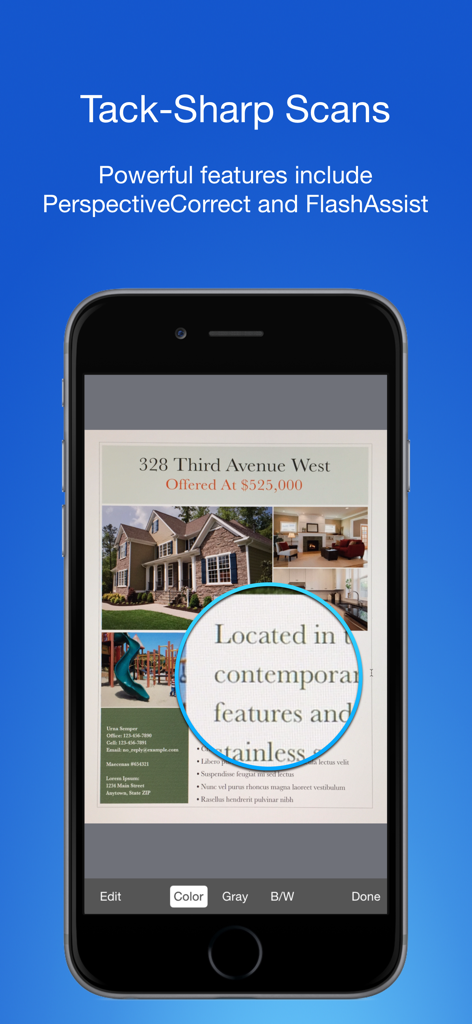
선명한 텍스트 확대 기능이 있는 고품질 문서 스캔을 보여주는 모바일 앱 인터페이스.

선명한 텍스트 확대 기능이 있는 고품질 문서 스캔을 보여주는 모바일 앱 인터페이스.

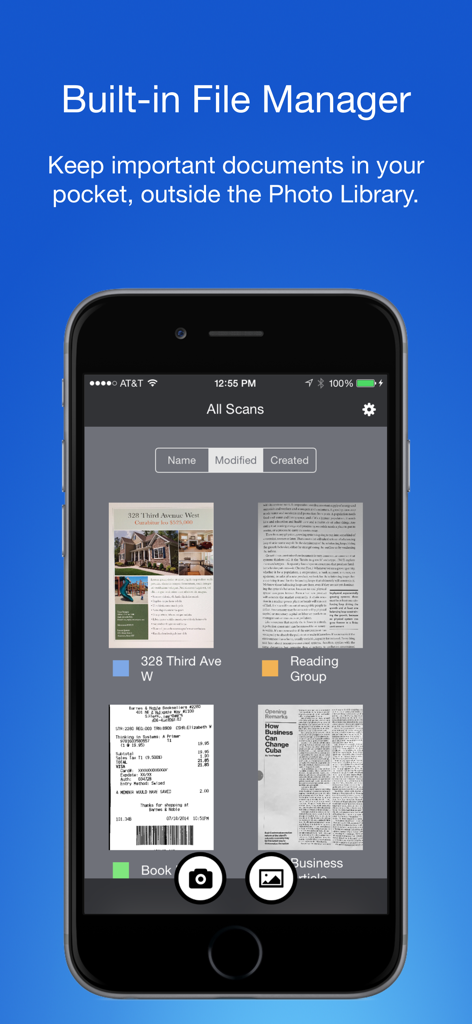
색상별 태그로 정리된 문서 관리를 위한 내장 파일 관리자를 보여주는 스마트 PDF 문서 스캐너 앱

색상별 태그로 정리된 문서 관리를 위한 내장 파일 관리자를 보여주는 스마트 PDF 문서 스캐너 앱

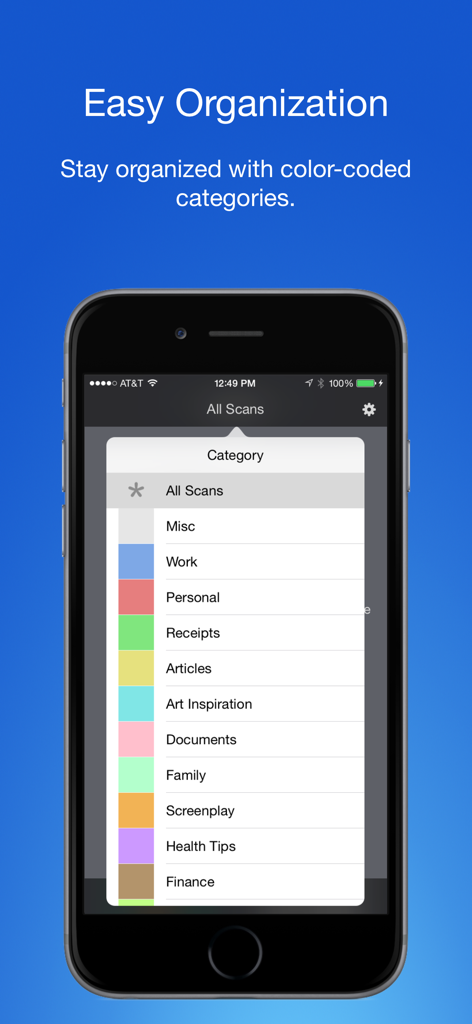
스캔한 문서를 정리하기 위한 색상별 태그 및 카테고리를 표시하는 스마트폰 화면

스캔한 문서를 정리하기 위한 색상별 태그 및 카테고리를 표시하는 스마트폰 화면

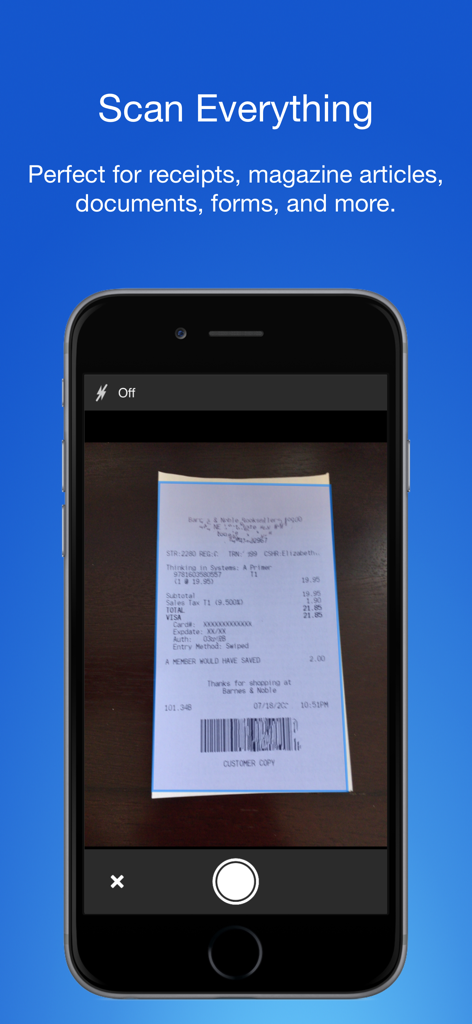
상점 영수증을 캡처하는 iPhone의 스마트 PDF 문서 스캐너 앱

상점 영수증을 캡처하는 iPhone의 스마트 PDF 문서 스캐너 앱

전문가에게 필요한 유일한 스캐너

이 앱을 돋보이게 하는 도구, 13K+ 명의 사용자가 선택.

📄

선명한 스캔

자동 원근 보정 및 FlashAssist는 모든 계약서와 영수증이 선명하고 전문적이며 보낼 준비가 되어 있음을 보장합니다.

🏷️

간편한 정리

경직된 폴더 시스템은 이제 그만. 색상별 태그 지정으로 탭 한 번으로 몇 초 만에 문서를 분류하고 찾을 수 있습니다.

🔒

일-생활 분리

개인 사진 라이브러리와 완전히 분리된 전용 허브에 비즈니스 문서를 보관하여 경계를 유지하세요.

앱 소개

에 대해 알아야 할 모든 것 Smart PDF Document Scanner.

설명

Ditch the office scanner! Just snap a photo of your document, and get a PDF file you can instantly send to your colleagues, all from your phone or iPad. TACK SHARP SCANS That processor in your phone is quite a little monster. Smart Scanner uses it fully to make the best possible scans. Even full-page articles come out tack-sharp and easy to read. It automatically detects the page edges and corrects for perspective. Pick full-color scans, grayscale, or black-and-white for maximum legibility. FlashAssist can take perfect scans even in poor lighting conditions. You can even change the correction and enhancement settings after the fact. POWERFUL COLOR-CODED ORGANIZATION Scanning is just half the problem. You need a good way to keep all your documents organized, and easy to find later. Smart Scanner uses a simple tagging system that is much easier and more powerful than the regular folder system. File documents under custom color-coded categories with just a couple taps. Browse and sort files by category with a couple more. It's the way filing should work. FOR ALL YOUR SCANNING NEEDS + Quickly scan and send contracts and forms + Keep scans of important documents in your pocket, separate form the Photo Library + Scan all your travel receipts for easy expense reports + Keep digital copies of your notes and sketches + Scan articles to read later + And more! TIPS AND TRICKS Here are a few tips to get the best scans: + Place your document on a darker surface to improve the edge auto-detection. + You can drag the corners of the blue rectangle to fine tune it after taking a photo. + Make sure there is adequate lighting. Use the flash in low-light conditions. + You can tap on a page to edit its scan settings (including edges) after the fact.

최신 버전

2.5

크기

19.4 MB

출시일

2016년 12월 5일

사무실 스캐너를 버릴 준비가 되셨나요?

선명한 PDF와 이동 중에도 간편한 색상별 정리를 위해 스마트 스캐너를 신뢰하는 13,000명 이상의 전문가들과 함께하세요.

다운로드: App Store

App information, icons, screenshots, and descriptions displayed on this page are sourced from the Apple App Store and are the property of their respective developers. Download estimates and rankings are based on MWM's proprietary models and may not reflect actual figures. This page is provided for informational and analytical purposes only.

Believe this page infringes your intellectual property? File a dispute