이 페이지는 앱이나 개발자의 공식 페이지가 아니며, 정보 제공 및 논평을 목적으로 작성된 독립 편집 간행물입니다. 명시적으로 달리 언급되지 않는 한, 해당 앱이나 개발자는 MWM, Apple, Google Play, 앱 퍼블리셔 또는 앱 개발자와 제휴, 보증, 후원, 승인 또는 공식적으로 연결되어 있지 않으며, 이 페이지의 어떤 내용도 해당 앱이 MWM의 서비스를 사용하여 개발되었음을 의미하지 않습니다. 모든 상표, 로고, 스크린샷 및 기타 콘텐츠는 해당 소유자의 자산입니다.
Smart Printer App - Fast Print
AI와 AirPrint로 즉시 스캔하고 모든 프린터에 인쇄하세요. 전문가와 바쁜 부모가 어디서든 인쇄물을 관리, 스캔, 인쇄할 수 있는 올인원 도구입니다.
제조업체 bloatware를 버리세요. 단일 고속 인터페이스로 iPhone에서 직접 모든 문서와 사진을 스캔, 관리, 인쇄하세요.
만능 무선 인쇄
HP, Canon, Epson 등 20개 이상의 프린터 브랜드에 즉시 연결하세요. 집, 사무실 또는 공동 작업 공간의 모든 프린터에 대한 단일 앱입니다.
스마트 AI 기반 스캐너
실물 서류를 전문가 수준의 PDF로 변환하세요. AI 기반 스캐너가 문서를 자동으로 자르고 최적화하여 선명한 디지털 저장 또는 인쇄를 지원합니다.
다음 스크린샷과 설명은 앱의 공식 스토어 목록에서 직접 가져온 것이며 앱 개발자의 자산입니다.
앱 스토어
스크린샷
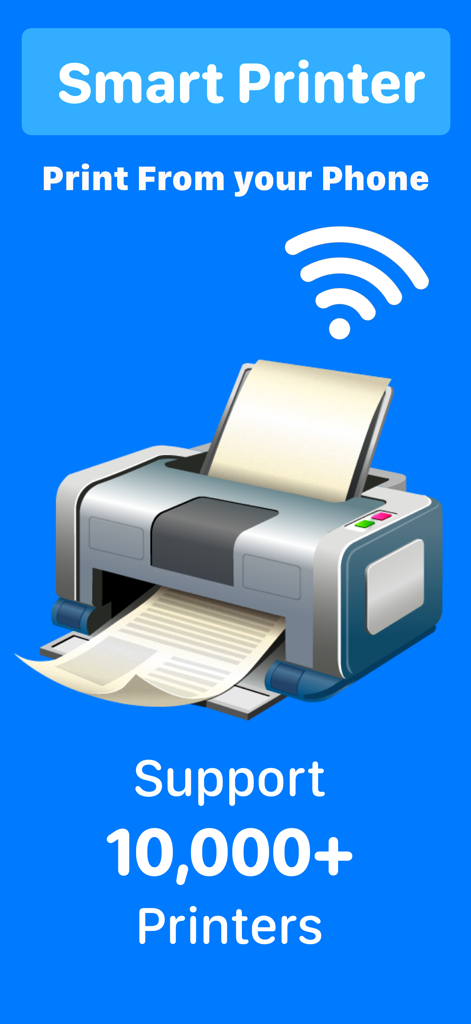
Smart Printer 앱 프로모션 화면으로 10,000개 이상의 프린터 지원을 보여주며 휴대폰에서 모바일 인쇄
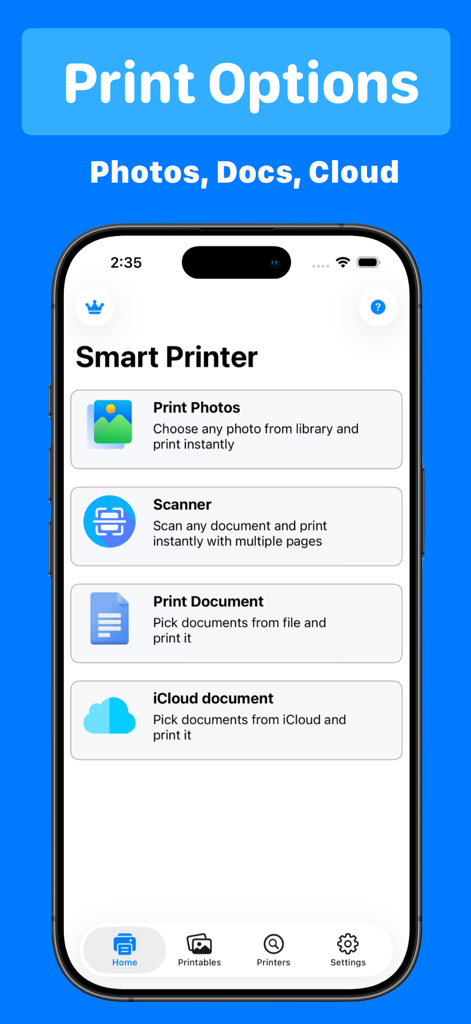
Smart Printer App 홈 화면으로 사진 인쇄, 문서 스캔, iCloud 파일 액세스 옵션 표시
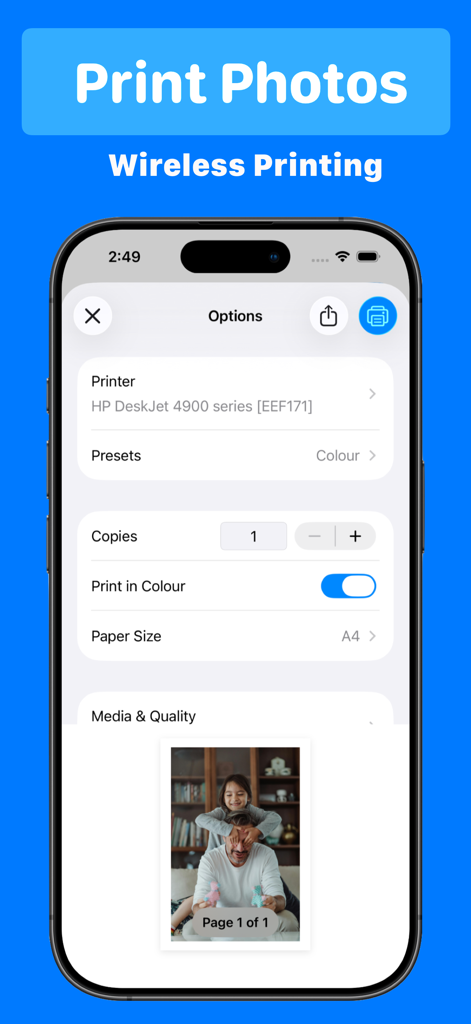
Smart Printer App 인터페이스의 무선 사진 인쇄 옵션으로 프린터 설정 및 사진 미리보기 표시
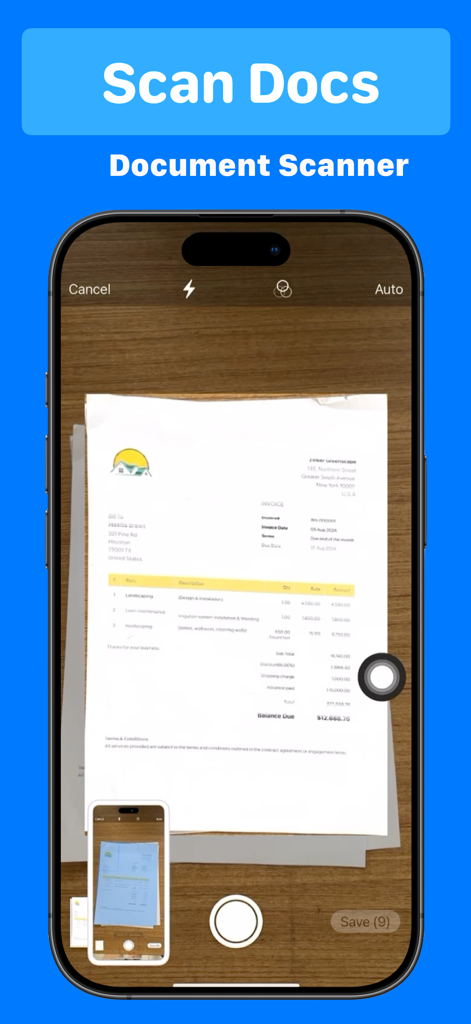
iPhone이 Smart Printer App 문서 스캐너 기능으로 종이 송장 스캔
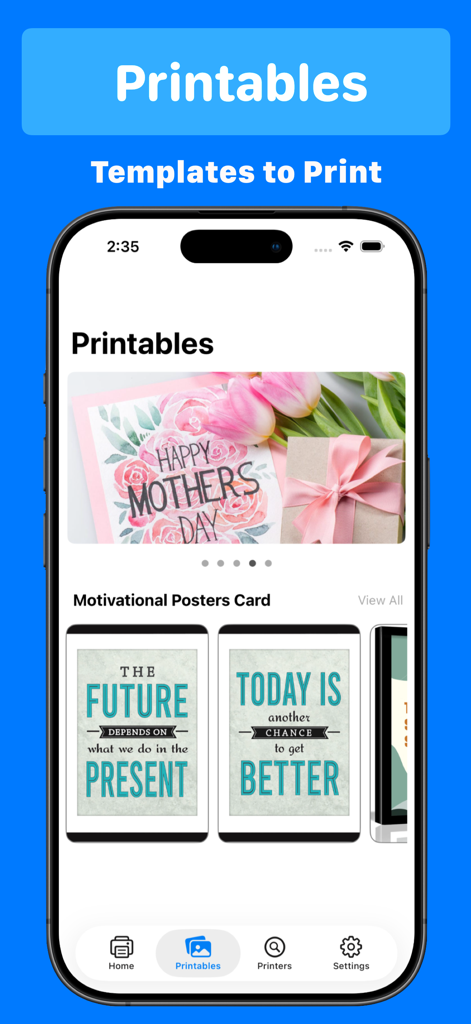
카드 및 동기 부여 포스터용 인쇄 가능 템플릿을 보여주는 모바일 앱 화면
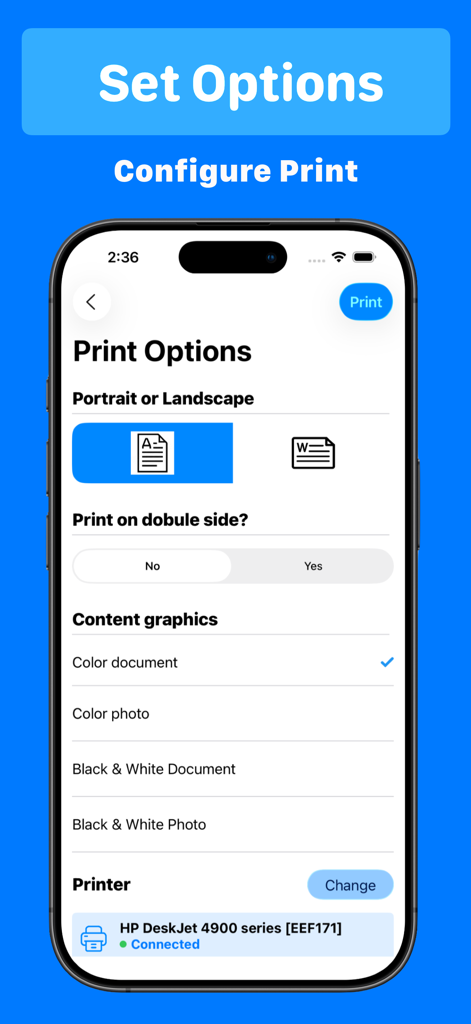
Smart Printer App 인터페이스로 방향 및 색상과 같은 인쇄 옵션 구성
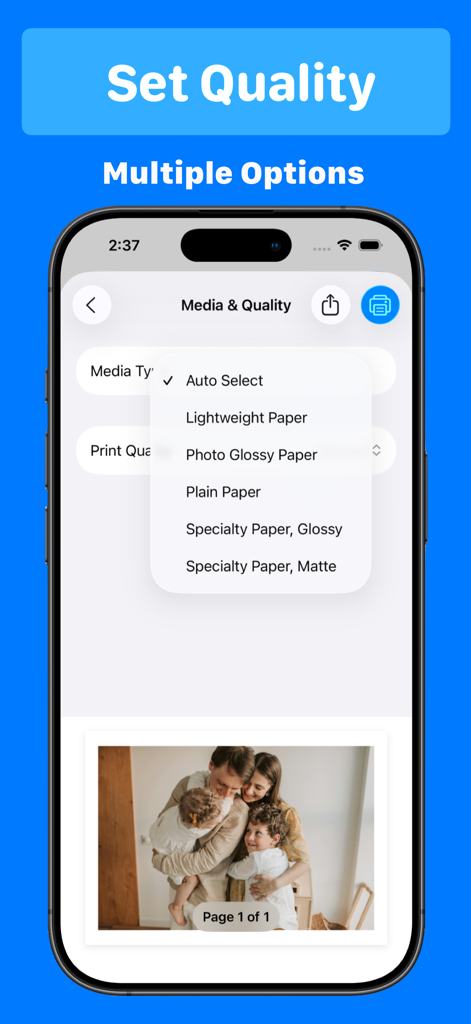
Smart Printer 앱의 인터페이스로 가족 사진에 대한 미디어 유형 및 인쇄 품질 옵션 표시
설명
SmartPrinter app is one of the smartest printer app you can find in the app store to AirPrint documents, photos and scan easily. It supports more than 20 plus printer device support including All Apple AirPrint printers, HP AirPrint, Brother AirPrint, Epson AirPrint, Canon AirPrint, Lenovo AirPrint, Toshiba AirPrint, Samsung AirPrint, Aurora AirPrint, Sharp AirPrint, Fuji Xerox AirPrint, Dell AirPrint and more...
For A Full List of Supported printers for this app : check out this link
https://support.apple.com/en-us/ht201311
You can air print Photos, Documents(PDF,Word,Excel,PowerPoint,Keynote,jpg,png & Rtf)
SmartPrinter will automatically resize your paper size base on your printer capability and the type of document you are trying to print
We have support of printing documents in colour or black and white
Also user can select the paper size and print orientation
There is also an option to use iCloud document and you can easily print it
iPrint smart printer connector will help you to print your documents and photos easily. You can scan a new document and our smart scanner will easily crop it with adjustable area and then you can select your air printer to print scanned document and photos. This app supports more than 22 printers including All Apple AirPrint printers, Brother AirPrint, Epson AirPrint, HP AirPrint , Canon AirPrint, Lenovo AirPrint, Toshiba AirPrint, Samsung AirPrint, Aurora AirPrint, Sharp AirPrint, Fuji Xerox AirPrint, Dell AirPrint and more...
For A Full List of Supported printers check out this link
https://support.apple.com/en-us/ht201311
Print any of your documents from your iPhone or iPAD with a minimum taps. Just select document from photos or files , We supports PDF, Word DOC, Excel XLS, PowerPoint PPT, Photoshop PSD, JPEG, PNG, BMP, TIFF, GIF and more.
Additionally , we have multiple options to customise your printing experience such as landscape or portrait print , with colourful print experience. We have also option for dual page air printing.
Our smart AI scanner help you to adjust your document frame and you can easily print the scanned document
Subscription Policy
- Subscriptions are billed weekly or annually at the rate selected depending on the subscription plan.
Payment models for Premium subscription:
- Yearly Subscription : $29.99 / year which comes with 3 Day Free Trial
- Monthly Subscription: $4.99/week which no trail
- Payment will be charged to iTunes Account at confirmation of purchase
- Account will be charged for renewal within 24-hours prior to the end of the current period, and identify the cost of the renewal
- Subscriptions auto-renew at the cost of the chosen package, unless cancelled 24-hours in advance prior to the end of the current period. Subscriptions may be managed by going to your iTunes Account Settings after purchase.
You may manage your subscription and turn off auto-renewal by going to your Account Settings after purchase.
Privacy Policy - http://temptracker.nextpixelapps.in/?page_id=33
Service Terms - http://temptracker.nextpixelapps.in/?page_id=31
DISCLAIMER: We are not affiliated with the mentioned companies in any way. We only developed and tested our App with these devices.
이 페이지는 앱이나 개발자의 공식 페이지가 아니며, 정보 제공 및 논평을 목적으로 작성된 독립 편집 간행물입니다. 명시적으로 달리 언급되지 않는 한, 해당 앱이나 개발자는 MWM, Apple, Google Play, 앱 퍼블리셔 또는 앱 개발자와 제휴, 보증, 후원, 승인 또는 공식적으로 연결되어 있지 않으며, 이 페이지의 어떤 내용도 해당 앱이 MWM의 서비스를 사용하여 개발되었음을 의미하지 않습니다. 모든 상표, 로고, 스크린샷 및 기타 콘텐츠는 해당 소유자의 자산입니다.