이 페이지는 앱이나 개발자의 공식 페이지가 아니며, 정보 제공 및 논평을 목적으로 작성된 독립 편집 간행물입니다. 명시적으로 달리 언급되지 않는 한, 해당 앱이나 개발자는 MWM, Apple, Google Play, 앱 퍼블리셔 또는 앱 개발자와 제휴, 보증, 후원, 승인 또는 공식적으로 연결되어 있지 않으며, 이 페이지의 어떤 내용도 해당 앱이 MWM의 서비스를 사용하여 개발되었음을 의미하지 않습니다. 모든 상표, 로고, 스크린샷 및 기타 콘텐츠는 해당 소유자의 자산입니다.
Smart Printer : Scanner App
iPhone에서 무선 프린터로 문서, 사진, 웹 페이지를 쉽게 인쇄하세요. 파일을 즉시 스캔, 서명, 공유하세요 — 원격 전문가 및 바쁜 가구에 완벽합니다.
주요 수치
다운로드
1K+
사용자 평점
4.0/5
총 평가 수
0
개발사
Muhammad Umar Farooq
카테고리
Business
지원 언어
15
최신 버전
2.2
크기
4.0 MB
출시일
2025년 1월 28일
기능
하나의 앱에 담긴 완전한 모바일 오피스
iPhone 또는 iPad에서 케이블이나 복잡한 설정 없이 직접 문서를 스캔, 관리, 인쇄하는 가장 직관적인 방법으로 하이브리드 워크플로우를 강화하세요.
범용 무선 인쇄
번거로운 드라이버는 잊어버리세요. 네트워크의 Wi-Fi 또는 Bluetooth 프린터를 자동 감지하고 몇 번의 탭으로 몇 초 안에 문서, 사진 또는 웹 페이지를 인쇄하세요.
고화질 문서 스캐너
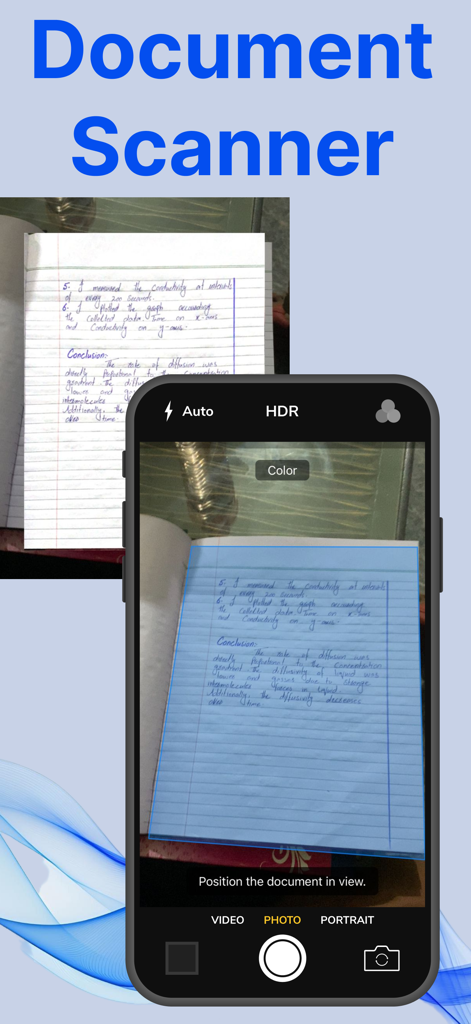
기기를 휴대용 스캐너로 바꾸세요. 인쇄 전에 자르기, 회전, 향상하는 내장 도구를 사용하여 계약서, 영수증, 양식을 즉시 디지털화하세요.
다음 스크린샷과 설명은 앱의 공식 스토어 목록에서 직접 가져온 것이며 앱 개발자의 자산입니다.
앱 스토어
스크린샷
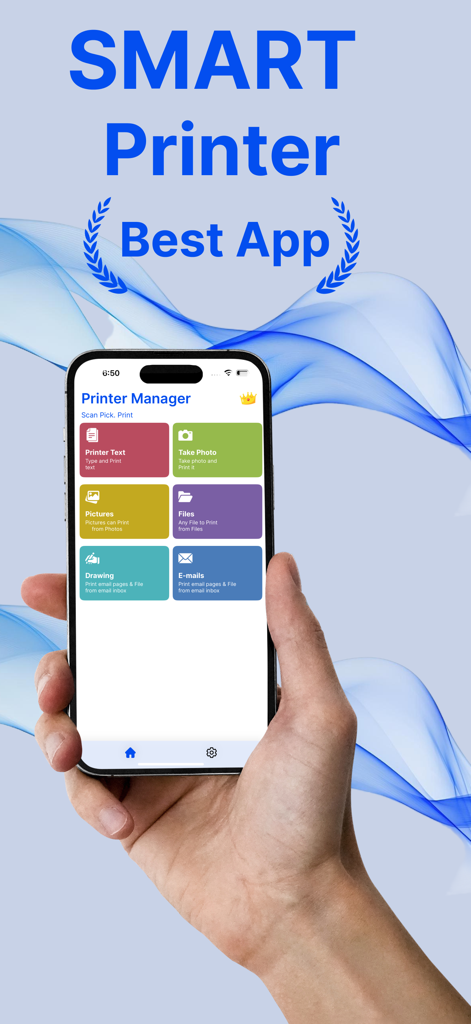
Smart Printer 앱 대시보드를 표시하는 iPhone을 들고 있는 손, 텍스트 사진 파일 이메일 인쇄 옵션 표시
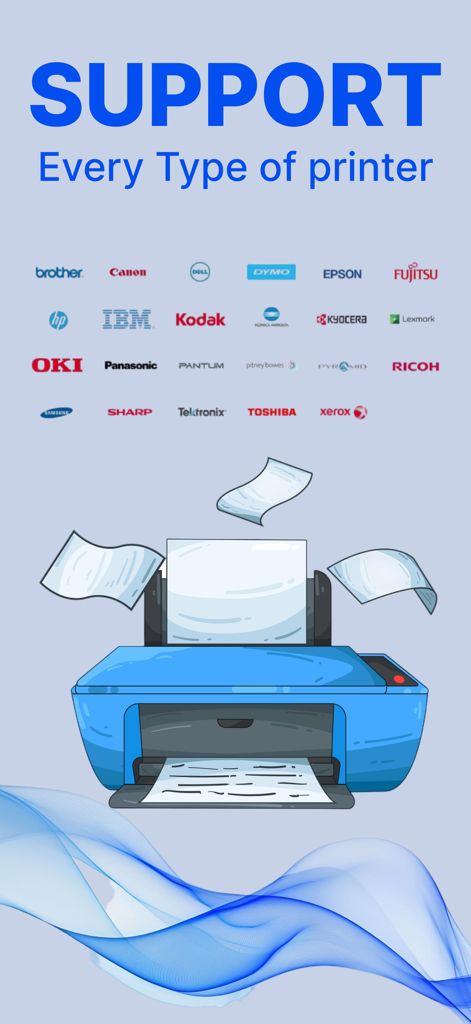
HP, Canon, Epson과 같은 다양한 브랜드 로고가 있는 파란색 프린터 그림으로 보편적인 프린터 호환성을 보여줌
손으로 쓴 노트북 페이지를 캡처하는 문서 스캐너 기능이 표시된 iPhone 인터페이스
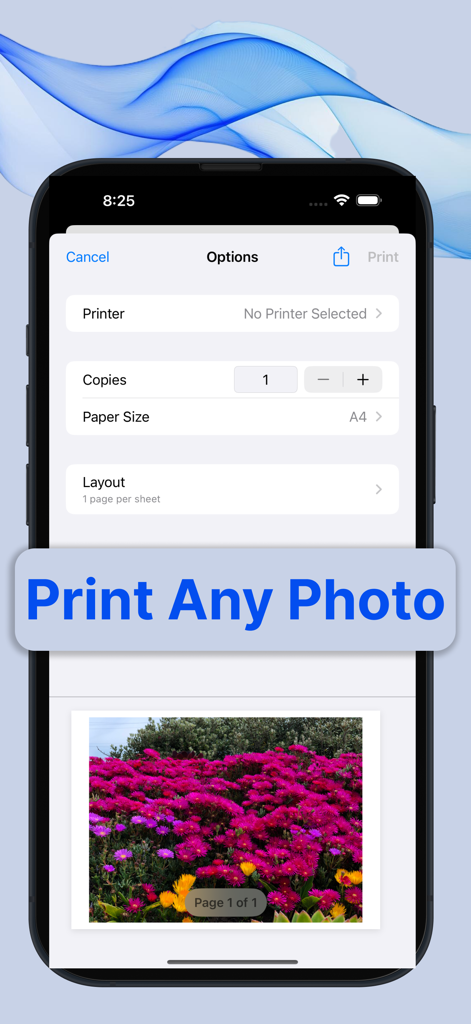
Smart Printer 앱의 사진 인쇄 미리 보기 및 설정 인터페이스를 보여주는 스마트폰
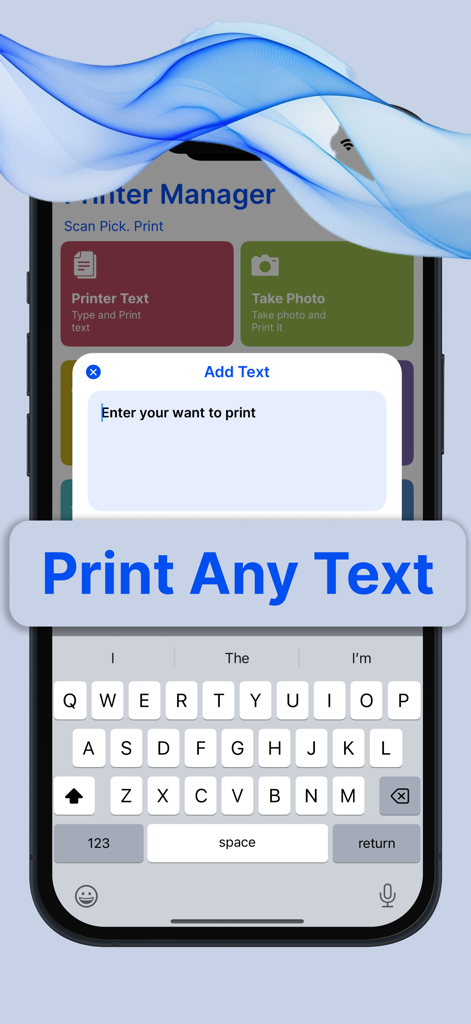
사용자 지정 텍스트 입력 및 인쇄를 위한 Smart Printer 앱 인터페이스를 보여주는 iPhone 화면
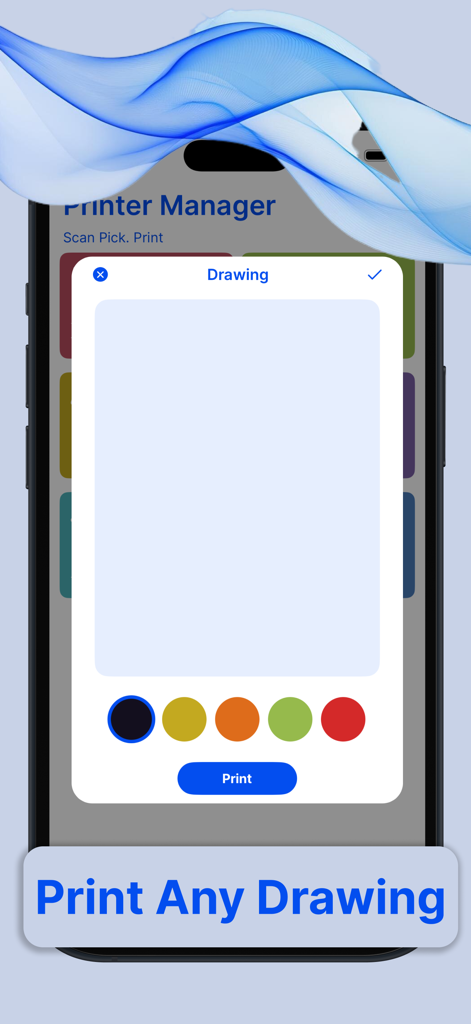
색상 선택 및 인쇄 버튼이 있는 그리기 도구를 보여주는 Smart Printer 앱의 인터페이스
설명
Printer App: The Ultimate Wireless Printing Solution
In today’s fast-paced, mobile-driven world, convenience and accessibility are paramount. With the rise of smartphones, tablets, and other mobile devices, the need for seamless integration between these devices and traditional technologies like printers has become more important than ever. The Printer App is a game-changer in this regard. It is a robust, easy-to-use application designed to wirelessly connect users to any compatible printer, enabling them to print anything, anytime, from their mobile device without the need for cables or complicated setups.
A Seamless Experience
The primary goal of the Printer App is to eliminate the friction that often comes with traditional printing. In the past, users needed to deal with clunky drivers, complex configurations, and cables. This app streamlines the entire process, ensuring that users can print documents, photos, and even web pages with just a few taps, making the experience feel effortless.
Wireless Connectivity
The core feature of the Printer App is its ability to connect wirelessly to any printer that supports Wi-Fi, Bluetooth, or other wireless printing protocols. Whether you're at home, in the office, or on the go, the app makes it easy to find and connect to any nearby printer. Whether you have an inkjet, laser, or photo printer, the app ensures compatibility with most modern printer models, regardless of the manufacturer.
The app automatically detects available printers on the same Wi-Fi network, eliminating the need to manually search for or configure devices. It can also pair with printers using Bluetooth, making it an excellent solution for users who want to print directly from their phones without the need for a Wi-Fi connection.
Easy-to-Use Interface
The Printer App is designed with user experience in mind. Its interface is clean, intuitive, and highly responsive, making it easy for even the least tech-savvy individuals to navigate. Upon opening the app, users are greeted with a simple dashboard that displays options to print documents, images, or even web pages directly from their browser.
To print a document, users simply select the file they wish to print, choose the printer from a list of available devices, and hit the print button. The app even allows users to adjust print settings, such as paper size, print quality, and the number of copies, all from within the app. If you’re printing a photo, the app offers built-in options to crop, rotate, or enhance images before printing.
Versatility: Print from Anywhere
One of the standout features of the Printer App is its ability to print from virtually any location. As long as your mobile device and the printer are connected to the same wireless network, you can print documents from the comfort of your home or office. Even if you're on the go, the app allows you to send print jobs to remote printers via cloud printing services, meaning you can print from a cafe, library, or even while traveling.
The app supports printing from a variety of sources, including documents stored on your mobile device, cloud storage platforms like Google Drive and Dropbox, or even email attachments. For those who frequently need to print from web pages, the app also includes a web browser integration that lets users print directly from websites without having to download or transfer files.
https://farooqdevs.wordpress.com/2024/06/22/term-of-use/
https://farooqdevs.wordpress.com/2024/06/22/privacy-policy/
이 페이지는 앱이나 개발자의 공식 페이지가 아니며, 정보 제공 및 논평을 목적으로 작성된 독립 편집 간행물입니다. 명시적으로 달리 언급되지 않는 한, 해당 앱이나 개발자는 MWM, Apple, Google Play, 앱 퍼블리셔 또는 앱 개발자와 제휴, 보증, 후원, 승인 또는 공식적으로 연결되어 있지 않으며, 이 페이지의 어떤 내용도 해당 앱이 MWM의 서비스를 사용하여 개발되었음을 의미하지 않습니다. 모든 상표, 로고, 스크린샷 및 기타 콘텐츠는 해당 소유자의 자산입니다.