Smart Receipts Receipt Tracker
다운로드: App Store

이 페이지는 앱이나 개발자의 공식 페이지가 아니며, 정보 제공 및 논평을 목적으로 작성된 독립 편집 간행물입니다. 명시적으로 달리 언급되지 않는 한, 해당 앱이나 개발자는 MWM, Apple, Google Play, 앱 퍼블리셔 또는 앱 개발자와 제휴, 보증, 후원, 승인 또는 공식적으로 연결되어 있지 않으며, 이 페이지의 어떤 내용도 해당 앱이 MWM의 서비스를 사용하여 개발되었음을 의미하지 않습니다. 모든 상표, 로고, 스크린샷 및 기타 콘텐츠는 해당 소유자의 자산입니다.


로고: Smart Receipts Receipt Tracker
다운로드: App Store

Smart Receipts Receipt Tracker

종이 서류를 순식간에 전문적인 보고서로 바꾸세요. 사업 경비를 손쉽게 스캔, 추적, 정리하여 세금 환급을 극대화하고 수동 입력 시간을 절약하세요.

주요 수치

다운로드

1K+

사용자 평점

4.1/5

총 평가 수

0

개발사

Ramkumar Vellaisamy

카테고리

Finance

지원 언어

35

최신 버전

1.1.6

크기

67.3 MB

출시일

2024년 11월 6일
기능

몇 초 만에 경비 관리하기

Smart Receipts는 프리랜서 및 사업주가 서류를 디지털화하고 모든 세금 공제를 손쉽게 확보할 수 있는 최고의 동반자입니다.

즉각적인 AI 스캔

지루한 데이터 입력을 건너뛰세요. 당사의 고급 OCR 기술은 높은 정확도로 가맹점 세부 정보, 날짜 및 총액을 자동으로 캡처합니다.

세금 준비 완료 정리

영수증을 사용자 지정 폴더와 태그로 그룹화하세요. 감사 대비 상태를 유지하고 1099 신고 또는 사업비 상환을 위해 완벽하게 정리하세요.

다음 스크린샷과 설명은 앱의 공식 스토어 목록에서 직접 가져온 것이며 앱 개발자의 자산입니다.

앱 스토어

스크린샷
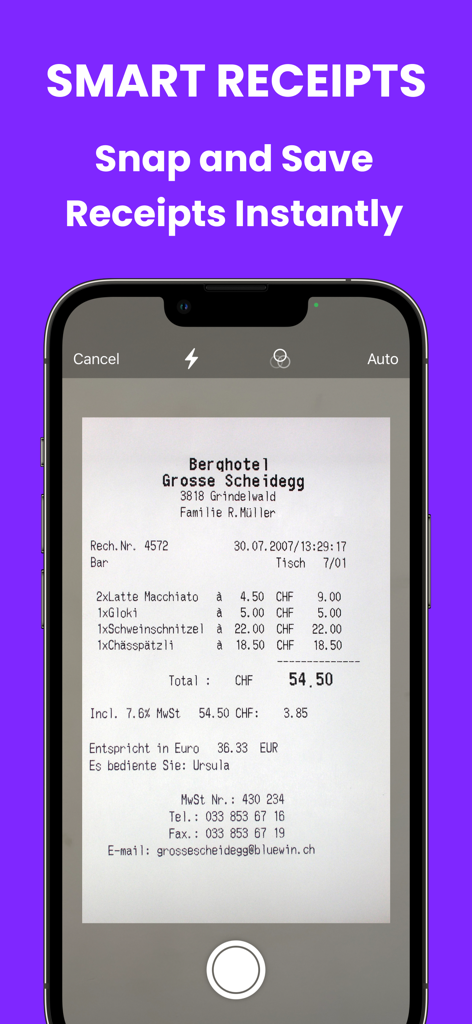
Smart Receipts Receipt Tracker - 레스토랑 영수증을 스캔하는 Smart Receipts 앱을 보여주는 스마트폰 화면.
레스토랑 영수증을 스캔하는 Smart Receipts 앱을 보여주는 스마트폰 화면.

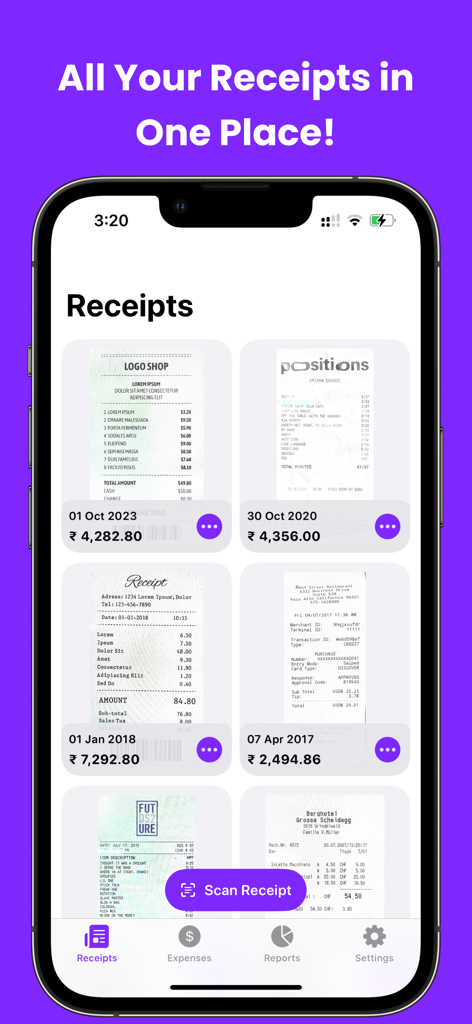
Smart Receipts Receipt Tracker - 날짜와 총액이 표시된 스캔된 영수증 그리드를 보여주는 Smart Receipts 앱 대시보드
날짜와 총액이 표시된 스캔된 영수증 그리드를 보여주는 Smart Receipts 앱 대시보드

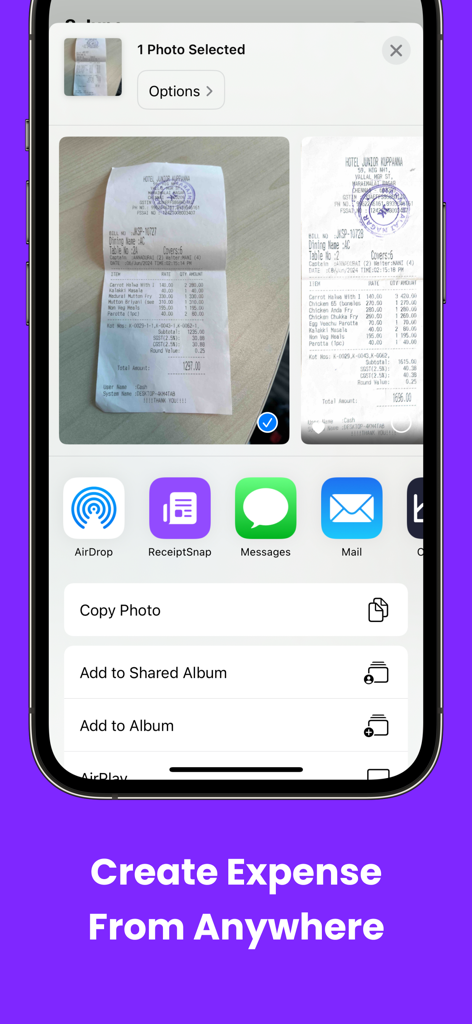
Smart Receipts Receipt Tracker - iOS 공유 시트를 사용하여 Smart Receipts 앱으로 공유되는 영수증 사진을 보여주는 iPhone 화면
iOS 공유 시트를 사용하여 Smart Receipts 앱으로 공유되는 영수증 사진을 보여주는 iPhone 화면

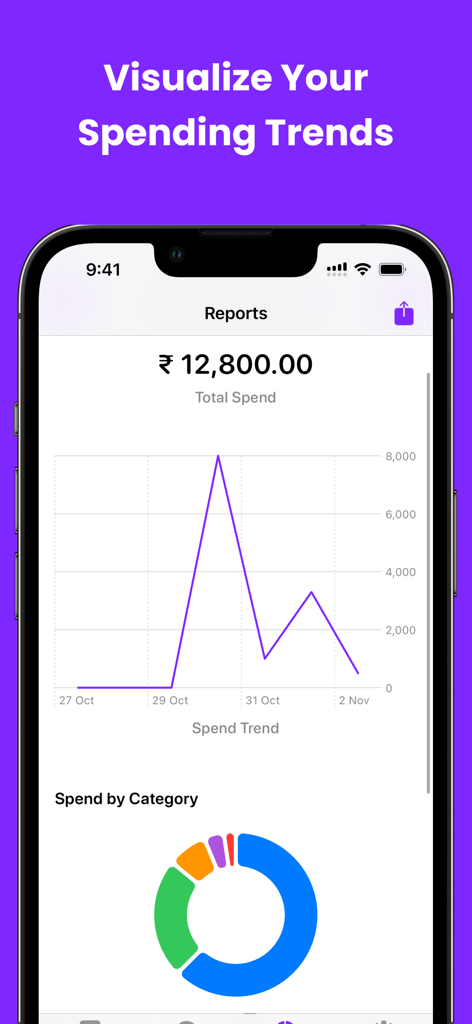
Smart Receipts Receipt Tracker - 선 그래프와 카테고리별 구성 도넛 차트로 지출 추세를 보여주는 Smart Receipts 앱 화면
선 그래프와 카테고리별 구성 도넛 차트로 지출 추세를 보여주는 Smart Receipts 앱 화면

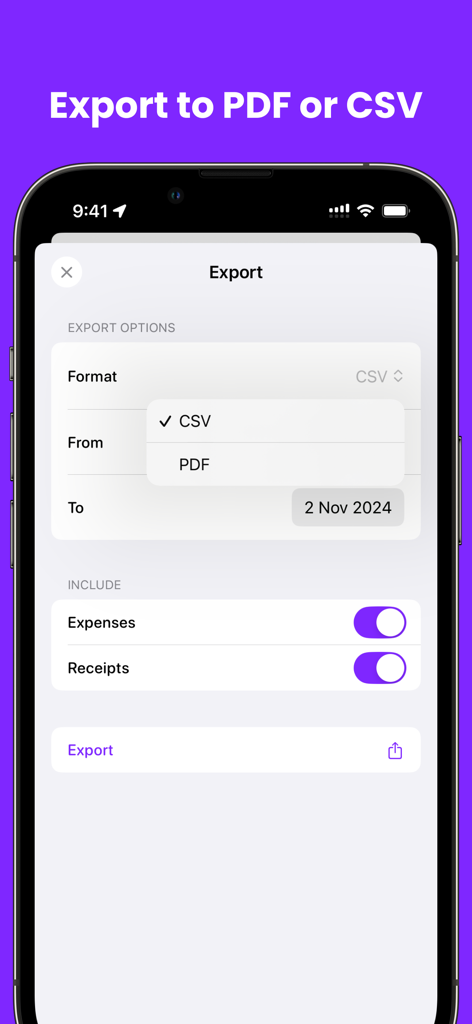
Smart Receipts Receipt Tracker - PDF 및 CSV 보고서 형식을 보여주는 Smart Receipts 앱의 내보내기 화면.
PDF 및 CSV 보고서 형식을 보여주는 Smart Receipts 앱의 내보내기 화면.

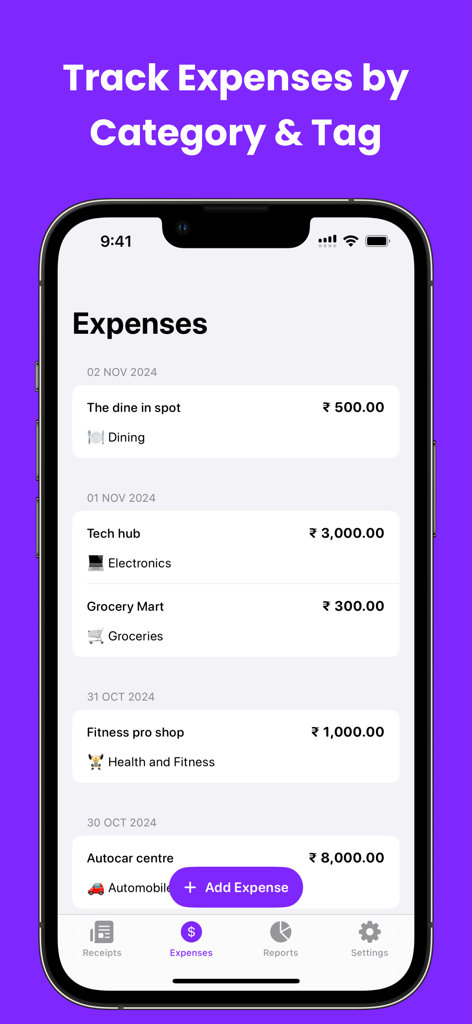
Smart Receipts Receipt Tracker - 카테고리 및 태그별로 정리된 추적 경비 목록을 표시하는 Smart Receipts 앱 인터페이스.
카테고리 및 태그별로 정리된 추적 경비 목록을 표시하는 Smart Receipts 앱 인터페이스.

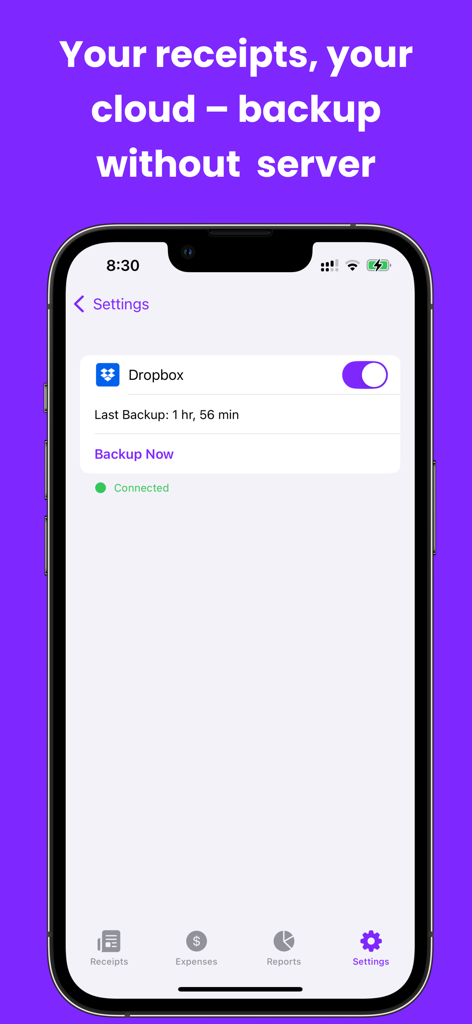
Smart Receipts Receipt Tracker - Dropbox 클라우드 백업 연결 및 상태를 보여주는 Smart Receipts 앱 설정 화면

Dropbox 클라우드 백업 연결 및 상태를 보여주는 Smart Receipts 앱 설정 화면

설명

Scan, Track & Organize Receipts Easily! Smart Receipts helps you scan receipts, track expenses, and generate detailed reports for taxes, budgets, and reimbursements — all in one app. Why Choose Smart Receipts? • Receipt Scanner - Snap a photo or import a file, and Smart Receipts automatically extracts key details like merchant, total, tax, and date. • Receipt Organizer - Sort receipts into folders, add tags, categories, payment methods, and notes for quick access. • Expense Tracker - Track personal and business expenses with easy-to-read charts and insights. • Manual Currency Conversion - Enter and manage expenses in different currencies with flexible manual conversion. • Smart Predictions - Speeds up data entry by learning from your past receipts. • Flexible Export Options - Create professional PDF, CSV, or ZIP reports that fit your needs. • Backup Options - Secure your data with reliable backup so your receipts are always safe. Perfect For: • Tax Filings - Organize receipts and maximize returns • Business Users & Freelancers - Track expenses and reimbursements • Personal Finance - Manage daily spending and budgets • Warranties & Proof of Purchase - Store important receipts safely Stay Organized. Save Time. Maximize Your Returns. With AI-powered OCR, Smart Receipts removes the hassle of manual entry and keeps your finances under control. Download Smart Receipts today — the smarter way to scan, track, and manage your receipts. Some features may require an in-app purchase. Support: support@reku.dev Privacy Policy: https://smart-receipts.com/privacy.html Terms of Service: https://smart-receipts.com/terms.html

Download

다운로드: App Store

이 페이지는 앱이나 개발자의 공식 페이지가 아니며, 정보 제공 및 논평을 목적으로 작성된 독립 편집 간행물입니다. 명시적으로 달리 언급되지 않는 한, 해당 앱이나 개발자는 MWM, Apple, Google Play, 앱 퍼블리셔 또는 앱 개발자와 제휴, 보증, 후원, 승인 또는 공식적으로 연결되어 있지 않으며, 이 페이지의 어떤 내용도 해당 앱이 MWM의 서비스를 사용하여 개발되었음을 의미하지 않습니다. 모든 상표, 로고, 스크린샷 및 기타 콘텐츠는 해당 소유자의 자산입니다.








