Smart Scan Receipts: Receiptly
다운로드: App Store

이 페이지는 앱이나 개발자의 공식 페이지가 아니며, 정보 제공 및 논평을 목적으로 작성된 독립 편집 간행물입니다. 명시적으로 달리 언급되지 않는 한, 해당 앱이나 개발자는 MWM, Apple, Google Play, 앱 퍼블리셔 또는 앱 개발자와 제휴, 보증, 후원, 승인 또는 공식적으로 연결되어 있지 않으며, 이 페이지의 어떤 내용도 해당 앱이 MWM의 서비스를 사용하여 개발되었음을 의미하지 않습니다. 모든 상표, 로고, 스크린샷 및 기타 콘텐츠는 해당 소유자의 자산입니다.


로고: Smart Scan Receipts: Receiptly
다운로드: App Store

Smart Scan Receipts: Receiptly

1인 사업가와 바쁜 가구가 영수증을 스캔하고, 상환을 자동화하며, 전문적인 PDF 내보내기로 제품 보증을 정리할 수 있는 올인원 도구입니다.

주요 수치

다운로드

1K+

사용자 평점

4.4/5

총 평가 수

100

개발사

Karmjit Singh

카테고리

Finance

지원 언어

30

최신 버전

7.1.6

크기

228.5 MB

출시일

2020년 10월 19일
기능

재정 생활을 단순화하세요

즉각적인 AI 스캔부터 전문적인 세금 보고까지, Receiptly는 시간을 되찾고 구매를 보호할 수 있는 도구를 제공합니다.

즉각적인 AI 스마트 스캔

탭 한 번으로 날짜, 총액, 세금 정보를 자동으로 추출합니다. 수동 데이터 입력 및 종이 서류 더미는 이제 그만.

세금 신고 준비 보고서

몇 초 안에 회계사 또는 회사 상환을 위해 정리된 PDF 또는 Excel 스프레드시트를 내보낼 수 있습니다.

다음 스크린샷과 설명은 앱의 공식 스토어 목록에서 직접 가져온 것이며 앱 개발자의 자산입니다.

앱 스토어

스크린샷
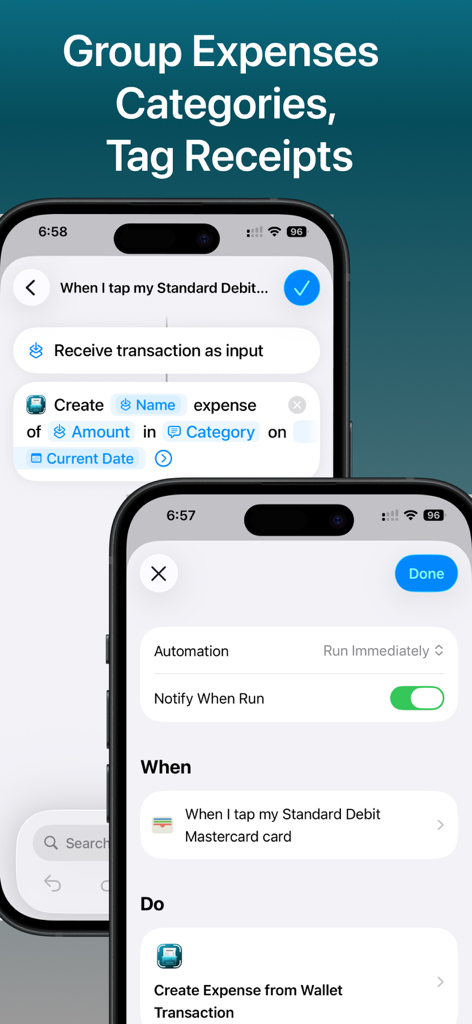
Smart Scan Receipts: Receiptly - 영수증 그룹화 및 태그 지정에 대한 Apple 바로가기 자동화를 보여주는 Receiptly 앱 인터페이스
영수증 그룹화 및 태그 지정에 대한 Apple 바로가기 자동화를 보여주는 Receiptly 앱 인터페이스

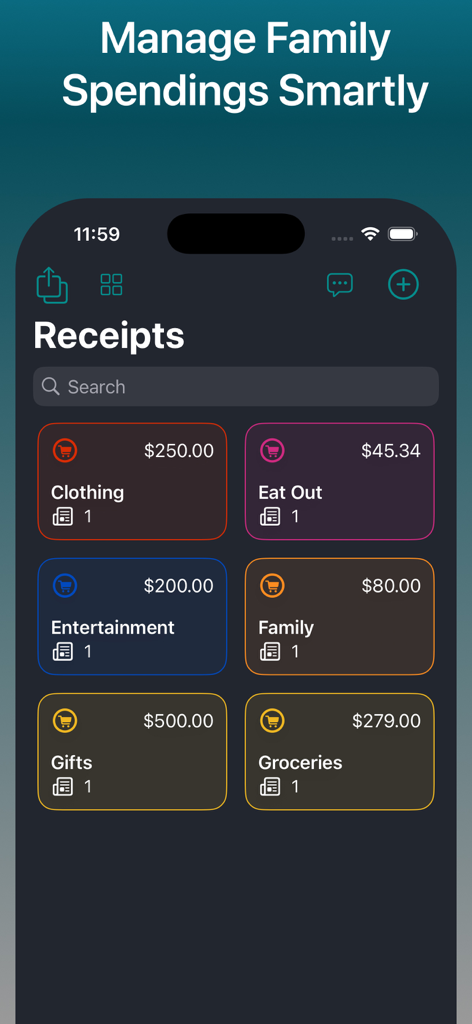
Smart Scan Receipts: Receiptly - 의류, 식료품, 엔터테인먼트와 같은 다양한 경비 카테고리와 총 지출 금액을 보여주는 Receiptly 앱 대시보드
의류, 식료품, 엔터테인먼트와 같은 다양한 경비 카테고리와 총 지출 금액을 보여주는 Receiptly 앱 대시보드

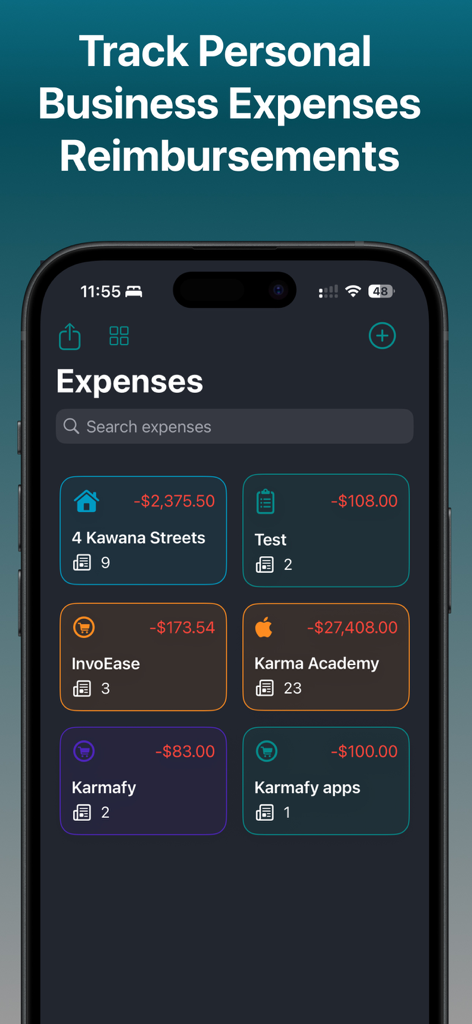
Smart Scan Receipts: Receiptly - Receiptly 앱에서 분류된 개인 및 사업 경비를 보여주는 대시보드
Receiptly 앱에서 분류된 개인 및 사업 경비를 보여주는 대시보드

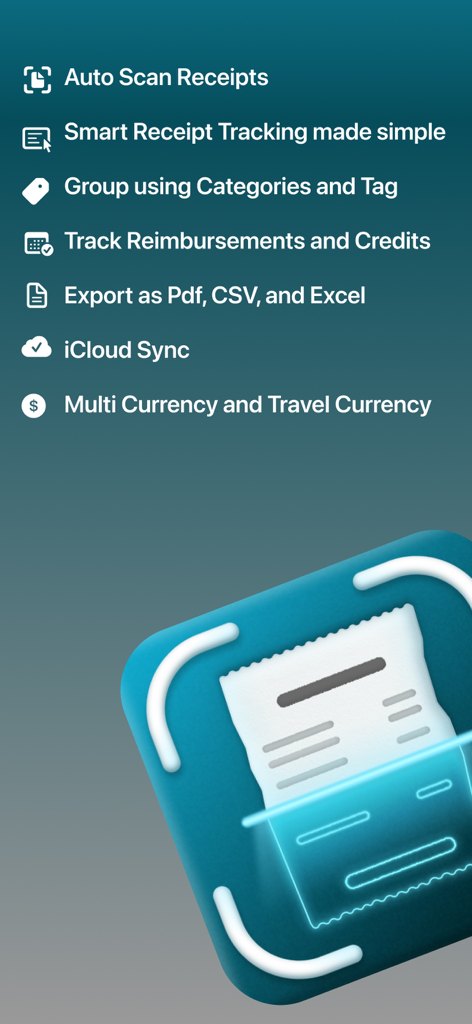
Smart Scan Receipts: Receiptly - 자동 스캔 및 클라우드 동기화를 포함한 Smart Scan Receipts 기능 개요
자동 스캔 및 클라우드 동기화를 포함한 Smart Scan Receipts 기능 개요

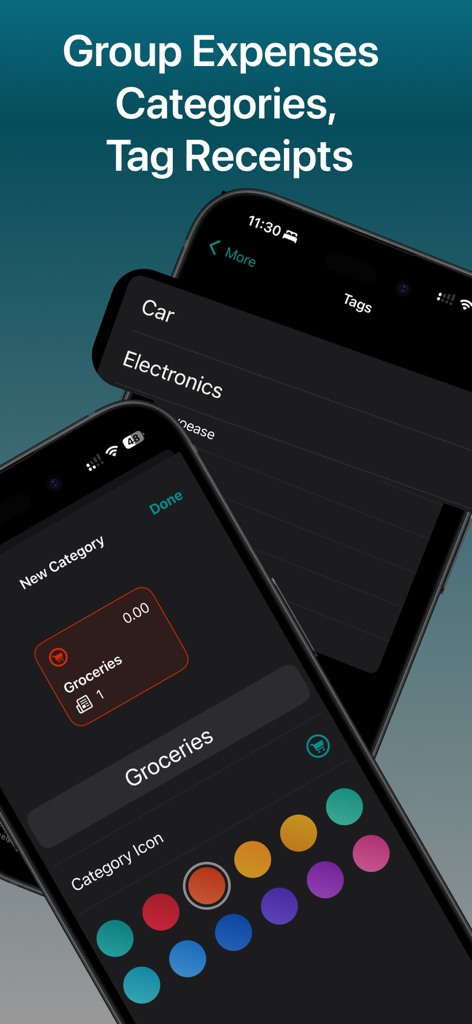
Smart Scan Receipts: Receiptly - iPhone에서 카테고리 및 사용자 지정 태그를 사용하여 경비를 정리하는 방법을 보여주는 Receiptly 앱 인터페이스
iPhone에서 카테고리 및 사용자 지정 태그를 사용하여 경비를 정리하는 방법을 보여주는 Receiptly 앱 인터페이스

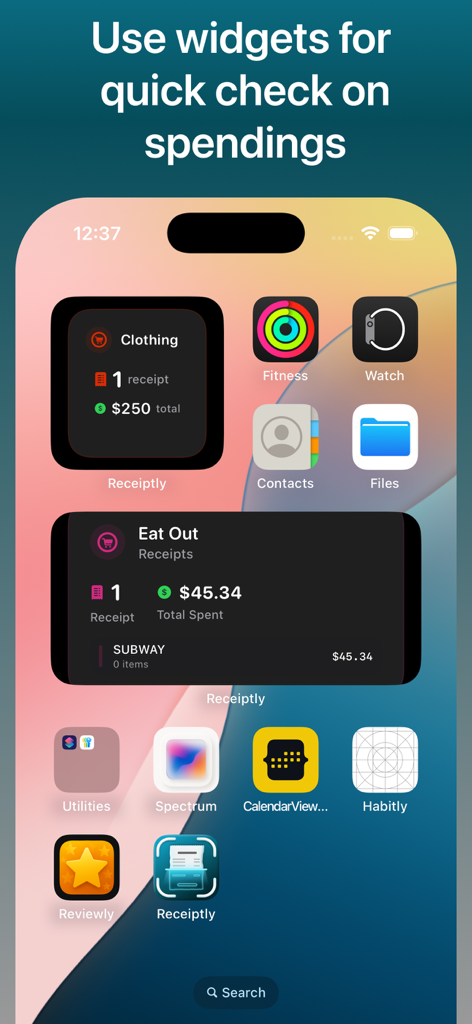
Smart Scan Receipts: Receiptly - 의류 및 레스토랑 경비를 추적하는 Receiptly 앱 위젯을 보여주는 iPhone 홈 화면
의류 및 레스토랑 경비를 추적하는 Receiptly 앱 위젯을 보여주는 iPhone 홈 화면

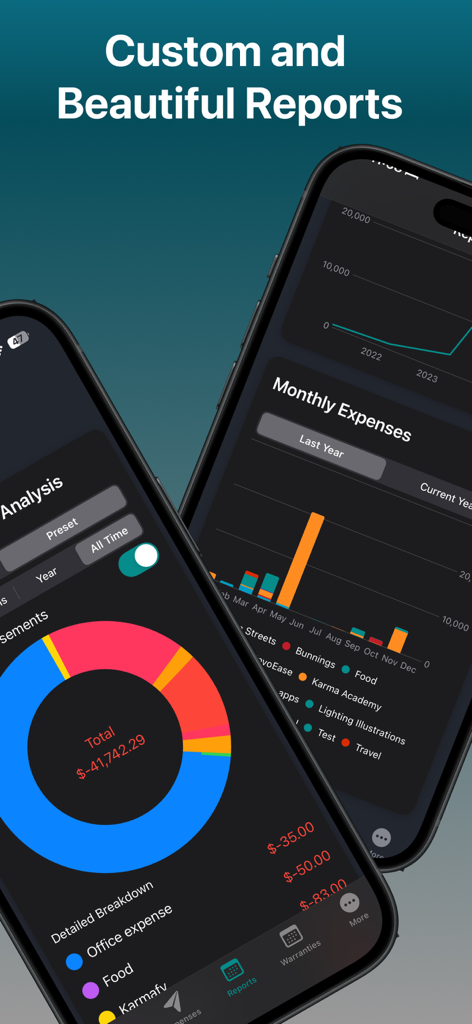
Smart Scan Receipts: Receiptly - Receiptly 앱이 표시된 두 대의 스마트폰, 상세 경비 분석 차트 및 월별 재무 보고서
Receiptly 앱이 표시된 두 대의 스마트폰, 상세 경비 분석 차트 및 월별 재무 보고서

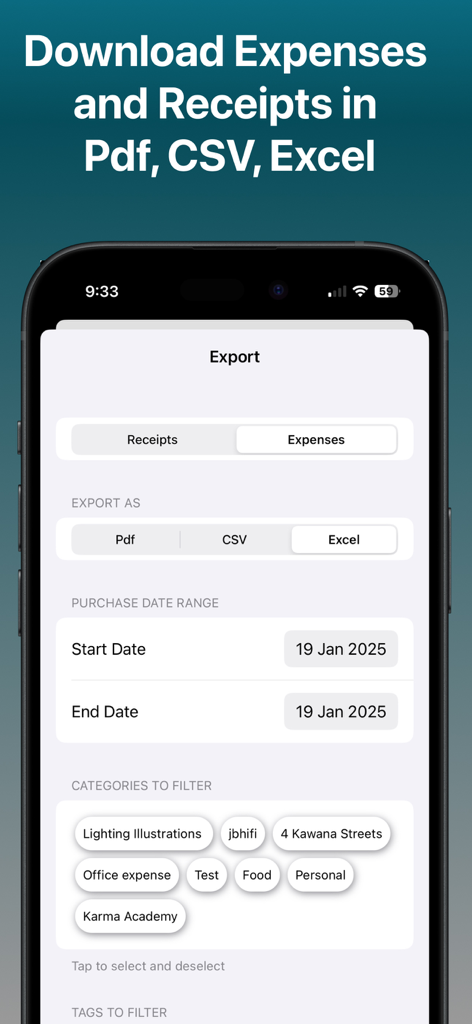
Smart Scan Receipts: Receiptly - PDF CSV 및 Excel 형식으로 영수증 및 경비 내보내기 옵션을 보여주는 Receiptly 앱 인터페이스
PDF CSV 및 Excel 형식으로 영수증 및 경비 내보내기 옵션을 보여주는 Receiptly 앱 인터페이스

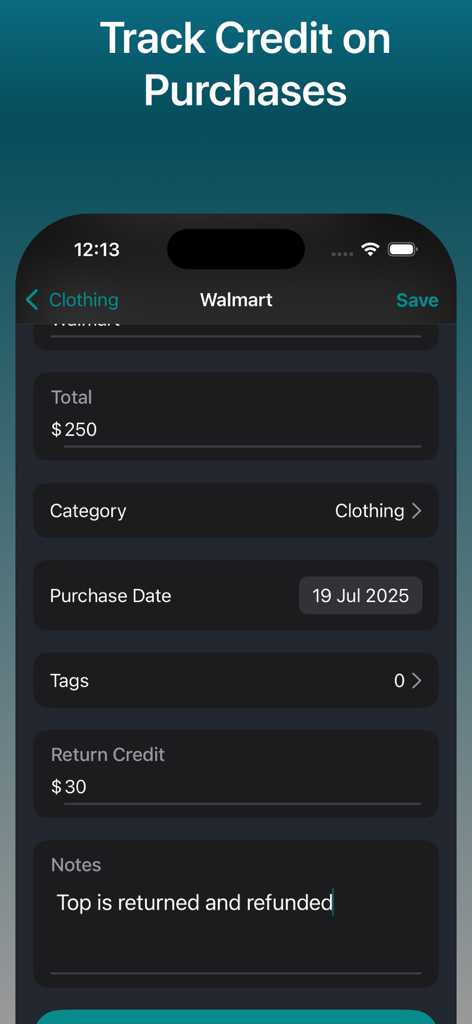
Smart Scan Receipts: Receiptly - 영수증 구매에 대한 반품 크레딧 및 환불을 추적하는 방법을 보여주는 모바일 앱 인터페이스
영수증 구매에 대한 반품 크레딧 및 환불을 추적하는 방법을 보여주는 모바일 앱 인터페이스

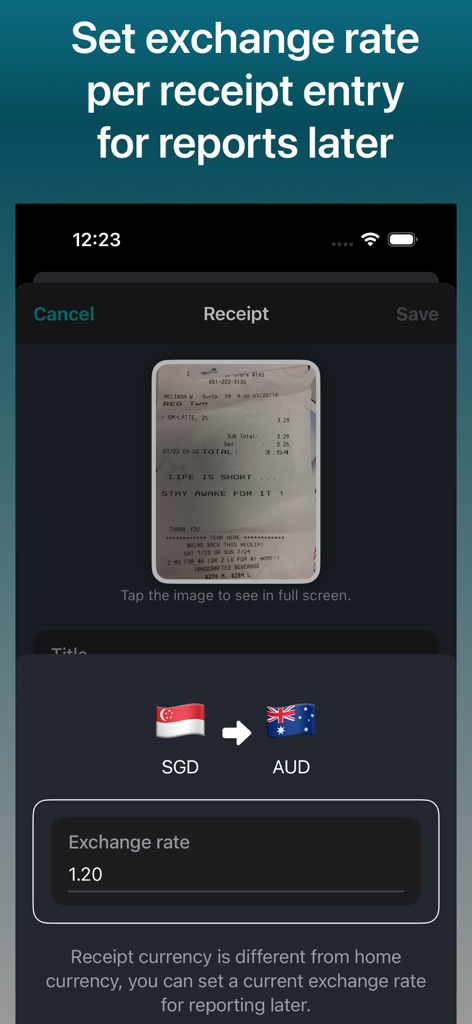
Smart Scan Receipts: Receiptly - SGD 및 AUD 간의 환율을 스캔한 영수증에 대해 설정하는 모바일 인터페이스.

SGD 및 AUD 간의 환율을 스캔한 영수증에 대해 설정하는 모바일 인터페이스.

설명

Smart Receipt Scanner and Expense Tracker. Track Reimbursements against your expenses. PDF/CSV/EXCEL export of receipts and expenses. Maintain your receipts across your iPhone and iPads with iCloud sync. Drag and drop images on iPads to quickly create receipts entries. Maintain your Business Travel receipts in different currencies and set exchange rates to later submit your reimbursements. Receiptly is not restricted to only receipts, you can save your vouchers, invoices, or gift cards to keep track of their expiry date. RECEIPTLY: ALL IN ONE Business and Personal Accounting Solution Whether you are an individual trying to track home expenses, groceries, and tracking all the home purchases receipts to claim your warranties or person running a small business. This is one app that is made for you. Organise your receipts and expenses into Categories. Use tags to quickly filter your related receipts or expenses. Quickly saves a photo of receipt or Invoice on the go while shopping. Customises the details regarding receipts for easy search and tracking. App offers widgets to view a quick summary of the store. Medium size widget helps you keep track of top receipts/invoices for selected stores and/or to keep an eye on upcoming warranties of your products. Features: > Smart Scan: Automatically extract the important information from the receipts. > Quick create: Quickly create using a camera or choose from your photo library. Add existing receipts from the photo library. > Support for Apple Shortcut automations! Automatically create expenses whenever you make a payment. > Set home currency for the receipts and have the ability to set the currency for receipt if you are travelling and can set an exchange rate to use for later for reporting. > Track warranties if products added to the receipts and get notifications. > Track Expenses and reimbursements to get a overview of your incoming and outgoing amount. > Beautiful reports to view your expanses. > Export: Export your receipts data to CSV, PDF or even Excel(spreadsheet) to share with accountants. > Widgets: Beautiful widgets to keep an eye on the spending summary on a store or configure the widget to keep track of product warranties. > Easy Organisation: The app helps you keep your receipts in an organized way for easy search. > Product Tracking > Keep an eye on the product warranties. > Tagging: Tag the receipts to search them easily later. You may purchase an auto-renewing subscription through an In-App Purchase to upgrade to plus and you get > Unlimited Smart scans: Unlimited smart scans to easily create receipts. > Export: Export your receipts to share with your tax agents or others. > App Icons: Choose from different app icons of your liking. > Access to the reports for quick summary. For support and suggestions reach at karm.singh@outlook.com • Auto-renewable subscription • Your subscription will be charged to your iTunes account at confirmation of purchase and will automatically renew (at the duration selected) unless auto-renew is turned off at least 24 hours before the end of the current period. • Current subscription may not be canceled during the active subscription period; however, you can manage your subscription and/or turn off auto-renewal by visiting your iTunes Account Settings after purchase • Privacy policy: https://receiptly.karmaacademy.com.au/privacypolicy/ • Terms of use: https://receiptly.karmaacademy.com.au/termsofuse/

Download

다운로드: App Store

이 페이지는 앱이나 개발자의 공식 페이지가 아니며, 정보 제공 및 논평을 목적으로 작성된 독립 편집 간행물입니다. 명시적으로 달리 언급되지 않는 한, 해당 앱이나 개발자는 MWM, Apple, Google Play, 앱 퍼블리셔 또는 앱 개발자와 제휴, 보증, 후원, 승인 또는 공식적으로 연결되어 있지 않으며, 이 페이지의 어떤 내용도 해당 앱이 MWM의 서비스를 사용하여 개발되었음을 의미하지 않습니다. 모든 상표, 로고, 스크린샷 및 기타 콘텐츠는 해당 소유자의 자산입니다.








