Smiles & Frowns - Kids View
다운로드: App Store

이 페이지는 앱이나 개발자의 공식 페이지가 아니며, 정보 제공 및 논평을 목적으로 작성된 독립 편집 간행물입니다. 명시적으로 달리 언급되지 않는 한, 해당 앱이나 개발자는 MWM, Apple, Google Play, 앱 퍼블리셔 또는 앱 개발자와 제휴, 보증, 후원, 승인 또는 공식적으로 연결되어 있지 않으며, 이 페이지의 어떤 내용도 해당 앱이 MWM의 서비스를 사용하여 개발되었음을 의미하지 않습니다. 모든 상표, 로고, 스크린샷 및 기타 콘텐츠는 해당 소유자의 자산입니다.


로고: Smiles & Frowns - Kids View
다운로드: App Store

Smiles & Frowns - Kids View

아이들이 자신의 진행 상황을 추적하고, 자신의 'Smiles'를 제출하고, 자신의 기기에서 실시간으로 보상을 볼 수 있도록 하여 독립심을 길러주는 무료 동반 앱입니다.

주요 수치

다운로드

87K+

사용자 평점

1.0/5

총 평가 수

0

개발사

Laws of Attraction LLC

카테고리

Lifestyle

지원 언어

4

최신 버전

3.0.14

크기

28.0 MB

출시일

2019년 9월 21일
기능

독립심을 키우고 잔소리를 줄여주세요

자녀에게 자신의 행동을 추적하고, 보상을 받고, 자신만의 디지털 차트로 일상 성장의 주도권을 잡을 수 있는 도구를 제공하세요.

선제적 진행 상황

아이들이 자신의 Smiles와 Frowns를 검토를 위해 제출할 수 있어, 부모의 잔소리 대신 개인의 책임감과 자부심에 초점을 맞출 수 있습니다.

목표 지향 대시보드

행동 기록과 보상 마일스톤을 명확하게 표시하는 어린이 친화적인 보기로, 다음 큰 성공을 위해 계속 동기를 부여합니다.

다음 스크린샷과 설명은 앱의 공식 스토어 목록에서 직접 가져온 것이며 앱 개발자의 자산입니다.

앱 스토어

스크린샷
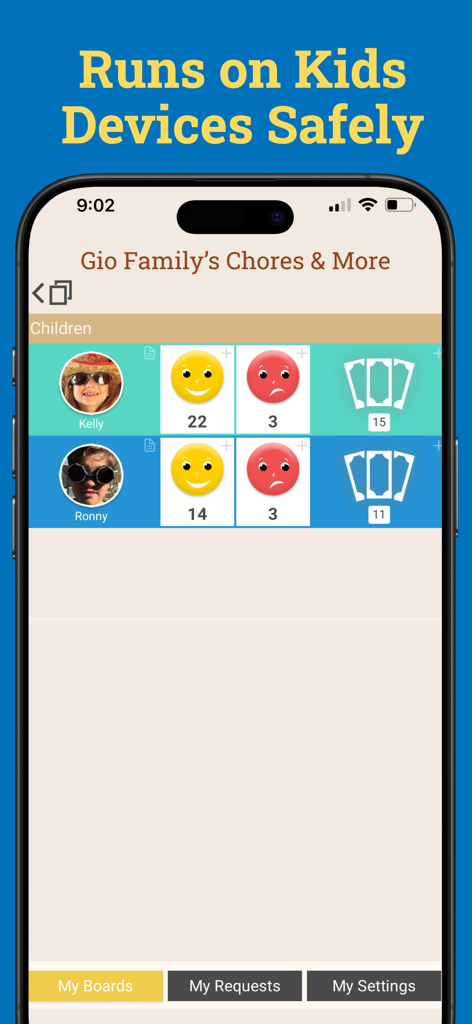
Smiles & Frowns - Kids View - 아이들을 위한 행동 추적 보드를 보여주는 Smiles and Frowns Kids View 앱 인터페이스, 스마일 및 찡그림 카운트 포함
아이들을 위한 행동 추적 보드를 보여주는 Smiles and Frowns Kids View 앱 인터페이스, 스마일 및 찡그림 카운트 포함

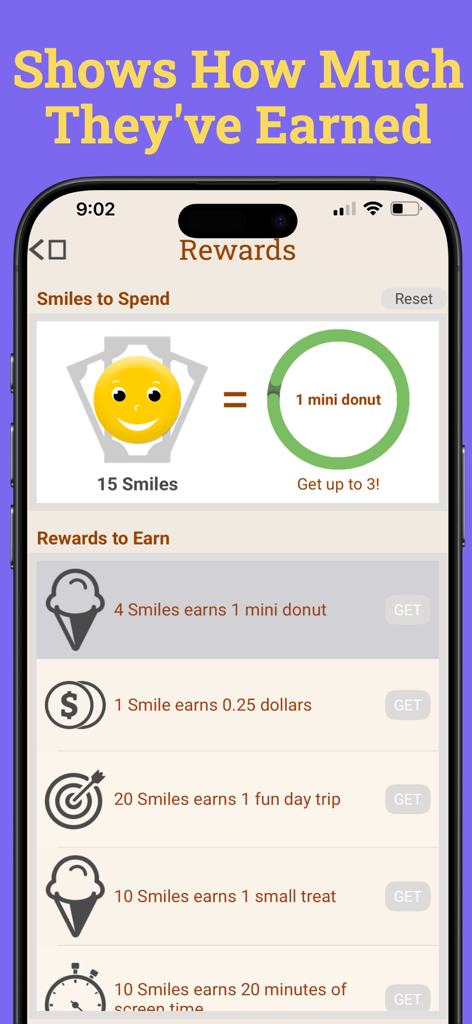
Smiles & Frowns - Kids View - 획득한 스마일과 잠금 해제할 보상을 표시하는 Smiles and Frowns Kids View 앱 보상 화면
획득한 스마일과 잠금 해제할 보상을 표시하는 Smiles and Frowns Kids View 앱 보상 화면

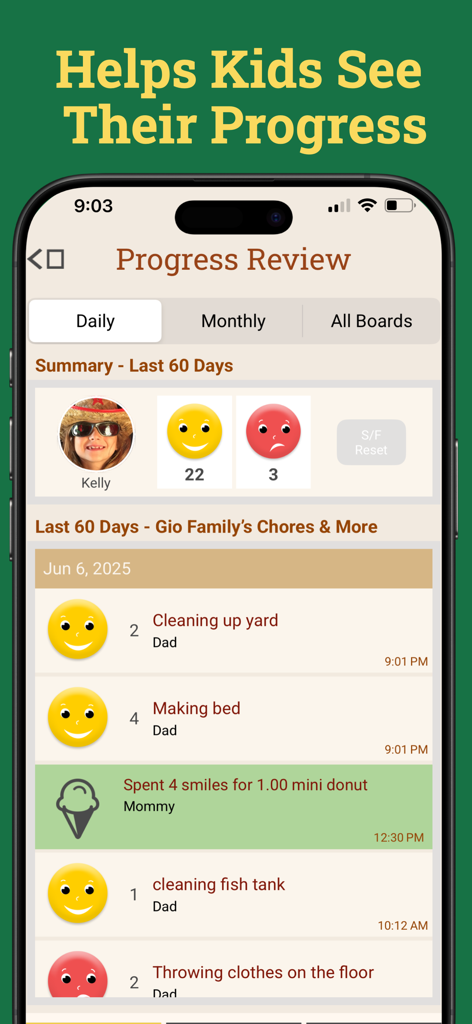
Smiles & Frowns - Kids View - 완료된 집안일에 대한 스마일 및 찡그림이 포함된 일일 진행 상황 검토를 보여주는 아동 행동 추적 대시보드
완료된 집안일에 대한 스마일 및 찡그림이 포함된 일일 진행 상황 검토를 보여주는 아동 행동 추적 대시보드

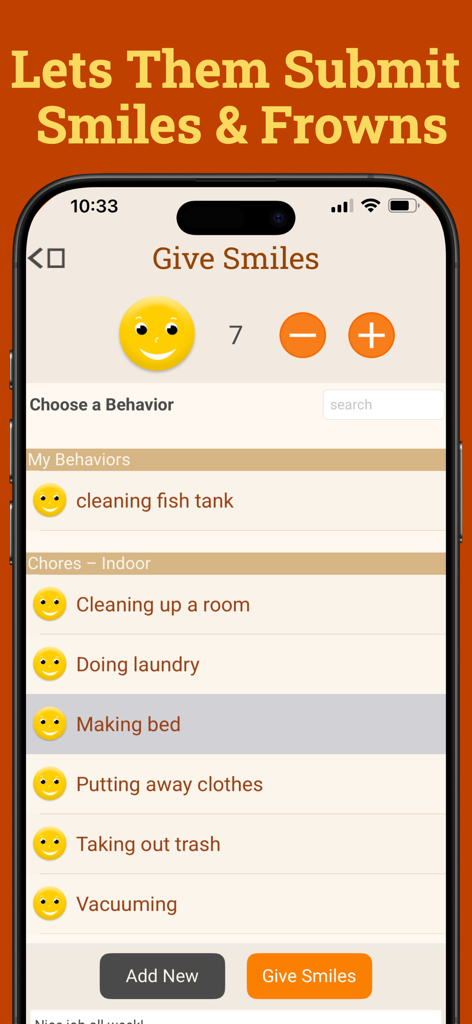
Smiles & Frowns - Kids View - 침대 정리와 같은 집안일을 선택하여 스마일을 얻는 어린이를 보여주는 Smiles and Frowns Kids View 앱 인터페이스
침대 정리와 같은 집안일을 선택하여 스마일을 얻는 어린이를 보여주는 Smiles and Frowns Kids View 앱 인터페이스

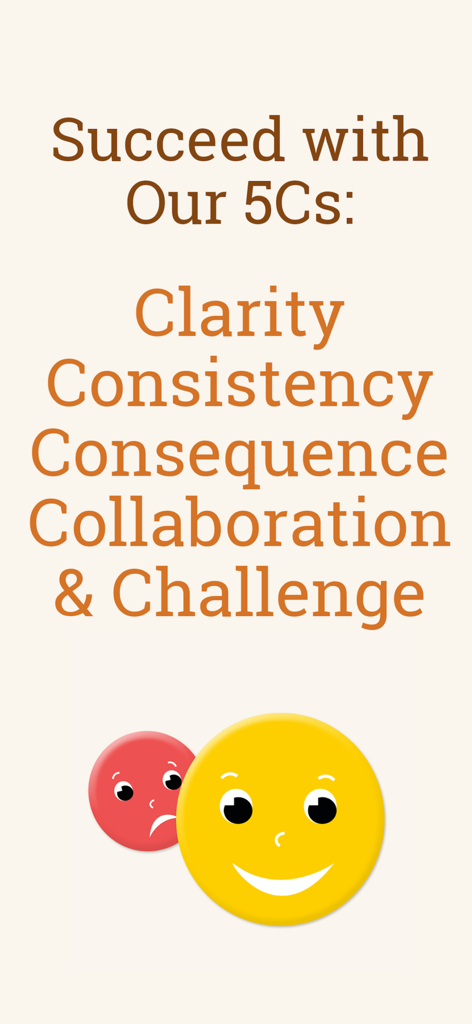
Smiles & Frowns - Kids View - 스마일 및 찡그림 아이콘이 있는 Smiles and Frowns 앱 5Cs 행동 전략 화면

스마일 및 찡그림 아이콘이 있는 Smiles and Frowns 앱 5Cs 행동 전략 화면

설명

With Smiles & Frowns: Kids View, the free companion to our Smiles & Frowns® behavior tracking app, your kids can now safely track their progress on their own devices– and even give themselves Smiles and Frowns for you to approve! And it’s all FREE with your Smiles & Frowns® subscription. Your kids can now follow their progress any time, which helps keep them engaged and energized to keep improving their behavior. They can see their whole history of behaviors and rewards to see how they’re doing. They can even start submitting their own Smiles and Frowns for parents to review, which gives them more ownership of their own behavior – while lightening the load for you. Using Smiles & Frowns: Kids View is easy! First, install Smiles & Frowns® on the parent or guardian’s phone. Our wizard will help you create a behavior tracking board for your kid(s) in just minutes. Then just go to Manage Kids View in the Settings menu to create a code and password and set preferences for your child. If you have more than one child on your behavior board, you can manage each separately. Next, install Kids View on your child’s device and login in with the code and password you’ve created. Your child will now be able to see their progress on their own device, anytime they like. They can mark their own behavior by submitting Smiles and Frowns and watch for your approval (once you enable it on your device in the Manage Kids View tab in your Settings menu). Giving kids their own view of Smiles & Frowns® is a feature that many parents have asked about, and we’ve been happy to deliver! Thank you all for your support and great recommendations. Please give it a try and let us know how Smiles & Frowns Kids View is working for you. KIndly, The Dads at Smiles & Frowns

Download

다운로드: App Store

이 페이지는 앱이나 개발자의 공식 페이지가 아니며, 정보 제공 및 논평을 목적으로 작성된 독립 편집 간행물입니다. 명시적으로 달리 언급되지 않는 한, 해당 앱이나 개발자는 MWM, Apple, Google Play, 앱 퍼블리셔 또는 앱 개발자와 제휴, 보증, 후원, 승인 또는 공식적으로 연결되어 있지 않으며, 이 페이지의 어떤 내용도 해당 앱이 MWM의 서비스를 사용하여 개발되었음을 의미하지 않습니다. 모든 상표, 로고, 스크린샷 및 기타 콘텐츠는 해당 소유자의 자산입니다.








