SolFaMe
SolFaMe
다운로드: App Store

이 페이지는 앱이나 개발자의 공식 페이지가 아니며, 정보 제공 및 논평을 목적으로 작성된 독립 편집 간행물입니다. 명시적으로 달리 언급되지 않는 한, 해당 앱이나 개발자는 MWM, Apple, Google Play, 앱 퍼블리셔 또는 앱 개발자와 제휴, 보증, 후원, 승인 또는 공식적으로 연결되어 있지 않으며, 이 페이지의 어떤 내용도 해당 앱이 MWM의 서비스를 사용하여 개발되었음을 의미하지 않습니다. 모든 상표, 로고, 스크린샷 및 기타 콘텐츠는 해당 소유자의 자산입니다.


로고: SolFaMe
다운로드: App Store

SolFaMe

대화형 연습, 실시간 튜닝, 음성 제어 게임을 통해 음정을 다듬고 음악 이론을 배우세요. 모든 레벨의 학생, 크리에이터, 음악가를 위해 디자인되었습니다.

주요 수치

다운로드

16K+

사용자 평점

4.6/5

총 평가 수

0

개발사

A BONFIRE OF SOULS S.C.

카테고리

Music

지원 언어

1

최신 버전

1.9.7

크기

266.4 MB

출시일

2022년 12월 1일
기능

완벽한 음정의 기술 마스터

야심 찬 가수, 학생, 크리에이터를 위해 설계된 전문적인 기능 모음으로 보컬 잠재력을 발휘하세요. 학술적으로 검증된 연습부터 창의적인 작곡 도구까지, SolFaMe는 당신의 개인 음악 conservatory입니다.

실시간 보컬 정밀도

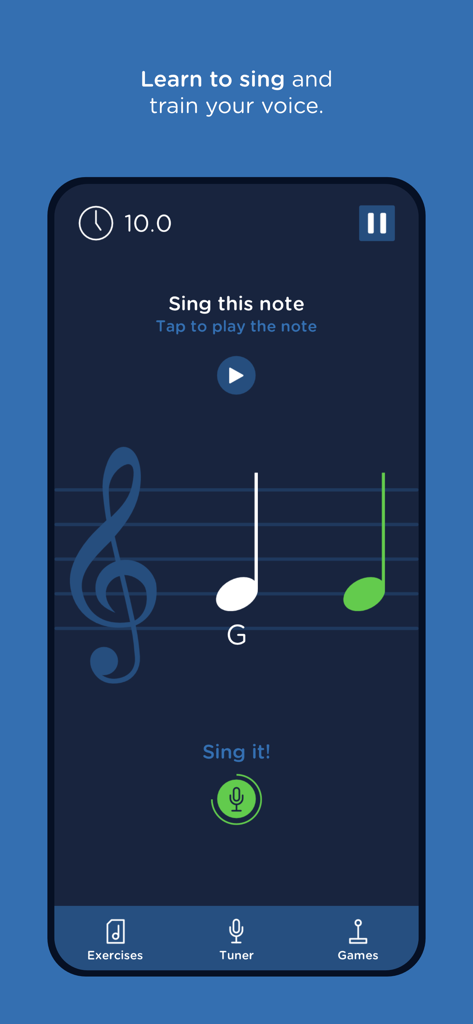
라이브 악보에서 음정을 시각화하세요. 즉각적인 피드백을 받아 음정을 교정하고 공연이나 녹음 전에 프로처럼 목소리를 웜업하세요.

게임화된 귀 훈련

지루한 연습은 이제 그만. 중독성 있는 음성 제어 게임을 통해 음정, 샵, 플랫을 마스터하세요. 엄격한 귀 훈련을 보람 있는 도전으로 바꿔줍니다.

다음 스크린샷과 설명은 앱의 공식 스토어 목록에서 직접 가져온 것이며 앱 개발자의 자산입니다.

앱 스토어

스크린샷
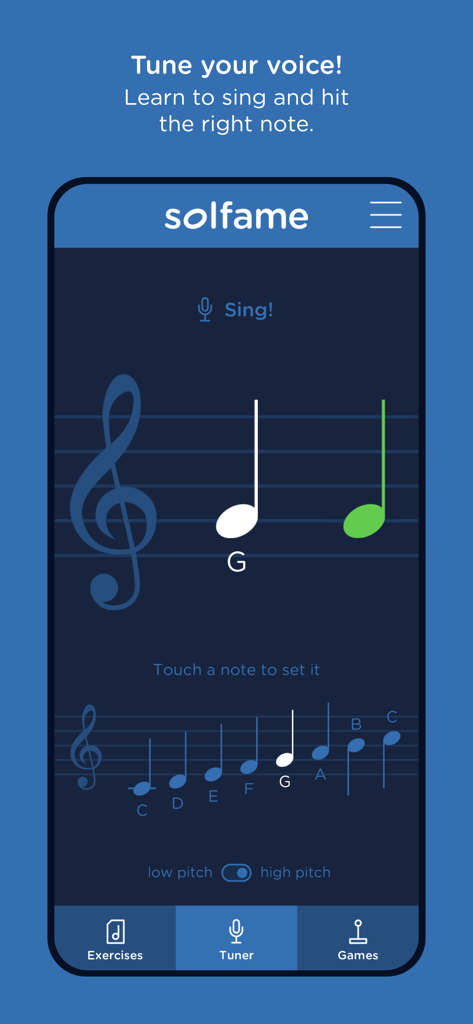
SolFaMe - SolFaMe 앱 보컬 튜너 인터페이스, 악보와 음정 감지 기능

SolFaMe 앱 보컬 튜너 인터페이스, 악보와 음정 감지 기능

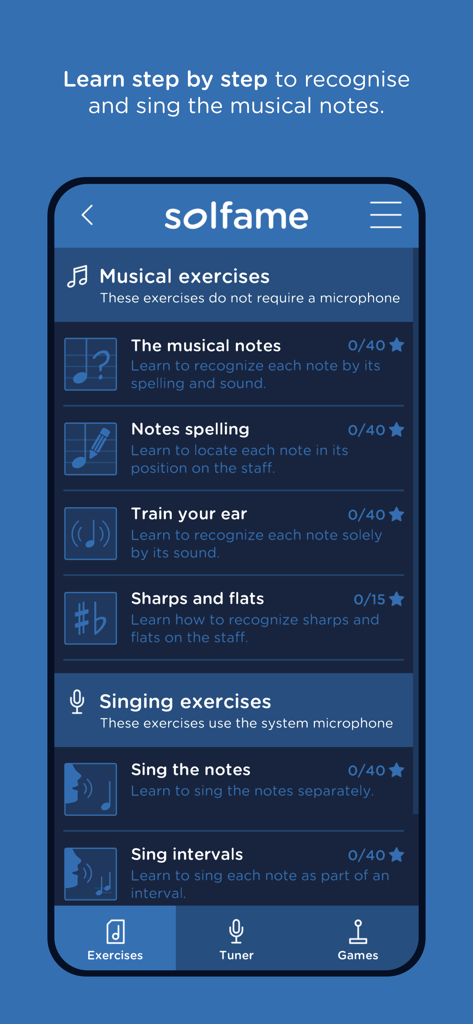
SolFaMe - SolFaMe 앱 인터페이스, 귀 훈련 및 음표 인식을 위한 음악 및 노래 연습 목록 표시
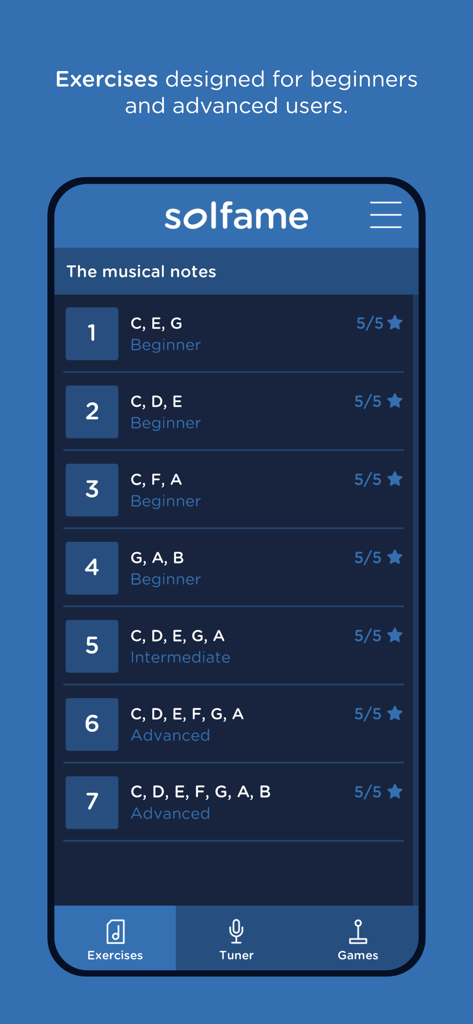
SolFaMe 앱 인터페이스, 귀 훈련 및 음표 인식을 위한 음악 및 노래 연습 목록 표시

SolFaMe - SolFaMe 앱 인터페이스, 초급, 중급, 고급 수준의 음표 연습 목록 표시
SolFaMe 앱 인터페이스, 초급, 중급, 고급 수준의 음표 연습 목록 표시

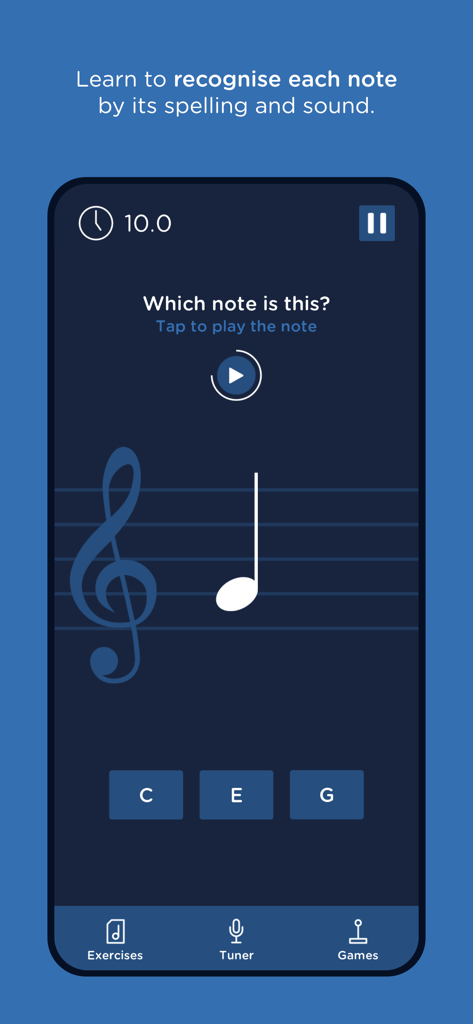
SolFaMe - SolFaMe 앱 인터페이스, 높은음자리표 악보에서 음표를 식별하기 위한 음악 이론 퀴즈 표시
SolFaMe 앱 인터페이스, 높은음자리표 악보에서 음표를 식별하기 위한 음악 이론 퀴즈 표시

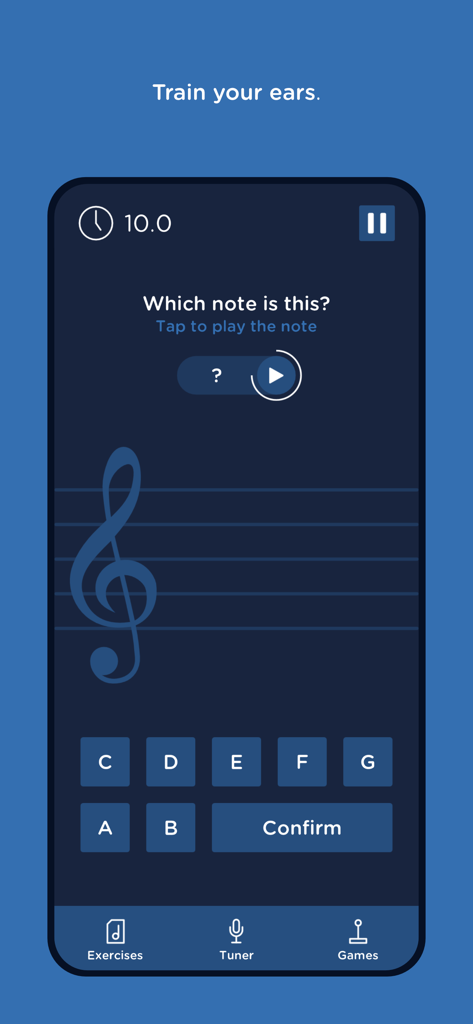
SolFaMe - SolFaMe 음악 앱 인터페이스, 귀 훈련 및 음표 식별 연습용

SolFaMe 음악 앱 인터페이스, 귀 훈련 및 음표 식별 연습용

SolFaMe - SolFaMe 앱 보컬 훈련 화면, 악보에 음표 연습 표시

SolFaMe 앱 보컬 훈련 화면, 악보에 음표 연습 표시

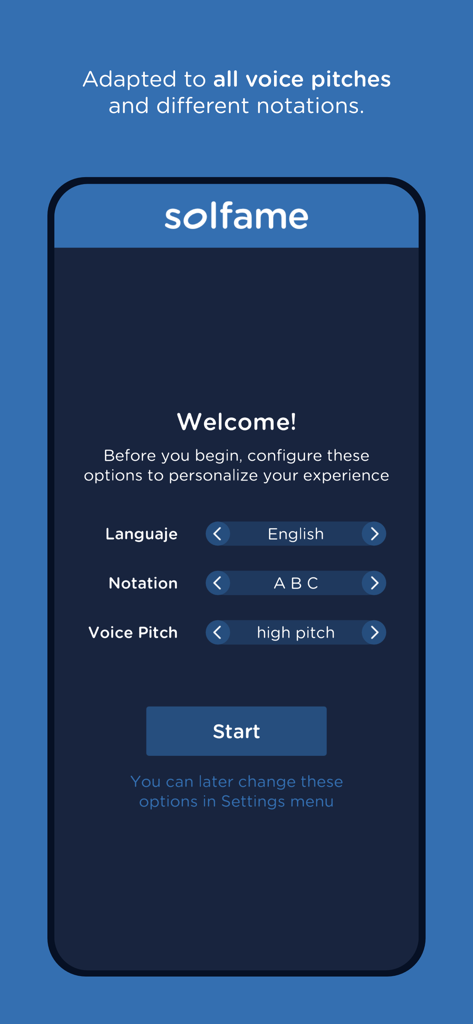
SolFaMe - SolFaMe 온보딩 화면, 언어, 악보 표기법, 음정 선택용

SolFaMe 온보딩 화면, 언어, 악보 표기법, 음정 선택용

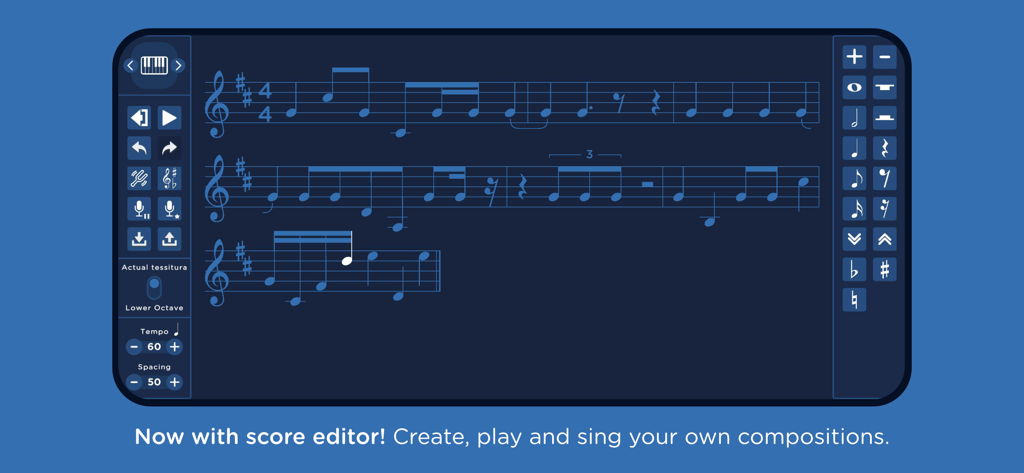
SolFaMe - SolFaMe 악보 편집기 인터페이스, 음악 악보 작곡 및 노래용

SolFaMe 악보 편집기 인터페이스, 음악 악보 작곡 및 노래용
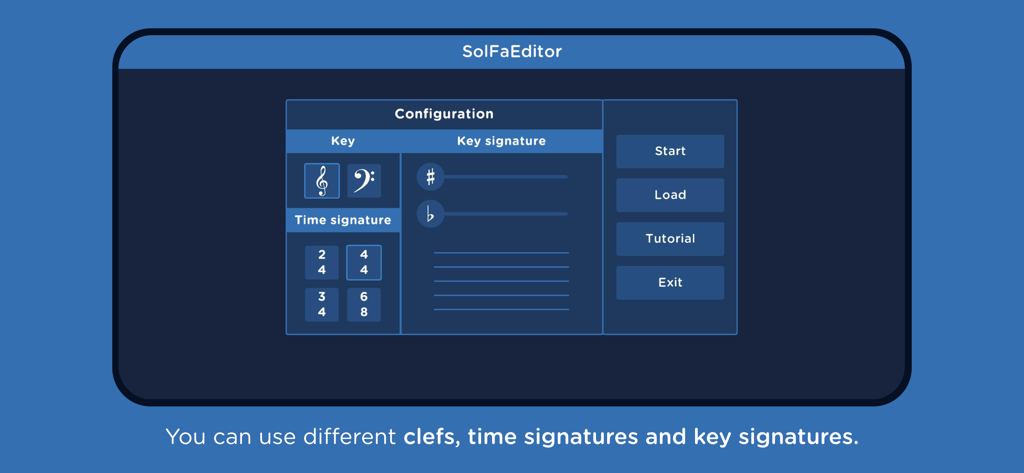
SolFaMe - SolFaMe 앱 악보 편집기 구성 화면, 클레프 및 박자표 설정 표시

SolFaMe 앱 악보 편집기 구성 화면, 클레프 및 박자표 설정 표시

설명

Tune your voice! Learn to sing and get the note right. Learn, step by step, to recognize and sing the musical notes. SolFaMe includes a voice tuner, a sheet music editor and a number of exercises designed for amateurs and experienced singers alike. Features - Learn to recognize each note by its spelling and sound. - Train your musical ear. - Sing musical intervals. - Practice distinguishing sharps and flats. - Write your own sheet music, listen to it or sing it. - Put what you have learned into practice in the various fun games. - Adapted to low and high voice pitches. - Includes notes in Latin (Do Re Mi) and English (A B C) notation. Sections of the application The app contains a tuner, in which you can tune your voice to the note you select, being able to see on a staff how close you are to singing the exact note. The tuner can also be used with the piano; use it to tune your instrument and get it ready to play. You can also use it to warm up your voice before singing. The exercises section is divided into different levels of difficulty (beginner, intermediate and advanced), with which you can start from scratch and progress in your learning. It contains a number of distinct types of exercises. Some in which you practice by singing using the microphone and other exercises in which the voice is not needed because the user interacts by touching the screen to learn the notation -spelling- and sound of the notes. In addition, it includes a scoring system with which to measure your progress. The exercises are: - The musical notes - Note spelling - Train your ear - Sharps and flats - Sing the notes - Singing intervals - Singing sharps and flats You can compose your own sheet music in the application's editor. Create a composition, listen to it with different instruments and try singing it. This tool allows you to use different types of clefs, time signatures and key signatures. Also, the app includes a section of (voice-controlled) games to play using your voice as the input mechanism to govern the behavior of a character, so you keep practicing while having fun. Put your vocal cords to the test and warm up your voice with the different exercises. The collection of voice-controlled games will continue to expand, so pay attention to the updates. Recommendations and permissions It is recommended to use the application in low noise environments, so that the microphone mainly captures your voice or the sound of your instrument. Although it is designed to tune the human voice, try using another instrument (in the appropriate scale) to the microphone: piano, violin… and tell us about your experience. We will continue to work on SolFaMe to offer a great tool to musicians and singers, both for learning for beginners and functionality for veterans. The application requires permission to use the microphone for the tuner and voice training exercises. SolFaMe does not collect any information or record the user's voice, for more details see the privacy policy. ----------------------------------------------------- This app has been created and developed with the collaboration of the ATIC research group of the Universidad de Málaga (Spain).

Download

다운로드: App Store

이 페이지는 앱이나 개발자의 공식 페이지가 아니며, 정보 제공 및 논평을 목적으로 작성된 독립 편집 간행물입니다. 명시적으로 달리 언급되지 않는 한, 해당 앱이나 개발자는 MWM, Apple, Google Play, 앱 퍼블리셔 또는 앱 개발자와 제휴, 보증, 후원, 승인 또는 공식적으로 연결되어 있지 않으며, 이 페이지의 어떤 내용도 해당 앱이 MWM의 서비스를 사용하여 개발되었음을 의미하지 않습니다. 모든 상표, 로고, 스크린샷 및 기타 콘텐츠는 해당 소유자의 자산입니다.