SonoPhone for Sonos
SonoPhone for Sonos
다운로드: App Store

이 페이지는 앱이나 개발자의 공식 페이지가 아니며, 정보 제공 및 논평을 목적으로 작성된 독립 편집 간행물입니다. 명시적으로 달리 언급되지 않는 한, 해당 앱이나 개발자는 MWM, Apple, Google Play, 앱 퍼블리셔 또는 앱 개발자와 제휴, 보증, 후원, 승인 또는 공식적으로 연결되어 있지 않으며, 이 페이지의 어떤 내용도 해당 앱이 MWM의 서비스를 사용하여 개발되었음을 의미하지 않습니다. 모든 상표, 로고, 스크린샷 및 기타 콘텐츠는 해당 소유자의 자산입니다.

로고: SonoPhone for Sonos
다운로드: App Store

SonoPhone for Sonos

공식 앱의 복잡함에 지치셨나요? 속도를 위해 설계된 더 깔끔하고 안정적인 인터페이스로 제어권을 되찾으세요. 더 적은 탭과 완벽한 안정성으로 S1 및 S2 기기를 한 화면에서 손쉽게 관리하세요.

주요 수치

다운로드

124K+

사용자 평점

4.3/5

총 평가 수

700

개발사

Stefan Hansel Solutions UG (haftungsbeschraenkt)

카테고리

Music

지원 언어

4

최신 버전

1.8.11

크기

13.2 MB

출시일

2014년 2월 18일
기능

Sonos 시스템 제어권을 되찾으세요

속도와 안정성을 위해 설계된 SonoPhone은 숙련된 Sonos 사용자가 기다려온 능률적이고 고성능 인터페이스를 제공합니다.

즉각적인 재생, 더 적은 탭

메뉴 탐색을 건너뛰세요. '재생을 위한 터치'와 통합 검색을 통해 클릭의 연속이 아닌 단 한 번의 탭으로 좋아하는 앨범과 재생 목록을 시작할 수 있습니다.

통합 S1 및 S2 지원

레거시 앱 간 전환을 중지하세요. 오래된 S1 하드웨어와 최신 S2 기기를 하나의 통합된 목록에서 제어하여 모든 멀티룸 생태계를 손끝에서 관리하세요.

다음 스크린샷과 설명은 앱의 공식 스토어 목록에서 직접 가져온 것이며 앱 개발자의 자산입니다.

앱 스토어

스크린샷
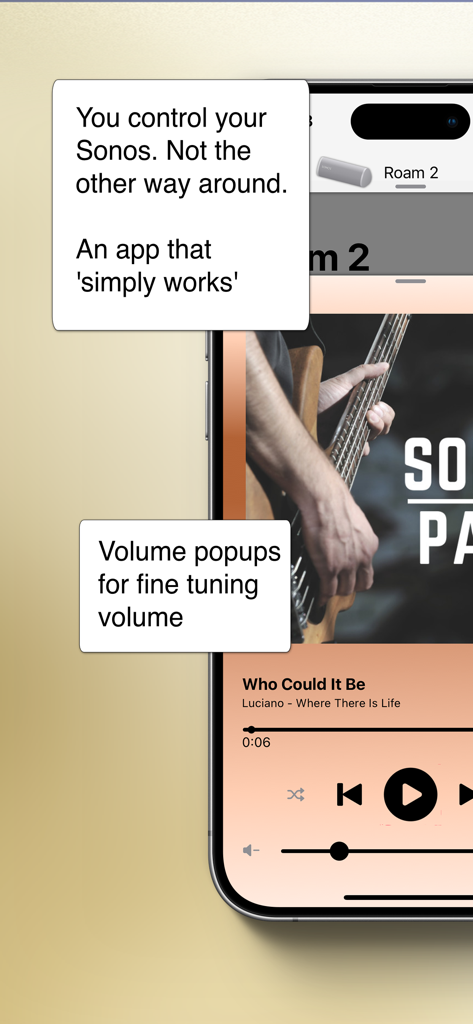
SonoPhone for Sonos - Sonos를 위한 SonoPhone 앱이 Roam 2 스피커에 대한 음악 재생 컨트롤과 볼륨 미세 조정 팝업을 보여줍니다.
Sonos를 위한 SonoPhone 앱이 Roam 2 스피커에 대한 음악 재생 컨트롤과 볼륨 미세 조정 팝업을 보여줍니다.

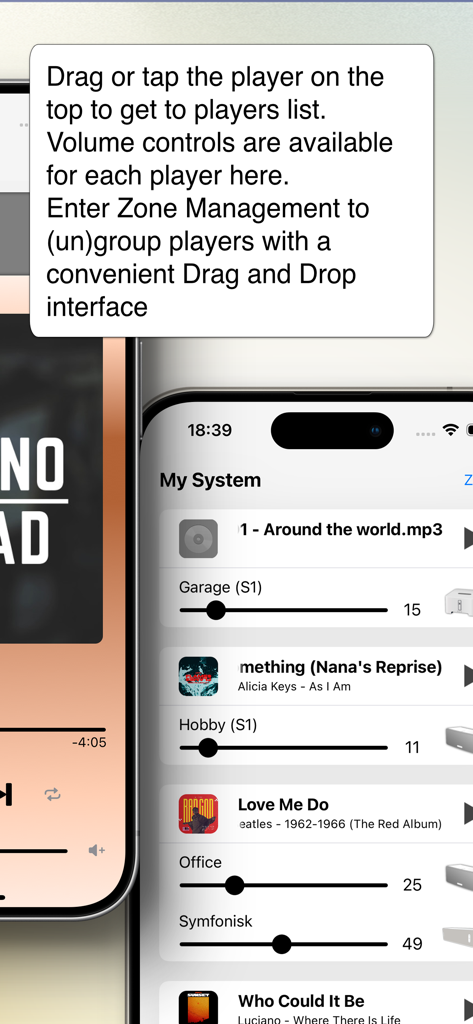
SonoPhone for Sonos - Sonos 스피커 목록과 멀티룸 관리를 위한 개별 볼륨 슬라이더를 보여주는 SonoPhone 앱의 인터페이스.
Sonos 스피커 목록과 멀티룸 관리를 위한 개별 볼륨 슬라이더를 보여주는 SonoPhone 앱의 인터페이스.

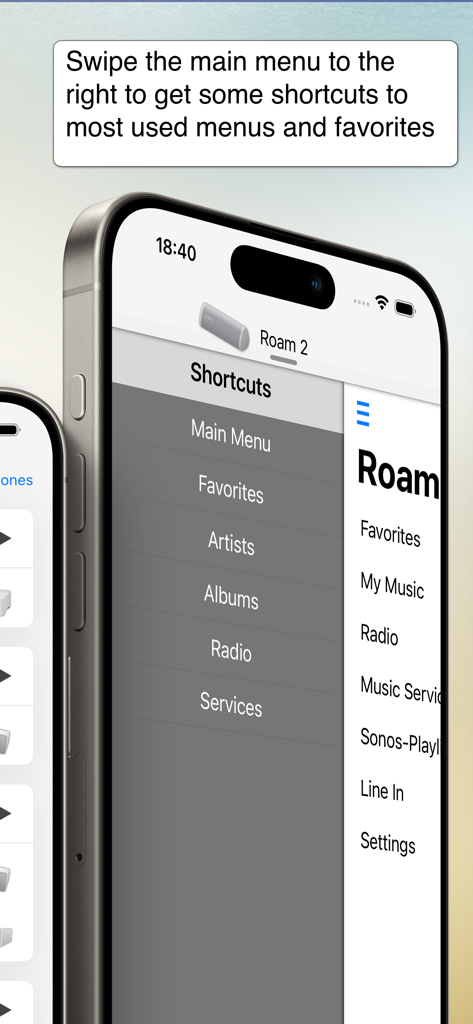
SonoPhone for Sonos - Sonos 앱을 위한 SonoPhone이 쉬운 탐색을 위한 바로가기 사이드바 메뉴를 표시합니다.
Sonos 앱을 위한 SonoPhone이 쉬운 탐색을 위한 바로가기 사이드바 메뉴를 표시합니다.

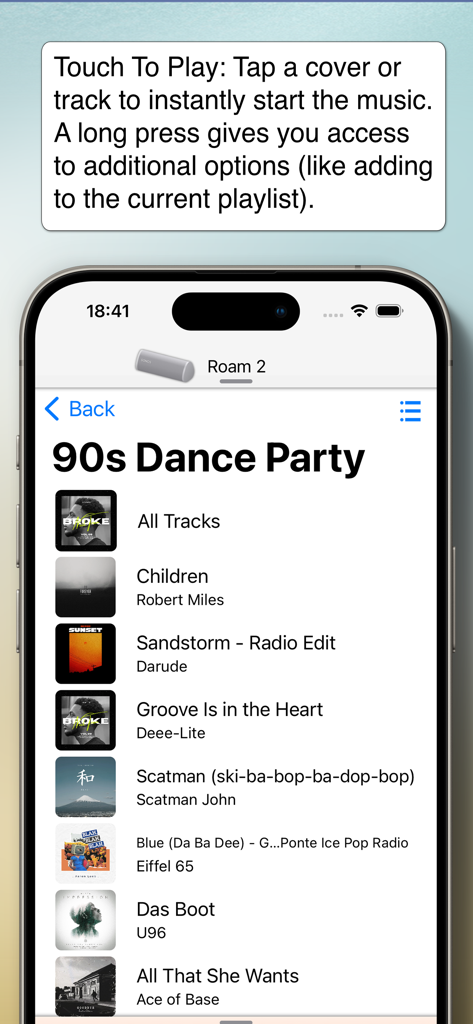
SonoPhone for Sonos - Sonos 앱을 위한 SonoPhone이 90년대 댄스 파티 재생 목록과 '재생을 위한 터치' 기능을 보여줍니다.
Sonos 앱을 위한 SonoPhone이 90년대 댄스 파티 재생 목록과 '재생을 위한 터치' 기능을 보여줍니다.

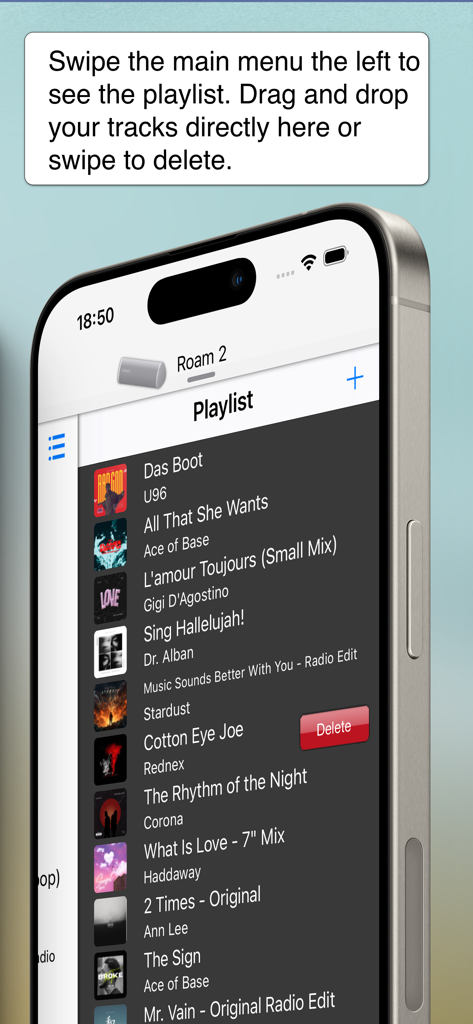
SonoPhone for Sonos - Sonos 앱을 위한 SonoPhone 인터페이스가 스와이프로 삭제하여 재생 목록을 관리하는 것을 보여줍니다.

Sonos 앱을 위한 SonoPhone 인터페이스가 스와이프로 삭제하여 재생 목록을 관리하는 것을 보여줍니다.

설명

Yes. There's a better way to control your Sonos system. - Speeds up most common tasks (less taps) - Cleaner, more stable and fast interface. - Backward compatibility is king (we support Sonos S1 firmware and also iOS15 devices) - Manage zones and music sources. You control your Sonos. Not the other way around. See the features in action on YouTube (https://youtu.be/aMEuaZPUH58) or read more below. This application is a third party app and not endorsed by or associated with Sonos, Inc. (which is why it is not free) ◆◆◆ A new, intuitive and concise user interface ◆◆◆ SonoPhone is designed to leverage the latest iOS design principles: - Tap or drag the player on the top and you'll find the players view to select a new player and with volume controls for all players. From here you can also enter Zone Management, where you can group and ungroup players with drag and drop. - Tap or drag the Track infos on the bottom and you'll be at the big covers screen - Drag the main menu from any place to the left or right to have instant access to playlist or shortcuts - volume + progress popups: when changing volume or progress of a song, you get popups telling you the actual values. Stop guessing your desired values today! ◆◆◆ less taps for common tasks ◆◆◆ SonoPad tries to optimize most often used tasks to have the least taps needed. In the end you are able to navigate and control your players much more fluently. - Touch To Play: are you sick of always beeing asked what to do when you tap a track or album? SonoPhone defaults to just starting an album or song. A long press still gives you access to all options - you can also change the tap default in the settings menu. Want to build a playlist fast? Just set the default to 'always add to end' and off you go ... - tap an album cover image and the whole album starts to play immediately - aggregated search: search results are collapsed into one view, so you see immediately in what category you have the best results, without switching back and forth - shortcuts to most used functions: drag the main menu to the right to get shortcut buttons for artist, albums, radio and musicservices. - you can control the volume of every player directly from the player selection screen. No need to switch players anymore. ◆◆◆ S1 and S2 devices in one app ◆◆◆◆ - If you still have old S1 devices, the time of always having to change apps is over. We simply display all existing players in the network in one list. Grouping is unfortunately not possible, this is prevented by Sonos. ◆◆◆ Limitations ◆◆◆ - all music services except YouTube Music are supported - no support for administrative features (adding/removing players, music service, ...). You need the official Apps for initial setup of your system, SonoPad will pick up all changes automatically. - no options to set alarms or sleep settings - no playing of music stored on iPhone - no support for discontinued WD100 dock ◆◆◆ Other stuff ◆◆◆ - Sonos is registered trademark of Sonos, Inc.

Download

다운로드: App Store

이 페이지는 앱이나 개발자의 공식 페이지가 아니며, 정보 제공 및 논평을 목적으로 작성된 독립 편집 간행물입니다. 명시적으로 달리 언급되지 않는 한, 해당 앱이나 개발자는 MWM, Apple, Google Play, 앱 퍼블리셔 또는 앱 개발자와 제휴, 보증, 후원, 승인 또는 공식적으로 연결되어 있지 않으며, 이 페이지의 어떤 내용도 해당 앱이 MWM의 서비스를 사용하여 개발되었음을 의미하지 않습니다. 모든 상표, 로고, 스크린샷 및 기타 콘텐츠는 해당 소유자의 자산입니다.







