SoundFonts

SoundFonts

다운로드: App Store
로고: SoundFonts

SoundFonts: 무제한 사운드 디자인을 위한 전문가용 AUv3 샘플러

iOS 기기를 강력한 폴리포닉 신디사이저로 변환하세요. SF2 파일을 가져오고, MIDI 컨트롤러를 연결하고, GarageBand, Logic 또는 AUM과 완벽하게 통합하세요.

다운로드: App Store

개발사

Brad Howes

카테고리

Entertainment

다운로드

30K+

사용자 평점

4.4/5

총 평가 수

200

지원 언어

1

스튜디오 수준의 인터페이스

이 인터페이스를 사용하는 30K+ 명의 사용자.

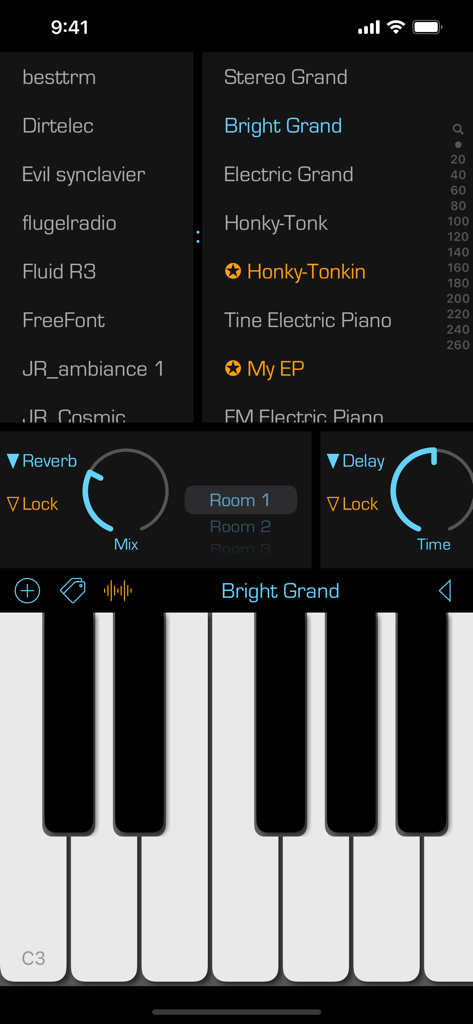
SoundFonts iOS 앱 인터페이스, 피아노 키보드 사운드 패치 및 오디오 효과 컨트롤 표시
SoundFonts iOS 앱 인터페이스, 피아노 키보드 사운드 패치 및 오디오 효과 컨트롤 표시

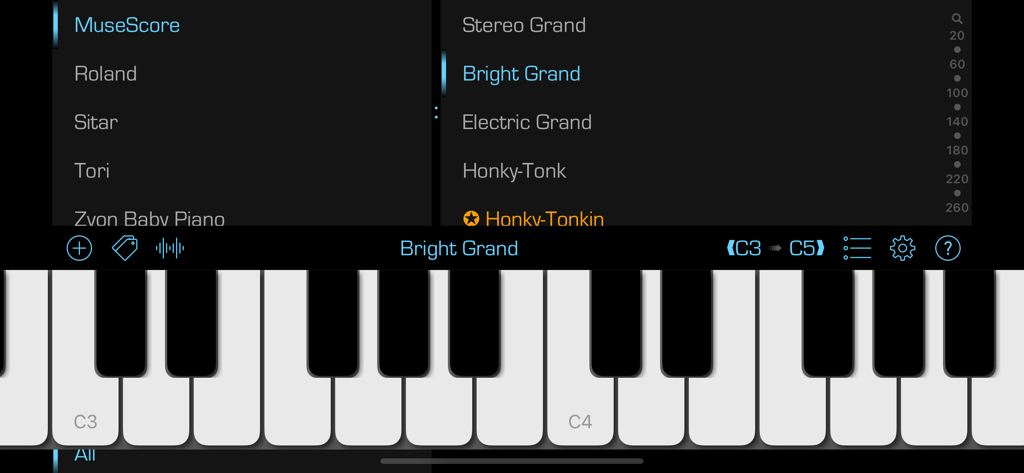
SoundFonts 앱 인터페이스, 다양한 악기 및 패치에 대한 사운드 선택 메뉴가 있는 가상 피아노 키보드 표시
SoundFonts 앱 인터페이스, 다양한 악기 및 패치에 대한 사운드 선택 메뉴가 있는 가상 피아노 키보드 표시

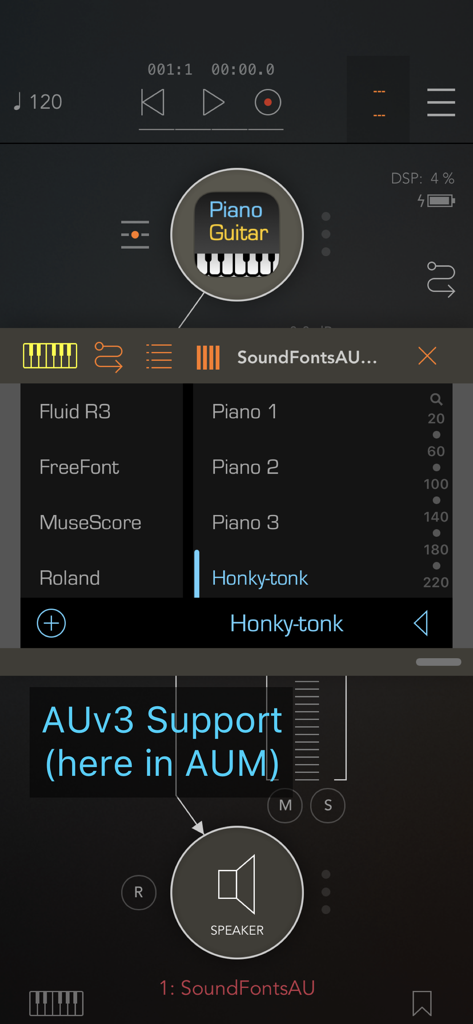
Honky-tonk 패치가 선택된 AUM 내에서 실행되는 SoundFonts AUv3 플러그인 인터페이스
Honky-tonk 패치가 선택된 AUM 내에서 실행되는 SoundFonts AUv3 플러그인 인터페이스

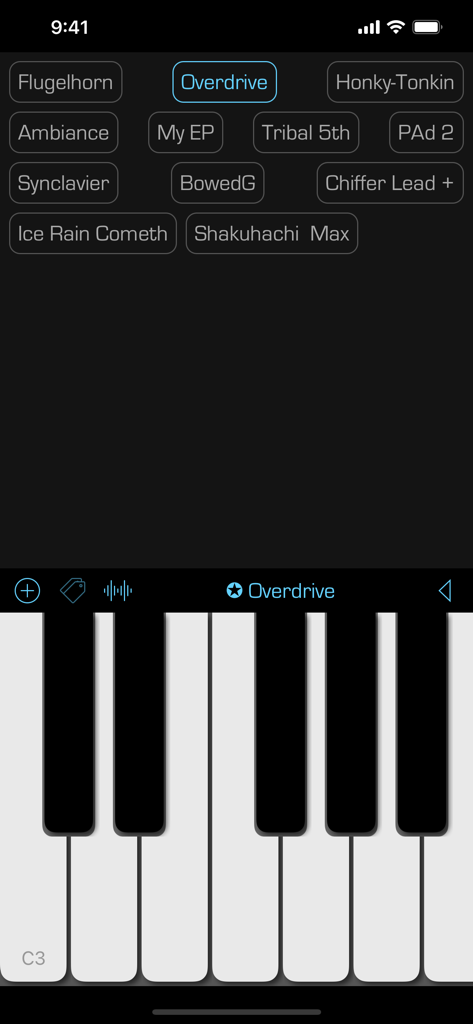
SoundFonts 모바일 앱 인터페이스, 가상 피아노 키보드와 사운드 프리셋 그리드 표시
SoundFonts 모바일 앱 인터페이스, 가상 피아노 키보드와 사운드 프리셋 그리드 표시

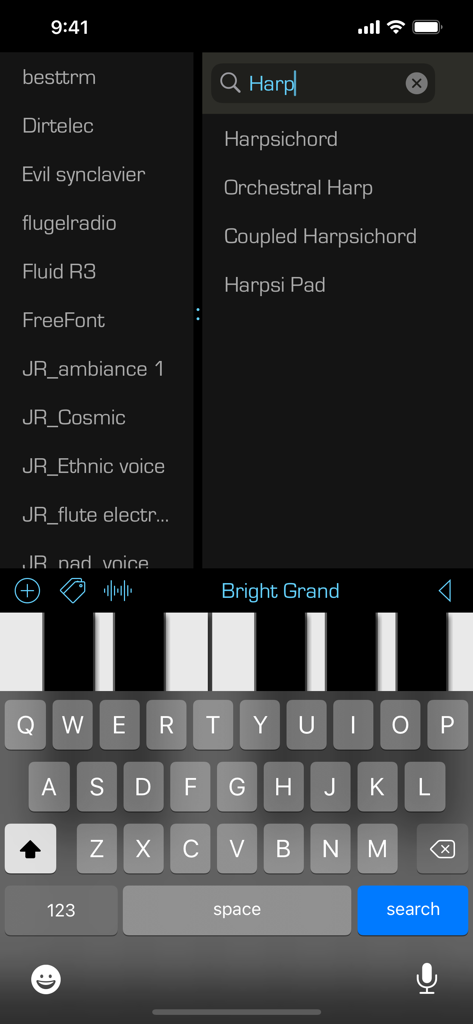
SoundFonts 앱 인터페이스, 하프 악기 패치 검색 및 가상 피아노 키보드 표시
SoundFonts 앱 인터페이스, 하프 악기 패치 검색 및 가상 피아노 키보드 표시

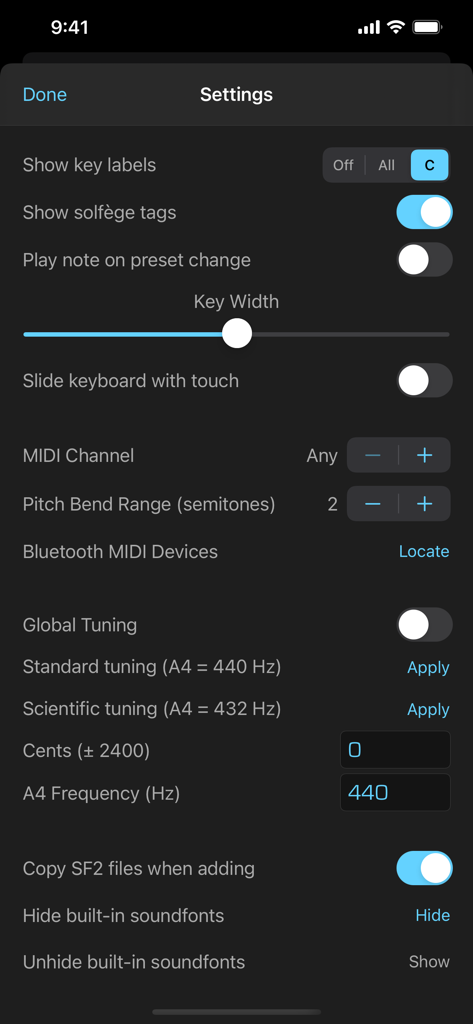
MIDI 및 전역 튜닝 구성 옵션을 보여주는 SoundFonts 앱 설정 화면
MIDI 및 전역 튜닝 구성 옵션을 보여주는 SoundFonts 앱 설정 화면

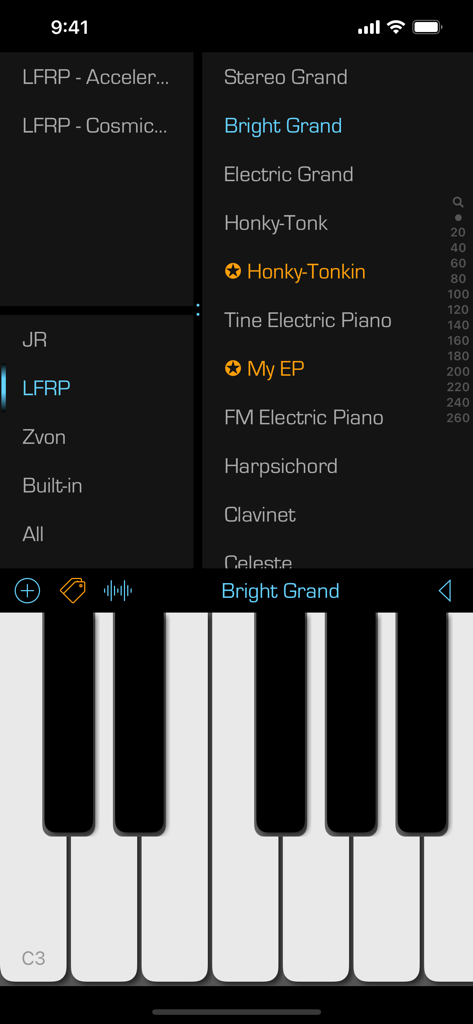
SoundFonts 모바일 앱 인터페이스, 악기 패치 목록과 피아노 키보드 표시
SoundFonts 모바일 앱 인터페이스, 악기 패치 목록과 피아노 키보드 표시

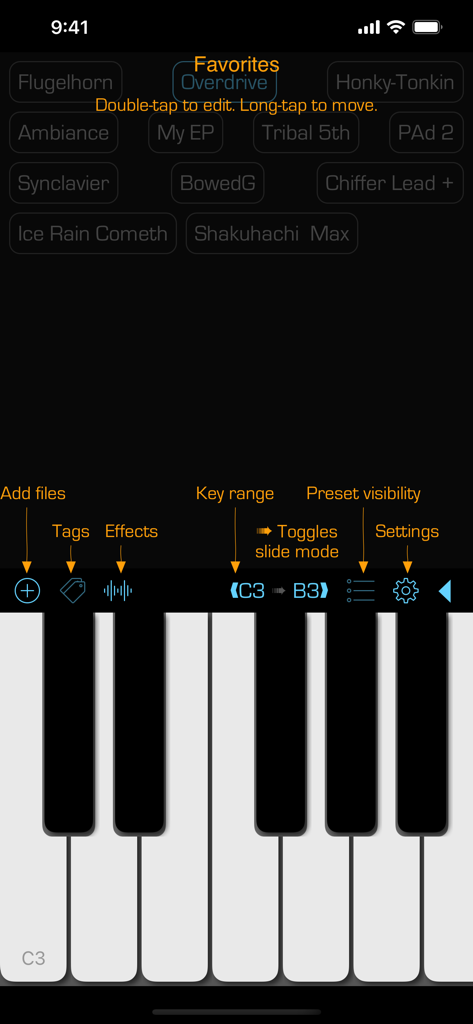
피아노 키보드와 즐겨찾는 사운드 프리셋 목록을 표시하는 SoundFonts 앱의 사용자 인터페이스
피아노 키보드와 즐겨찾는 사운드 프리셋 목록을 표시하는 SoundFonts 앱의 사용자 인터페이스

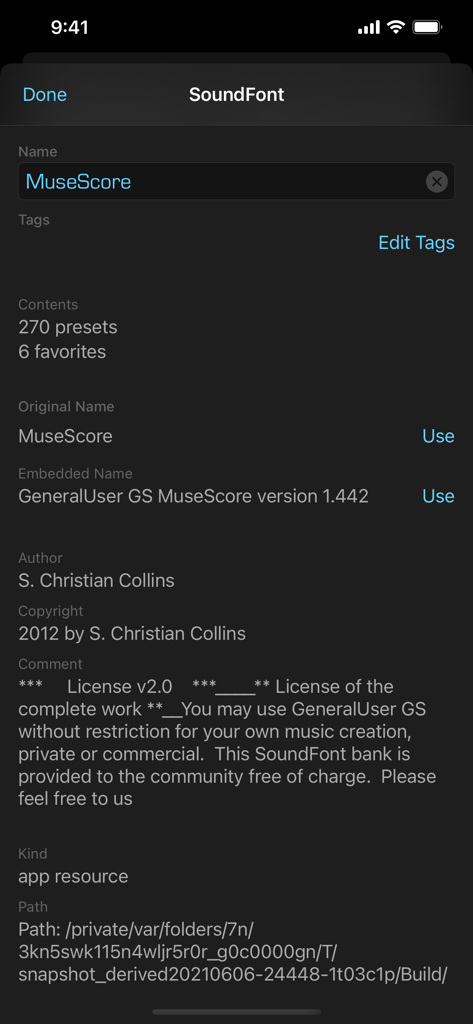
MuseScore라는 사운드폰트에 대한 자세한 메타데이터 및 라이선스 정보를 보여주는 SoundFonts 앱의 인터페이스
MuseScore라는 사운드폰트에 대한 자세한 메타데이터 및 라이선스 정보를 보여주는 SoundFonts 앱의 인터페이스

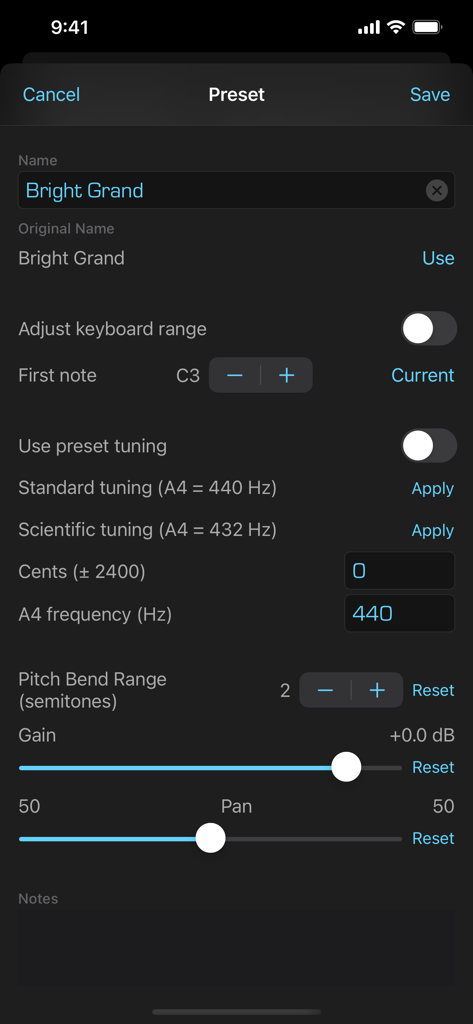
튜닝 및 범위 컨트롤을 사용하여 사운드폰트 프리셋을 편집하는 인터페이스

튜닝 및 범위 컨트롤을 사용하여 사운드폰트 프리셋을 편집하는 인터페이스

모바일 스튜디오를 위한 최고의 사운드 모듈

이 앱을 돋보이게 하는 도구, 30K+ 명의 사용자가 선택.

☁️

무제한 사운드 라이브러리

iCloud에서 직접 SF2 파일을 가져오세요. 비싼 확장팩 구매 없이 수천 개의 무료 빈티지 및 최신 악기를 이용하세요.

🔌

전문가용 AUv3 통합

GarageBand, AUM 또는 Logic Pro 내부에서 플러그인으로 SoundFonts를 실행하세요. 복잡한 레이어를 구축하고 좋아하는 DAW에서 전문적인 멀티트랙 세션을 녹음하세요.

🎹

저지연 MIDI 제어

USB 또는 Bluetooth MIDI를 통해 하드웨어 컨트롤러를 연결하세요. 스튜디오 녹음 및 라이브 공연 모두에 최적화된 번개처럼 빠른 응답 시간을 경험하세요.

앱 소개

에 대해 알아야 할 모든 것 SoundFonts.

설명

This is a straightforward yet powerful app that acts as a polyphonic audio synthesizer with a virtually unlimited collection of sounds. Under the hood, It uses an AVAudioUnitSampler to generate the audio output when you touch one or more keys. The sounds that are available come from soundfont (SF2) files, such as those available online for free (and of variable quality).  The app also exists as an AUv3 plug-in (included) so you can use it in your favorite music generation application such as GarageBand, Logic, or AUM. It also includes two AUv3 effects units – reverb and delay - which you can use separately as well.. The app supports MIDI input -- just connect a MIDI keyboard/controller to your iOS device and you should be good to go! There is also support for MIDI over Bluetooth. You can also control some app settings using MIDI controls, including the active favorite preset and the audio effects. To use, simply select a SoundFont name in the left list, then a patch name on the right and start playing. Some additional hints to get going: • Add a SoundFont (SF2) file that you have downloaded onto your iCloud Drive. Press the "+" button and then locate the file to add. You can always change the display name of the SoundFont by swiping right. And you can remove a SoundFont that you no longer want by swiping left on its name. • Bring up reverb and delay effects by touching the wavy "signal" button. • Swipe right on a patch name to make it a favorite. Favorited patches have a star next to their name. You can edit the name of the favorite by again swiping right and selecting the edit action. You can remove a favorite by swiping left and selecting the remove action. • Touch the labels at either end of the black bar to change the range of the keyboard. You can go as low as "C0" and as high as "C9". You can also change the range by swiping left/right on the black bar. Note that this ability does not exist in the AUv3 extension -- use the native application keyboard controls to achieve the same results. You can also toggle the keyboard sliding feature by touching the small arrow between the note labels. • Switch between the soundfont patches listing and the favorites view by double-tapping on the patch name in the black bar above the keyboard. You can also swipe left/right with two fingers in the patches and favorites views to switch to the other view. • In the view of favorites, you can edit a favorite button by double-tapping on it. You can rearrange the favorite buttons with a tap-and-hold gesture. Finally, you can check out the source code! Go to the Support URL to find out more.

최신 버전

2.31.1

크기

194.9 MB

출시일

2019년 2월 19일

iPad를 최고의 사운드 모듈로 변신시키세요

30,000명 이상의 프로듀서 및 뮤지션과 함께하세요. 지금 SoundFonts를 다운로드하여 무제한 SF2 패치와 전문적인 AUv3 통합 기능을 모바일 워크플로우에 적용하세요.

다운로드: App Store

App information, icons, screenshots, and descriptions displayed on this page are sourced from the Apple App Store and are the property of their respective developers. Download estimates and rankings are based on MWM's proprietary models and may not reflect actual figures. This page is provided for informational and analytical purposes only.

Believe this page infringes your intellectual property? File a dispute