이 페이지는 앱이나 개발자의 공식 페이지가 아니며, 정보 제공 및 논평을 목적으로 작성된 독립 편집 간행물입니다. 명시적으로 달리 언급되지 않는 한, 해당 앱이나 개발자는 MWM, Apple, Google Play, 앱 퍼블리셔 또는 앱 개발자와 제휴, 보증, 후원, 승인 또는 공식적으로 연결되어 있지 않으며, 이 페이지의 어떤 내용도 해당 앱이 MWM의 서비스를 사용하여 개발되었음을 의미하지 않습니다. 모든 상표, 로고, 스크린샷 및 기타 콘텐츠는 해당 소유자의 자산입니다.
Speak News - RSS news reader
RSS 피드, 웹 페이지 또는 Google 뉴스 검색어를 방해 없는 오디오 환경으로 바꿔보세요. Siri가 통합된 텍스트 음성 변환과 자연스러운 다국어 음성을 통해 출퇴근, 운동 또는 업무 중에도 최신 정보를 놓치지 마세요.
Speak News는 선별된 RSS 피드와 웹 페이지를 고품질 오디오 스트림으로 변환하여, 생산성을 중시하는 전문가와 접근성 지원이 필요한 사용자를 위해 설계되었습니다.
음성 활성화 생산성
도로나 업무에 시선을 고정하세요. Siri 명령과 이어폰 리모컨을 사용하여 출퇴근이나 운동 중에 핸즈프리로 뉴스를 들을 수 있습니다.
알고리즘 없는 큐레이션
미디어에 대한 통제권을 되찾으세요. Feedly 라이브러리나 OPML 파일을 가져와 소셜 미디어 필터에서 완전히 벗어나 신뢰하는 소스만 들어보세요.
다음 스크린샷과 설명은 앱의 공식 스토어 목록에서 직접 가져온 것이며 앱 개발자의 자산입니다.
앱 스토어
스크린샷
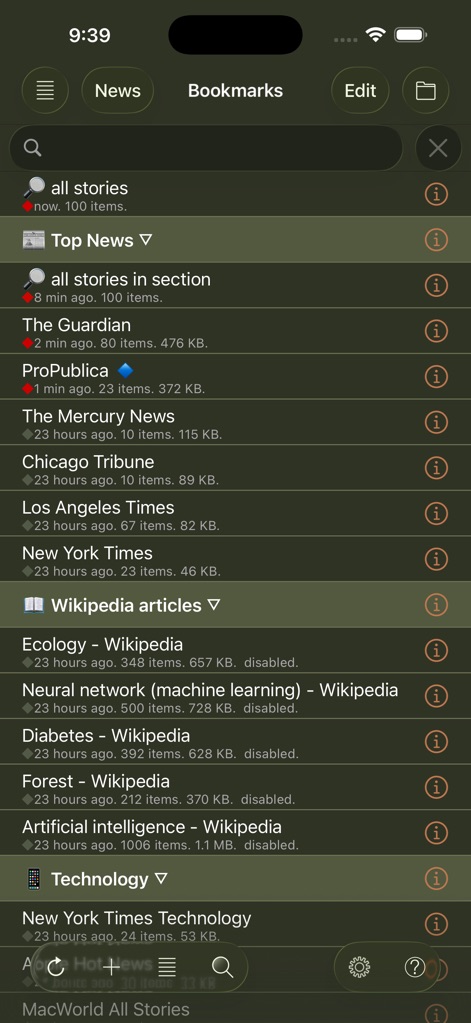
speak-news-rss-bookmarks-list
Speak News 앱 인터페이스의 뉴스 피드 북마크 및 위키백과 문서 목록.
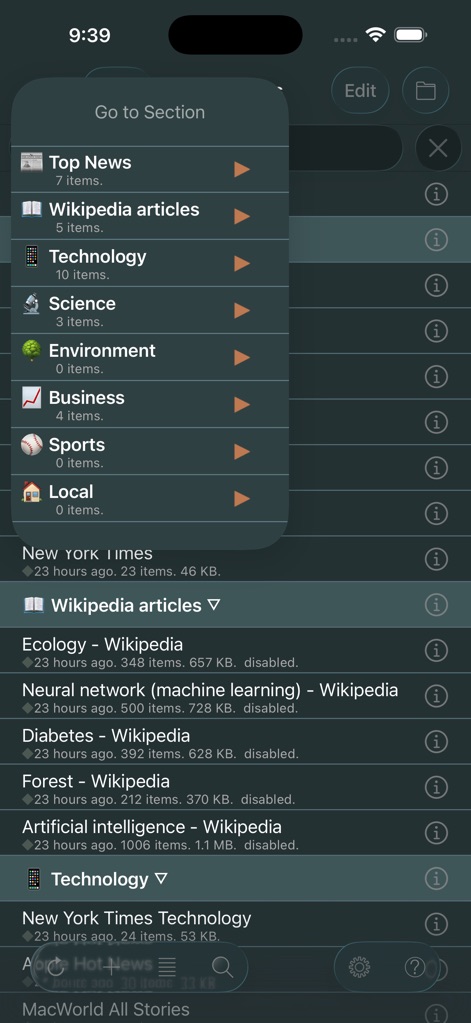
speak-news-rss-navigation-menu
다크 모드에서 주요 뉴스 및 기술과 같은 뉴스 카테고리가 있는 '섹션 이동' 탐색 메뉴를 보여주는 Speak News 앱 인터페이스
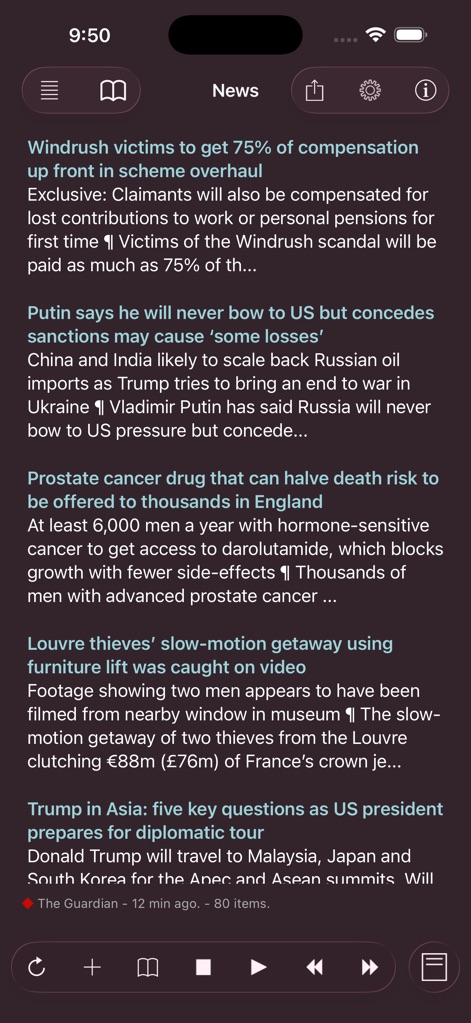
speak-news-rss-feed-interface
오디오 재생 컨트롤과 함께 고대비 다크 모드 테마로 뉴스 헤드라인 목록을 표시하는 Speak News 앱 인터페이스.
speak-news-rss-reader-feed-dark-mode
재생 컨트롤이 있는 다크 모드 인터페이스에서 뉴스 헤드라인 목록을 보여주는 Speak News RSS 리더의 스크린샷.
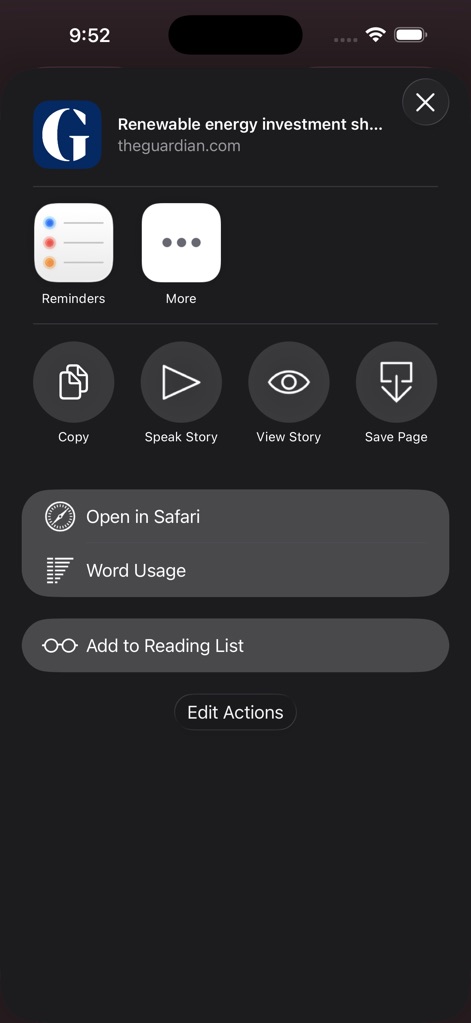
speak-news-share-sheet-actions
뉴스 기사에 대해 '기사 읽기' 및 '단어 사용량'과 같은 옵션을 보여주는 iOS용 Speak News 앱 작업 메뉴 스크린샷
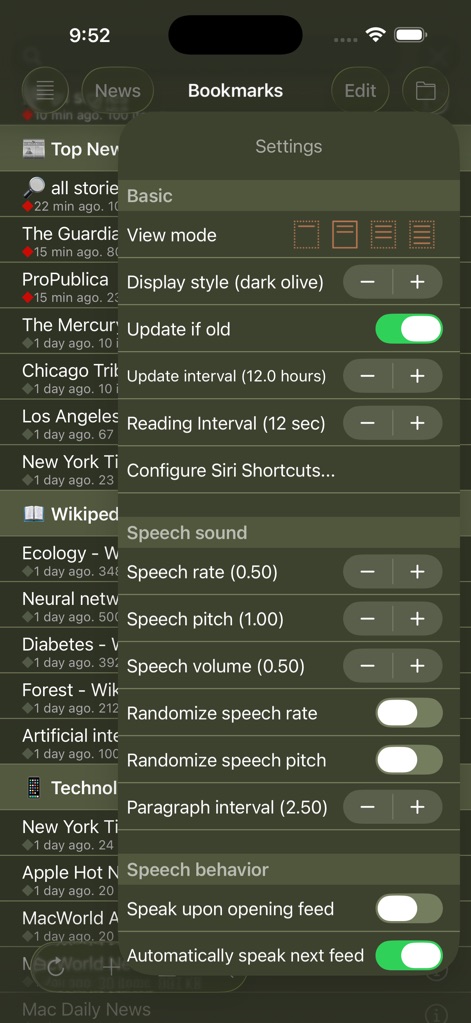
speak-news-settings-menu
텍스트 음성 변환 및 디스플레이 옵션을 보여주는 Speak News 앱 설정
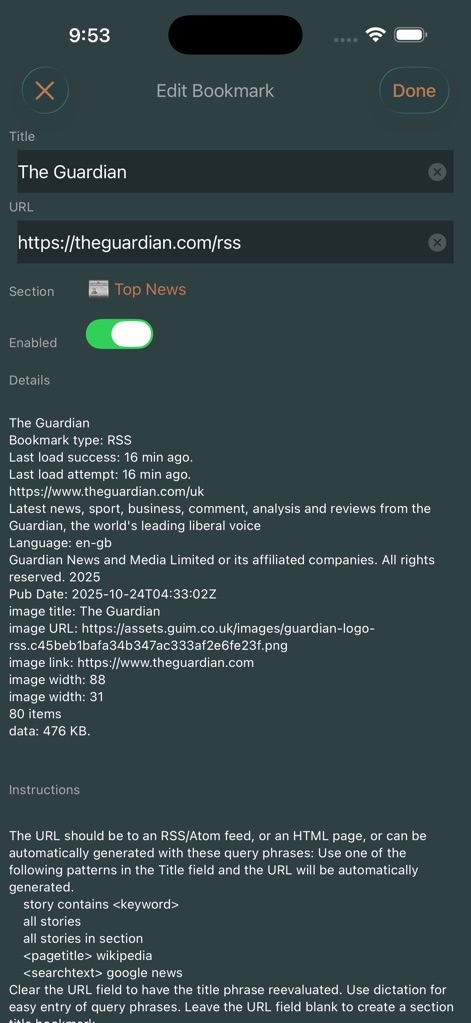
speak-news-edit-bookmark-rss
The Guardian의 RSS 피드 상세 정보 및 설정을 보여주는 Speak News 앱의 북마크 편집 화면.
speak-news-voice-library
다양한 국가의 텍스트 음성 변환 옵션을 보여주는 Speak News의 음성 라이브러리 메뉴
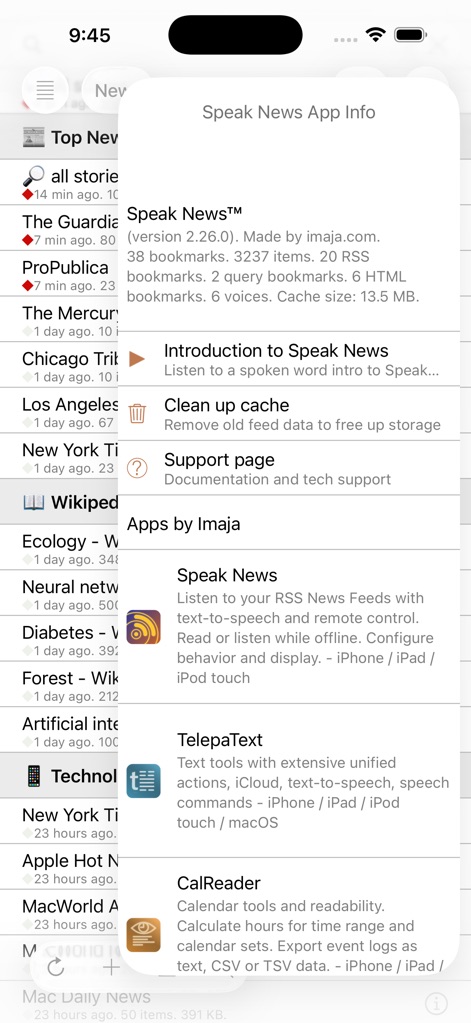
speak-news-app-info
버전 상세 정보 및 통계를 보여주는 Speak News 앱 정보 모달
speak-news-rss-reader-dark-mode
다크 모드 텍스트 뷰로 생태학에 관한 위키백과 문서를 보여주는 Speak News 앱 인터페이스
설명
Speak News reads stories from RSS/Atom news feeds, web pages, Wikipedia pages, or Google News queries to you using text-to-speech. Speak News app is built for iPhone, iPad, and iPod touch. Use Siri to open Speak News and listen to news stories hands-free using the earphones remote control. Just say “Hey Siri, Open Speak News” and the app will start reading your current news stories.
Complete Features
• Use Siri to open the app and listen to stories.
• Use Siri Shortcuts to perform several common activities with voice commands.
• Bookmarks can be RSS/Atom news feeds, web pages, Wikipedia pages, Google News queries, or Speak News keyword queries. Speak News queries can be created and performed while offline, searching the stories cached on the device.
• iCloud bookmark syncing
• Import bookmarks from a Feedly OPML feed library URL.
• Multitasking allows updating news feeds in the background while reading or listening to news in the foreground.
• Automatically selects appropriate international speech voices based on story language.
• Toolbar functions in a feed view include Play/Pause, Stop, Previous, Next, Update All Feeds, View Mode, Share, Settings.
• Share news headlines and links, or entire news feeds through the standard iOS Share social media activities view, including Message, Mail, Notes, Reminders, Twitter, Google+, Flipboard, Facebook, Evernote, etc.
• Current story info and Play/Pause, Previous, Next functions are available in the media player controls in the device's lock screen and Control Center.
• Speak News automatically rotates through available voices for the current language for each story. This gives more variety and distinction in the sequence of spoken news stories. For instance, in English, this gives U.S. , U.K. Ireland, New Zealand, and Australian voices.
• All stories are saved on your device for later reading and listening while offline.
• Efficient text-only story display makes loading and reading faster, and saves money on your cell phone plan by downloading minimal data.
• Display Styles include White, Light Gray, Sepia, Dark Gray, Dark Red, and Black. The "dark mode" Black and Dark Red styles are ideal for reading in dark environments.
• All text is responsive to the user's preferred text size as set in Settings > Display & Brightness > Text Size, and Settings > General > Accessibility > Larger Text.
• Toolbar functions in the Bookmarks view include New Bookmark, Go To Section, Find, Settings, Library, and Edit.
• Today Widget displays scrolling list of stories from current feed.
• Use the remote control on earphones to speak and pause stories, move to next or previous stories, or select a new RSS feed from your bookmarks.
• Create your own bookmarks and bookmark sections.
• Import bookmarks from Imaja’s Speak News RSS Feeds Library featuring a broad selection of essential and informative news feeds.
• Settings includes many controls for news story display, auto-reload, speech and auto-scrolling behavior, and user-interface sounds.
• Keyboard shortcuts are supported for Speak News functions for use with external Bluetooth keyboards.
• RSS feed details are viewable in the Edit Bookmark view.
• Word Usage action displays statistics on word frequencies in a story or a complete feed.
• Speak News supports a custom URL scheme for adding bookmarks.
Remote Control with Earphones
Tap the center button:
• One time to play or pause the speech.
• Two times to skip to the next story.
• Three times to skip to the previous story.
• Five times to enter Bookmark Selection Mode. In Bookmark Selection Mode, listen for the desired bookmark name and tap one time to open and start speaking the feed.
Settings
Use the Settings view to configure the text display, graphic style and behavior of Speak News.
Visit imaja.com/speaknews for more details and screenshots.
Follow @SpeakNewsApp on Twitter.
이 페이지는 앱이나 개발자의 공식 페이지가 아니며, 정보 제공 및 논평을 목적으로 작성된 독립 편집 간행물입니다. 명시적으로 달리 언급되지 않는 한, 해당 앱이나 개발자는 MWM, Apple, Google Play, 앱 퍼블리셔 또는 앱 개발자와 제휴, 보증, 후원, 승인 또는 공식적으로 연결되어 있지 않으며, 이 페이지의 어떤 내용도 해당 앱이 MWM의 서비스를 사용하여 개발되었음을 의미하지 않습니다. 모든 상표, 로고, 스크린샷 및 기타 콘텐츠는 해당 소유자의 자산입니다.