Speed Cleaner: AI Phone Clean
다운로드: App Store

이 페이지는 앱이나 개발자의 공식 페이지가 아니며, 정보 제공 및 논평을 목적으로 작성된 독립 편집 간행물입니다. 명시적으로 달리 언급되지 않는 한, 해당 앱이나 개발자는 MWM, Apple, Google Play, 앱 퍼블리셔 또는 앱 개발자와 제휴, 보증, 후원, 승인 또는 공식적으로 연결되어 있지 않으며, 이 페이지의 어떤 내용도 해당 앱이 MWM의 서비스를 사용하여 개발되었음을 의미하지 않습니다. 모든 상표, 로고, 스크린샷 및 기타 콘텐츠는 해당 소유자의 자산입니다.


로고: Speed Cleaner: AI Phone Clean
다운로드: App Store

Speed Cleaner: AI Phone Clean

현대 아이폰 사용자를 위한 궁극의 AI 기반 동반자. 중복 미디어를 쉽게 정리하고, 지저분한 연락처를 정리하고, 우아하게 어색한 상황을 벗어날 수 있는 신중한 소셜 탈출 전략을 사용하세요.

주요 수치

다운로드

590K+

사용자 평점

4.1/5

총 평가 수

3K+

개발사

INNOMOBI TECHNOLOGY LIMITED

카테고리

Utilities

지원 언어

10

최신 버전

2.0.4

크기

49.8 MB

출시일

2025년 4월 13일
기능

더 깨끗한 디지털 라이프를 위한 스마트 도구

Speed Cleaner는 고급 AI 기술과 실용적인 소셜 도구를 결합하여 아이폰을 최적화하고 경계를 유지합니다.

GB 단위 공간 확보

스마트 AI 인식을 통해 중복 미디어를 즉시 정리하여 '저장 공간 부족' 알림에 작별을 고하세요.

궁극의 소셜 '탈출구'

어색한 회의나 데이트에서 우아하게 벗어나기 위해 몇 초 만에 가짜 수신 전화를 설정하세요.

다음 스크린샷과 설명은 앱의 공식 스토어 목록에서 직접 가져온 것이며 앱 개발자의 자산입니다.

앱 스토어

스크린샷
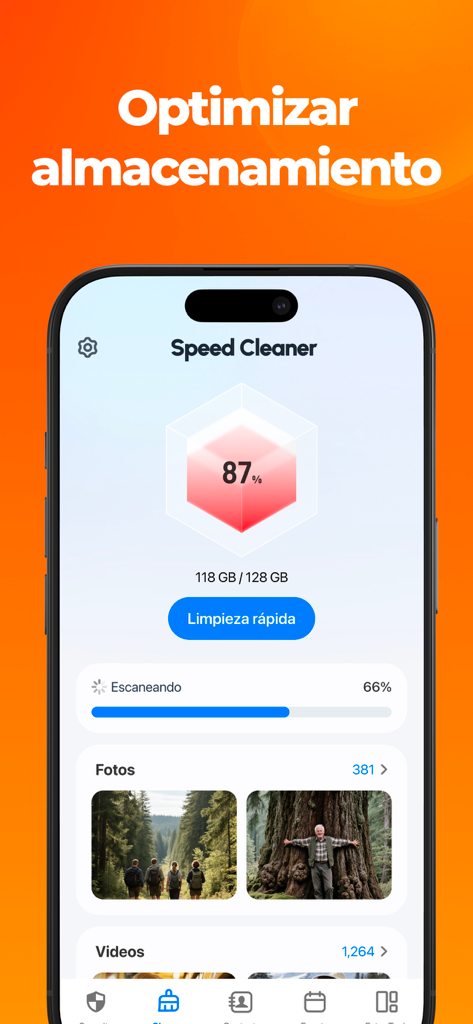
Speed Cleaner: AI Phone Clean - Speed Cleaner 앱 대시보드에 저장 공간 87% 사용됨 및 사진 정리 옵션이 표시됨
Speed Cleaner 앱 대시보드에 저장 공간 87% 사용됨 및 사진 정리 옵션이 표시됨

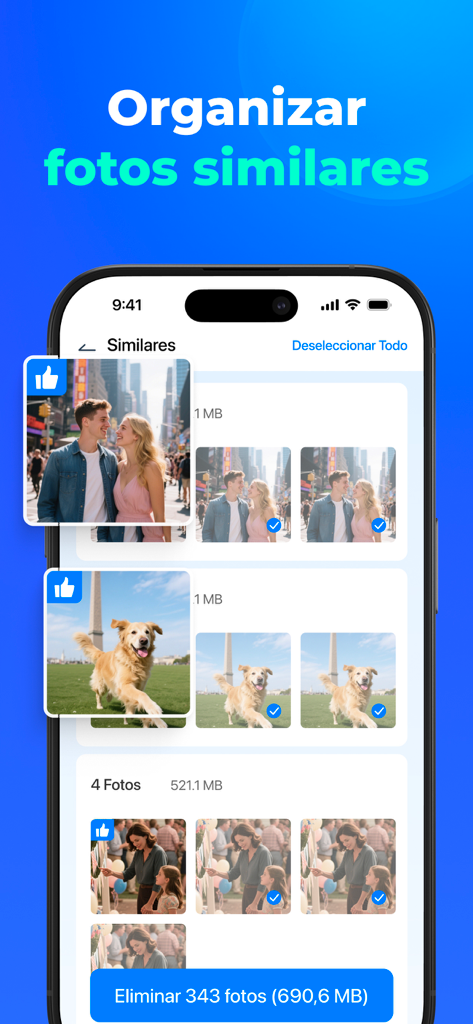
Speed Cleaner: AI Phone Clean - Speed Cleaner 앱 인터페이스 스크린샷으로, 저장 공간 확보를 위해 삭제 대상으로 선택된 유사한 사진 그룹 표시
Speed Cleaner 앱 인터페이스 스크린샷으로, 저장 공간 확보를 위해 삭제 대상으로 선택된 유사한 사진 그룹 표시

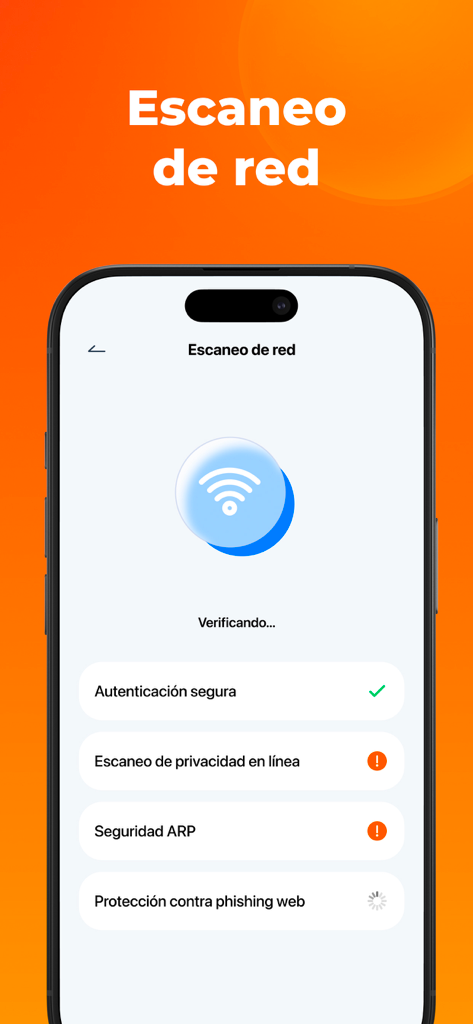
Speed Cleaner: AI Phone Clean - Speed Cleaner 앱의 네트워크 보안 스캔 기능이 표시된 아이폰 화면 (Wi-Fi 확인 및 개인 정보 보호 경고 포함)
Speed Cleaner 앱의 네트워크 보안 스캔 기능이 표시된 아이폰 화면 (Wi-Fi 확인 및 개인 정보 보호 경고 포함)

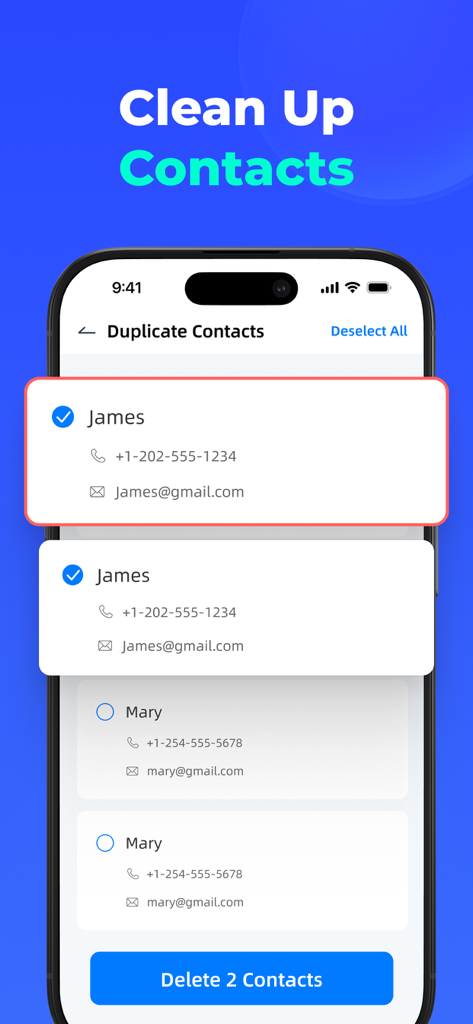
Speed Cleaner: AI Phone Clean - Speed Cleaner 앱 인터페이스로, 아이폰에서 삭제 대상으로 선택된 중복 연락처 목록 표시
Speed Cleaner 앱 인터페이스로, 아이폰에서 삭제 대상으로 선택된 중복 연락처 목록 표시

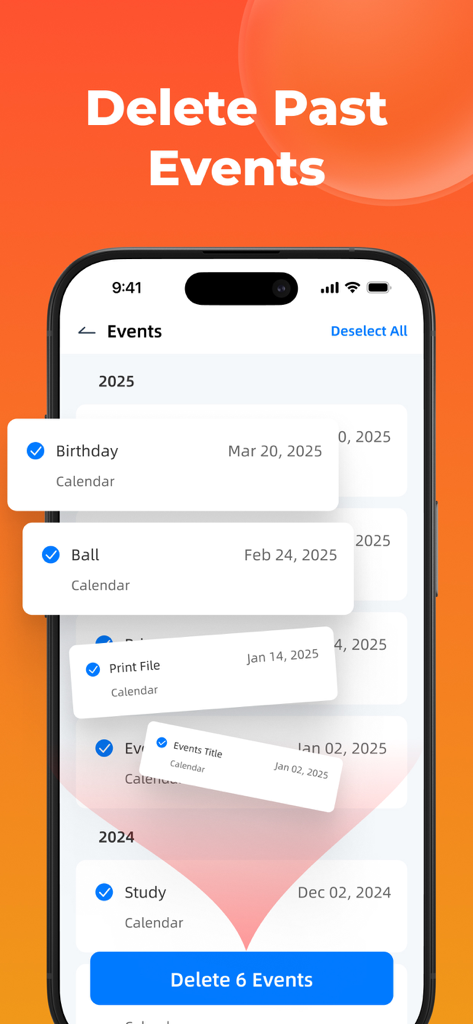
Speed Cleaner: AI Phone Clean - Speed Cleaner 앱 인터페이스로, 공간 확보를 위해 삭제 대상으로 선택된 오래된 캘린더 이벤트 목록 표시
Speed Cleaner 앱 인터페이스로, 공간 확보를 위해 삭제 대상으로 선택된 오래된 캘린더 이벤트 목록 표시

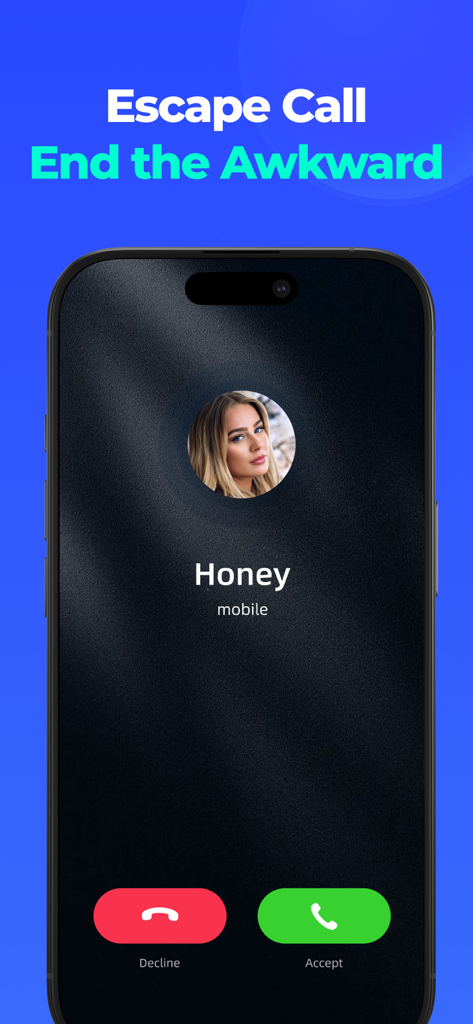
Speed Cleaner: AI Phone Clean - 어색한 상황을 피하기 위해 Honey로부터의 가짜 수신 전화 알림이 표시되는 Escape Call 기능 모바일 화면
어색한 상황을 피하기 위해 Honey로부터의 가짜 수신 전화 알림이 표시되는 Escape Call 기능 모바일 화면

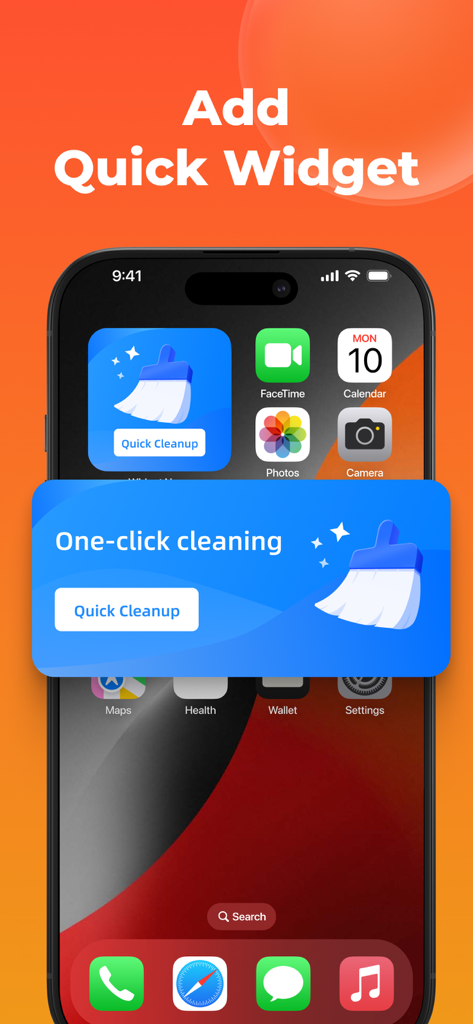
Speed Cleaner: AI Phone Clean - 한 번의 클릭으로 정리가 가능한 Speed Cleaner AI Phone Clean 앱 위젯이 아이폰 홈 화면에 표시됨

한 번의 클릭으로 정리가 가능한 Speed Cleaner AI Phone Clean 앱 위젯이 아이폰 홈 화면에 표시됨

설명

Speed Cleaner: AI Phone Clean is your ultimate mobile companion for simplifying and securing your digital life. With advanced AI tools, Speed Cleaner helps you declutter, optimize your device,free up space, and handle social scenarios gracefully. Whether it’s managing duplicate media, organizing contacts, or clearing outdated calendars, Speed Cleaner offers a smarter and more efficient experience. Key Features 1. Delete Similar Photos & Videos - Automatically detect and remove duplicate and near-identical photos and videos - Save significant storage space with intelligent image recognition - Preserve your most important memories while clearing digital clutter 2. Manage Cluttered Contacts - Merge duplicate contacts seamlessly - Remove incomplete or outdated contact information - Keep your contact list clean, organized, and up-to-date 3. Clear Outdated Calendars - Automatically identify and remove expired calendar events - Maintain a clean, relevant calendar without manual sorting 4. Fast Widget - One-tap Cleanup - One-tap cleaning directly from your home screen 5. Social Scenario Assistance - Simulate incoming calls to help you exit uncomfortable social situations - Provides discreet exit strategies Privacy & Security - All cleaning processes are performed locally on your device. - No personal data uploaded - Continuous updates for improved functionality and user experience Subscription Information We offer a 3-day free trial, during which you can enjoy full access to all features. Once the trial period ends, your subscription will automatically renew based on the plan you selected: - Weekly Subscription: $9.99/Week - Annual Subscription: $39.99/Year Payment will be charged to your App store account upon purchase confirmation or within 24 hours before the current period ends (for auto-renewals). To avoid automatic renewal, ensure you disable auto-renewal at least 24 hours before the current period ends. Any unused portion of the free trial will be forfeited once you purchase a subscription. Manage Your Subscription You can manage or cancel your subscription anytime by following these steps: 1. Open the Settings app. 2. Tap your Apple ID name. 3. Select Subscriptions. 4. Tap the active subscription you want to manage or cancel. ***You may cancel your subscription at any time*** Support For any questions, feedback, or assistance, feel free to reach out to us at: aicleaner.help@outlook.com Privacy Policy: https://sites.google.com/view/speedcleaner-privacy Terms of Use: https://sites.google.com/view/cleanspeed-terms

Download

다운로드: App Store

이 페이지는 앱이나 개발자의 공식 페이지가 아니며, 정보 제공 및 논평을 목적으로 작성된 독립 편집 간행물입니다. 명시적으로 달리 언급되지 않는 한, 해당 앱이나 개발자는 MWM, Apple, Google Play, 앱 퍼블리셔 또는 앱 개발자와 제휴, 보증, 후원, 승인 또는 공식적으로 연결되어 있지 않으며, 이 페이지의 어떤 내용도 해당 앱이 MWM의 서비스를 사용하여 개발되었음을 의미하지 않습니다. 모든 상표, 로고, 스크린샷 및 기타 콘텐츠는 해당 소유자의 자산입니다.








