Speed Test - WiFi Analyzer +
다운로드: App Store

이 페이지는 앱이나 개발자의 공식 페이지가 아니며, 정보 제공 및 논평을 목적으로 작성된 독립 편집 간행물입니다. 명시적으로 달리 언급되지 않는 한, 해당 앱이나 개발자는 MWM, Apple, Google Play, 앱 퍼블리셔 또는 앱 개발자와 제휴, 보증, 후원, 승인 또는 공식적으로 연결되어 있지 않으며, 이 페이지의 어떤 내용도 해당 앱이 MWM의 서비스를 사용하여 개발되었음을 의미하지 않습니다. 모든 상표, 로고, 스크린샷 및 기타 콘텐츠는 해당 소유자의 자산입니다.

로고: Speed Test - WiFi Analyzer +
다운로드: App Store

Speed Test - WiFi Analyzer +

ISP 감사, 게임 지연 제거, 무단 침입자로부터 Wi-Fi 보안 강화를 위한 올인원 툴킷.

주요 수치

다운로드

126K+

사용자 평점

4.7/5

총 평가 수

1K+

개발사

方勇 侯

카테고리

Utilities

지원 언어

15

최신 버전

1.8.7

크기

50.0 MB

출시일

2024년 9월 3일
기능

연결 속도 및 보안 마스터하기

게이머, 원격 전문가 및 기술 애호가를 위한 디지털 생활 감사, 최적화 및 보안을 위한 최고의 툴킷.

끊김 없는 게임 및 스트리밍

경쟁적인 게임 및 4K 라이브 스트리밍을 위한 원활한 경험을 보장하기 위해 지터 및 핑에 대한 특수 평가를 실행하세요.

대역폭 보안 강화

무단 장치를 즉시 식별 및 차단하여 홈 네트워크를 개인적이고 빠른 요새로 유지하세요.

다음 스크린샷과 설명은 앱의 공식 스토어 목록에서 직접 가져온 것이며 앱 개발자의 자산입니다.

앱 스토어

스크린샷
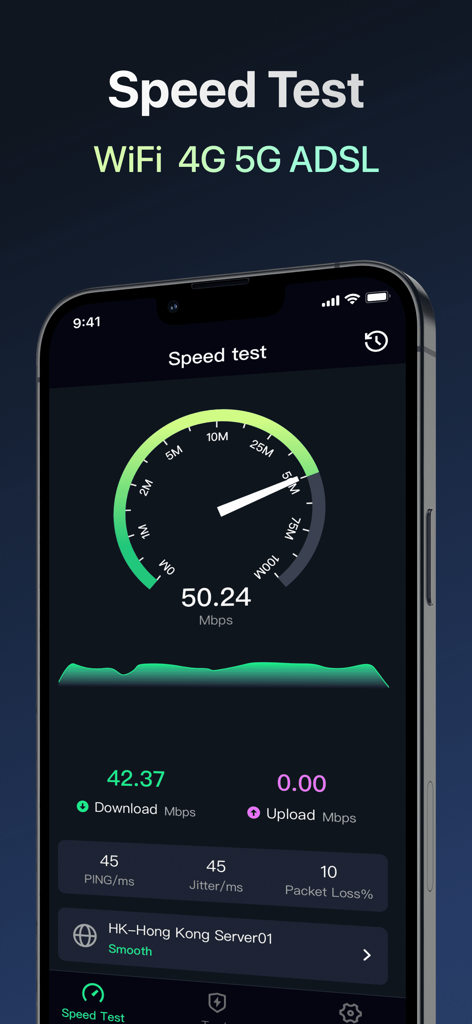
Speed Test - WiFi Analyzer + - Speed Test의 모바일 앱 인터페이스로 네트워크 다운로드 속도, 핑 및 지터 메트릭 표시
Speed Test의 모바일 앱 인터페이스로 네트워크 다운로드 속도, 핑 및 지터 메트릭 표시

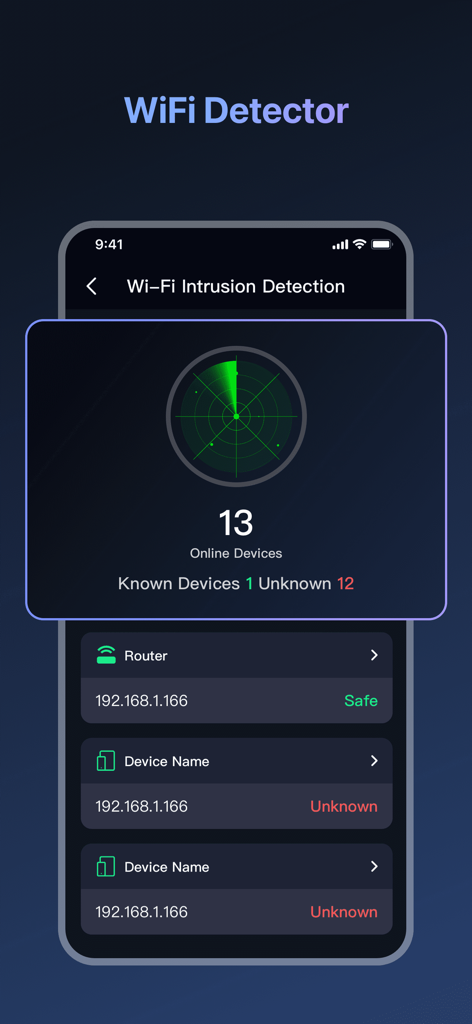
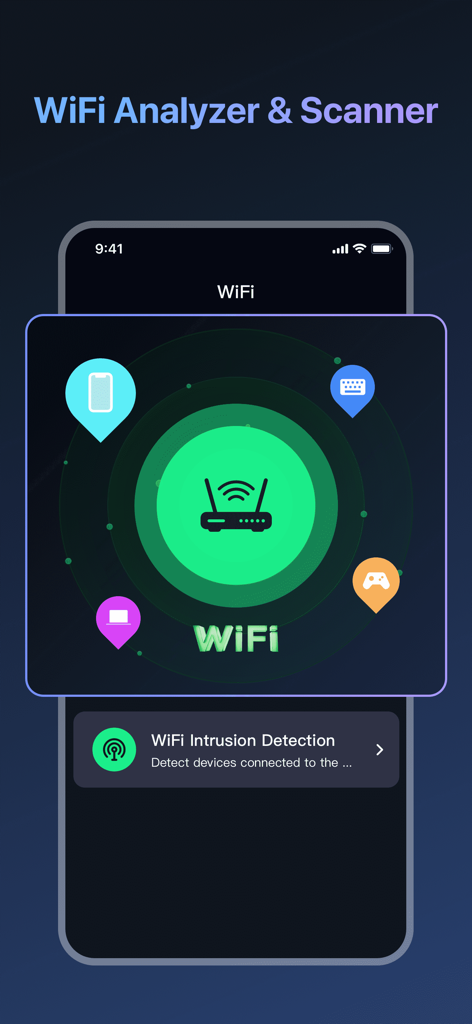
Speed Test - WiFi Analyzer + - 연결된 장치의 네트워크 스캔을 보여주는 WiFi Analyzer 및 침입 탐지 화면
연결된 장치의 네트워크 스캔을 보여주는 WiFi Analyzer 및 침입 탐지 화면

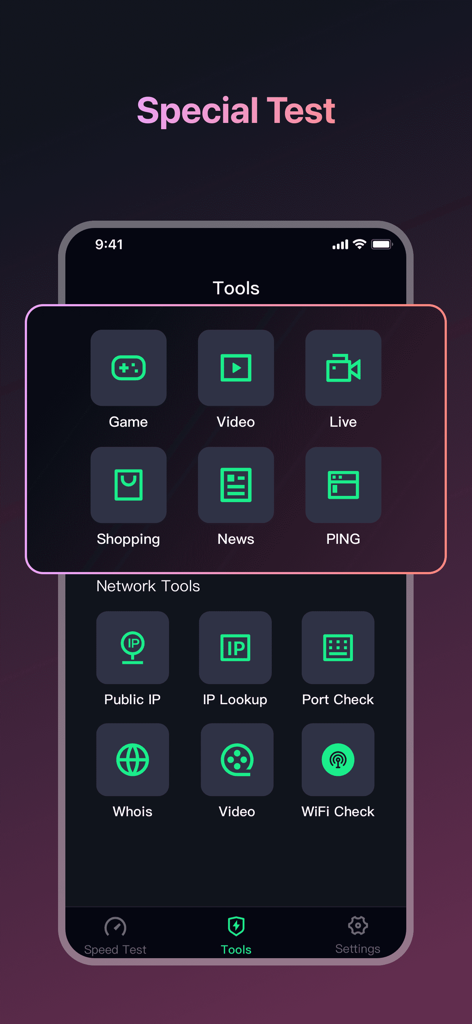
Speed Test - WiFi Analyzer + - 게임, 비디오 및 라이브 스트리밍을 위한 특수 네트워크 진단 도구를 보여주는 Speed Test 앱 인터페이스
게임, 비디오 및 라이브 스트리밍을 위한 특수 네트워크 진단 도구를 보여주는 Speed Test 앱 인터페이스

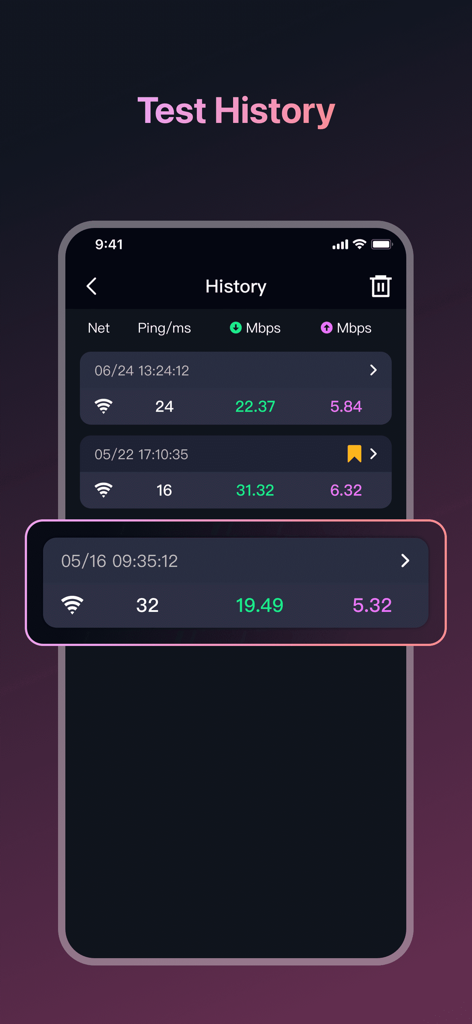
Speed Test - WiFi Analyzer + - 핑 및 네트워크 속도 결과를 표시하는 속도 테스트 기록 로그

핑 및 네트워크 속도 결과를 표시하는 속도 테스트 기록 로그

Speed Test - WiFi Analyzer + - 네트워크의 알 수 없는 장치를 위한 레이더 스캔을 보여주는 WiFi 침입 탐지 기능 인터페이스
네트워크의 알 수 없는 장치를 위한 레이더 스캔을 보여주는 WiFi 침입 탐지 기능 인터페이스

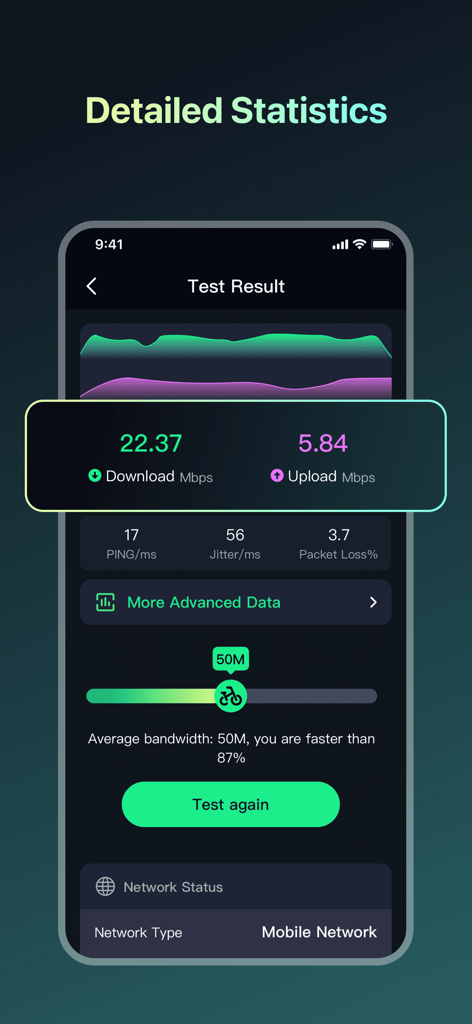
Speed Test - WiFi Analyzer + - 다운로드 속도, 업로드 속도, 핑 및 지터를 포함한 자세한 네트워크 속도 테스트 결과를 보여주는 모바일 앱 화면
다운로드 속도, 업로드 속도, 핑 및 지터를 포함한 자세한 네트워크 속도 테스트 결과를 보여주는 모바일 앱 화면

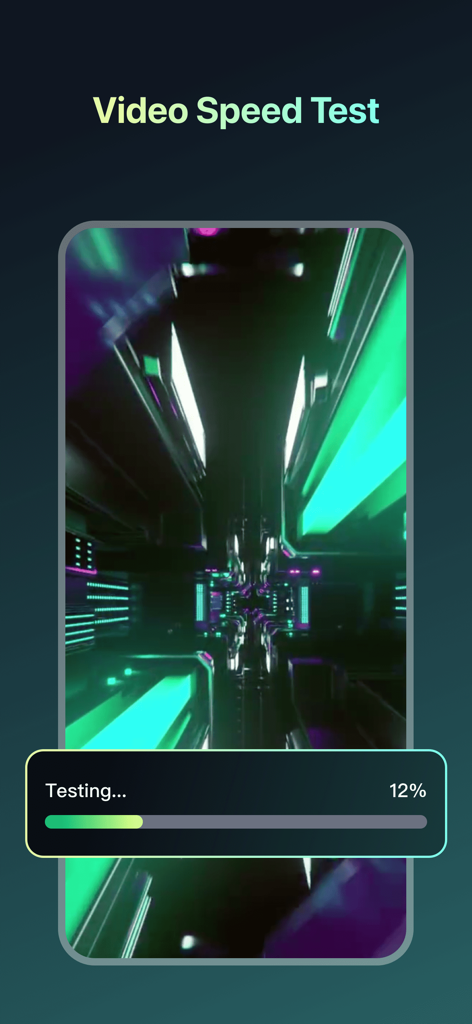
Speed Test - WiFi Analyzer + - 진행률 표시줄과 함께 네트워크 진단 진행 중을 보여주는 비디오 속도 테스트 인터페이스

진행률 표시줄과 함께 네트워크 진단 진행 중을 보여주는 비디오 속도 테스트 인터페이스

설명

I’ve tried many speed test apps, and this is one of the best I’ve found. Speed Test: Wi-Fi & Internet is a versatile app designed to scan and diagnose networks, helping you understand and optimize your network connection. The main functions include: [Network Speed Test] • One-tap test for 2G, 3G, 4G, 5G, DSL, ADSL, and Wi-Fi speeds. • Download Speed Test: Measures how fast you can download files, ensuring you get the internet speeds you’re paying for. Perfect for checking if your favorite videos and games load quickly. • Upload Speed Test: Measures your upload speed by uploading a file, helping you understand bandwidth efficiency. • Ping Test: Measures network delay to ensure low latency for gaming and video calls. • Jitter Measurement: Analyzes fluctuations in your network connection to ensure stability, reducing interruptions during streaming or online activities. [Network Performance Analysis] • Real-time charts display network connection status to help you monitor and optimize performance. Detailed speed test reports provide insights into • • various network performance metrics, including signal strength and bandwidth. [Wi-Fi Unauthorized Connection Detection] • Keep your Wi-Fi safe with Unauthorized Connection Detection. Quickly scans your network to find and block any unauthorized devices. Provides detailed information about all devices connected to your network, ensuring everything is secure and under control. [Special Test] • Optimize your network for specific activities with Speed Test’s Special Tests. Tailored for gaming, video streaming, and live streaming, these tests evaluate your network’s stability under demanding conditions, ensuring a smooth experience with specialized assessments designed for high-traffic and latency-sensitive applications. [Comprehensive Network Information] • Get detailed information about Wi-Fi and cellular connections, including signal strength, frequency bands, and connection status. • IP Geolocation: Find the location of any IP address on the map. • Open Port Scan: Identifies open ports on your device and their functions. • Traceroute: Analyzes the path of data packets to identify problem points in the network. [Speed Test History] • Keep a log of every speed test you run with detailed records. Track how your network performance changes over time, see trends, and spot any issues. It’s a simple way to monitor your network's stability and ensure you’re always getting the speeds you expect. With Speed Test: Wi-Fi & Internet, you can easily manage network performance, ensure stable and efficient connections, quickly resolve network issues, and enjoy a smooth online experience. We are committed to protecting your privacy. We do not collect any information about your files. Our practices adhere strictly to our privacy policy, ensuring your data is safeguarded at all times. [Note] If you subscribe via Apple, payment will be charged to App Store Account at confirmation of purchase. Subscription automatically renews unless auto-renew is turned off at least 24 hours before the end of the current period. Account will be charged for renewal within 24 hours prior to the end of the current period at the rate of the selected plan. Subscriptions and auto-renewal may be managed by going to Account Settings after purchase. User Agreement: https://aautoclicker.com/speedtest/terms Privacy Policy: https://aautoclicker.com/speedtest/privacy

Download

다운로드: App Store

이 페이지는 앱이나 개발자의 공식 페이지가 아니며, 정보 제공 및 논평을 목적으로 작성된 독립 편집 간행물입니다. 명시적으로 달리 언급되지 않는 한, 해당 앱이나 개발자는 MWM, Apple, Google Play, 앱 퍼블리셔 또는 앱 개발자와 제휴, 보증, 후원, 승인 또는 공식적으로 연결되어 있지 않으며, 이 페이지의 어떤 내용도 해당 앱이 MWM의 서비스를 사용하여 개발되었음을 의미하지 않습니다. 모든 상표, 로고, 스크린샷 및 기타 콘텐츠는 해당 소유자의 자산입니다.