
이 페이지는 앱이나 개발자의 공식 페이지가 아니며, 정보 제공 및 논평을 목적으로 작성된 독립 편집 간행물입니다. 명시적으로 달리 언급되지 않는 한, 해당 앱이나 개발자는 MWM, Apple, Google Play, 앱 퍼블리셔 또는 앱 개발자와 제휴, 보증, 후원, 승인 또는 공식적으로 연결되어 있지 않으며, 이 페이지의 어떤 내용도 해당 앱이 MWM의 서비스를 사용하여 개발되었음을 의미하지 않습니다. 모든 상표, 로고, 스크린샷 및 기타 콘텐츠는 해당 소유자의 자산입니다.

Streaks
Apple 생태계를 위해 디자인된 미니멀리스트 앱으로 루틴을 마스터하고 나쁜 습관을 버리세요. iPhone, Watch, Mac 전반에 걸친 자동 Health 앱 연동으로 목표를 손쉽게 추적하세요.
다운로드
930K+사용자 평점
총 평가 수
38K+개발사
카테고리
Health & Fitness지원 언어
28최신 버전
11.1.3크기
444.8 MB출시일
2015년 6월 1일정밀하게 루틴 마스터하기
심리적 동기 부여와 원활한 자동화를 통해 일상 행동을 삶을 변화시키는 습관으로 바꾸는 Apple Design Award 수상 도구입니다.
원활한 Health 연동
수동 입력을 없애세요. Streaks는 Apple Health 앱과 자동으로 동기화되어 발걸음 수, 심박수, 운동을 즉시 추적합니다.
심리적 추진력
손실 회피의 힘을 활용하세요. 최대 24개의 작업에 대한 시각적 연속 기록을 만들어 동기를 부여하고 개인 목표 달성의 '연속 끊기'를 피하세요.
자주 묻는 질문
에 대해 알아야 할 모든 것 Streaks
Streaks 앱은 무엇인가요?
Streaks는 Apple Design Award를 수상한 할 일 목록 애플리케이션으로, 사용자가 일일 작업을 추적하여 좋은 습관을 형성하도록 돕습니다. 연속적인 작업 완료 기록을 장려합니다.
Streaks에서 하루에 몇 개의 작업을 추적할 수 있나요?
Streaks는 사용자가 매일 완료하고자 하는 최대 24개의 작업을 추적할 수 있습니다. 주요 목표는 이러한 습관에 대해 연속적인 날짜 기록을 만드는 것입니다.
Streaks는 Apple Health와 통합되나요?
네, Streaks는 Health 앱과 통합됩니다. 사용자의 허가를 받아 Health 데이터와 연결된 물 또는 카페인 추적과 같은 작업의 완료를 자동으로 기록합니다.
Streaks에서 시간 기반 활동을 추적할 수 있나요?
네, Streaks를 사용하면 사용자가 시간 기반 작업을 만들 수 있습니다. 이 기능은 마음챙김, 양치질 또는 특정 시간이 필요한 기타 습관과 같은 활동을 추적하는 데 도움이 됩니다.
Streaks는 작업 공유 기능을 제공하나요?
네, Streaks는 작업 공유 기능을 포함합니다. 사용자는 다른 Streaks 사용자에게 작업을 공유하여 습관 형성에 대한 격려와 책임감을 높일 수 있습니다.
Streaks에는 어떤 사용자 지정 옵션이 있나요?
Streaks는 홈 화면 위젯, 78가지 색상 테마, 600개 이상의 작업 아이콘을 포함한 광범위한 사용자 지정 기능을 제공합니다. 사용자는 작업 완료 빈도를 정의할 수도 있습니다.
Streaks는 Apple Watch를 지원하나요?
네, Streaks는 높은 평가를 받는 애플리케이션과 함께 Apple Watch를 완벽하게 지원합니다. 시계에서 Health 앱 통합, 컴플리케이션 및 풍부한 알림을 제공합니다.
Streaks는 나쁜 습관을 끊는 데 도움이 될 수 있나요?
네, Streaks는 사용자가 부정적인 작업을 만들어 나쁜 습관을 끊도록 돕습니다. 이 기능은 바람직하지 않은 행동의 감소 또는 제거를 지원합니다.
Streaks는 작업에 대해 어떻게 알림을 주나요?
Streaks는 작업 완료 시간이 되면 자동으로 미리 알림을 제공합니다. 사용자는 '자동 시간', '사용자 지정 시간' 또는 '알림 없음'과 같은 옵션으로 알림을 구성할 수 있습니다.
Streaks에서 작업에 대한 일일 메모를 기록할 수 있나요?
네, Streaks를 사용하면 사용자가 작업에 대한 일일 메모를 기록할 수 있습니다. 이 기능은 특정 습관과 관련된 진행 상황 및 생각에 대한 성찰 공간을 제공합니다.
Streaks는 내 습관에 대해 어떤 통계를 추적하나요?
Streaks는 현재 연속 기록, 달성한 최고의 연속 기록, 총 완료 횟수를 포함한 필수 습관 통계를 추적합니다. 이는 사용자 진행 상황에 대한 포괄적인 개요를 제공합니다.
다음 스크린샷과 설명은 앱의 공식 스토어 목록에서 직접 가져온 것이며 앱 개발자의 자산입니다.
앱 스토어
스크린샷
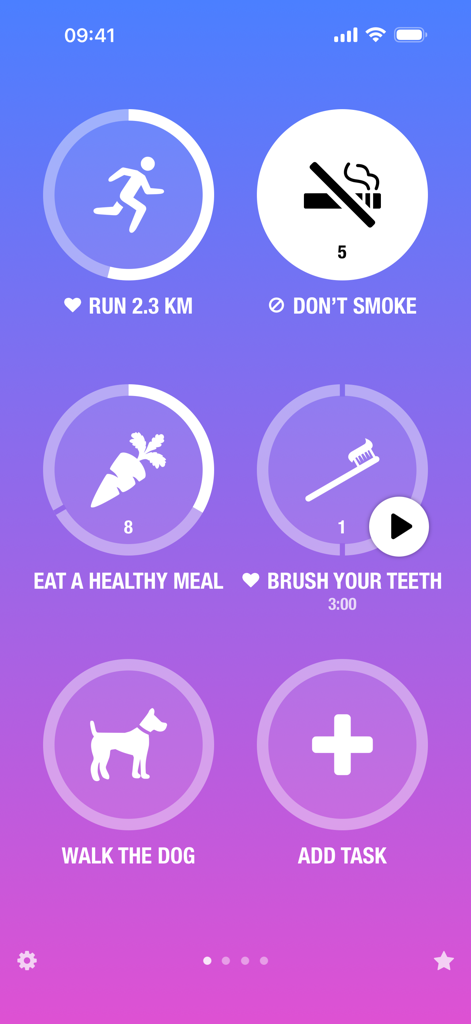
Streaks 습관 추적기 앱 대시보드가 달리기, 건강한 식사, 개 산책과 같은 일일 작업을 진행률 표시기와 함께 보여줍니다.
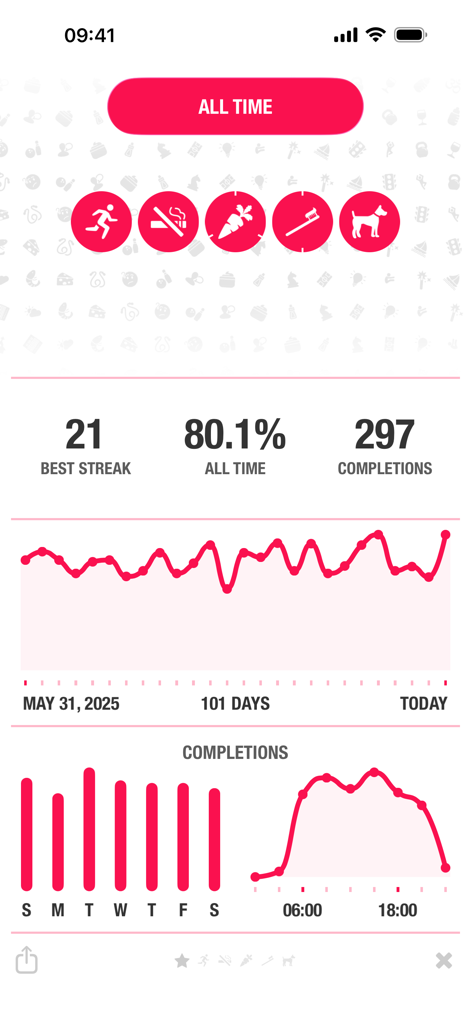
Streaks 습관 추적기 앱이 전체 진행률 및 통계를 보여줍니다.
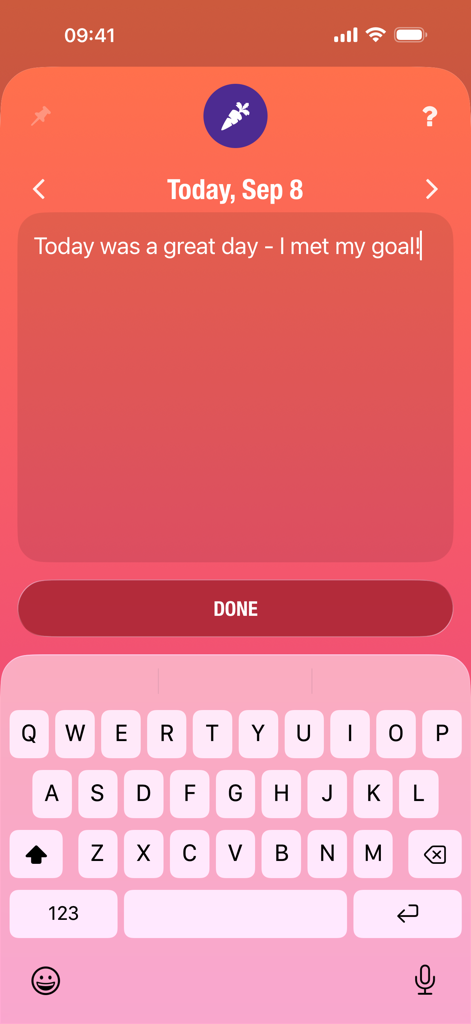
Streaks 앱의 일일 노트 입력 화면으로 건강한 습관 및 목표 추적용입니다.
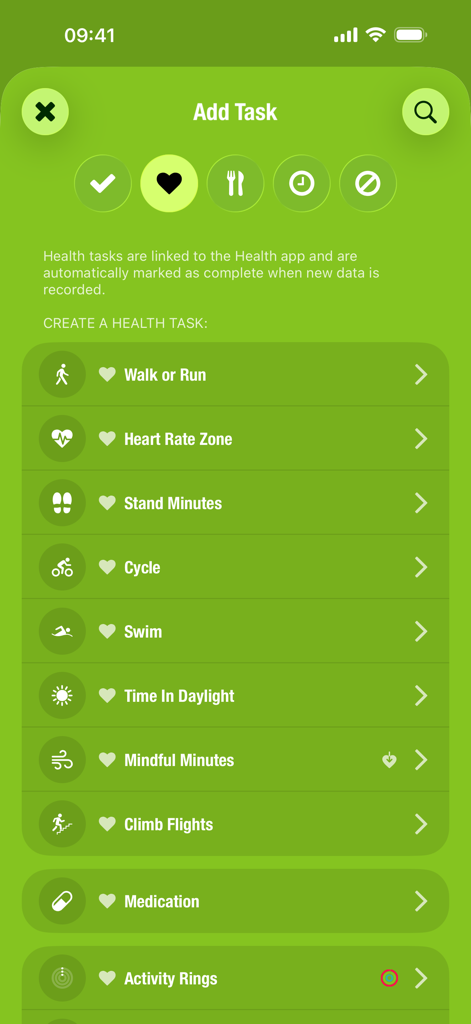
Streaks 앱 인터페이스가 걷기, 사이클링, 마음 챙김 시간 옵션이 있는 건강 작업 추가 메뉴를 보여줍니다.
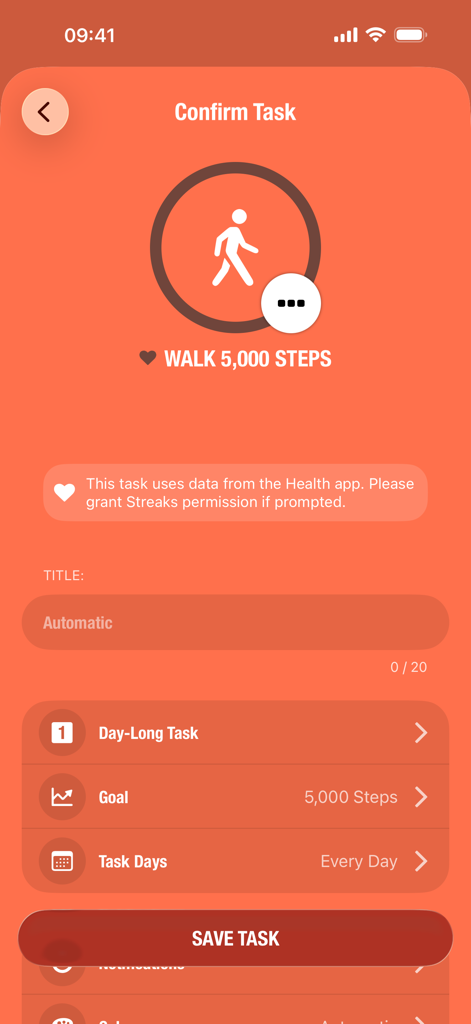
Streaks 앱에서 일일 5000보 걷기 목표에 대한 작업 확인 화면입니다.
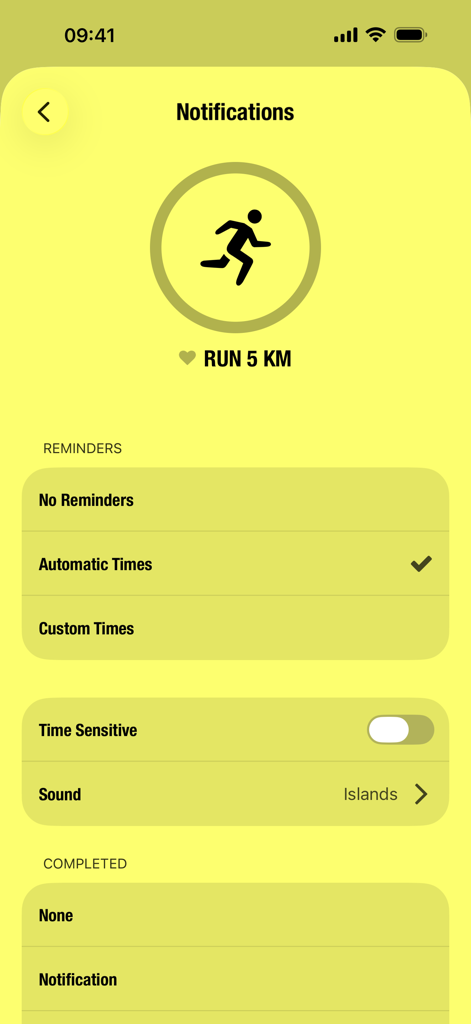
Streaks 습관 추적기 앱의 달리기 작업에 대한 알림 설정 화면입니다.
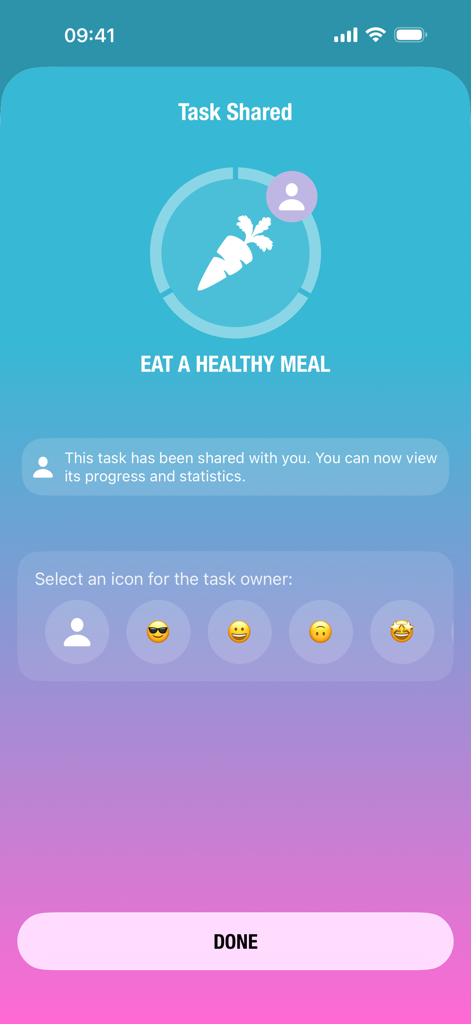
Streaks 앱 인터페이스가 소유자 아이콘 선택과 함께 건강한 식사 섭취라는 공유된 작업을 보여줍니다.
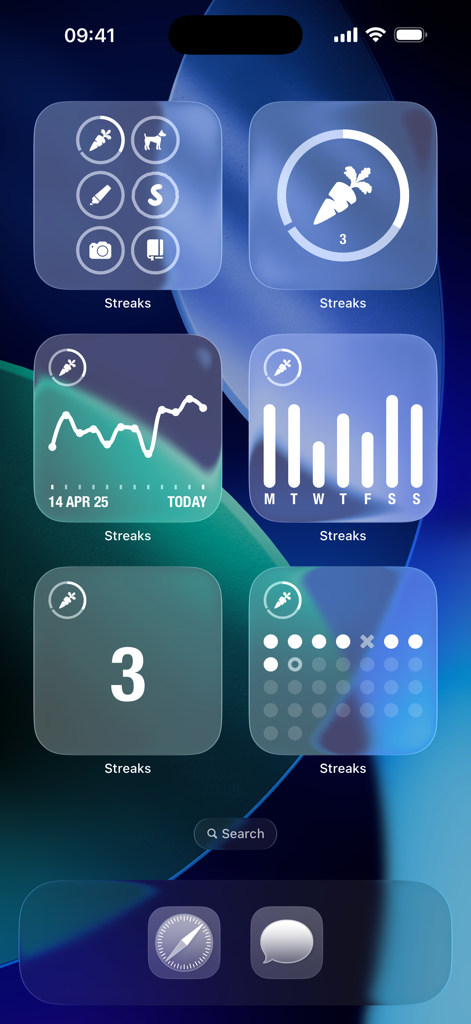
iPhone 홈 화면에 습관 추적을 위한 다양한 Streaks 앱 위젯이 표시됩니다.
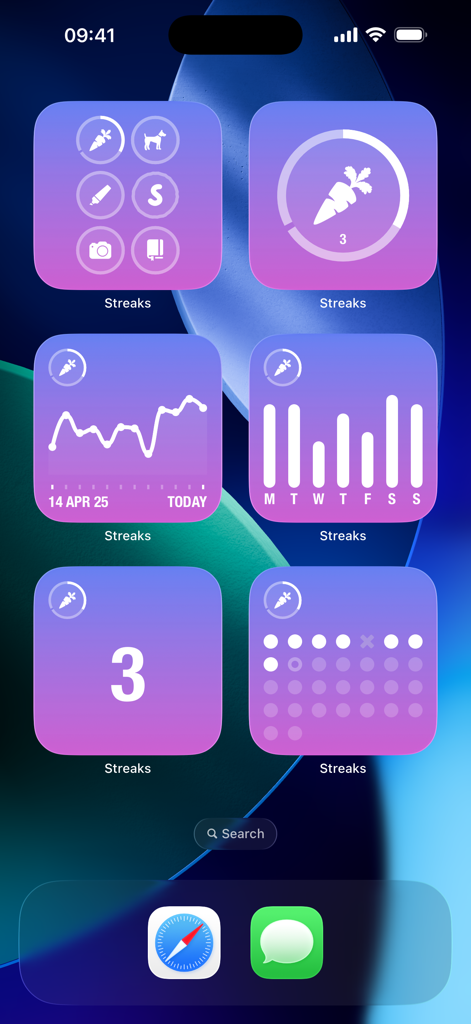
iPhone 홈 화면에 표시되는 다양한 보라색 습관 추적 위젯입니다.
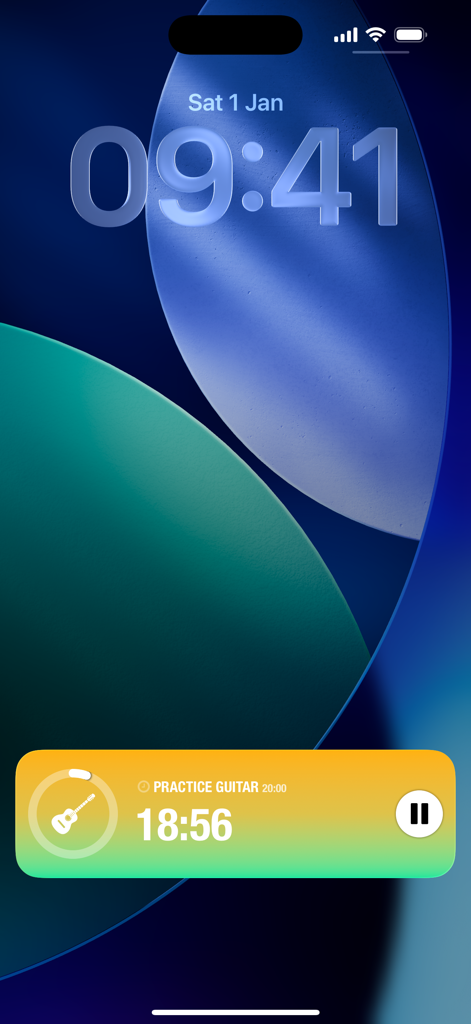
Streaks 앱 라이브 활동 위젯이 iPhone 잠금 화면에 기타 연습 타이머를 보여줍니다.
설명
Download
비슷한 앱
유사한 기능과 사용자 경험을 가진 앱
Grit: Daily Habit Tracker
GrittyApps
Habit Tracker
Inner Grow Limited

Me+ Lifestyle Routine
ENERJOY PTE. LTD.

HelloHabit - Habit Tracker
RightLife, Inc.

Onrise: Habit Tracker & Focus
Maximilian Munker
Habit Tracker - HabitKit
Sebastian Roehl

ShineDay: Micro Habit Tracker
俊航 何

Dear Me: Daily Routine Tracker
Fitself Dijital Hizmetler Anonim Sirketi

MyRoutine: Routine Habit Goal
Minding. co., Ltd.
이 페이지는 앱이나 개발자의 공식 페이지가 아니며, 정보 제공 및 논평을 목적으로 작성된 독립 편집 간행물입니다. 명시적으로 달리 언급되지 않는 한, 해당 앱이나 개발자는 MWM, Apple, Google Play, 앱 퍼블리셔 또는 앱 개발자와 제휴, 보증, 후원, 승인 또는 공식적으로 연결되어 있지 않으며, 이 페이지의 어떤 내용도 해당 앱이 MWM의 서비스를 사용하여 개발되었음을 의미하지 않습니다. 모든 상표, 로고, 스크린샷 및 기타 콘텐츠는 해당 소유자의 자산입니다.