Streets - Street View Browser
다운로드: App Store

이 페이지는 앱이나 개발자의 공식 페이지가 아니며, 정보 제공 및 논평을 목적으로 작성된 독립 편집 간행물입니다. 명시적으로 달리 언급되지 않는 한, 해당 앱이나 개발자는 MWM, Apple, Google Play, 앱 퍼블리셔 또는 앱 개발자와 제휴, 보증, 후원, 승인 또는 공식적으로 연결되어 있지 않으며, 이 페이지의 어떤 내용도 해당 앱이 MWM의 서비스를 사용하여 개발되었음을 의미하지 않습니다. 모든 상표, 로고, 스크린샷 및 기타 콘텐츠는 해당 소유자의 자산입니다.


로고: Streets - Street View Browser
다운로드: App Store

Streets - Street View Browser

iPhone, iPad, Apple Watch 전용으로 설계된 과거 타임라인, 대화형 미니 지도 및 전문가용 멀티태스킹 기능을 통해 고화질 360° 파노라마를 확인해 보세요.

주요 수치

다운로드

217K+

사용자 평점

4.4/5

총 평가 수

500

개발사

FutureTap GmbH

카테고리

Travel

지원 언어

3

최신 버전

5.0.4

크기

63.5 MB

출시일

2016년 4월 6일
기능

픽셀 단위의 정밀함으로 세상을 경험하세요

Streets는 파워 유저와 세밀한 계획가를 위해 설계된 정교한 Apple 네이티브 환경을 통해 세계에서 가장 포괄적인 거리 수준 이미지를 제공합니다.

Apple 워크플로우를 위한 설계

iPad 스테이지 매니저, Handoff, Siri를 활용하여 몰입형 스트리트 뷰를 전문적인 현장 조사나 여행 계획 루틴에 통합하세요.

대화형 타임라인 및 갤러리

'타임라인' 기능을 통해 과거를 산책하거나, 세계적인 박물관부터 국립공원까지 엄선된 2,000개 이상의 글로벌 랜드마크를 탐험하세요.

다음 스크린샷과 설명은 앱의 공식 스토어 목록에서 직접 가져온 것이며 앱 개발자의 자산입니다.

앱 스토어

스크린샷
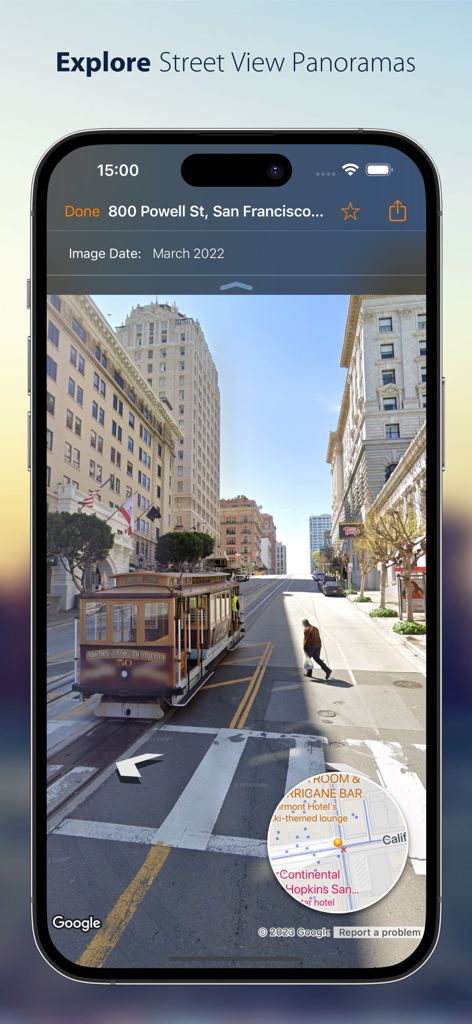
Streets - Street View Browser - 케이블카와 대화형 미니 지도가 포함된 샌프란시스코 스트리트 뷰 파노라마를 표시하는 iPhone 화면.
케이블카와 대화형 미니 지도가 포함된 샌프란시스코 스트리트 뷰 파노라마를 표시하는 iPhone 화면.

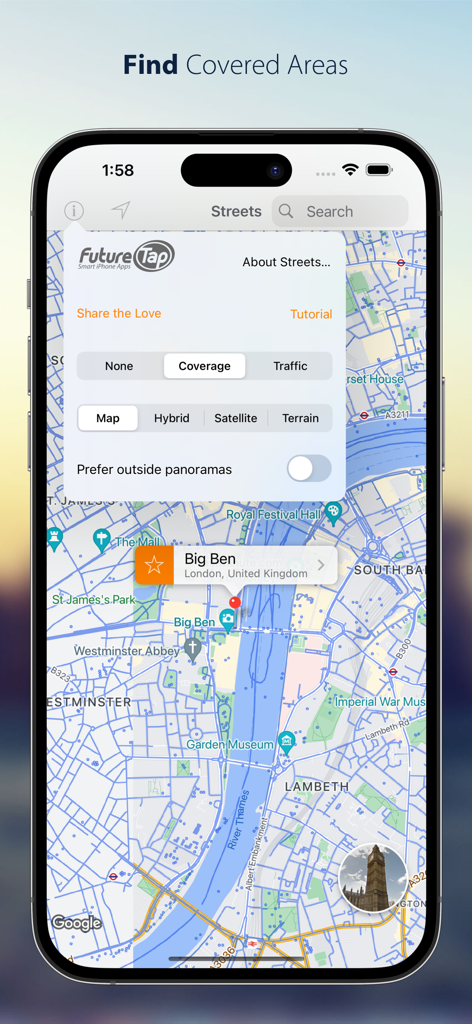
Streets - Street View Browser - 지도 스타일 설정이 열려 있는 런던 지도에 스트리트 뷰 서비스 범위를 보여주는 Streets 앱의 iPhone 스크린샷
지도 스타일 설정이 열려 있는 런던 지도에 스트리트 뷰 서비스 범위를 보여주는 Streets 앱의 iPhone 스크린샷

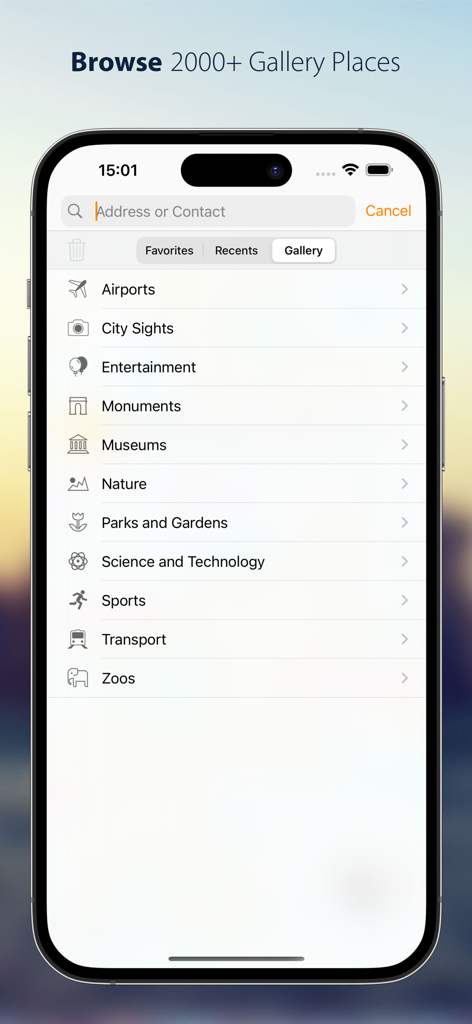
Streets - Street View Browser - 박물관, 기념물, 자연 명소 등을 포함한 Streets 앱의 갤러리 카테고리 목록.
박물관, 기념물, 자연 명소 등을 포함한 Streets 앱의 갤러리 카테고리 목록.

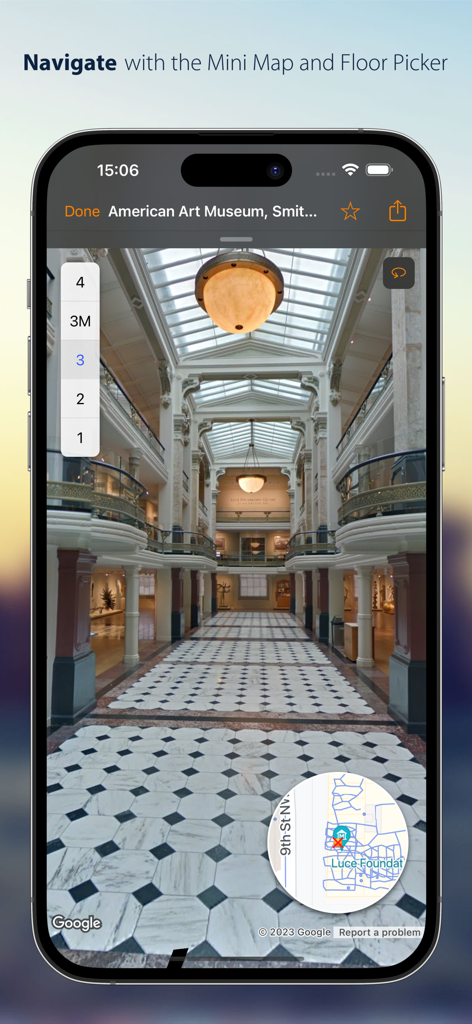
Streets - Street View Browser - Streets 앱에서 층 선택기와 미니 지도가 포함된 박물관의 실내 파노라마 뷰.
Streets 앱에서 층 선택기와 미니 지도가 포함된 박물관의 실내 파노라마 뷰.

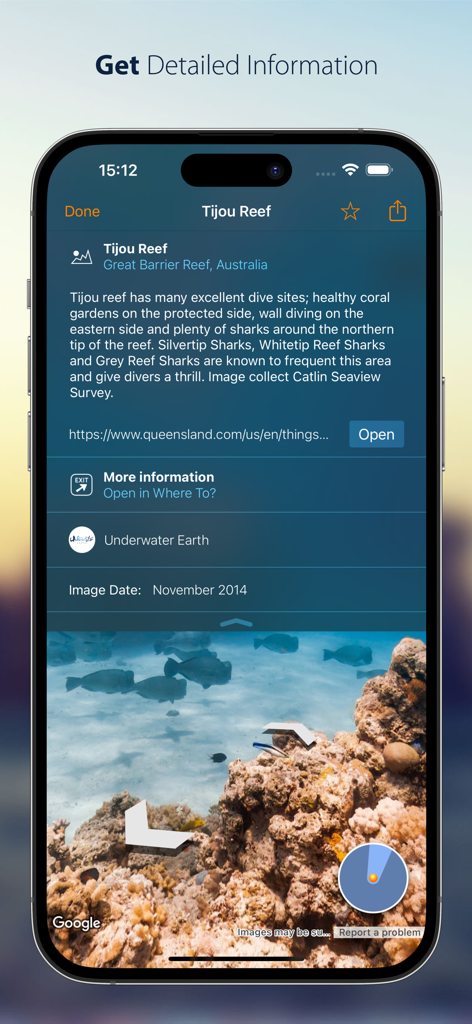
Streets - Street View Browser - Streets 앱에서 티주 리프(Tijou Reef)의 상세 정보와 수중 파노라마를 보여주는 iPhone 화면.
Streets 앱에서 티주 리프(Tijou Reef)의 상세 정보와 수중 파노라마를 보여주는 iPhone 화면.

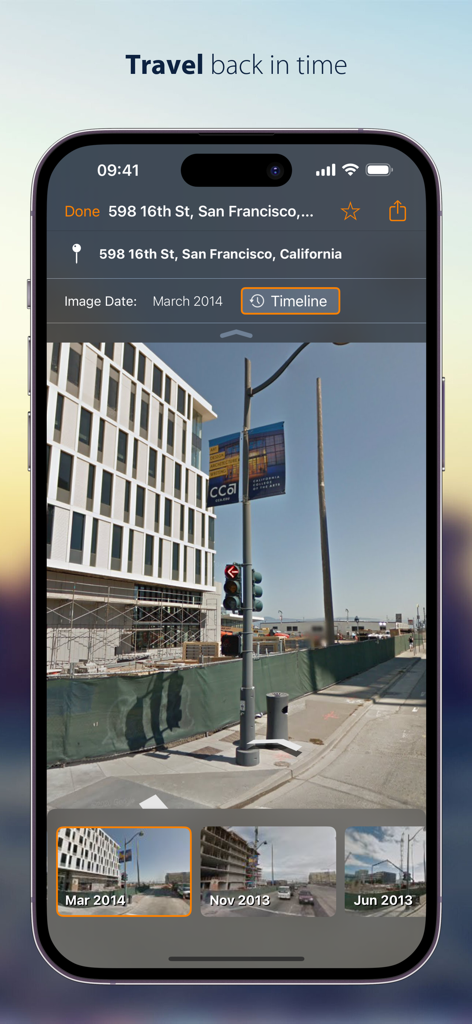
Streets - Street View Browser - iPhone에서 샌프란시스코의 과거 스트리트 뷰 파노라마를 보여주는 Streets 앱의 타임라인 기능.
iPhone에서 샌프란시스코의 과거 스트리트 뷰 파노라마를 보여주는 Streets 앱의 타임라인 기능.

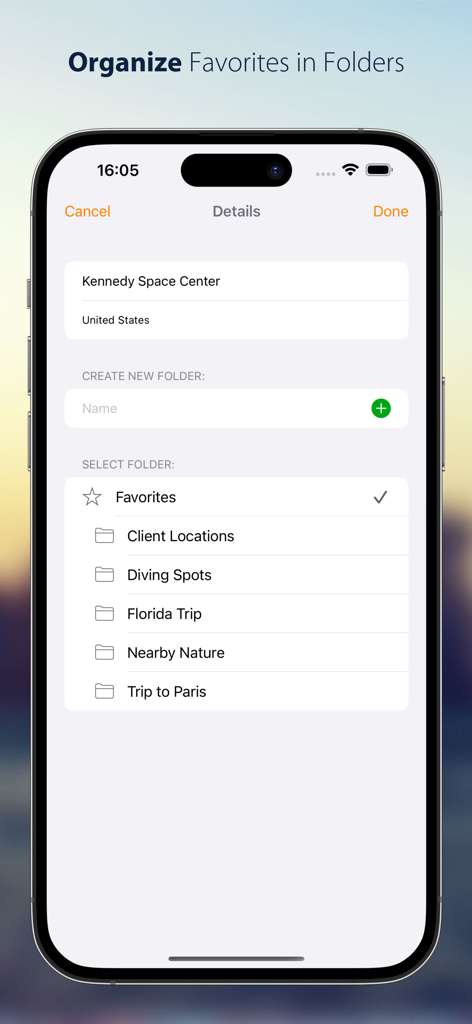
Streets - Street View Browser - 즐겨찾는 스트리트 뷰 파노라마를 '플로리다 여행' 및 '클라이언트 위치'와 같은 사용자 지정 폴더로 정리하는 방법을 보여주는 iPhone 스크린샷.
즐겨찾는 스트리트 뷰 파노라마를 '플로리다 여행' 및 '클라이언트 위치'와 같은 사용자 지정 폴더로 정리하는 방법을 보여주는 iPhone 스크린샷.

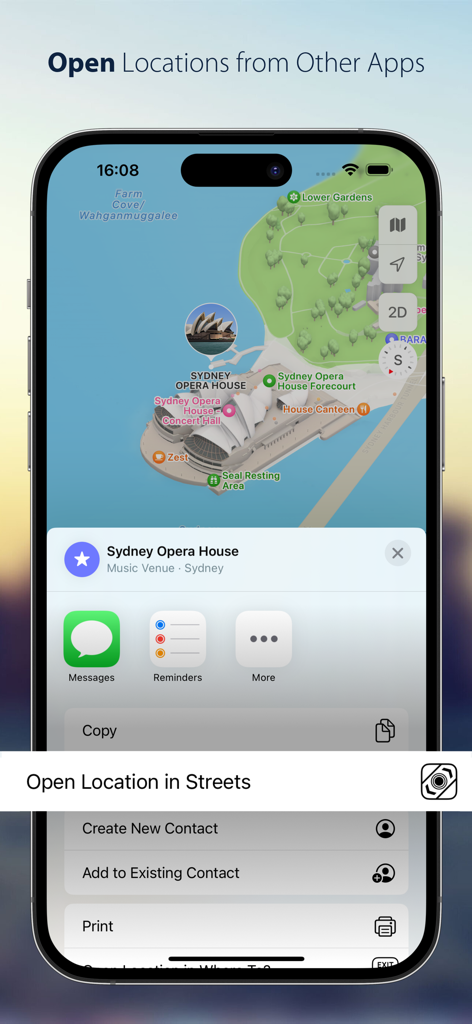
Streets - Street View Browser - iOS 공유 시트에서 지도 위치를 Streets 앱으로 여는 옵션이 표시된 화면

iOS 공유 시트에서 지도 위치를 Streets 앱으로 여는 옵션이 표시된 화면

설명

Streets is the best way to browse Street View panoramas on iPhone, iPad and Apple Watch. CONVENIENT Drop a pin, search for a city or address or find a person from your contacts to view a nearby 360° street panorama. Street View coverage is displayed in blue. Switch the map to satellite or terrain mode or tilt and rotate the high quality vector map with 3D buildings. EASY TO USE Walking through panoramas has never been easier using the interactive, expandable mini map that also displays your viewing angle and field of view. Switch between different floors or take a trip down memory lane with “Timeline”. Virtually traveling abroad is even more immersive and fun with Live Panorama mode: Look around in the panorama simply by rotating the device. INTEGRATED WITH OTHER APPS Streets is the ideal companion to the Maps app. Launch Streets from “Maps” for any location and quickly watch the Street View panorama. On iPad, drag a pin location from the Maps app, a contact, or a textual address into the Streets app to find nearby panoramas. Even geotagged photos can be dropped in Streets to find 360° spherical images near the photo location. If you’re already using our location finder app Where To?, you’ll also be able to take advantage of tight integration with Streets to view your location and snap right back when you’re done. COMMUNICATIVE Share Street View panoramas using drag-and-drop (on iPad) or the share sheet. Handoff and AirDrop let you easily transfer the currently viewed panorama between multiple devices. Mark panoramas as favorites that are automatically synced between devices. Rename favorites and organize them in folders. 2000+ GALLERY PLACES More than 2000 hand-picked “Gallery Places” show spectacular places such as museums, castles, national parks, ski slopes and even underwater attractions. Geysers in Yellowstone national park, old masterpieces in Amsterdam’s van Gogh museum or NASA’s rocket launch pad in Cape Kennedy are just a few of the breathtaking places waiting to be explored. Gallery places also include background information such as descriptions and links. Apple Watch App Streets is the only app capable of displaying 360° Street View panoramas on the Apple Watch. Turn your wrist to turn around in the panorama. The digital crown is utilized to zoom in and out. Streets for Apple Watch automatically syncs favorites and recent searches with your iPhone. FEATURES - Supports iPad Stage Manager, Split View and Slide Over - Supports keyboard navigation (with Bluetooth or Smart Keyboard) - Mark panoramas as favorites that are automatically synced between all your iOS devices - Rename favorites and organize them in folders - Share Panoramas via email, message, or social networks - Spotlight search also finds Streets panoramas - Handoff lets you easily transfer the currently viewed panorama from iPhone to iPad or vice versa - Siri can create reminders with a link to the currently displayed panorama - Create workflows to grab and process panoramas for specified contacts or other locations WHAT OTHERS SAY “I highly recommend Streets 3.“ - John Voorhees, MacStories “it’s hard to imagine Cupertino doing it better than Streets 3” 4.5/5 mice - J.R. Bookwalter, Macworld “If you haven't migrated to Google Maps on iOS because you're OK with Apple Maps but you miss Google Street View, here's a pretty easy solution.“ - Mel Martin, Engadget “Thankfully, with Streets, you can continue using Maps and still be able to quickly pull up Street View without ever feeling like you’ve left the app.“ - Jordan Khan, 9to5Mac SOCIAL MEDIA Get to know the latest updates and news from our development lab: - Mastodon: https://urbanists.social/@streets - Facebook: http://fb.com/streetviewapp - X: @futuretap

Download

다운로드: App Store

이 페이지는 앱이나 개발자의 공식 페이지가 아니며, 정보 제공 및 논평을 목적으로 작성된 독립 편집 간행물입니다. 명시적으로 달리 언급되지 않는 한, 해당 앱이나 개발자는 MWM, Apple, Google Play, 앱 퍼블리셔 또는 앱 개발자와 제휴, 보증, 후원, 승인 또는 공식적으로 연결되어 있지 않으며, 이 페이지의 어떤 내용도 해당 앱이 MWM의 서비스를 사용하여 개발되었음을 의미하지 않습니다. 모든 상표, 로고, 스크린샷 및 기타 콘텐츠는 해당 소유자의 자산입니다.








