Studio Calculator

Studio Calculator

다운로드: App Store
로고: Studio Calculator

Studio Calculator: 오디오 전문가를 위한 즉각적인 정밀도

세션 중간에 메뉴를 뒤지는 것을 멈추세요. BPM, 딜레이 시간, 위상 정렬 및 주파수 변환에 대한 64비트 정확한 답변을 얻어 창의적인 흐름 상태를 유지할 수 있습니다.

다운로드: App Store

개발사

The RedHouse Apps

카테고리

Music

다운로드

3K+

사용자 평점

1.0/5

총 평가 수

0

지원 언어

5

한눈에 보는 정밀도

이 인터페이스를 사용하는 3K+ 명의 사용자.

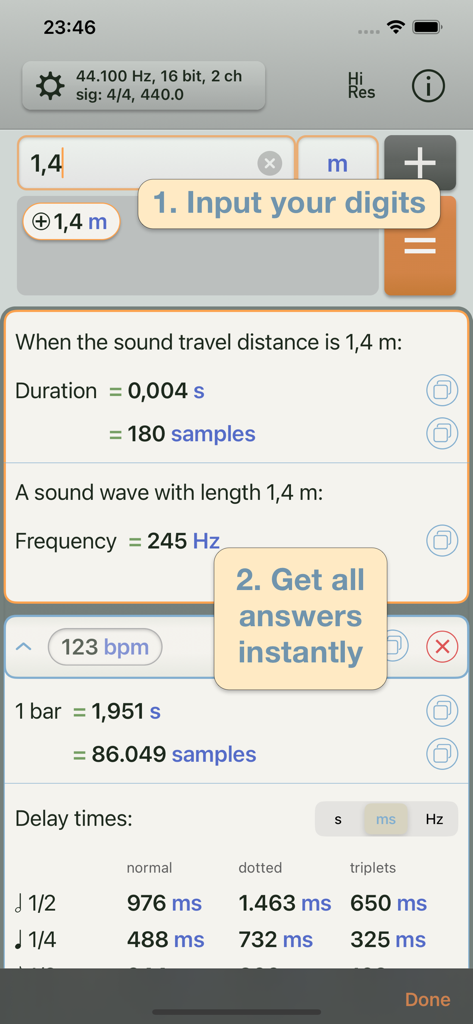
Studio Calculator 앱의 인터페이스로, 음향 이동 거리, 주파수 및 BPM 딜레이 시간 계산을 보여줍니다.
Studio Calculator 앱의 인터페이스로, 음향 이동 거리, 주파수 및 BPM 딜레이 시간 계산을 보여줍니다.

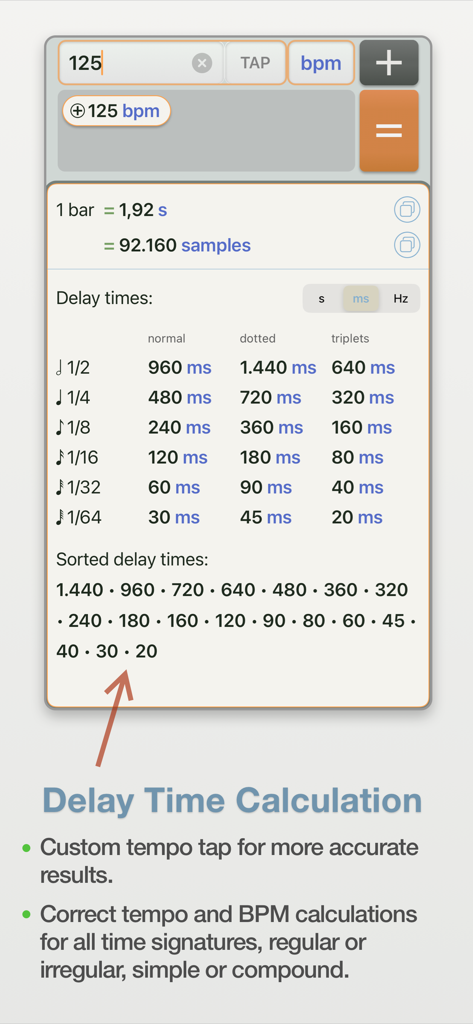
Studio Calculator 앱 인터페이스로, 125 BPM 템포에 대한 밀리초 및 샘플 단위의 딜레이 시간 계산을 보여줍니다.
Studio Calculator 앱 인터페이스로, 125 BPM 템포에 대한 밀리초 및 샘플 단위의 딜레이 시간 계산을 보여줍니다.

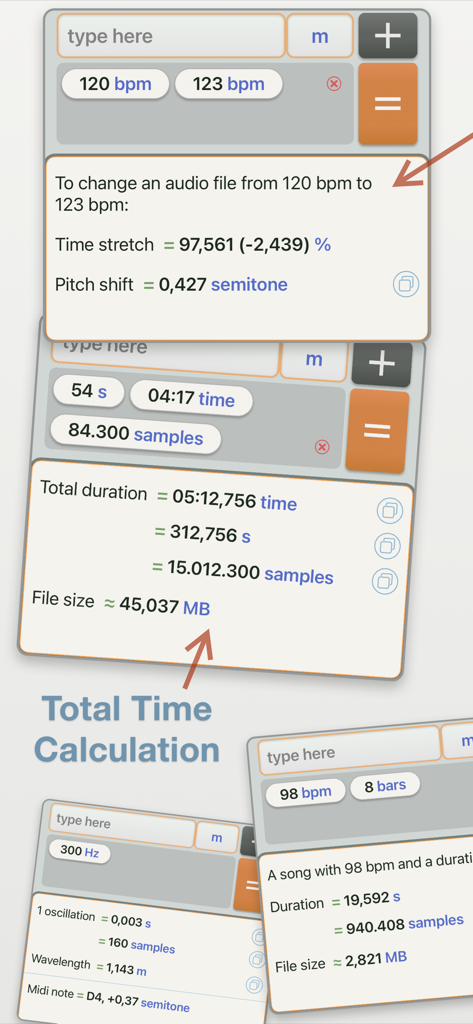
Studio Calculator의 인터페이스로, BPM, 타임 스트레치, 피치 시프트 및 오디오 지속 시간에 대한 다양한 계산을 표시합니다.
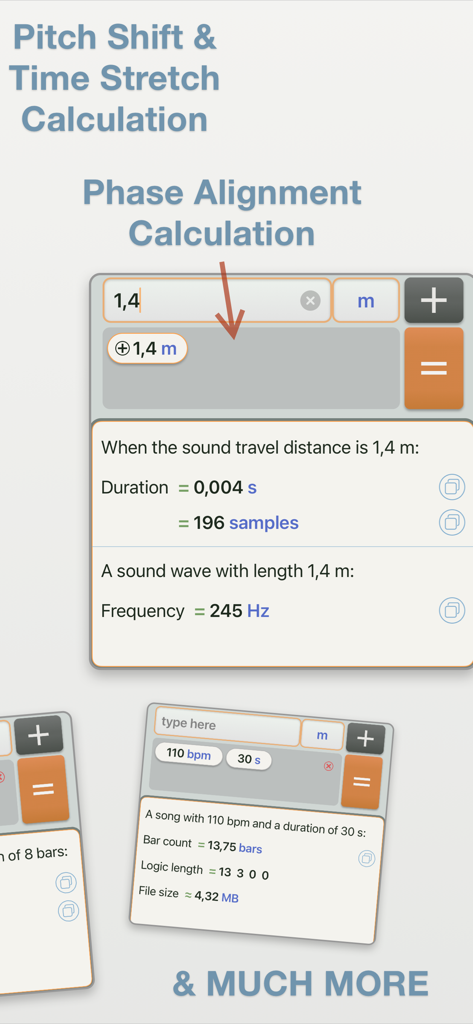
Studio Calculator의 인터페이스로, BPM, 타임 스트레치, 피치 시프트 및 오디오 지속 시간에 대한 다양한 계산을 표시합니다.

Studio Calculator 앱 인터페이스로, 음악 제작을 위한 위상 정렬 및 피치 시프트 계산을 보여줍니다.
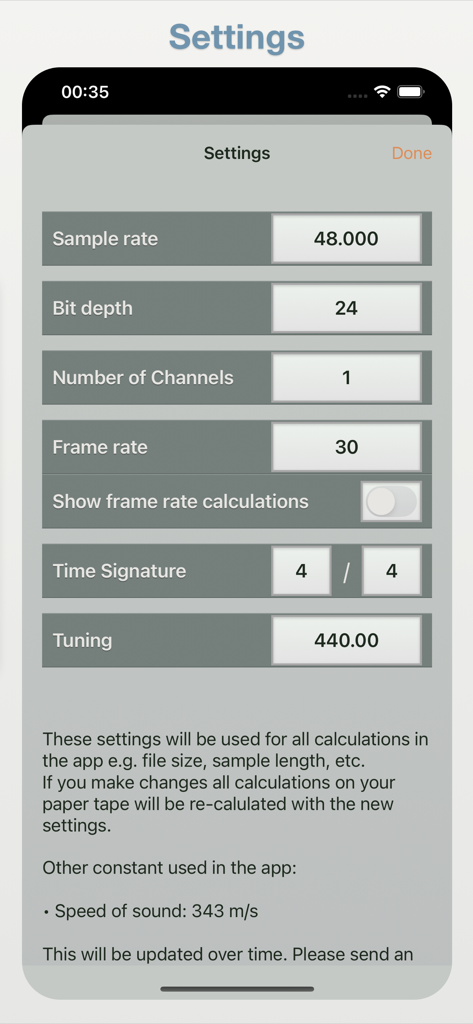
Studio Calculator 앱 인터페이스로, 음악 제작을 위한 위상 정렬 및 피치 시프트 계산을 보여줍니다.

Studio Calculator의 설정 화면으로, 샘플 속도, 비트 심도 및 박자표를 포함한 오디오 구성 옵션을 보여줍니다.
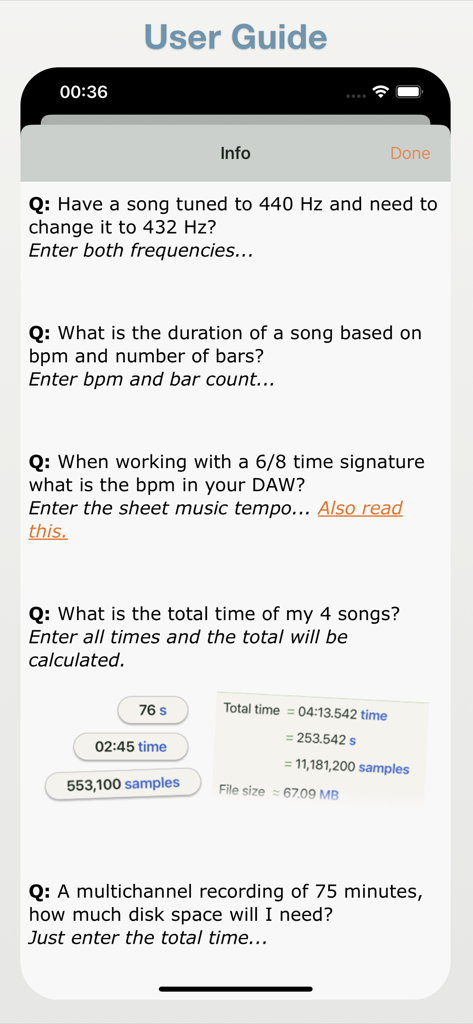
Studio Calculator의 설정 화면으로, 샘플 속도, 비트 심도 및 박자표를 포함한 오디오 구성 옵션을 보여줍니다.

Studio Calculator 앱의 사용자 가이드로, 일반적인 오디오 계산 예제 및 자주 묻는 질문을 표시합니다.
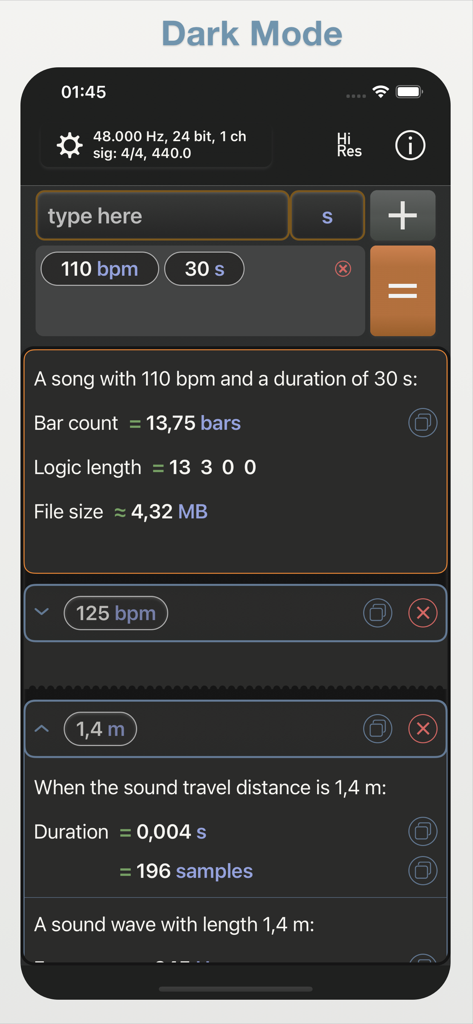
Studio Calculator 앱의 사용자 가이드로, 일반적인 오디오 계산 예제 및 자주 묻는 질문을 표시합니다.

Studio Calculator 앱의 다크 모드 인터페이스로, BPM 및 사운드 딜레이에 대한 오디오 엔지니어링 계산을 표시합니다.

Studio Calculator 앱의 다크 모드 인터페이스로, BPM 및 사운드 딜레이에 대한 오디오 엔지니어링 계산을 표시합니다.

창의적인 흐름을 위한 정밀 도구

이 앱을 돋보이게 하는 도구, 3K+ 명의 사용자가 선택.

⏱️

즉각적인 템포 및 딜레이 동기화

ms, 샘플 또는 Hz로 완벽한 딜레이 시간을 계산하세요. 복잡한 박자표 및 삼박자를 포함한 모든 BPM에 대한 정확한 값을 얻어 이펙터를 완벽하게 동기화하세요.

🌊

위상 및 음향 정렬

거리를 즉시 샘플 또는 밀리초로 변환하여 위상 문제를 제거하세요. 64비트 정확도로 다중 마이크 설정 및 하드웨어 인서트를 시간 정렬하는 데 완벽합니다.

🎹

기술적 제작 유틸리티

주파수를 MIDI 노트로 빠르게 변환하고, 대규모 멀티트랙의 디스크 공간을 계산하고, 투명한 피치 시프팅을 위한 정확한 타임 스트레치 백분율을 찾으세요.

앱 소개

에 대해 알아야 할 모든 것 Studio Calculator.

설명

Studio Calculator is your go-to app for fast, smart, and accurate music-related calculations. Simply add the values you know and the app will intelligently figure out what it can calculate for you.. No more digging through menus or websites mid-session. Stay in focus and get instant answers for: BPM & tempo calculations Delay & phase alignment Time-stretch & pitch shift Duration & file size Frequency to MIDI note Frame-based timing for video ...and much more ### Real-World Examples: • Microphone delay in samples? Just enter the distance in meters. The app gives you time in seconds, samples, and more (automatically adjusted to your sample rate) • Need all delay times for a BPM? Tap or enter the BPM—see delay times in ms, seconds, or Hz instantly. • Have a 2-bar loop and want the BPM? Enter the loop length in seconds or samples and the number of bars and get the correct BPM for any time signature. • Changing from 440 Hz to 432 Hz? Input both frequencies and get the pitch shift in semitones and the time-stretch percentage. • Song duration from BPM and bars? Enter BPM and bar count, total time is calculated. • Working in 6/8? Input your metronome tempo to get the DAW’s BPM. • Total time of multiple songs? Add all times and get the sum. • Need to know disk space for a 75-minute multitrack? Enter the time, set your sample rate, bit depth, and channel count; your file size is calculated. ### Features: • Clean, minimalist UI with dark mode • Copy any result and reuse it as new input. • Tap tempo input for fast and accurate BPM entry • Supports irregular, simple, and compound time signatures • Accurate 64-bit floating-point calculations • Share an image of your calculation • Built-in support for 9 standard frame rates • Frequency -> MIDI note conversion • File size calculations based on duration and audio specs • Customizable: sample rate, bit depth, channel count, time signature, tuning and frame rate • Collapsible results for a clean overview ### The Studio Calculator is your perfect assistant. Give it the values you have, and it will calculate everything there is to know. More calculations are coming! If you’re missing a calculation, let us know, your feedback is much appreciated.

최신 버전

2.0

크기

2.9 MB

출시일

2022년 1월 2일

창의적인 흐름을 유지하세요. 수학은 저희에게 맡기세요.

수천 명의 오디오 엔지니어 및 프로듀서들과 함께 Studio Calculator의 즉각적이고 64비트 정밀도를 신뢰하세요. 지금 다운로드하여 믹스 세션에서 기술적인 방해 요소를 제거하세요.

다운로드: App Store

App information, icons, screenshots, and descriptions displayed on this page are sourced from the Apple App Store and are the property of their respective developers. Download estimates and rankings are based on MWM's proprietary models and may not reflect actual figures. This page is provided for informational and analytical purposes only.

Believe this page infringes your intellectual property? File a dispute