Surface Builder
Surface Builder
다운로드: App Store

이 페이지는 앱이나 개발자의 공식 페이지가 아니며, 정보 제공 및 논평을 목적으로 작성된 독립 편집 간행물입니다. 명시적으로 달리 언급되지 않는 한, 해당 앱이나 개발자는 MWM, Apple, Google Play, 앱 퍼블리셔 또는 앱 개발자와 제휴, 보증, 후원, 승인 또는 공식적으로 연결되어 있지 않으며, 이 페이지의 어떤 내용도 해당 앱이 MWM의 서비스를 사용하여 개발되었음을 의미하지 않습니다. 모든 상표, 로고, 스크린샷 및 기타 콘텐츠는 해당 소유자의 자산입니다.

로고: Surface Builder
다운로드: App Store

Surface Builder

iOS 음악 워크플로우를 완벽하게 제어하세요. 전문적인 노브, 페이더, 패드를 사용하여 맞춤형 AUv3 인터페이스를 디자인하고 좋아하는 DAW 및 하드웨어를 정밀하게 제어하세요.

주요 수치

다운로드

4K+

사용자 평점

4.2/5

총 평가 수

0

개발사

Limelight Software

카테고리

Music

지원 언어

1

최신 버전

1.22

크기

31.7 MB

출시일

2023년 6월 19일
기능

맞춤형 컨트롤 서피스로 사운드 마스터하기

iPad를 전문적이고 개인화된 MIDI 컨트롤 센터로 변환하세요. Surface Builder를 사용하면 스튜디오 및 라이브 공연을 제어하는 데 필요한 정확한 인터페이스를 디자인할 수 있습니다.

맞춤형 인터페이스 디자인

일반적인 레이아웃에 만족하지 마세요. 고유한 손 크기와 워크플로우에 맞는 사용자 지정 가능한 노브, 페이더, XY 패드를 사용하여 자신만의 MIDI 컨트롤러를 만드세요.

전문 AUv3 통합

iOS 생태계에 원활하게 통합하세요. AUM 또는 Logic Pro의 플러그인으로 실행하거나 Bluetooth MIDI를 사용하여 독립형으로 외부 하드웨어 신디사이저를 제어하세요.

다음 스크린샷과 설명은 앱의 공식 스토어 목록에서 직접 가져온 것이며 앱 개발자의 자산입니다.

앱 스토어

스크린샷
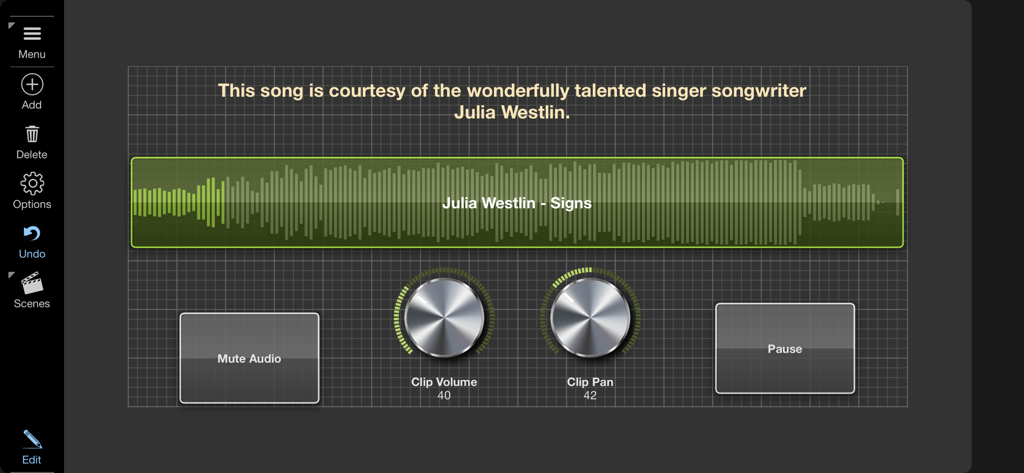
Surface Builder - 오디오 파형 디스플레이, 금속 볼륨 및 팬 노브, 재생 버튼이 있는 Surface Builder의 맞춤형 MIDI 컨트롤 서피스 인터페이스.
오디오 파형 디스플레이, 금속 볼륨 및 팬 노브, 재생 버튼이 있는 Surface Builder의 맞춤형 MIDI 컨트롤 서피스 인터페이스.

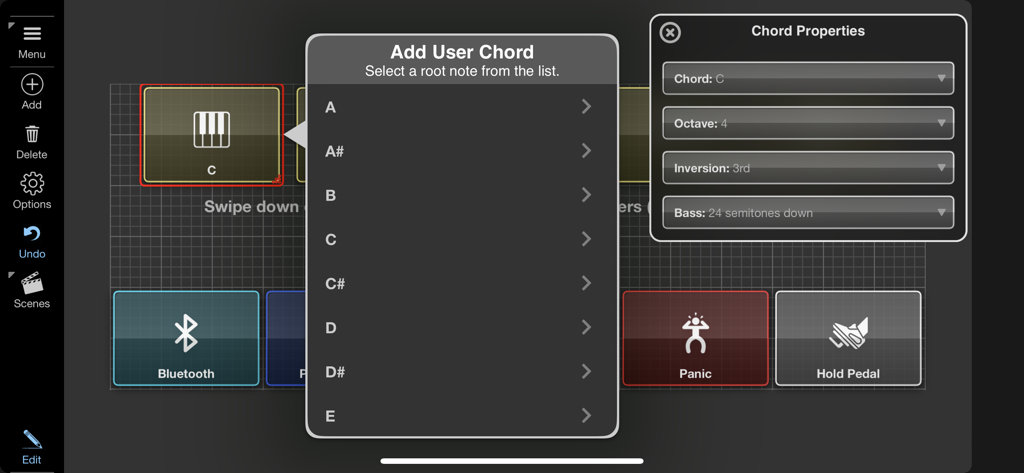
Surface Builder - Surface Builder 앱에서 사용자 코드 추가 및 MIDI 속성 설정을 위한 구성 메뉴
Surface Builder 앱에서 사용자 코드 추가 및 MIDI 속성 설정을 위한 구성 메뉴

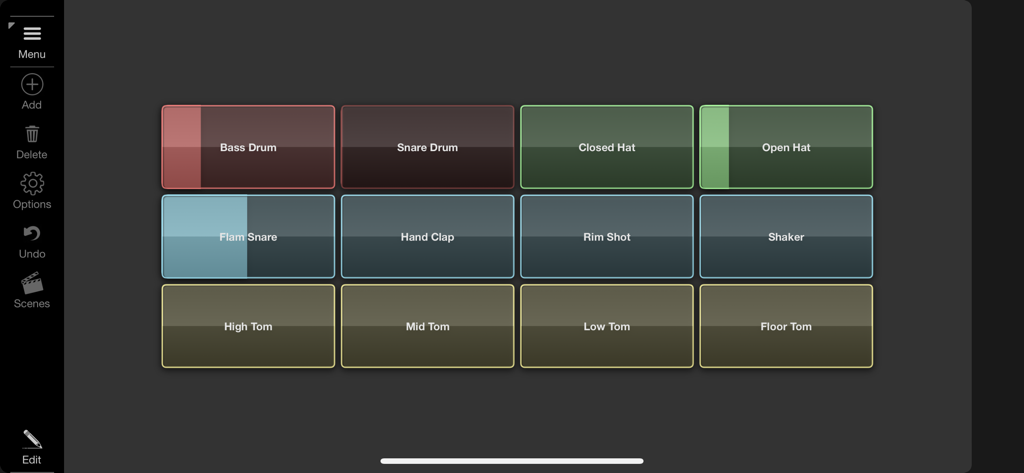
Surface Builder - 음악 제작을 위한 다채로운 드럼 패드 그리드가 특징인 Surface Builder의 맞춤형 MIDI 컨트롤 서피스.
음악 제작을 위한 다채로운 드럼 패드 그리드가 특징인 Surface Builder의 맞춤형 MIDI 컨트롤 서피스.

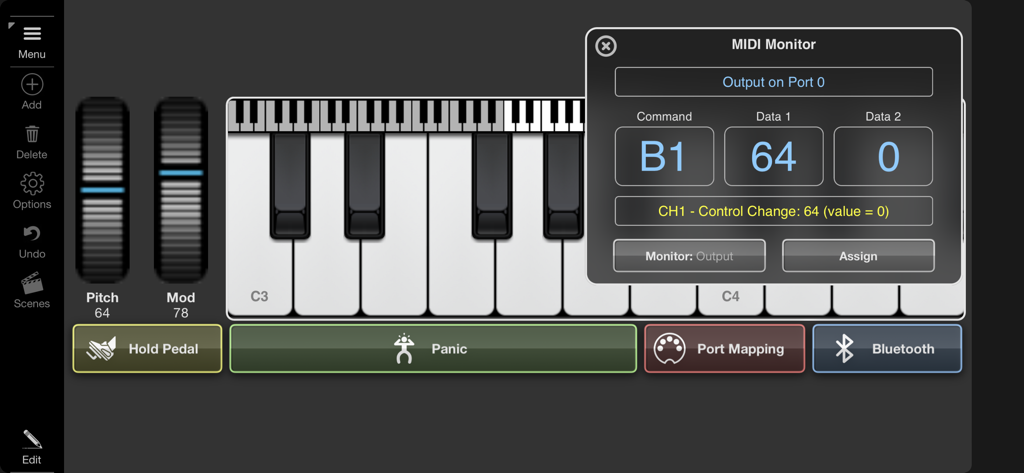
Surface Builder - 가상 피아노 키보드와 기술 데이터가 포함된 MIDI 모니터 창이 있는 Surface Builder 앱 인터페이스.
가상 피아노 키보드와 기술 데이터가 포함된 MIDI 모니터 창이 있는 Surface Builder 앱 인터페이스.

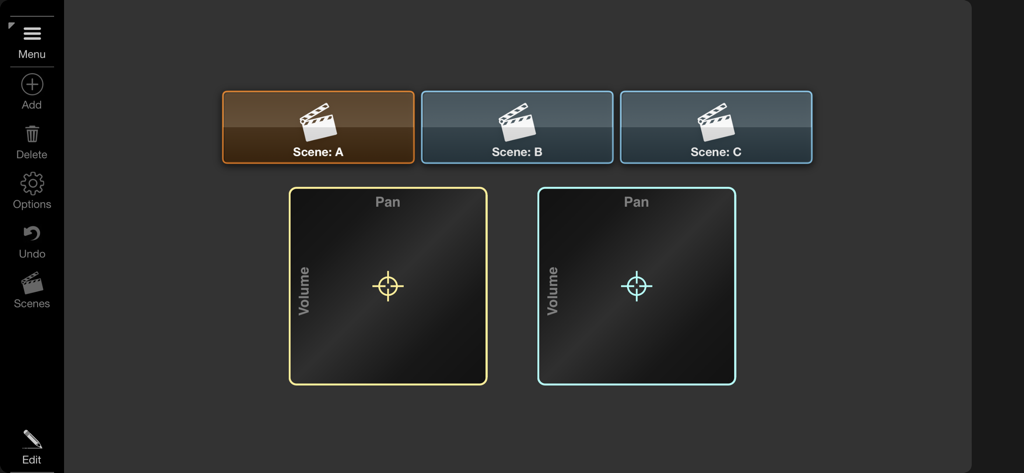
Surface Builder - 장면 선택 버튼과 볼륨 및 팬을 위한 XY 패드 컨트롤이 있는 맞춤형 MIDI 컨트롤러 인터페이스

장면 선택 버튼과 볼륨 및 팬을 위한 XY 패드 컨트롤이 있는 맞춤형 MIDI 컨트롤러 인터페이스

설명

Surface Builder is a tool for creating control surfaces that send MIDI data to one or more audio components in order to simplify remote control tasks. You start by creating a surface of a given size, adding buttons, knobs, faders, etc. to the surface and configuring them to generate the required MIDI output. Surface Builder allows you to send note on/off, controller change and program change values as well as being able to emulate modulation wheel and pitch bend data. Buttons can also be configured to send bulk MIDI data using a single key press. You can build surfaces that span multiple scenes and link between them for large complex interfaces. Incoming MIDI data can also be used to control or trigger elements of the interface, giving a bi-directional stream of MIDI data. Surface Builder can be added as a pure MIDI plugin which allows processing of MIDI only, or as an instrument plugin, allowing you to process audio passing through it. You can even load it as an intrument and configure a surface to start and stop audio clips either manually or remotely. Surface Builder was designed to be used as an AUv3 plugin within your favourite DAW, but it can also be used in standalone to send MIDI directly to MIDI hardware using direct access to their MIDI ports. Many different object types are supported including buttons, switches, lights, rotary knobs, faders, sliders, XY-Pad, keyboards, as well as text, image and box objects. Each object has many different styles and colours, so no two surfaces look the same. Drag and drop an audio file onto a button and that button becomes a clip player. Attach rotary knobs to control the clips volume and pan. Throw on top of that a LP/HP filter knob and you are cooking on gas. Drop PNG transparent image icons on buttons to customise the look and feel. A button can record and playback bulk MIDI commands, on both button press and release. So pressing a button could send the notes of a chord when pressed, and appropriate note offs on release. A surface can consist of up to 6 scenes for really complex designs. Buttons and switches can be used to switch scenes and also to show and hide other objects to make better use of screen space. Once your surface is complete switch to presentation mode to hide all the toolbars. Each surface can be saved with compressed audio and images all in a single surface file. Features ○ AUv3 and standalone modes. ○ Bluetooth MIDI support. ○ Drag and Drop interface. ○ Send and Receive Note On/Off. ○ Supports all Control Change parameters. ○ Supports Program Change commands with bank support. ○ Multiple Audio Clip playback. ○ Record and playback bulk midi data. ○ Multi-Scene. ○ Multi-level undo/redo. ○ MIDI Monitor ○ Presentation Mode. ○ iPhone and iPad compatible.

Download

다운로드: App Store

이 페이지는 앱이나 개발자의 공식 페이지가 아니며, 정보 제공 및 논평을 목적으로 작성된 독립 편집 간행물입니다. 명시적으로 달리 언급되지 않는 한, 해당 앱이나 개발자는 MWM, Apple, Google Play, 앱 퍼블리셔 또는 앱 개발자와 제휴, 보증, 후원, 승인 또는 공식적으로 연결되어 있지 않으며, 이 페이지의 어떤 내용도 해당 앱이 MWM의 서비스를 사용하여 개발되었음을 의미하지 않습니다. 모든 상표, 로고, 스크린샷 및 기타 콘텐츠는 해당 소유자의 자산입니다.







