이 페이지는 앱이나 개발자의 공식 페이지가 아니며, 정보 제공 및 논평을 목적으로 작성된 독립 편집 간행물입니다. 명시적으로 달리 언급되지 않는 한, 해당 앱이나 개발자는 MWM, Apple, Google Play, 앱 퍼블리셔 또는 앱 개발자와 제휴, 보증, 후원, 승인 또는 공식적으로 연결되어 있지 않으며, 이 페이지의 어떤 내용도 해당 앱이 MWM의 서비스를 사용하여 개발되었음을 의미하지 않습니다. 모든 상표, 로고, 스크린샷 및 기타 콘텐츠는 해당 소유자의 자산입니다.
SWAM Cello Section
가벼운 AUv3 플러그인으로 비교할 수 없는 표현력과 영화 같은 사실감을 잠금 해제하세요. 대규모 샘플 라이브러리의 부담 없이 스튜디오 품질의 성능을 요구하는 작곡가 및 프로듀서를 위해 설계되었습니다.
주요 수치
다운로드
400
사용자 평점
1.0/5
총 평가 수
0
개발사
Audio Modeling Srl
카테고리
Music
지원 언어
-
최신 버전
1.5.0
크기
150.3 MB
출시일
2025년 2월 13일
기능
모바일 오케스트레이션 마스터하기
전문적인 물리 모델링의 힘을 활용하여 iPad 또는 iPhone에서 직접 표현력 있고 생생한 첼로 섹션을 만드세요.
차세대 물리 모델링
무거운 샘플 라이브러리는 잊으세요. 주머니에 쏙 들어가는 가벼운 엔진으로 실시간으로 유기적이고 살아있는 첼로 사운드를 생성하세요.
완벽한 표현력 제어
전체 MPE 및 MIDI 지원을 통해 전문 음악가의 뉘앙스로 비브라토, 활 압력 및 프레이징을 연주할 수 있습니다.
다음 스크린샷과 설명은 앱의 공식 스토어 목록에서 직접 가져온 것이며 앱 개발자의 자산입니다.
앱 스토어
스크린샷
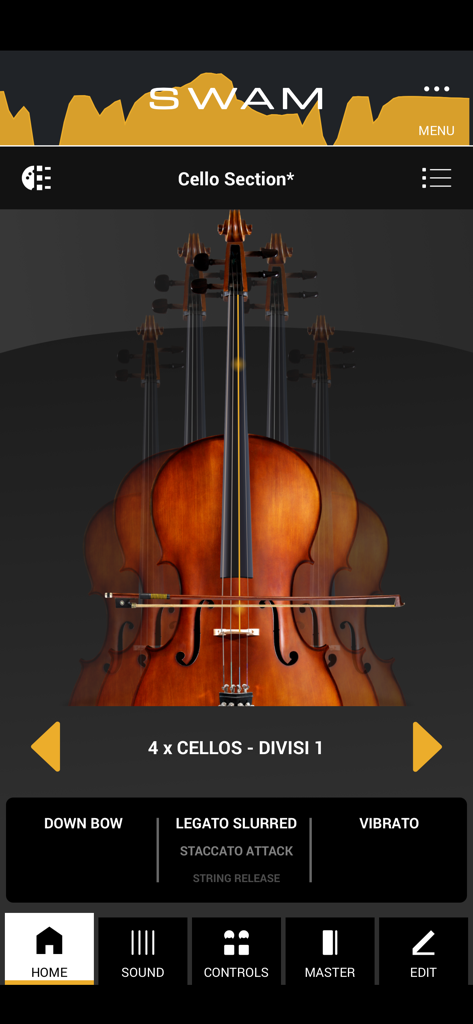
네 개의 첼로와 연주 컨트롤을 보여주는 SWAM 첼로 섹션 앱 홈 화면
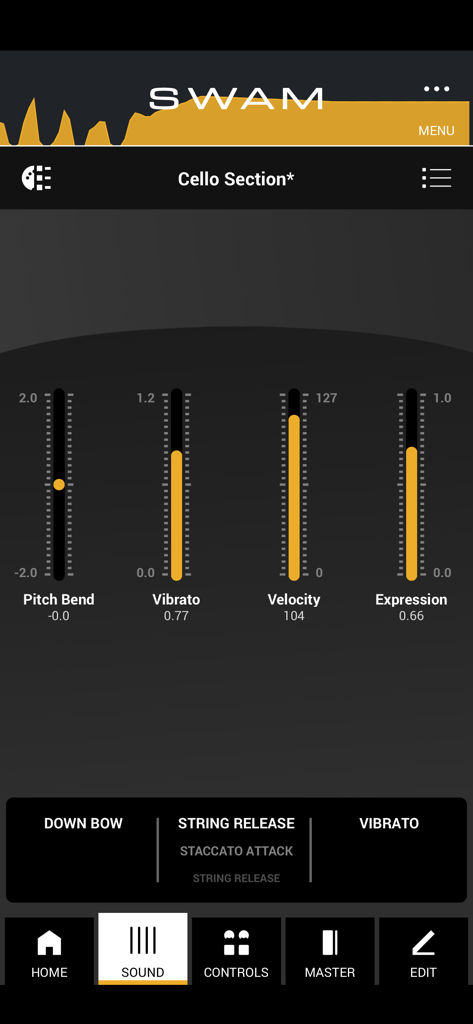
피치 벤드 비브라토 벨로시티 및 익스프레션 슬라이더를 보여주는 SWAM 첼로 섹션 앱 인터페이스
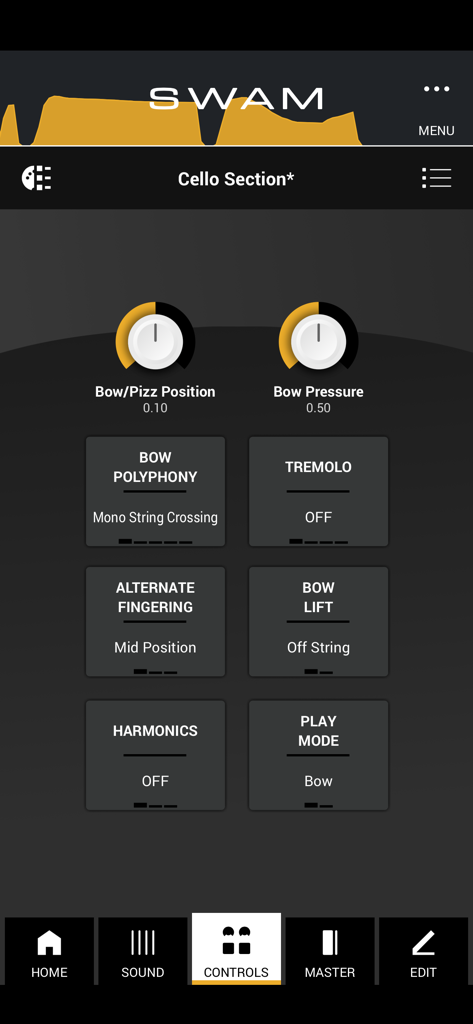
활 압력 및 위치에 대한 연주 컨트롤을 보여주는 SWAM 첼로 섹션 iOS 앱 인터페이스
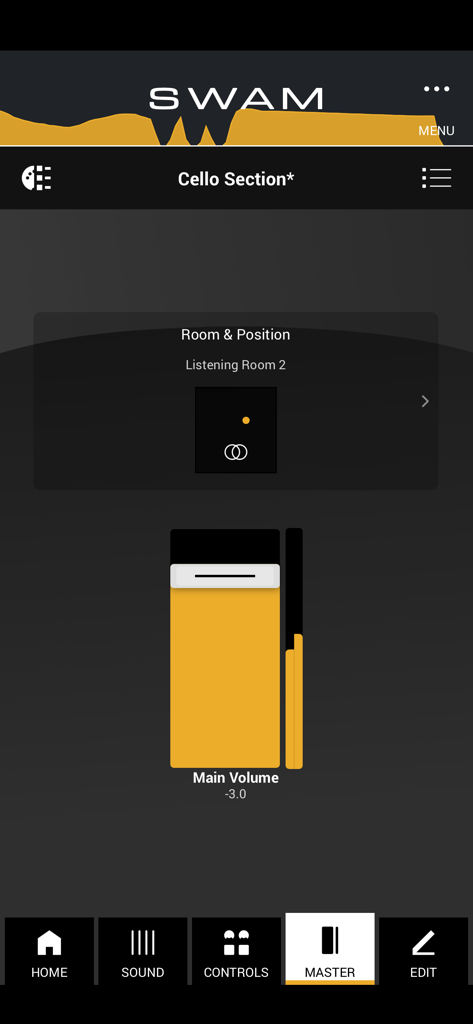
주요 볼륨 슬라이더와 룸 위치 시뮬레이터를 갖춘 SWAM 첼로 섹션 앱 마스터 보기
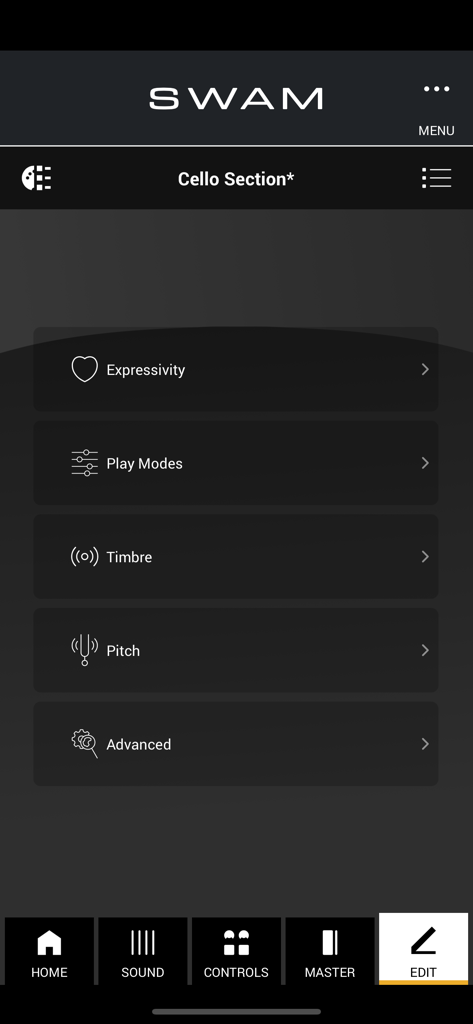
표현력, 연주 모드, 음색 및 피치를 포함한 사운드 사용자 지정 범주를 보여주는 iPhone용 SWAM 첼로 섹션 앱의 편집 메뉴 인터페이스
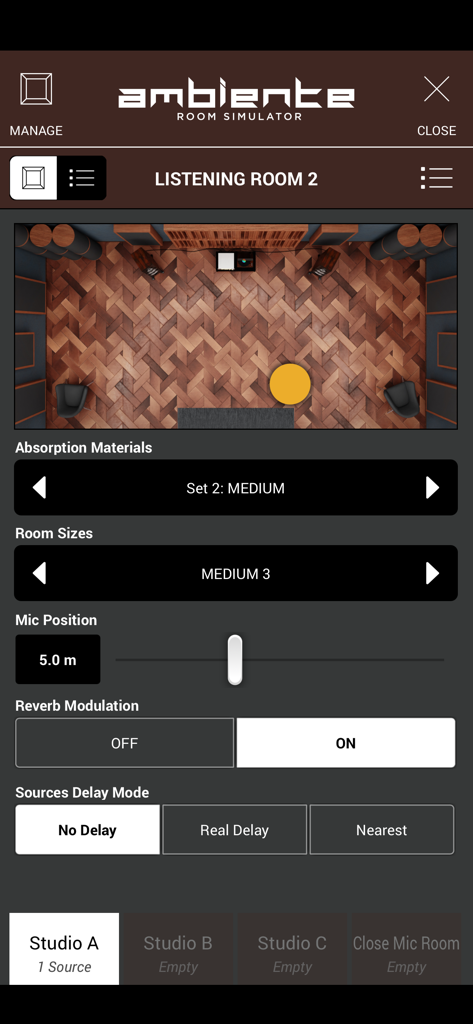
음향 컨트롤과 룸 시각화를 보여주는 SWAM 첼로 섹션의 Ambiente 룸 시뮬레이터 인터페이스
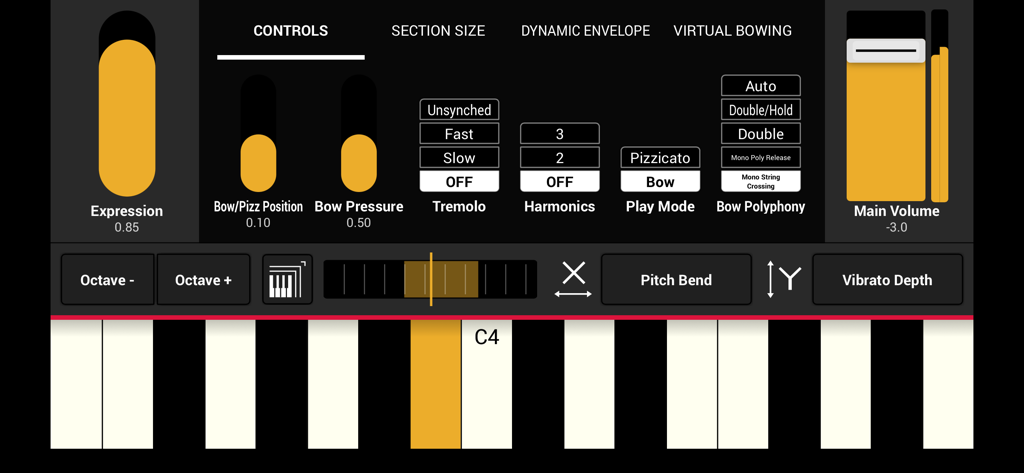
익스프레션 활 압력 및 가상 키보드에 대한 연주 컨트롤을 보여주는 SWAM 첼로 섹션 앱의 인터페이스
설명
SWAM Cello Section for iOS: The Next-Level String Section Experience
SWAM Cello Section for iOS brings the power of Physical Modeling technology to your mobile device, allowing you to create realistic, expressive, and fully customizable cello section performances on the go. Whether you’re a composer, producer, or live performer, this revolutionary app delivers unmatched realism, efficiency, and flexibility in a lightweight and intuitive package.
Unlike traditional sample libraries, SWAM Cello Section doesn’t rely on pre-recorded articulations. Instead, it generates the sound in real time, reacting dynamically to your playing style, whether you're working in classical, cinematic, jazz, or modern electronic music.
Why Choose SWAM Cello Section for iOS?
Unparalleled Realism – Each cello section is fully controllable in terms of expression, vibrato, bow pressure, bow position, tremolo, and more. No need to switch between different articulations—just play and shape the sound in real time.
Enhanced Efficiency – No more endless searching for the right articulation or sample. With SWAM Cello Section, you have immediate access to every possible playing technique at your fingertips.
Faster Workflow – Control velocity, expression, and phrasing seamlessly while switching effortlessly between staccato, legato, spiccato, or pizzicato just by playing.
Smart Room Simulator “Ambiente” – The built-in room simulator ensures that all cello sections in your mix interact naturally, allowing for a centralized UI to position every section in a shared acoustic space without tweaking each plugin separately.
Top Features at a Glance
Individual Section Control – Adjust the expressivity of each cello section independently, fine-tuning vibrato, bowing techniques, dynamics, and more.
Standalone & AUv3 Plugin – Use SWAM Cello Section as a standalone app for real-time performances or integrate it as an AUv3 plugin in your favorite DAW.
Customizable Sound & Playability – Personalize the tone, resonance, and bowing articulation to match any genre or style.
MIDI & MPE Compatibility – Play expressively with MIDI controllers, MPE devices, wind controllers, or even directly from your iOS device’s touchscreen.
Seamless Integration with DAWs – Perfect for mobile music production, SWAM Cello Section works effortlessly in Logic Pro for iPad, Cubasis, AUM, GarageBand, Camelot Pro and more.
Lightweight & Powerful – Thanks to state-of-the-art Physical Modeling technology, you get a realistic and highly responsive string section without the need for massive sample libraries.
Who is SWAM Cello Section for iOS Designed For?
Film & Game Composers – Achieve lifelike, expressive cello section performances directly from your iPad or iPhone.
Music Producers – Use real-time expressivity to shape your sound instantly, without limitations.
Live Performers – Integrate SWAM Cello Section into your live setup for dynamic, high-quality string section performances on the go.
Orchestrators & Arrangers – Create and refine rich, full orchestral arrangements with deep control over every section’s expressivity.
Important Notes
For the best experience, we recommend using a device with an Apple Silicon chip (M1, M2, M3, or later) for optimal responsiveness and real-time performance.
Like the solo SWAM Strings instruments, SWAM Cello Section is monophonic, as it accurately replicates real bowed string instruments, allowing only double stops where realistic fingerings permit.
To fully explore the expressive power of SWAM Cello Section, a MIDI controller capable of continuous expression (such as an MPE device, breath controller, or expression pedal) is recommended.
Take your string section to the next level with SWAM Cello Section for iOS and redefine the way you create, perform, and produce music—anytime, anywhere.
이 페이지는 앱이나 개발자의 공식 페이지가 아니며, 정보 제공 및 논평을 목적으로 작성된 독립 편집 간행물입니다. 명시적으로 달리 언급되지 않는 한, 해당 앱이나 개발자는 MWM, Apple, Google Play, 앱 퍼블리셔 또는 앱 개발자와 제휴, 보증, 후원, 승인 또는 공식적으로 연결되어 있지 않으며, 이 페이지의 어떤 내용도 해당 앱이 MWM의 서비스를 사용하여 개발되었음을 의미하지 않습니다. 모든 상표, 로고, 스크린샷 및 기타 콘텐츠는 해당 소유자의 자산입니다.