Sync Folders

Sync Folders

다운로드: App Store
로고: Sync Folders

Sync Folders: 전문가 수준의 파일 동기화 및 백업

메가바이트가 아닌 테라바이트를 관리하는 전문가를 위해 설계된 고급 양방향 동기화, 네트워크 통합 및 세분화된 미리보기를 통해 데이터에 대한 완전한 제어권을 확보하세요.

다운로드: App Store

개발사

VADIM ZYBIN

카테고리

Business

다운로드

4K+

사용자 평점

4.0/5

총 평가 수

0

지원 언어

1

모든 동기화의 정밀도

이 인터페이스를 사용하는 4K+ 명의 사용자.

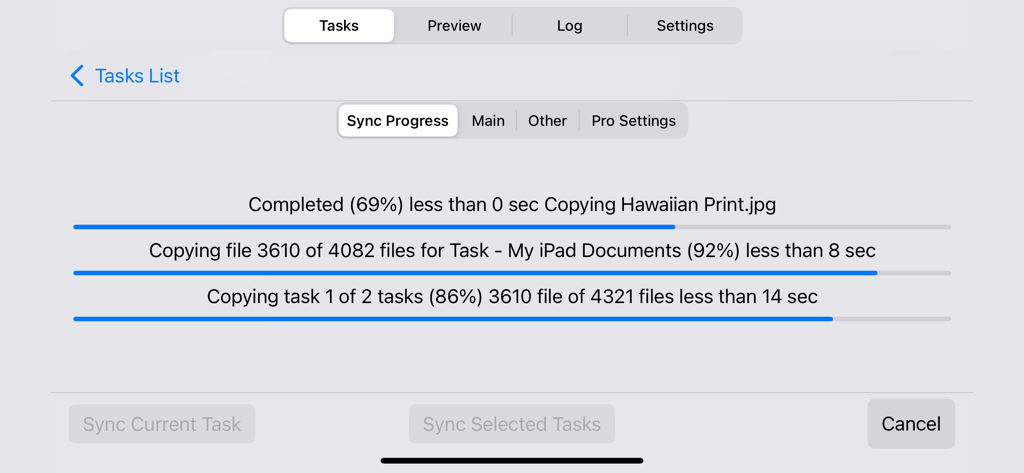
여러 상태 표시줄을 사용하여 파일 동기화 진행 상황을 자세히 보여주는 Sync Folders 앱 화면

여러 상태 표시줄을 사용하여 파일 동기화 진행 상황을 자세히 보여주는 Sync Folders 앱 화면

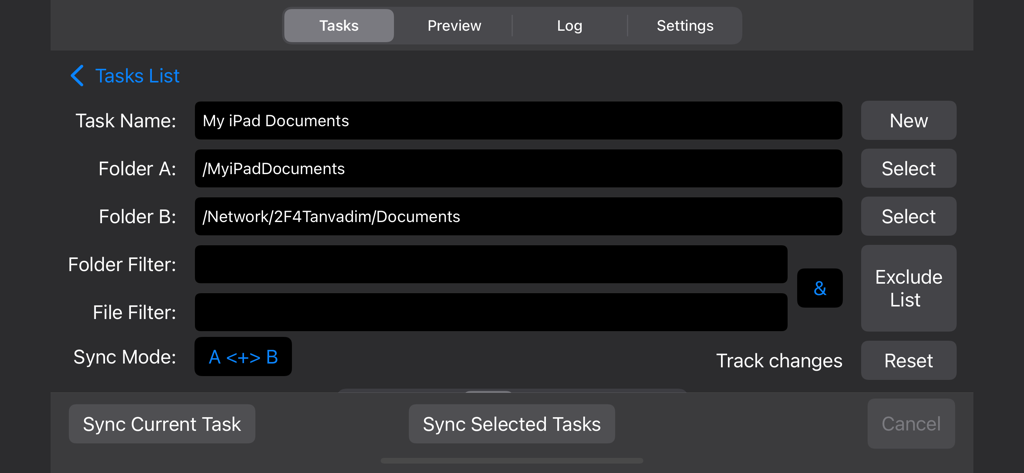
iPad와 네트워크 폴더 간의 파일 동기화를 보여주는 Sync Folders 앱 화면

iPad와 네트워크 폴더 간의 파일 동기화를 보여주는 Sync Folders 앱 화면

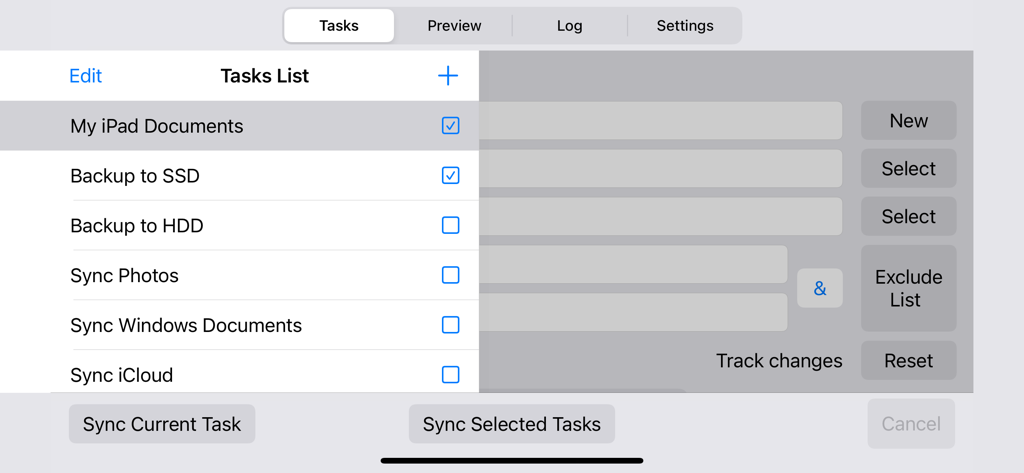
iPad에서 동기화 및 백업 작업 목록을 표시하는 Sync Folders 앱 인터페이스

iPad에서 동기화 및 백업 작업 목록을 표시하는 Sync Folders 앱 인터페이스

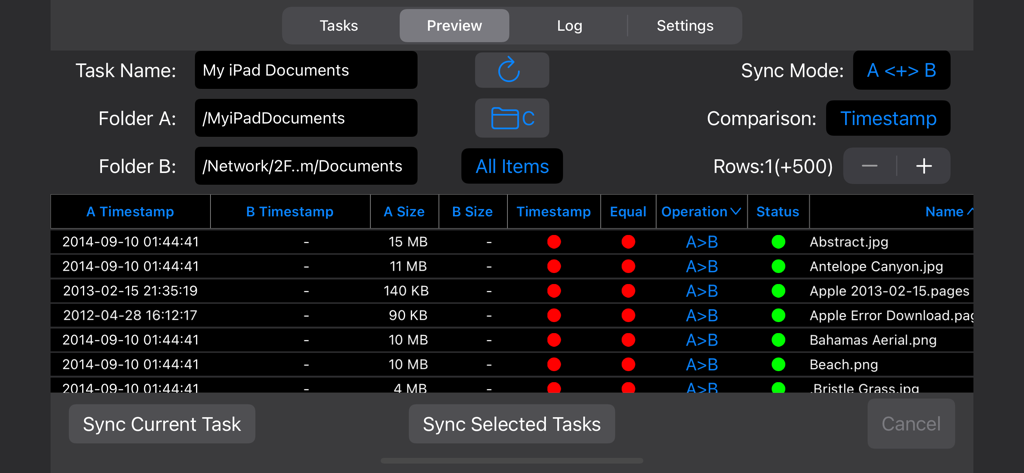
iPad와 네트워크 드라이브 간의 동기화를 위한 파일 비교를 자세히 보여주는 Sync Folders 미리보기 모드 인터페이스

iPad와 네트워크 드라이브 간의 동기화를 위한 파일 비교를 자세히 보여주는 Sync Folders 미리보기 모드 인터페이스

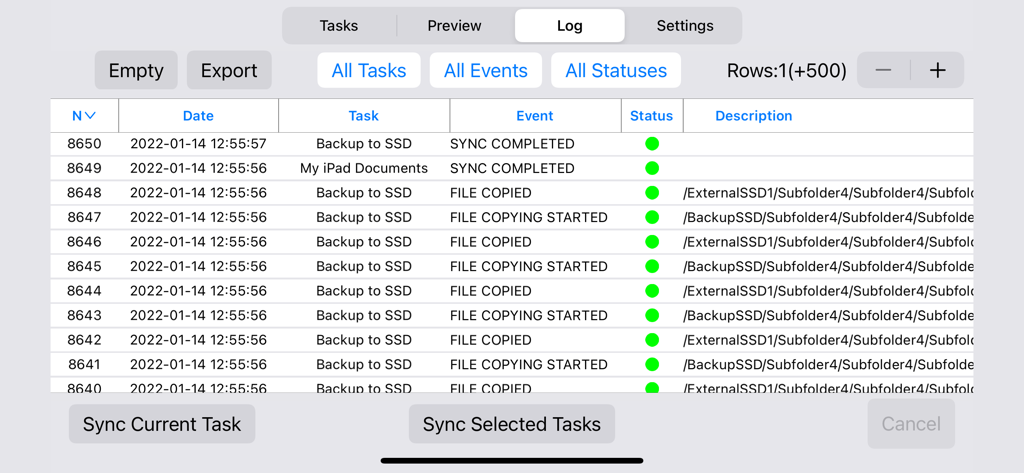
파일 동기화 기록 및 백업 상태를 보여주는 Sync Folders 앱의 자세한 이벤트 로그

파일 동기화 기록 및 백업 상태를 보여주는 Sync Folders 앱의 자세한 이벤트 로그

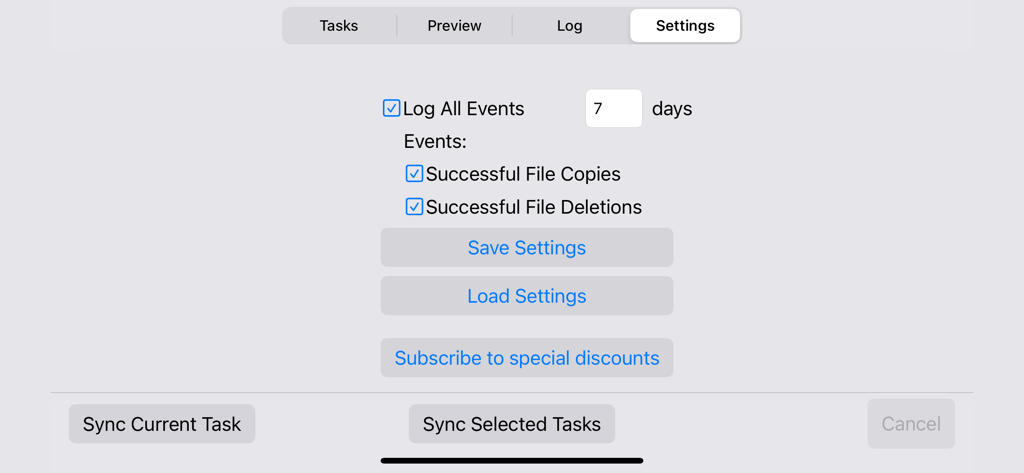
7일 동안 파일 복사 및 삭제를 기록하는 옵션을 보여주는 Sync Folders 앱의 설정 화면

7일 동안 파일 복사 및 삭제를 기록하는 옵션을 보여주는 Sync Folders 앱의 설정 화면

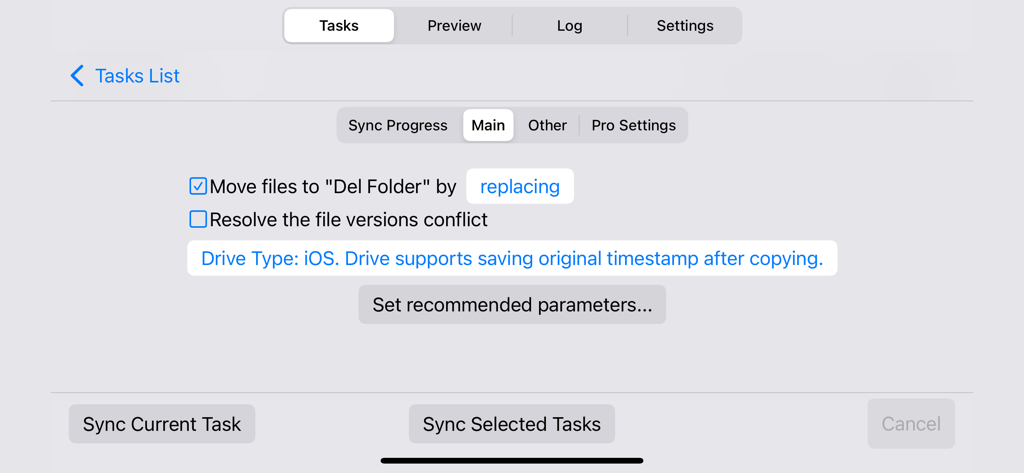
iOS의 Sync Folders 앱에서 파일 동기화 작업의 기본 구성 화면

iOS의 Sync Folders 앱에서 파일 동기화 작업의 기본 구성 화면

동기화에서 특정 폴더를 제외하기 위한 Sync Folders 앱 화면

동기화에서 특정 폴더를 제외하기 위한 Sync Folders 앱 화면

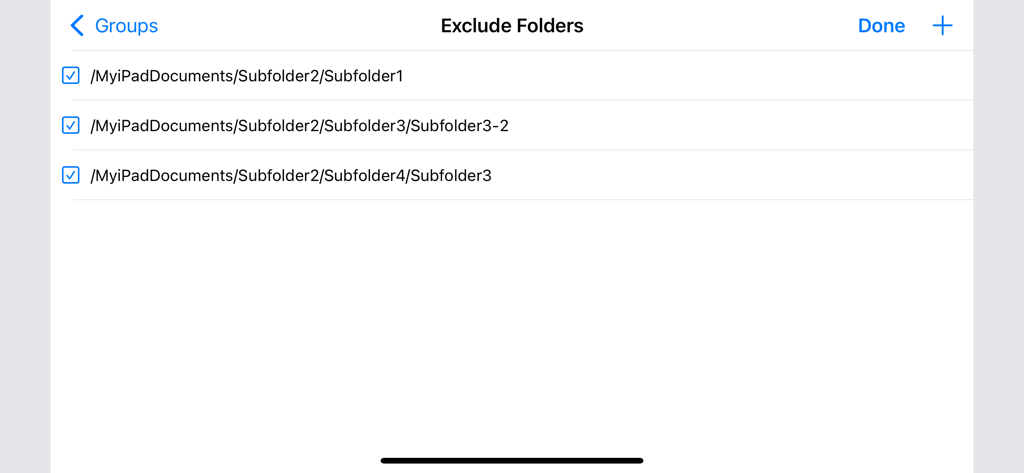
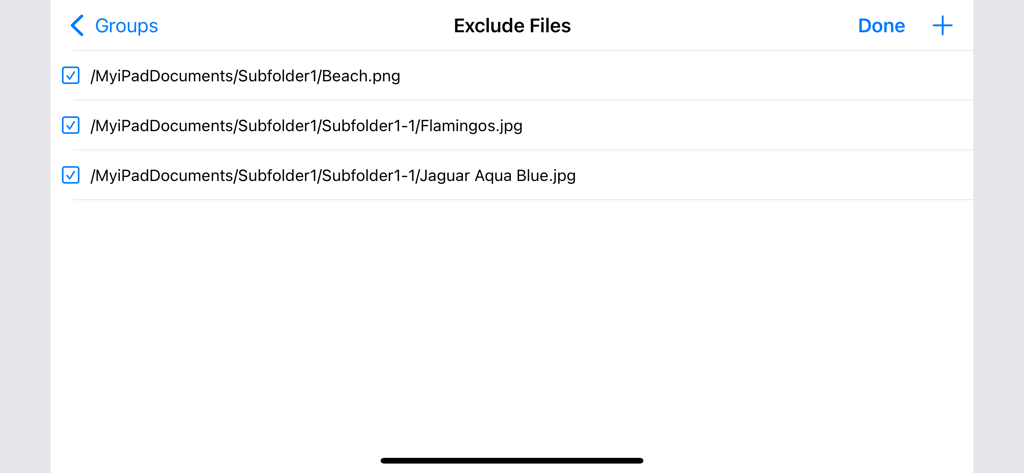
동기화에서 제외하기로 선택한 파일 목록을 보여주는 Sync Folders 앱 인터페이스

동기화에서 제외하기로 선택한 파일 목록을 보여주는 Sync Folders 앱 인터페이스

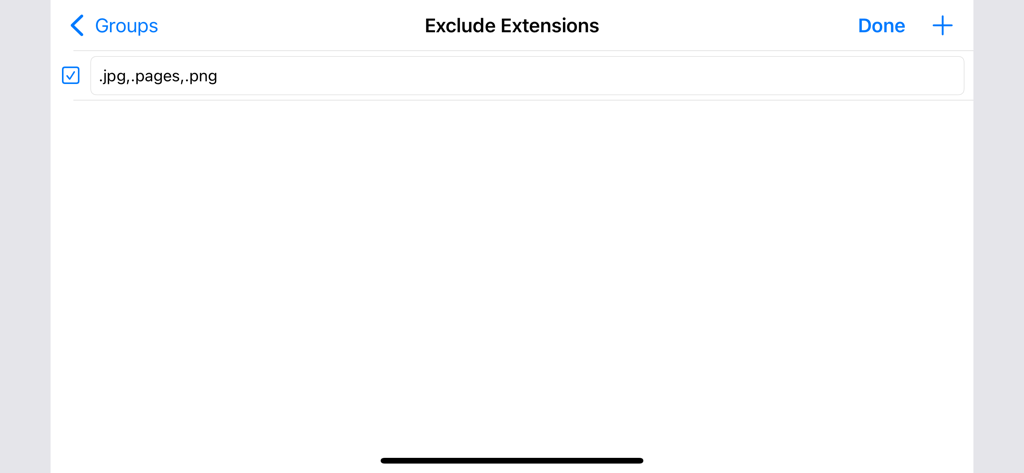
jpg 및 png와 같은 특정 파일 확장자를 동기화에서 제외하는 옵션을 보여주는 Sync Folders 앱 화면

jpg 및 png와 같은 특정 파일 확장자를 동기화에서 제외하는 옵션을 보여주는 Sync Folders 앱 화면

전문적인 워크플로우에 대한 완전한 제어

이 앱을 돋보이게 하는 도구, 4K+ 명의 사용자가 선택.

🔗

보편적인 연결성

iOS, 네트워크 폴더(SMB) 및 외장 드라이브 간에 원활하게 동기화하세요. 로컬 인프라 전체에서 고해상도 에셋을 이동하는 데 적합합니다.

🛡️

데이터 무결성 및 안전성

강력한 미리보기 모드, 이벤트 로깅 및 삭제된 파일의 이전 버전을 유지하는 기능을 통해 실수로 인한 데이터 손실을 방지합니다.

🚀

엔터프라이즈급 성능

대규모 라이브러리에 최적화되었습니다. 당사의 증분 백업 엔진은 변경된 파일만 식별하여 TB 규모의 동기화를 빠르고 효율적으로 만듭니다.

앱 소개

에 대해 알아야 할 모든 것 Sync Folders.

설명

• Synchronization and backup of local folders iOS, network folders Mac and PC, iCloud, external USB drives, memory cards, any other external media storage connected via Files.app • Bidirectional sync, one-way sync, mirror backup (In-App Purchases, two sync modes for free). • Powerful preview mode. Ability to change file operations before syncing. • Synchronization any number of pair folders at the same time (In-App Purchases, one pair folders for free). • With each re-backup, the app finds and copies only new files and new file versions, thereby reducing backup time and extending the life of your storage devices. • List of excluded subfolders, files, file extensions, filter for folders and files. Sync Folders is an easy-to-use app for beginners, has the ability to fine-tune synchronization settings for the most exacting professionals. Do you have terabytes (TB) of data to sync? No problem! Sync Folders has been optimized to work with extremely large number of files. Do you have questions? Please watch our helpful video tutorial on our website. FOR BEGINNERS - Select 2 folders to synchronize. - Select the synchronization mode, or use the default mode. You do not need to worry about other settings, they are set to the recommended. - Click the "Sync current task" button and your folders will be synchronized! FOR PROFESSIONALS - 9 sync modes (In-App Purchases, two sync modes for free). - 6 file comparison modes allow to synchronize files on the storage devices with different file systems. - Synchronization of files with all attributes (timestamps, tags). - Synchronization of subfolder attributes (timestamps, tags). - Ability to select what package types synchronize as files, and which as folders. - You can transform the app to the convenient file manager using powerful filters for files and folders. - Synchronization over the network. - Protection for unauthorized disconnect storage devices (folders) during synchronization. - Keeping the last/all versions of files to be deleted. Using this mode, you can always restore deleted files, even if folders have synchronized several times. - Ability to log events. You can filter events by type, task, status. Ability to export the event log to an external file.

최신 버전

1.2

크기

3.5 MB

출시일

2012년 12월 21일

데이터에 대한 전문가 수준의 제어권을 확보하세요

구독 없이 수술과 같은 정밀도로 Mac, PC 및 외장 드라이브 간의 테라바이트 단위 파일을 동기화하세요. 디지털 워크플로우를 위한 순수한 성능일 뿐입니다.

다운로드: App Store

App information, icons, screenshots, and descriptions displayed on this page are sourced from the Apple App Store and are the property of their respective developers. Download estimates and rankings are based on MWM's proprietary models and may not reflect actual figures. This page is provided for informational and analytical purposes only.

Believe this page infringes your intellectual property? File a dispute