TacticalPad Basketball
다운로드: App Store

이 페이지는 앱이나 개발자의 공식 페이지가 아니며, 정보 제공 및 논평을 목적으로 작성된 독립 편집 간행물입니다. 명시적으로 달리 언급되지 않는 한, 해당 앱이나 개발자는 MWM, Apple, Google Play, 앱 퍼블리셔 또는 앱 개발자와 제휴, 보증, 후원, 승인 또는 공식적으로 연결되어 있지 않으며, 이 페이지의 어떤 내용도 해당 앱이 MWM의 서비스를 사용하여 개발되었음을 의미하지 않습니다. 모든 상표, 로고, 스크린샷 및 기타 콘텐츠는 해당 소유자의 자산입니다.

로고: TacticalPad Basketball
다운로드: App Store

TacticalPad Basketball

엘리트 코치 및 분석가를 위한 올인원 디지털 화이트보드. 애니메이션 플레이를 디자인하고, 로스터를 관리하고, 팀에 경쟁 우위를 제공하는 고품질 플레이북을 만드세요.

주요 수치

다운로드

33K+

사용자 평점

4.7/5

총 평가 수

100

개발사

F Closs Servicos em Tecnologia da Informacao EIRELI ME

카테고리

Sports

지원 언어

12

최신 버전

2026.1.2

크기

422.6 MB

출시일

2012년 7월 7일
기능

코칭 전략 향상

엘리트 농구 성능 및 커뮤니케이션을 위해 설계된 가장 강력한 디지털 툴킷으로 전술적 비전을 승리로 전환하세요.

애니메이션 전술 정밀도

유동적인 애니메이션으로 X와 O에 생명을 불어넣어 선수 움직임, 스크리닝, 타이밍을 명확하게 하여 팀 이해도를 극대화하세요.

직관적인 디지털 클립보드

지저분한 마커는 버리세요. 고화질 디지털 잉크와 사용자 정의 가능한 화살표를 사용하여 벤치에서 실시간으로 조정하고 선수들이 실제로 따를 수 있도록 하세요.

다음 스크린샷과 설명은 앱의 공식 스토어 목록에서 직접 가져온 것이며 앱 개발자의 자산입니다.

앱 스토어

스크린샷
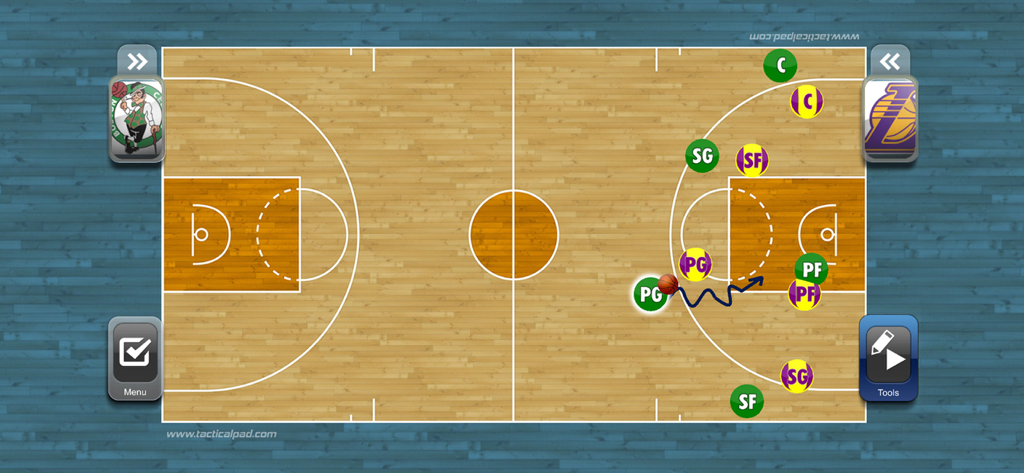
TacticalPad Basketball - 디지털 농구 전술 보드로 선수 위치와 코트 위의 움직임 플레이를 보여줌
디지털 농구 전술 보드로 선수 위치와 코트 위의 움직임 플레이를 보여줌

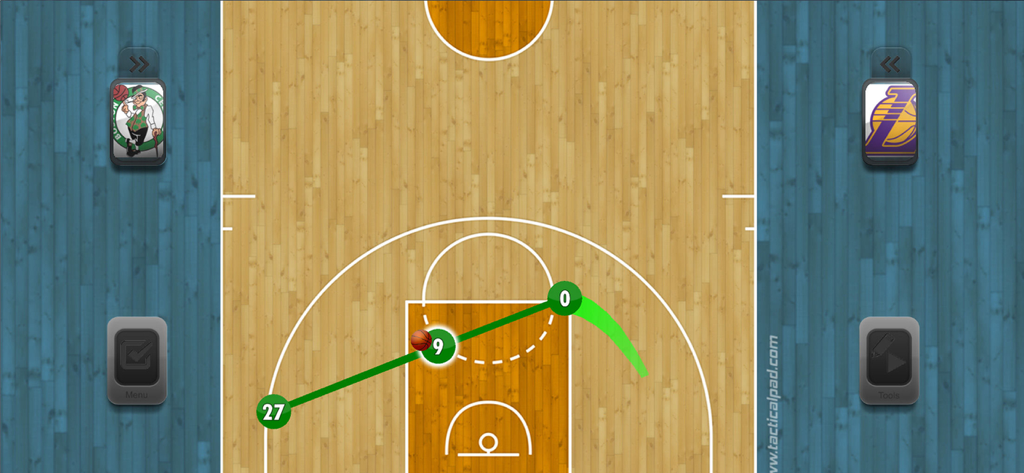
TacticalPad Basketball - 농구 코치를 위한 디지털 전술 보드로 선수 움직임과 플레이 전략 다이어그램을 보여줌
농구 코치를 위한 디지털 전술 보드로 선수 움직임과 플레이 전략 다이어그램을 보여줌

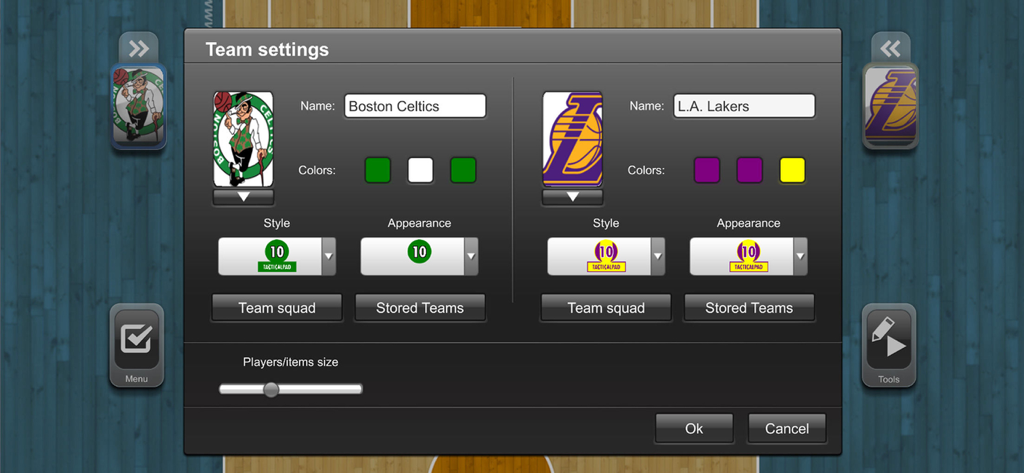
TacticalPad Basketball - 팀 이름, 로고, 색상에 대한 사용자 정의 옵션을 보여주는 TacticalPad Basketball 앱의 팀 설정 메뉴
팀 이름, 로고, 색상에 대한 사용자 정의 옵션을 보여주는 TacticalPad Basketball 앱의 팀 설정 메뉴

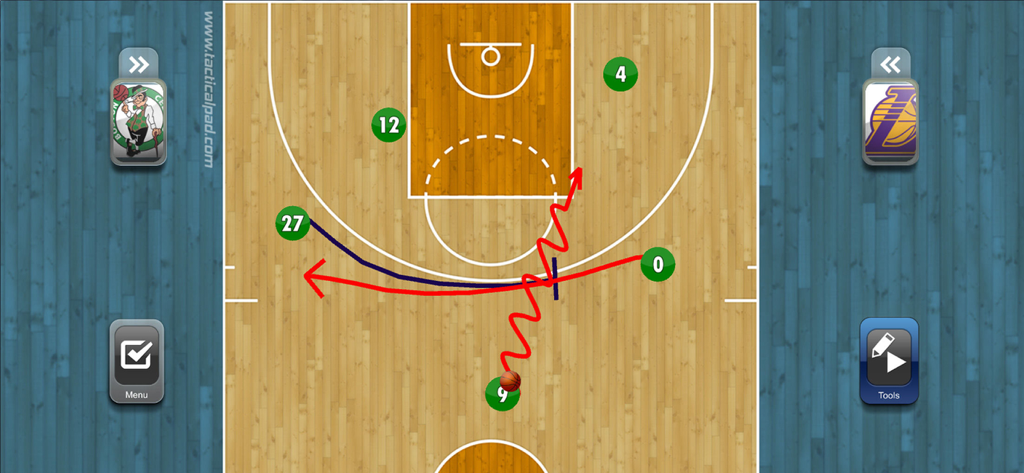
TacticalPad Basketball - 디지털 코트에서 전술 플레이 다이어그램을 보여주는 농구 코칭 앱

디지털 코트에서 전술 플레이 다이어그램을 보여주는 농구 코칭 앱

설명

TacticalPad is the most complete tool for coaches, assistant coaches, performance analyst, journalists and sport enthusiasts. Easy to use, agile, together with Tablets’ and Smartphones’ mobility, TacticalPad is the best option for professionals to improve their communication, resulting in better understanding in tactical discussions and development of football skills. TacticalPad targets every level, from amateur to professional, from youth development to high level. It is a competitive advantage, assisting technical staff to study and surprise opponents. TacticalPad is not only used by technical staff (couch, assistants, observers, etc), but also by journalists, bloggers, teachers and sport enthusiasts. Because of its high quality graphics, it is widely used to generate content for blogs, social networks, lectures, newspapers, etc. Check below some features and scenarios that make TacticalPad so powerful: • Projects with multiple tactical boards • Animated plays (drill, set-piece) • Notepad to add description for drills, tactical analysis, etc. • High quality graphics • Lots of document templates for you to create your playbook. • Use it in the bench, pre-game presentations, training sessions, half time talks, daily chats, home, etc. Use it anytime and anywhere by everyone. • Digital ink support: - Free drawing - Lines - Arrows - Dashed - Configurable color and thickness - Eraser • Training items • Export content to: - Document with images and notes - Image - Video - Email • Supports file sharing • Project to a TV or projector • Team roster settings with: - Names - Number - Positions - Lineups • Teams and players’ appearances: - Colors - Badge - Jersey style • Save and load teams • Settings to show/hide players’ name and number Available In-App Purchase Subscriptions: - TacticalPad year Subscription (auto-renewable) to have access to all features, updates and constant support. Subscription is auto-renewable and has the price of USD 19.99 per year. - Upgrade your TacticalPad to year Subscription (auto-renewable) to have access to upcoming features, TacticalPedia projects/content and constant support. Subscription is auto-renewable and has the price of USD 9.99 per year. – Payment will be charged to iTunes Account at confirmation of purchase – Subscription automatically renews unless auto-renew is turned off at least 24-hours before the end of the current period – Account will be charged for renewal within 24-hours prior to the end of the current period, and identify the cost of the renewal – Subscriptions may be managed by the user and auto-renewal may be turned off by going to the user's Account Settings after purchase Privacy Policy and Terms of Use: http://bit.ly/2k9BfCT

Download

다운로드: App Store

이 페이지는 앱이나 개발자의 공식 페이지가 아니며, 정보 제공 및 논평을 목적으로 작성된 독립 편집 간행물입니다. 명시적으로 달리 언급되지 않는 한, 해당 앱이나 개발자는 MWM, Apple, Google Play, 앱 퍼블리셔 또는 앱 개발자와 제휴, 보증, 후원, 승인 또는 공식적으로 연결되어 있지 않으며, 이 페이지의 어떤 내용도 해당 앱이 MWM의 서비스를 사용하여 개발되었음을 의미하지 않습니다. 모든 상표, 로고, 스크린샷 및 기타 콘텐츠는 해당 소유자의 자산입니다.








