Task Office lite: to-do list
다운로드: App Store

이 페이지는 앱이나 개발자의 공식 페이지가 아니며, 정보 제공 및 논평을 목적으로 작성된 독립 편집 간행물입니다. 명시적으로 달리 언급되지 않는 한, 해당 앱이나 개발자는 MWM, Apple, Google Play, 앱 퍼블리셔 또는 앱 개발자와 제휴, 보증, 후원, 승인 또는 공식적으로 연결되어 있지 않으며, 이 페이지의 어떤 내용도 해당 앱이 MWM의 서비스를 사용하여 개발되었음을 의미하지 않습니다. 모든 상표, 로고, 스크린샷 및 기타 콘텐츠는 해당 소유자의 자산입니다.

로고: Task Office lite: to-do list
다운로드: App Store

Task Office lite: to-do list

목록 이상의 기능이 필요한 높은 성과를 내는 사람들을 위해 제작되었습니다. 작업, 캘린더, CRM을 하나의 강력한 파이프라인으로 원활하게 통합하여 진행 상황을 추적하고 전문적인 목표를 달성하세요.

주요 수치

다운로드

6K+

사용자 평점

4.0/5

총 평가 수

100

개발사

DK CONSULTING, TOV

카테고리

Productivity

지원 언어

15

최신 버전

11.0

크기

84.8 MB

출시일

2015년 9월 2일
기능

전문적인 최고 성과를 마스터하세요

Task Office lite는 프로젝트 관리, GTD 워크플로우, CRM 도구를 하나의 강력한 생태계로 통합하여 높은 성과를 내는 전문가를 위해 제작되었습니다.

검증된 GTD® 프레임워크

"Getting Things Done" 방법론을 손쉽게 구현하여 마음을 비우고 높은 영향력을 발휘하는 결과에 집중하세요.

프로젝트 파이프라인 추적

다음 스크린샷과 설명은 앱의 공식 스토어 목록에서 직접 가져온 것이며 앱 개발자의 자산입니다.

앱 스토어

스크린샷
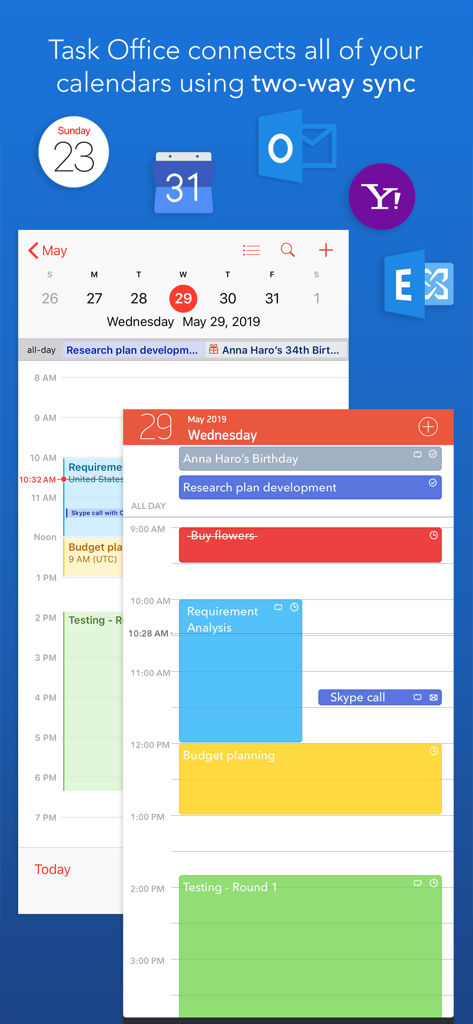
Task Office lite: to-do list - Task Office lite 앱 인터페이스가 Outlook 및 Yahoo와 양방향 캘린더 동기화가 포함된 일일 일정을 보여줍니다
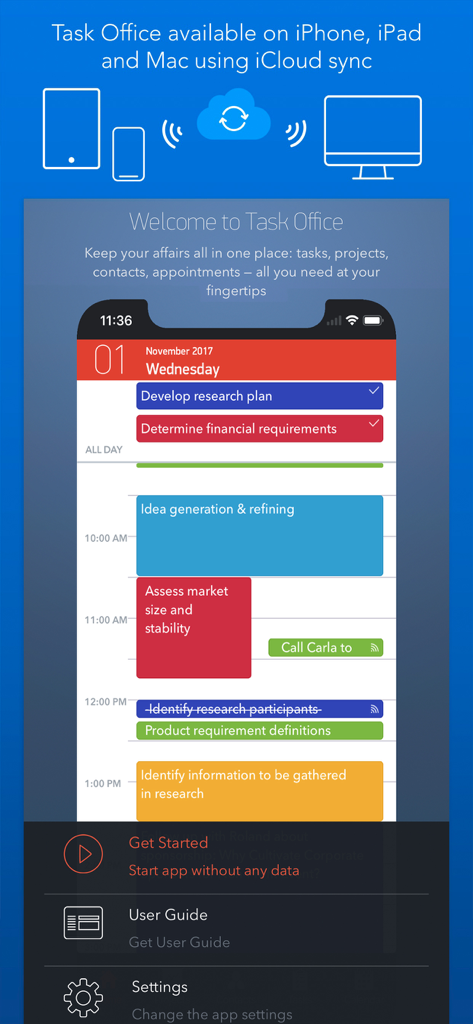
Task Office lite 앱 인터페이스가 Outlook 및 Yahoo와 양방향 캘린더 동기화가 포함된 일일 일정을 보여줍니다

Task Office lite: to-do list - Task Office lite 앱 인터페이스가 Apple 기기 전체의 일일 작업 일정 및 iCloud 동기화를 보여줍니다.
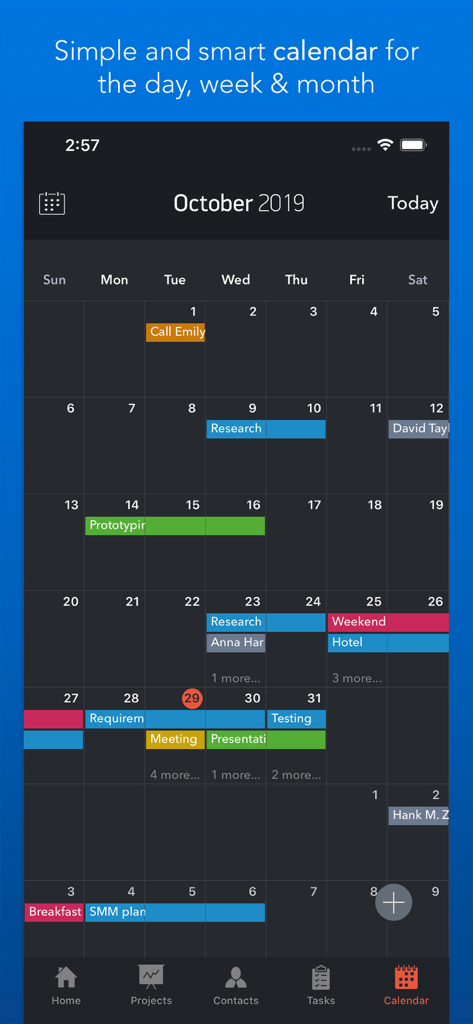
Task Office lite 앱 인터페이스가 Apple 기기 전체의 일일 작업 일정 및 iCloud 동기화를 보여줍니다.

Task Office lite: to-do list - Task Office lite 월간 캘린더 보기에는 색상으로 구분된 예약된 작업 및 약속이 표시됩니다
Task Office lite 월간 캘린더 보기에는 색상으로 구분된 예약된 작업 및 약속이 표시됩니다

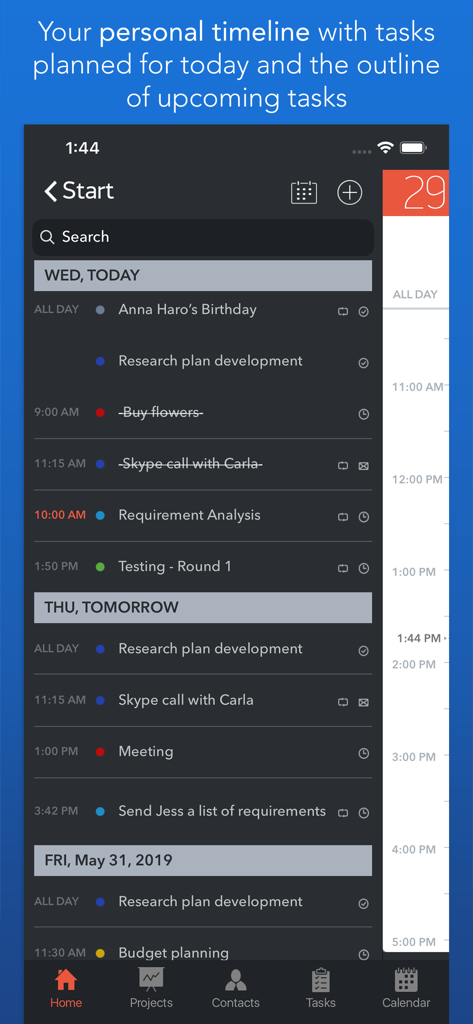
Task Office lite: to-do list - Task Office lite 앱 개인 타임라인에는 일일 작업 및 예정된 프로젝트 마일스톤이 표시됩니다.
Task Office lite 앱 개인 타임라인에는 일일 작업 및 예정된 프로젝트 마일스톤이 표시됩니다.

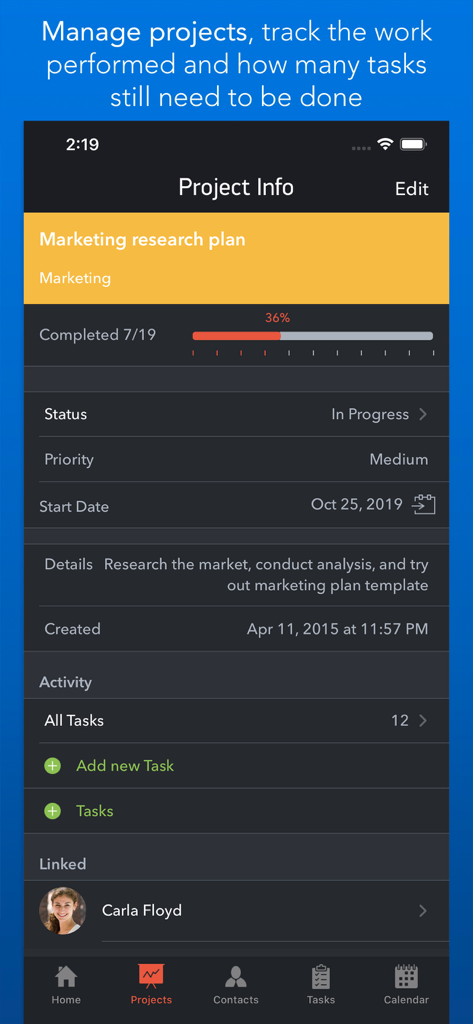
Task Office lite: to-do list - Task Office lite 프로젝트 정보 화면에는 마케팅 리서치 계획의 진행 추적 및 상태가 표시됩니다
Task Office lite 프로젝트 정보 화면에는 마케팅 리서치 계획의 진행 추적 및 상태가 표시됩니다

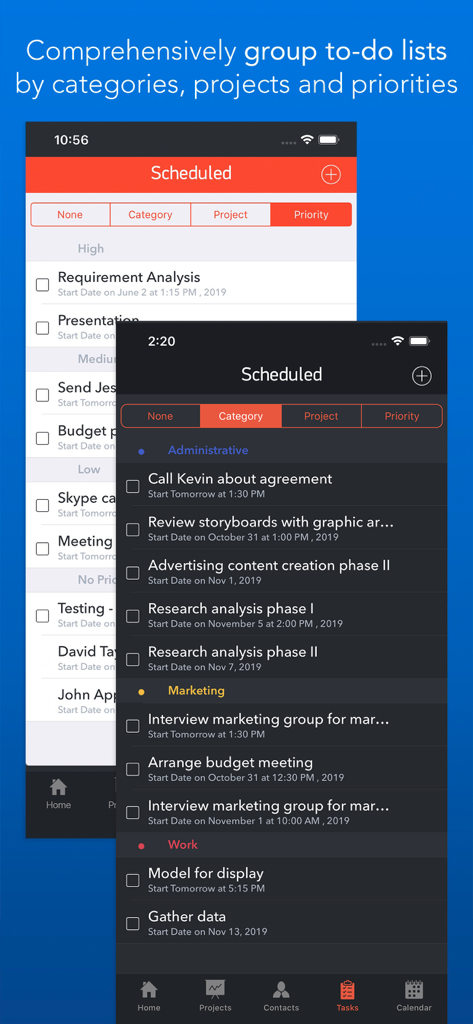
Task Office lite: to-do list - Task Office lite 인터페이스에는 라이트 및 다크 테마에서 카테고리 및 우선순위별로 그룹화된 할 일 목록이 표시됩니다.
Task Office lite 인터페이스에는 라이트 및 다크 테마에서 카테고리 및 우선순위별로 그룹화된 할 일 목록이 표시됩니다.

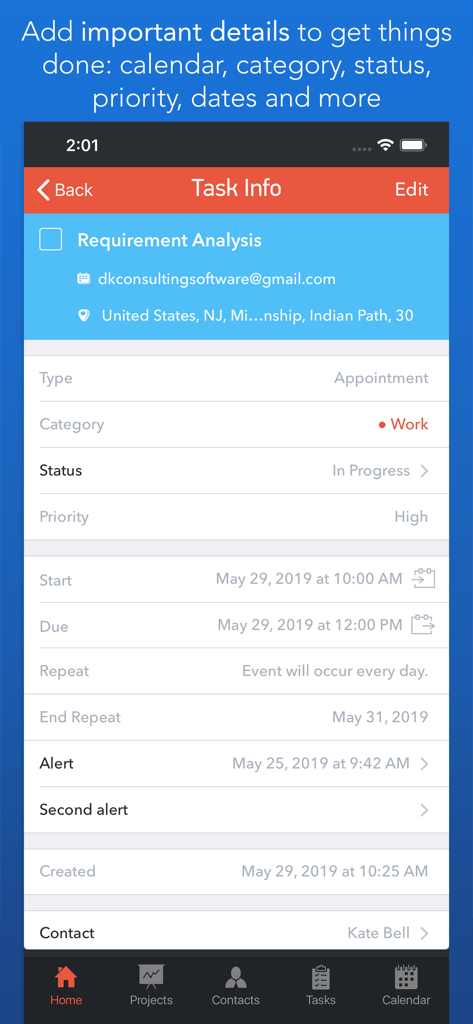
Task Office lite: to-do list - Task Office lite 앱에서 카테고리, 상태, 우선순위와 같은 상세한 GTD 속성을 보여주는 작업 정보 화면입니다.
Task Office lite 앱에서 카테고리, 상태, 우선순위와 같은 상세한 GTD 속성을 보여주는 작업 정보 화면입니다.

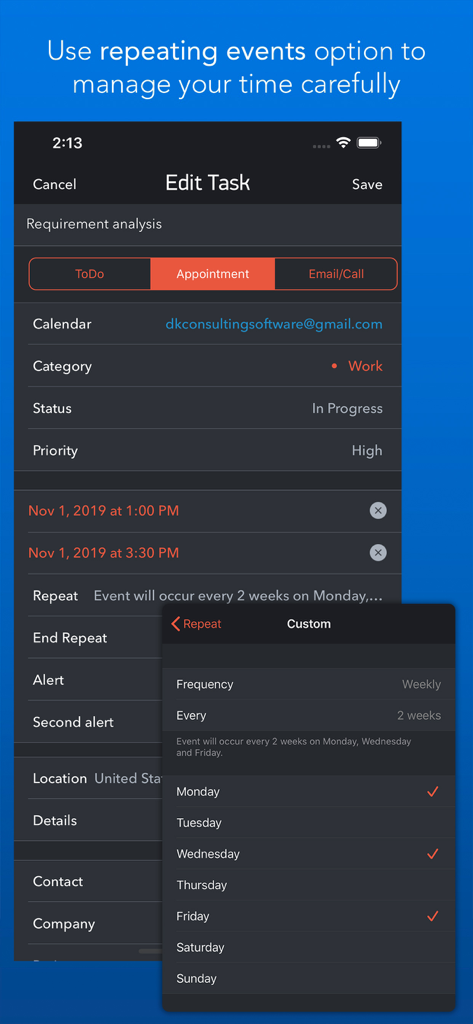
Task Office lite: to-do list - Task Office lite 모바일 앱 화면에는 반복되는 작업에 대한 사용자 지정 반복 이벤트 설정이 표시됩니다
Task Office lite 모바일 앱 화면에는 반복되는 작업에 대한 사용자 지정 반복 이벤트 설정이 표시됩니다

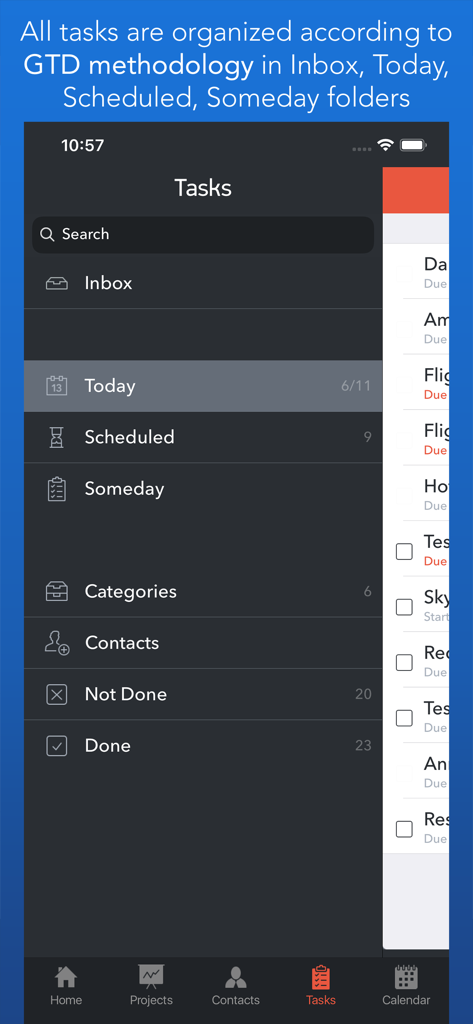
Task Office lite: to-do list - Task Office lite 앱의 GTD 방법론 작업 구성 화면

Task Office lite 앱의 GTD 방법론 작업 구성 화면

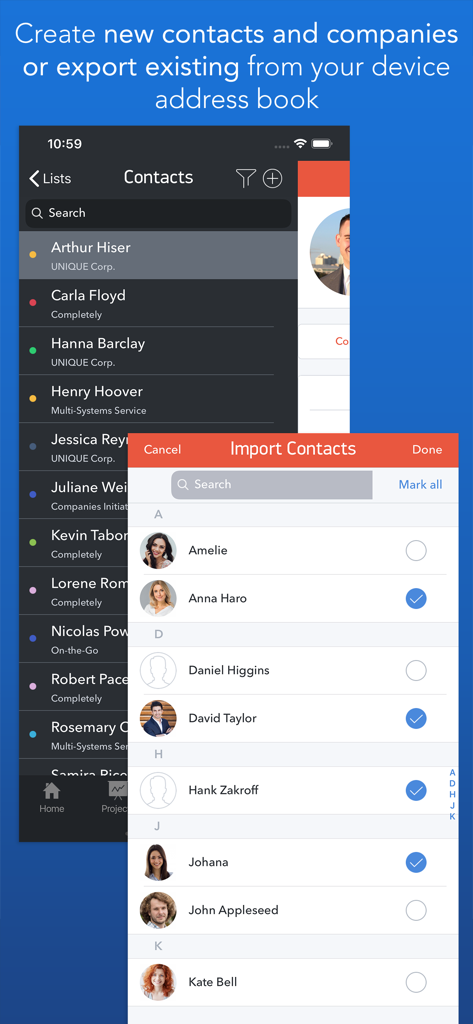
Task Office lite: to-do list - Task Office lite 연락처 관리 화면에는 전문 연락처를 가져오고 구성하는 방법이 표시됩니다

Task Office lite 연락처 관리 화면에는 전문 연락처를 가져오고 구성하는 방법이 표시됩니다

설명

Task Office is the best of ever existing GTD, to do lists, projects and contacts management apps. Manage both simple and complex projects, to do lists without any difficulties and focus on the final result. Manage your contacts and relationships, schedule your time and succeed. Planning & Performing • Start scheduling each new day on Home screen. Here you will find your current projects and to dos: a timeline with tasks you have planned for today and outline of upcoming tasks. Home screen allows you to focus only on current tasks, planned for today, and not to get lost in plenty of other planned tasks. You can plan your day directly from Home screen creating new tasks, projects, contacts and companies Quick & Easy navigation • Reach any project, task, to do list or contact in seconds. Task Office is designed in a way that will allow you to navigate within app screens just in one tap • Organize your tasks by categories, projects or priorities and make a logic order of all your plans Detailed GTD • Add all important details to get things done: choose tasks category, status, priority and set dates • Assign tasks to people by choosing a person from all existing contacts • Add locations to each task and project • Make all your information categorized – assign special categories for easy filtering and browsing through tasks and projects Comprehensive GTD Tab • All tasks are organized according to GTD methodology (by D. Allen) • Add tasks of different types: - ToDo – tasks with duration of several days - Appointment – assign task duration accurate to minutes - Email/Call – short task for making calls or sending emails to any user Alerts • Use double alert and let the program remind you what is next to be done Tracking project progress • Track the progress of your projects and to do lists by viewing the pipeline: view the percentage of work performed and how many tasks still need to be done • Check out everyone who is involved in project: view the list of contacts involved in the project Managing your team • Create new contacts and companies; add all the important information about your contact or company. Either you can import existing contact from your iOS device Address Book • Send e-mails directly from Contacts Screen • Group your contacts creating your Private Lists, so that you can easily monitor their productivity and track task implementation. Save each Private list and refer back to easily Visualized Calendar • Task Office calendar allows you to focus on what is important in your timeline. See your planed To Dos, Appointments, Emails/Calls to get things done in time • View calendar by day, week or month • Add tasks directly to the Calendar by Tap&Hold • Change tasks duration or Start and Due Dates simply Drag&Drop Calendar Syncing • Task Office syncs with Calendars (iCloud, Google Calendar, Exchange, Yahoo, Outlook) and you will not miss anything checking out due dates iCloud Sync • Sync your information – tasks, projects, contacts, etc. – between your devices Repeating tasks • Add repeated tasks, choosing recurrences frequency Set goals and achieve them. Become a part of Task Office team today!

Download

다운로드: App Store

이 페이지는 앱이나 개발자의 공식 페이지가 아니며, 정보 제공 및 논평을 목적으로 작성된 독립 편집 간행물입니다. 명시적으로 달리 언급되지 않는 한, 해당 앱이나 개발자는 MWM, Apple, Google Play, 앱 퍼블리셔 또는 앱 개발자와 제휴, 보증, 후원, 승인 또는 공식적으로 연결되어 있지 않으며, 이 페이지의 어떤 내용도 해당 앱이 MWM의 서비스를 사용하여 개발되었음을 의미하지 않습니다. 모든 상표, 로고, 스크린샷 및 기타 콘텐츠는 해당 소유자의 자산입니다.