TB Morphit
TB Morphit
다운로드: App Store

이 페이지는 앱이나 개발자의 공식 페이지가 아니며, 정보 제공 및 논평을 목적으로 작성된 독립 편집 간행물입니다. 명시적으로 달리 언급되지 않는 한, 해당 앱이나 개발자는 MWM, Apple, Google Play, 앱 퍼블리셔 또는 앱 개발자와 제휴, 보증, 후원, 승인 또는 공식적으로 연결되어 있지 않으며, 이 페이지의 어떤 내용도 해당 앱이 MWM의 서비스를 사용하여 개발되었음을 의미하지 않습니다. 모든 상표, 로고, 스크린샷 및 기타 콘텐츠는 해당 소유자의 자산입니다.


로고: TB Morphit
다운로드: App Store

TB Morphit

실시간 보정, Harman 타겟 커브, 업계 표준 시뮬레이션을 통해 전문가 수준의 정확도를 달성하세요. 세계에서 가장 신뢰받는 AUv3 헤드폰 플러그인으로 어디서든 자신 있게 믹싱하세요.

주요 수치

다운로드

12K+

사용자 평점

4.7/5

총 평가 수

0

개발사

Dirk Breebaart

카테고리

Music

지원 언어

-

최신 버전

2.1.2

크기

10.8 MB

출시일

2019년 11월 16일
기능

주머니 속 스튜디오 수준의 정밀도

좋아하는 헤드폰을 고급 스튜디오 모니터로 변환하세요. 주파수 응답을 보정하고, 세계적 수준의 장비를 시뮬레이션하고, 믹스가 모든 사운드 시스템에서 완벽하게 전달되도록 하세요.

프로 수준의 캘리브레이션

수백 개의 헤드폰 모델과 업계 최고의 Harman 타겟 커브 지원으로 원치 않는 색채를 제거하고 '플랫' 응답을 달성하세요.

즉각적인 믹스 전달

체어를 떠나지 않고도 소비자용 이어버드부터 고급 하이파이 시스템까지 모든 것에서 트랙이 어떻게 들리는지 가상으로 시뮬레이션하세요.

다음 스크린샷과 설명은 앱의 공식 스토어 목록에서 직접 가져온 것이며 앱 개발자의 자산입니다.

앱 스토어

스크린샷
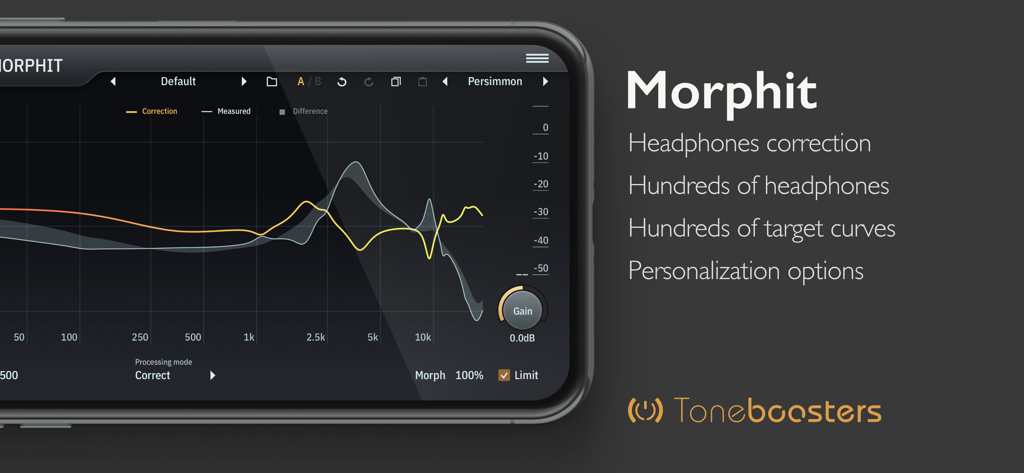
TB Morphit - 전문적인 헤드폰 보정을 위한 주파수 응답 그래프를 보여주는 TB Morphit 모바일 앱 인터페이스.
전문적인 헤드폰 보정을 위한 주파수 응답 그래프를 보여주는 TB Morphit 모바일 앱 인터페이스.

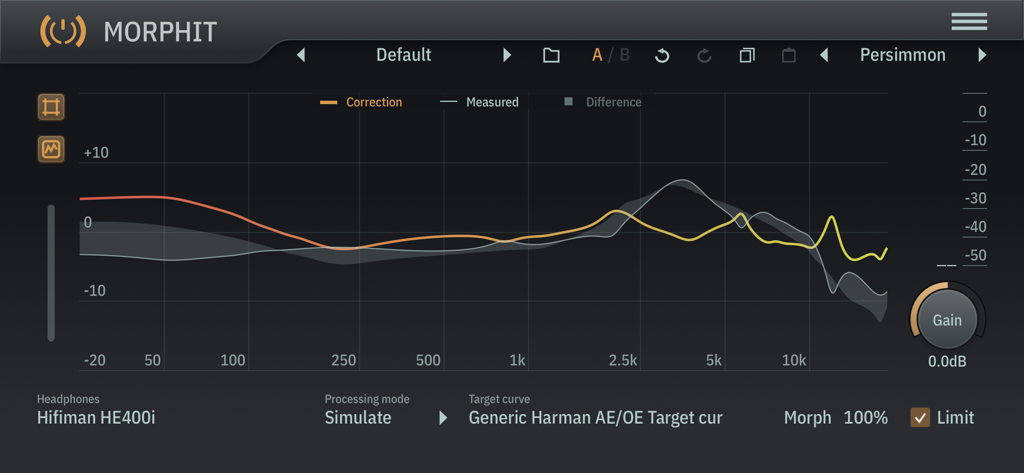
TB Morphit - 헤드폰 보정 및 시뮬레이션을 위한 주파수 응답 그래프를 보여주는 TB Morphit 앱 인터페이스
헤드폰 보정 및 시뮬레이션을 위한 주파수 응답 그래프를 보여주는 TB Morphit 앱 인터페이스

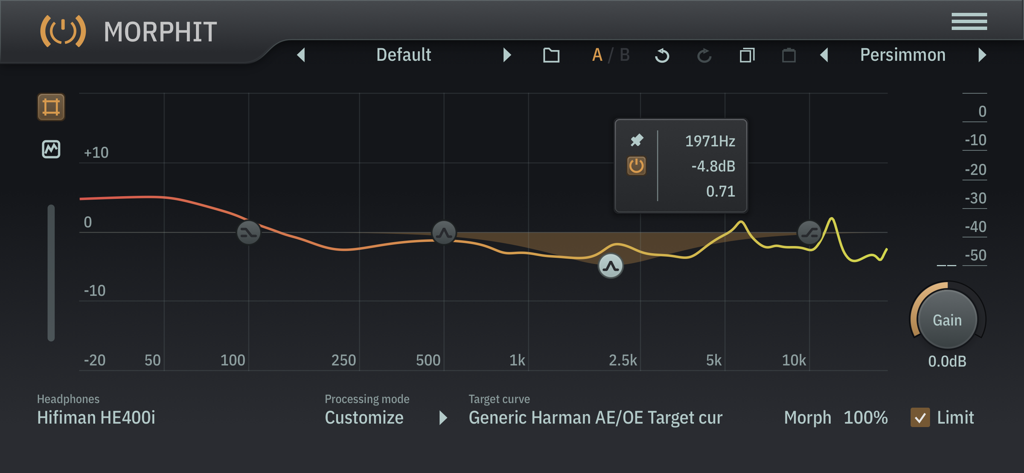
TB Morphit - Harman 타겟 커브를 사용하여 Hifiman HE400i 헤드폰에 대한 주파수 응답 캘리브레이션을 보여주는 TB Morphit 오디오 플러그인 인터페이스

Harman 타겟 커브를 사용하여 Hifiman HE400i 헤드폰에 대한 주파수 응답 캘리브레이션을 보여주는 TB Morphit 오디오 플러그인 인터페이스

설명

ToneBoosters Morphit is an AUv3 plugin for headphones correction and simulation and removes any unwanted coloration from your headphones! Enable accurate monitoring and calibration, mix with studio reference equalization, and improve the accuracy of your headphones. Used and trusted by thousands of studios worldwide, and now available on your mobile device! The ToneBoosters Morphit app captures the microphone (or external sound card) input and processes the signals in real time. To use it as a plug-in, use an AUv3-compatible host app such as Steinberg Cubasis, Apple Garageband, Audio Evolution Mobile Studio, Auria, AUM, or others. ToneBoosters Morphit will appear in the list of Audio Unit extensions for effect plug-ins. How to use Morphit as AUv3 plugin for headphones correction: 1. Connect your headphones to your iOS device (using the headphones jack, using BlueTooth, or using an adapter as supplied by Apple). You can use any of the many supported headphones listed here: www.toneboosters.com/tb_morphit_v1.html 2. Start your favourite AUv3 host app (Steinberg Cubasis, Apple Garageband, Audio Evolution Mobile Studio, Auria, AUM, or others) and add TB Morphit as Audio Unit insert effect to a track or output bus. See below on how to use Audio Units in various host apps. 3. Select the headphones you are using from the list of supported headphones provided within the TB Morphit app. That's it - all audio going through the Audio Unit plugin is optimised for your headphones. Key features: - The same professional sound as the acclaimed desktop version - Hundreds of headphones supported! - Unique feature: allow morphing of the amount of correction from 0 to 200% - Unique feature: allow simulation of any of the supported headphones and see how your mix translates - Unique feature: personalize the headphones target curve - Unique feature: use Harman calibration / target curves - Unique feature: data/measurement visualization mode - No external hardware required; works with any of the supported headphones models - Undo/redo, and A/B comparison - Color themes for the user interface - Max screen support in Garageband - Optimised for iPad and compatible with iPhone and iPod Touch See if your headphones are supported: www.toneboosters.com/tb_morhpit_v1.html What you should know: - Licenses acquired for this platform are not compatible with other platforms. - Audio Unit (AUv3) extensions require an iPad mini 2, iPad 4 or later models.

Download

다운로드: App Store

이 페이지는 앱이나 개발자의 공식 페이지가 아니며, 정보 제공 및 논평을 목적으로 작성된 독립 편집 간행물입니다. 명시적으로 달리 언급되지 않는 한, 해당 앱이나 개발자는 MWM, Apple, Google Play, 앱 퍼블리셔 또는 앱 개발자와 제휴, 보증, 후원, 승인 또는 공식적으로 연결되어 있지 않으며, 이 페이지의 어떤 내용도 해당 앱이 MWM의 서비스를 사용하여 개발되었음을 의미하지 않습니다. 모든 상표, 로고, 스크린샷 및 기타 콘텐츠는 해당 소유자의 자산입니다.







