TD Authenticate
TD Authenticate
다운로드: App Store

이 페이지는 앱이나 개발자의 공식 페이지가 아니며, 정보 제공 및 논평을 목적으로 작성된 독립 편집 간행물입니다. 명시적으로 달리 언급되지 않는 한, 해당 앱이나 개발자는 MWM, Apple, Google Play, 앱 퍼블리셔 또는 앱 개발자와 제휴, 보증, 후원, 승인 또는 공식적으로 연결되어 있지 않으며, 이 페이지의 어떤 내용도 해당 앱이 MWM의 서비스를 사용하여 개발되었음을 의미하지 않습니다. 모든 상표, 로고, 스크린샷 및 기타 콘텐츠는 해당 소유자의 자산입니다.

로고: TD Authenticate
다운로드: App Store

TD Authenticate

SMS 또는 셀룰러 연결 없이 즉각적인 오프라인 인증 코드로 EasyWeb, WebBroker 및 TD Business Central 계정을 보호하세요.

주요 수치

다운로드

169K+

사용자 평점

1.5/5

총 평가 수

400

개발사

Toronto Dominion Bank Financial Group

카테고리

Finance

지원 언어

2

최신 버전

2.5.0

크기

62.1 MB

출시일

2022년 6월 14일
기능

재정적 안정을 위한 흔들림 없는 보안

여행객, 사업주 및 보안에 민감한 전문가를 위해 설계된 전용 보안 계층으로 TD 뱅킹 및 투자 계정을 보호하세요.

고급 신원 보호

취약한 SMS 코드를 넘어 하드웨어 연결 인증기를 사용하여 Sophisticated 사기 및 SIM 스와핑으로부터 EasyWeb 및 WebBroker 계정을 보호하세요.

원활한 오프라인 액세스

Wi-Fi 또는 셀룰러 연결 없이도 전 세계 어디서든 안전한 인증 코드를 생성할 수 있어 국경 간 여행이나 원격 근무에 완벽합니다.

다음 스크린샷과 설명은 앱의 공식 스토어 목록에서 직접 가져온 것이며 앱 개발자의 자산입니다.

앱 스토어

스크린샷
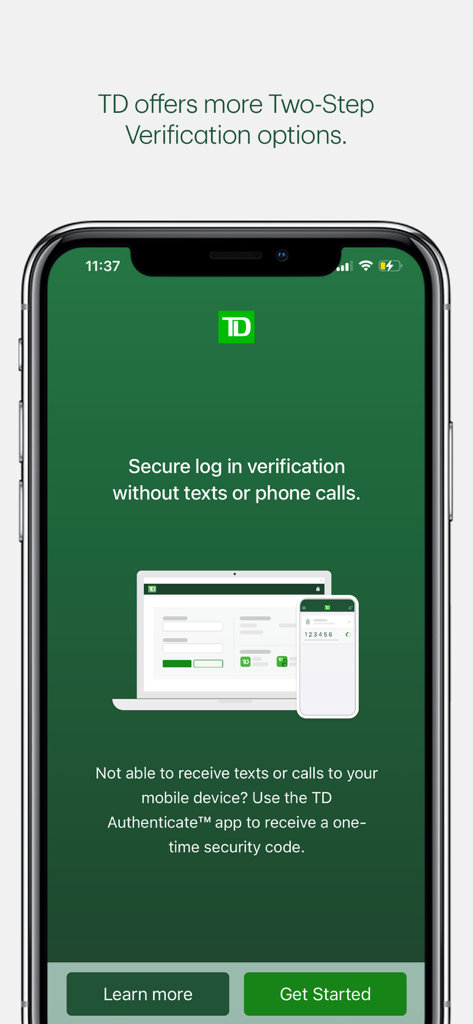
TD Authenticate - 문자 메시지나 전화 통화 없이 안전한 로그인 인증을 위한 TD 인증 앱 화면
문자 메시지나 전화 통화 없이 안전한 로그인 인증을 위한 TD 인증 앱 화면

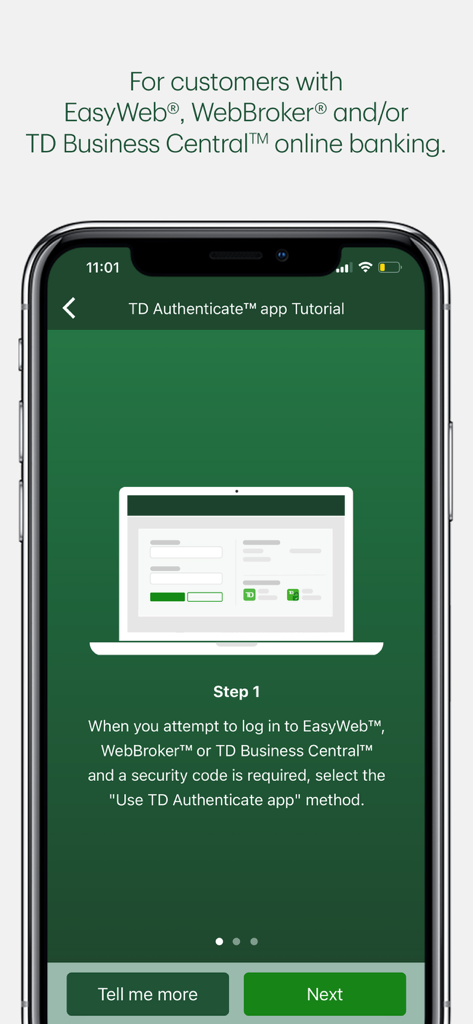
TD Authenticate - 온라인 뱅킹 서비스에 로그인하는 첫 번째 단계를 보여주는 TD 인증 앱 튜토리얼 화면
온라인 뱅킹 서비스에 로그인하는 첫 번째 단계를 보여주는 TD 인증 앱 튜토리얼 화면

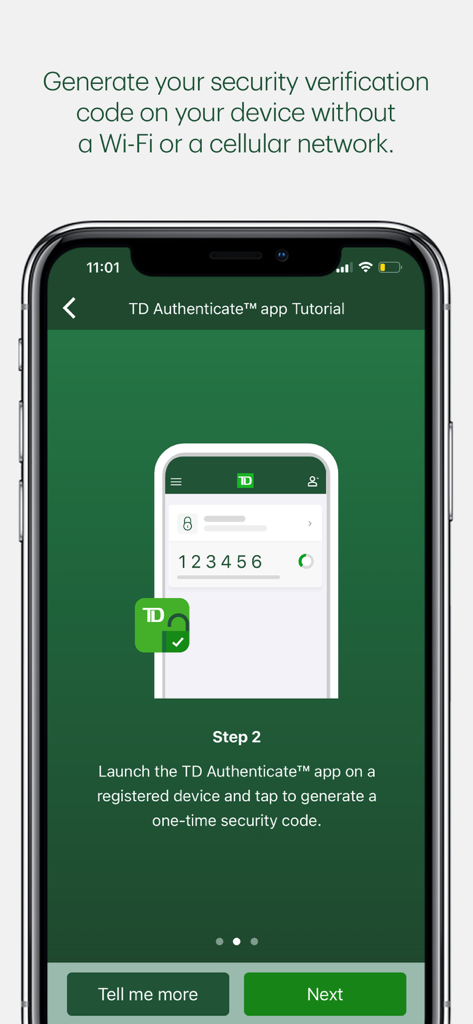
TD Authenticate - 오프라인 보안 인증 코드 생성 방법을 보여주는 TD 인증 앱 튜토리얼 화면
오프라인 보안 인증 코드 생성 방법을 보여주는 TD 인증 앱 튜토리얼 화면

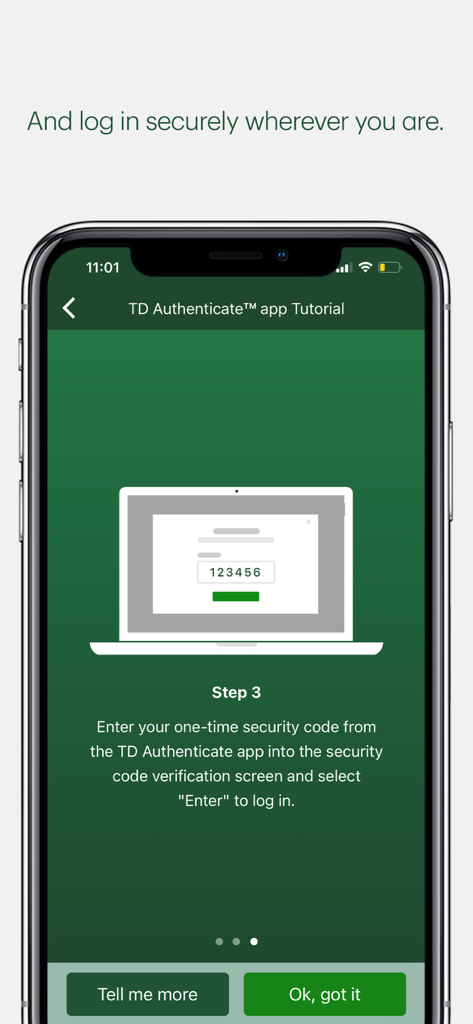
TD Authenticate - 안전하게 로그인하기 위해 일회용 보안 코드를 입력하는 TD 인증 앱 튜토리얼 화면 3단계 표시
안전하게 로그인하기 위해 일회용 보안 코드를 입력하는 TD 인증 앱 튜토리얼 화면 3단계 표시

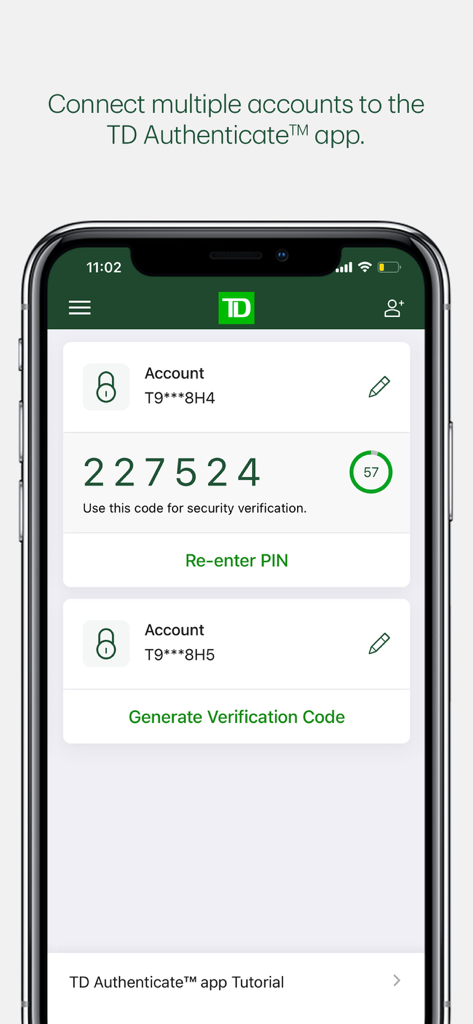
TD Authenticate - 여러 계정과 타이머가 있는 생성된 6자리 보안 인증 코드를 보여주는 TD 인증 앱 인터페이스
여러 계정과 타이머가 있는 생성된 6자리 보안 인증 코드를 보여주는 TD 인증 앱 인터페이스

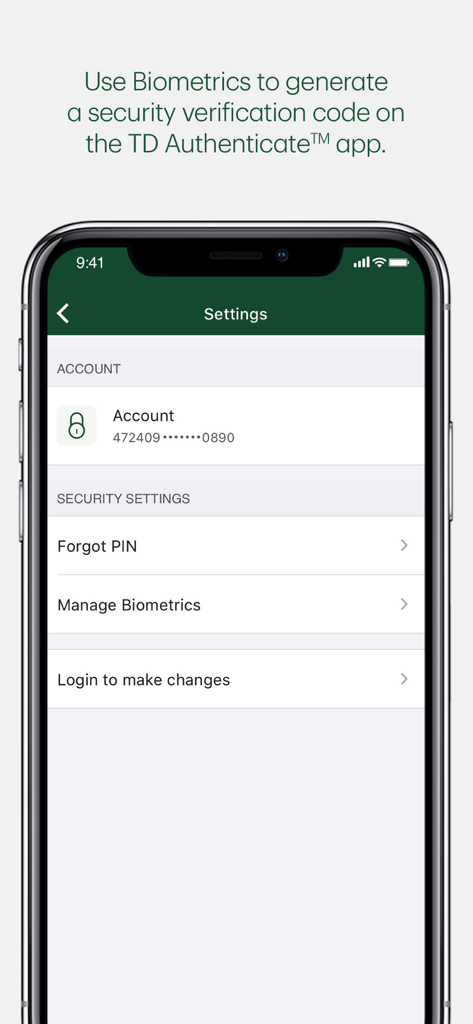
TD Authenticate - 생체 인식 및 계정 보안 관리 옵션을 보여주는 TD 인증 앱 설정 화면

생체 인식 및 계정 보안 관리 옵션을 보여주는 TD 인증 앱 설정 화면

설명

The TD Authenticate™ app is a Two-Step Verification method for your EasyWeb®, WebBroker® or TD Business Central™ Canadian online banking applications.   Simply download the app and follow the registration process to connect your account and device to the TD Authenticate app. Once you've registered, you can generate a security verification code in the TD Authenticate app while online or offline (not connected to Wi-Fi or a mobile network), without the need for texts or phone calls. This confirms it's really you accessing your EasyWeb, WebBroker or TD Business Central online banking. The TD Authenticate app is for use with EasyWeb, WebBroker and TD Business Central. For other TD apps or digital platforms, please use the Two-Step Verification services they provide. We are working on enhancing the TD Authenticate app, as well as onboarding new businesses and platforms within TD. Note: Text or Voice One Time Passcode is required to register for the TD Authenticate app on your device. By tapping "Get", you consent to the installation of the TD Authenticate™ app* and any future updates that can perform the functions described. The TD Authenticate app is for use by customers with an active EasyWeb®, WebBroker®, and/or TD Business Central™ online banking profile. You may withdraw your consent at any time by removing your device from the list of registered devices under Password & Security within the applicable online banking profile.   *Provided by The TD Bank Group which includes The Toronto-Dominion Bank and its affiliates, who provide deposit, investment, loan, securities, trust, insurance and other products or services.

Download

다운로드: App Store

이 페이지는 앱이나 개발자의 공식 페이지가 아니며, 정보 제공 및 논평을 목적으로 작성된 독립 편집 간행물입니다. 명시적으로 달리 언급되지 않는 한, 해당 앱이나 개발자는 MWM, Apple, Google Play, 앱 퍼블리셔 또는 앱 개발자와 제휴, 보증, 후원, 승인 또는 공식적으로 연결되어 있지 않으며, 이 페이지의 어떤 내용도 해당 앱이 MWM의 서비스를 사용하여 개발되었음을 의미하지 않습니다. 모든 상표, 로고, 스크린샷 및 기타 콘텐츠는 해당 소유자의 자산입니다.








