Teleprompter & Captions-TeCap
다운로드: App Store

이 페이지는 앱이나 개발자의 공식 페이지가 아니며, 정보 제공 및 논평을 목적으로 작성된 독립 편집 간행물입니다. 명시적으로 달리 언급되지 않는 한, 해당 앱이나 개발자는 MWM, Apple, Google Play, 앱 퍼블리셔 또는 앱 개발자와 제휴, 보증, 후원, 승인 또는 공식적으로 연결되어 있지 않으며, 이 페이지의 어떤 내용도 해당 앱이 MWM의 서비스를 사용하여 개발되었음을 의미하지 않습니다. 모든 상표, 로고, 스크린샷 및 기타 콘텐츠는 해당 소유자의 자산입니다.


로고: Teleprompter & Captions-TeCap
다운로드: App Store

Teleprompter & Captions-TeCap

크리에이터와 전문가를 위한 최고의 생산성 도구입니다. 스마트 스크롤링으로 완벽한 영상을 녹화하고, 자연스러운 시선 접촉을 유지하며, 혁신적인 플로팅 창 오버레이를 사용하여 재촬영을 없애세요.

주요 수치

다운로드

47K+

사용자 평점

3.9/5

총 평가 수

0

개발사

Changsha Duyou Network Technology Co., Ltd

카테고리

Utilities

지원 언어

21

최신 버전

1.1.8

크기

34.7 MB

출시일

2025년 2월 7일
기능

한 번의 촬영으로 전달력을 마스터하세요

잊어버린 대사나 어색한 침묵의 스트레스를 없애세요. TeCap은 크리에이터와 전문가가 자신감과 완벽한 효율성으로 영향력 있는 비디오 콘텐츠를 제공할 수 있도록 지원합니다.

플로팅 창 오버레이

틱톡 및 인스타그램 크리에이터를 위한 최고의 워크플로우입니다. 모든 앱 위에 스크립트를 직접 읽으면서 네이티브 필터를 사용할 수 있어 완벽하게 대사를 따라갈 수 있습니다.

자연스러운 시선 접촉

청중과의 신뢰와 권위를 구축하세요. 미러 모드는 스크립트를 읽으면서 카메라 렌즈를 직접 바라보도록 하여 모든 발표가 진솔하게 느껴지도록 합니다.

다음 스크린샷과 설명은 앱의 공식 스토어 목록에서 직접 가져온 것이며 앱 개발자의 자산입니다.

앱 스토어

스크린샷
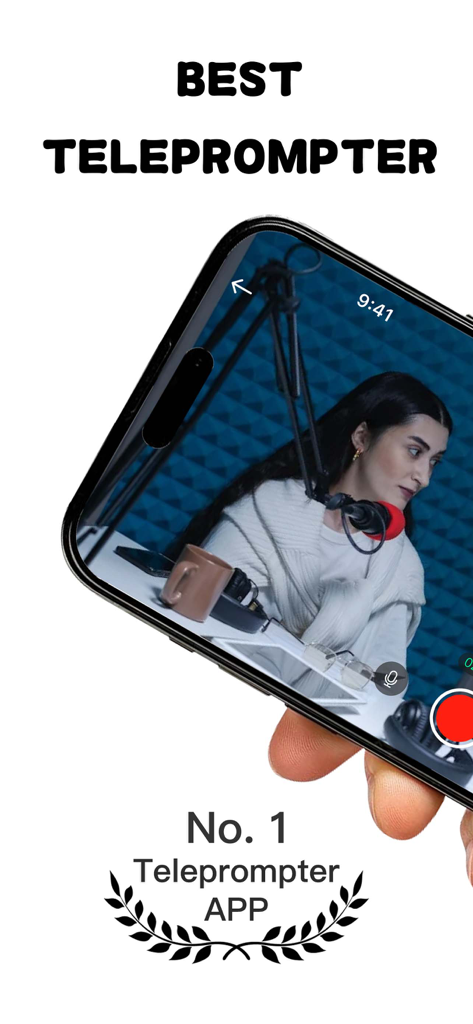
Teleprompter & Captions-TeCap - 스마트폰을 들고 있는 사람, 화면에는 녹화 스튜디오 장면과 함께 TeCap 프롬프터 앱이 표시됨
스마트폰을 들고 있는 사람, 화면에는 녹화 스튜디오 장면과 함께 TeCap 프롬프터 앱이 표시됨

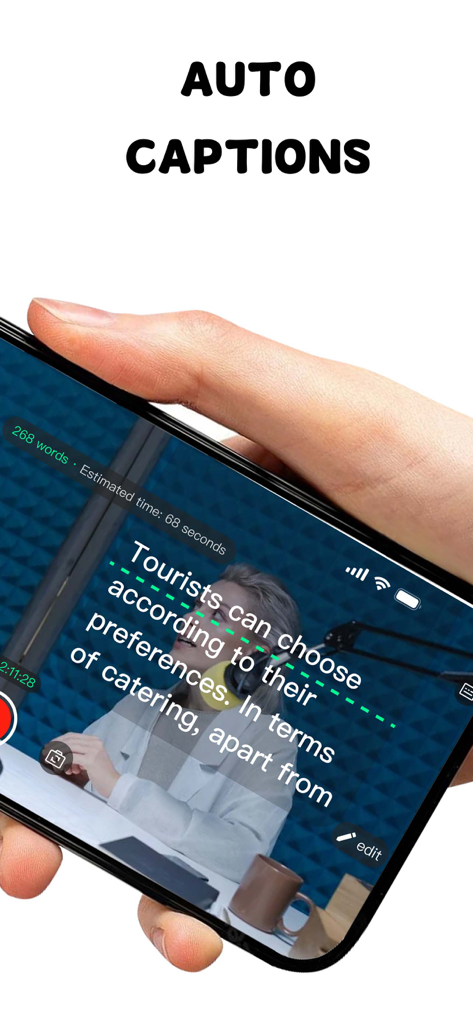
Teleprompter & Captions-TeCap - TeCap 앱 인터페이스, 비디오 녹화 중 스마트폰 화면에 자동 자막 및 스크롤 텍스트 표시
TeCap 앱 인터페이스, 비디오 녹화 중 스마트폰 화면에 자동 자막 및 스크롤 텍스트 표시

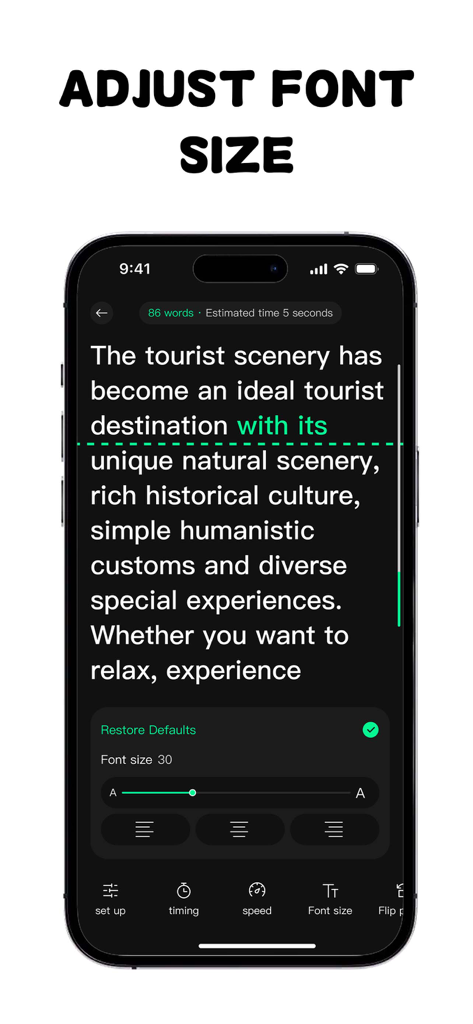
Teleprompter & Captions-TeCap - 글꼴 크기 및 텍스트 정렬을 조정하는 TeCap 프롬프터 앱 화면

글꼴 크기 및 텍스트 정렬을 조정하는 TeCap 프롬프터 앱 화면

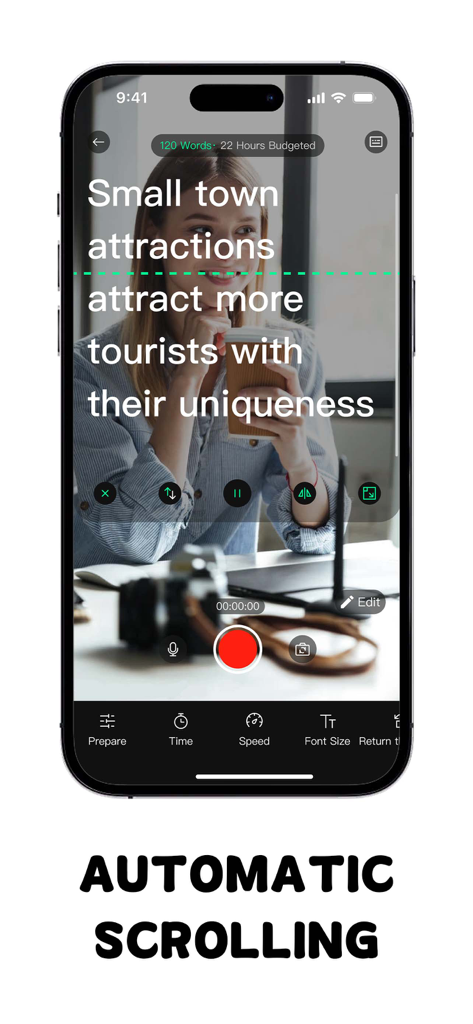
Teleprompter & Captions-TeCap - TeCap 앱 인터페이스, 비디오 녹화 미리 보기 위에 자동 스크롤 스크립트 표시
TeCap 앱 인터페이스, 비디오 녹화 미리 보기 위에 자동 스크롤 스크립트 표시

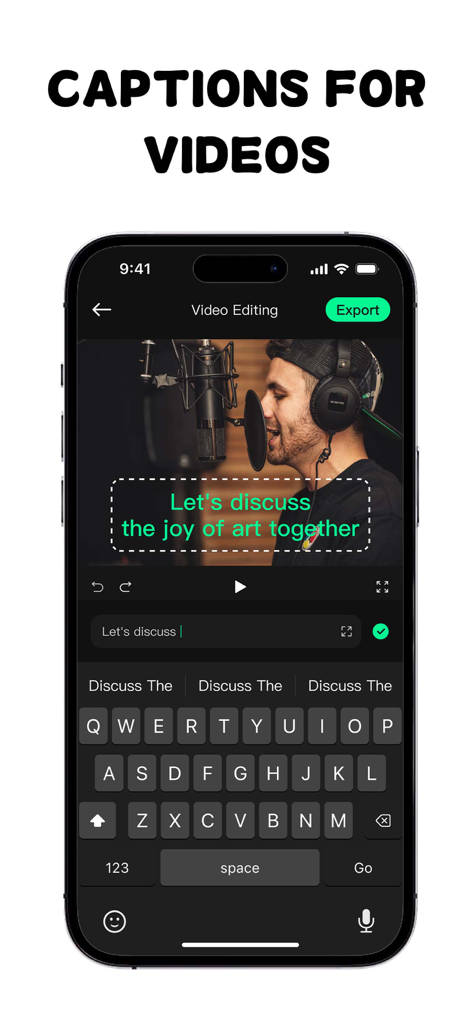
Teleprompter & Captions-TeCap - TeCap 앱의 모바일 인터페이스, 자동 생성된 자막 및 키보드와 함께 비디오 편집 표시
TeCap 앱의 모바일 인터페이스, 자동 생성된 자막 및 키보드와 함께 비디오 편집 표시

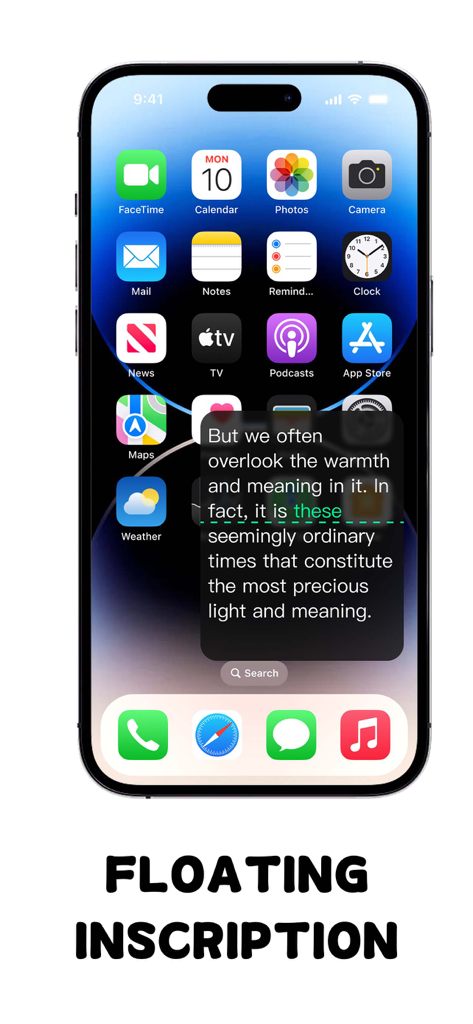
Teleprompter & Captions-TeCap - 스마트폰 화면, 모바일 앱 위에 TeCap 플로팅 프롬프터 창 표시

스마트폰 화면, 모바일 앱 위에 TeCap 플로팅 프롬프터 창 표시

설명

TeCap redefines your presentations, recordings, and livestreams by delivering perfectly synchronized, accurate scrolling captions. Whether you’re a content creator, speaker, educator, or livestream expert, TeCap lets you focus on your message — no more worrying about forgotten words or awkward pauses. Core Features: Smart Scroll Control • Customize scroll speed, font size, and color to match your personal reading style. • Enjoy gesture-based pause/resume control to seamlessly handle any unexpected interruptions during your session. Multi-Scene Adaptation • Mirror Mode: Enable natural eye contact with an optimized mirror view, ensuring your presence in front of the camera remains authentic and engaging. • Floating Window: Always have access to your prompts with a floating window that sits on top of any app, allowing you to multitask without missing a word. • Background Transparency: Adjust the transparency of the teleprompter overlay for easy integration of prompts and capture. Remote Control Support • Remotely control scroll speed, play/pause, and more from your mobile device, truly freeing your hands. • Perfect for team collaboration, allowing an assistant or partner to easily control the progress of the prompter and improve shooting efficiency. Ultimate User Experience • Experience a minimalist interface with a single click to import documents and activate the teleprompter. • Night mode reduces eye strain in low-light conditions, ensuring clarity and comfort throughout your presentation. • Multi-language support (over 20 languages, including Chinese and English) makes TeCap the perfect tool for a global audience. Applicable Scenarios • Short Video/Vlog Recording • Public Lectures and Meetings • Live Broadcasting • Online Course Teaching • News Broadcasting Download TeCap now and embark on a stress-free career journey! Privacy Agreement: https://sites.google.com/view/teleprompter-privacypolicy Terms: https://sites.google.com/view/teleprompter-gterms

Download

다운로드: App Store

이 페이지는 앱이나 개발자의 공식 페이지가 아니며, 정보 제공 및 논평을 목적으로 작성된 독립 편집 간행물입니다. 명시적으로 달리 언급되지 않는 한, 해당 앱이나 개발자는 MWM, Apple, Google Play, 앱 퍼블리셔 또는 앱 개발자와 제휴, 보증, 후원, 승인 또는 공식적으로 연결되어 있지 않으며, 이 페이지의 어떤 내용도 해당 앱이 MWM의 서비스를 사용하여 개발되었음을 의미하지 않습니다. 모든 상표, 로고, 스크린샷 및 기타 콘텐츠는 해당 소유자의 자산입니다.