
이 페이지는 앱이나 개발자의 공식 페이지가 아니며, 정보 제공 및 논평을 목적으로 작성된 독립 편집 간행물입니다. 명시적으로 달리 언급되지 않는 한, 해당 앱이나 개발자는 MWM, Apple, Google Play, 앱 퍼블리셔 또는 앱 개발자와 제휴, 보증, 후원, 승인 또는 공식적으로 연결되어 있지 않으며, 이 페이지의 어떤 내용도 해당 앱이 MWM의 서비스를 사용하여 개발되었음을 의미하지 않습니다. 모든 상표, 로고, 스크린샷 및 기타 콘텐츠는 해당 소유자의 자산입니다.


다운로드
100k+사용자 평점
총 평가 수
21개발사
카테고리
Photo & Video지원 언어
18최신 버전
1.5.2크기
166.0 MB출시일
2025년 3월 25일소프트웨어 평가 전문 테크 분석가의 관점
Teleprompter: Video Record AI 앱 주요 기능 분석
AI 기반 시선 고정
이 앱은 AI 기술을 활용하여 사용자가 스크립트를 읽으면서도 카메라를 직접 보는 듯한 자연스러운 시선을 유지할 수 있도록 지원합니다. 이를 통해 더욱 전문적이고 매력적인 비디오를 제작할 수 있습니다.
내장형 HD 텔레프롬프터 녹화
이 도구는 사용자가 대본을 읽으면서도 HD 화질로 영상을 녹화할 수 있게 합니다. 렌즈 옆으로 스크롤되는 대본을 통해 시청자와의 시선을 일관되게 유지할 수 있어 대본을 읽는다는 사실을 시청자가 알아채기 어렵습니다.
AI 스크립트 자동 생성
이 앱은 내장된 AI 도구를 사용하여 한 문장을 입력하면 선택한 장면과 톤에 맞춰 200단어 이상의 완전한 스크립트를 자동으로 생성합니다. 이를 통해 사용자는 스크립트 작성 시간을 크게 절약할 수 있습니다.
종합 비디오 편집 도구
녹화 후, 이 앱은 소셜 미디어용 비디오 크기 조정, 배경 교체, 텍스트 추가, 자동 자막 및 저작권 없는 음악 삽입 등 포괄적인 편집 기능을 제공하여 사용자가 전문적인 영상을 쉽게 완성할 수 있도록 돕습니다.
카메라 스캔 스크립트 가져오기
이 앱은 카메라를 사용하여 종이나 화면의 텍스트를 촬영하면 즉시 스크립트를 추출하고 생성하는 기능을 제공합니다. 이를 통해 사용자는 빠르고 편리하게 외부 텍스트를 대본으로 활용할 수 있습니다.
AI 다국어 자막 인식 및 사용자 정의
이 도구는 12개 이상의 언어에서 AI 자막을 인식하고, 사용자는 생성된 자막의 텍스트, 화면 표시 시간, 글꼴 크기 및 색상 등 모든 세부 사항을 자유롭게 변경하여 콘텐츠에 완벽하게 맞출 수 있습니다.
수평/수직 유연한 녹화
이 앱은 다양한 플랫폼의 요구 사항에 맞춰 수평 및 수직 형식의 비디오 녹화를 모두 지원합니다. 사용자는 녹화 상황에 따라 전면 및 후면 카메라를 전환할 수 있습니다.
직관적인 스크립트 작성 및 조정
이 도구는 장치에서 직접 스크립트를 작성하고, 복사 및 붙여넣기 기능을 제공하며, 스크립트 크기와 위치를 자유롭게 조정하여 사용자에게 최적의 읽기 경험을 제공합니다.
고품질 비디오 내보내기 및 공유
이 앱은 고품질 비디오 재생을 보장하는 HD 내보내기 기능을 제공합니다. 또한, 인스타그램, 틱톡 등 다양한 플랫폼으로 원클릭 공유를 지원하여 사용자의 작업을 쉽게 선보일 수 있도록 합니다.
순수 텔레프롬프터 모드
이 앱은 방해 요소가 없는 전체 화면 텍스트 표시 모드를 제공합니다. 이는 연습이나 연설 시 사용자가 스크립트에 온전히 집중할 수 있도록 하여 효율적인 준비를 돕습니다.
자주 묻는 질문
에 대해 알아야 할 모든 것 Teleprompter: Video Record AI
How does the Teleprompter - Floating Script app work for recording videos?
The Teleprompter app allows users to read a scrolling script while filming in HD, maintaining eye contact. After recording, users can edit videos, resize for social media, replace backgrounds, add text, auto captions, and royalty-free music.
Can Teleprompter - Floating Script generate scripts automatically?
Yes, Teleprompter - Floating Script includes Smart AI Captions Tools. Users type one sentence to generate a complete 200+ word script based on a selected scene and tone. It also provides AI subtitle recognition.
What customization options are available for captions in Teleprompter - Floating Script?
Teleprompter - Floating Script offers extensive caption customization. Users adjust scrolling speed (1-50), font size (12pt-112pt), and font color. It also allows full customization of text and display duration for subtitles.
Does Teleprompter - Floating Script offer an eye contact correction feature?
Yes, Teleprompter - Floating Script features an AI eye contact fix. This capability ensures users maintain natural eye contact with the camera while reading their script, enhancing video professionalism.
How can users import scripts into Teleprompter - Floating Script?
Teleprompter - Floating Script offers diverse script import options. Users can copy/paste, write directly, or snap a photo to extract text. It also supports importing Word, PDF, AI scripts, and TXT files.
What platforms can Teleprompter - Floating Script videos be shared to?
Teleprompter - Floating Script supports one-click sharing of HD videos directly to popular platforms. These include Instagram, TikTok, and other social media to easily showcase created content.
How does the Teleprompter - Floating Script subscription work?
Teleprompter subscriptions via Apple automatically renew. Payment is charged to the App Store account upon confirmation. Auto-renewal must be turned off 24 hours before the current period ends, and can be managed in App Store settings.
What devices are compatible with Teleprompter - Floating Script?
Teleprompter - Floating Script is compatible with both iPhone and iPad devices. This ensures broad accessibility for users who want to create and edit videos on Apple's mobile platforms.
Does Teleprompter - Floating Script offer a floating script overlay?
Yes, Teleprompter - Floating Script offers a floating script feature that overlays on top of all other apps. This enables users to read scripts hands-free without switching applications.
Can users adjust the background of the teleprompter in Teleprompter - Floating Script?
Yes, Teleprompter - Floating Script provides background customization. Users select between white and black backgrounds and adjust transparency from 0% to 50%, suiting diverse recording environments and preferences.
다음 스크린샷과 설명은 앱의 공식 스토어 목록에서 직접 가져온 것이며 앱 개발자의 자산입니다.
앱 스토어
스크린샷
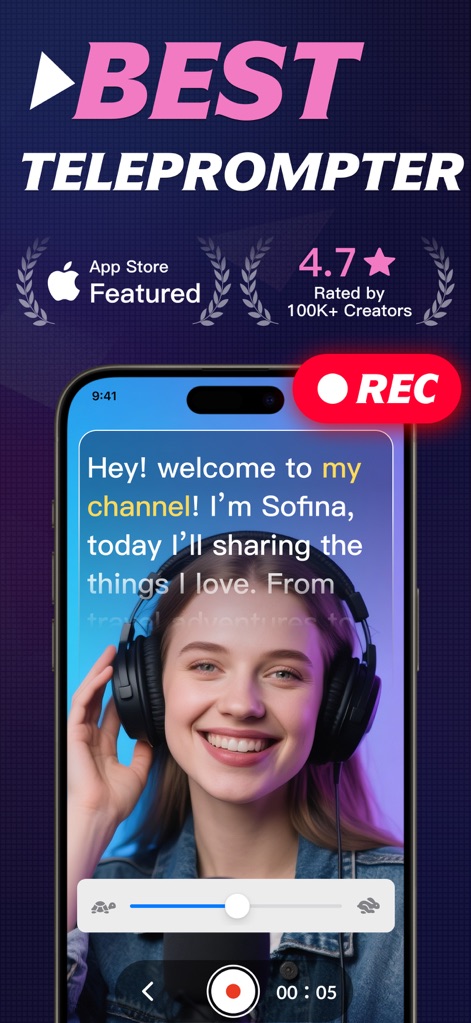
이 앱으로 사용자는 스크립트를 보며 자연스럽게 영상을 녹화할 수 있습니다. 여성의 얼굴 위에 투명하게 오버레이된 스크립트와 화면 상단의 "REC" 버튼을 통해 손쉬운 녹화 과정을 확인할 수 있습니다.
최고의 영상 제작
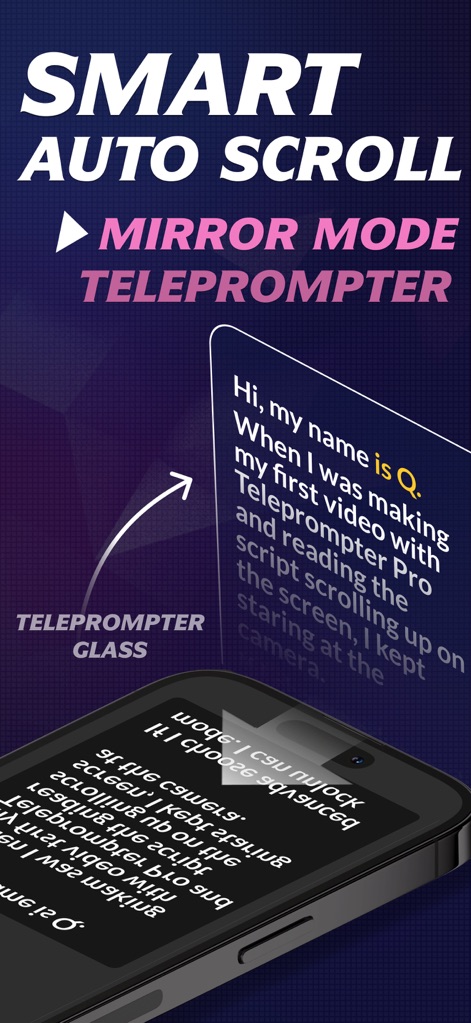
이 앱은 거울 모드를 지원하여 사용자가 외부 텔레프롬프터 장비와 함께 사용할 수 있게 합니다. 거울 모드로 반전된 스크립트 텍스트와 화면에 텍스트가 자동으로 스크롤되는 모습을 통해 사용자의 편의성을 극대화합니다.
거울 모드 스크롤
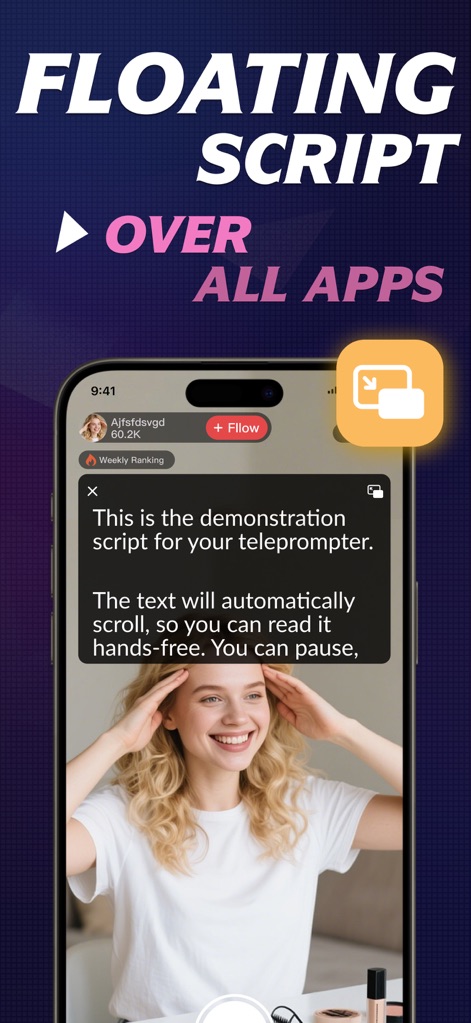
사용자는 플로팅 스크립트 기능을 활용하여 다른 앱을 사용하면서도 스크립트를 확인할 수 있습니다. 라이브 스트림 화면 위에 떠 있는 플로팅 스크립트 창과 배경의 다른 앱 화면이 동시에 보이는 것을 통해 멀티태스킹의 유용성을 보여줍니다.
어디서든 스크립트
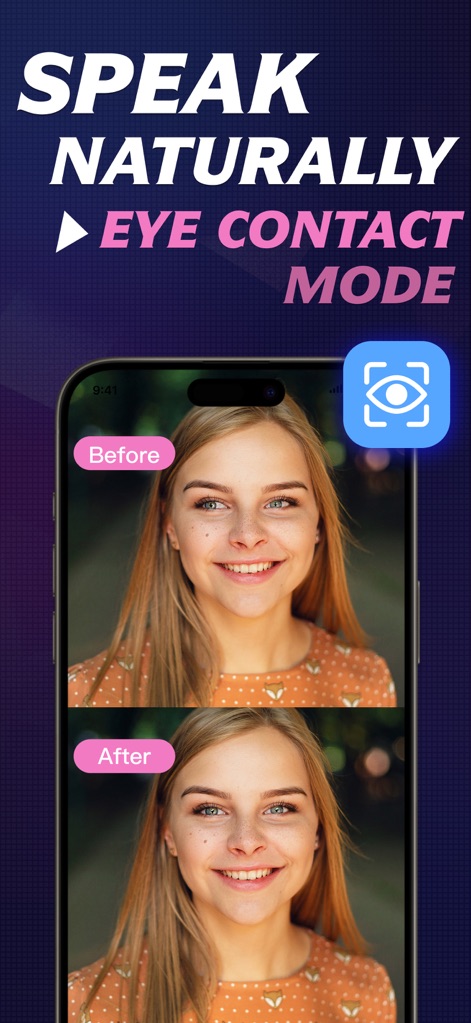
이 앱의 AI 시선 교정 모드는 사용자가 스크립트를 읽으면서도 카메라를 자연스럽게 응시할 수 있도록 돕습니다. "Before"와 "After" 라벨로 구분된 눈맞춤 교정 전후 비교를 통해 AI가 보정한 자연스러운 시선 처리를 명확하게 확인할 수 있습니다.
AI 시선 교정
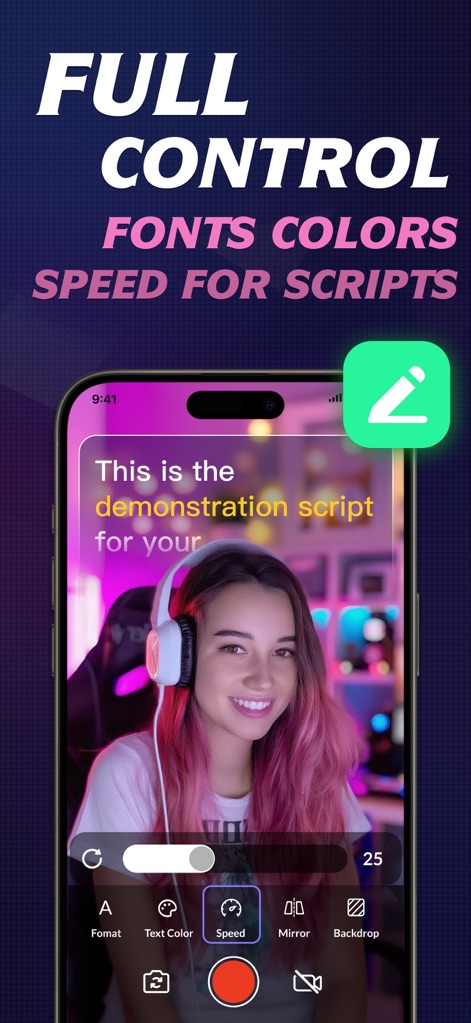
사용자는 폰트, 색상, 속도 등 스크립트의 모든 요소를 완벽하게 제어할 수 있습니다. 하단의 제어판에 표시된 '텍스트 색상' 및 '속도' 조정 옵션과 화면 속 스크립트의 글꼴 색상과 크기가 다양하게 적용된 모습을 통해 맞춤형 스크립트 환경을 제공합니다.
스크립트 완벽 제어
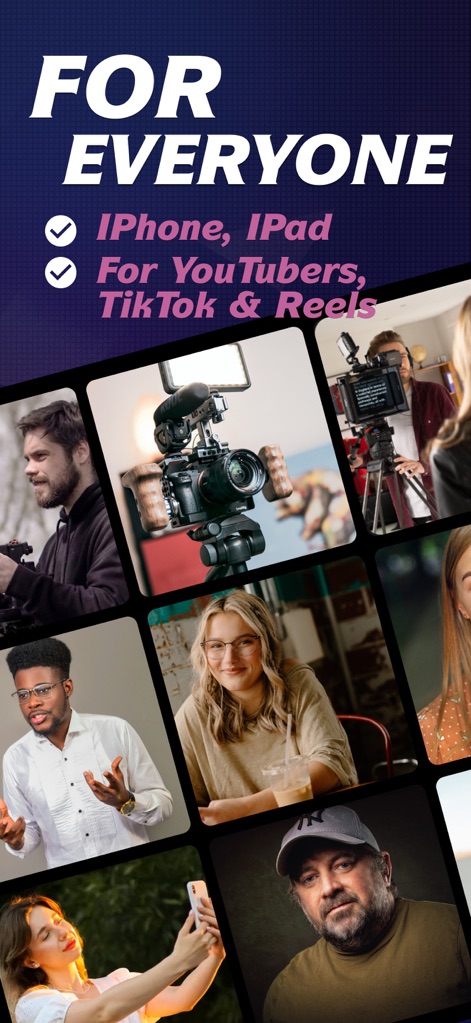
이 도구는 모든 유형의 콘텐츠 제작자와 전문가에게 적합하며, 다양한 장치와 플랫폼을 지원합니다. 다양한 연령대와 직업군의 사람들이 촬영하는 모습과 "iPhone, iPad", "YouTubers, TikTok & Reels" 텍스트를 통해 넓은 사용 범위를 보여줍니다.
모두를 위한 제작
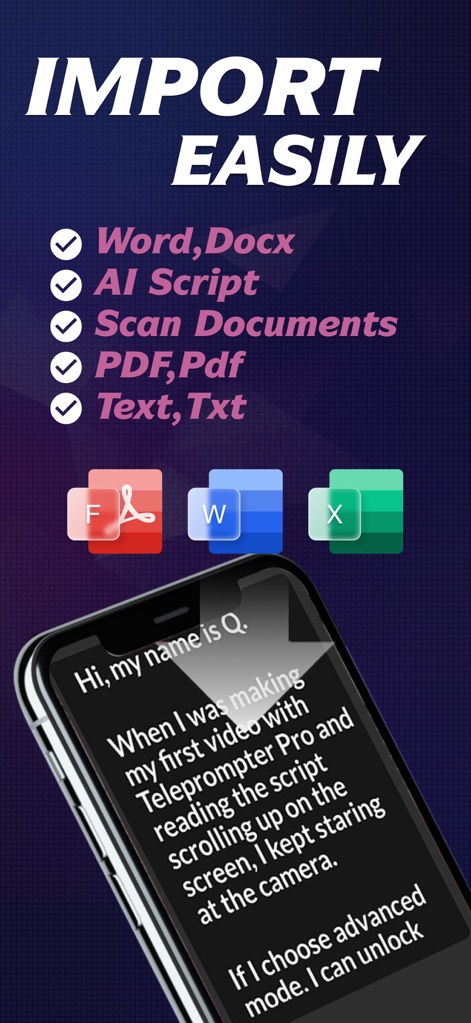
사용자는 Word, PDF, Text 파일은 물론, 카메라 스캔 기능을 통해 스크립트를 손쉽게 가져올 수 있습니다. PDF, Word, TXT 등 다양한 형식의 문서 아이콘과 '카메라로 스캔' 기능으로 스크립트를 가져오는 옵션을 통해 편리한 스크립트 준비 과정을 보여줍니다.
스크립트 간편 가져오기
이 앱은 전 세계 사용자들로부터 높은 평가를 받고 있으며, 특히 콘텐츠 제작자들에게 큰 만족을 선사합니다. "Perfect for YouTube", "Best for TikTok!"와 같은 긍정적인 사용자 후기와 화면 상단의 5성급 평점 아이콘이 이를 증명합니다.
전 세계적인 찬사
설명
Download
비슷한 앱
유사한 기능과 사용자 경험을 가진 앱

Teleprompter
Teleprompter Apps Ltd

BIGVU Teleprompter Captions AI
BIGVU INC

Teleprompter for Video
Norton Five Ltd

Teleprompter.com
Teleprompter LLC

Vmake: AI Talking Video Editor
Starii Tech Pty Ltd

说得AI提词器相机-全能的脚本创作提词拍摄快速剪辑口播神器
Hangzhou Gaishi Technology Co., Ltd.

Teleprompter-Record Script
晨铭 李

Verba: Captions & Video Editor
Verba Creative Inc.

Teleprompter: Video Recording
志威 王
이 페이지는 앱이나 개발자의 공식 페이지가 아니며, 정보 제공 및 논평을 목적으로 작성된 독립 편집 간행물입니다. 명시적으로 달리 언급되지 않는 한, 해당 앱이나 개발자는 MWM, Apple, Google Play, 앱 퍼블리셔 또는 앱 개발자와 제휴, 보증, 후원, 승인 또는 공식적으로 연결되어 있지 않으며, 이 페이지의 어떤 내용도 해당 앱이 MWM의 서비스를 사용하여 개발되었음을 의미하지 않습니다. 모든 상표, 로고, 스크린샷 및 기타 콘텐츠는 해당 소유자의 자산입니다.