TempTale App
TempTale App
다운로드: App Store

이 페이지는 앱이나 개발자의 공식 페이지가 아니며, 정보 제공 및 논평을 목적으로 작성된 독립 편집 간행물입니다. 명시적으로 달리 언급되지 않는 한, 해당 앱이나 개발자는 MWM, Apple, Google Play, 앱 퍼블리셔 또는 앱 개발자와 제휴, 보증, 후원, 승인 또는 공식적으로 연결되어 있지 않으며, 이 페이지의 어떤 내용도 해당 앱이 MWM의 서비스를 사용하여 개발되었음을 의미하지 않습니다. 모든 상표, 로고, 스크린샷 및 기타 콘텐츠는 해당 소유자의 자산입니다.

로고: TempTale App
다운로드: App Store

TempTale App

터치리스 온도 판독 및 즉각적인 수락/거부 결정으로 물류 전문가에게 힘을 실어줍니다. 자동화된 클라우드 동기화 및 원탭 PDF 보고를 통해 규정 준수를 간소화합니다.

주요 수치

다운로드

6K+

사용자 평점

5.0/5

총 평가 수

0

개발사

Sensitech Inc.

카테고리

Reference

지원 언어

9

최신 버전

3.5.2

크기

185.5 MB

출시일

2019년 5월 21일
기능

콜드체인 규정 준수 간소화

TempTale® 앱은 스마트폰을 강력한 검사 도구로 전환하여 온도에 민감한 배송에 대한 즉각적인 데이터 검색 및 실행 가능한 통찰력을 제공합니다.

즉각적인 수락/거부 결정

즉각적인 시각적 표시로 추측을 없앱니다. 간단한 확인 표시 또는 X로 배송이 온도 제한 내에 유지되었는지 즉시 알 수 있습니다.

터치리스 데이터 검색

블루투스® 또는 빠른 NFC 탭을 통해 최대 30피트 거리에서 포장을 통해 데이터를 수집하여 화물의 열 무결성을 유지합니다.

다음 스크린샷과 설명은 앱의 공식 스토어 목록에서 직접 가져온 것이며 앱 개발자의 자산입니다.

앱 스토어

스크린샷
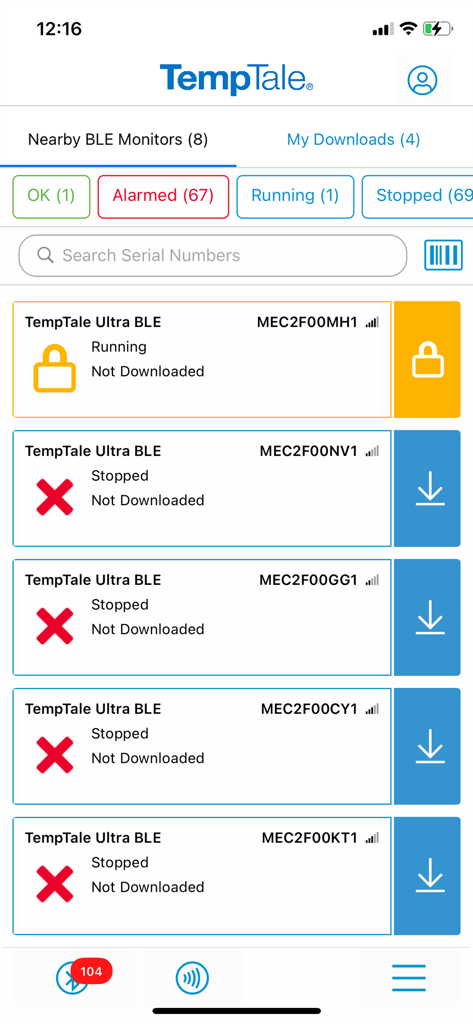
TempTale App - 상태 알림이 있는 근처 BLE 온도 모니터 목록을 보여주는 TempTale 앱 인터페이스
상태 알림이 있는 근처 BLE 온도 모니터 목록을 보여주는 TempTale 앱 인터페이스

TempTale App - 녹색 확인 표시와 빨간색 알람 아이콘으로 온도 모니터 상태를 보여주는 TempTale 앱 대시보드
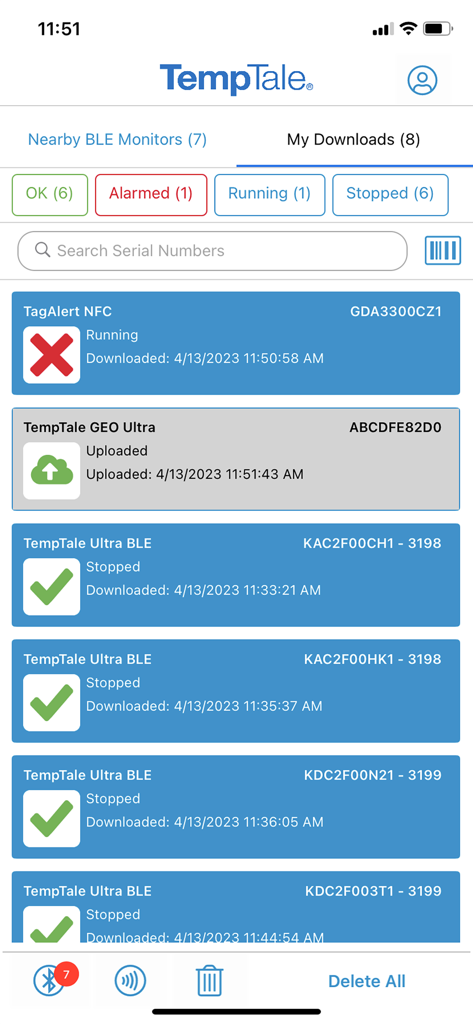
녹색 확인 표시와 빨간색 알람 아이콘으로 온도 모니터 상태를 보여주는 TempTale 앱 대시보드

TempTale App - 상태 표시기와 다운로드 옵션이 있는 근처 블루투스 온도 모니터 목록을 보여주는 TempTale 앱의 스크린샷
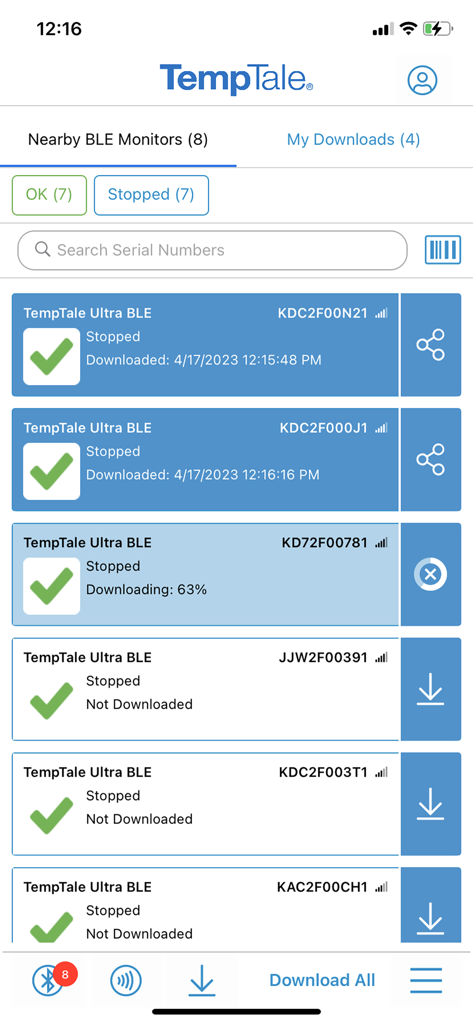
상태 표시기와 다운로드 옵션이 있는 근처 블루투스 온도 모니터 목록을 보여주는 TempTale 앱의 스크린샷

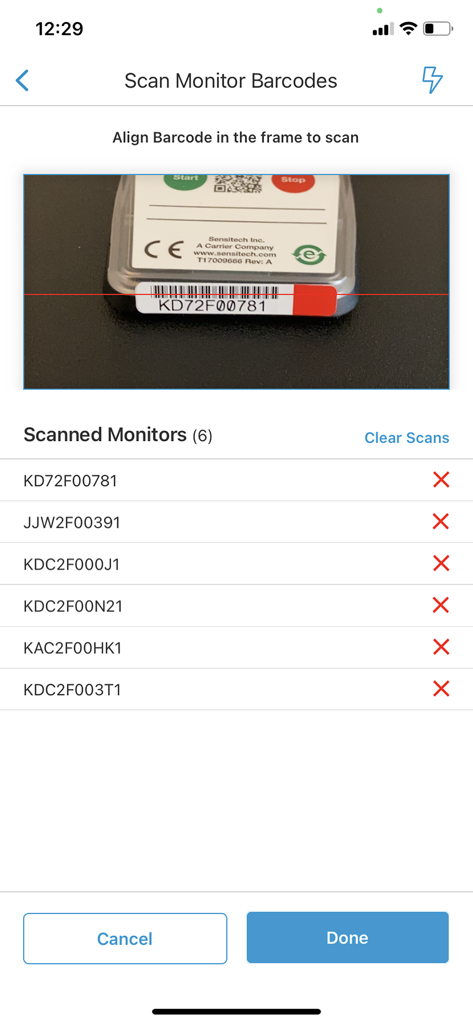
TempTale App - 카메라 뷰파인더와 알람 상태 표시기가 있는 스캔된 모니터 ID 목록을 보여주는 TempTale 앱 바코드 스캔 화면
카메라 뷰파인더와 알람 상태 표시기가 있는 스캔된 모니터 ID 목록을 보여주는 TempTale 앱 바코드 스캔 화면

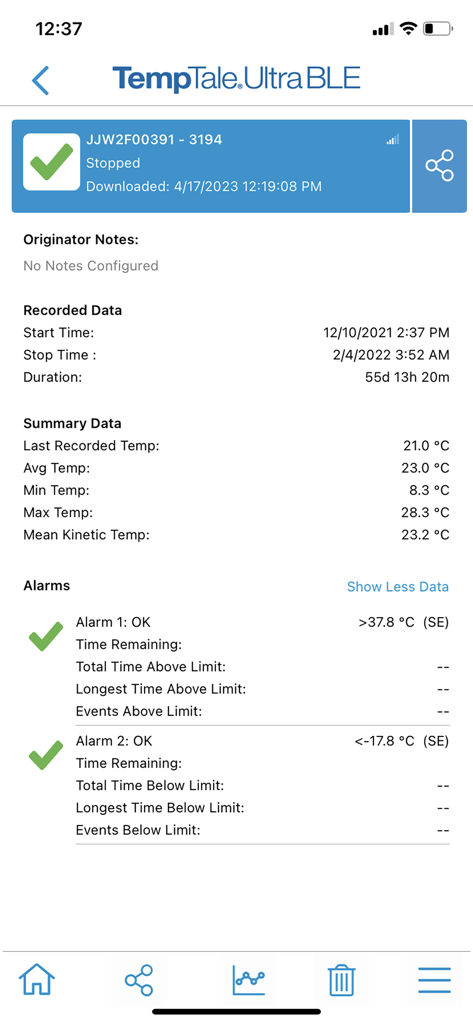
TempTale App - 알람 상태와 기록된 데이터를 보여주는 TempTale 앱의 온도 요약 보고서
알람 상태와 기록된 데이터를 보여주는 TempTale 앱의 온도 요약 보고서

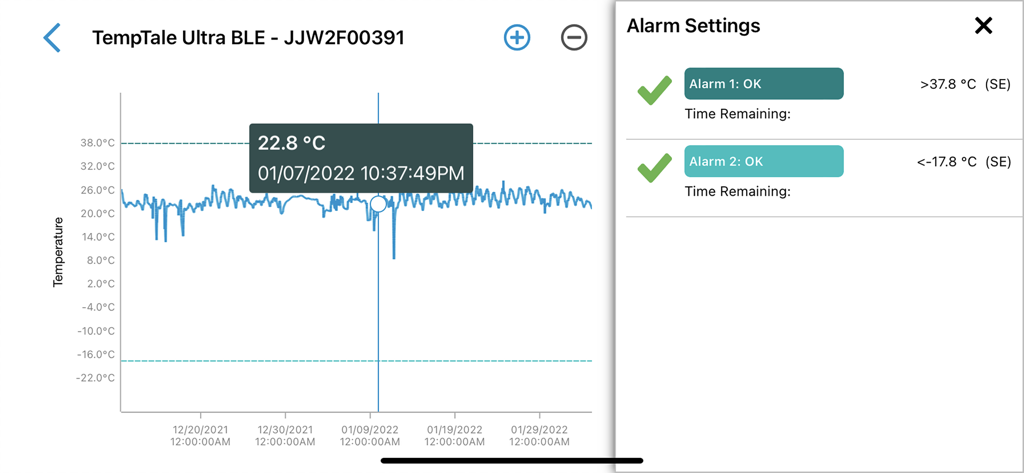
TempTale App - TempTale 앱 인터페이스에 온도 로그 그래프와 알람 구성 설정 표시
TempTale 앱 인터페이스에 온도 로그 그래프와 알람 구성 설정 표시

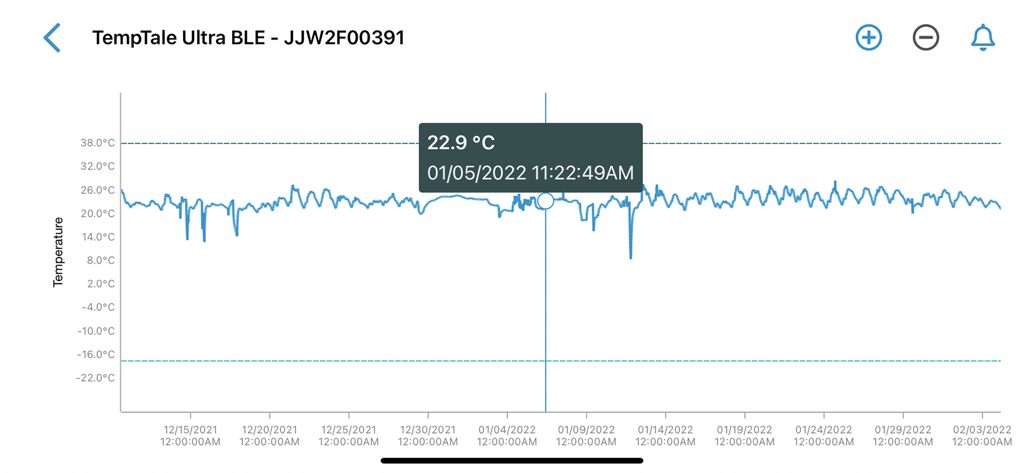
TempTale App - 시간 경과에 따른 변동을 보여주는 TempTale 앱의 상세 온도 그래프, 22.9도 섭씨의 특정 데이터 포인트 강조 표시
시간 경과에 따른 변동을 보여주는 TempTale 앱의 상세 온도 그래프, 22.9도 섭씨의 특정 데이터 포인트 강조 표시

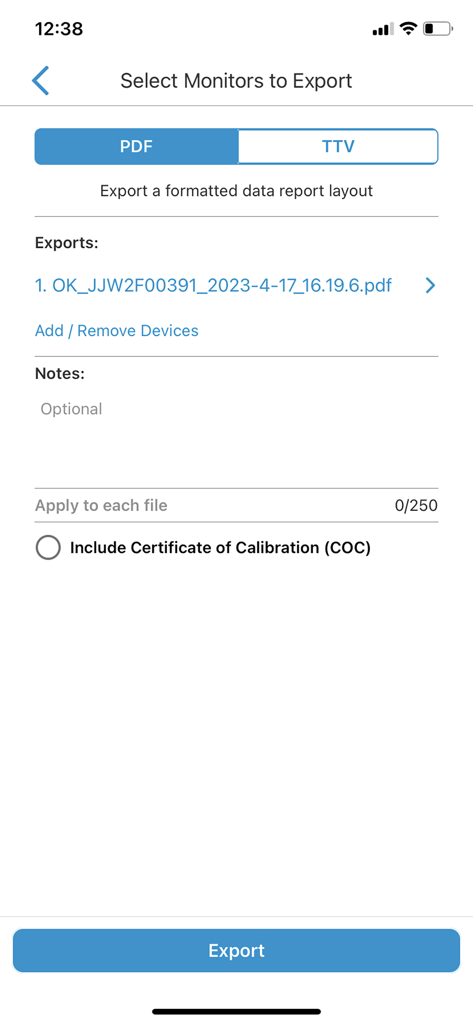
TempTale App - PDF 또는 TTV 보고서로 내보낼 모니터를 선택하는 TempTale 앱 화면
PDF 또는 TTV 보고서로 내보낼 모니터를 선택하는 TempTale 앱 화면

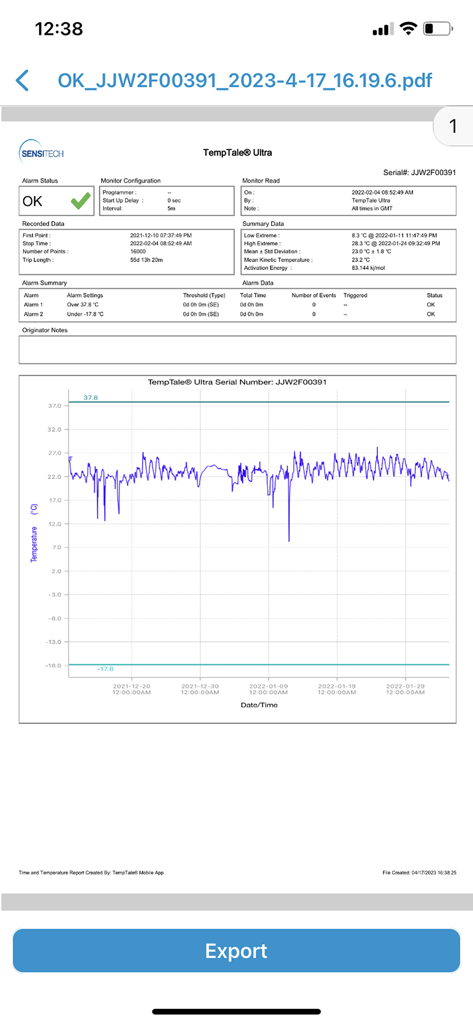
TempTale App - 데이터 그래프와 녹색 OK 알람 상태를 보여주는 TempTale 앱의 상세 온도 모니터링 보고서
데이터 그래프와 녹색 OK 알람 상태를 보여주는 TempTale 앱의 상세 온도 모니터링 보고서

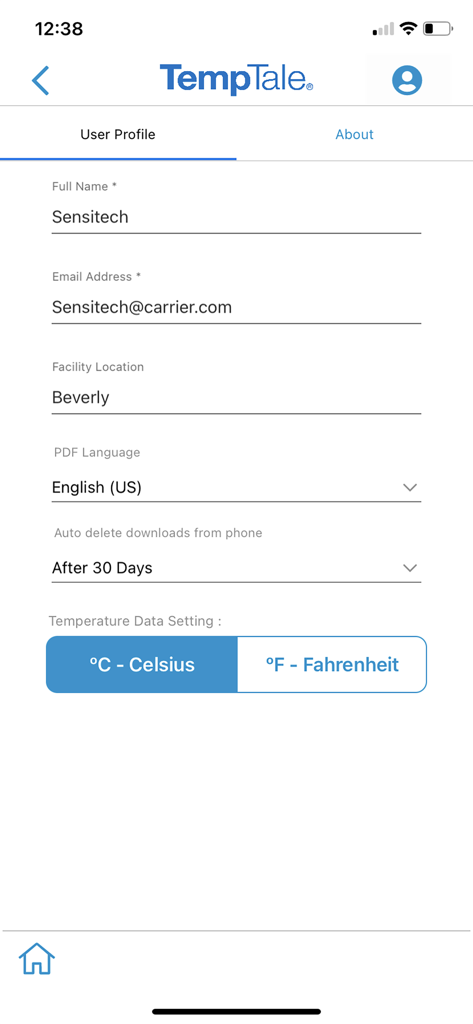
TempTale App - 이름, 이메일, 시설 위치 및 온도 기본 설정이 표시된 TempTale 앱의 사용자 프로필 설정 화면

이름, 이메일, 시설 위치 및 온도 기본 설정이 표시된 TempTale 앱의 사용자 프로필 설정 화면

설명

TempTale® Mobile App supports reading temperature from these Sensitech wireless devices used in temperature-sensitive supply chain shipments: TempTale® BLE (Bluetooth) monitor: Provides a touchless Bluetooth read of the temperature of a package and determines if a package is alarmed for accept/reject decisions. Once the app is installed on your smartphone, simply open the app and the Bluetooth monitor will broadcast data within 9m or 30 ft (no pairing required). Tap to download the temperature data to your phone. Data automatically uploads to the cloud into ColdStream® Select once downloaded to the phone. Quickly export a PDF or TTV file—send using your smartphone file sharing options. TempTale® GEO X Real-time/cellular monitor: Provides an easy way to upload data to the cloud as a secondary method if no cellular connection is available at the final destination. “APP” will display on the LCD of the monitor. Press the start and stop buttons for 3 sec. to activate the Bluetooth connection. Once the app is installed on your smartphone, simply open the app and the Bluetooth monitor will broadcast data within 9m or 30 ft (no pairing required). Tap to download the temperature data to your phone. Data automatically uploads to the cloud once downloaded to the phone. Quickly export a PDF or TTV file—send using your smartphone file sharing options. TempTale® GEO Ultra Real-time/cellular monitor: Provides an easy way to upload data to the cloud as a secondary method if no cellular connection is available at the final destination. Once the app is installed on your smartphone, simply open it and tap the device to scan the TempTale® GEO Ultra using the NFC wireless connection to upload monitor data to the cloud and stop the monitor. Login to ColdStream® Select / SensiWatch® Platform to check for shipment alarm status information. TagAlert® NFC monitor: Provides an easy-to-understand temperature status of your package. The read out indicates if the product has stayed within acceptable limits or if any temperature alarms have triggered. Once the app is installed on your smartphone, simply open it and tap the device to scan and read the TagAlert® NFC to check alarm statuses. Once data is downloaded using the app, feel confident in your accept/reject decision. Quickly export data reports in PDF format and send them using your smartphone file sharing options. Selective Access: Upon launching the TempTale App, users may need to login to obtain Selective Access with their SensiWatch® Platform credentials or continue as a Guest. Guest mode allows use of the app without login, for certain TempTale BLE programs. Monitors configured with Selective Access are set up in SensiWatch Platform. Please contact your administrator to receive a login set up email. Easy to use: Once the app is installed on your smartphone, • Simply launch the app and the TempTale® BLE (Bluetooth) monitor will broadcast to the app (no pairing required). Click download arrow to download to your phone. Use the app for near field communication (NFC) to scan the TagAlert® NFC or TempTale® GEO Ultra by holding your smartphone and tapping the monitor—it will be read automatically. TempTale® GEO X, TempTale® BLE and TagAlert® NFC monitors can be programmed with up to six (6) temperature alarms and displayed in the app. TempTale® GEO Ultra alarms display in the software, login to ColdStream® Select / SensiWatch® Platform to check for shipment alarm status information. If the time/temperature of your package has exceeded its limits, you will see the X icon, indicating an alarm (up to 6) has triggered. Follow the standard operating procedures (SOPs) set by your organization. If your package has stayed within the time/temperature limits, you will see the √ icon (check mark), which means you can accept the shipment.

Download

다운로드: App Store

이 페이지는 앱이나 개발자의 공식 페이지가 아니며, 정보 제공 및 논평을 목적으로 작성된 독립 편집 간행물입니다. 명시적으로 달리 언급되지 않는 한, 해당 앱이나 개발자는 MWM, Apple, Google Play, 앱 퍼블리셔 또는 앱 개발자와 제휴, 보증, 후원, 승인 또는 공식적으로 연결되어 있지 않으며, 이 페이지의 어떤 내용도 해당 앱이 MWM의 서비스를 사용하여 개발되었음을 의미하지 않습니다. 모든 상표, 로고, 스크린샷 및 기타 콘텐츠는 해당 소유자의 자산입니다.







