
이 페이지는 앱이나 개발자의 공식 페이지가 아니며, 정보 제공 및 논평을 목적으로 작성된 독립 편집 간행물입니다. 명시적으로 달리 언급되지 않는 한, 해당 앱이나 개발자는 MWM, Apple, Google Play, 앱 퍼블리셔 또는 앱 개발자와 제휴, 보증, 후원, 승인 또는 공식적으로 연결되어 있지 않으며, 이 페이지의 어떤 내용도 해당 앱이 MWM의 서비스를 사용하여 개발되었음을 의미하지 않습니다. 모든 상표, 로고, 스크린샷 및 기타 콘텐츠는 해당 소유자의 자산입니다.


Tenuto
청음 훈련 및 이론 드릴의 전문가 표준. 24개의 맞춤 설정 가능한 연습 문제와 진지한 학생 및 교육자를 위해 설계된 음악 계산기 제품군으로 연습하세요.
다운로드
592K+사용자 평점
총 평가 수
1K+개발사
카테고리
Music지원 언어
1최신 버전
5.0.1크기
10.3 MB출시일
2011년 8월 30일음악 이론 마스터하기
진지한 음악가 및 학생들을 위한 신뢰할 수 있는 툴킷. 군더더기 없이 학문적 엄격함과 음악적 유창성을 구축하도록 설계된 24가지 고강도 맞춤형 연습 문제.
초점화된 연습
모든 드릴을 완벽하게 사용자 정의하여 특정 약점을 공략하세요. 현재 강의 계획서 또는 연습 목표에 맞게 특정 음정, 음계 또는 조를 전환하세요.
엘리트 청음 훈련
엄격한 식별 드릴을 통해 전문적인 청력을 개발하세요. 군더더기 없고 광고 없는 인터페이스로 음정, 코드, 음계를 귀로 마스터하세요.
자주 묻는 질문
에 대해 알아야 할 모든 것 Tenuto
Tenuto란 무엇인가요?
Tenuto는 음악성을 향상시키기 위해 24가지 맞춤형 연습 문제와 6가지 음악 계산기를 제공하는 앱입니다. 음표, 음정, 스케일, 코드에 대한 식별, 구성, 청음 훈련을 포함합니다.
Tenuto는 어떤 종류의 음악 연습을 제공하나요?
Tenuto는 음표, 조표, 음정, 스케일, 코드 식별 및 구성 연습을 제공합니다. 또한 건반, 프렛보드, 청음 연습도 포함합니다.
Tenuto가 청음 훈련에 도움이 되나요?
네, Tenuto는 건반 청음, 음표 청음, 음정 청음, 스케일 청음, 코드 청음 등 다양한 청음 훈련 연습을 포함합니다.
Tenuto에 음악 계산기가 포함되어 있나요?
네, Tenuto에는 6가지 음악 계산기가 있습니다. 여기에는 임시표, 음정, 스케일, 코드, 분석 기호 및 12음 행렬 계산기가 포함됩니다.
Tenuto의 프렛보드 식별은 어떻게 작동하나요?
Tenuto의 프렛보드 식별 연습에서는 사용자가 표시된 프렛보드 위치에 해당하는 버튼을 탭하여 음표, 음정, 스케일 또는 코드를 식별해야 합니다.
Tenuto의 연습 문제를 맞춤 설정할 수 있나요?
네, Tenuto는 연습 문제 맞춤 설정을 허용합니다. 사용자는 음자리표, 음역, 포지션, 조표, 음이름, 도우미, 임시표, 음 필터와 같은 설정을 조정할 수 있습니다.
Tenuto의 분석 계산기란 무엇인가요?
Tenuto의 분석 계산기는 주어진 분석 기호와 조에 대한 코드를 표시합니다. 사용자가 화성 진행을 이해하는 데 도움이 됩니다.
Tenuto는 피아노 건반으로 학습하는 것을 지원하나요?
네, Tenuto는 피아노 건반 학습을 지원합니다. 건반 역방향 식별, 건반 음표 식별, 건반 청음 연습을 제공합니다.
Tenuto는 몇 가지 연습 문제를 제공하나요?
Tenuto는 식별, 구성, 청음 훈련과 같은 다양한 측면에서 음악성을 향상시키기 위해 설계된 24가지의 독특한 연습 문제 모음을 제공합니다.
Tenuto의 행렬 계산기 용도는 무엇인가요?
Tenuto의 행렬 계산기는 지정된 톤 로우에 대한 12음 행렬을 표시합니다. 이 도구는 고급 12음 기법 분석에 사용됩니다.
다음 스크린샷과 설명은 앱의 공식 스토어 목록에서 직접 가져온 것이며 앱 개발자의 자산입니다.
앱 스토어
스크린샷
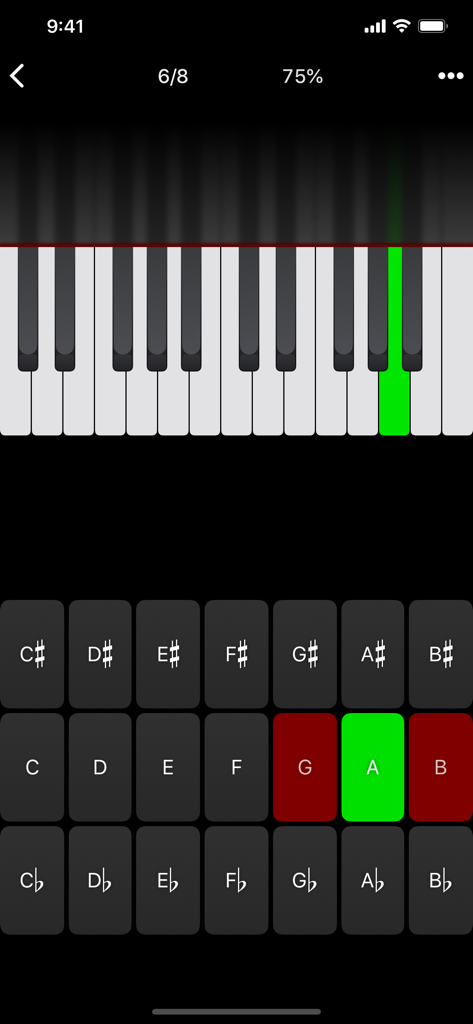
Tenuto 음악 이론 앱 인터페이스에 강조 표시된 녹색 건반과 문자 버튼이 있는 피아노 건반 음계 식별 연습이 표시됩니다.
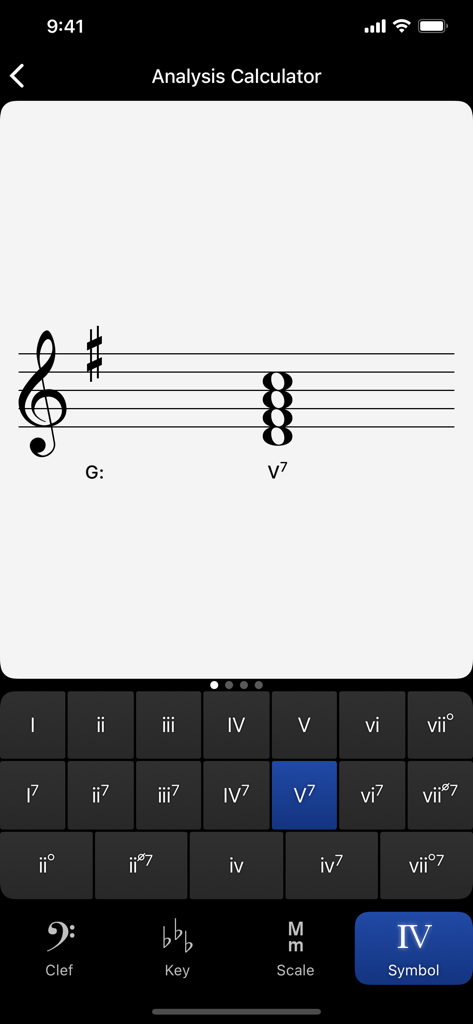
G 장조에서 로마 숫자 식별을 위한 Tenuto 앱의 분석 계산기를 보여주는 스크린샷
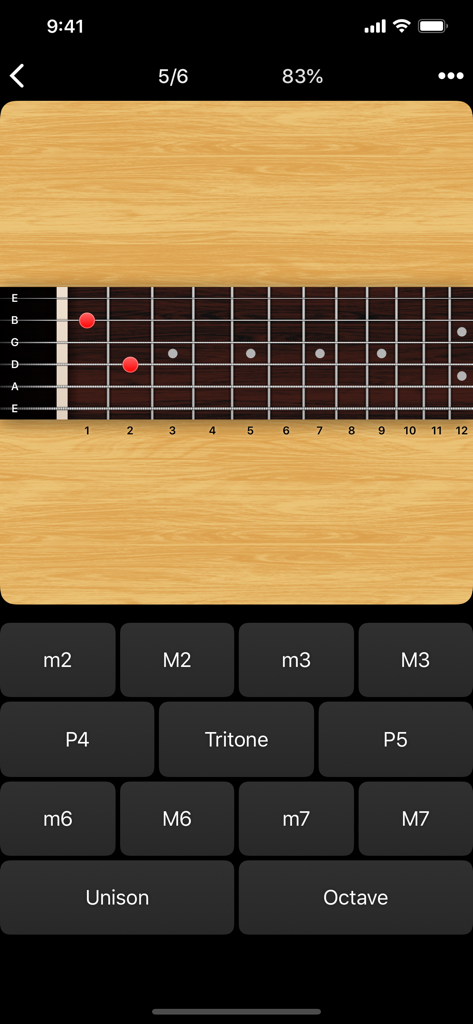
Tenuto 음악 이론 앱의 기타 지판 음정 식별 드릴.
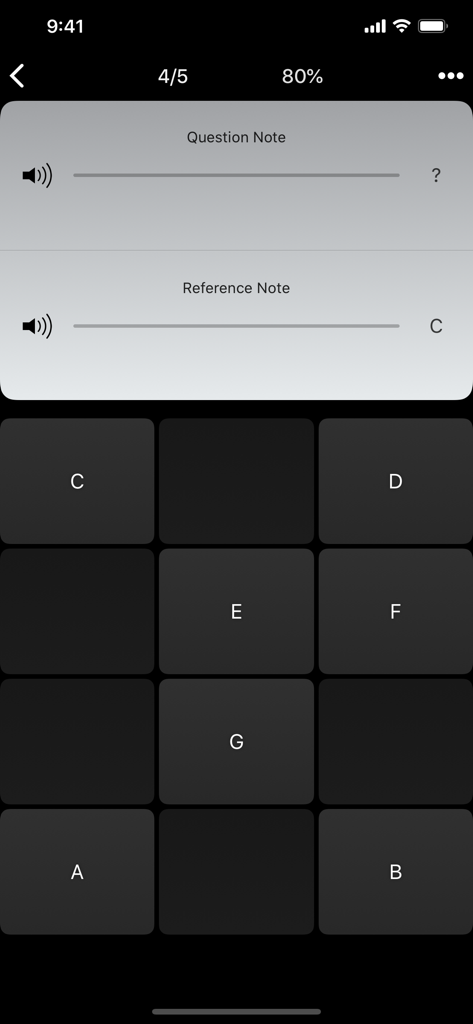
Tenuto 앱 인터페이스에 음계 버튼과 참조 음계 C가 있는 음계 청음 훈련 연습이 표시됩니다.
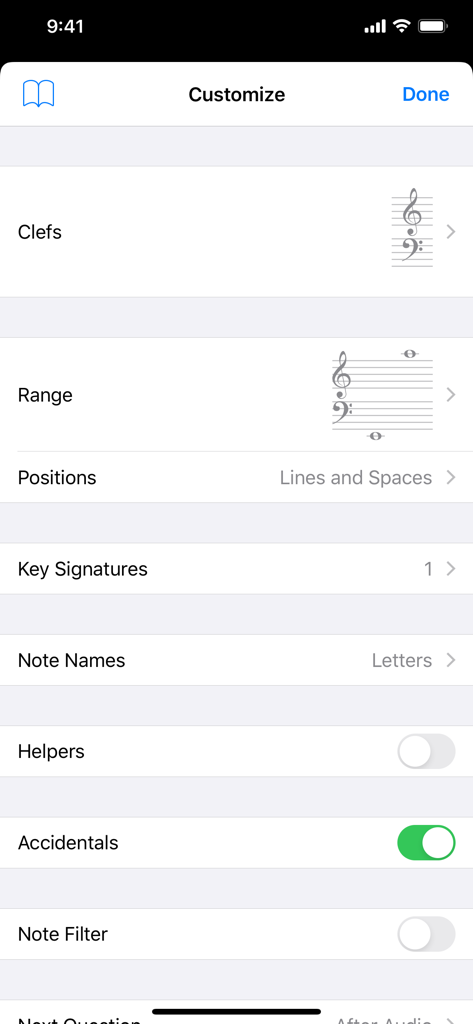
Tenuto 앱 맞춤 설정 화면은 음악 이론 연습을 위해 음자리표 및 음역 설정이 표시됩니다.
설명
Download
비슷한 앱
유사한 기능과 사용자 경험을 가진 앱

Earpeggio
Blazing Apps Ltd

Piano Chords and Scales
Sincere Apps SIA

Solo - Fretboard Visualization
Trio Software LTD

Functional Ear Trainer
Serhii Korchan

Tone - Learn Perfect Pitch!
Coda Labs Incorporated

Solfa: learn musical notes.
Alexey Ovod

Perfect Ear - Ear Trainer
Crazy Ootka Software AB

Theory Lessons
musictheory.net, LLC

Music Rhythm Trainer
Guitar Tabs LLC
이 페이지는 앱이나 개발자의 공식 페이지가 아니며, 정보 제공 및 논평을 목적으로 작성된 독립 편집 간행물입니다. 명시적으로 달리 언급되지 않는 한, 해당 앱이나 개발자는 MWM, Apple, Google Play, 앱 퍼블리셔 또는 앱 개발자와 제휴, 보증, 후원, 승인 또는 공식적으로 연결되어 있지 않으며, 이 페이지의 어떤 내용도 해당 앱이 MWM의 서비스를 사용하여 개발되었음을 의미하지 않습니다. 모든 상표, 로고, 스크린샷 및 기타 콘텐츠는 해당 소유자의 자산입니다.