Text Scanner OCR Image to Text
다운로드: App Store

이 페이지는 앱이나 개발자의 공식 페이지가 아니며, 정보 제공 및 논평을 목적으로 작성된 독립 편집 간행물입니다. 명시적으로 달리 언급되지 않는 한, 해당 앱이나 개발자는 MWM, Apple, Google Play, 앱 퍼블리셔 또는 앱 개발자와 제휴, 보증, 후원, 승인 또는 공식적으로 연결되어 있지 않으며, 이 페이지의 어떤 내용도 해당 앱이 MWM의 서비스를 사용하여 개발되었음을 의미하지 않습니다. 모든 상표, 로고, 스크린샷 및 기타 콘텐츠는 해당 소유자의 자산입니다.


로고: Text Scanner OCR Image to Text
다운로드: App Store

Text Scanner OCR Image to Text

사진, PDF, 필기 노트를 몇 초 안에 편집 가능한 텍스트로 변환하세요. 이동 중인 전문가와 학생에게 완벽한, 종이 없는 생활을 위한 고속 OCR.

주요 수치

다운로드

14K+

사용자 평점

4.0/5

총 평가 수

100

개발사

Pretty Boa Media Ltd

카테고리

Games

지원 언어

1

최신 버전

2.1

크기

71.2 MB

출시일

2022년 11월 14일
기능

생산성 워크플로우 마스터하기

인쇄되거나 필기된 텍스트를 몇 초 안에 편집 가능한 디지털 콘텐츠로 바꾸세요. iPhone 및 iPad용으로 특별히 설계되었습니다.

필기 인식

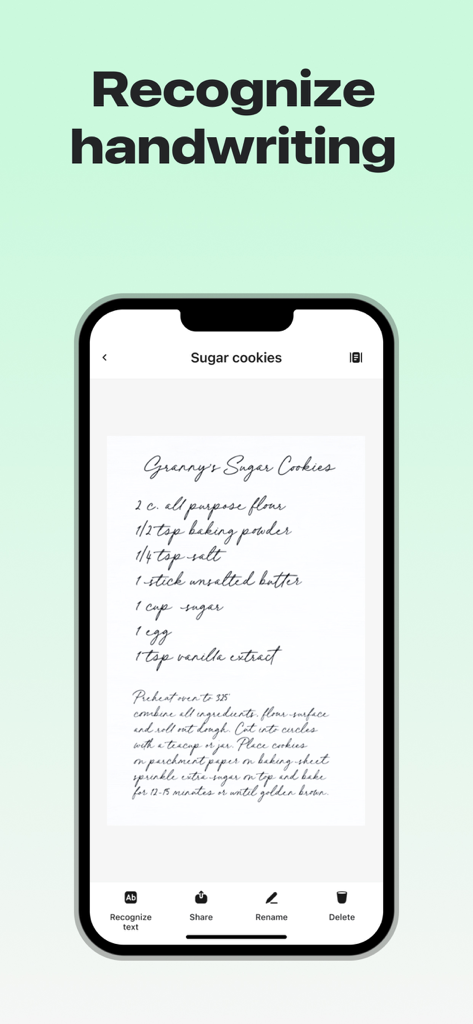
필기 강의 노트나 회의 브레인스토밍 내용을 즉시 검색 및 편집 가능한 텍스트로 변환하세요.

즉석 클립보드 추출

이미지나 PDF에서 번개처럼 빠른 속도로 텍스트를 추출하여 전문 앱이나 이메일에 직접 붙여넣으세요.

다음 스크린샷과 설명은 앱의 공식 스토어 목록에서 직접 가져온 것이며 앱 개발자의 자산입니다.

앱 스토어

스크린샷
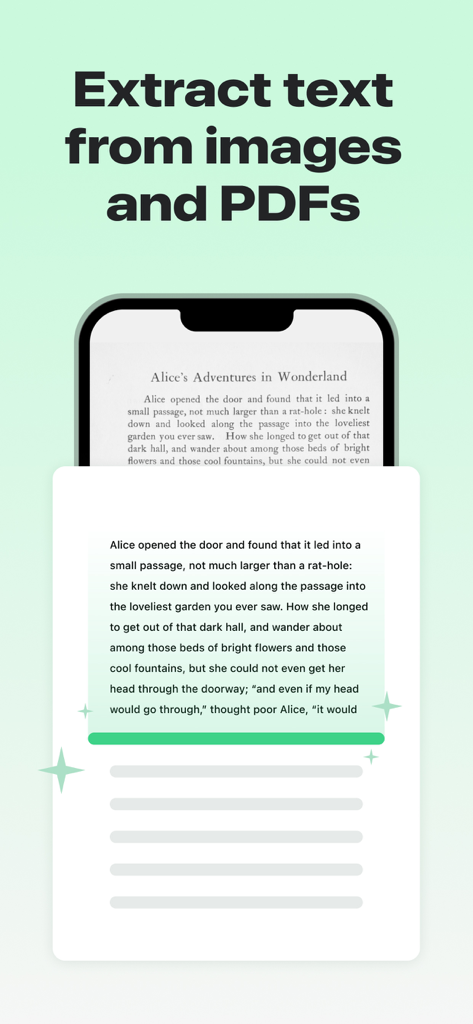
Text Scanner OCR Image to Text - 책 페이지에서 텍스트를 추출하는 Text Scanner OCR 앱을 보여주는 iPhone 화면
책 페이지에서 텍스트를 추출하는 Text Scanner OCR 앱을 보여주는 iPhone 화면

Text Scanner OCR Image to Text - 필기된 쿠키 레시피를 인식하는 텍스트 스캐너 앱을 보여주는 iPhone 화면
필기된 쿠키 레시피를 인식하는 텍스트 스캐너 앱을 보여주는 iPhone 화면

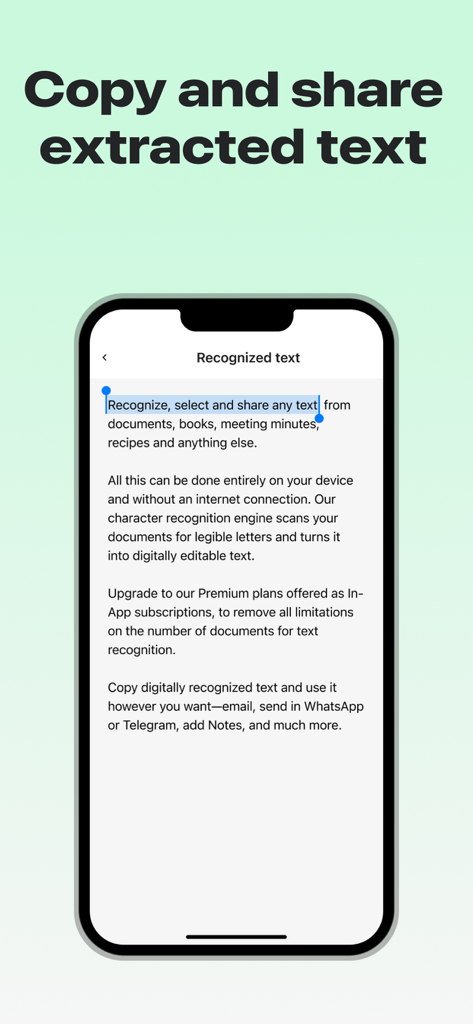
Text Scanner OCR Image to Text - 복사 및 공유를 위해 인식된 텍스트가 선택된 iPhone 화면을 보여주는 인터페이스
복사 및 공유를 위해 인식된 텍스트가 선택된 iPhone 화면을 보여주는 인터페이스

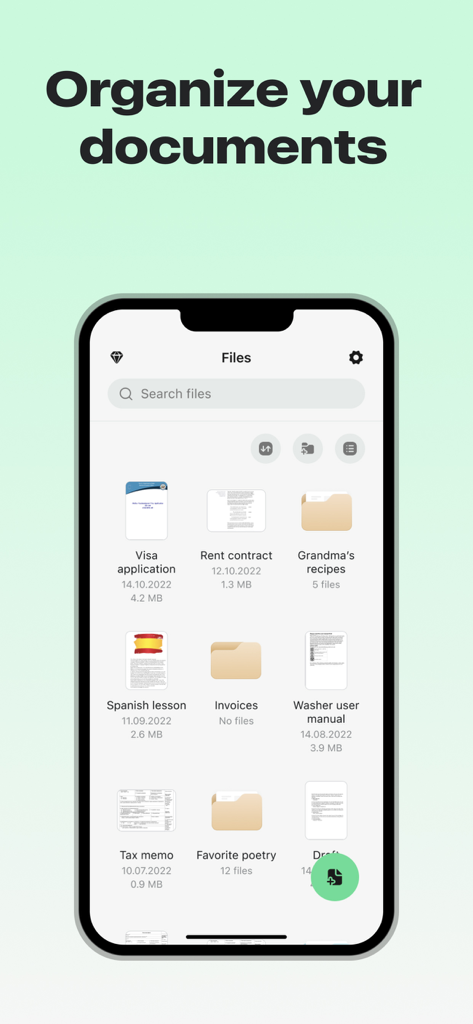
Text Scanner OCR Image to Text - 비자 신청서 및 임대 계약서와 같은 정리된 문서와 폴더가 있는 파일 관리 인터페이스를 보여주는 iPhone 화면
비자 신청서 및 임대 계약서와 같은 정리된 문서와 폴더가 있는 파일 관리 인터페이스를 보여주는 iPhone 화면

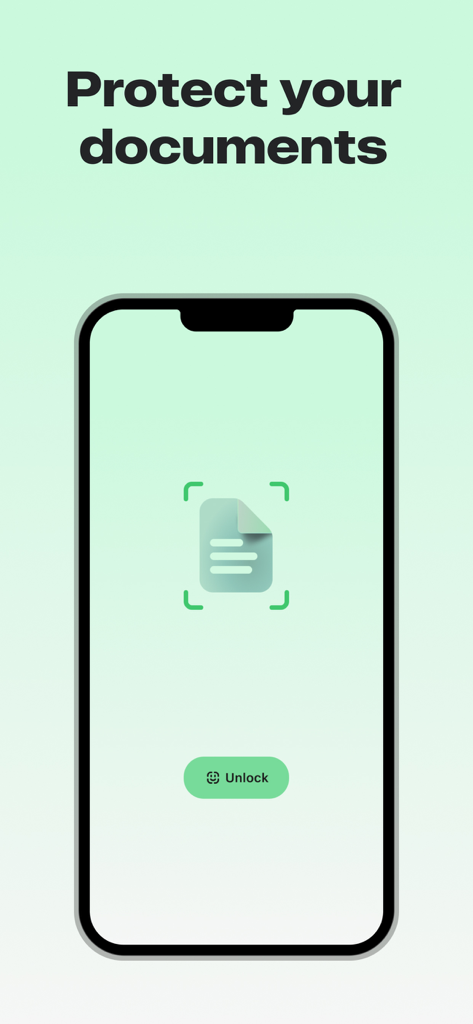
Text Scanner OCR Image to Text - 문서 보호 및 Face ID 잠금 해제 버튼을 보여주는 Text Scanner OCR 앱 인터페이스

문서 보호 및 Face ID 잠금 해제 버튼을 보여주는 Text Scanner OCR 앱 인터페이스

설명

Convert any image / PDF to text. Use Text Scanner OCR to automatically recognize characters from an image or PDF and instantly copy the text to your clipboard. FEATURES - Extract text from any image or PDF on your device - Works with English language only - Supports handwriting - High speed OCR This app includes an auto renewing subscription option in order to access all functionality: - Subscription options are either every weekly, monthly or yearly - Payment will be charged to your Apple ID account at the confirmation of purchase. - Subscription automatically renews unless the subscription is cancelled at least 24-hours before the end of the current period. - Your account will be charged for renewal within 24 hours prior to the end of the current period. - You can manage and cancel your subscriptions by going to your account settings on the App Store after purchase. - When canceling a subscription, your subscription will stay active until the end of the subscription period and you will have access to all the content that you subscribed to. Auto-renewal will be disabled and you will not be charged again, but the current subscription will not be refunded. - You may be eligible to sign up for a trial period to evaluate the app. Please note that at the end of the trial period you will be billed for the subscription amount and the subscription will automatically renew. - Any unused portion of a trial period, if offered, will be forfeited when purchasing a subscription. Privacy Policy and Terms of Use are available at: - http://prettyboamedia.com/privacy-policy/ - http://prettyboamedia.com/terms-conditions/ We are constantly improving this app and we would love to hear your suggestions for improvement! If you have found a bug, have a suggestion, or want a new feature, please email us at: support@prettyboamedia.com

Download

다운로드: App Store

이 페이지는 앱이나 개발자의 공식 페이지가 아니며, 정보 제공 및 논평을 목적으로 작성된 독립 편집 간행물입니다. 명시적으로 달리 언급되지 않는 한, 해당 앱이나 개발자는 MWM, Apple, Google Play, 앱 퍼블리셔 또는 앱 개발자와 제휴, 보증, 후원, 승인 또는 공식적으로 연결되어 있지 않으며, 이 페이지의 어떤 내용도 해당 앱이 MWM의 서비스를 사용하여 개발되었음을 의미하지 않습니다. 모든 상표, 로고, 스크린샷 및 기타 콘텐츠는 해당 소유자의 자산입니다.








