The Ebook Converter

The Ebook Converter

다운로드: App Store
로고: The Ebook Converter

전자책 변환기: 어떤 책이든 어떤 기기에서든 몇 초 만에 읽기

형식 제한에서 벗어나세요. 안전하고 번개처럼 빠른 기술로 Kindle, iPad 또는 iPhone용 PDF, EPUB 및 MOBI 파일을 원활하게 변환합니다.

개발사

Float Tech, LLC

카테고리

Utilities

다운로드

133K+

사용자 평점

4.4/5

총 평가 수

11K+

지원 언어

23

제한 없는 독서

이 인터페이스를 사용하는 133K+ 명의 사용자.

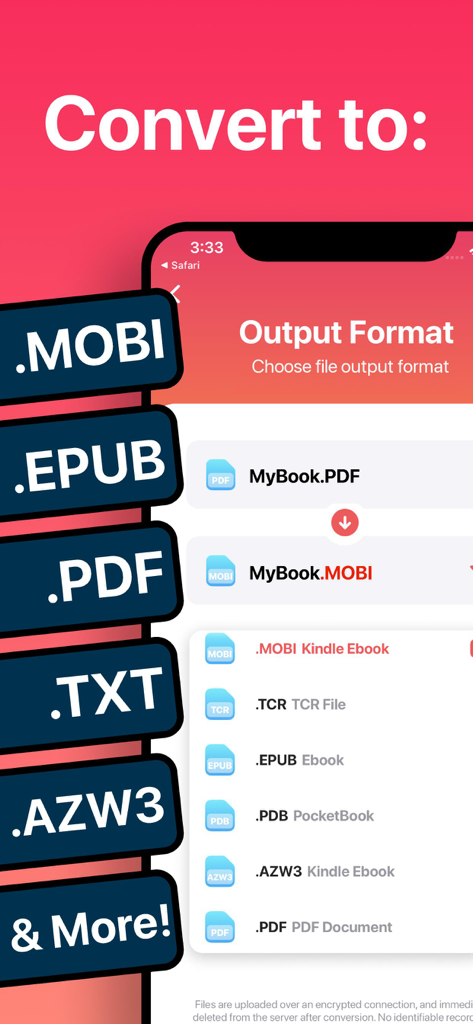
전자책 변환기 앱의 스크린샷으로 MOBI, EPUB, PDF를 포함한 지원되는 출력 형식 목록을 보여줍니다.

전자책 변환기 앱의 스크린샷으로 MOBI, EPUB, PDF를 포함한 지원되는 출력 형식 목록을 보여줍니다.

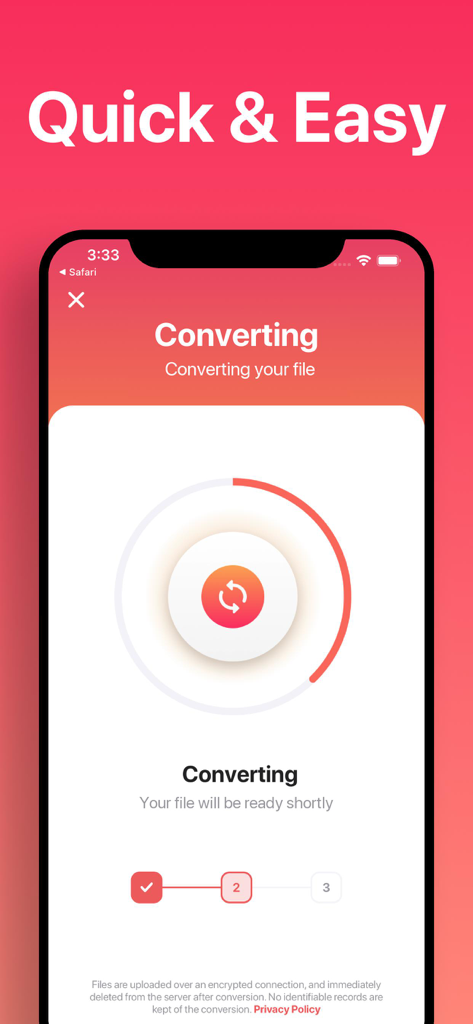
모바일 장치에서 전자책 파일 변환 진행률을 보여주는 전자책 변환기 앱의 인터페이스.

모바일 장치에서 전자책 파일 변환 진행률을 보여주는 전자책 변환기 앱의 인터페이스.

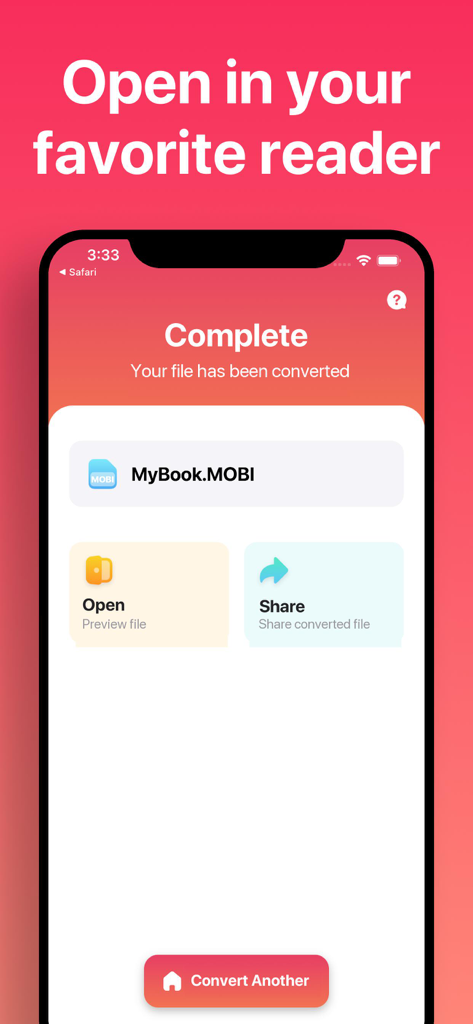
MOBI 형식으로의 성공적인 파일 변환과 파일 열기 또는 공유 옵션을 보여주는 전자책 변환기 앱의 스크린샷.

MOBI 형식으로의 성공적인 파일 변환과 파일 열기 또는 공유 옵션을 보여주는 전자책 변환기 앱의 스크린샷.

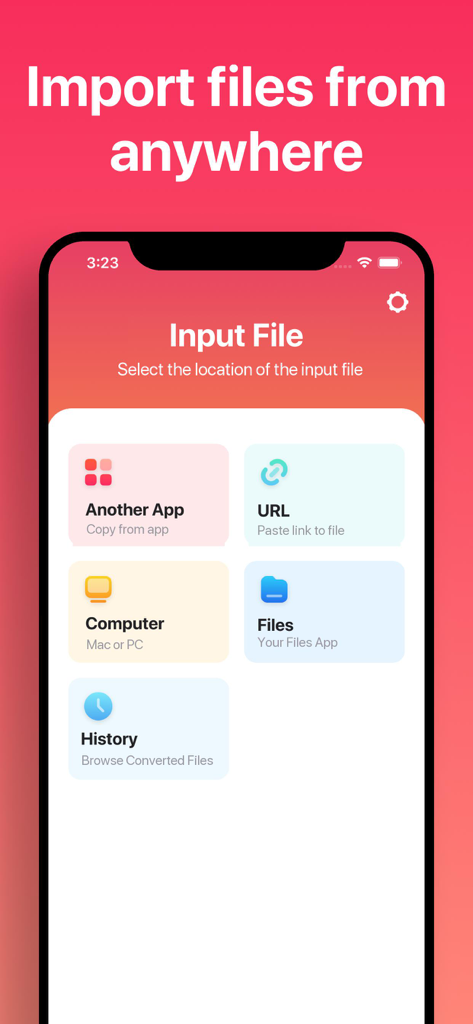
다른 앱, URL, 컴퓨터 및 내부 파일과 같은 소스에서 파일을 가져오는 옵션을 보여주는 전자책 변환기 앱의 모바일 화면.

다른 앱, URL, 컴퓨터 및 내부 파일과 같은 소스에서 파일을 가져오는 옵션을 보여주는 전자책 변환기 앱의 모바일 화면.

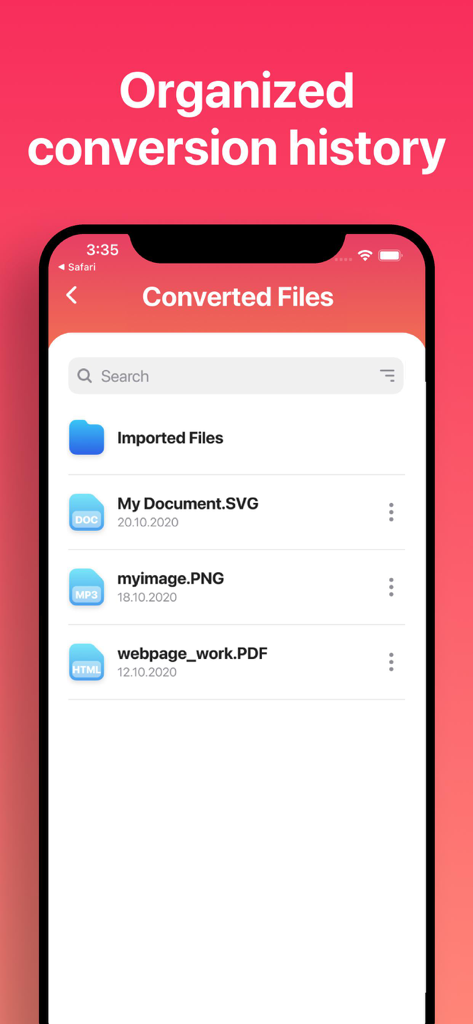
전자책 변환기 앱에서 변환된 파일 목록으로, 정리된 기록 및 파일 유형을 보여줍니다.

전자책 변환기 앱에서 변환된 파일 목록으로, 정리된 기록 및 파일 유형을 보여줍니다.

제한 없는 독서

이 앱을 돋보이게 하는 도구, 133K+ 명의 사용자가 선택.

🔄

완전한 형식 자유

Kindle과 Apple 생태계 간의 간극을 메우기 위해 EPUB, MOBI, PDF 및 20개 이상의 다른 형식 간에 원활하게 변환합니다.

즉각적이고 배터리 친화적

15초 이내에 결과를 얻으세요. 안전한 클라우드 처리가 무거운 작업을 수행하여 배터리를 소모하지 않고 빠른 변환을 보장합니다.

📱

작업 흐름에 최적화

iPhone 및 iPad 사용자를 위해 완벽하게 맞춤 설정되어 Apple Books 또는 Kindle과 같은 즐겨찾는 독서 앱에서 변환된 파일을 직접 열 수 있습니다.

리뷰 분석

사용자 리뷰 인사이트.

감정 점수

17%
부정적

요약

This app receives overwhelmingly negative feedback, primarily due to severe issues with its core conversion functionality, which frequently fails or produces unusable files, especially for formats like EPUB and Kindle. Users are highly critical of the opaque pricing model, reporting unexpected charges despite advertised free trials and a general requirement for paid subscriptions to access basic features. While a few users appreciate its clean design and quick conversion speeds when it operates correctly, these positives are largely overshadowed by widespread complaints regarding its unreliability, deceptive practices, and poor customer service. Many express frustration over being scammed and unable to secure refunds for a non-functional product.

주요 테마

App Functionality(7)
Conversion Speed(2)
Subscription Value(2)
Format Support(2)
User Interface(1)
Kindle Conversion(1)

앱 소개

에 대해 알아야 할 모든 것 The Ebook Converter.

설명

Easily convert your ebooks between nearly any major formats! 1. Select your input file 2. Choose your output format ( MOBI, EPUB, PDF, TXT, AZW3 etc. ) 3. Convert! It will only take a few seconds. 4. Save your file, or open it in your favorite app! Choose from any of these output formats: MOBI, EPUB, TCR, PDB, PDF, AZW3, LRF, FB2, LIT, TXT, RTF, OEB You can convert from dozens of input formats, here are some of the most popular formats we support converting your ebooks from: EPUB, MOBI, PDF, TXT, FB2, DOCX, AZW3, ZIP, DOC, HTML and more! Save, Share or Open your converted ebooks in your favorite reader apps immediately. You can even browse your previously converted files with our in-app file browser. Conversions usually take less than 15 seconds! Conversion is done on a secure cloud server, which makes conversion easier, faster and much more battery-friendly. You must have an internet connection to use this app. Files are immediately deleted from the server after conversion. While the files are immediately deleted after conversion or cancellation, you should be aware that by using this app, you agree that your files will be sent over to internet from the app to the conversion server. We've also recently added support for local conversions for many popular conversion types. These conversions don't require a server, and are usually done almost instantly! We are continuing to add support for more local conversions with each update. This app includes an optional auto-renewable subscription (Premium Pass): Premium Pass beings with a free trial period, then an auto-renewable monthly subscription when trial ends. Payment will be charged to your Apple account at confirmation of purchase and will automatically renew (at the duration/price selected) unless auto-renew is turned off at least 24 hrs before the end of the current period. Account will be charged for renewal within 24-hours prior to the end of the current period. Current subscription may not be cancelled during the active subscription period; however, you can manage your subscription and/or turn off auto-renewal by visiting your Apple Account Settings after purchase. Any unused portion of the free initial period will be forfeited when you purchase a subscription. Privacy Policy: https://float.support/the-ebook-converter/privacy Terms of Use: https://float.support/the-ebook-converter/terms

최신 버전

26.0.2

크기

44.6 MB

출시일

2014년 6월 22일

오늘 라이브러리를 잠금 해제하세요

133,000명 이상의 독자와 함께 기기 간의 간극을 메우세요. 15초 안에 모든 파일을 변환하고 나만의 방식으로 읽기를 시작하세요.

다운로드: App Store

App information, icons, screenshots, and descriptions displayed on this page are sourced from the Apple App Store and are the property of their respective developers. Download estimates and rankings are based on MWM's proprietary models and may not reflect actual figures. This page is provided for informational and analytical purposes only.

Believe this page infringes your intellectual property? File a dispute