
이 페이지는 앱이나 개발자의 공식 페이지가 아니며, 정보 제공 및 논평을 목적으로 작성된 독립 편집 간행물입니다. 명시적으로 달리 언급되지 않는 한, 해당 앱이나 개발자는 MWM, Apple, Google Play, 앱 퍼블리셔 또는 앱 개발자와 제휴, 보증, 후원, 승인 또는 공식적으로 연결되어 있지 않으며, 이 페이지의 어떤 내용도 해당 앱이 MWM의 서비스를 사용하여 개발되었음을 의미하지 않습니다. 모든 상표, 로고, 스크린샷 및 기타 콘텐츠는 해당 소유자의 자산입니다.


iConv - Video & PDF Converter
당신은 디지털 형식의 혼돈 속에서 길을 잃었습니까? 이 앱은 다양한 미디어와 문서를 당신의 장치에 맞게 길들일 수 있는 통제력을 제공합니다. 파일 변환은 더 이상 수수께끼가 아닙니다.
다운로드
2.5M+사용자 평점
총 평가 수
74.7K개발사
카테고리
Photo & Video지원 언어
33최신 버전
7.15크기
127.0 MB출시일
2017년 9월 30일모바일 사용자 중심의 종합 파일 변환 및 관리 솔루션
iConv - Video & PDF Converter 앱 분석
비디오 및 오디오 일괄 변환
이 앱은 사용자가 다수의 비디오 및 오디오 파일을 iPhone, iPad, iTunes 형식으로 일괄 변환할 수 있게 해줍니다.
파일 앱 통합
이 앱은 iOS 파일 앱과의 완벽한 통합을 지원하여, 사용자가 '가져온 파일' 폴더에 파일을 넣고 앱 내에서 변환한 후 '변환된 파일' 폴더에서 결과물을 쉽게 찾을 수 있도록 합니다.
문서 PDF/PNG 변환
이 도구는 DOC, TXT, PPT, XLS, RTF, KEY, NUMBERS, PAGES 등 다양한 문서 형식을 PDF 및 PNG로 변환하는 기능을 제공합니다.
이미지 텍스트 변환 (OCR)
이 앱은 이미지에서 텍스트를 추출하는 광학 문자 인식(OCR) 기능을 갖추고 있어, 사용자가 이미지 콘텐츠를 TXT 형식으로 변환할 수 있도록 지원합니다.
파일 압축 및 압축 해제
이 도구는 RAR, ZIP, 7ZIP과 같은 다양한 형식의 파일을 압축하고 압축을 해제하는 기능을 제공하여 파일 관리를 용이하게 합니다.
드래그 앤 드롭 제스처 지원
이 도구는 드래그 앤 드롭 제스처를 지원하여, 사용자가 분할 화면 작업 시 파일을 쉽고 직관적으로 이동시킬 수 있도록 돕습니다.
비디오/오디오 트리밍
이 앱은 사용자가 시작 및 종료 시간을 맞춤 설정하여 비디오/오디오 파일을 원하는 클립으로 정확하게 트리밍할 수 있게 해줍니다.
내장 문서 뷰어
이 도구는 DOC, TXT, PPT, XLS, RTF, PDF, KEY, NUMBERS, PAGES 등 다양한 문서를 미리 보고 읽을 수 있는 내장 뷰어를 제공합니다.
보컬 및 배경 음악 분리
이 앱은 노래에서 보컬과 배경 음악을 분리하는 독특한 기능을 제공하여 오디오 편집에 대한 고급 옵션을 제공합니다.
프레임별 비디오 재생
이 도구는 사용자가 비디오 파일을 프레임별로 재생하여 어떤 세부 사항도 놓치지 않고 분석할 수 있도록 합니다.
자주 묻는 질문
에 대해 알아야 할 모든 것 iConv - Video & PDF Converter
What types of conversions does the iConv app support?
The iConv app supports video, audio, document, image, and PDF conversions. It also handles file decompression and compression for various formats like RAR, ZIP, and 7ZIP.
Is the iConv app free to use?
Yes, the iConv app is free to download and use. An optional iConv Pro Unlimited Subscription unlocks all features, including OCR, and removes ads.
What features are included with the iConv Pro Unlimited Subscription?
The iConv Pro Unlimited Subscription unlocks all video and audio formats, OCR functionality, and removes advertisements. It offers monthly or annual billing, alongside a potential one-time payment option.
Can iConv convert document files to PDF or PNG?
Yes, iConv can convert various document formats, including DOC, TXT, PPT, XLS, RTF, KEY, NUMBERS, and PAGES, into both PDF and PNG formats.
Does iConv offer Optical Character Recognition (OCR) for images?
Yes, iConv supports converting images to text using its Optical Character Recognition (OCR) feature. This advanced functionality is accessible with the iConv Pro Unlimited Subscription.
Which Apple devices does iConv support for output?
iConv perfectly supports iPad and iPhone devices for output. It enables users to convert videos and audios specifically optimized for these Apple platforms.
Can users trim video and audio files in iConv?
Yes, iConv allows users to trim video and audio files to create desired clips. This is achieved by setting customized "start" and "end" time points directly within the app.
Does iConv integrate with the iOS Files App?
Yes, iConv integrates with the Files App. Users can easily import files for conversion by placing them in the "Imported" folder and retrieve converted files from the "Converted" folder.
How do I manage auto-renewal for the iConv Pro Unlimited Subscription?
Users can manage iConv Pro Unlimited Subscription auto-renewal by accessing their Account Settings after purchase. Auto-renewal must be turned off at least 24 hours before the current period ends.
What file types can the iConv built-in document viewer open?
The iConv built-in Reader document viewer supports opening DOC, TXT, PPT, XLS, RTF, PDF, KEY, NUMBERS, PAGES, and other compatible document types.
Can iConv separate vocals and background music?
Yes, iConv supports the advanced capability of separating vocals from background music in songs. This provides users with specific audio manipulation features.
Does iConv support Drag & Drop for files?
Yes, iConv supports Drag & Drop gestures, facilitating easy file movement during split-screen tasks. This streamlines the user's workflow for various conversions.
다음 스크린샷과 설명은 앱의 공식 스토어 목록에서 직접 가져온 것이며 앱 개발자의 자산입니다.
앱 스토어
스크린샷
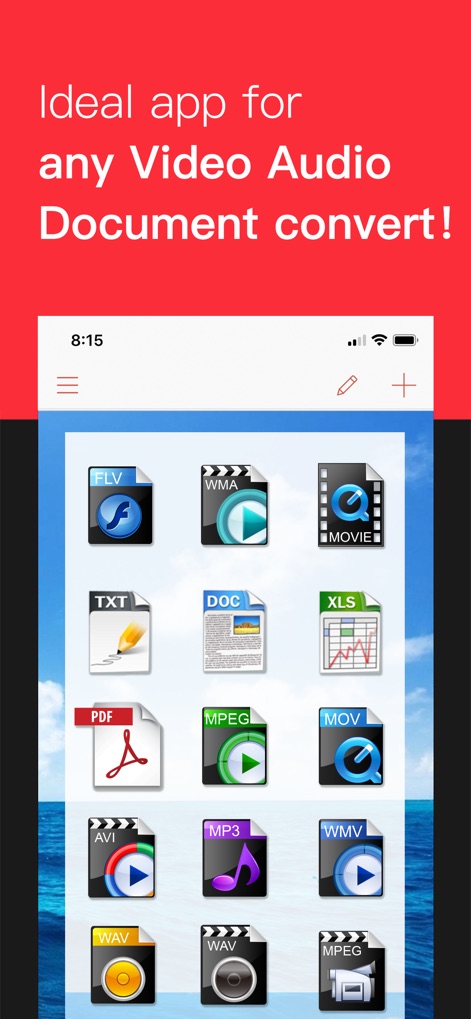
이 앱은 FLV, WMA, MP3 등 다양한 파일 형식 아이콘을 한눈에 보여주며, "Ideal app for any Video Audio Document convert!"라는 문구를 통해 광범위한 변환 기능을 강조합니다.
다양한 형식 지원
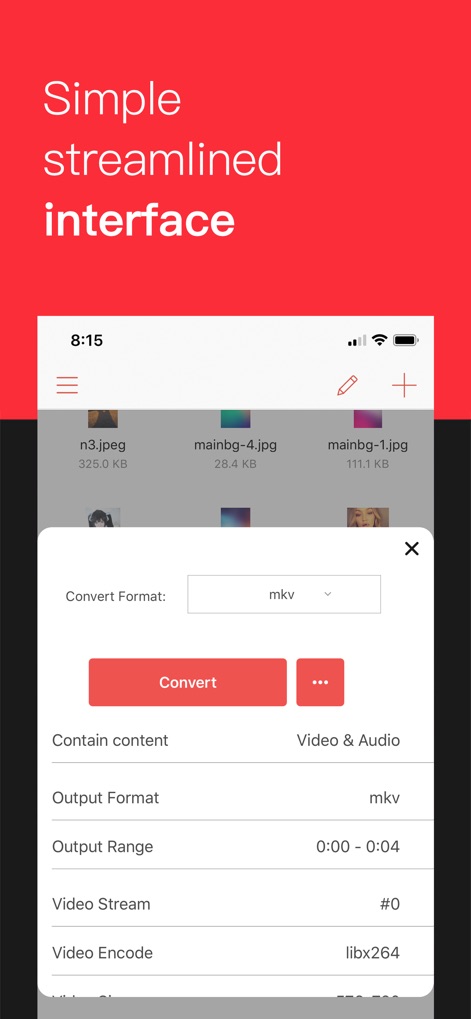
사용자는 간결한 인터페이스를 통해 출력 포맷(예: mkv)을 쉽게 선택하고, 비디오 스트림과 같은 상세 변환 옵션을 조절하여 효율적인 파일 변환을 수행할 수 있습니다.
간편한 변환 설정
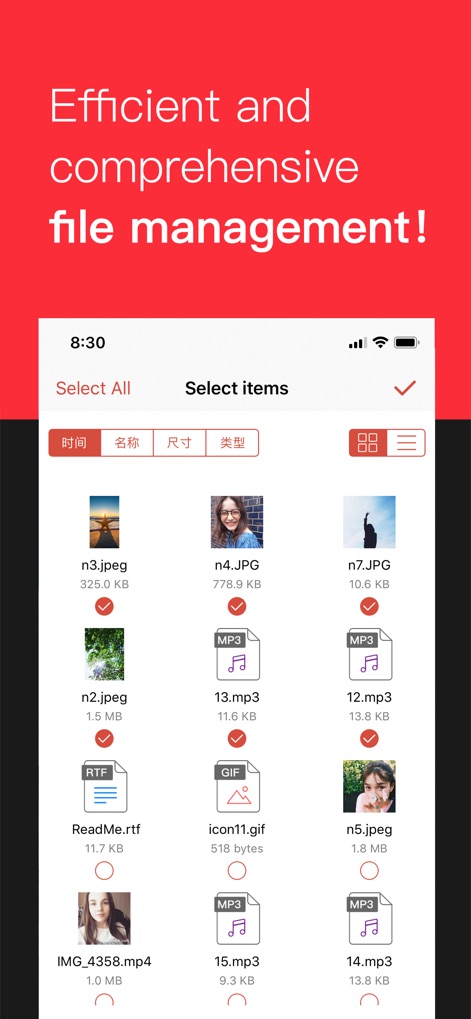
이 앱은 "Select All" 기능과 개별 파일 체크박스를 제공하여 사용자가 여러 파일을 손쉽게 선택하고 관리할 수 있도록 하며, 파일 목록에서 시간 및 크기 정보도 확인할 수 있습니다.
효율적 파일 관리
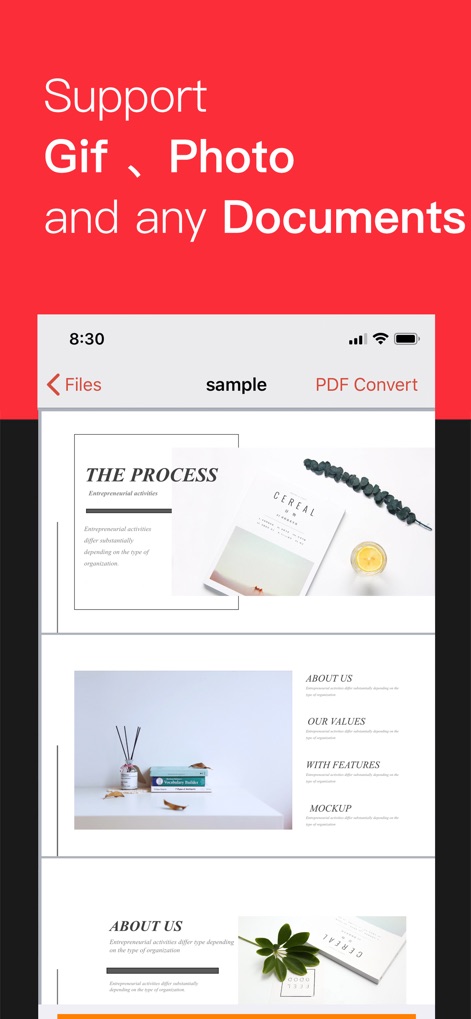
이 스크린샷은 앱의 내장 뷰어가 여러 페이지로 구성된 문서를 원활하게 표시하는 기능을 보여주며, 상단 메뉴에서 "PDF Convert" 옵션을 통해 문서 변환을 지원함을 알 수 있습니다.
문서 미리보기 및 변환
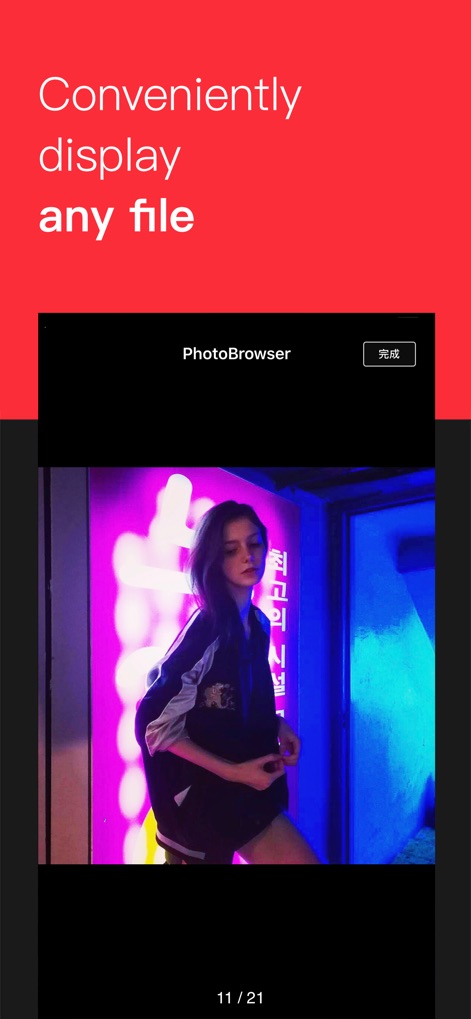
"PhotoBrowser" 모드는 사용자가 이미지를 전체 화면으로 편리하게 볼 수 있도록 하며, 하단에 표시되는 "11 / 21"과 같은 페이지 카운터를 통해 여러 이미지 사이를 쉽게 탐색할 수 있습니다.
이미지 간편 확인
설명
Download
비슷한 앱
유사한 기능과 사용자 경험을 가진 앱

Convert PDF to Word OCR
Tu Phan

PDF Converter – Photos to PDF
SMDA GROUP SP. Z OO

Toolbox by Paperclip
WuHan Paperclip Technology Co., Ltd.

Video Converter and Compressor
Inverse.AI

Video Converter & Compressor
WEBDIA INC.

全能格式转换王-视频音频转换图片文件格式处理
大为 方

PDF Converter: Convert to PDFㅤ
Roberto Hayes

The Document Converter
Float Tech, LLC
word文档手机版-办公文档,办公软件
雪 杨
이 페이지는 앱이나 개발자의 공식 페이지가 아니며, 정보 제공 및 논평을 목적으로 작성된 독립 편집 간행물입니다. 명시적으로 달리 언급되지 않는 한, 해당 앱이나 개발자는 MWM, Apple, Google Play, 앱 퍼블리셔 또는 앱 개발자와 제휴, 보증, 후원, 승인 또는 공식적으로 연결되어 있지 않으며, 이 페이지의 어떤 내용도 해당 앱이 MWM의 서비스를 사용하여 개발되었음을 의미하지 않습니다. 모든 상표, 로고, 스크린샷 및 기타 콘텐츠는 해당 소유자의 자산입니다.