
이 페이지는 앱이나 개발자의 공식 페이지가 아니며, 정보 제공 및 논평을 목적으로 작성된 독립 편집 간행물입니다. 명시적으로 달리 언급되지 않는 한, 해당 앱이나 개발자는 MWM, Apple, Google Play, 앱 퍼블리셔 또는 앱 개발자와 제휴, 보증, 후원, 승인 또는 공식적으로 연결되어 있지 않으며, 이 페이지의 어떤 내용도 해당 앱이 MWM의 서비스를 사용하여 개발되었음을 의미하지 않습니다. 모든 상표, 로고, 스크린샷 및 기타 콘텐츠는 해당 소유자의 자산입니다.

PDF Converter – Photos to PDF
이 앱은 당신의 디지털 자료를 완벽하게 통제하게 만듭니다. 'PDF Converter'는 파일 변환의 혼란을 정리하여, 단순한 이미지나 문서를 중요한 문서로 탈바꿈시키는 절대적인 힘을 제공합니다.
다운로드
100k+사용자 평점
총 평가 수
2.3K개발사
카테고리
Utilities지원 언어
20최신 버전
2.0.22크기
80.9 MB출시일
2023년 6월 16일핵심 기능 및 사용자 영향력 평가
앱 분석: PDF Converter – Photos to PDF
PDF를 편집 가능한 파일로 변환
이 앱은 사용자가 PDF 문서를 원본 포맷 손실 없이 편집 가능한 Word 또는 Excel 파일로 다시 내보낼 수 있도록 지원합니다.
문서를 PDF로 변환
이 도구는 Word, Excel 등 다양한 문서 형식을 PDF로 신속하게 변환하는 기능을 제공합니다.
원본 품질 유지
이 앱은 모든 문서와 이미지의 원본 품질을 변환 과정에서 선명하고 온전하게 유지합니다.
간편하고 직관적인 인터페이스
이 도구는 깔끔하고 사용자 친화적인 인터페이스를 통해 몇 번의 탭만으로 파일과 이미지를 쉽게 변환할 수 있도록 해줍니다.
사진을 PDF로 변환
사용자는 사진을 PDF 파일로 즉시 변환하여 디지털 문서화 및 공유를 간편하게 수행할 수 있습니다.
강력한 이미지 형식 변환
이 앱은 JPG, PNG, HEIC 등 광범위한 이미지 형식을 지원하며, 빠르고 품질 손실 없는 형식 간 변환을 제공합니다.
자주 묻는 질문
에 대해 알아야 할 모든 것 PDF Converter – Photos to PDF
What is PDF Converter – Photos to PDF app?
PDF Converter is an all-in-one file and image converter. It quickly transforms photos and documents to PDF, converts PDFs to editable files, and supports conversions between various image formats without quality loss.
Can I convert photos to PDF with PDF Converter?
Yes, PDF Converter instantly converts photos into PDF files in a few taps. It supports various image formats such as JPG, JPEG, PNG, HEIC, TIFF, WEBP, RAW, GIF, and BMP for conversion to PDF.
What document types can PDF Converter convert?
PDF Converter converts Word, Excel, and other documents into PDF. It also converts PDF files back into editable Word or Excel documents, ensuring the original formatting is maintained during the process.
Does PDF Converter convert PDF to editable Word or Excel files?
Yes, PDF Converter allows users to export PDF files back to editable Word (.DOCX) or Excel (.XLSX) documents. The app maintains the original formatting of the document during this conversion.
What image formats does PDF Converter support for conversion?
PDF Converter supports comprehensive image conversion for formats including JPG, JPEG, PNG, HEIC, HEIF, PDF, SVG, TIFF, WEBP, RAW, GIF, and BMP. It converts between these formats fast and without quality loss.
How do I manage my PDF Converter subscription and auto-renewal?
You manage your PDF Converter subscription and auto-renewal through your Apple ID account settings after purchase. Subscriptions can be canceled at any time from these settings.
Is there a free trial period for PDF Converter?
Yes, if a free trial is offered, the PDF Converter subscription automatically renews after the 3-day trial period. Users must cancel the subscription before the trial ends to avoid charges.
Does PDF Converter maintain file quality during conversion?
PDF Converter maintains the original quality of all documents and images during conversion. Files remain crisp and intact, ensuring no quality loss throughout the process.
Where can I find the Privacy Policy for PDF Converter?
The Privacy Policy for PDF Converter is accessible via the link provided in the app's description: https://sdmagroop.eu/privacy.html. Users can review the terms there.
다음 스크린샷과 설명은 앱의 공식 스토어 목록에서 직접 가져온 것이며 앱 개발자의 자산입니다.
앱 스토어
스크린샷
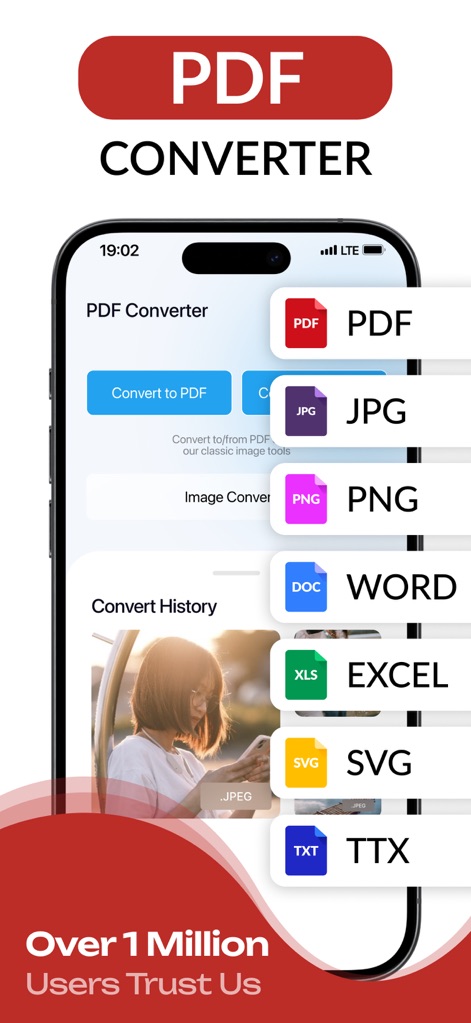
이 앱의 메인 화면은 다양한 파일 형식(PDF, JPG, PNG 등)으로의 변환 기능을 명확하게 제시하며, 하단에는 "100만 명 이상의 사용자 신뢰" 문구를 통해 앱의 인기를 강조합니다.
올인원 변환기
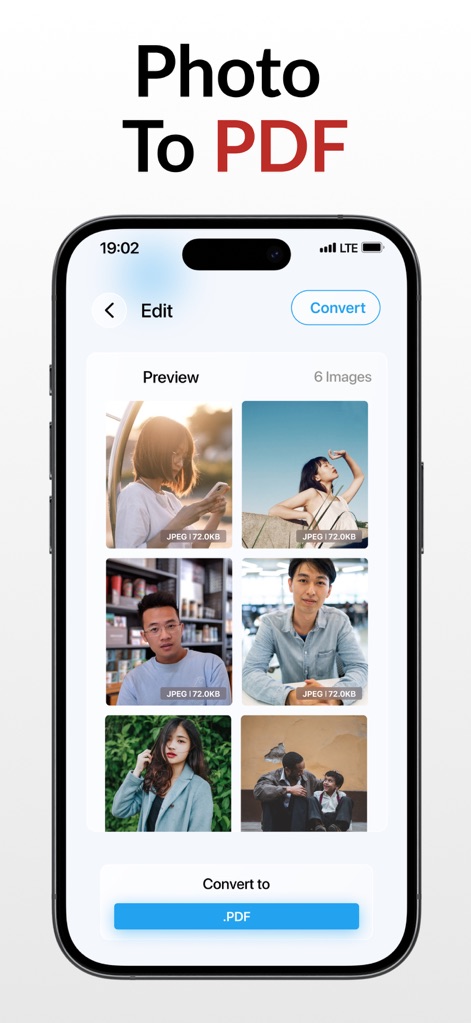
이 화면은 사용자가 여러 장의 사진(JPEG 형식)을 선택하여 PDF 파일로 통합 변환할 수 있는 직관적인 미리보기 기능을 제공합니다.
사진을 PDF로
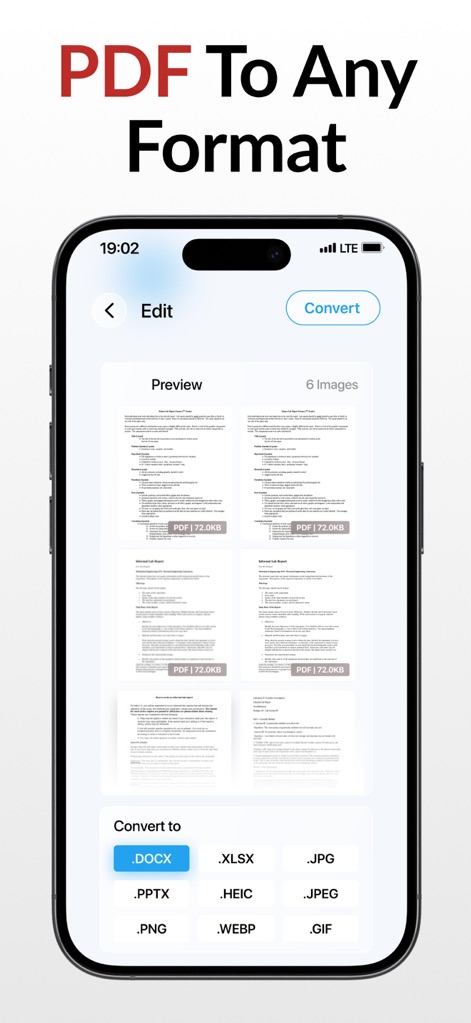
이 화면은 사용자가 PDF 문서를 미리 보고 .DOCX, .XLSX 등 여러 편집 가능한 파일 형식으로 변환할 수 있는 유연한 기능을 보여줍니다.
PDF를 다양한 형식으로
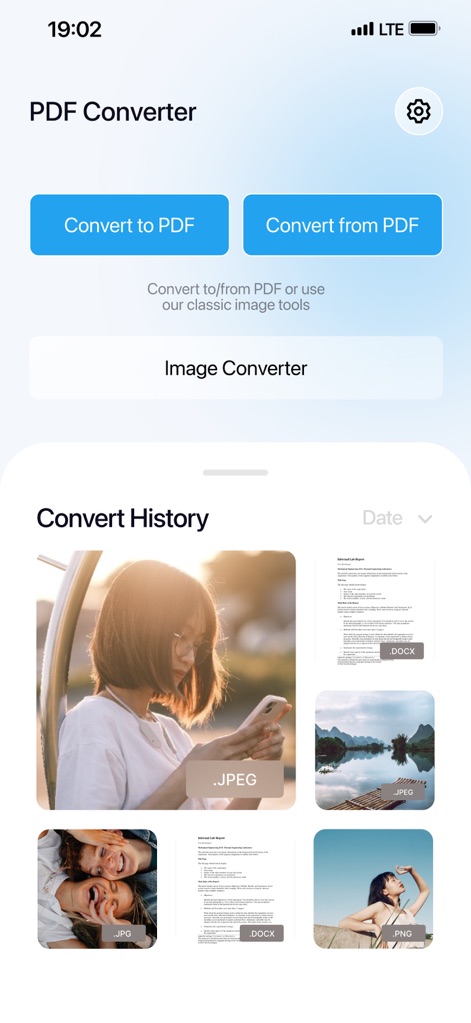
이 앱은 "변환 기록" 섹션을 통해 사용자가 이전에 변환한 JPEG 이미지와 DOCX 문서들을 쉽게 확인하고 관리할 수 있도록 돕습니다.
간편한 변환 기록
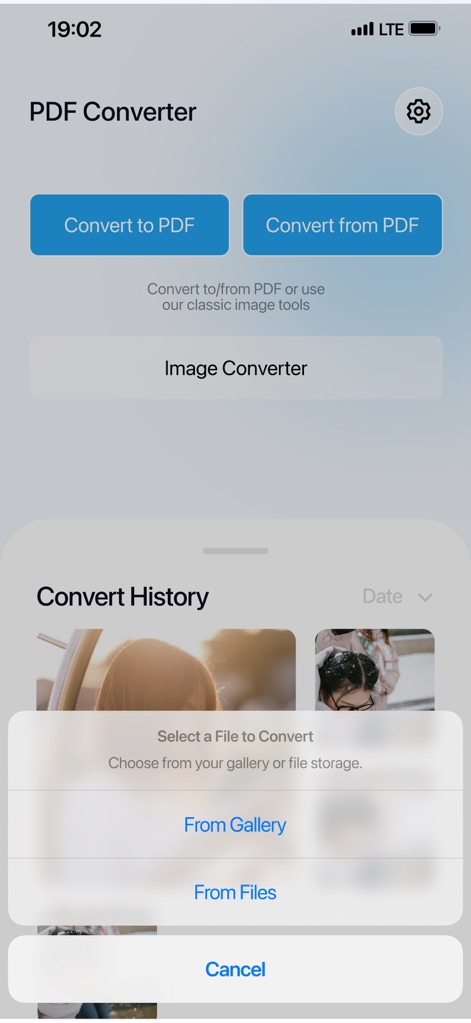
이 화면은 사용자가 갤러리 또는 파일 저장소에서 변환할 파일을 선택할 수 있는 명확하고 접근성 좋은 팝업 메뉴를 제공합니다.
파일 선택 옵션
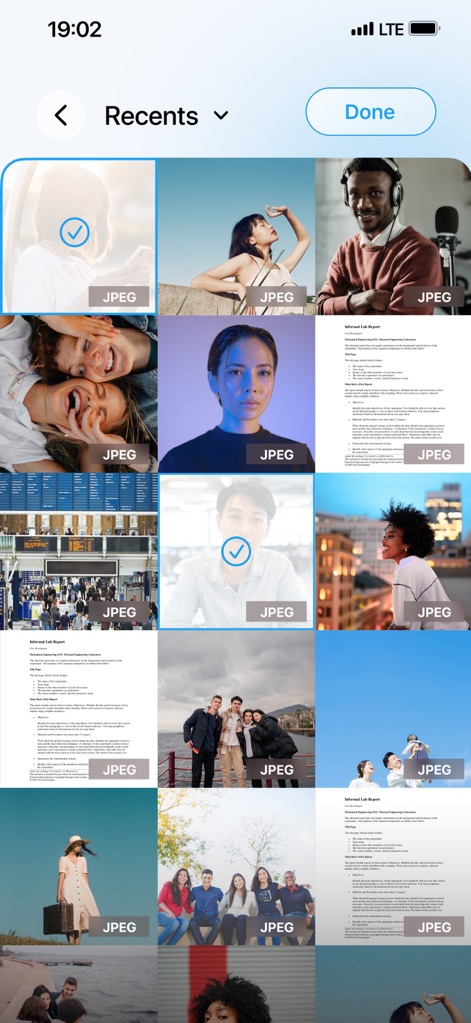
이 화면은 사용자가 갤러리에서 여러 JPEG 이미지를 동시에 선택하여 일괄 처리할 수 있는 기능을 시각적으로 보여줍니다.
여러 이미지 선택
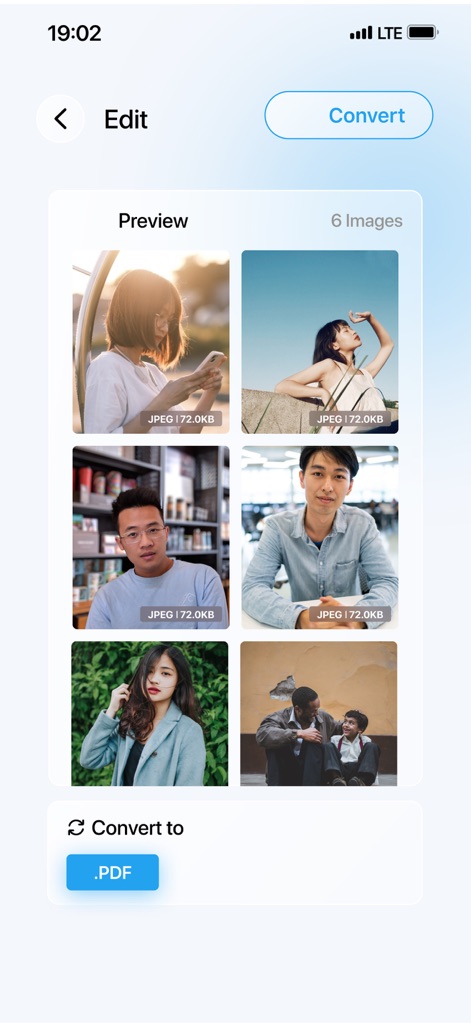
사용자는 이 미리보기 화면에서 선택된 6개의 JPEG 이미지를 확인하고, 하단의 명확한 버튼을 통해 단일 PDF 파일로 손쉽게 변환할 수 있습니다.
이미지 PDF 변환
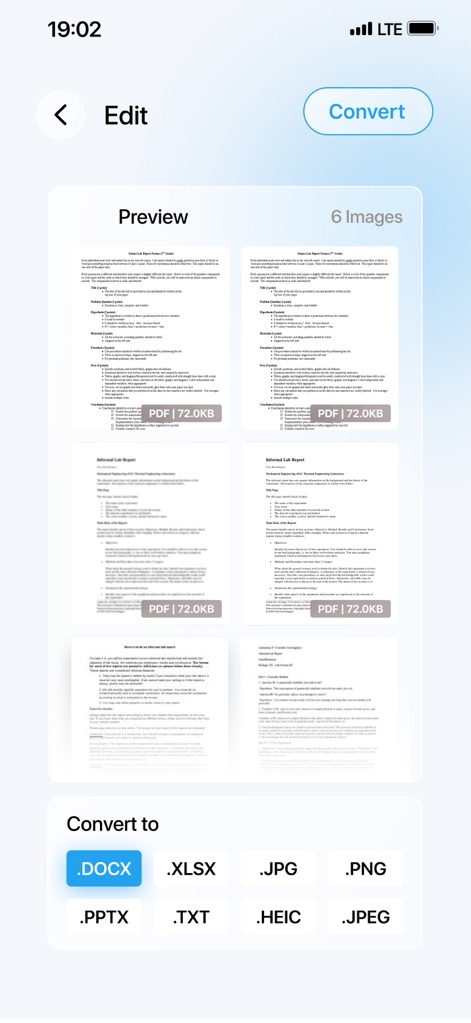
이 화면은 6페이지 분량의 PDF 문서를 미리 보여주며, .DOCX 또는 .XLSX와 같은 다양한 출력 형식 중에서 선택할 수 있는 옵션을 제공합니다.
PDF 형식 변환 미리보기
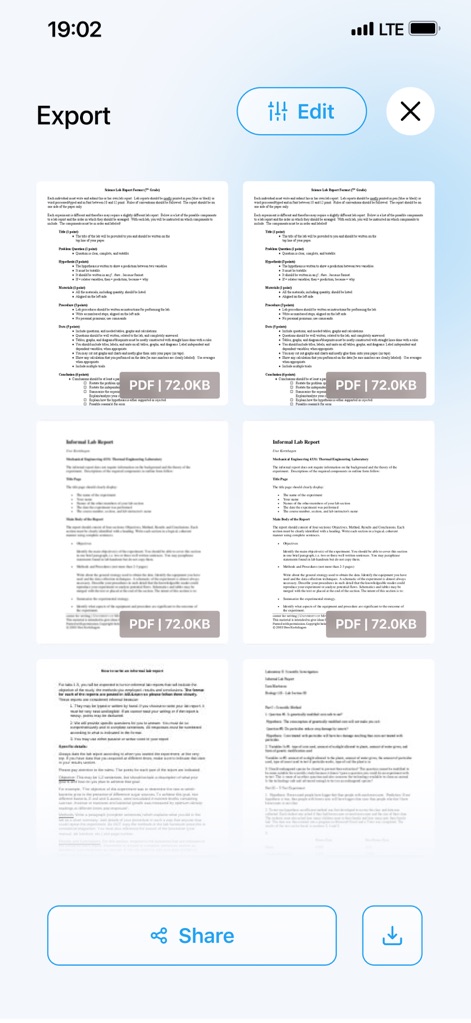
변환이 완료된 6페이지의 PDF 문서를 미리 볼 수 있으며, 하단에 위치한 "공유" 및 "다운로드" 버튼을 통해 손쉽게 내보낼 수 있습니다.
변환된 파일 내보내기
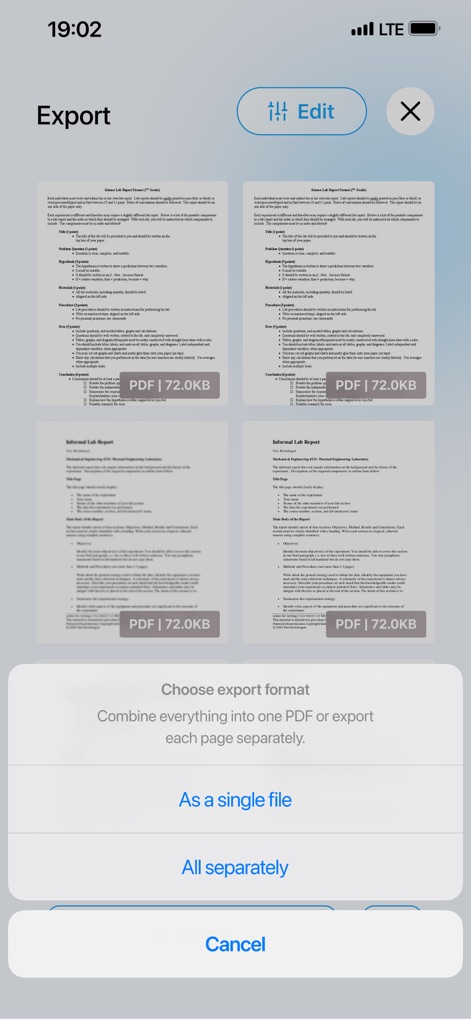
이 화면은 사용자가 변환된 파일을 단일 파일로 내보낼지 또는 각 페이지를 개별적으로 내보낼지 선택할 수 있는 명확한 내보내기 옵션을 제시합니다.
내보내기 형식 선택
설명
Download
비슷한 앱
유사한 기능과 사용자 경험을 가진 앱

iConv - Video & PDF Converter
琛 王

Convert PDF to Word OCR
Tu Phan

Toolbox by Paperclip
WuHan Paperclip Technology Co., Ltd.

Video Converter and Compressor
Inverse.AI

Video Converter & Compressor
WEBDIA INC.

全能格式转换王-视频音频转换图片文件格式处理
大为 方

PDF Converter: Convert to PDFㅤ
Roberto Hayes

The Document Converter
Float Tech, LLC
word文档手机版-办公文档,办公软件
雪 杨
이 페이지는 앱이나 개발자의 공식 페이지가 아니며, 정보 제공 및 논평을 목적으로 작성된 독립 편집 간행물입니다. 명시적으로 달리 언급되지 않는 한, 해당 앱이나 개발자는 MWM, Apple, Google Play, 앱 퍼블리셔 또는 앱 개발자와 제휴, 보증, 후원, 승인 또는 공식적으로 연결되어 있지 않으며, 이 페이지의 어떤 내용도 해당 앱이 MWM의 서비스를 사용하여 개발되었음을 의미하지 않습니다. 모든 상표, 로고, 스크린샷 및 기타 콘텐츠는 해당 소유자의 자산입니다.