
이 페이지는 앱이나 개발자의 공식 페이지가 아니며, 정보 제공 및 논평을 목적으로 작성된 독립 편집 간행물입니다. 명시적으로 달리 언급되지 않는 한, 해당 앱이나 개발자는 MWM, Apple, Google Play, 앱 퍼블리셔 또는 앱 개발자와 제휴, 보증, 후원, 승인 또는 공식적으로 연결되어 있지 않으며, 이 페이지의 어떤 내용도 해당 앱이 MWM의 서비스를 사용하여 개발되었음을 의미하지 않습니다. 모든 상표, 로고, 스크린샷 및 기타 콘텐츠는 해당 소유자의 자산입니다.

Video Converter and Compressor
당신은 미디어 형식의 지배자가 됩니다. 이 앱은 영상과 오디오를 원하는 대로 주무를 수 있는 힘을 부여합니다.
다운로드
500k+사용자 평점
총 평가 수
2.9K개발사
카테고리
Photo & Video지원 언어
7최신 버전
13.11크기
54.8 MB출시일
2019년 8월 17일모바일 멀티미디어 작업을 위한 핵심 기능 평가
"Video Converter and Compressor" 앱 주요 기능 분석
비디오 변환 및 압축
이 앱은 MP4, MKV, AVI 등 거의 모든 비디오 형식을 지원하며, 해상도, 프레임 속도, 비트레이트, 코덱 등을 조절하여 비디오를 변환하고 압축할 수 있도록 합니다.
유연한 파일 가져오기 옵션
사용자가 로컬 디렉토리, 사진 앱, 클라우드 서비스는 물론 동일 네트워크 내의 데스크톱이나 다른 모바일 장치에서도 입력 파일을 쉽게 가져올 수 있도록 지원합니다.
일괄 처리 지원
이 소프트웨어는 모든 주요 기능에 대해 일괄 처리를 지원하여, 여러 개의 비디오 또는 오디오 파일을 동시에 효율적으로 변환, 압축, 편집할 수 있게 해줍니다.
광범위한 코덱 지원
이 도구는 H264, VP9, AAC, MP3 등 매우 광범위한 비디오 및 오디오 코덱을 지원하여 다양한 미디어 파일과의 높은 호환성을 보장합니다.
비디오에서 오디오 추출
사용자가 비디오 파일에서 MP3, AAC, OGG 등 다양한 오디오 형식을 추출하여 음악, 팟캐스트 또는 기타 오디오 콘텐츠로 활용할 수 있습니다.
고급 압축 옵션
이 앱은 X264/X265 코덱 기반의 고품질 압축, 비디오 및 오디오 비트레이트 조절, CRF(Constant Rate Factor) 및 속도 조절 등 전문가 수준의 압축 옵션을 제공합니다.
오디오 변환 및 압축
이 앱은 MP3, AAC, WAV 등 다양한 오디오 형식을 변환 및 압축하며, 오디오 채널, 인코딩 방식(CBR/VBR), 샘플 속도 등 세부 설정을 조절할 수 있게 합니다.
비디오 편집 기능 (자르기, 회전, 뒤집기)
이 앱은 비디오를 정밀하게 자르고, 90도/180도 회전시키거나 수직/수평으로 뒤집는 등 기본적인 편집 기능을 제공하여 콘텐츠를 빠르게 수정할 수 있게 돕습니다.
비디오 병합
사용자가 여러 비디오 파일을 원하는 형식으로 하나로 결합할 수 있으며, 병합된 비디오의 해상도와 화면 비율을 변경하는 기능도 포함합니다.
오디오 병합
이 도구는 다양한 형식의 오디오 파일을 다른 오디오 형식으로 병합할 수 있게 하여, 배경 음악 추가나 여러 음성 클립을 하나로 합치는 작업을 편리하게 만듭니다.
자주 묻는 질문
에 대해 알아야 할 모든 것 Video Converter and Compressor
What is the "Video Converter and Compressor" app?
Video Converter and Compressor is an all-in-one tool for converting, compressing, editing, and merging video and audio files. It supports various formats, codecs, and offers advanced customization options like resolution and frame rate adjustments.
What video formats does the "Video Converter and Compressor" app support for conversion?
The Video Converter and Compressor app supports MP4, MKV, AVI, 3GP, FLV, MTS, TS, MPEG, MPG, WMV, M4V, MOV, VOB, F4V, and WEBM video formats for conversion. It also allows custom resolutions and frame rates.
Can the "Video Converter and Compressor" app convert video files into audio formats?
Yes, the Video Converter and Compressor app can convert video files into various audio formats. Supported audio output formats include MP3, AAC, AC3, OGG, M4A, and WAV.
How does "Video Converter and Compressor" compress videos without losing quality?
Video Converter and Compressor offers a "High Quality" compression option using X264 and X265 codecs. This method significantly reduces file size while retaining near-original video quality. Users can also adjust CRF and speed.
What audio formats can "Video Converter and Compressor" handle?
The Video Converter and Compressor app supports converting and compressing audio to MP3, AAC (M4A), AC3, WAV, OGG, and FLAC. It also merges these formats.
Does "Video Converter and Compressor" support processing multiple files simultaneously?
Yes, the Video Converter and Compressor app supports batch processing for all its features. Users can convert, compress, or merge multiple video and audio files concurrently.
Can users merge multiple videos into one file with "Video Converter and Compressor"?
Yes, the Video Converter and Compressor app allows users to join or merge multiple videos into a single file. Users can also trim, change resolution, and adjust the aspect ratio of the merged video.
What video codecs does "Video Converter and Compressor" support?
Video Converter and Compressor supports a wide range of video codecs, including H264, MPEG4, MPEG1, MPEG2, FLV1, VP8, VP9, WMV1, and WMV2.
Can I rotate or flip videos with the "Video Converter and Compressor" app?
Yes, the Video Converter and Compressor app provides options to rotate videos 90-degrees clockwise/anticlockwise or 180-degrees. It also supports flipping videos vertically or horizontally.
Where is the privacy policy for "Video Converter and Compressor" located?
The privacy policy for Video Converter and Compressor is available at http://bit.do/inverseai_privacy_policy. This link is provided within the app's description.
다음 스크린샷과 설명은 앱의 공식 스토어 목록에서 직접 가져온 것이며 앱 개발자의 자산입니다.
앱 스토어
스크린샷

이 앱은 비디오 변환, 오디오 변환과 같은 다양한 핵심 기능을 한 화면에 보기 쉽게 배치하여 사용자에게 직관적인 접근성을 제공합니다.
다기능 미디어 도구

이 앱은 H.265 및 H.264와 같은 다양한 코덱을 지원하며, 사용자가 4K 및 1080P 해상도를 포함한 여러 출력 형식 중에서 선택할 수 있도록 합니다.
다양한 비디오 변환

사용자는 이 앱을 통해 원본 파일을 20MB로 압축하여 대폭 용량을 절약할 수 있으며, 여러 파일을 동시에 압축하여 90% 이상의 저장 효율을 달성하는 것을 시각적으로 확인할 수 있습니다.
효율적인 비디오 압축
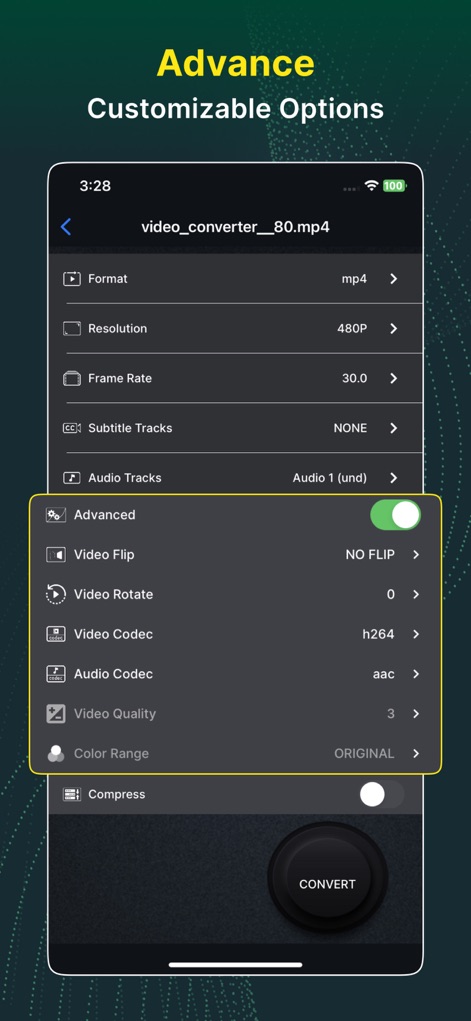
이 도구는 사용자가 해상도 및 프레임 속도와 같은 기본 설정은 물론, 비디오 코덱과 오디오 코덱을 포함한 고급 옵션까지 세밀하게 조정할 수 있도록 지원합니다.
고급 맞춤 설정

이 앱은 기본 압축 설정을 통해 비디오 및 오디오 비트레이트를 조절할 수 있게 하며, X264 및 X265 인코딩 유형을 선택하여 고품질 압축을 세밀하게 제어할 수 있습니다.
압축 제어 옵션
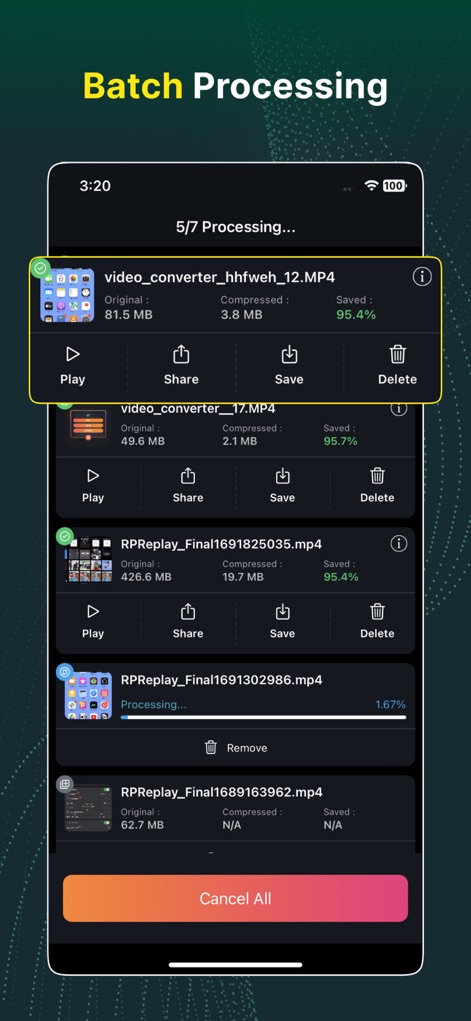
이 앱은 여러 파일을 동시에 처리할 수 있는 일괄 처리 기능을 제공하며, 각 항목별로 원본 및 압축된 파일 크기와 절약된 비율을 명확하게 표시합니다.
편리한 일괄 처리
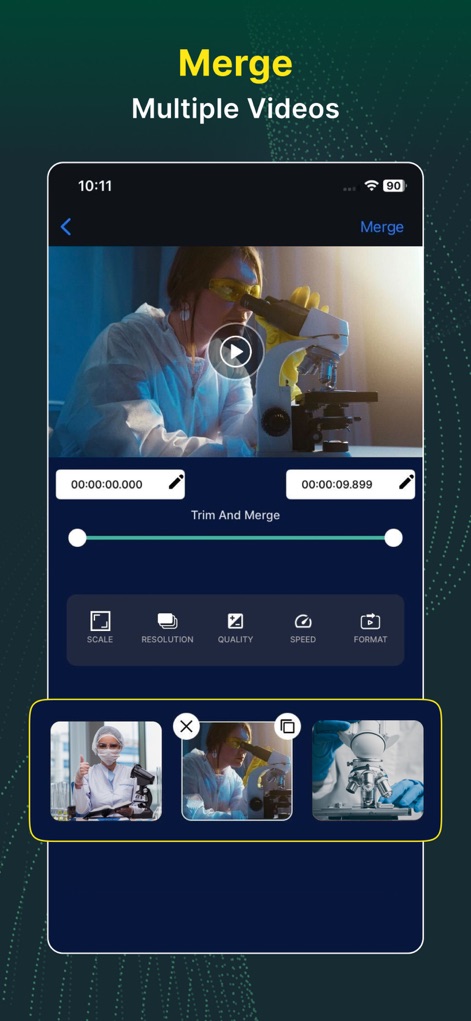
사용자는 여러 비디오 클립을 손쉽게 병합할 수 있으며, 타임라인에서 정확한 트리밍 구간을 설정하고 해상도 및 포맷과 같은 세부 설정을 조절할 수 있습니다.
비디오 병합 기능
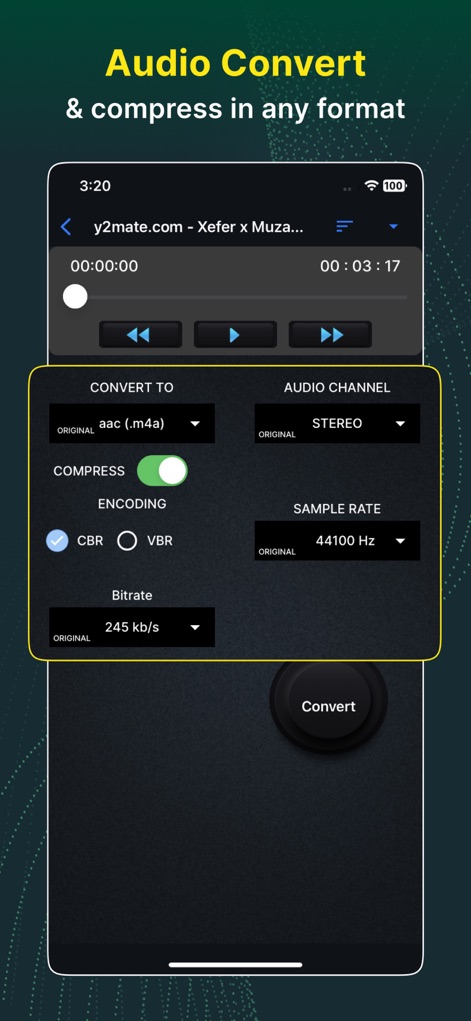
이 도구는 사용자가 오디오 채널 및 샘플 속도를 포함한 다양한 설정으로 오디오를 변환할 수 있도록 하며, CBR 또는 VBR 인코딩을 통해 압축 품질을 제어할 수 있습니다.
유연한 오디오 변환
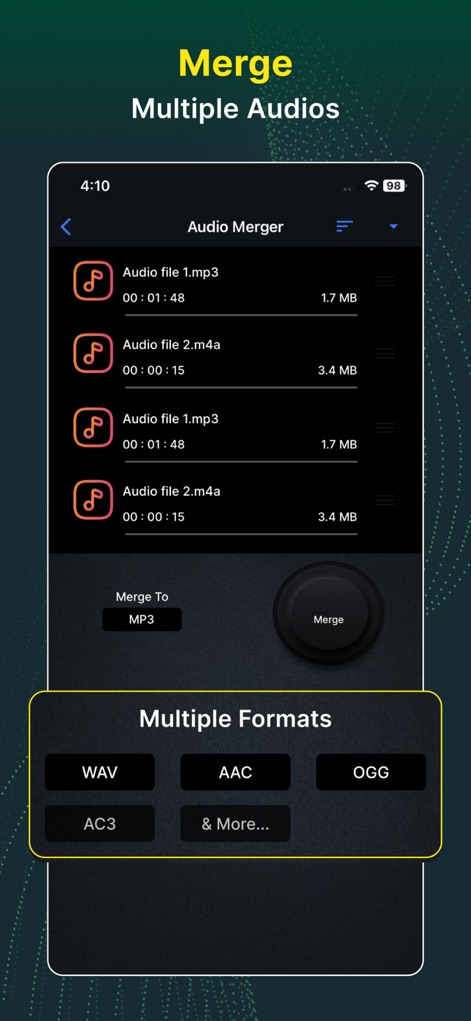
이 앱은 사용자가 여러 오디오 파일을 병합하고 최종 출력 포맷을 MP3 또는 WAV 중에서 선택할 수 있도록 지원하며, 각 오디오 파일의 크기 정보를 함께 제공합니다.
다중 오디오 병합
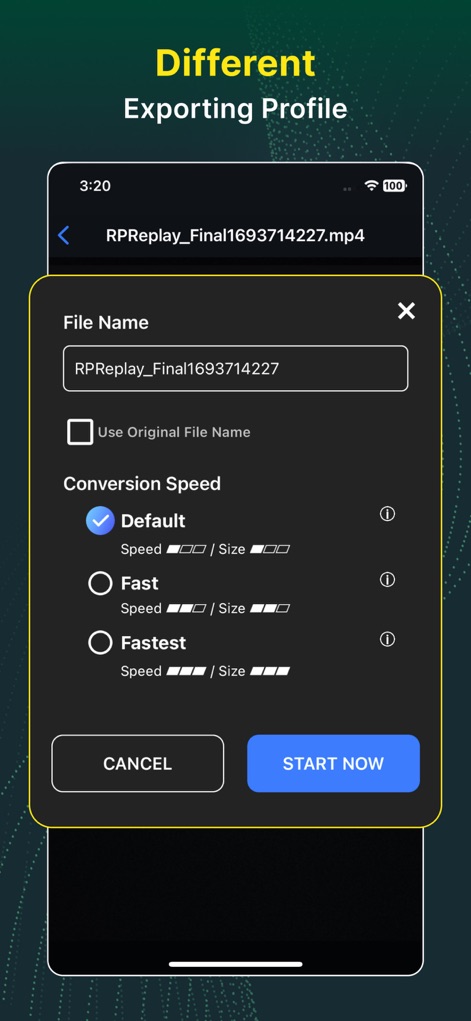
이 앱은 변환된 파일의 이름을 쉽게 변경할 수 있게 하며, 사용자가 '빠르게' 또는 '가장 빠르게'와 같은 여러 변환 속도 옵션 중에서 선택할 수 있도록 합니다.
유연한 내보내기 설정
설명
Download
비슷한 앱
유사한 기능과 사용자 경험을 가진 앱

iConv - Video & PDF Converter
琛 王

Convert PDF to Word OCR
Tu Phan

PDF Converter – Photos to PDF
SMDA GROUP SP. Z OO

Toolbox by Paperclip
WuHan Paperclip Technology Co., Ltd.

Video Converter & Compressor
WEBDIA INC.

全能格式转换王-视频音频转换图片文件格式处理
大为 方

PDF Converter: Convert to PDFㅤ
Roberto Hayes

The Document Converter
Float Tech, LLC

word文档手机版-办公文档,办公软件
雪 杨
이 페이지는 앱이나 개발자의 공식 페이지가 아니며, 정보 제공 및 논평을 목적으로 작성된 독립 편집 간행물입니다. 명시적으로 달리 언급되지 않는 한, 해당 앱이나 개발자는 MWM, Apple, Google Play, 앱 퍼블리셔 또는 앱 개발자와 제휴, 보증, 후원, 승인 또는 공식적으로 연결되어 있지 않으며, 이 페이지의 어떤 내용도 해당 앱이 MWM의 서비스를 사용하여 개발되었음을 의미하지 않습니다. 모든 상표, 로고, 스크린샷 및 기타 콘텐츠는 해당 소유자의 자산입니다.