The Lyrics App
The Lyrics App
다운로드: App Store

이 페이지는 앱이나 개발자의 공식 페이지가 아니며, 정보 제공 및 논평을 목적으로 작성된 독립 편집 간행물입니다. 명시적으로 달리 언급되지 않는 한, 해당 앱이나 개발자는 MWM, Apple, Google Play, 앱 퍼블리셔 또는 앱 개발자와 제휴, 보증, 후원, 승인 또는 공식적으로 연결되어 있지 않으며, 이 페이지의 어떤 내용도 해당 앱이 MWM의 서비스를 사용하여 개발되었음을 의미하지 않습니다. 모든 상표, 로고, 스크린샷 및 기타 콘텐츠는 해당 소유자의 자산입니다.


로고: The Lyrics App
다운로드: App Store

The Lyrics App

메모와 음성 녹음 간 전환은 그만. 창의적인 흐름을 깨지 않고 가사를 쓰고, 멜로디를 녹음하고, 완벽한 운율을 찾으세요.

주요 수치

다운로드

74K+

사용자 평점

4.7/5

총 평가 수

500

개발사

Michael Handkins

카테고리

Music

지원 언어

1

최신 버전

2.11.3

크기

23.2 MB

출시일

2020년 10월 25일
기능

작곡의 흐름을 향상시키세요

순간의 영감을 포착해야 하는 창작자를 위해 디자인된 최고의 디지털 노트입니다. 하나의 끊김 없는 경험으로 히트곡을 쓰고, 녹음하고, 다듬으세요.

작사와 멜로디 캡처

메모와 음성 녹음 앱 전환은 그만. 창의적인 추진력을 유지하면서 작사 시트에 바로 멜로디 아이디어를 녹음하세요.

즉각적인 창의력 부스트

통합된 운율 생성기와 동의어 사전을 사용하여 작가의 슬럼프를 극복하세요. 앱을 떠나지 않고 완벽한 운율을 찾기 위해 단어를 두 번 탭하세요.

다음 스크린샷과 설명은 앱의 공식 스토어 목록에서 직접 가져온 것이며 앱 개발자의 자산입니다.

앱 스토어

스크린샷
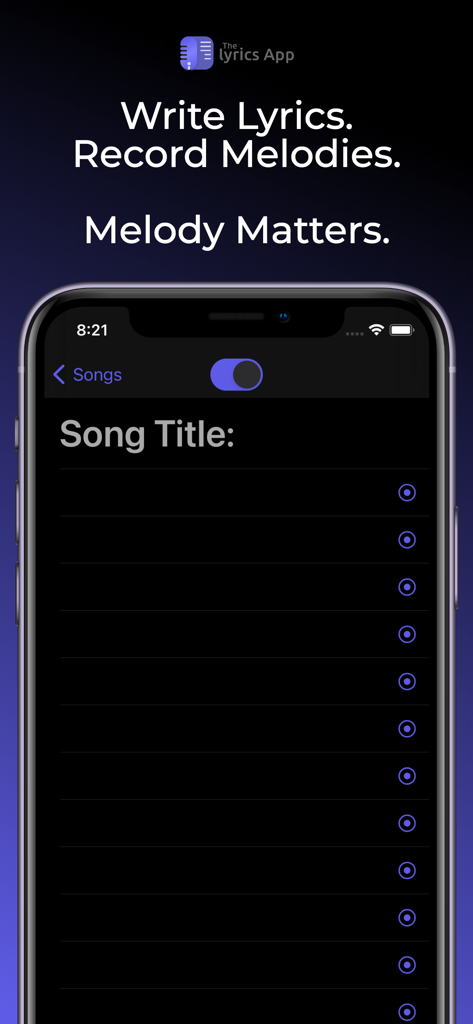
The Lyrics App - iPhone에서 가사를 쓰고 멜로디를 녹음하기 위한 The Lyrics App 인터페이스
iPhone에서 가사를 쓰고 멜로디를 녹음하기 위한 The Lyrics App 인터페이스

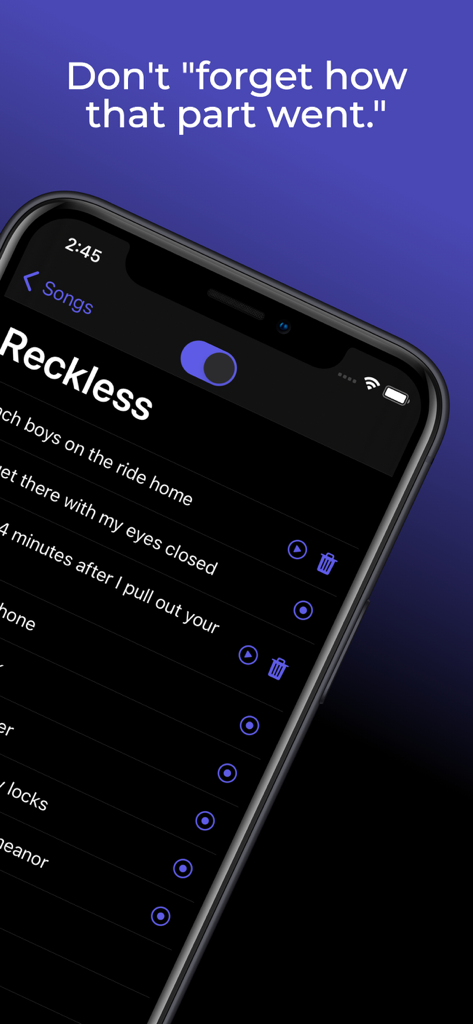
The Lyrics App - 특정 노래 가사에 대한 녹음된 오디오 클립이 있는 The Lyrics App 인터페이스를 보여주는 스마트폰 화면
특정 노래 가사에 대한 녹음된 오디오 클립이 있는 The Lyrics App 인터페이스를 보여주는 스마트폰 화면

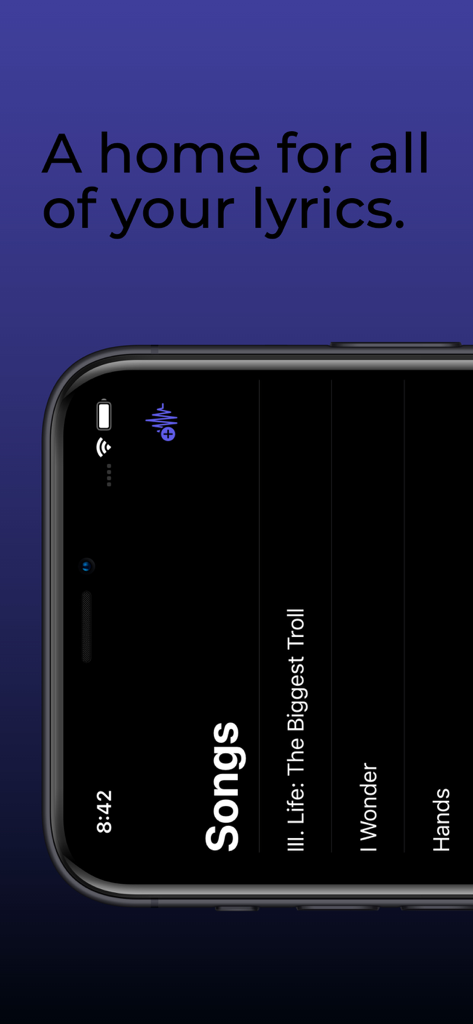
The Lyrics App - The Lyrics App 인터페이스 내에서 저장된 노래 목록을 표시하는 스마트폰 화면

The Lyrics App 인터페이스 내에서 저장된 노래 목록을 표시하는 스마트폰 화면

설명

If you're a songwriter, you probably recognize that melody is usually at least just as important as the lyrics they belong to. If you're a human, you've probably experienced what we like to call "forgetting." Lyrics can be forgotten as easily as they're thought of, which is why most of us (Lil Wayne excluded) choose to write them down. Melody, however, can easily be forgotten as well. To combat this, many songwriters end up going back and forth between a notes app and a voice recorder app while writing in order to preserve both their lyrics and the corresponding melodies. With The Lyrics App, there's no need to switch back and forth between apps while you're writing. You can finally write your lyrics and record your melodies in the same place. Rhyme Generator: The Rhyme Generator provides seamless access to thousands of rhyming words and phrases at your finger tips. To use the generator, simply highlight the word you'd like to see rhymes for (which you can do quickly by double tapping the word), then tap the Rhymes button that appears just above your keyboard. A list of up to 1,000 rhyming words and phrases will then be displayed on a scrollable bar on top of your device's keyboard. Tap one of the rhyme options to replace your highlighted word with the selected option. Thesaurus: Use the Thesaurus to gain instant access to thousands of synonyms for your lyrics. To use the Thesaurus, highlight the word you'd like to see synonyms for (which you can do quickly by double tapping a word), then tap the Thesaurus button that appears just above your keyboard. A list of up to 1,000 synonyms will then be displayed on a scrollable bar on top of your device's keyboard. Tap one of the options to replace your highlighted text with the selected option. iCloud Backup: All of your songs, lyrics, and melodies will now be safely backed up to your iCloud (as long as you have storage available, of course). If you lose your phone or have to redownload The Lyrics App for any reason, rest assured that all of the songs you've written will still be available and will automatically be synced to your device after you open the app while you are logged in to your iCloud account on your device. This feature will also keep The Lyrics App synchronized across all of your devices that are logged in to the same iCloud account. iCloud Drive: All of your songs, lyrics, and melody recordings will now be backed up to your iCloud Drive. If you've ever wanted to export any of your recordings, this is the solution. From your iOS device, go to the Files app on your phone. From there, tap browse, then select iCloud Drive (if it isn't already selected). In that folder you will see a folder for The Lyrics App, which contains folders for each of your songs. Each song folder contains a text file with the lyrics of the song, as well as a folder containing all of the recordings for that song. You will also be able to access these folders from the Finder on your Mac. In order to utilize this new feature, make sure that iCloud Drive is enabled on your device.

Download

다운로드: App Store

이 페이지는 앱이나 개발자의 공식 페이지가 아니며, 정보 제공 및 논평을 목적으로 작성된 독립 편집 간행물입니다. 명시적으로 달리 언급되지 않는 한, 해당 앱이나 개발자는 MWM, Apple, Google Play, 앱 퍼블리셔 또는 앱 개발자와 제휴, 보증, 후원, 승인 또는 공식적으로 연결되어 있지 않으며, 이 페이지의 어떤 내용도 해당 앱이 MWM의 서비스를 사용하여 개발되었음을 의미하지 않습니다. 모든 상표, 로고, 스크린샷 및 기타 콘텐츠는 해당 소유자의 자산입니다.







