
이 페이지는 앱이나 개발자의 공식 페이지가 아니며, 정보 제공 및 논평을 목적으로 작성된 독립 편집 간행물입니다. 명시적으로 달리 언급되지 않는 한, 해당 앱이나 개발자는 MWM, Apple, Google Play, 앱 퍼블리셔 또는 앱 개발자와 제휴, 보증, 후원, 승인 또는 공식적으로 연결되어 있지 않으며, 이 페이지의 어떤 내용도 해당 앱이 MWM의 서비스를 사용하여 개발되었음을 의미하지 않습니다. 모든 상표, 로고, 스크린샷 및 기타 콘텐츠는 해당 소유자의 자산입니다.

TickTick:To-Do List & Calendar
산산조각 난 당신의 하루. 이 앱은 잔해 속에서 완벽한 통제권을 부여한다.
다운로드
12.5M+사용자 평점
총 평가 수
304.4K개발사
카테고리
Productivity지원 언어
41최신 버전
8.0.50크기
288.0 MB출시일
2013년 6월 19일TickTick:To-Do List & Calendar 주요 기능 분석
TickTick은 개인의 생산성 향상과 효율적인 시간 관리를 위한 핵심 기능을 제공합니다.
목표 설정 및 습관 개발
이 앱은 사용자가 장기적인 목표를 설정하고, 체계적인 습관 개발을 통해 삶의 질을 향상시킬 수 있도록 돕습니다.
모든 기기 간 작업 동기화
이 도구는 사용자의 모든 장치(스마트폰, 태블릿, PC 등)에서 작업 목록과 일정을 자동으로 동기화하여 언제 어디서든 생산성을 유지할 수 있게 해줍니다.
포모도로 타이머 기능
이 앱은 집중력 향상을 위한 포모도로 타이머를 제공하여 사용자가 정해진 시간 동안 작업에 몰입하고 효율적으로 휴식을 취하도록 지원합니다.
작업 목록 공유 및 협업
이 앱은 여러 사용자가 작업 목록을 공유하고 함께 작업을 진행하며 팀 프로젝트나 가족 일정 관리를 위한 효율적인 협업 환경을 제공합니다.
유연한 반복 작업 설정
이 도구는 일일, 주간, 월간 등 다양한 주기로 반복되는 작업을 유연하게 설정할 수 있도록 하여 사용자가 중요한 루틴이나 습관을 놓치지 않도록 돕습니다.
여러 알림 설정
이 앱은 사용자가 작업별로 여러 개의 알림을 설정할 수 있게 하여 중요한 마감일을 놓치지 않고, 제때 필요한 조치를 취할 수 있도록 지원합니다.
즉각적인 시간 및 위치 기반 알림
이 도구는 특정 시간이나 장소에 기반한 알림을 제공하여 사용자가 필요한 순간에 적절한 정보를 받을 수 있도록 하며, 상황에 맞는 작업 관리를 가능하게 합니다.
캘린더 앱 통합
이 앱은 기존 캘린더 애플리케이션과의 원활한 통합을 지원하여 사용자가 모든 일정과 작업을 한곳에서 관리하고 효율적인 시간 계획을 세울 수 있도록 합니다.
자주 묻는 질문
에 대해 알아야 할 모든 것 TickTick:To-Do List & Calendar
What is TickTick?
TickTick is a powerful to-do and task management app that helps users organize their agenda, create memos, share lists, collaborate on tasks, and track habits with seamless cloud synchronization.
Does TickTick sync across all my devices?
Yes, TickTick offers seamless cloud synchronization across all your devices. It supports over 10 platforms, including mobile, tablet, desktop, and smartwatch, ensuring tasks are always updated.
Can I integrate TickTick with my existing calendar?
Yes, TickTick integrates with calendar applications and offers flexible calendar views, including a grid view for Premium users. This allows for organized task scheduling within your preferred calendar.
Does TickTick support task collaboration?
Yes, TickTick supports collaboration. You can share task lists for team collaboration. Premium users can share a task list with up to 29 members for enhanced teamwork.
Is TickTick a free application?
TickTick is always free to use, offering core features. Users can upgrade to a Premium account to access advanced features like more lists, reminders, and larger attachment uploads.
Does TickTick include a habit tracker?
Yes, TickTick includes a habit tracker feature. Users can set a Goal to develop habits, with Premium users able to add more than five habits for comprehensive tracking.
Can I use a Pomodoro Timer within TickTick?
Yes, TickTick features an integrated Pomo Timer to help users stay concentrated. This tool assists in boosting productivity by managing focus and break intervals directly within the app.
How many reminders can TickTick set for a task?
TickTick provides multiple reminders for tasks. Premium users can set up to five reminders for each task, ensuring important deadlines and events are not missed.
Does TickTick integrate with Siri?
Yes, TickTick integrates with Siri. Users can use Siri to create tasks faster and easier, streamlining the task creation process through voice commands.
Can TickTick track countdowns for events?
Yes, TickTick tracks countdowns for events. Users can keep track of birthdays, anniversaries, and other significant dates. Premium offers support for more than five countdowns.
How does TickTick Premium subscription billing work?
TickTick Premium subscriptions are auto-renewable. Payment is charged to your iTunes account upon confirmation. The subscription automatically renews unless cancelled at least 24 hours before the current period ends.
Does TickTick integrate with Apple Health?
Yes, TickTick integrates with HealthKit. This allows users to sync their focus time data from the Pomo Timer feature directly to Apple Health.
다음 스크린샷과 설명은 앱의 공식 스토어 목록에서 직접 가져온 것이며 앱 개발자의 자산입니다.
앱 스토어
스크린샷
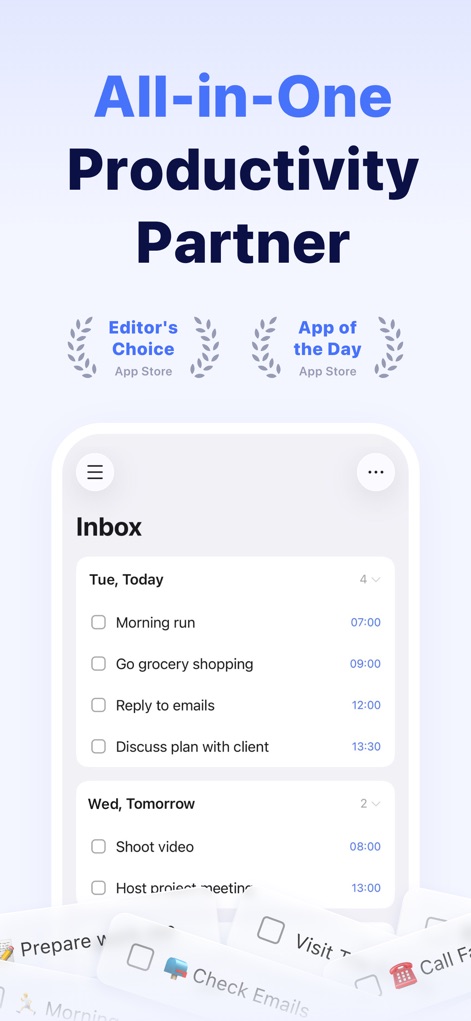
올인원 생산성 관리
이 앱은 'Inbox' 화면에서 오늘의 할 일 목록과 함께 'Editor's Choice' 및 'App of the Day' 수상 기록을 보여주며, 모든 작업을 한눈에 관리할 수 있게 돕습니다.
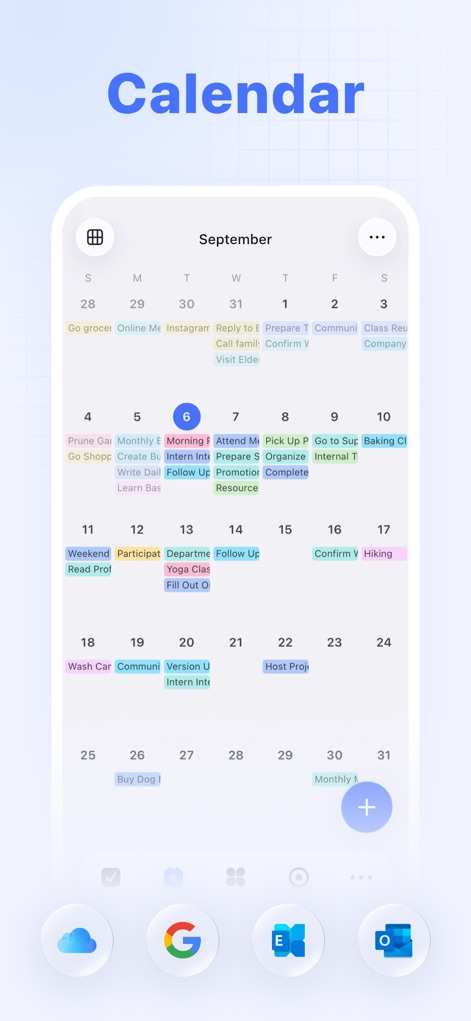
유연한 캘린더 뷰
사용자는 다채로운 월별 캘린더 보기로 전체 일정을 직관적으로 파악하고, 하단에 표시된 클라우드 및 구글 통합 아이콘을 통해 다른 서비스와 원활하게 연동할 수 있습니다.
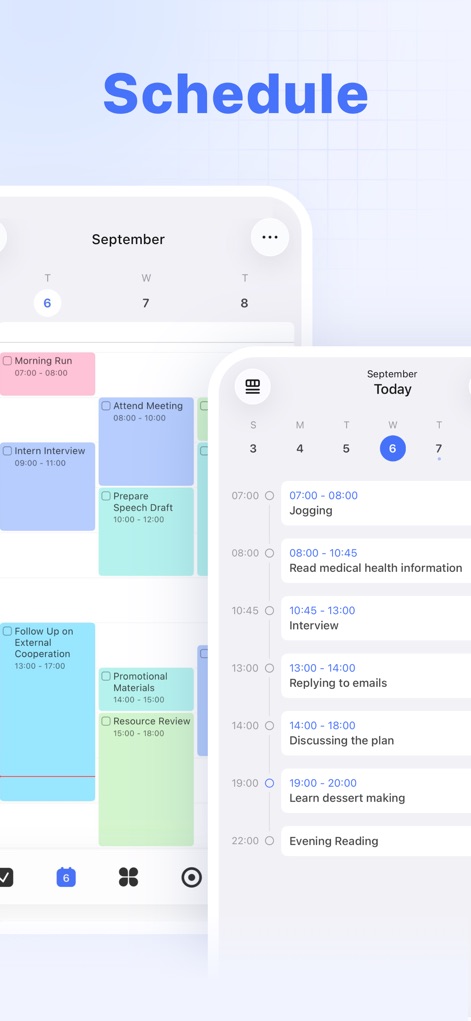
효율적인 스케줄 관리
이 스크린샷은 시간대별로 세분화된 일일 및 주간 스케줄 보기를 보여주며, 사용자가 자신의 할 일을 시각적 시간 블록으로 효율적으로 계획하고 관리하도록 지원합니다.
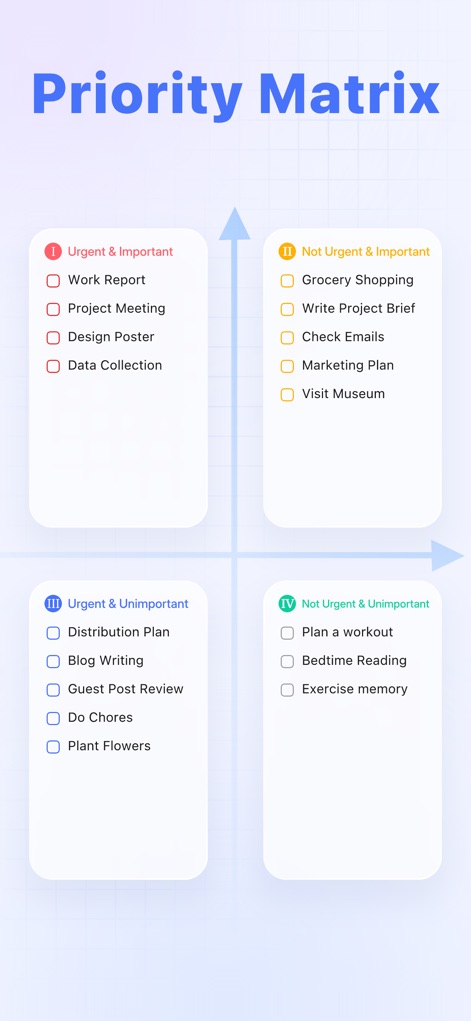
지능형 우선순위 분류
이 도구는 아이젠하워 매트릭스를 활용하여 할 일을 '긴급하고 중요한', '긴급하지 않지만 중요한' 등의 네 가지 우선순위로 분류하며, 사용자가 가장 중요한 작업에 집중하도록 돕습니다.
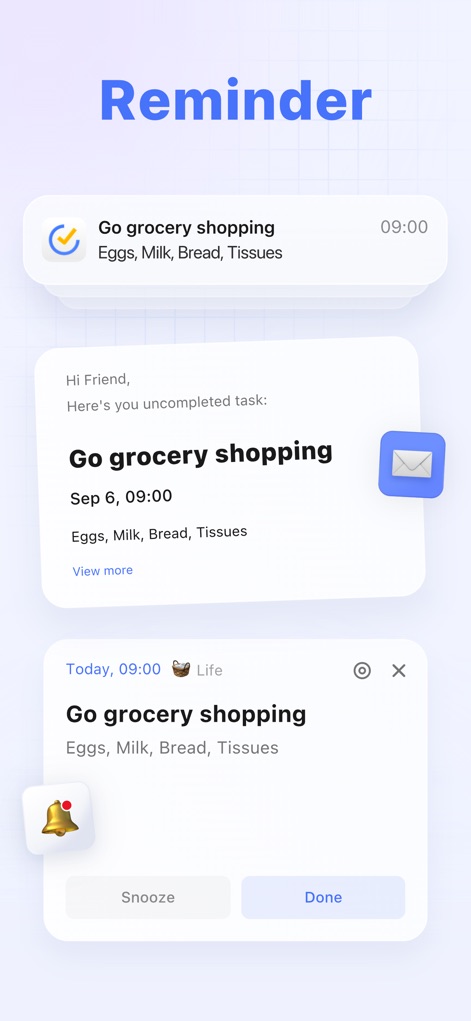
강력한 알림 기능
이 앱은 단순 알림부터 이메일 형식 메시지, '나중에 알림' 및 '완료' 버튼이 있는 상세 팝업까지 다양한 형태로 알림을 제공하여 중요한 작업을 절대 놓치지 않게 합니다.
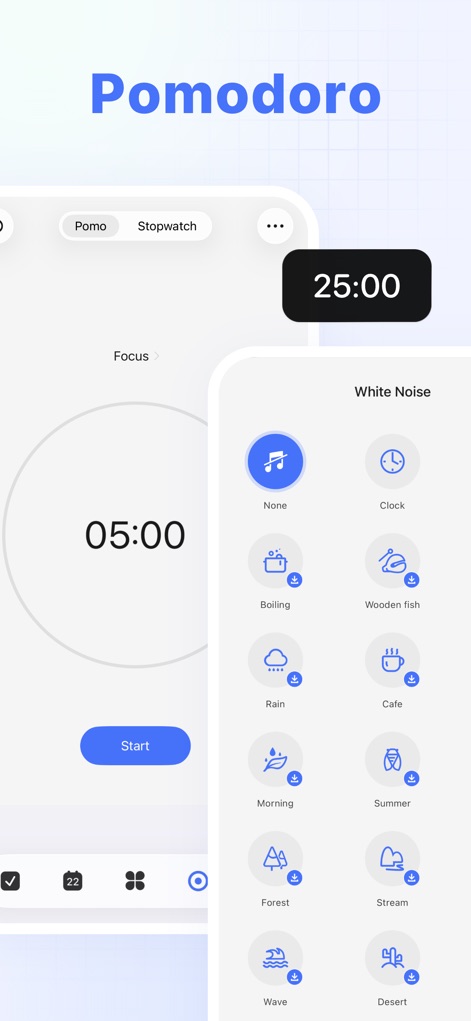
집중력 향상 뽀모도로
이 스크린샷은 뽀모도로 타이머 기능을 통해 25분 집중 시간과 5분 휴식 시간을 제시하며, 다양한 백색 소음 옵션을 제공하여 사용자가 최적의 집중 환경을 조성할 수 있게 합니다.
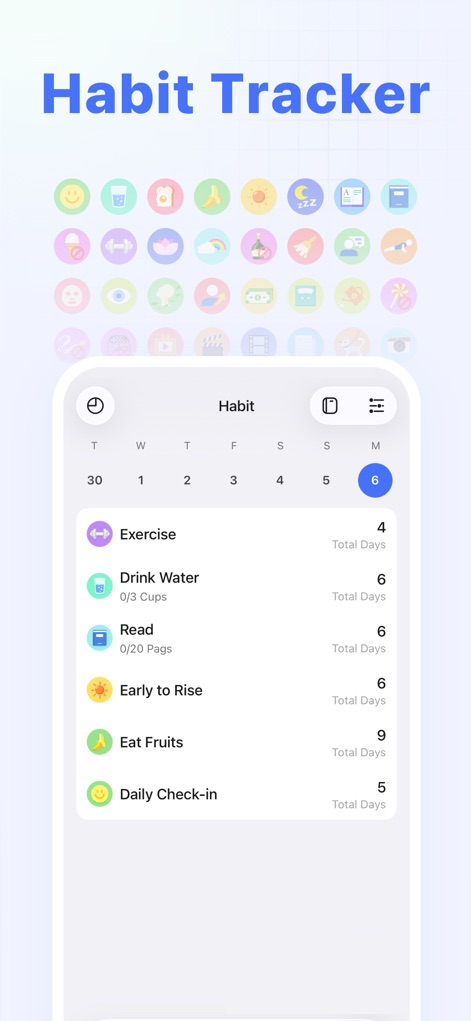
체계적인 습관 추적
이 기능은 사용자가 '운동', '물 마시기', '독서'와 같은 습관 목록을 만들고 추적하도록 지원하며, 각 습관의 총 기록 일수와 다채로운 상단 아이콘을 통해 진행 상황을 시각적으로 보여줍니다.
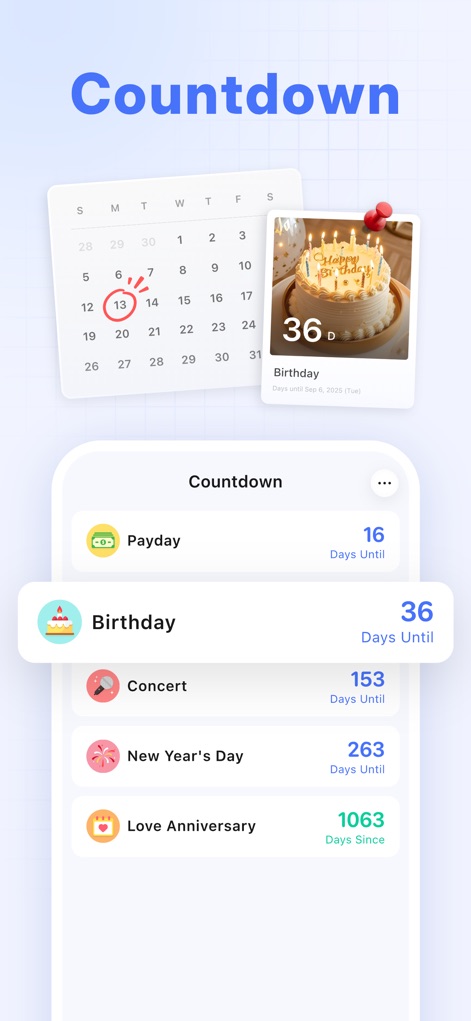
중요한 날 카운트다운
이 도구는 '급여일'이나 '생일'과 같은 중요한 이벤트에 대한 카운트다운을 제공하며, 캘린더에 기념일 날짜를 표시하고 남은 일수를 명확하게 보여줍니다.
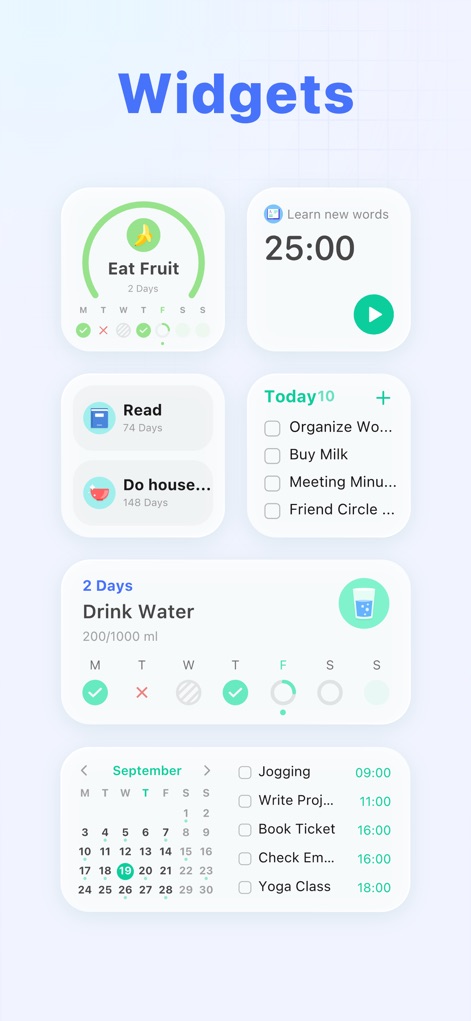
맞춤형 위젯 확장
이 앱은 습관 추적, 할 일 목록, 뽀모도로 타이머 등 다양한 기능에 대한 여러 위젯 스타일을 제공하여, 사용자가 홈 화면에서 주요 정보를 한눈에 확인하고 빠르게 접근할 수 있도록 돕습니다.
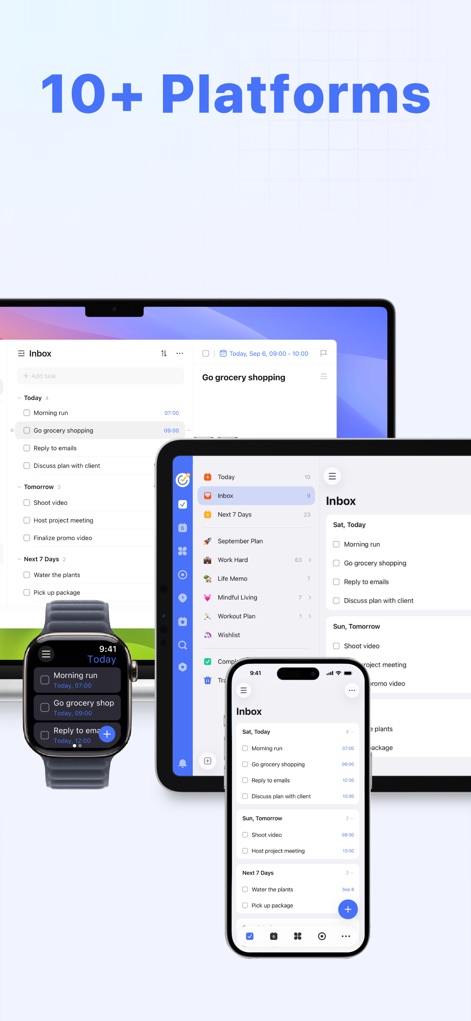
완벽한 멀티플랫폼 동기화
이 스크린샷은 macOS, iPad, Apple Watch, iPhone 등 10가지 이상의 플랫폼에서 앱이 완벽하게 동기화되는 모습을 보여주며, 사용자가 어떤 기기에서든 작업을 원활하게 관리할 수 있음을 강조합니다.
설명
Download
비슷한 앱
유사한 기능과 사용자 경험을 가진 앱

Notion: Notes, Tasks, AI
Notion Labs, Incorporated

Freenotes®: AI Notes Taking
Hangzhou Free Notes Technology Co., Ltd

Structured - Daily Planner
unorderly GmbH

Google Tasks: Get Things Done
Google LLC

Noteful: Notes & PDF Markup
Noteful Technologies Ltd

Todoist: To Do List & Calendar
Doist Inc.

To do list MinimaList & Widget
Inner Grow Limited

monday.com - Work Platform
monday.com Ltd.

Prodrafts - Infinite Notes
EMMO Corp.
이 페이지는 앱이나 개발자의 공식 페이지가 아니며, 정보 제공 및 논평을 목적으로 작성된 독립 편집 간행물입니다. 명시적으로 달리 언급되지 않는 한, 해당 앱이나 개발자는 MWM, Apple, Google Play, 앱 퍼블리셔 또는 앱 개발자와 제휴, 보증, 후원, 승인 또는 공식적으로 연결되어 있지 않으며, 이 페이지의 어떤 내용도 해당 앱이 MWM의 서비스를 사용하여 개발되었음을 의미하지 않습니다. 모든 상표, 로고, 스크린샷 및 기타 콘텐츠는 해당 소유자의 자산입니다.