Tokyo Transport
Tokyo Transport
다운로드: App Store

이 페이지는 앱이나 개발자의 공식 페이지가 아니며, 정보 제공 및 논평을 목적으로 작성된 독립 편집 간행물입니다. 명시적으로 달리 언급되지 않는 한, 해당 앱이나 개발자는 MWM, Apple, Google Play, 앱 퍼블리셔 또는 앱 개발자와 제휴, 보증, 후원, 승인 또는 공식적으로 연결되어 있지 않으며, 이 페이지의 어떤 내용도 해당 앱이 MWM의 서비스를 사용하여 개발되었음을 의미하지 않습니다. 모든 상표, 로고, 스크린샷 및 기타 콘텐츠는 해당 소유자의 자산입니다.


로고: Tokyo Transport
다운로드: App Store

Tokyo Transport

오프라인 지도, 자체 가이드 투어, 독립 여행자를 위한 스마트 일정 계획으로 도쿄의 복잡한 대중교통 시스템을 마스터하세요.

주요 수치

다운로드

300

사용자 평점

1.0/5

총 평가 수

0

개발사

HAN WEI WANG

카테고리

Travel

지원 언어

5

최신 버전

2.6

크기

15.4 MB

출시일

2025년 5월 1일
기능

도쿄 모험 마스터하기

독립 여행자가 일본의 복잡한 대중교통 시스템을 탐색하고 현지인처럼 숨겨진 보석을 탐험할 수 있는 올인원 도구 키트입니다.

오프라인 자체 가이드 투어

전문가 큐레이션 경로와 다운로드 가능한 지도로 도쿄, 가마쿠라, 하코네를 탐험하세요. 비싼 로밍 데이터를 사용하지 않고도 완벽하게 작동합니다.

스마트 교통 및 절약

실시간 환승 정보와 요금 계산으로 철도 네트워크를 탐색하고, 예산을 극대화하기 위한 현지 교통 할인권을 찾아보세요.

다음 스크린샷과 설명은 앱의 공식 스토어 목록에서 직접 가져온 것이며 앱 개발자의 자산입니다.

앱 스토어

스크린샷
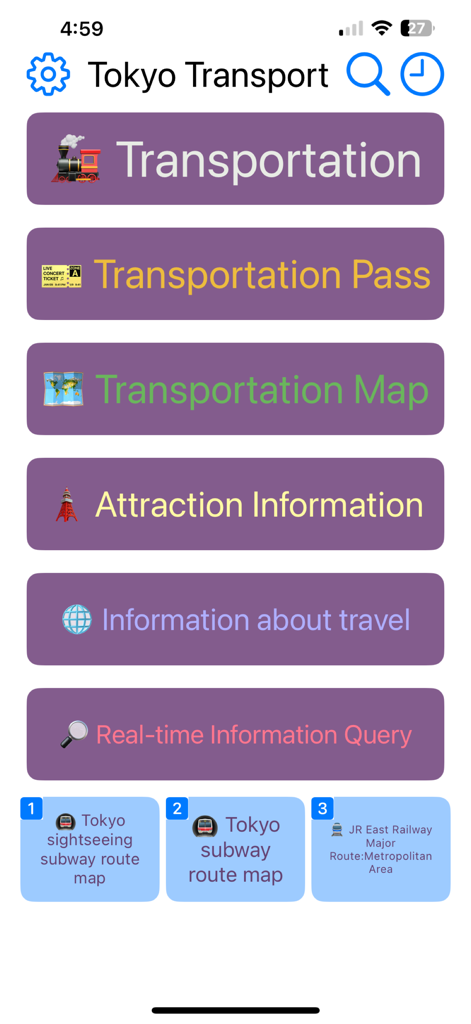
Tokyo Transport - 교통, 패스, 지도, 관광 정보에 대한 탐색 버튼이 있는 도쿄 교통 앱의 메인 메뉴.
교통, 패스, 지도, 관광 정보에 대한 탐색 버튼이 있는 도쿄 교통 앱의 메인 메뉴.

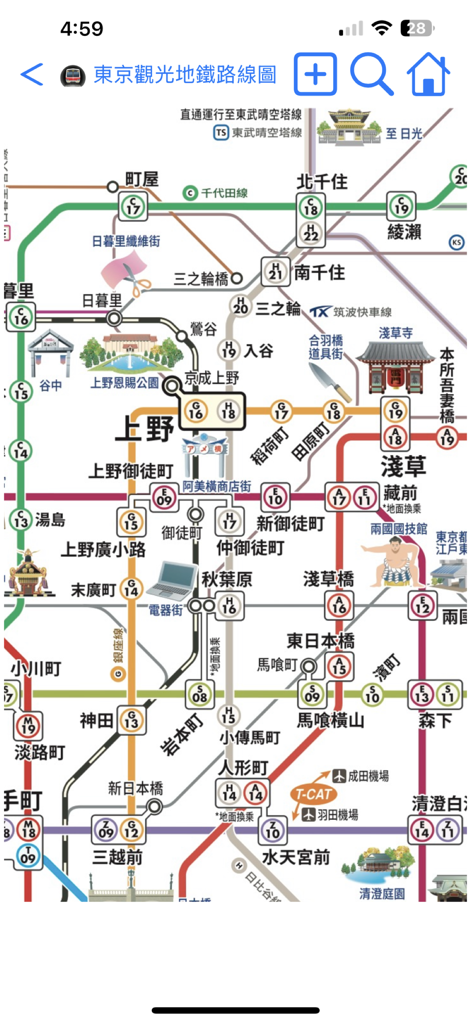
Tokyo Transport - 도쿄 지하철 노선도와 역, 랜드마크 일러스트가 표시된 도쿄 교통 앱의 상세한 지하철 노선도.
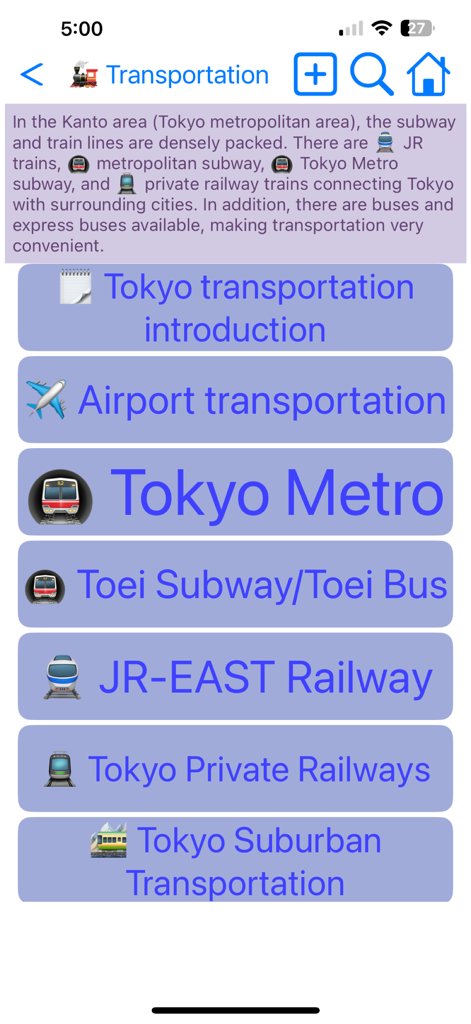
도쿄 지하철 노선도와 역, 랜드마크 일러스트가 표시된 도쿄 교통 앱의 상세한 지하철 노선도.

Tokyo Transport - 도쿄 지하철 및 JR 동일본 철도와 같은 다양한 지하철 및 기차 옵션을 나열하는 도쿄 교통 앱의 교통 메뉴 화면.
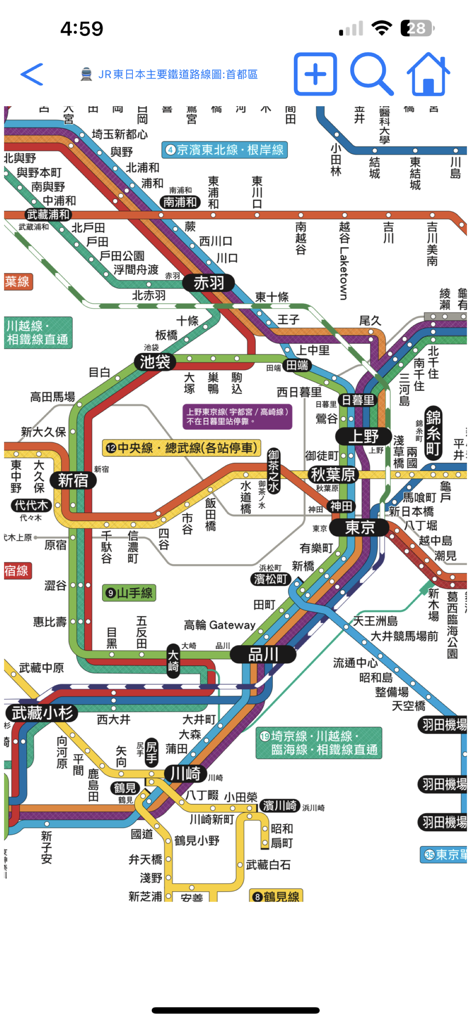
도쿄 지하철 및 JR 동일본 철도와 같은 다양한 지하철 및 기차 옵션을 나열하는 도쿄 교통 앱의 교통 메뉴 화면.

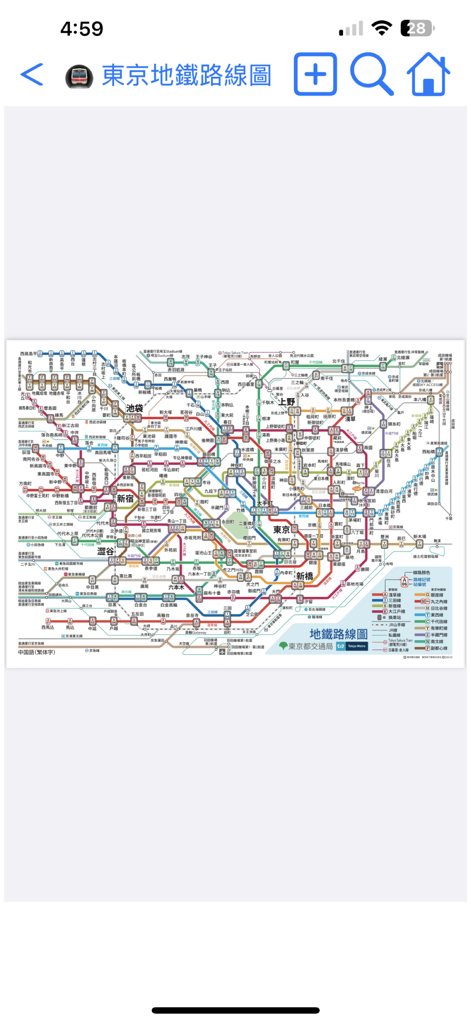
Tokyo Transport - 도쿄 교통 앱 내 주요 기차 노선과 역 이름이 표시된 상세하고 다채로운 도쿄 철도 네트워크 지도
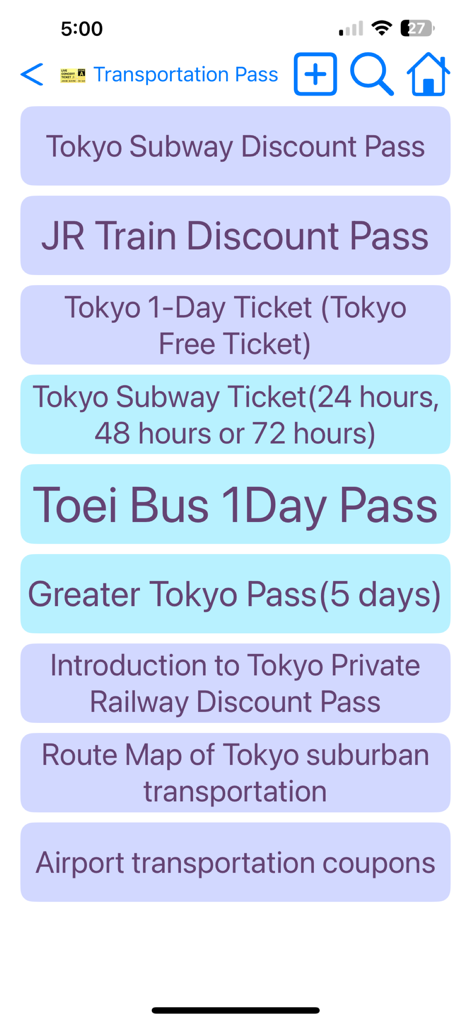
도쿄 교통 앱 내 주요 기차 노선과 역 이름이 표시된 상세하고 다채로운 도쿄 철도 네트워크 지도

Tokyo Transport - 도쿄 교통 앱의 도쿄 교통 및 할인 패스 목록

도쿄 교통 앱의 도쿄 교통 및 할인 패스 목록

Tokyo Transport - 도쿄 교통 앱 인터페이스 내 상세한 도쿄 지하철 및 기차 노선도.

도쿄 교통 앱 인터페이스 내 상세한 도쿄 지하철 및 기차 노선도.

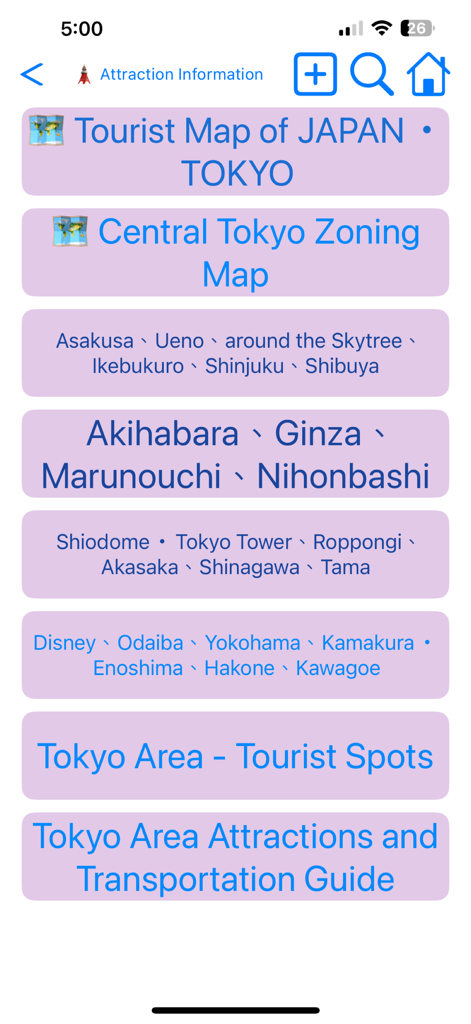
Tokyo Transport - 시부야, 긴자 지역의 관광 지도 및 관광 명소 카테고리 메뉴를 보여주는 도쿄 교통 앱 화면.
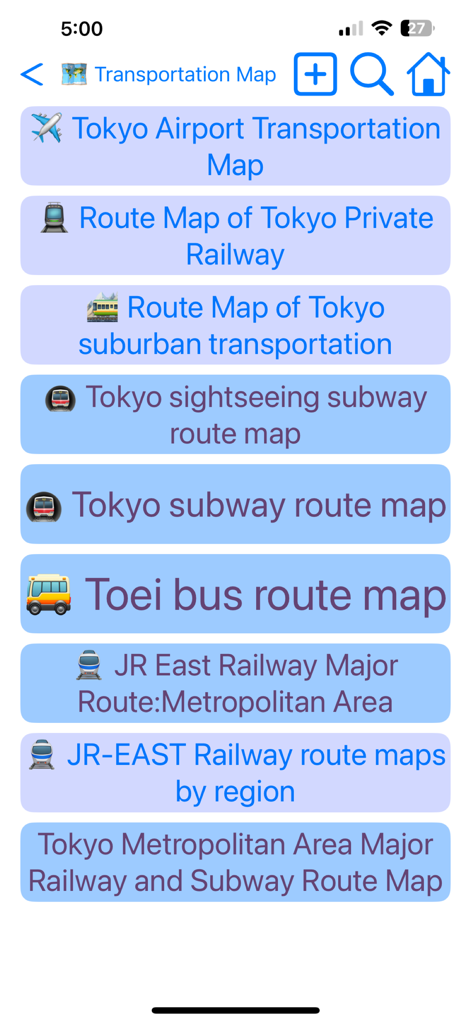
시부야, 긴자 지역의 관광 지도 및 관광 명소 카테고리 메뉴를 보여주는 도쿄 교통 앱 화면.

Tokyo Transport - 지하철, 버스, 철도 노선 등 도쿄 교통 지도 목록

지하철, 버스, 철도 노선 등 도쿄 교통 지도 목록

설명

This travel app offers self-guided tours in Tokyo, Yokohama, Kamakura, and Hakone, Japan. It also provides information on transportation options and route maps for the Tokyo area. Learn how to reach your destination using public transport, find transfer information, check timetables and fares, and discover applicable transportation coupons that can be used together. Use this app to simplify your transportation experience in Tokyo! To navigate the app, you can press the back button in the upper left corner to return to the previous page, or swipe right from the left edge of the screen for the same purpose. The home button in the upper right corner will take you back to the app's homepage. Click the gear button in the upper left corner to select the display language or to download or update maps. Tapping the text title at the top will display all browsing paths; you can also select a path to return to a previous page. If there is descriptive text on the introduction page, click it to enlarge and click it again to shrink it. While viewing the map, users can use two fingers to zoom in or out. It's advisable to download all maps at the beginning for faster access. The calendar button at the top of the homepage opens the calendar memo feature. After selecting a date and entering a memo, press the text search button next to the memo to search for relevant travel information automatically based on the memo's content, saving you time! Additionally, when on the Set Travel Date page, click the "Set Travel Date" button, and the system will create a travel memo for you. Once you set the travel date, it will automatically calculate how many days remain before your departure, how many days you have spent on your trip, how many days are left, and how many days remain before you return home. You can also share your travel memo with friends by opening their app, pasting the memo, and clicking the "Set Travel Date" button to complete the process. Users can click on the settings button in the upper left corner of the homepage or the globe button at the top of the general page to change the display language. Available languages include English, Japanese, Traditional Chinese, Simplified Chinese, and Korean. Please note that switching languages requires re-downloading maps, as the app only retains maps in the currently selected language to save space and reduce network usage. Users can delete maps in other languages and download new ones after changing the app’s language. The magnifying glass button in the upper right corner opens the search page. Users can enter keywords in English, Japanese, Chinese, or Korean to find relevant introductions, route maps, and other information. Clicking on a search result will take you directly to the desired page. The clock button in the upper right corner opens the browsing history page, which automatically saves up to 100 records, making it easy to find previously visited pages. There are three commonly used shortcut buttons at the bottom of the homepage that allow users quick access to frequently used map or traffic information pages. Additionally, a folding shortcut button at the top of the page expands these three shortcuts. Users can press the + button in the upper left corner of the shortcut section to set the current page as a shortcut, or press the - button to restore the shortcuts to their default settings. If you have any suggestions for improving this app, please send us an email or leave a comment. We will update based on your feedback as soon as possible. If you find this app useful, please consider rating us to encourage continued updates. Thank you for using our program! (Developer's email: hereyouare1981@gmail.com)

Download

다운로드: App Store

이 페이지는 앱이나 개발자의 공식 페이지가 아니며, 정보 제공 및 논평을 목적으로 작성된 독립 편집 간행물입니다. 명시적으로 달리 언급되지 않는 한, 해당 앱이나 개발자는 MWM, Apple, Google Play, 앱 퍼블리셔 또는 앱 개발자와 제휴, 보증, 후원, 승인 또는 공식적으로 연결되어 있지 않으며, 이 페이지의 어떤 내용도 해당 앱이 MWM의 서비스를 사용하여 개발되었음을 의미하지 않습니다. 모든 상표, 로고, 스크린샷 및 기타 콘텐츠는 해당 소유자의 자산입니다.