Torque Pro : OBD2 Car Scanner

Torque Pro : OBD2 Car Scanner

다운로드: App Store
로고: Torque Pro : OBD2 Car Scanner

Torque Pro: OBD2 자동차 스캐너 — 주머니 속 전문가 차량 진단

추측은 이제 그만, 절약을 시작하세요. AI 기반 정비사 통찰력, 즉각적인 엔진 경고등 해제, 그리고 모든 주행을 위한 전문가급 성능 추적으로 차량 건강 상태를 완벽하게 관리하세요.

개발사

Collabrains Technologies LTD

카테고리

Utilities

다운로드

40K+

사용자 평점

4.2/5

총 평가 수

500

지원 언어

1

한눈에 보는 정밀함

이 인터페이스를 사용하는 40K+ 명의 사용자.

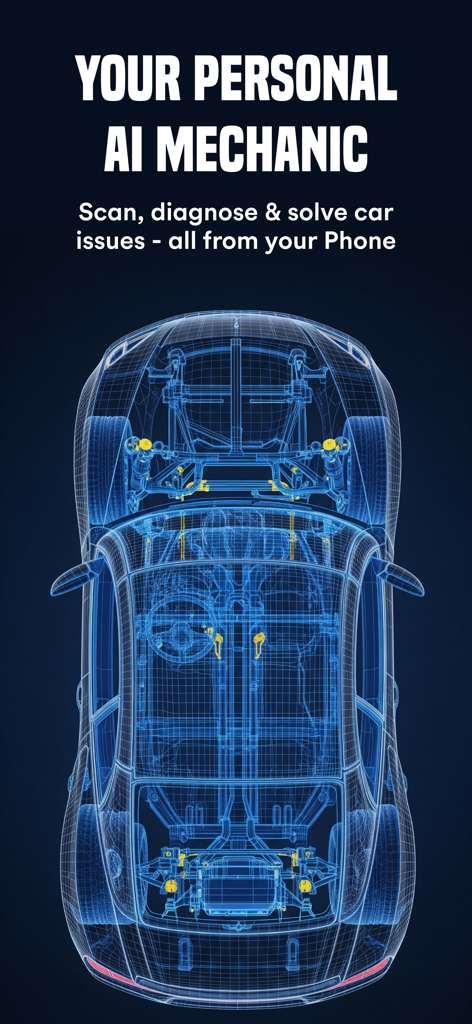
Torque Pro AI 정비사 진단 기능을 보여주는 파란색 와이어프레임 자동차
Torque Pro AI 정비사 진단 기능을 보여주는 파란색 와이어프레임 자동차

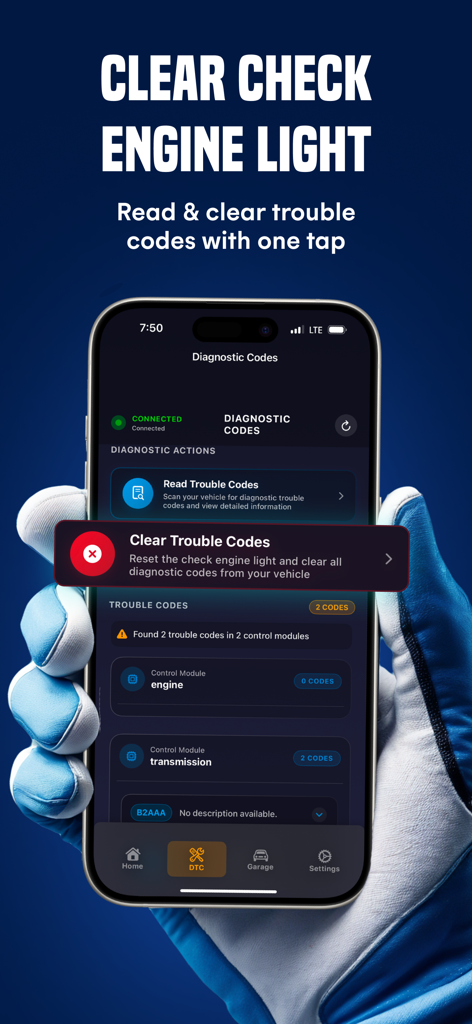
차량 진단 오류 코드를 읽고 지우는 Torque Pro 앱 인터페이스를 보여주는 iPhone
차량 진단 오류 코드를 읽고 지우는 Torque Pro 앱 인터페이스를 보여주는 iPhone

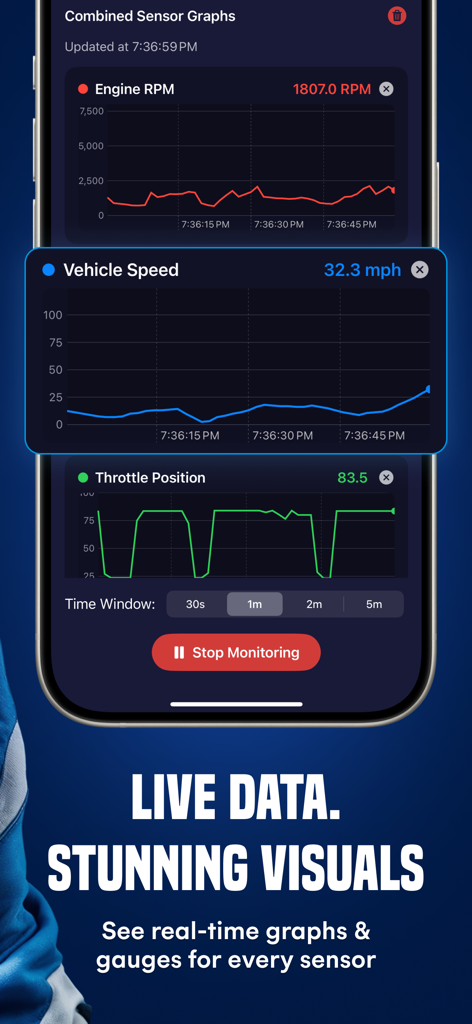
모바일 기기에서 차량 속도, 엔진 RPM, 스로틀 위치에 대한 실시간 센서 그래프
모바일 기기에서 차량 속도, 엔진 RPM, 스로틀 위치에 대한 실시간 센서 그래프

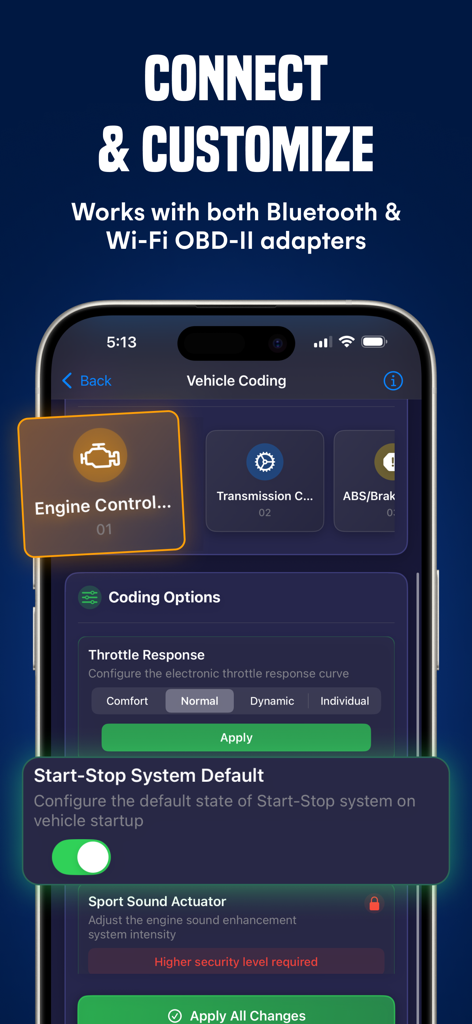
엔진 제어 및 스로틀 응답 사용자 정의를 위한 Torque Pro 차량 코딩 옵션을 표시하는 스마트폰
엔진 제어 및 스로틀 응답 사용자 정의를 위한 Torque Pro 차량 코딩 옵션을 표시하는 스마트폰

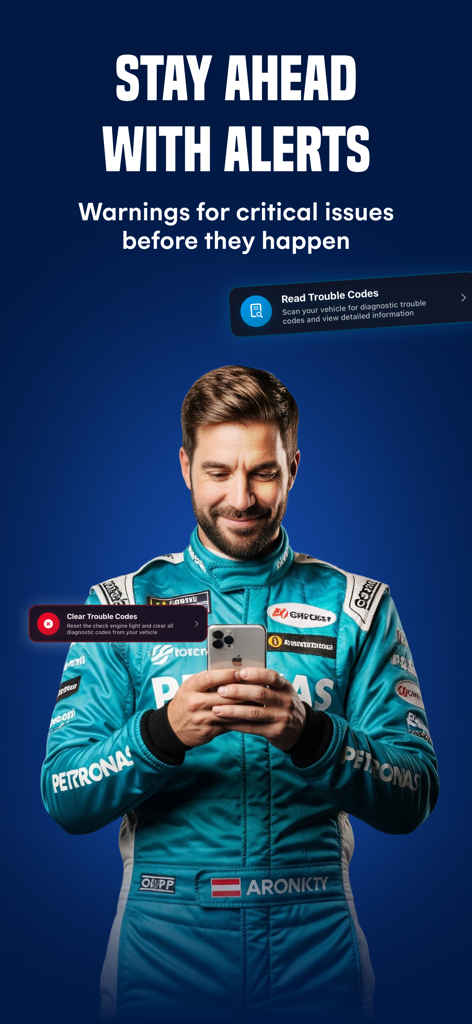
차량 오류 코드를 읽고 지우기 위해 iPhone에서 Torque Pro 앱을 사용하는 전문 레이싱 슈트를 입은 남성
차량 오류 코드를 읽고 지우기 위해 iPhone에서 Torque Pro 앱을 사용하는 전문 레이싱 슈트를 입은 남성

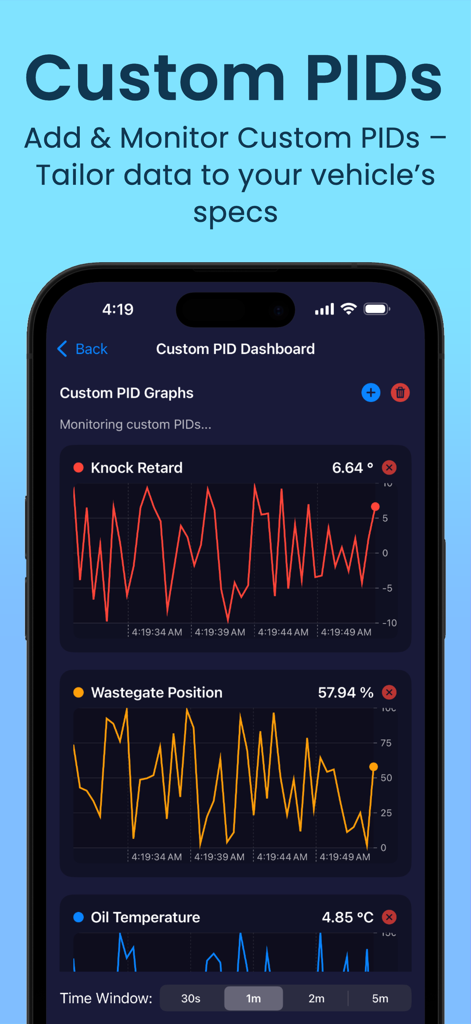
노크 지연 및 오일 온도와 같은 사용자 정의 PID에 대한 실시간 그래프를 보여주는 Torque Pro OBD2 자동차 스캐너 앱 인터페이스
노크 지연 및 오일 온도와 같은 사용자 정의 PID에 대한 실시간 그래프를 보여주는 Torque Pro OBD2 자동차 스캐너 앱 인터페이스

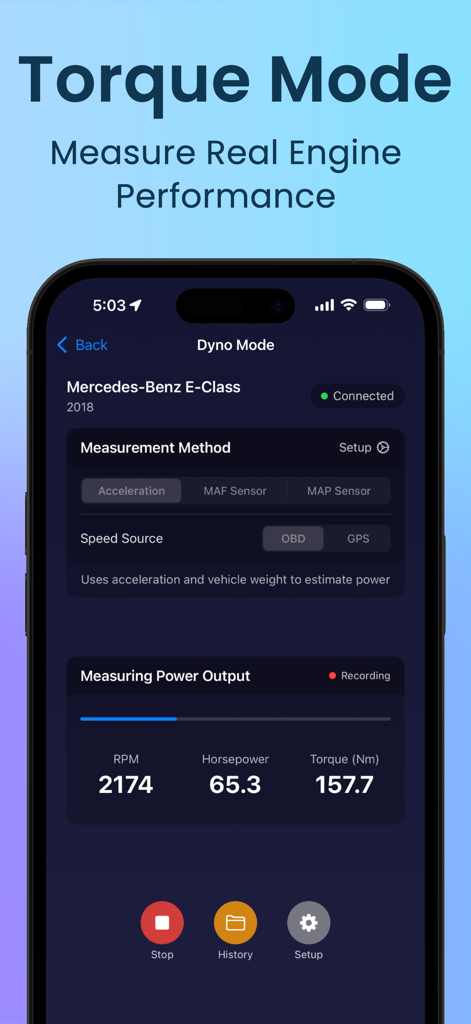
마력 및 토크 측정값을 보여주는 Torque Pro 앱의 다이노 모드
마력 및 토크 측정값을 보여주는 Torque Pro 앱의 다이노 모드

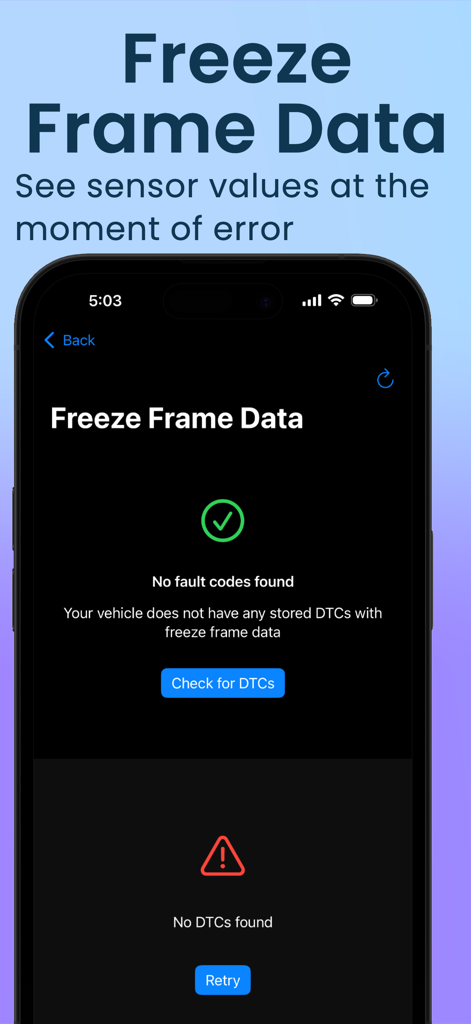
차량 진단을 위한 동결 프레임 데이터 화면을 보여주는 Torque Pro 앱 인터페이스
차량 진단을 위한 동결 프레임 데이터 화면을 보여주는 Torque Pro 앱 인터페이스

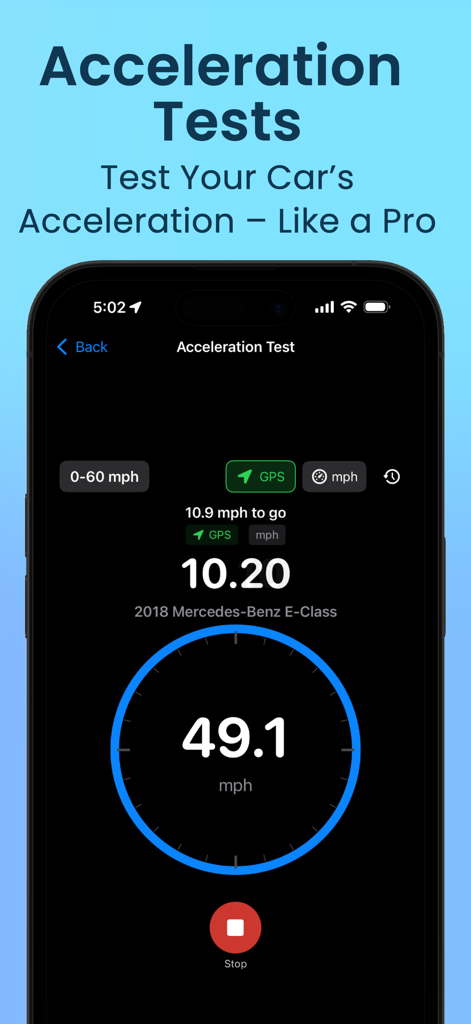
속도 및 시간 측정값을 포함한 Torque Pro 앱의 가속 테스트 기능을 보여주는 iPhone 화면
속도 및 시간 측정값을 포함한 Torque Pro 앱의 가속 테스트 기능을 보여주는 iPhone 화면

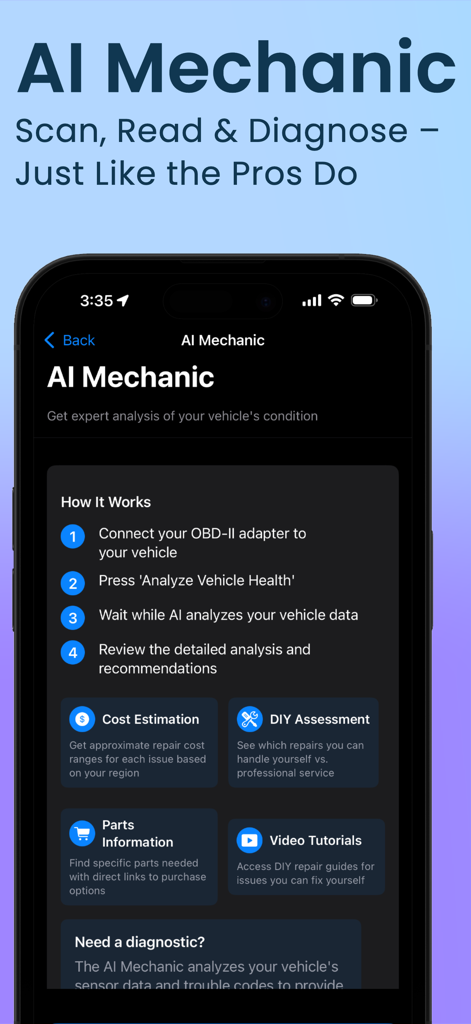
단계별 차량 진단 분석 및 수리 권장 사항을 보여주는 Torque Pro 앱 AI 정비사 인터페이스

단계별 차량 진단 분석 및 수리 권장 사항을 보여주는 Torque Pro 앱 AI 정비사 인터페이스

차량 건강 상태를 완벽하게 관리하세요

이 앱을 돋보이게 하는 도구, 40K+ 명의 사용자가 선택.

🛠️

AI 기반 "엔진 체크" 명확성

더 이상 알 수 없는 코드는 없습니다. AI 정비사가 문제를 쉬운 영어로 설명하고 즉시 전문가 수준의 수리 권장 사항을 제공합니다.

🏎️

실시간 성능 대시보드

마력, 토크, 0-60mph 시간을 정확하게 모니터링하세요. 디지털 조종석을 맞춤 설정하여 자신에게 중요한 것을 정확히 확인하세요.

🛡️

포괄적인 차량 이력

VIN 번호만으로 사고 이력, 주행 거리 확인, 소유권 상태 확인을 통해 안심하고 구매하거나 판매하세요.

리뷰 분석

사용자 리뷰 인사이트.

감정 점수

11%
부정적

요약

User feedback for this app is overwhelmingly negative, with a significant majority reporting critical issues. Many users struggled with establishing a stable connection to various OBD-II adapters, including Bluetooth and Wi-Fi devices, and found the app incompatible with specific adapters like OBDLink MX+, Vgate Vlinker MS, and OBDlink CX, or even specific vehicle models such as Ssangyong Musso Grand and VW Polo. Numerous complaints also highlight severe app functionality problems, including frequent crashing, failure to read sensors or clear fault codes, and unexpected vehicle shutdowns upon connection attempts. While a few users expressed satisfaction, particularly after a recent update, the widespread sentiment points to an unreliable and frustrating experience, often leading to accusations of the app being a "scam" and a waste of money, compounded by unresponsive customer support and a disliked subscription model.

주요 테마

App Functionality(5)
OBD-II Connection(4)
Device & Vehicle Compatibility(4)
App Updates(2)
User Interface Design(1)

앱 소개

에 대해 알아야 할 모든 것 Torque Pro : OBD2 Car Scanner.

설명

Torque Pro: OBD2 Car Scanner – Professional Vehicle Diagnostics & Performance Tools Turn your iPhone into the ultimate automotive diagnostic companion. Whether you're a professional mechanic, passionate enthusiast, or everyday driver, Torque Pro delivers comprehensive vehicle insights with an intuitive, powerful interface designed for both beginners and experts. AI-POWERED DIAGNOSTICS & ENHANCED FEATURES • NEW: Full vehicle history report: Get a clear picture of your car's past, including accident history, mileage discrepancies, title issues, and more. • NEW: AI Mechanic provides plain-language trouble code explanations and repair recommendations • NEW: Enhanced performance testing with real-time dyno graphs and improved accuracy • NEW: Multiple premium dashboard themes with customizable gauge layouts COMPREHENSIVE DIAGNOSTICS • Read and clear trouble codes (DTCs) to immediately identify issues • Reset check engine light after addressing problems • Monitor emission readiness status and inspection preparation • View live sensor data with real-time updates and logging • Save diagnostic sessions for historical comparison and tracking PREMIUM DASHBOARD EXPERIENCES • Choose from multiple professionally designed layouts: Modern: Clean, information-rich interface with key metrics Classic: Traditional gauge-style presentation for familiar readings Performance: Focus on power, torque, and driving metrics Minimal: Distraction-free design showing only essential information ADVANCED PERFORMANCE TESTING • Real-time dynamometer mode calculates horsepower and torque curves • 0-60 mph acceleration testing with precision timing • Quarter-mile estimations and performance analytics • Track mode for recording lap times and performance metrics • Export performance data for detailed analysis COMPLETE SENSOR SUPPORT & CUSTOMIZATION • Monitor standard OBD2 sensors including RPM, speed, temperature, and more • Access advanced sensors: fuel rate, mass air flow, intake temperature, and fuel trim • Create and monitor custom PIDs for aftermarket sensors or specific vehicle functions • Configure warning thresholds with visual and audio alerts • Real-time graphing of multiple parameters simultaneously VEHICLE MANAGEMENT • Multi-vehicle garage with automatic VIN detection • Vehicle-specific profiles and settings COMPATIBILITY & CONNECTIVITY • Works with all OBD2-compliant vehicles (1996+ for US, 2001+ for EU) • Compatible with gasoline, diesel, hybrid, and many electric vehicles with OBD2 ports • Connects via Bluetooth to standard ELM327 and similar OBD2 adapters • Optimized for Wi-Fi adapters for faster data rates • Support for CAN, ISO, SAE and other manufacturer-specific protocols Subscription Options: • Weekly, Monthly, Yearly Premium. Subscription Details: • Payment will be charged to your Apple ID account at confirmation of purchase • Subscriptions automatically renew unless auto-renewal is turned off at least 24 hours before the end of the current period • Your account will be charged for renewal within 24 hours prior to the end of the current period • Subscriptions may be managed by the user and auto-renewal may be turned off by going to the user's Account Settings after purchase • No cancellation of the current subscription is allowed during the active subscription period • Any unused portion of a free trial period, if offered, will be forfeited when the user purchases a subscription Privacy Policy: https://www.sadynamics.com/torque-pro-privacy-policy/ Terms of Use: https://www.sadynamics.com/terms-of-use-torque-pro/ *Note: Requires compatible OBD2 Bluetooth or Wi-Fi adapter (not included) connected to your vehicle's OBD port. Feature availability may vary depending on your vehicle's make, model, and OBD implementation. For optimal performance and fastest refresh rates, we recommend using Wi-Fi adapters. Support: torque.pro@sadynamics.com

최신 버전

3.3.39

크기

90.9 MB

출시일

2024년 6월 13일

추측은 그만. 스캔을 시작하세요.

AI 기반 진단으로 수리 비용을 절약하고 차량 성능을 완벽하게 관리하는 40,000명 이상의 운전자에 동참하세요. 지금 바로 Torque Pro를 받으세요.

다운로드: App Store
FAQ

자주 묻는 질문

에 대해 알아야 할 모든 것 Torque Pro : OBD2 Car Scanner

Torque Pro: OBD2 자동차 스캐너란 무엇인가요?

Torque Pro: OBD2 자동차 스캐너는 iPhone을 자동차 진단 도우미로 바꿔줍니다. 정비사, 애호가 및 일반 운전자를 위해 포괄적인 차량 통찰력, AI 기반 진단, 성능 테스트 및 사용자 정의 가능한 대시보드를 제공합니다.

Torque Pro로 엔진 경고등을 끌 수 있나요?

네, Torque Pro는 문제를 해결한 후 고장 코드(DTC)를 읽고 지울 수 있으며 엔진 경고등을 재설정할 수 있습니다. 이 기능은 앱의 포괄적인 진단 기능 내에서 직접 사용할 수 있습니다.

Torque Pro의 AI 정비사 기능은 어떻게 작동하나요?

Torque Pro의 AI 정비사는 일반 언어로 된 고장 코드 설명과 수리 권장 사항을 제공합니다. 또한 전체 차량 기록 보고서, 향상된 성능 테스트 및 프리미엄 대시보드 테마와 같은 새로운 기능도 포함합니다.

Torque Pro와 호환되는 차량 유형은 무엇인가요?

Torque Pro는 OBD2를 준수하는 모든 차량(미국 1996년식 이상, 유럽 2001년식 이상)과 작동합니다. OBD2 포트가 장착된 가솔린, 디젤, 하이브리드 및 많은 전기 차량과 호환됩니다.

Torque Pro는 어떤 성능 테스트를 제공하나요?

Torque Pro는 실시간 다이나모미터 모드를 포함한 고급 성능 테스트를 제공하여 마력 및 토크 곡선을 계산합니다. 또한 0-60 mph 가속 테스트, 4분의 1마일 추정 및 랩 타임을 기록하기 위한 트랙 모드를 수행합니다.

Torque Pro에는 별도의 OBD2 어댑터가 필요한가요?

네, Torque Pro에는 차량의 OBD 포트에 연결된 호환되는 OBD2 블루투스 또는 Wi-Fi 어댑터(별도 판매)가 필요합니다. 표준 ELM327 및 유사한 OBD2 어댑터를 지원합니다.

Torque Pro에서 대시보드 레이아웃을 사용자 정의할 수 있나요?

네, Torque Pro는 사용자 정의 가능한 게이지 레이아웃을 갖춘 여러 프리미엄 대시보드 테마를 제공합니다. 사용자는 Modern, Classic, Performance 및 Minimal 인터페이스와 같은 전문가가 디자인한 옵션 중에서 선택할 수 있습니다.

Torque Pro의 구독 옵션은 무엇인가요?

Torque Pro는 주간, 월간 및 연간 프리미엄 구독 옵션을 제공합니다. 결제는 Apple ID 계정으로 청구되며, 현재 기간이 종료되기 최소 24시간 전에 자동 갱신을 해제하지 않으면 구독은 자동으로 갱신됩니다.

Torque Pro는 사용자 정의 PID를 모니터링할 수 있나요?

네, Torque Pro를 사용하면 애프터마켓 센서 또는 특정 차량 기능을 위한 사용자 정의 PID(매개변수 ID)를 생성하고 모니터링할 수 있습니다. 또한 이러한 매개변수와 다른 매개변수의 실시간 그래프를 동시에 지원합니다.

Torque Pro는 실시간 센서 데이터를 표시하나요?

네, Torque Pro는 실시간 업데이트 및 로깅을 통해 라이브 센서 데이터를 제공합니다. 실시간 그래프 및 게이지를 통해 RPM, 차량 속도 및 스로틀 위치와 같은 다양한 매개변수를 표시할 수 있습니다.

App information, icons, screenshots, and descriptions displayed on this page are sourced from the Apple App Store and are the property of their respective developers. Download estimates and rankings are based on MWM's proprietary models and may not reflect actual figures. This page is provided for informational and analytical purposes only.

Believe this page infringes your intellectual property? File a dispute