Translate Keyboard+ Translator
다운로드: App Store

이 페이지는 앱이나 개발자의 공식 페이지가 아니며, 정보 제공 및 논평을 목적으로 작성된 독립 편집 간행물입니다. 명시적으로 달리 언급되지 않는 한, 해당 앱이나 개발자는 MWM, Apple, Google Play, 앱 퍼블리셔 또는 앱 개발자와 제휴, 보증, 후원, 승인 또는 공식적으로 연결되어 있지 않으며, 이 페이지의 어떤 내용도 해당 앱이 MWM의 서비스를 사용하여 개발되었음을 의미하지 않습니다. 모든 상표, 로고, 스크린샷 및 기타 콘텐츠는 해당 소유자의 자산입니다.

로고: Translate Keyboard+ Translator
다운로드: App Store

Translate Keyboard+ Translator

글로벌 커뮤니케이션을 위한 궁극의 지름길. WhatsApp, Tinder, Slack과 같은 좋아하는 앱 내에서 100개 이상의 언어를 즉시 입력, 번역, 자동 감지하세요.

주요 수치

다운로드

69K+

사용자 평점

4.3/5

총 평가 수

0

개발사

i-App Creation Co., Ltd.

카테고리

Reference

지원 언어

2

최신 버전

1.1.3

크기

179.5 MB

출시일

2020년 7월 13일
기능

앱 전환 없이 원활한 소통

iPhone 키보드 안에서 바로 전문 번역가의 힘을 경험하세요. 100개 이상의 언어로 마찰 없이 채팅하고, 일하고, 연결하세요.

모든 앱 내에서 번역

앱 전환은 그만. iMessage, WhatsApp, Slack에서 나가는 메시지와 들어오는 텍스트를 즉시 번역하세요.

100개 이상의 글로벌 언어

100개 이상의 언어를 지원하여 한계를 극복하세요. 글로벌 비즈니스든 데이트든 항상 적절한 단어를 사용할 수 있습니다.

다음 스크린샷과 설명은 앱의 공식 스토어 목록에서 직접 가져온 것이며 앱 개발자의 자산입니다.

앱 스토어

스크린샷
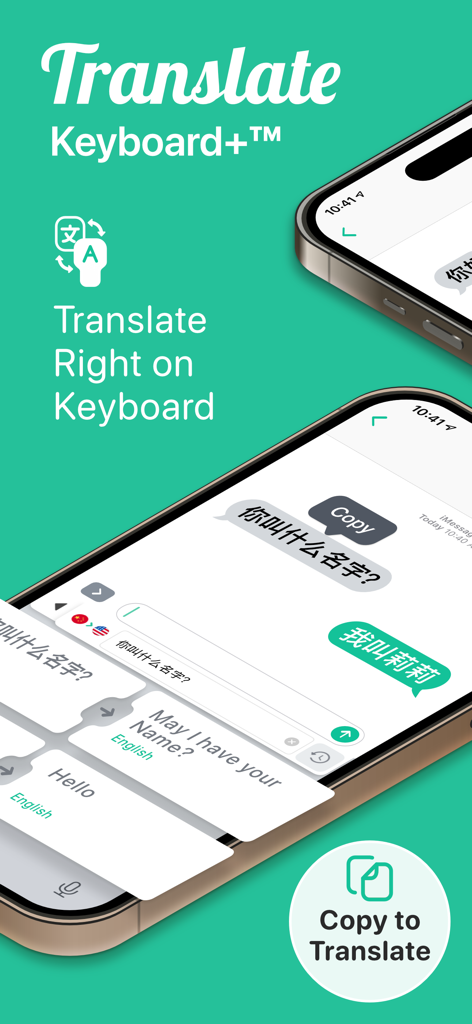
Translate Keyboard+ Translator - Translate Keyboard plus 앱 인터페이스가 iPhone에서 키보드 자체 번역 및 번역을 위한 복사와 같은 기능을 보여줌
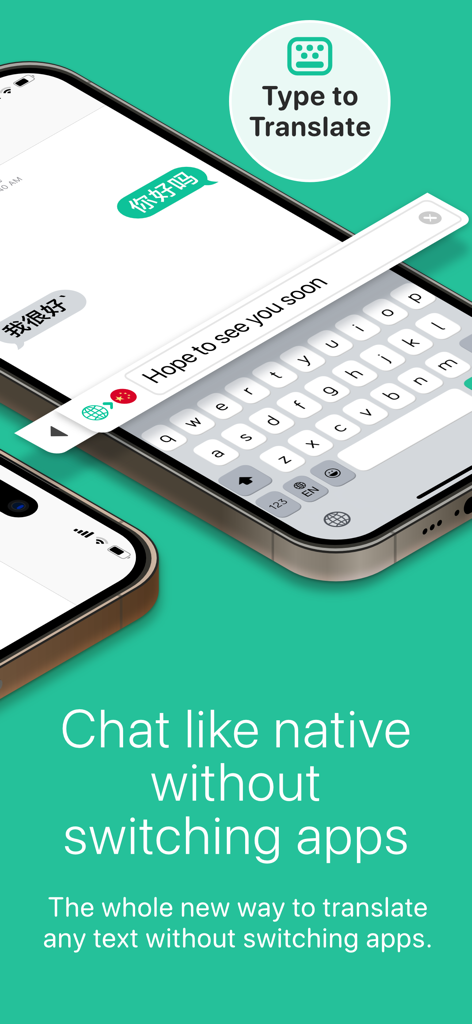
Translate Keyboard plus 앱 인터페이스가 iPhone에서 키보드 자체 번역 및 번역을 위한 복사와 같은 기능을 보여줌

Translate Keyboard+ Translator - 채팅 메시지를 즉시 번역하는 Translate Keyboard 앱 인터페이스를 보여주는 스마트폰 화면
채팅 메시지를 즉시 번역하는 Translate Keyboard 앱 인터페이스를 보여주는 스마트폰 화면

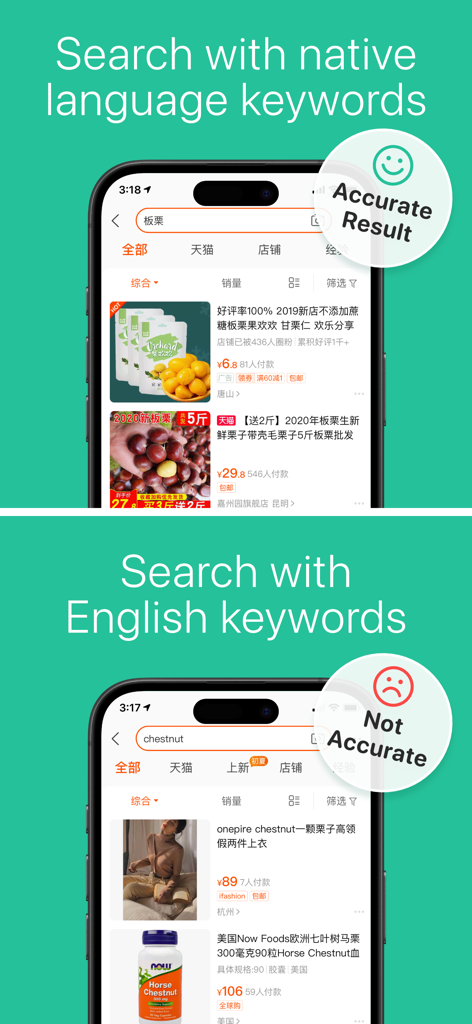
Translate Keyboard+ Translator - 전자 상거래 플랫폼에서 영어 키워드 대신 원어민 키워드를 사용할 때 더 높은 정확도를 보여주는 검색 결과 비교
전자 상거래 플랫폼에서 영어 키워드 대신 원어민 키워드를 사용할 때 더 높은 정확도를 보여주는 검색 결과 비교

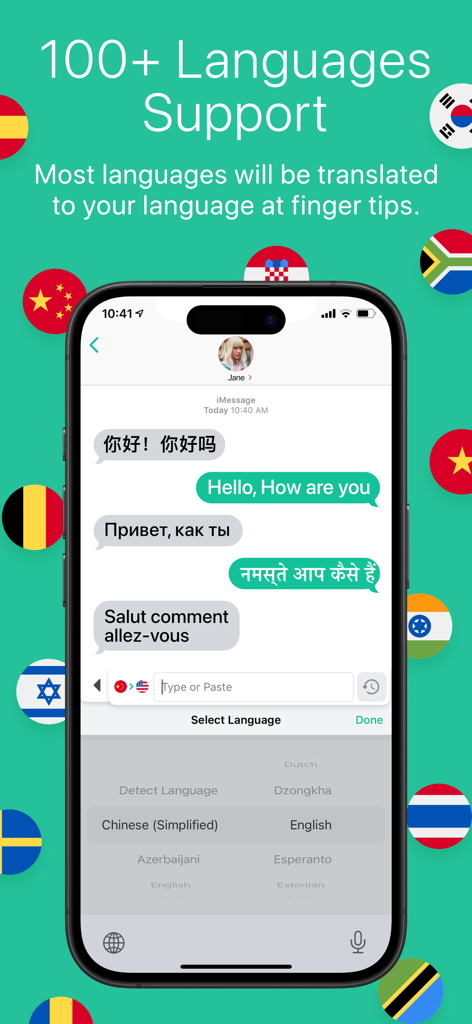
Translate Keyboard+ Translator - 채팅 대화에서 100개 이상의 언어에 대한 실시간 번역을 보여주는 Translate Keyboard 앱 인터페이스
채팅 대화에서 100개 이상의 언어에 대한 실시간 번역을 보여주는 Translate Keyboard 앱 인터페이스

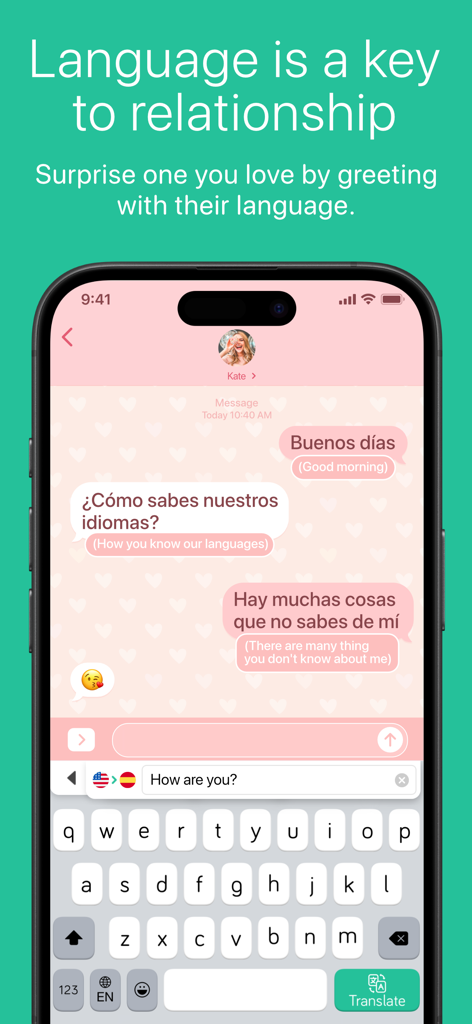
Translate Keyboard+ Translator - Translate Keyboard 앱을 사용하여 실시간 번역이 포함된 채팅 대화를 표시하는 스마트폰 화면
Translate Keyboard 앱을 사용하여 실시간 번역이 포함된 채팅 대화를 표시하는 스마트폰 화면

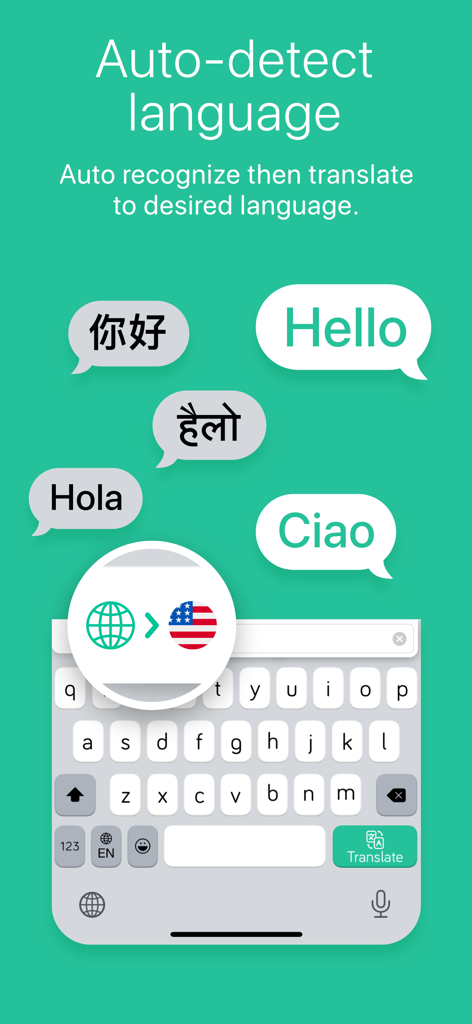
Translate Keyboard+ Translator - 채팅 버블에서 자동 언어 감지 기능과 여러 언어에 대한 번역이 있는 모바일 키보드 인터페이스
채팅 버블에서 자동 언어 감지 기능과 여러 언어에 대한 번역이 있는 모바일 키보드 인터페이스

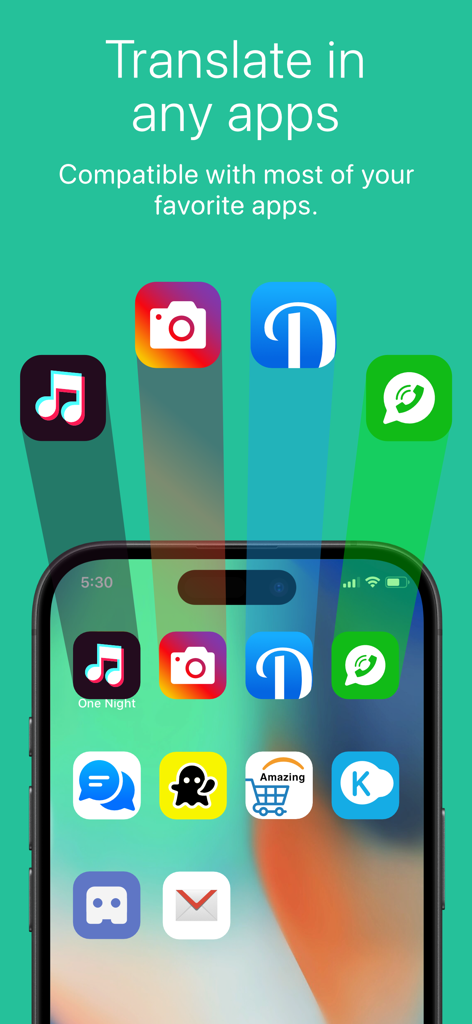
Translate Keyboard+ Translator - 다양한 소셜 및 메시징 앱과의 Translate Keyboard 호환성을 보여주는 iPhone 화면
다양한 소셜 및 메시징 앱과의 Translate Keyboard 호환성을 보여주는 iPhone 화면

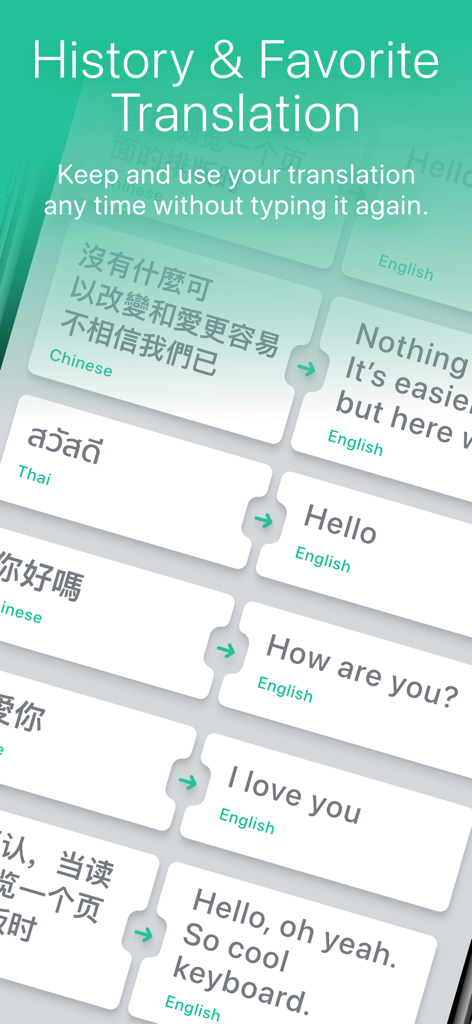
Translate Keyboard+ Translator - Translate Keyboard 앱에서 번역 기록 및 즐겨찾기 저장 문구를 보여주는 화면

Translate Keyboard 앱에서 번역 기록 및 즐겨찾기 저장 문구를 보여주는 화면

설명

New version!! Translate Keyboard+, Translate any text without switching apps. Use every day with your favorite chat apps. Chat fast like Native with auto switch languages. Translate Keyboard+ is the whole new way to translate any text without switching apps while you Chat, Comments, Post, Taking Note, Writing, selling stuff, shopping online and any text as long as you can launch the keyboard. We bundled the whole Translate app into your keyboard that you use every day with your favorite apps No more confusing switching to translate app to copy and paste so many times to finish your only short sentence. Chat with your foreigner friends? No problem surprising them with their native language. Taking notes with some other foreign language? So easy just copy the text. Don't know what language it is? No problem, our Translate Keyboard will auto-detect language and translate to your desired language. Whether you are traveling to find new experiences, new places, meet new people or learn new languages. Translate Keyboard will make the language no longer an obstacle to you. Just copy and translate. Translate Keyboard+ provides a flawless translation experience in every app you need. Unlike other translators which interrupt the flow by forcing you to switch to another app but Translate Keyboard, you can instantly translate the language you want without switching apps. Translate Keyboard+ designed for iOS 15 up to latest iOS and iPadOS version. With supporting most models including latest ones such as iPhone 13,14,15 and Pro/Promax, iPad Air 6 and iPad Pro M4 KEY FEATURES - Built-in translator app within keyboard - Copy or Type to translate in Chat, Shopping or Document never be this easy and fast. - Can use more than 100+ languages such as English, Chinese, Korean, Japanese, Spanish, Italian, French, German and many more. - Browse through translation history and stores translation records for later access. - Keep favorite translations for more convenient when your wanna use them again. HOW TO USE Open keyboard, tap and hold the Globe key to switch to Translate Keyboard. After that, select the destination language. Type the text you'd like to translate. Tap "Translate" and send your message Now! If you'd like to translate a message you received, tap and hold it until an option to "Copy" appears. Tap "Copy" and the translation will appear in the same place! Full access is needed to communicate with the translator, the keyboard cannot function otherwise. We do not get access to everything you write, only the last sentence of the text field in focus when you are using Translate Keyboard. We do not store or keep a record of anything you translate, please read our Privacy Policy for further information. Translate Keyboard+ PRO With a Translate Keyboard+ PRO subscription, you have unlimited access to all features - Advertisements will be removed automatically - Unlimited access to Unlimited translate - Unlimited access to Translate history - Unlimited access to music feature If you upgrade Translate Keyboard+ PRO subscription, payment will be charged to your iTunes account. And your account will be charged for renewal 24-hours prior to the endow the current period. Subscriptions may be managed by you and auto-renewal may be turned off by going to your Account Settings after purchase. Any unused portion of a free trial period, if offered, will be forfeited when you purchase a subscription. Please read our Privacy Policy for further information. Privacy Policy: https://iappcreation.com/privacy-policy/tk Term of use: https://iappcreation.com/privacy-policy/tk#terms Report any suggestions/questions. Contact us at support@iappcreation.com.

Download

다운로드: App Store

이 페이지는 앱이나 개발자의 공식 페이지가 아니며, 정보 제공 및 논평을 목적으로 작성된 독립 편집 간행물입니다. 명시적으로 달리 언급되지 않는 한, 해당 앱이나 개발자는 MWM, Apple, Google Play, 앱 퍼블리셔 또는 앱 개발자와 제휴, 보증, 후원, 승인 또는 공식적으로 연결되어 있지 않으며, 이 페이지의 어떤 내용도 해당 앱이 MWM의 서비스를 사용하여 개발되었음을 의미하지 않습니다. 모든 상표, 로고, 스크린샷 및 기타 콘텐츠는 해당 소유자의 자산입니다.







