Translator Keyboard - Language

Translator Keyboard - Language

다운로드: App Store
로고: Translator Keyboard - Language

번역기 키보드 - 언어: 모든 앱에서 즉시 입력 및 번역

복사/붙여넣기의 어려움 없이 언어 장벽을 허물어 보세요. 실시간으로 키보드에서 바로 60개 이상의 언어로 채팅, 이메일, 게시글을 작성하세요.

개발사

AIR APPS SYSTEMS, UNIPESSOAL, LDA

카테고리

Utilities

다운로드

2M+

사용자 평점

4.7/5

총 평가 수

29K+

지원 언어

33

제한 없는 소통

이 인터페이스를 사용하는 2M+ 명의 사용자.

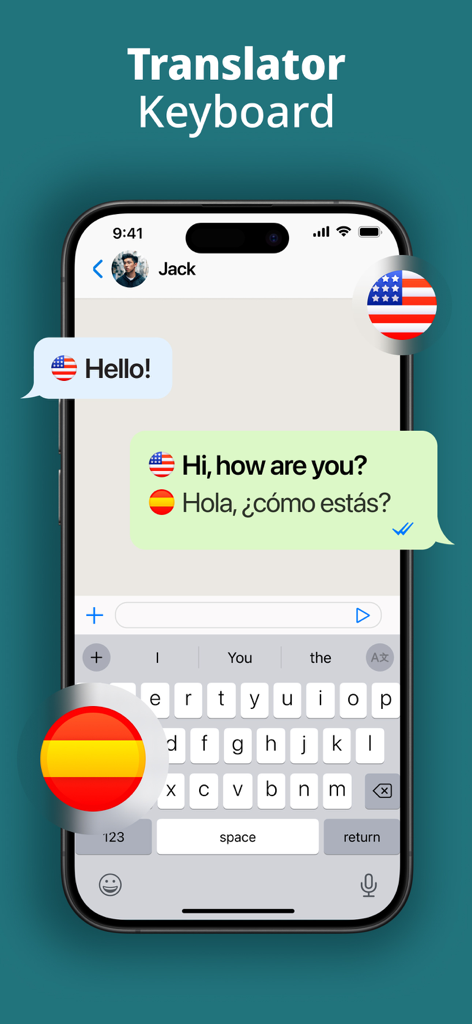
번역기 키보드 앱 인터페이스에서 채팅 창에 영어에서 스페인어로 실시간 번역되는 모습
번역기 키보드 앱 인터페이스에서 채팅 창에 영어에서 스페인어로 실시간 번역되는 모습

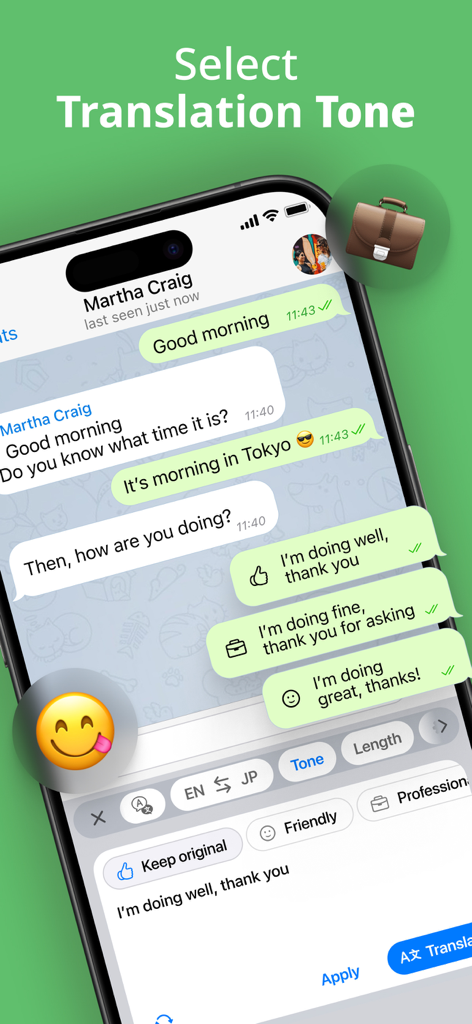
메시징 앱에서 친근하고 전문적인 번역 톤 버튼이 있는 번역기 키보드 인터페이스
메시징 앱에서 친근하고 전문적인 번역 톤 버튼이 있는 번역기 키보드 인터페이스

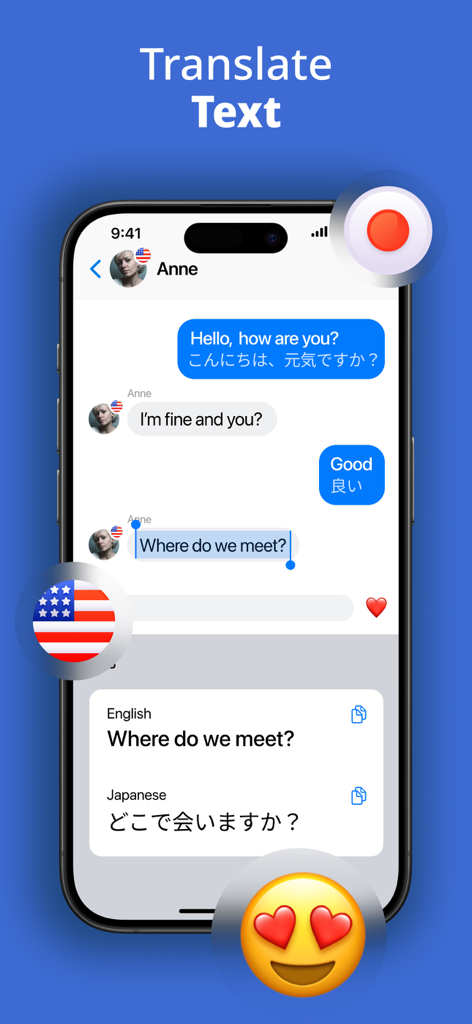
스마트폰 화면에 번역기 키보드 앱이 영어 채팅 메시지를 일본어로 실시간 번역하는 모습
스마트폰 화면에 번역기 키보드 앱이 영어 채팅 메시지를 일본어로 실시간 번역하는 모습

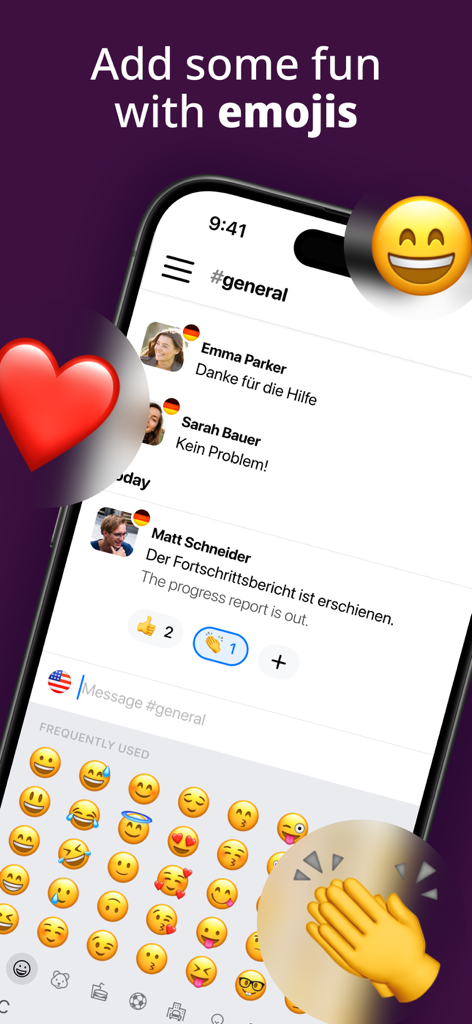
이모티콘 선택 메뉴와 독일어에서 영어로 실시간 채팅 번역이 되는 번역기 키보드 앱을 보여주는 스마트폰 화면
이모티콘 선택 메뉴와 독일어에서 영어로 실시간 채팅 번역이 되는 번역기 키보드 앱을 보여주는 스마트폰 화면

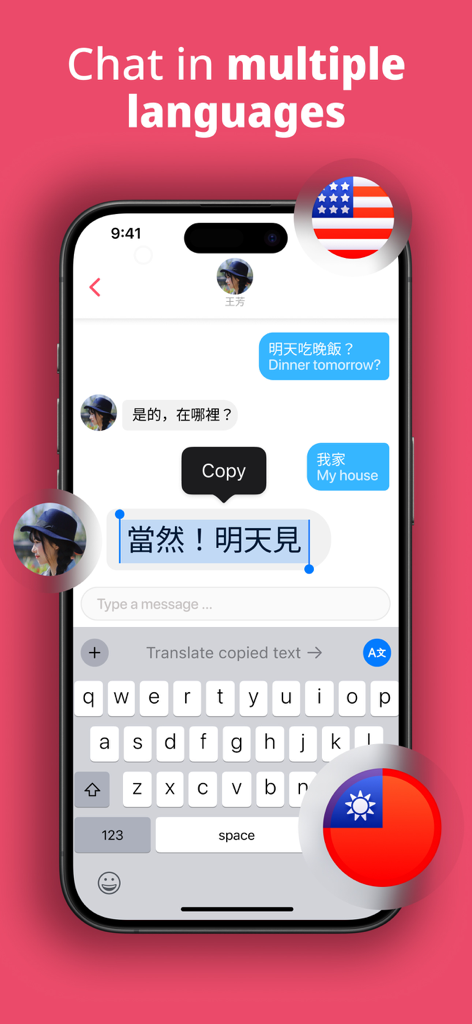
번역기 키보드 앱을 사용하여 실시간으로 번역되는 문자 대화를 보여주는 스마트폰
번역기 키보드 앱을 사용하여 실시간으로 번역되는 문자 대화를 보여주는 스마트폰

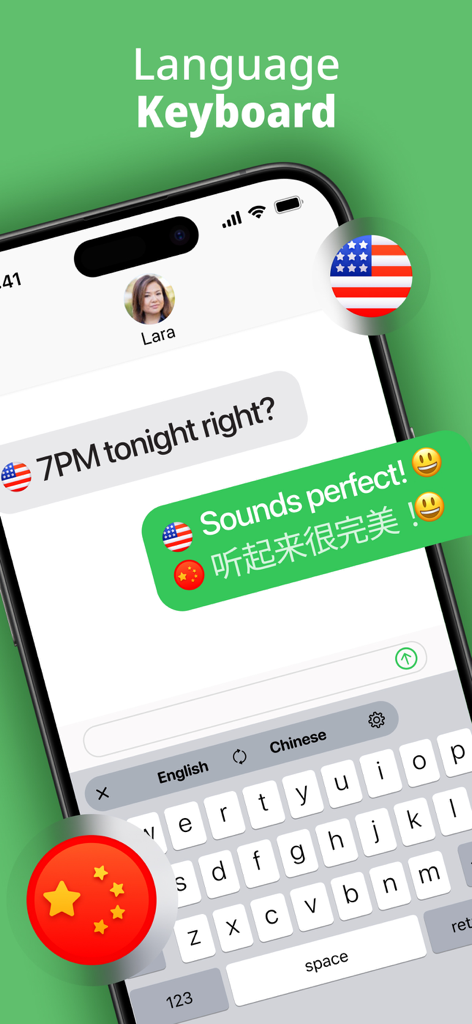
채팅에서 실시간으로 영어에서 중국어로 메시지를 번역하는 번역기 키보드 인터페이스

채팅에서 실시간으로 영어에서 중국어로 메시지를 번역하는 번역기 키보드 인터페이스

언어 장벽을 즉시 해소하세요

이 앱을 돋보이게 하는 도구, 2M+ 명의 사용자가 선택.

실시간 번역

모국어로 입력하고 텍스트가 즉시 변환되는 것을 지켜보세요. 더 이상 지루한 복사/붙여넣기나 앱 전환은 없습니다.

📱

범용 호환성

WhatsApp, Instagram, Slack, Gmail 등에서 원활하게 작동하도록 통합되었습니다. 글로벌 커뮤니케이터는 언제나 탭 한 번이면 됩니다.

🌍

60개 이상의 언어 및 이모티콘

어디서든 누구와도 연결하세요. 수십 개의 언어를 즉시 전환하고 완전한 내장 이모티콘 모음으로 표현력을 유지하세요.

전 세계 사용자들에게 사랑받는 앱

Trusted by 2M+ 명이 이 앱을 사랑합니다.

"

"이 키보드는 제 사업에 있어 정말 판도를 바꾸는 제품입니다. 저는 이탈리아와 일본의 공급업체와 거래하는데, 앱을 전환하지 않고 Gmail 내에서 바로 메시지를 번역할 수 있다는 점은 시간 절약에 큰 도움이 됩니다. 매우 원활하고 전문적이며 번역도 정확합니다."

Elena Rodriguez
"

"저는 여행을 다니며 전 세계 사람들을 만나는 것을 좋아하지만, 언어 장벽은 항상 걸림돌이었습니다. 이제 WhatsApp이나 Instagram에서 실시간으로 채팅할 수 있습니다. 내장된 이모티콘도 훌륭한 기능입니다. 모든 대화를 개인적이고 재미있게 만들어 줍니다!"

Mark Thompson

앱 소개

에 대해 알아야 할 모든 것 Translator Keyboard - Language.

설명

Type and translate instantly in 60 various languages with one smart and instant translator keyboard. Translator Keyboard is your all-in-one language translator keyboard. Type in your native language and instantly translate messages and texts in real time across more than 60 languages. Whether you’re chatting, emailing, or posting on social media, Translator Keyboard enables seamless multilingual communication directly from your keyboard. ▶ How does Translator Keyboard work? Get instant translations as you type. Write in your native language and see your message instantly translated into your chosen language. Live translation works automatically, with no copy-paste and no app switching. ▶ How to setup Translator Keyboard? With smart language translator integration, you can easily install Translator Keyboard as an additional keyboard and use it directly within any messaging, email, or social app. ▶ How many languages are supported? Over 60 languages are available. Type, translate, and chat in English, Spanish, Japanese, Italian, French, Chinese, Korean, Thai, German, Portuguese, Arabic, Vietnamese, Hebrew, and many more. ▶ How can I switch between languages easily? With one-tap language selection, you can pick quickly from over 60 languages and start your multilingual chats effortlessly. ▶ Want to make your messages more expressive? With the built-in Emoji Keyboard, you can enhance your conversations with a wide range of emojis. Express, react, and personalize every message while using the language translator keyboard. ▶ Where can I use Translator Keyboard? Chat with friends, update your status, or email a client abroad in all your favorite messaging & social apps. Translator Keyboard works seamlessly across apps like WhatsApp, Instagram, Gmail, and more. Your keyboard becomes a smart translator wherever you go. Download Translator Keyboard today and experience the power of language translation at your fingertips! Type, translate, and chat now! Take your experience to the next level with Air Apps One—the ultimate subscription. Subscription to one app unlocks 30+ powerful tools for productivity, learning, fitness, and creativity at no extra cost. Simplify your life with seamless access, exclusive discounts, and effortless integration into your daily routine. Subscribe now for an all-in-one, hassle-free experience! --- Subscription payments are charged to your iTunes account upon purchase and renewal. Free trials auto-renew to paid subscriptions unless canceled at least 24 hours before the current period ends. Cancellation takes effect after the current period, downgrading you to the free service. Unused trial portions are forfeited upon premium subscription purchase. Please note and acknowledge that all subscriptions are processed and managed through your Apple ID, including cancellations, refunds, and changes. For further assistance, please contact Apple's support team. If you are an European Union resident, you can cancel your order within 14 days by following the process in the Apple App Store. Please note and acknowledge: cancellations and refunds are not available if you have downloaded and started using the app. Connect with us through: Web: https://airapps.co Linkedin: https://www.linkedin.com/company/airapps Instagram: https://www.instagram.com/airappsco Privacy Policy: https://airapps.co/privacy Terms Of Use: https://airapps.co/terms Support: Contact us at support@airapps.co

최신 버전

2025.11.3

크기

200.9 MB

출시일

2020년 4월 13일

모든 언어 장벽을 한 번의 탭으로 허물어 보세요

복사/붙여넣기 어려움을 끝내세요. 키보드에서 바로 실시간 번역을 통해 전 세계적으로 채팅, 이메일, 게시글을 작성하는 2백만 명 이상의 사용자와 함께하세요.

다운로드: App Store
FAQ

자주 묻는 질문

에 대해 알아야 할 모든 것 Translator Keyboard - Language

Translator Keyboard - Language는 무엇인가요?

Translator Keyboard는 올인원 언어 번역 키보드입니다. 입력하는 동안 60개 이상의 언어로 메시지와 텍스트를 실시간으로 즉시 번역하여 모든 앱 내에서 직접 사용할 수 있습니다.

Translator Keyboard - Language는 텍스트를 어떻게 번역하나요?

Translator Keyboard는 입력하는 동안 메시지를 즉시 번역합니다. 복사-붙여넣기나 앱 전환의 필요성을 없애고 자동 라이브 번역을 수행합니다.

Translator Keyboard - Language는 몇 개의 언어를 지원하나요?

Translator Keyboard - Language는 60개 이상의 다양한 언어를 지원합니다. 여기에는 영어, 스페인어, 일본어, 이탈리아어, 프랑스어, 중국어, 한국어, 태국어, 독일어, 포르투갈어, 아랍어, 베트남어, 히브리어가 포함됩니다.

Translator Keyboard - Language를 인기 메시징 앱과 함께 사용할 수 있나요?

예, Translator Keyboard - Language는 다양한 메시징 및 소셜 앱에서 완벽하게 작동합니다. WhatsApp, Instagram, Gmail과 같은 플랫폼에 직접 통합됩니다.

Translator Keyboard - Language는 이모지 키보드를 제공하나요?

예, Translator Keyboard - Language에는 내장 이모지 키보드가 포함되어 있습니다. 이 기능을 통해 사용자는 광범위한 이모지 선택으로 대화를 풍부하고 개인화할 수 있습니다.

Translator Keyboard - Language에서 번역 언어를 어떻게 전환하나요?

사용자는 한 번의 탭으로 언어를 쉽게 전환할 수 있습니다. 이 기능을 통해 60개 이상의 지원 언어 중에서 빠르게 선택하여 다국어 소통을 쉽게 할 수 있습니다.

Translator Keyboard - Language는 번역 톤을 선택할 수 있게 해주나요?

예, Translator Keyboard - Language는 "번역 톤 선택" 기능을 제공합니다. 이를 통해 사용자는 번역된 메시지에 대해 "친근함" 및 "전문적"과 같은 톤을 선택할 수 있습니다.

Translator Keyboard - Language는 무료 앱인가요?

Translator Keyboard - Language는 "Air Apps One"을 통한 구독 모델로 운영됩니다. 무료 평가판을 사용할 수 있지만, 최소 24시간 전에 취소하지 않으면 유료 구독으로 자동 갱신됩니다.

Translator Keyboard - Language 구독을 취소할 수 있나요?

예, Translator Keyboard - Language에 대한 구독은 Apple ID를 통해 관리됩니다. 현재 기간이 종료되기 최소 24시간 전에 iTunes 계정 설정을 통해 구독을 취소할 수 있습니다.