
이 페이지는 앱이나 개발자의 공식 페이지가 아니며, 정보 제공 및 논평을 목적으로 작성된 독립 편집 간행물입니다. 명시적으로 달리 언급되지 않는 한, 해당 앱이나 개발자는 MWM, Apple, Google Play, 앱 퍼블리셔 또는 앱 개발자와 제휴, 보증, 후원, 승인 또는 공식적으로 연결되어 있지 않으며, 이 페이지의 어떤 내용도 해당 앱이 MWM의 서비스를 사용하여 개발되었음을 의미하지 않습니다. 모든 상표, 로고, 스크린샷 및 기타 콘텐츠는 해당 소유자의 자산입니다.


다운로드
837K+사용자 평점
총 평가 수
13K+개발사
카테고리
Medical지원 언어
13최신 버전
13.10.8크기
99.3 MB출시일
2017년 12월 13일완벽한 미소를 위해 꾸준히 관리하세요
치과 교정의가 설계하여 교정기 투자를 극대화하고 손쉬운 추적으로 더 빠르고 예측 가능한 결과를 얻도록 돕습니다.
정밀 착용 시간 추적
스마트 타이머와 트레이 재착용 자동 알림으로 일일 22시간 목표를 달성하여 '인비절라인 불안감'을 없애세요.
Teethie™를 통한 시각적 진행 상황
미소 변화를 기록하는 나란히 비교 및 타임랩스 비디오로 투자가 결실을 맺는 것을 확인하세요.
자주 묻는 질문
에 대해 알아야 할 모든 것 TrayMinder
TrayMinder는 무엇이며 어떤 기능을 하나요?
TrayMinder는 교정의가 사용자의 투명 교정기(예: 인비절라인) 착용 시간을 추적하여 꾸준한 사용을 보장하고 최적의 빠르고 좋은 결과를 얻도록 돕는 앱입니다.
TrayMinder는 교정기 착용 시간을 어떻게 추적하나요?
네, TrayMinder에는 일일 교정기 착용 시간을 추적하는 타이머가 포함되어 있습니다. 시간대를 자동으로 조정하고, 의사와의 데이터 공유를 허용하며, 교정기를 다시 착용하라는 알림을 설정합니다.
TrayMinder는 투명 교정기의 진행 상황을 시각적으로 추적할 수 있나요?
네, TrayMinder에는 "Teethie®" 기능이 있어 사용자가 교정기를 바꿀 때마다 사진을 찍고, 기존 사진을 가져오고, 나란히 비교하고, 타임랩스 동영상을 만들어 진행 상황을 시각화할 수 있습니다.
TrayMinder+는 어떤 고급 기능을 제공하나요?
TrayMinder+는 홈 화면 위젯, Siri 음성 명령, 무제한 Teethie™ 사진 저장, 라이브 활동(잠금 화면 + 다이나믹 아일랜드) 및 향상된 추적 및 제어를 위한 완벽한 Apple Watch 호환 기능을 제공합니다.
TrayMinder는 무료 앱인가요, 아니면 구독이 필요한가요?
TrayMinder는 핵심 기능을 제공하지만, "TrayMinder+"는 Siri 명령 및 Apple Watch 호환성과 같은 고급 기능을 구독 비용으로 제공합니다. 이 비용은 "한 달 커피 값 미만"으로 설명됩니다.
TrayMinder는 Apple Watch를 지원하나요?
네, TrayMinder+는 완벽한 Apple Watch 호환성을 제공합니다. 이를 통해 사용자는 앱 인터페이스에 표시된 대로 시계에서 직접 교정기 추적을 제어할 수 있습니다.
TrayMinder는 교정기를 다시 착용하라고 알림을 줄 수 있나요?
네, TrayMinder는 사용자가 식사 후 교정기를 다시 착용하라는 알림을 설정할 수 있습니다. 또한 교정기 교체 및 치과 예약에 대한 알림도 제공합니다.
TrayMinder는 Siri 음성 명령을 지원하나요?
네, TrayMinder+는 Siri 음성 명령 및 단축키를 제공합니다. 사용자는 Siri를 사용하여 교정기 타이머를 시작 및 일시 중지하거나 교정기를 전환하여 핸즈프리 제어를 할 수 있습니다.
TrayMinder에서 교정기 착용 데이터를 치과 의사와 공유할 수 있나요?
네, TrayMinder는 사용자가 앱에서 직접 이메일이나 문자를 통해 의사와 교정기 착용 데이터를 공유할 수 있도록 합니다.
다음 스크린샷과 설명은 앱의 공식 스토어 목록에서 직접 가져온 것이며 앱 개발자의 자산입니다.
앱 스토어
스크린샷
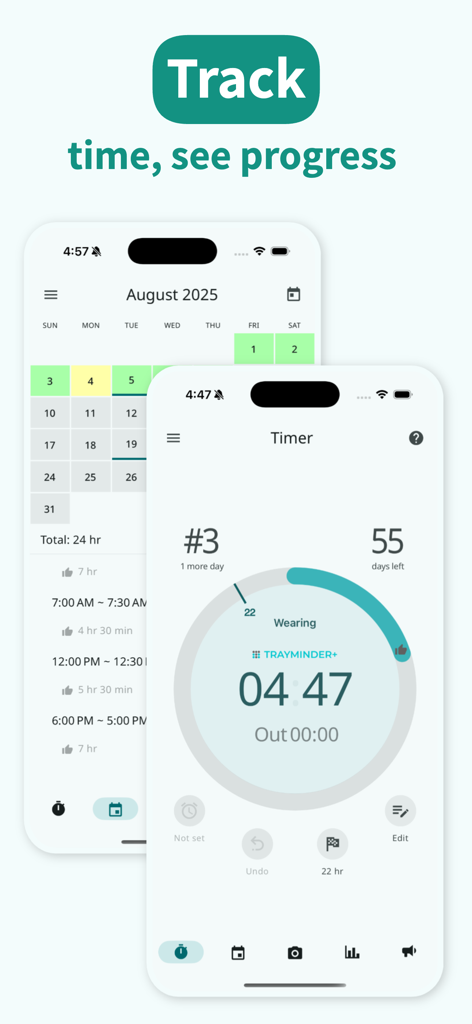
TrayMinder 앱 화면에 교정기 착용 시간 추적을 위한 원형 타이머와 색상으로 구분된 치료 진행 달력이 표시됩니다.
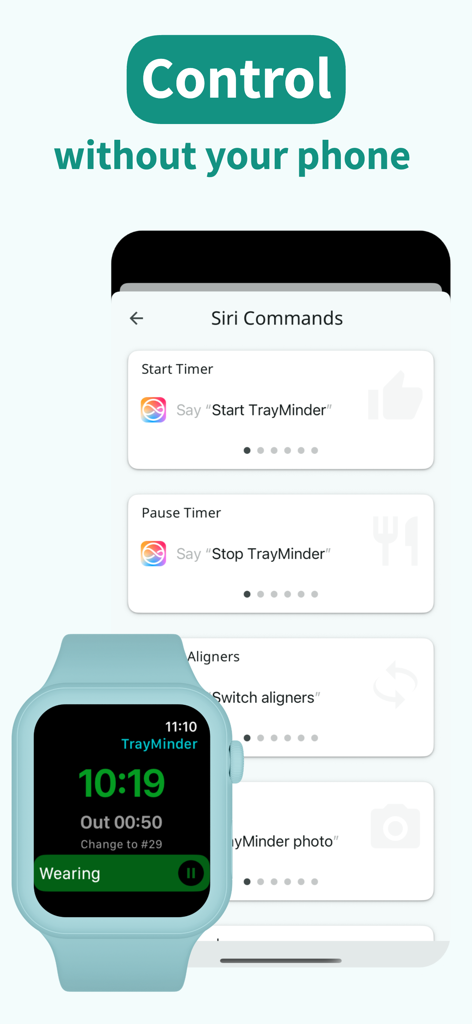
TrayMinder 인터페이스에 Siri 음성 명령과 교정기 착용 시간 추적을 위한 Apple Watch 통합 기능이 표시됩니다.
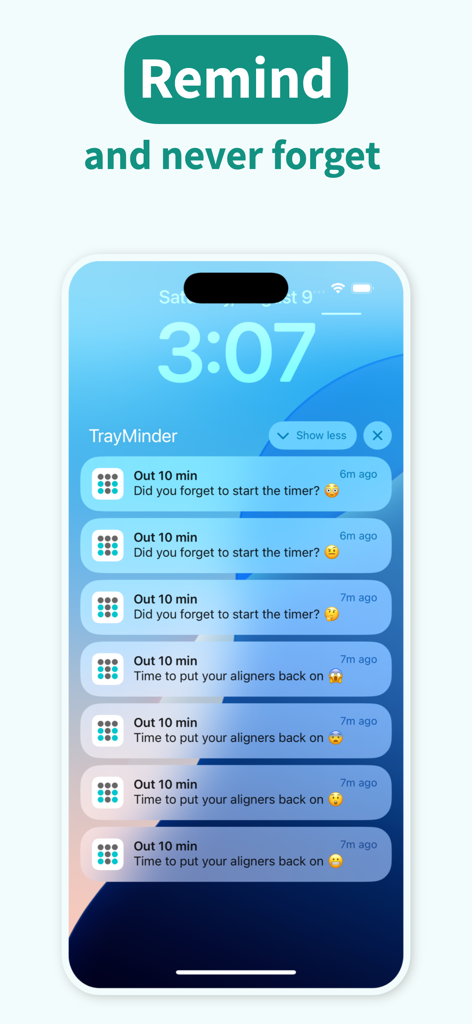
TrayMinder 교정기 착용 시간 알림이 표시된 iPhone 잠금 화면
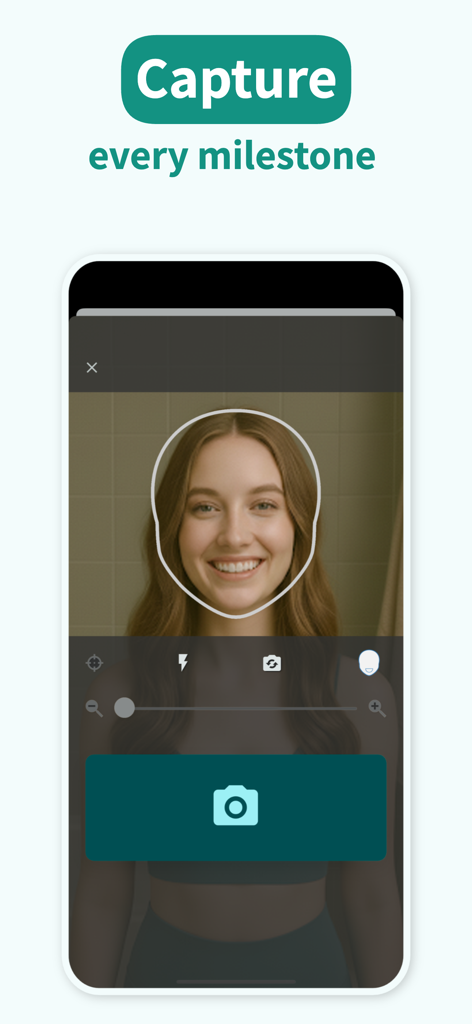
한 여성이 TrayMinder 앱의 안내 사진 기능을 사용하여 진행 상황 추적을 위해 미소 셀카를 찍고 있습니다.
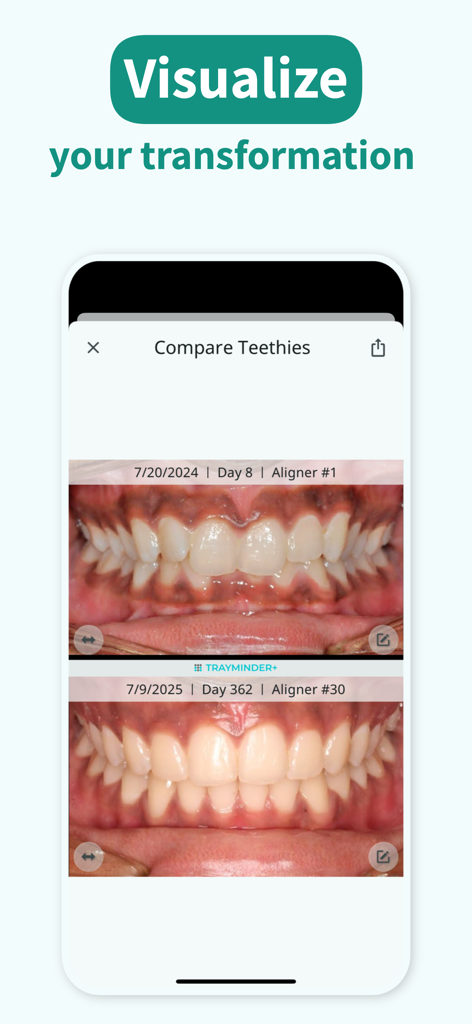
TrayMinder 앱에서 1년간 치아 배열 진행 상황 비교
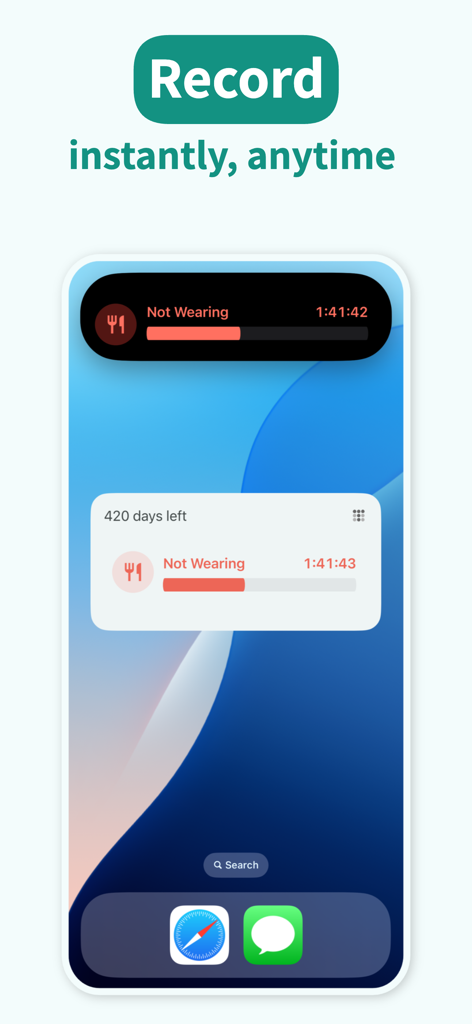
iPhone 실시간 활동 및 잠금 화면 위젯을 통해 투명 교정기 착용 시간을 추적하는 TrayMinder 앱 인터페이스
설명
Download
비슷한 앱
유사한 기능과 사용자 경험을 가진 앱

Medbridge GO for Patients
MedBridge Education LLC

Meds & Pill Reminder MyTherapy
smartpatient GmbH

Fullscript
HealthWave Inc.

My Invisalign
Align Technology, Inc.

Max - Pill reminder
Artify Inc.

PillBox: Medication Reminder
Wachanga LTD

Babyscripts myJourney
1eq Inc

My PrEP
Basile Bruneau

PhysiApp
Physitrack PLC
이 페이지는 앱이나 개발자의 공식 페이지가 아니며, 정보 제공 및 논평을 목적으로 작성된 독립 편집 간행물입니다. 명시적으로 달리 언급되지 않는 한, 해당 앱이나 개발자는 MWM, Apple, Google Play, 앱 퍼블리셔 또는 앱 개발자와 제휴, 보증, 후원, 승인 또는 공식적으로 연결되어 있지 않으며, 이 페이지의 어떤 내용도 해당 앱이 MWM의 서비스를 사용하여 개발되었음을 의미하지 않습니다. 모든 상표, 로고, 스크린샷 및 기타 콘텐츠는 해당 소유자의 자산입니다.