
이 페이지는 앱이나 개발자의 공식 페이지가 아니며, 정보 제공 및 논평을 목적으로 작성된 독립 편집 간행물입니다. 명시적으로 달리 언급되지 않는 한, 해당 앱이나 개발자는 MWM, Apple, Google Play, 앱 퍼블리셔 또는 앱 개발자와 제휴, 보증, 후원, 승인 또는 공식적으로 연결되어 있지 않으며, 이 페이지의 어떤 내용도 해당 앱이 MWM의 서비스를 사용하여 개발되었음을 의미하지 않습니다. 모든 상표, 로고, 스크린샷 및 기타 콘텐츠는 해당 소유자의 자산입니다.

Trello: Organize anything!
이 앱은 당신의 복잡한 머릿속을 시각적인 명령판으로 바꿉니다. 손 안에서 모든 작업을 해체하고 재구성하는 권한이 주어집니다.
다운로드
12.5M+사용자 평점
총 평가 수
37.0K개발사
카테고리
Productivity지원 언어
21최신 버전
2026.7크기
203.9 MB출시일
2011년 9월 13일Trello: Organize anything! 앱 분석
주요 기능 및 사용자 영향도 평가
모바일 작업 즉시 캡처
이 앱은 사용자가 모바일 기기에서 즉시 할 일, 아이디어, 메모를 캡처하여 Trello 카드로 만들고, 마감일, 댓글, 체크리스트, 설명, 파일 등을 추가할 수 있도록 해줍니다.
유연하고 시각적인 칸반 보드
이 앱은 사용자가 캡처한 카드를 맞춤 설정 가능한 칸반 보드와 목록으로 정리하여, 각자의 워크플로우에 맞춰 유연하게 구성할 수 있게 합니다. 드래그 앤 드롭 제스처와 부드러운 전환을 통해 모바일 기기에서 자연스럽게 작업을 계획할 수 있는 시각적인 인터페이스를 제공합니다.
작업 중앙 집중화 및 캘린더 동기화
이 도구는 캡처된 모든 작업을 Trello 수신함에 카드 형태로 중앙 집중화하여, 사용자가 여러 보드에서 작업을 쉽게 검토하고 우선순위를 정하며 정리할 수 있게 돕습니다. 또한 Google 또는 Outlook 캘린더와 동기화된 Trello 플래너를 통해 일정을 확인할 수 있습니다.
통합 스케줄 관리
이 앱은 Google 또는 Outlook 캘린더와 연동된 Trello 플래너를 통해 사용자가 하루 일정을 쉽게 확인하고, Trello 카드에 캡처된 작업을 완료하기 위한 집중 시간을 설정할 수 있도록 합니다.
Apple 기기 연동 및 위젯
이 도구는 Siri를 통한 작업 추가, iOS 공유 시트를 통한 콘텐츠 공유, 그리고 iPhone, iPad, 웹 전반에 걸친 세련된 경험을 제공하여 Apple 생태계와 원활하게 통합됩니다. 또한 홈 화면 위젯을 통해 앱을 열지 않고도 작업을 캡처하고 완료할 수 있습니다.
오프라인 작업
이 앱은 인터넷 연결 없이도 사용자가 아이디어를 캡처하고 보드를 업데이트할 수 있도록 지원하며, 다시 온라인 상태가 되면 변경 사항이 자동으로 동기화됩니다.
자주 묻는 질문
에 대해 알아야 할 모든 것 Trello: Organize anything!
What is the Trello: Organize anything! app used for?
Trello: Organize anything! is a mobile app for capturing to-dos as cards and organizing them into lists and customizable kanban boards. It helps users manage tasks and deadlines effectively, ensuring productivity while on-the-go.
Is the Trello: Organize anything! mobile app free?
Yes, the Trello: Organize anything! app is free to download and use. Certain advanced Planner features, such as scheduling focus time, are available for users with Standard and Premium subscriptions.
Can I use Trello: Organize anything! when offline?
Yes, Trello: Organize anything! supports offline functionality. Users can capture ideas and update boards without an internet connection. All changes automatically sync to the cloud once the device is back online.
Does Trello: Organize anything! sync with Google or Outlook calendars?
Yes, Trello: Organize anything! integrates with external calendars. The Trello Planner feature syncs with Google and Outlook calendars, allowing users to view their daily schedule and allocate focus time.
What is the Trello Inbox in Trello: Organize anything!?
The Trello Inbox is a central feature where all captured tasks, ideas, and notes are initially stored as cards. From the Inbox, users can review, prioritize, and easily organize their work across different Trello boards.
Can I add tasks to Trello: Organize anything! using a home screen widget?
Yes, users can add new to-dos and mark tasks as complete directly from the Trello: Organize anything! home screen widget. This allows for quick task management without needing to open the full application.
How do I capture tasks in the Trello: Organize anything! app?
Users capture to-dos by creating Trello cards. These cards support adding due dates, comments, checklists, descriptions, and files. Tasks can also be captured from Slack or Microsoft Teams messages, photos, or forwarded emails.
Does Trello: Organize anything! use AI features?
Yes, Trello: Organize anything! incorporates AI to enhance task management. The AI assists by summarizing saved to-dos into Trello cards, ensuring that no important information or tasks are overlooked.
다음 스크린샷과 설명은 앱의 공식 스토어 목록에서 직접 가져온 것이며 앱 개발자의 자산입니다.
앱 스토어
스크린샷
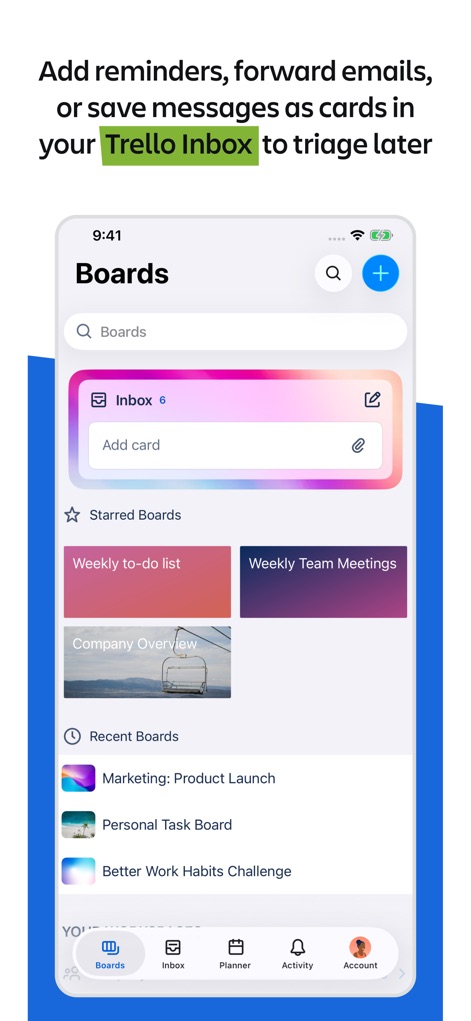
스마트 받은 편지함
이 앱의 받은 편지함에서 새로운 작업을 카드 형태로 신속하게 추가할 수 있으며, 즐겨찾는 보드와 최근 보드를 통해 주요 프로젝트에 빠르게 접근할 수 있습니다.
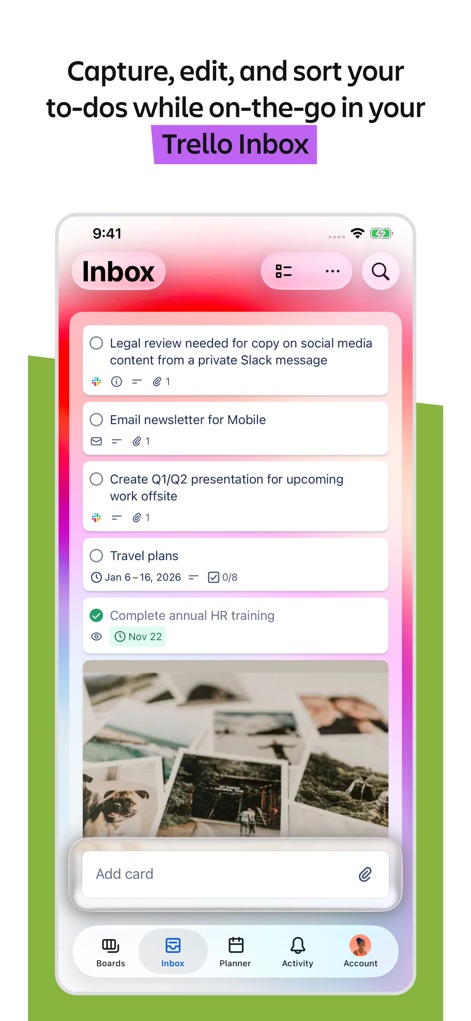
이동 중에도 완벽하게
사용자는 Trello 받은 편지함에서 할 일을 캡처하고, 마감일과 이미지 같은 상세 정보를 각 카드에 추가하여 언제 어디서든 효율적으로 관리할 수 있습니다.
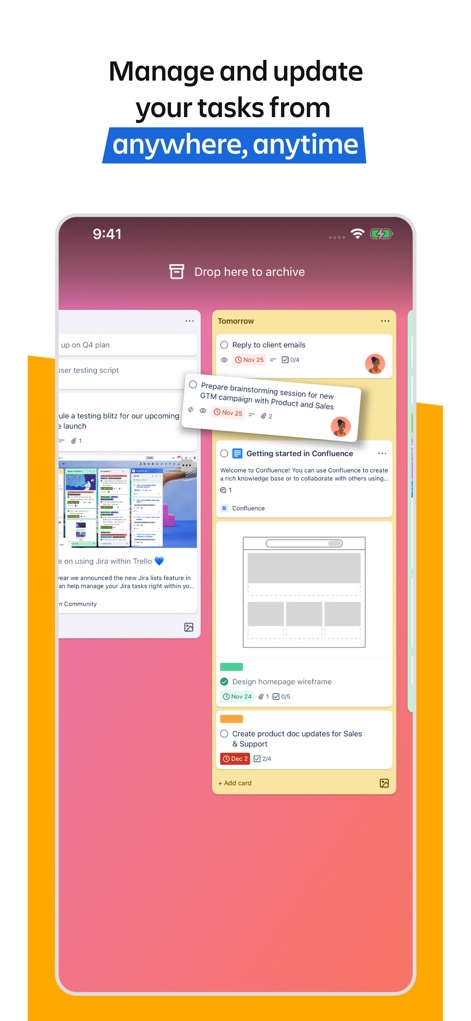
직관적인 작업 관리
이 앱은 끌어다 놓기(드래그 앤 드롭) 기능을 통해 칸반 보드에서 작업을 유연하게 이동시키며, 각 카드에 첨부 파일과 마감일을 명확하게 표시하여 업무 진행 상황을 한눈에 파악할 수 있습니다.
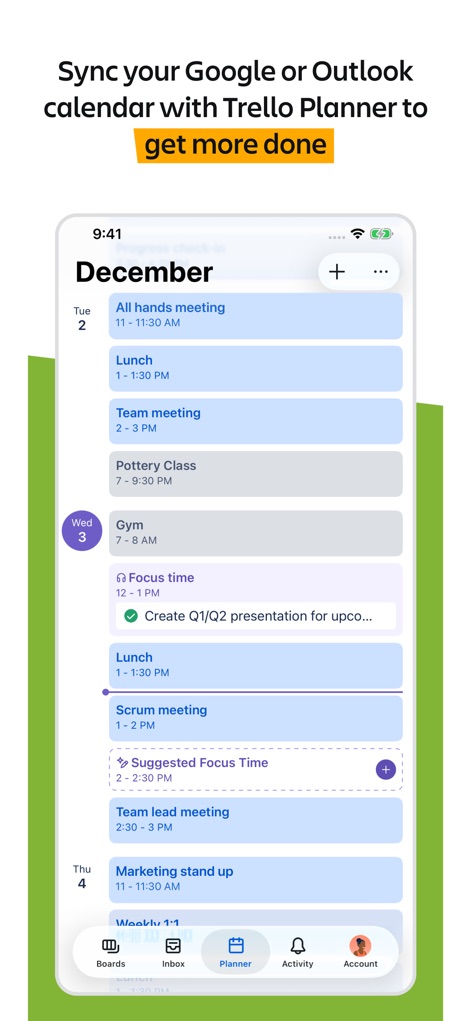
통합된 일정 보기
사용자는 Google 또는 Outlook 캘린더를 Trello 플래너와 연동하여 모든 일정을 한곳에서 확인하고, 개인화된 집중 시간을 설정하여 생산성을 극대화할 수 있습니다.
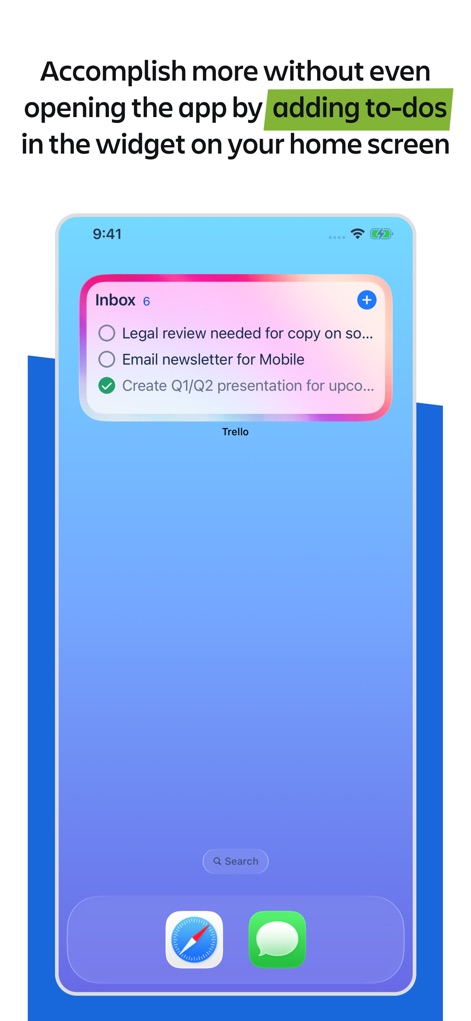
홈 화면에서 바로
이 앱은 편리한 홈 화면 위젯을 제공하여 사용자가 앱을 열지 않고도 새로운 할 일을 추가하고, 기존 작업을 완료로 표시하여 빠른 접근성을 자랑합니다.
설명
Download
비슷한 앱
유사한 기능과 사용자 경험을 가진 앱

Notion: Notes, Tasks, AI
Notion Labs, Incorporated

Freenotes®: AI Notes Taking
Hangzhou Free Notes Technology Co., Ltd

Structured - Daily Planner
unorderly GmbH

Google Tasks: Get Things Done
Google LLC

TickTick:To-Do List & Calendar
Appest Limited

Noteful: Notes & PDF Markup
Noteful Technologies Ltd

Todoist: To Do List & Calendar
Doist Inc.

To do list MinimaList & Widget
Inner Grow Limited

monday.com - Work Platform
monday.com Ltd.
이 페이지는 앱이나 개발자의 공식 페이지가 아니며, 정보 제공 및 논평을 목적으로 작성된 독립 편집 간행물입니다. 명시적으로 달리 언급되지 않는 한, 해당 앱이나 개발자는 MWM, Apple, Google Play, 앱 퍼블리셔 또는 앱 개발자와 제휴, 보증, 후원, 승인 또는 공식적으로 연결되어 있지 않으며, 이 페이지의 어떤 내용도 해당 앱이 MWM의 서비스를 사용하여 개발되었음을 의미하지 않습니다. 모든 상표, 로고, 스크린샷 및 기타 콘텐츠는 해당 소유자의 자산입니다.