이 페이지는 앱이나 개발자의 공식 페이지가 아니며, 정보 제공 및 논평을 목적으로 작성된 독립 편집 간행물입니다. 명시적으로 달리 언급되지 않는 한, 해당 앱이나 개발자는 MWM, Apple, Google Play, 앱 퍼블리셔 또는 앱 개발자와 제휴, 보증, 후원, 승인 또는 공식적으로 연결되어 있지 않으며, 이 페이지의 어떤 내용도 해당 앱이 MWM의 서비스를 사용하여 개발되었음을 의미하지 않습니다. 모든 상표, 로고, 스크린샷 및 기타 콘텐츠는 해당 소유자의 자산입니다.
TunerLab Audio Editor
정밀한 음표 기반 편집으로 피치를 완벽하게 다듬고, 모든 트랙에서 보컬을 추출하고, 전문적인 멀티트랙 정밀도로 라디오 품질의 리믹스를 만드세요.
TunerLab은 AI 기반 보컬 분리부터 정밀한 피치 보정까지, 모든 음악적 디테일을 다듬을 수 있는 전문가급 도구를 크리에이터에게 제공합니다.
정밀한 음표 기반 튜닝
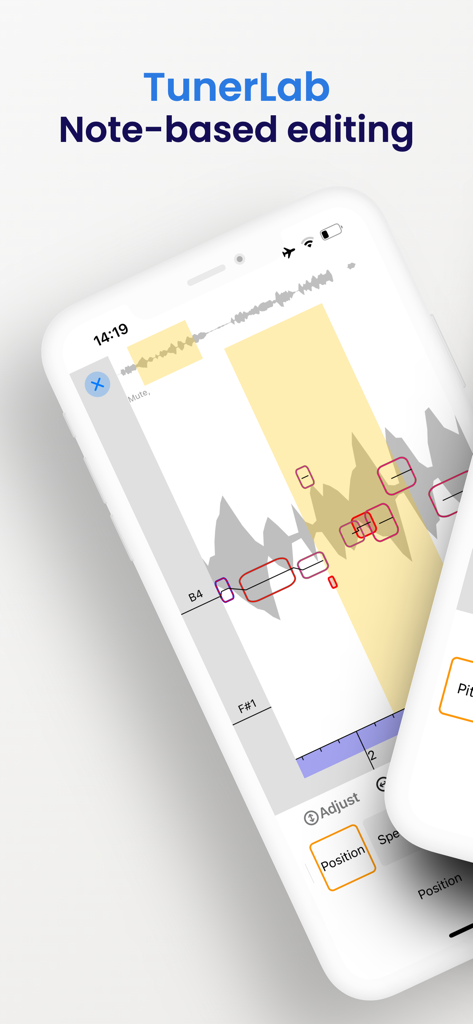
기본적인 자동 튜닝을 넘어서세요. 음표 기반 편집으로 피치, 비브라토, 타이밍을 정밀하게 제어하여 라디오 품질의 보컬 성능을 만드세요.
AI 기반 보컬 추출
모든 노래나 동영상에서 보컬을 즉시 분리하세요. 맞춤형 리믹스, 노래방 트랙 또는 바이럴 게시물에 사용할 독특한 샘플을 만드는 데 완벽합니다.
다음 스크린샷과 설명은 앱의 공식 스토어 목록에서 직접 가져온 것이며 앱 개발자의 자산입니다.
앱 스토어
스크린샷
TunerLab 모바일 앱 스크린샷으로, 음표 기반 보컬 피치 편집 및 오디오 파형 조작을 보여줍니다.
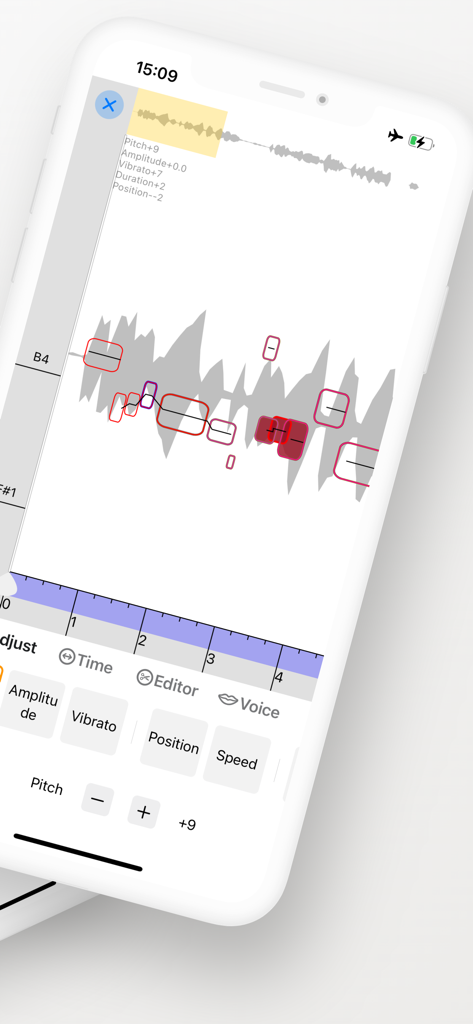
TunerLab 앱 인터페이스로, 음표 기반 피치 보정 및 오디오 파형 편집 컨트롤을 보여줍니다.
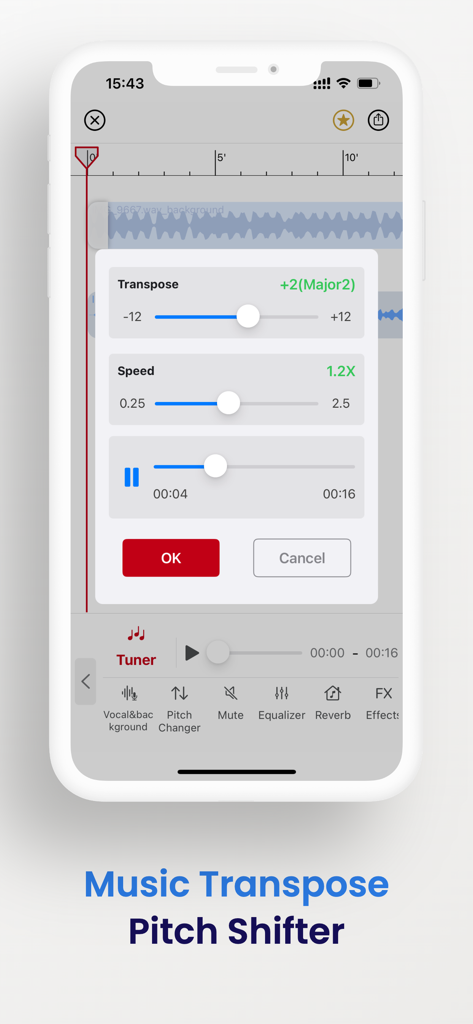
TunerLab 앱 인터페이스로, 오디오 파형 위에 음악 변조 및 피치 쉬프터 조정 슬라이더를 보여줍니다.
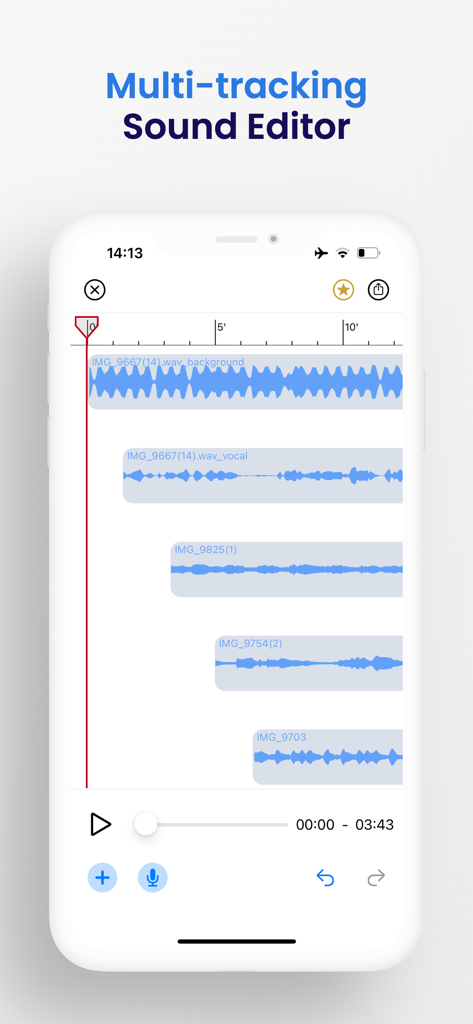
TunerLab의 모바일 앱 인터페이스로, 멀티트랙 사운드 편집기에서 여러 오디오 트랙과 파형을 보여줍니다.
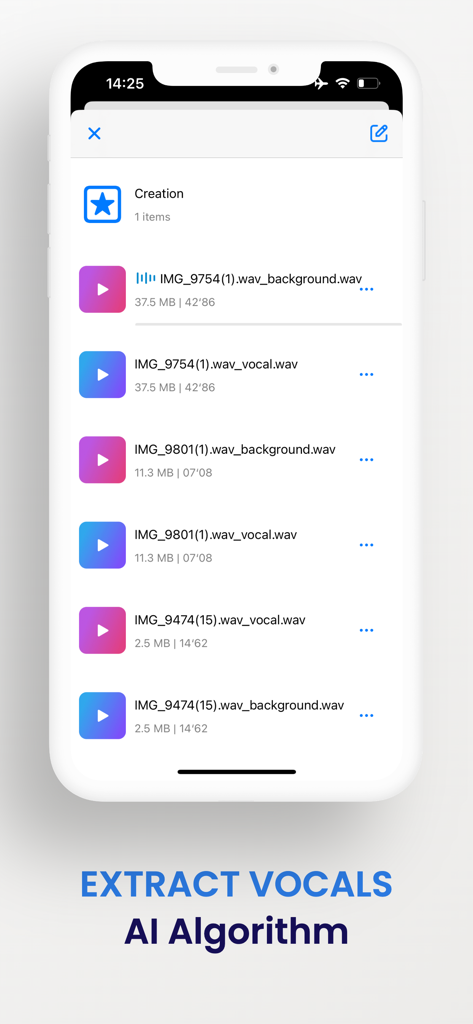
TunerLab 앱 인터페이스로, AI 알고리즘을 사용하여 추출된 보컬 및 배경 오디오 트랙을 보여줍니다.
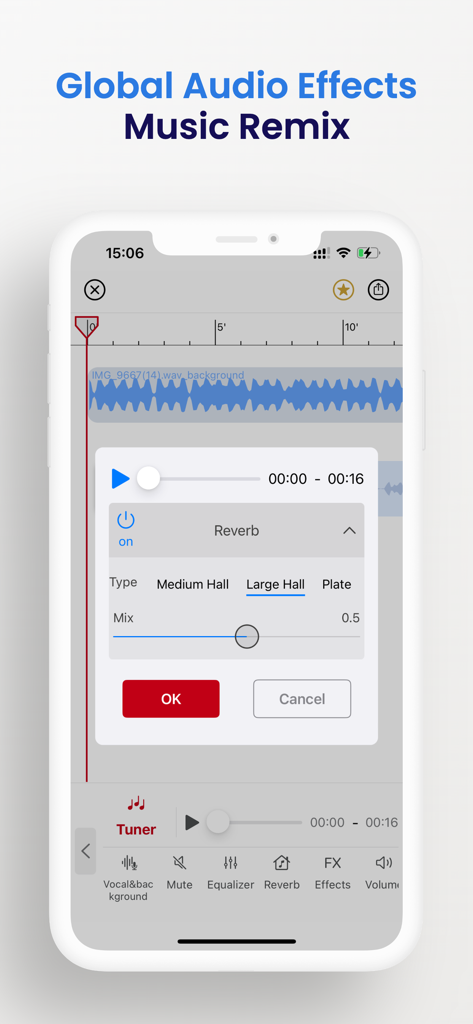
TunerLab 오디오 편집기 인터페이스로, 음악 리믹스를 위한 글로벌 리버브 설정 및 오디오 파형을 보여줍니다.
설명
TunerLab is a revolutionary app that simplifies vocal tuning like never before. It offers unparalleled access to all the musical details of your recordings and samples, allowing you to adjust the pitch and timing with ease. In addition, it enables you to edit all aspects of your recordings, including not just vocals but also polyphonic instruments such as piano and guitar.
NOTE-BASED OPERATION
Note-based operation, which allows you to identify individual notes within an audio file and understand their place in the overall musical context. With TunerLab, you can modify various aspects of your audio tracks such as pitch, vibrato, volume, sibilants, note length, and timing, making it an indispensable tool for quick vocal tuning, creating harmonies and re-voicing instruments.
EXTRACT VOCALS
Separate vocals from existing songs with vocal remover and create something incredible. Import a song, separate the vocals with vocal remover, select an effect, and you have an instantly memorable remix. You can even separate and edit vocals from music videos or try using TunerLab as a karaoke app by separating vocals with our vocal remover.
AUDIO EDITING
The editor allows you to add multiple tracks, adjust clip positions, and apply sound effects. It also supports multitrack audio editing and mixing with professional jitter quantization and anti-interference filters, ensuring high-quality output and smooth cut boundaries. Additionally, you can crop a clip from a music file, apply various sound effects to change the tone, and easily export the finalized audio.
More Features:
- 「Setting as ringtone」: Easily set your chosen audio as your phone's ringtone.
- 「Audio import」: App offers 6 free convenient ways to import audio, including video extract, WiFi, UTI, other app share, file, and clipboard.
-「Global effects」: Apply real-time global effects to your mixing output, including chorus, reverb, and tempo changer (keep pitch).
- 「Export」: Easily export your audio in a variety of formats, including M4A, AAC, ALAC, MP3, FLAC, and WAV.
- 「Built-in audio extractor」: Extract audio tracks from video files with ease using the built-in audio extractor.
-「Auto-draft」: Save time and work more efficiently with the auto-draft feature that automatically saves your draft for easy re-editing.
-「Undo/Redo」: Support unlimited times of undo and redo
- 「Splicing and sound mixing」: One-key switching; support free drag, easy to operate
- 「 Recording 」: Support wired or wireless (AirPods and Pro) earphones and in-ear monitor; support accompaniment play;
With so many powerful features, it's no wonder why TunerLab is used by countless users around the world every day.
[Contact us]
Email: globalfadeback@163.com
Your suggestion is very important to me, you can contact me using the feedback in the app.
Automatic renewal statement:
1. Payment: "Continuous monthly / year" products are auto-renewable products. After confirming the purchase, you will be charged from your Apple iTunes account;
2. Renewal: 24 hours before the expiration of your subscription period, Apple will automatically deduct the charge from your ITunes account, and the validity period of "Remove ads" will be automatically extended after success;
3. If you need to cancel the automatic renewal, please turn off the automatic renewal manually in the Apple ID account settings at least 24 hours before the subscription period expires. No charge will be made after closing.
Terms of Service:
https://vl2d7p74tu.feishu.cn/docx/HcHHdXlnvoV6sOxKl4ccErZYnr4
Privacy Policy:
https://vl2d7p74tu.feishu.cn/docx/Ma7xdszymo8gpDxBJbGcV0YCnab
이 페이지는 앱이나 개발자의 공식 페이지가 아니며, 정보 제공 및 논평을 목적으로 작성된 독립 편집 간행물입니다. 명시적으로 달리 언급되지 않는 한, 해당 앱이나 개발자는 MWM, Apple, Google Play, 앱 퍼블리셔 또는 앱 개발자와 제휴, 보증, 후원, 승인 또는 공식적으로 연결되어 있지 않으며, 이 페이지의 어떤 내용도 해당 앱이 MWM의 서비스를 사용하여 개발되었음을 의미하지 않습니다. 모든 상표, 로고, 스크린샷 및 기타 콘텐츠는 해당 소유자의 자산입니다.