
이 페이지는 앱이나 개발자의 공식 페이지가 아니며, 정보 제공 및 논평을 목적으로 작성된 독립 편집 간행물입니다. 명시적으로 달리 언급되지 않는 한, 해당 앱이나 개발자는 MWM, Apple, Google Play, 앱 퍼블리셔 또는 앱 개발자와 제휴, 보증, 후원, 승인 또는 공식적으로 연결되어 있지 않으며, 이 페이지의 어떤 내용도 해당 앱이 MWM의 서비스를 사용하여 개발되었음을 의미하지 않습니다. 모든 상표, 로고, 스크린샷 및 기타 콘텐츠는 해당 소유자의 자산입니다.


UK ETA
관료주의의 장벽을 허물고, 영국행을 결정하는 당신의 손에 디지털 권한을 부여한다. 이 앱은 복잡한 정부 절차를 10분짜리 개인화된 승인 과정으로 변모시킨다.
다운로드
12.5M+사용자 평점
총 평가 수
4.5K개발사
카테고리
Utilities지원 언어
1최신 버전
2.32.858크기
234.8 MB출시일
2023년 10월 23일UK ETA 앱 주요 기능 분석
영국 방문을 위한 전자여행허가(ETA) 신청 앱의 핵심 기능 및 사용자 가치 평가
영국 전자여행허가(ETA) 신청
이 앱은 사용자가 영국 방문을 위한 전자여행허가(ETA)를 모바일로 직접 신청할 수 있게 해줍니다.
빠른 신청 절차
이 도구는 약 10분 만에 신청 절차를 완료할 수 있도록 하여 사용자에게 빠르고 효율적인 경험을 선사합니다.
데이터 보안 및 개인 정보 보호
이 앱은 사용자의 개인 정보가 앱이나 휴대폰에 저장되지 않도록 하여 데이터 보안 및 개인 정보 보호를 보장합니다.
여권 사진 촬영 및 칩 스캔
이 도구는 여권의 사진 페이지를 촬영하고 내장된 칩을 스캔하여 여행자의 신원 정보를 간편하게 입력할 수 있도록 지원합니다.
얼굴 스캔 및 본인 사진 촬영
이 앱은 얼굴 스캔과 본인 사진 촬영 기능을 통해 생체 인식 정보를 안전하게 수집하여 신청 절차를 간소화합니다.
신속한 ETA 승인 알림
이 앱은 신청 후 일반적으로 하루 이내, 최대 3영업일 이내에 ETA 승인 여부를 이메일로 받아볼 수 있도록 합니다.
간편한 결제 시스템 지원
이 앱은 신용카드, 직불카드 또는 Apple Pay를 통해 신청 비용을 편리하게 결제할 수 있는 시스템을 제공합니다.
개인 정보 문답 및 제출
이 서비스는 사용자가 자신에 대한 필수 질문에 답하고 모든 신청 정보를 제출할 수 있도록 돕습니다.
자주 묻는 질문
에 대해 알아야 할 모든 것 UK ETA
What is the UK ETA app used for?
The UK ETA app enables users to apply for an electronic travel authorisation (ETA) to come to the UK.
How long does an application take with the UK ETA app?
An application with the UK ETA app takes approximately 10 minutes to complete.
What are the application steps in the UK ETA app?
The UK ETA app application involves photographing your passport, scanning its chip, scanning your face, taking a photo of yourself, answering questions, and paying.
Which devices are compatible with the UK ETA app?
The UK ETA app is compatible with iPhone 8 or newer devices running iOS 16 or later.
What items are required for an application using the UK ETA app?
The UK ETA app requires the passport for travel, email access, and a credit card, debit card, or Apple Pay for payment.
Can I apply for another person using the UK ETA app?
Yes, you can apply for another person using the UK ETA app if they are physically present. Otherwise, apply online.
Is the UK ETA app secure and private?
Yes, the UK ETA app is safe and secure. It does not store any information on the app or your phone after closure.
What is the decision timeline after applying with the UK ETA app?
You usually receive a decision within 3 working days after applying with the UK ETA app. An approved ETA links to your applied passport.
Can I travel to the UK while my UK ETA app application is pending?
Yes, you can travel to the UK while waiting for a decision on your ETA application submitted via the UK ETA app.
Does the UK ETA app require travel itinerary details?
No, the UK ETA app does not require you to enter your travel details during the application process.
다음 스크린샷과 설명은 앱의 공식 스토어 목록에서 직접 가져온 것이며 앱 개발자의 자산입니다.
앱 스토어
스크린샷
영국 여행 필수
이 앱은 영국 국왕의 상징과 'UK ETA' 로고를 통해 사용자에게 전자여행허가(ETA) 신청의 시작을 명확히 안내합니다.
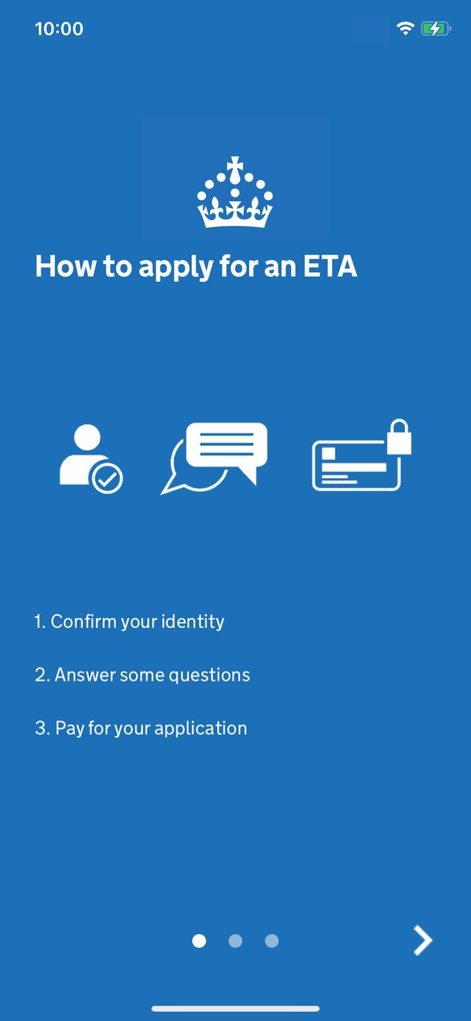
간편한 신청 절차
ETA 신청 과정을 3단계로 요약하여 보여주며, 신분 확인 아이콘과 결제 수단 아이콘을 통해 핵심 단계를 시각적으로 제시합니다.

준비물 한눈에
이 화면은 필요한 여권 이미지와 신용카드 이미지 아이콘을 활용하여, 사용자가 신청 전 준비해야 할 필수 항목들을 명확히 알려줍니다.
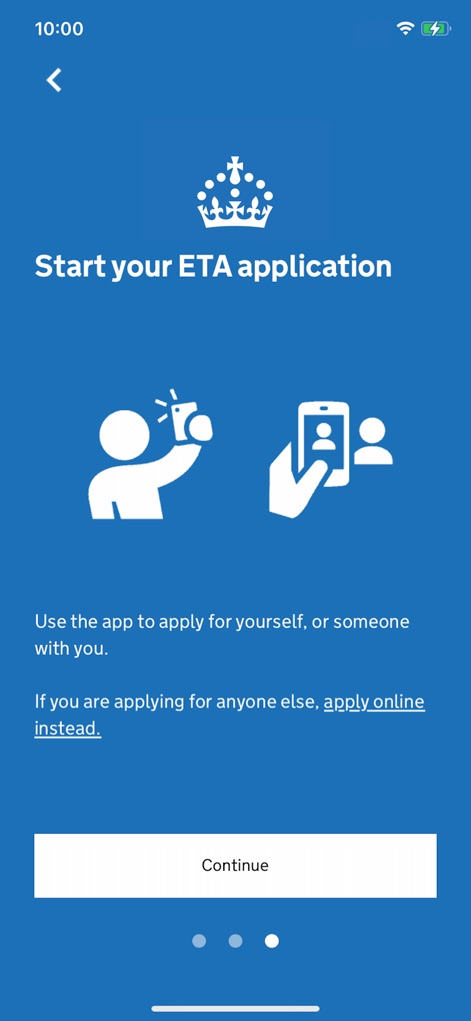
신청 시작하기
이 화면은 사용자 본인 신청 아이콘과 타인 신청 안내 텍스트를 통해 ETA 신청의 시작점을 명확히 제시합니다.
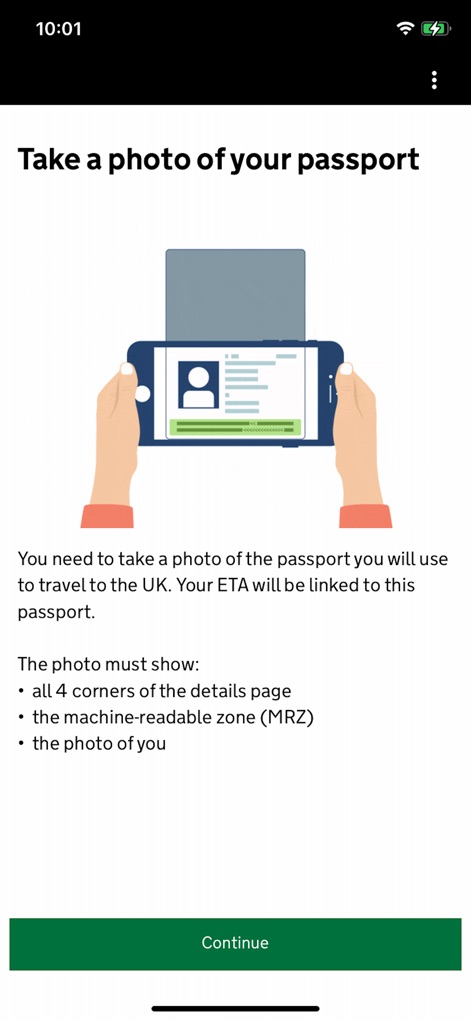
여권 촬영 안내
사용자가 여권 정보를 스캔하는 방법을 설명하며, 스마트폰으로 여권을 촬영하는 상세한 일러스트와 필요한 정보 목록을 제공합니다.
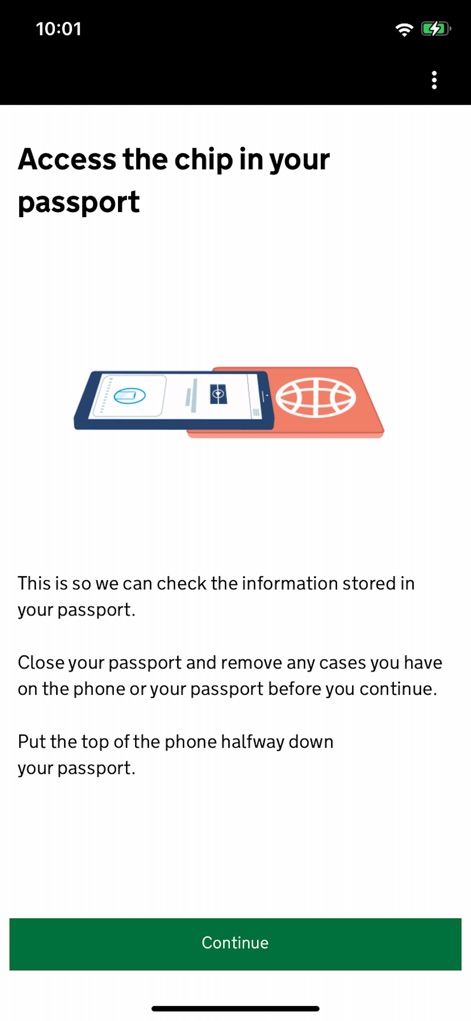
여권 칩 스캔
이 앱은 여권 칩 스캔 일러스트와 함께 휴대폰을 여권 상단에 놓는 구체적인 지침을 제공하여 정확한 정보 확인을 돕습니다.

얼굴 스캔 진행
사용자가 얼굴을 스캔하는 과정을 보여주며, 핸드폰으로 얼굴을 스캔하는 직관적인 일러스트와 함께 소요 시간에 대한 정보를 안내합니다.
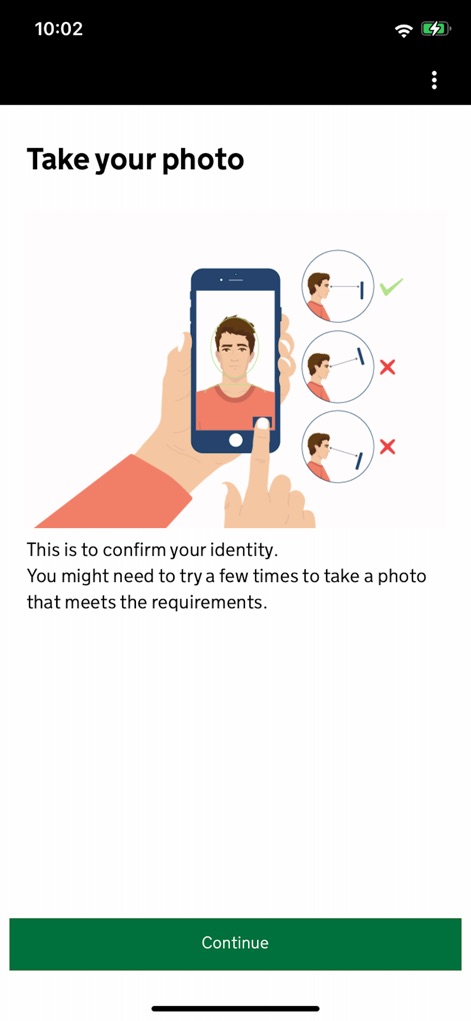
본인 사진 촬영
신분 확인을 위한 본인 사진 촬영 방법을 안내하며, 올바른 셀카 포즈 이미지와 잘못된 각도 이미지를 비교하여 정확한 촬영을 돕습니다.
설명
Download
비슷한 앱
유사한 기능과 사용자 경험을 가진 앱
ESTA Mobile
US Customs and Border Protection

Australian Immi App
Department of Home Affairs

AustralianETA
Department of Home Affairs

iVisa: ETA, eVisa, NZeTA, Visa
Document Advisor LLC
Atlys - Visas on Time
VDC, Legal Liability Corporation
Country Days Tracker
Andrey Solovyev

MOFA - وزارة الخارجية السعودية
Ministry of Foreign Affairs, kingdom of Saudi arabia
Fish | Hunt FL
Florida Fish and Wildlife Conservation Commission

NZeTA
Ministry of Business, Innovation and Employment
이 페이지는 앱이나 개발자의 공식 페이지가 아니며, 정보 제공 및 논평을 목적으로 작성된 독립 편집 간행물입니다. 명시적으로 달리 언급되지 않는 한, 해당 앱이나 개발자는 MWM, Apple, Google Play, 앱 퍼블리셔 또는 앱 개발자와 제휴, 보증, 후원, 승인 또는 공식적으로 연결되어 있지 않으며, 이 페이지의 어떤 내용도 해당 앱이 MWM의 서비스를 사용하여 개발되었음을 의미하지 않습니다. 모든 상표, 로고, 스크린샷 및 기타 콘텐츠는 해당 소유자의 자산입니다.