
이 페이지는 앱이나 개발자의 공식 페이지가 아니며, 정보 제공 및 논평을 목적으로 작성된 독립 편집 간행물입니다. 명시적으로 달리 언급되지 않는 한, 해당 앱이나 개발자는 MWM, Apple, Google Play, 앱 퍼블리셔 또는 앱 개발자와 제휴, 보증, 후원, 승인 또는 공식적으로 연결되어 있지 않으며, 이 페이지의 어떤 내용도 해당 앱이 MWM의 서비스를 사용하여 개발되었음을 의미하지 않습니다. 모든 상표, 로고, 스크린샷 및 기타 콘텐츠는 해당 소유자의 자산입니다.


VicEmergency
공식 실시간 비상 경고 소스를 통해 거리를 좁히세요. 하이퍼로컬 관심 구역과 권위 있는 정부 경고를 기기로 직접 받아 가족, 집, 자산을 모니터링하세요.
다운로드
1M+사용자 평점
총 평가 수
2K+개발사
카테고리
News지원 언어
1최신 버전
6.9.0크기
15.3 MB출시일
2010년 3월 13일연결을 유지하고 안전을 지키세요
미국에 있든 해외를 여행 중이든 VicEmergency는 빅토리아주 정부의 공식 안전 정보와 계속 연결해 줍니다.
글로벌 모니터링, 지역 집중
수천 마일 떨어진 곳에서도 가족의 집이나 부동산을 모니터링할 수 있도록 특정 주소에 대한 맞춤형 관심 구역을 만드세요.
중요 실시간 경고
경고를 놓치지 마세요. 발령되는 즉시 산불, 홍수 및 악천후에 대한 공식 푸시 알림을 받으세요.
자주 묻는 질문
에 대해 알아야 할 모든 것 VicEmergency
VicEmergency 앱은 무엇인가요?
VicEmergency 앱은 빅토리아주 전역의 긴급 경고 및 정보를 제공하는 빅토리아 주 정부 공식 애플리케이션입니다. 사용자는 프로필과 관심 지역을 설정하여 알림을 받을 수 있습니다.
VicEmergency는 실시간 사건 지도를 보여주나요?
네, VicEmergency 앱에는 실시간 사건 지도가 있습니다. 이 지도는 빅토리아 전역의 현재 경고, 예정된 소각, 기타 다양한 유형의 사건을 표시합니다.
VicEmergency를 통해 공식 경고를 어떻게 받을 수 있나요?
사용자는 VicEmergency 앱 내에서 사용자 프로필과 관심 지역을 설정하여 공식 경고 및 정보를 받습니다. 이러한 알림은 사용자에게 직접 푸시됩니다.
VicEmergency는 내 현재 위치를 사용하여 알림을 보낼 수 있나요?
네, VicEmergency 앱은 GPS를 통합하여 사용자의 현재 위치를 파악합니다. 이 기능을 통해 앱은 주변 사건을 표시하고 관련 알림을 제공할 수 있습니다.
iOS에서 VicEmergency 앱 알림을 어떻게 활성화하나요?
iOS에서 VicEmergency 알림을 활성화하려면 설정으로 이동한 다음 알림을 선택하고 VicEmergency 앱을 선택한 다음 "알림 허용"이 "켬"으로 설정되어 있는지 확인합니다. 권장 사항에 따라 알림 스타일과 잠금 화면 옵션을 조정합니다.
VicEmergency는 화재 위험 등급을 표시하나요?
네, VicEmergency 앱은 지도에 직접 예상 화재 위험 등급을 표시합니다. 또한 오늘의 및 내일의 전면 금지 상태를 표시합니다.
VicEmergency 앱은 인터넷 연결이 필요한가요?
네, VicEmergency 앱은 빅토리아 비상 서비스에서 발행한 경고 및 정보를 받으려면 기기에서 인터넷 연결이 필요합니다.
VicEmergency는 작동을 위해 GPS가 필요한가요?
네, VicEmergency 앱 내에서 현재 위치와 주변 사건을 보려면 GPS를 켜고 기기에서 위치 기능을 활성화해야 합니다.
VicEmergency는 어떤 유형의 경고를 제공하나요?
VicEmergency 앱은 빅토리아 비상 서비스에서 발행한 긴급 경고, 경고, 조언 및 일반 정보를 제공합니다. 또한 커뮤니티 정보 메시지도 포함합니다.
VicEmergency에서 긴급 정보를 공유할 수 있나요?
네, VicEmergency 앱에는 사용자가 애플리케이션에서 직접 친구 및 가족과 사건 및 경고를 공유할 수 있는 기능이 포함되어 있습니다.
다음 스크린샷과 설명은 앱의 공식 스토어 목록에서 직접 가져온 것이며 앱 개발자의 자산입니다.
앱 스토어
스크린샷
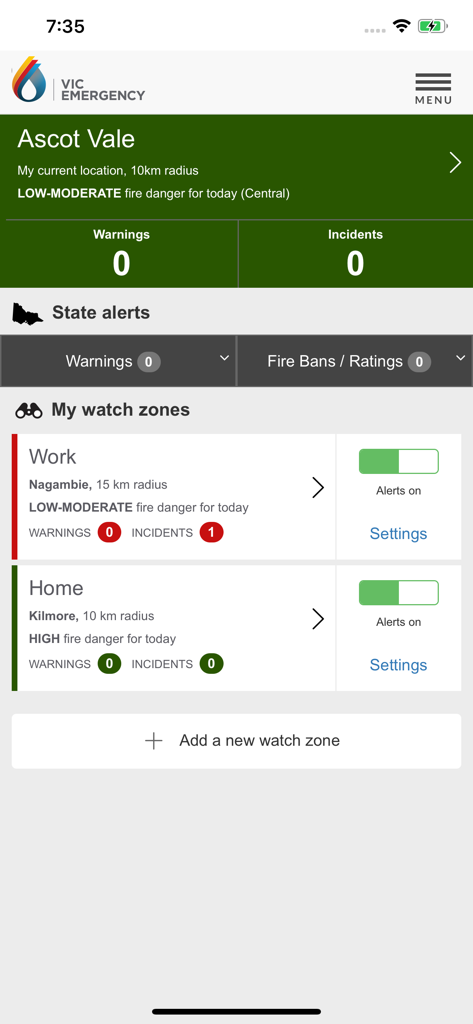
VicEmergency 앱 대시보드에서 실시간 산불 위험 등급이 있는 직장 및 집 위치에 대한 개인 맞춤 관심 구역 표시
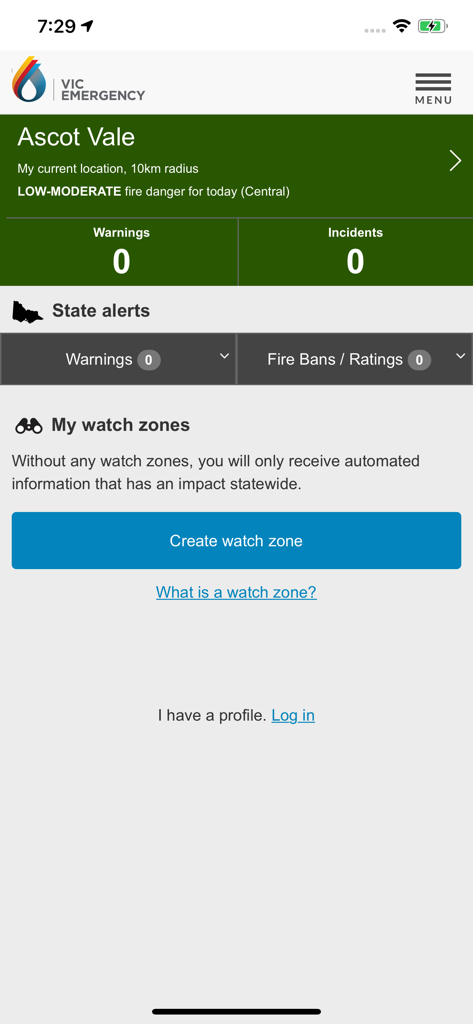
VicEmergency 앱 홈 화면에서 Ascot Vale에 대한 비상 경고 및 관심 구역 설정 표시
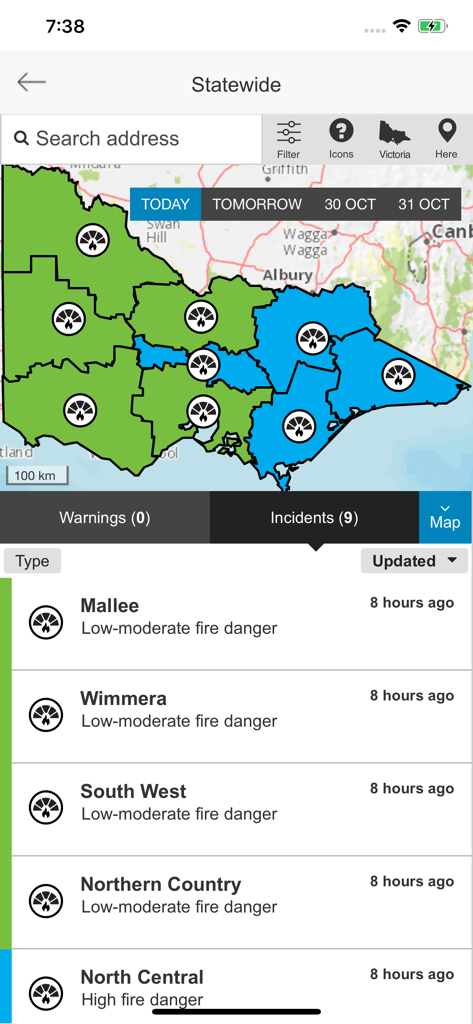
VicEmergency 앱에서 Mallee 및 Wimmera와 같은 지역의 산불 위험 등급이 있는 빅토리아주 전역 지도 표시
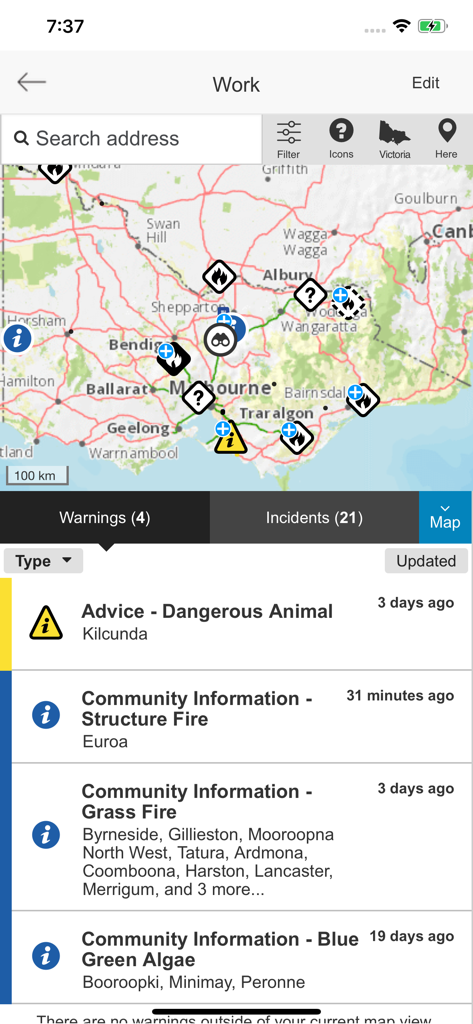
VicEmergency 앱 인터페이스에서 사건 아이콘과 활성 비상 경고 목록이 있는 지도 표시
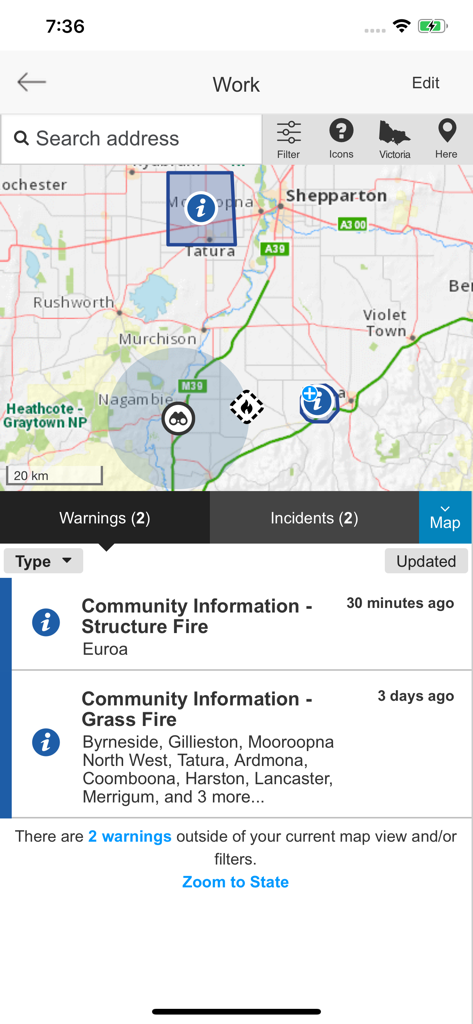
VicEmergency 앱 인터페이스에서 비상 표시와 아래의 화재 경고 목록이 있는 대화형 지도 표시
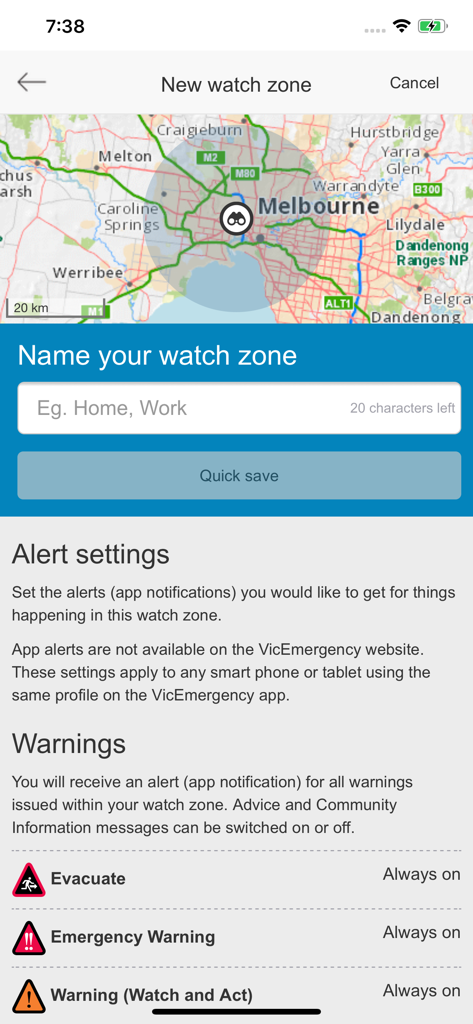
지도 및 경고 설정으로 새 관심 구역을 설정하는 VicEmergency 앱 화면
설명
Download
비슷한 앱
유사한 기능과 사용자 경험을 가진 앱

Politiloggen
Politiets IKT-tjenester

Food Recalls & Alerts
SmartAddress, Inc.

Повітряна тривога
AJAX SCIENTIFIC AND PRODUCTION ENTERPRISE LIMITED LIABILITY COMPANY

Alert SA
South Australian Fire and Emergency Commission

Tzofar - Red Alert
Hoshen Kadosh
Emergency: Severe Weather App
American Red Cross

myENV
National Environment Agency

lebensmittelwarnung.de
Bundesamt fuer Verbraucherschutz und Lebensmittelsicherheit (BVL)

Olay Var
IMPERIO YAZILIM BILISIM TEKNOLOJILERI ANONIM SIRKETI
이 페이지는 앱이나 개발자의 공식 페이지가 아니며, 정보 제공 및 논평을 목적으로 작성된 독립 편집 간행물입니다. 명시적으로 달리 언급되지 않는 한, 해당 앱이나 개발자는 MWM, Apple, Google Play, 앱 퍼블리셔 또는 앱 개발자와 제휴, 보증, 후원, 승인 또는 공식적으로 연결되어 있지 않으며, 이 페이지의 어떤 내용도 해당 앱이 MWM의 서비스를 사용하여 개발되었음을 의미하지 않습니다. 모든 상표, 로고, 스크린샷 및 기타 콘텐츠는 해당 소유자의 자산입니다.