
이 페이지는 앱이나 개발자의 공식 페이지가 아니며, 정보 제공 및 논평을 목적으로 작성된 독립 편집 간행물입니다. 명시적으로 달리 언급되지 않는 한, 해당 앱이나 개발자는 MWM, Apple, Google Play, 앱 퍼블리셔 또는 앱 개발자와 제휴, 보증, 후원, 승인 또는 공식적으로 연결되어 있지 않으며, 이 페이지의 어떤 내용도 해당 앱이 MWM의 서비스를 사용하여 개발되었음을 의미하지 않습니다. 모든 상표, 로고, 스크린샷 및 기타 콘텐츠는 해당 소유자의 자산입니다.


Vid-Matè : Video & Music
이 앱은 당신의 미디어를 단호하게 통제합니다. 더 이상 여러 앱을 넘나들며 조작할 필요가 없습니다. 이는 창조적 주도권을 당신에게 넘겨줍니다.
다운로드
100k+사용자 평점
총 평가 수
6.7K개발사
카테고리
Utilities지원 언어
16최신 버전
2.0크기
48.8 MB출시일
2025년 2월 17일아이폰 사용자를 위한 올인원 멀티미디어 편집 도구 평가
Vid-Matè : Video & Music 앱 분석
통합 멀티미디어 솔루션
이 도구는 비디오, 사진, 오디오 파일을 편집, 개선 및 변환하는 데 필요한 모든 기능을 하나의 앱에서 제공하여 사용자가 여러 앱을 사용할 필요 없이 편리하게 작업할 수 있도록 지원합니다.
강력한 비디오 편집
이 앱은 밝기, 대비, 채도 조절 및 다양한 필터 적용을 통해 사용자의 비디오를 돋보이게 하고 시각적으로 향상시킬 수 있도록 돕습니다. 시각 자료를 쉽게 자르고, 회전하고, 크기를 조정할 수 있습니다.
고품질 출력
이 앱은 사용자가 고품질로 프로젝트를 내보낼 수 있도록 하여, 편집된 콘텐츠가 선명하고 전문적으로 보이도록 보장합니다.
비디오 트리밍
이 도구는 사용자가 비디오에서 원치 않는 부분을 쉽게 잘라내고, 클립을 완벽한 길이로 다듬어 최고의 순간만 유지할 수 있도록 해줍니다.
비디오 분할
이 앱은 긴 비디오를 더 작고 관리하기 쉬운 클립으로 나눌 수 있게 해주며, 하이라이트, 릴 또는 소셜 미디어용 비디오 분할에 이상적입니다.
비디오-MP3 변환기
이 앱은 사용자가 좋아하는 비디오에서 오디오를 추출하여 고품질 MP3 파일로 저장할 수 있도록 하며, 벨소리, 팟캐스트 또는 비디오에서 음악을 저장하는 데 적합합니다.
빠르고 효율적인 처리
이 도구는 이동 중에도 미디어를 빠르고 효율적으로 편집하고 처리하여, 사용자가 시간을 절약하고 신속하게 결과물을 얻을 수 있도록 돕습니다.
비디오 역재생
이 앱은 사용자가 탭 한 번으로 놀라운 역재생 비디오를 만들 수 있게 해주며, 독특하고 창의적인 효과로 시청자의 시선을 사로잡을 수 있도록 합니다.
자주 묻는 질문
에 대해 알아야 할 모든 것 Vid-Matè : Video & Music
What is Vid-Matè : Video & Music?
Vid-Matè : Video & Music is a comprehensive video editing app for iPhone users. It provides tools to edit, enhance, and transform videos, photos, and audio files, serving all multimedia creation needs.
Does Vid-Matè : Video & Music include a video to MP3 converter?
Yes, Vid-Matè : Video & Music includes a Video to MP3 Converter. This feature allows users to extract audio from their favorite videos and save them as high-quality MP3 files.
What video editing features does Vid-Matè : Video & Music offer?
Vid-Matè : Video & Music offers powerful video editing features including adjusting brightness, contrast, saturation, applying filters, cropping, rotating, resizing, trimming, splitting, and reversing videos.
Can users store links within Vid-Matè : Video & Music?
Yes, Vid-Matè : Video & Music features Link Storage. Users can save and organize their edited videos, photos, and audio files, and access or share them directly from within the app.
What are the subscription costs for Vid-Matè : Video & Music?
Subscriptions for Vid-Matè : Video & Music are available weekly ($2.99), monthly ($4.99), and annually ($29.49). These auto-renewing purchases unlock all app features without ads.
Is the Vid-Matè : Video & Music subscription automatically renewed?
Yes, the Vid-Matè : Video & Music subscription is auto-renewable. It charges to your iTunes account upon purchase confirmation and automatically renews unless turned off 24 hours before the period ends.
How do I cancel my Vid-Matè : Video & Music subscription?
Users can manage their Vid-Matè : Video & Music subscription and turn off auto-renewal by visiting their iTunes Account Settings after purchase. Cancellation is not possible during an active subscription period.
Where can I access the Privacy Policy for Vid-Matè : Video & Music?
The Privacy Policy for Vid-Matè : Video & Music is accessible at: https://vimrovideotools.blogspot.com/2025/02/privacy-policy.html. Users can review the full terms of service and privacy details there.
Does Vid-Matè : Video & Music support high-quality video output?
Yes, Vid-Matè : Video & Music supports high-quality video output. Users can export their projects in HD format, ensuring no loss of quality and professional-grade results for their media.
What types of media can Vid-Matè : Video & Music manage?
Vid-Matè : Video & Music is designed to manage videos, photos, and audio files. It offers a comprehensive suite of features for editing, enhancing, and transforming all these media types seamlessly.
다음 스크린샷과 설명은 앱의 공식 스토어 목록에서 직접 가져온 것이며 앱 개발자의 자산입니다.
앱 스토어
스크린샷

이 앱은 사용자가 다양한 영상 콘텐츠를 탐색할 수 있는 직관적인 비디오 플레이어 화면과 각 썸네일의 재생 버튼을 통해 편리한 영상 감상 경험을 제공합니다.
스마트 비디오 플레이어
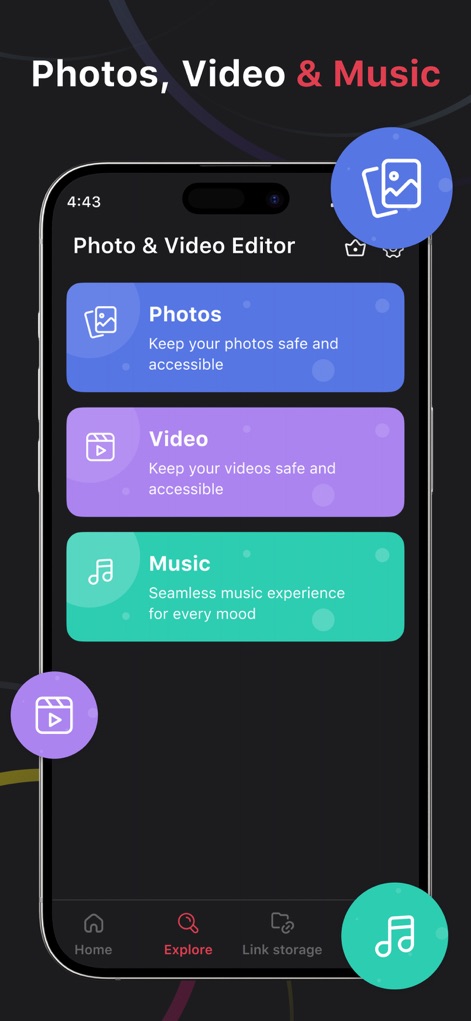
이 도구는 사진, 비디오, 음악 파일을 한곳에서 관리할 수 있는 통합 미디어 허브를 제공하며, 명확하게 구분된 세 가지 카테고리와 편리한 하단 탐색 메뉴를 통해 손쉬운 접근성을 보장합니다.
올인원 미디어 허브
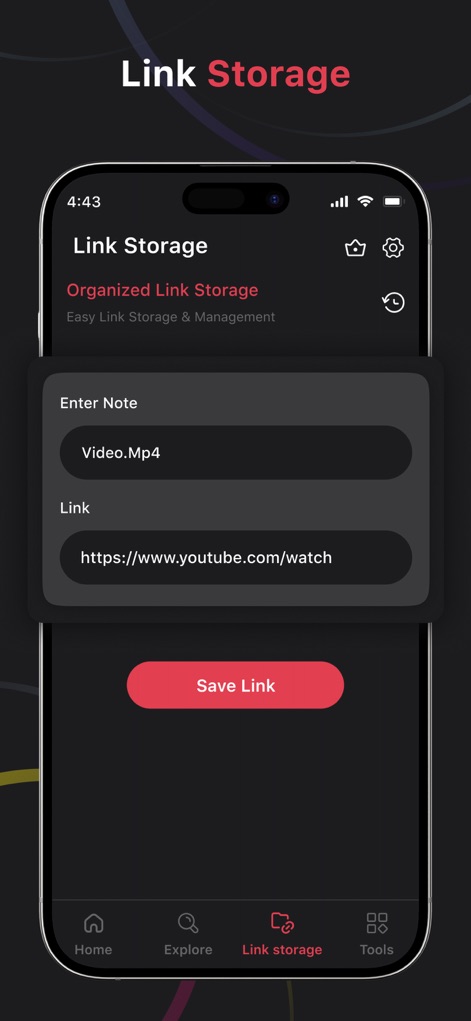
이 앱의 링크 보관함 기능을 통해 사용자는 외부 비디오 링크를 손쉽게 저장하고 관리할 수 있으며, 제목 입력 필드와 링크 입력 필드를 활용하여 자료를 체계적으로 정리할 수 있습니다.
간편 링크 저장
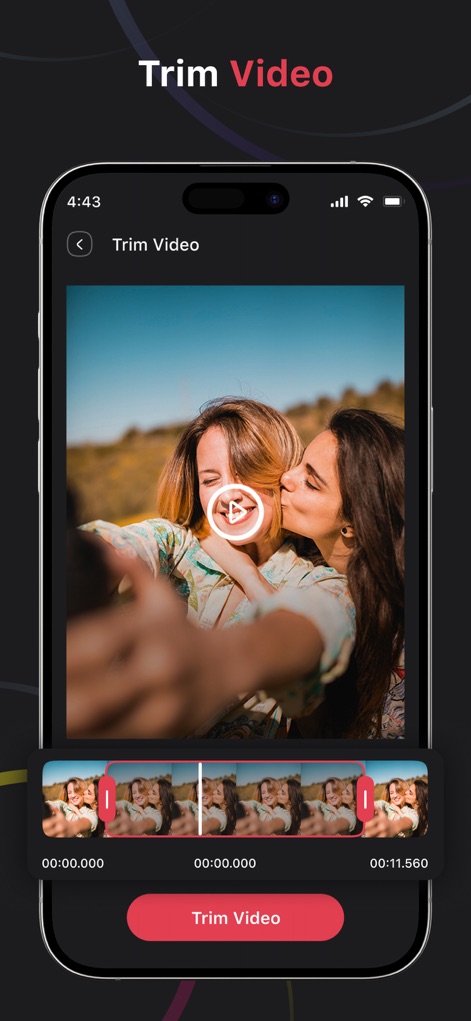
이 앱은 사용자가 영상을 정밀하게 자르고 편집할 수 있도록 직관적인 영상 트리밍 인터페이스를 제공하며, 시간 표시가 있는 타임라인과 명확한 시작/종료점 조절 기능을 통해 원하는 부분을 정확히 선택할 수 있습니다.
정밀 영상 자르기
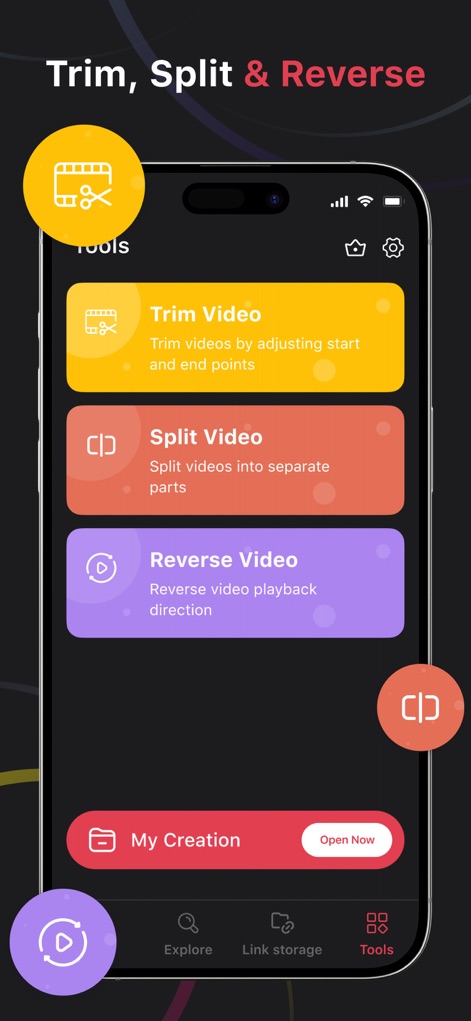
이 도구는 비디오를 다듬고, 분할하며, 역재생하는 핵심 편집 기능을 한눈에 보여주며, 각 기능에 대한 간결한 설명과 직관적인 아이콘으로 사용 편의성을 높입니다.
강력한 편집 도구
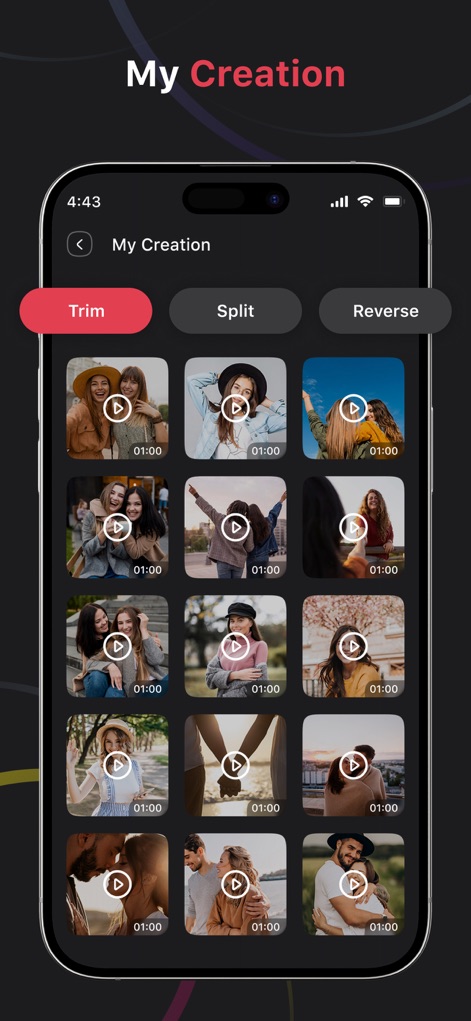
이 앱은 사용자가 편집한 모든 영상 창작물을 한눈에 볼 수 있는 깔끔한 갤러리 뷰를 제공하며, 개별 영상 썸네일과 상단의 필터링 탭을 통해 쉽게 접근하고 관리할 수 있습니다.
나의 창작물
설명
Download
비슷한 앱
유사한 기능과 사용자 경험을 가진 앱


이 페이지는 앱이나 개발자의 공식 페이지가 아니며, 정보 제공 및 논평을 목적으로 작성된 독립 편집 간행물입니다. 명시적으로 달리 언급되지 않는 한, 해당 앱이나 개발자는 MWM, Apple, Google Play, 앱 퍼블리셔 또는 앱 개발자와 제휴, 보증, 후원, 승인 또는 공식적으로 연결되어 있지 않으며, 이 페이지의 어떤 내용도 해당 앱이 MWM의 서비스를 사용하여 개발되었음을 의미하지 않습니다. 모든 상표, 로고, 스크린샷 및 기타 콘텐츠는 해당 소유자의 자산입니다.