
이 페이지는 앱이나 개발자의 공식 페이지가 아니며, 정보 제공 및 논평을 목적으로 작성된 독립 편집 간행물입니다. 명시적으로 달리 언급되지 않는 한, 해당 앱이나 개발자는 MWM, Apple, Google Play, 앱 퍼블리셔 또는 앱 개발자와 제휴, 보증, 후원, 승인 또는 공식적으로 연결되어 있지 않으며, 이 페이지의 어떤 내용도 해당 앱이 MWM의 서비스를 사용하여 개발되었음을 의미하지 않습니다. 모든 상표, 로고, 스크린샷 및 기타 콘텐츠는 해당 소유자의 자산입니다.


VideoCopy: Download manager
클라우드에서 다운로드하고, AI 자막을 몇 초 만에 생성하고, 백그라운드에서 미디어를 재생하세요. 이동 중에도 콘텐츠를 만들고 소비할 수 있는 완벽한 미디어 허브입니다.
다운로드
3M+사용자 평점
총 평가 수
23K+개발사
카테고리
Music지원 언어
1최신 버전
1.44크기
36.6 MB출시일
2019년 9월 9일미디어를 마스터하는 데 필요한 모든 것
데스크톱 없이 언제 어디서든 좋아하는 동영상과 음악을 다운로드, 편집, 재생할 수 있는 올인원 툴킷입니다.
원활한 클라우드 및 소셜 가져오기
Google Drive, Dropbox 또는 소셜 미디어에서 동영상과 노래를 개인 로컬 라이브러리로 즉시 가져옵니다.
AI 기반 자동 자막
최첨단 AI로 즉시 생성되는 100개 이상의 언어로 된 바이럴 가라오케 스타일 자막으로 참여도를 높이세요.
자주 묻는 질문
에 대해 알아야 할 모든 것 VideoCopy: Download manager
Can VideoCopy download content from cloud storage services like Google Drive?
예, VideoCopy를 사용하면 Google Drive, Dropbox, OneDrive와 같은 클라우드 서비스에서 동영상과 노래를 다운로드하고 가져올 수 있습니다. 또한 컴퓨터에서 iPhone으로 Wi-Fi 공유도 지원합니다.
Does VideoCopy provide AI-powered auto captioning for videos?
예, VideoCopy에는 AI 기반 자동 자막 도구가 있습니다. 동영상을 서버에 업로드하여 100개 이상의 주요 세계 언어를 지원하는 노래방 스타일 자막 동영상을 생성합니다.
What video editing features are available in VideoCopy?
VideoCopy는 필터, 자르기, 자막 추가, 스티커, 동영상 뒤집기, 동영상 병합, 오디오 제거, M4A 오디오로 동영상 변환 등 다양한 동영상 편집 도구를 제공합니다.
Does VideoCopy support background playback and a nano player for media?
예, VideoCopy에는 동영상, M4A, MP3 파일을 지원하는 다용도 플레이어가 포함되어 있습니다. 나노 플레이어, 백그라운드 재생 모드, 잠금 화면 컨트롤을 제공하여 지속적인 청취가 가능합니다.
Can I create and manage playlists within the VideoCopy app?
예, VideoCopy를 사용하면 여러 재생 목록을 만들고 각 재생 목록에 원하는 만큼 항목을 추가할 수 있습니다. 선택한 노래를 재생하고, 섞고, 재생 목록 내의 동영상이나 노래 순서를 다시 지정할 수 있습니다.
Does VideoCopy have a built-in file manager for organizing content?
예, VideoCopy에는 하위 폴더를 만들고, WhatsApp 및 Telegram과 같은 타사 애플리케이션에서 동영상을 추가하고, 파일을 이름 바꾸고, 삭제하고, 공유하고, 저장할 수 있는 파일 관리자가 포함되어 있습니다.
Does VideoCopy offer security features to protect videos?
예, VideoCopy는 동영상에 대한 암호 보호 기능을 포함한 보안 기능을 제공합니다. 또한 향상된 생체 인식 보안을 위해 Face ID를 지원합니다.
What are the benefits of VideoCopy Premium membership?
VideoCopy는 3개월, 연간, 평생 옵션이 있는 프리미엄 멤버십을 제공합니다. 프리미엄은 다운로드 제한 및 광고를 제거하고 모든 동영상 편집 도구를 잠금 해제합니다.
How do VideoCopy subscriptions and renewals work?
VideoCopy Premium의 구독 결제는 구매 시 iTunes 계정으로 청구됩니다. 현재 기간이 종료되기 최소 24시간 전에 자동 갱신을 해제하지 않으면 구독이 자동으로 갱신됩니다.
다음 스크린샷과 설명은 앱의 공식 스토어 목록에서 직접 가져온 것이며 앱 개발자의 자산입니다.
앱 스토어
스크린샷
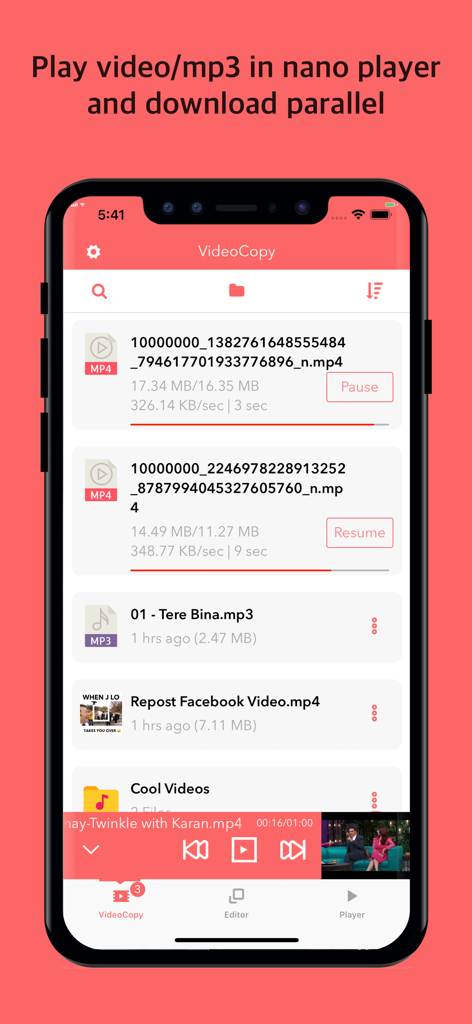
VideoCopy 앱 인터페이스에 여러 파일이 동시에 다운로드되는 모습과 하단에 나노 비디오 플레이어가 표시됩니다.
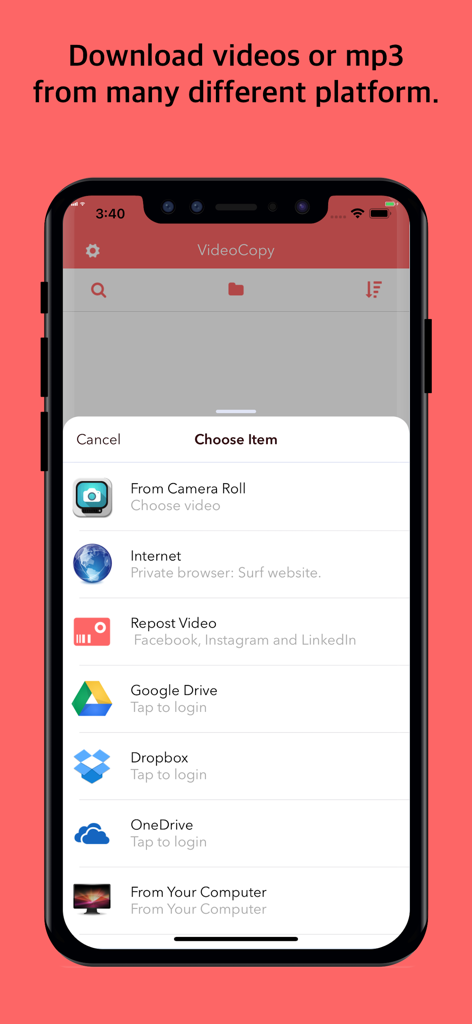
VideoCopy 앱 인터페이스에 소셜 미디어 플랫폼, 클라우드 저장소 및 컴퓨터에서 미디어를 다운로드하거나 가져올 수 있는 여러 옵션이 표시됩니다.
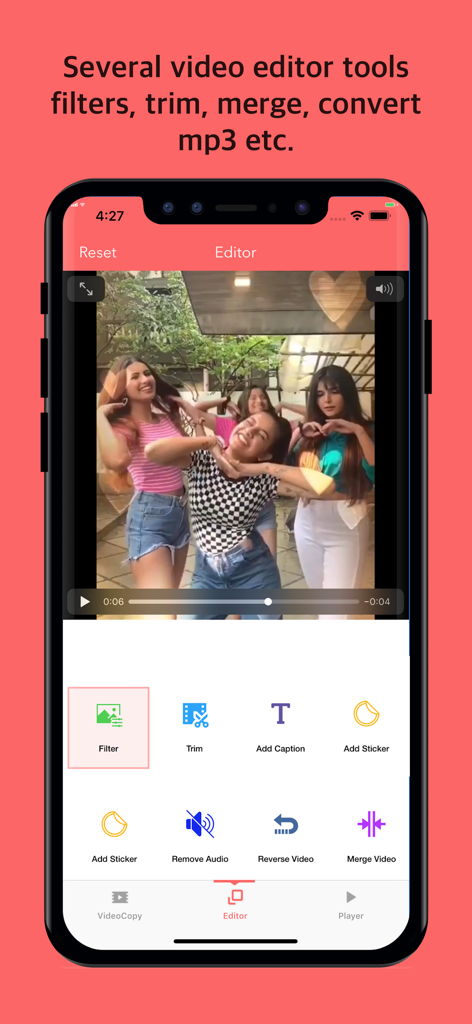
VideoCopy 앱 인터페이스에 필터, 자르기, 자막 추가 등 비디오 편집 도구가 표시됩니다.
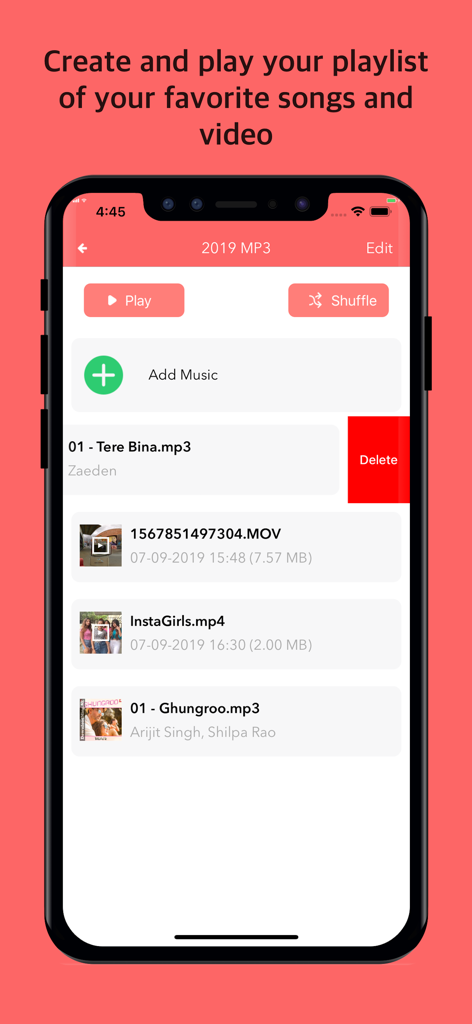
VideoCopy 앱 인터페이스에 음악 및 비디오 파일이 포함된 미디어 재생 목록과 재생 컨트롤이 표시됩니다.
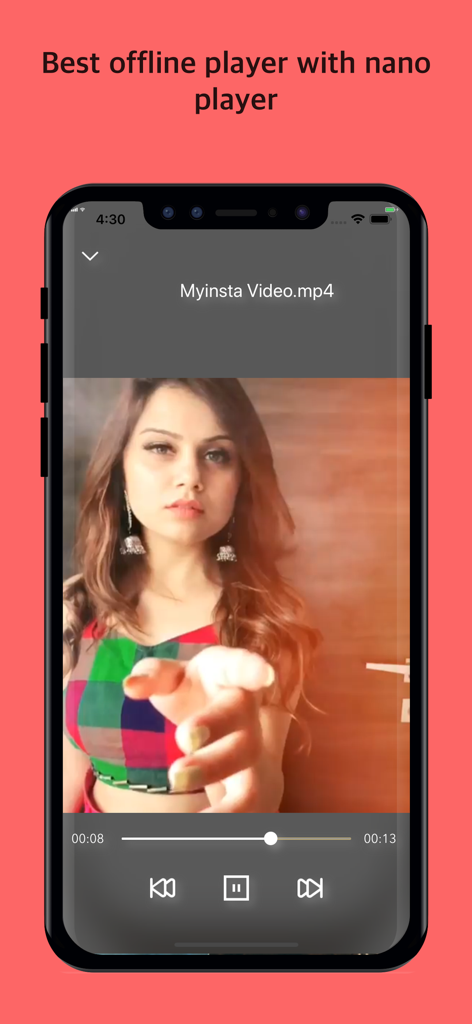
VideoCopy 앱에 스마트폰 화면에서 재생 컨트롤이 있는 오프라인 비디오 플레이어 인터페이스가 표시됩니다.
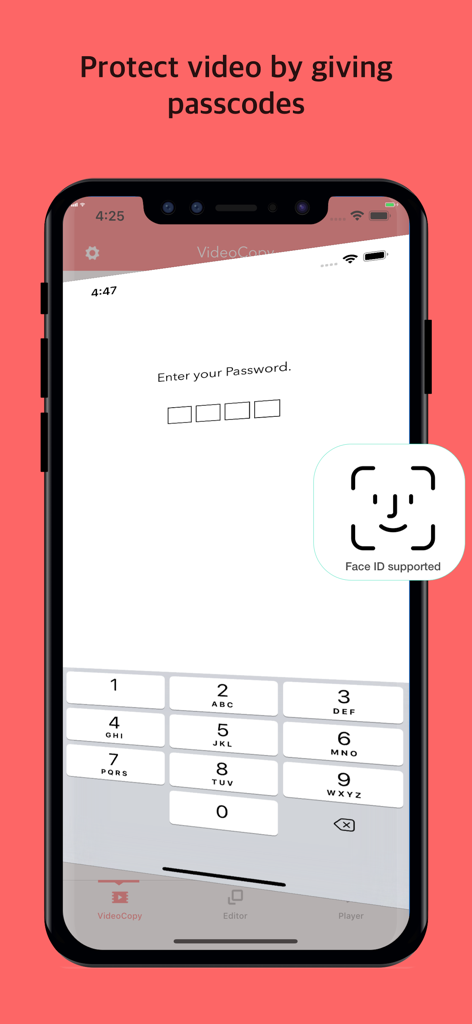
VideoCopy 앱의 비디오에 대한 암호 및 Face ID 보호 기능을 보여주는 스마트폰 화면입니다.
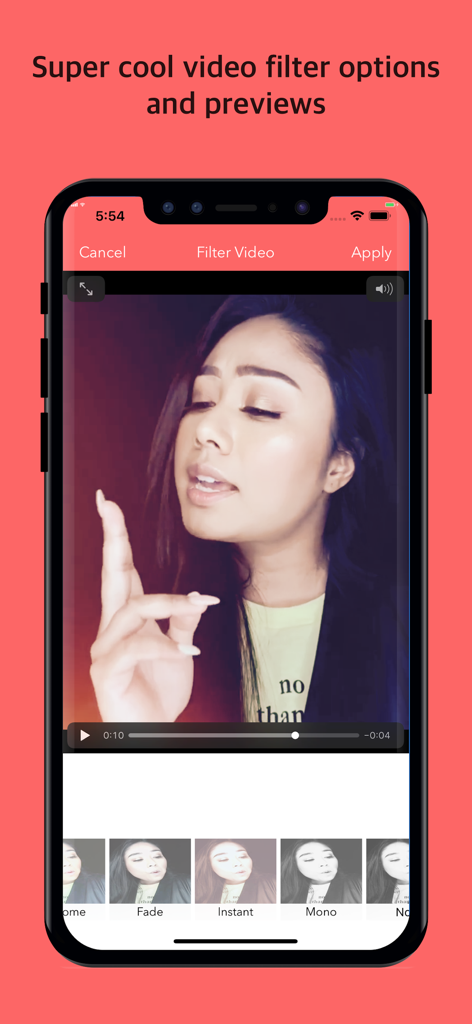
VideoCopy 앱 인터페이스에 편집을 위한 다양한 비디오 필터 및 미리 보기가 표시됩니다.
설명
Download
비슷한 앱
유사한 기능과 사용자 경험을 가진 앱

OpusClip - AI video clipping
Opusclip Inc.

水印大师-提取素材视频水印编辑
Changsha Tanbei Information Technology Co., Ltd

龙猫工具大师-素材文案提取&文本转语音&智能提词器&AI创作
彦超 仝

水印猫-视频解析保存素材一键水印
Changsha yunxiaoguo technology co., ltd

FameTop - Viral Fans Growth
Susanne Anders

高清素材大全 - 高清热门素材库短视频创作
StarShine Technology Co. Ltd.

素材神器-短视频制作辅助素材库
Xiamen Bita Network Technology Co., Ltd.

Video Downloader & Saver
Derek Coutinho

SnapTik - Tik Video Downloader
Madhuri Pujara
이 페이지는 앱이나 개발자의 공식 페이지가 아니며, 정보 제공 및 논평을 목적으로 작성된 독립 편집 간행물입니다. 명시적으로 달리 언급되지 않는 한, 해당 앱이나 개발자는 MWM, Apple, Google Play, 앱 퍼블리셔 또는 앱 개발자와 제휴, 보증, 후원, 승인 또는 공식적으로 연결되어 있지 않으며, 이 페이지의 어떤 내용도 해당 앱이 MWM의 서비스를 사용하여 개발되었음을 의미하지 않습니다. 모든 상표, 로고, 스크린샷 및 기타 콘텐츠는 해당 소유자의 자산입니다.