Visma M2

Visma M2

다운로드: App Store다운로드: Google Play
로고: Visma M2

Visma M2: 이동 중인 전문가를 위한 스마트 경비 및 주행 거리 추적

수동 서류 작업에 시간 낭비는 그만. 영수증 캡처, GPS 주행 거리 추적, 즉시 승인 관리를 모두 손안에서 해결하세요.

개발사

Visma Aquila Oy

카테고리

Business

다운로드

34K+

사용자 평점

1.7/5

총 평가 수

0

지원 언어

3

모든 스냅에 담긴 효율성

이 인터페이스를 사용하는 34K+ 명의 사용자.

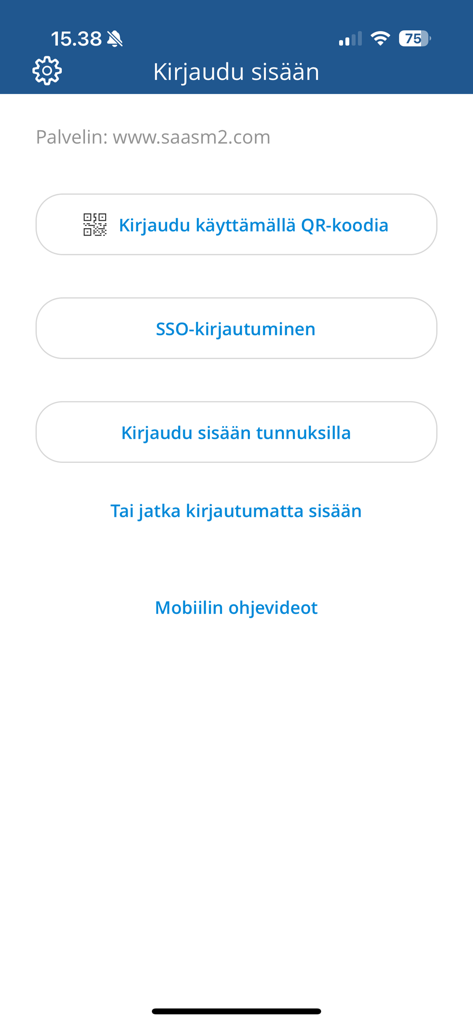
Visma M2 모바일 앱의 로그인 화면, QR 코드, SSO 및 자격 증명 로그인 옵션 표시

Visma M2 모바일 앱의 로그인 화면, QR 코드, SSO 및 자격 증명 로그인 옵션 표시

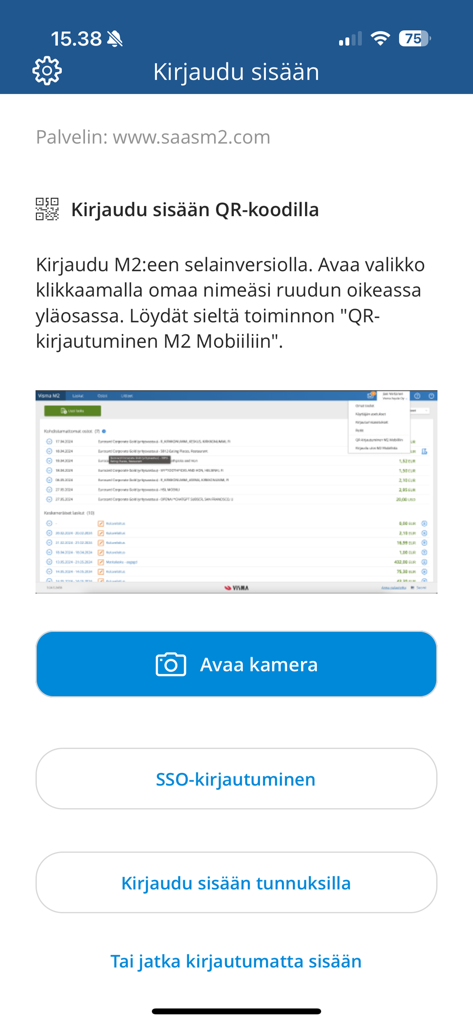
Visma M2 앱 로그인 화면, QR 코드 스캔 및 SSO를 포함한 여러 로그인 옵션 제공

Visma M2 앱 로그인 화면, QR 코드 스캔 및 SSO를 포함한 여러 로그인 옵션 제공

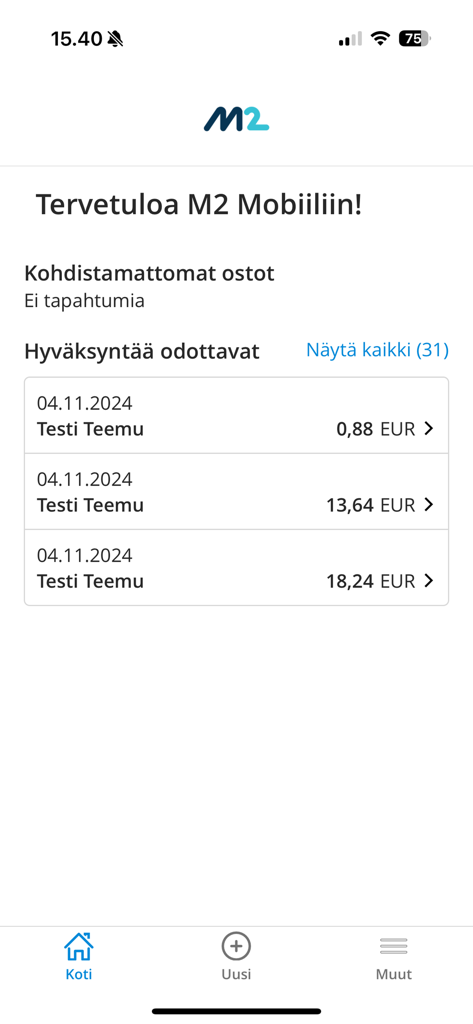
Visma M2 모바일 앱 인터페이스, 이름과 금액이 포함된 보류 중인 비즈니스 경비 승인 목록 표시

Visma M2 모바일 앱 인터페이스, 이름과 금액이 포함된 보류 중인 비즈니스 경비 승인 목록 표시

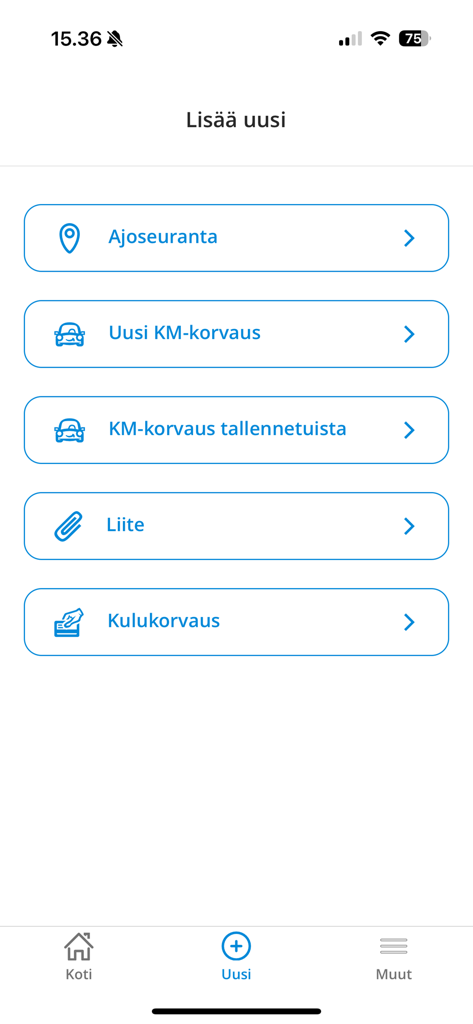
Visma M2 모바일 앱 인터페이스, 새 주행 거리 추적 및 경비 청구 추가 옵션 표시

Visma M2 모바일 앱 인터페이스, 새 주행 거리 추적 및 경비 청구 추가 옵션 표시

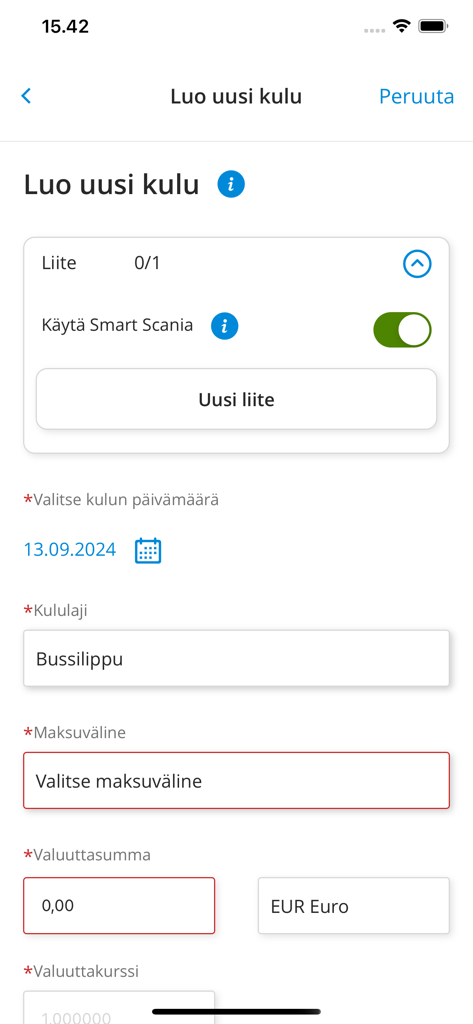
Visma M2 앱 인터페이스, 영수증 첨부 및 경비 세부 정보 필드가 있는 새 경비 생성 양식 표시

Visma M2 앱 인터페이스, 영수증 첨부 및 경비 세부 정보 필드가 있는 새 경비 생성 양식 표시

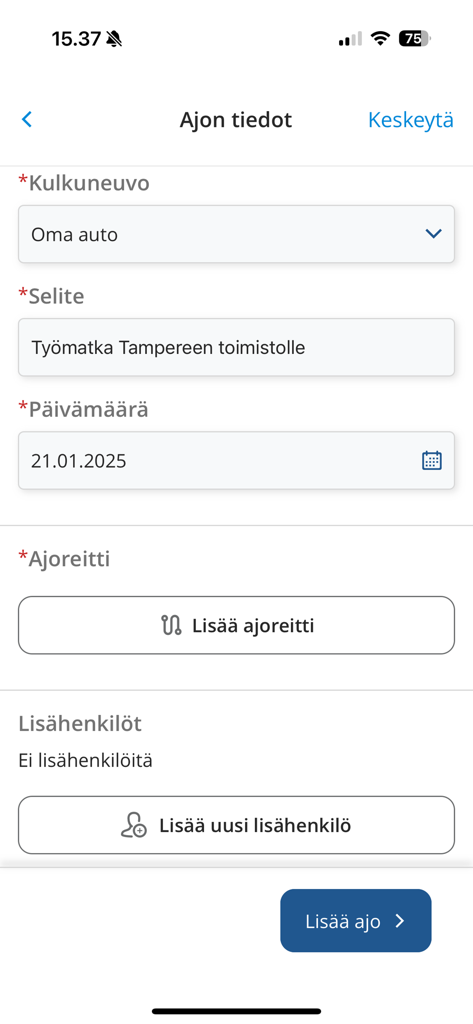
Visma M2 모바일 앱 인터페이스, 차량 유형 및 경로를 포함한 비즈니스 운전 세부 정보 입력을 위한 양식 표시

Visma M2 모바일 앱 인터페이스, 차량 유형 및 경로를 포함한 비즈니스 운전 세부 정보 입력을 위한 양식 표시

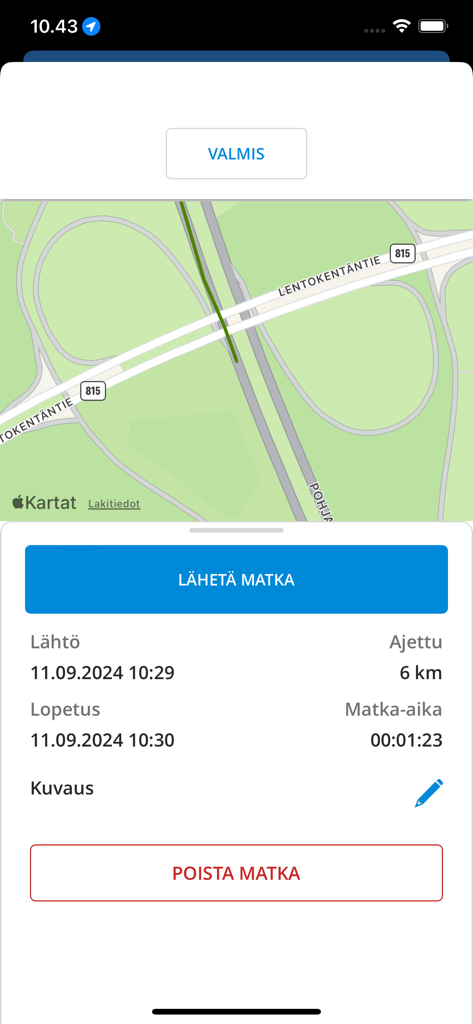
Visma M2 앱 인터페이스, 경로 지도 및 주행 거리 데이터가 포함된 비즈니스 여행 요약 표시

Visma M2 앱 인터페이스, 경로 지도 및 주행 거리 데이터가 포함된 비즈니스 여행 요약 표시

간편해진 경비 관리

이 앱을 돋보이게 하는 도구, 34K+ 명의 사용자가 선택.

📸

즉시 영수증 캡처

이동 중에 모든 영수증 사진을 찍으세요. 디지털 스캔으로 환급을 놓치거나 종이 영수증을 잃어버리는 일이 다시는 없을 것입니다.

🚗

스마트 GPS 주행 거리 추적

고정밀 GPS로 비즈니스 여행을 자동으로 기록하세요. 정확한 주행 거리 청구를 손쉽게 생성하고 완전한 규정 준수를 보장하세요.

신속한 모바일 승인

한 번의 탭으로 경비 보고서 또는 여행 계획을 검토하고 승인하세요. 어디서든 팀의 업무를 원활하게 진행하고 예산을 관리하세요.

앱 소개

에 대해 알아야 할 모든 것 Visma M2.

설명

With M2 Mobile, you can photograph receipts and collect driving data via GPS, and send them to M2 (web service) for further processing, or make a kilometre claim directly in Mobile. You can manage costs and purchases including receipts conveniently anywhere you like, directly in the M2 Mobile and send them for approval. If you have approval responsibilities for claims or plans, you can approve almost all of these transactions directly in Mobile. If necessary, you can also use the M2 Blue user interface through the Mobile. Using M2 Mobile requires that you have personal credentials for the M2 SaaS service and that your organisation has enabled mobile functions. Some of M2 Mobile's functionalities are optional (on / off) depending on the customer. You can download the user manual for M2 Mobile from the help menu of the M2 browser interface. If necessary, ask your organisation's M2 Administrator for more information. Thank you for using M2 Mobile.

최신 버전

1.5.0

크기

35.0 MB

출시일

2020년 5월 15일

영수증 추적은 그만. 환급받기 시작하세요.

이동 중 경비 보고서 및 주행 거리 추적을 자동화하는 수천 명의 전문가와 함께하세요. 지금 Visma M2를 다운로드하고 서류 작업을 생산성으로 전환하세요.

다운로드: App Store다운로드: Google Play

App information, icons, screenshots, and descriptions displayed on this page are sourced from the Apple App Store and are the property of their respective developers. Download estimates and rankings are based on MWM's proprietary models and may not reflect actual figures. This page is provided for informational and analytical purposes only.

Believe this page infringes your intellectual property? File a dispute